sketchucation logo sketchucation
    • Login
    Oops, your profile's looking a bit empty! To help us tailor your experience, please fill in key details like your SketchUp version, skill level, operating system, and more. Update and save your info on your profile page today!
    Mac User? | Join the Rayscaper Beta for Mac Learn More

    Dotted lines

    Scheduled Pinned Locked Moved LayOut Discussions
    layout
    33 Posts 13 Posters 14.0k Views 13 Watching
    Loading More Posts
    • Oldest to Newest
    • Newest to Oldest
    • Most Votes
    Reply
    • Reply as topic
    Log in to reply
    This topic has been deleted. Only users with topic management privileges can see it.
    • M
      mal
      last edited by

      Thanks Peter pbacot, the wedges are gone. I even have some dotted arcs showing doors to be removed.. Happy Days πŸ‘

      Mal

      1 Reply Last reply
      Reply Quote 0
      • EdsonE
        Edson
        last edited by

        @mal said:

        I did the door swings in layout using the arc tool but they turned out like potato wedges... Any tips on avoiding that?

        Cheers

        Mal

        of course, you can do it later in LO but then you would have to it once for each door. my own way of doing this is: when I model a door component in SU I always create a hidden layer named 2D and place the door swing there. when saving a scene that shows a plan for exporting to LO I switch it on and save. thus you do it only once for each door. that is it.

        edson mahfuz, architect| porto alegre β€’ brasil
        http://www.mahfuz.arq.br

        1 Reply Last reply
        Reply Quote 0
        • M
          mal
          last edited by

          Thanks for the tip Edson. Sounds like a good plan. Cheers

          1 Reply Last reply
          Reply Quote 0
          • ccaponigroC
            ccaponigro
            last edited by

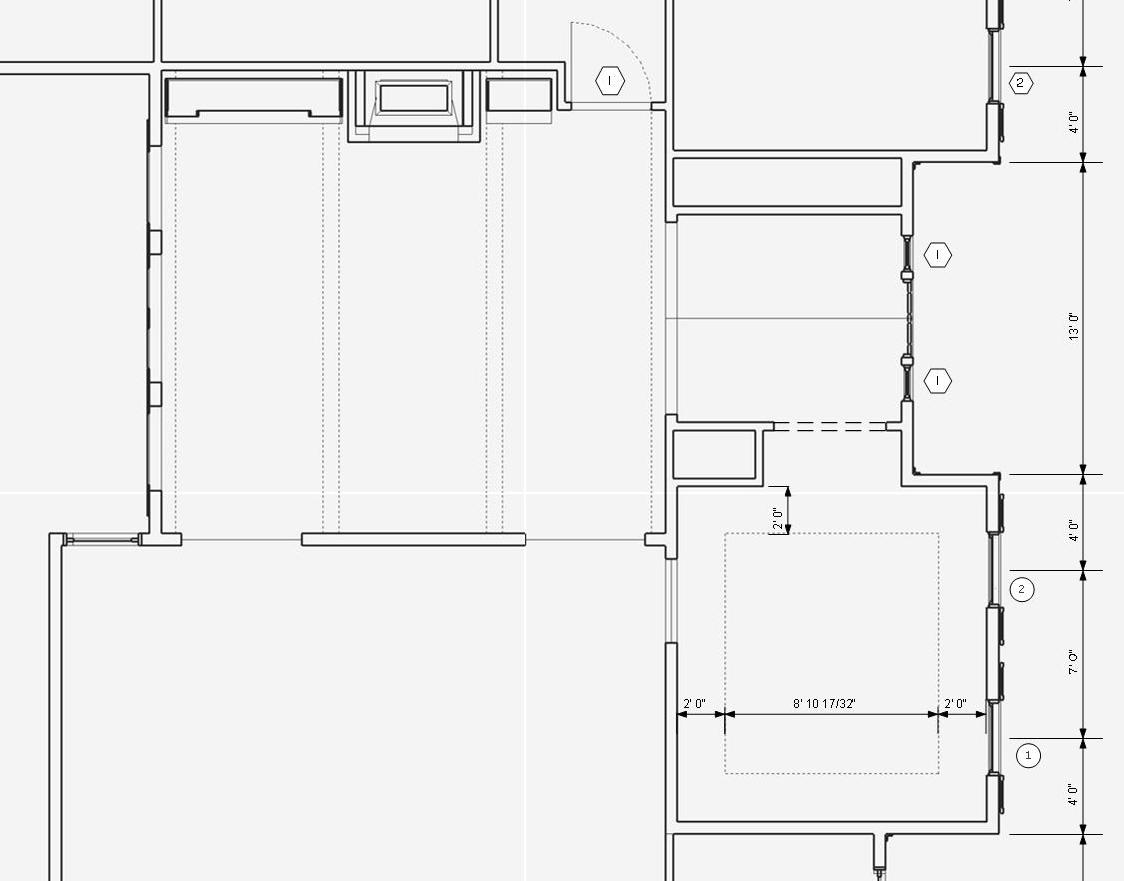
            Here is another idea. I draw lines in the model and use xline from smusterd.com to change them into guide lines which are dashed. Its crude but at least you can coordinate them right on your model. So if you’re not to persnickety about line type it works and you can place them on layers or hide then as you see fit.
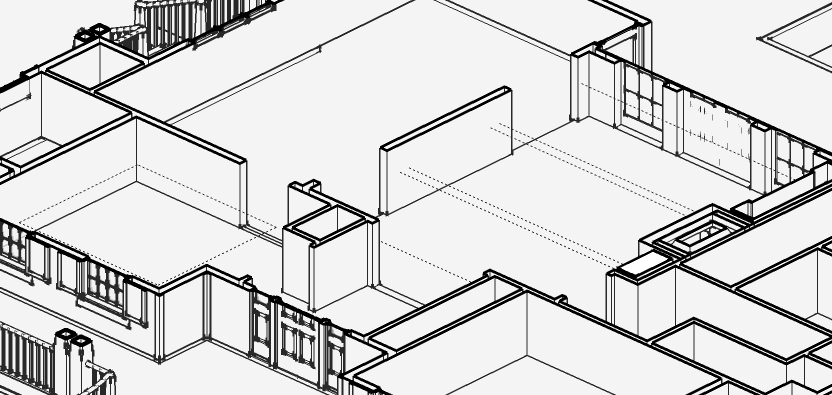
            sketchup model


            layout view

            cfcaia.com

            1 Reply Last reply
            Reply Quote 0
            • M
              mal
              last edited by

              Good idea CC, I may well use that method. I would also like to reserve the right to use the word "persnickerty" on all of my sketchup drawings.

              Thanks for the tips

              Mal

              1 Reply Last reply
              Reply Quote 0
              • Dave RD
                Dave R
                last edited by

                I just though I'd add a better example of dotted lines in LayOut. The part indicated was originally lines in the model.
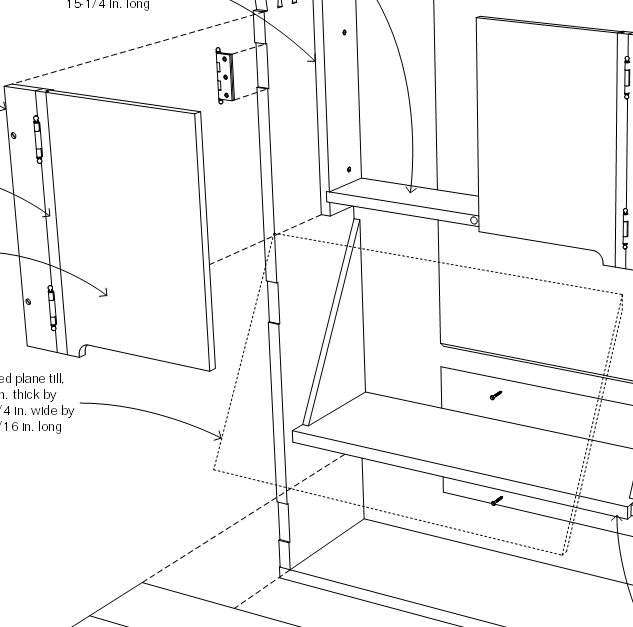

                Dotted lines1.png

                Etaoin Shrdlu

                %

                (THERE'S NO PLACE LIKE)

                G28 X0.0 Y0.0 Z0.0

                M30

                %

                1 Reply Last reply
                Reply Quote 0
                • S
                  sonder
                  last edited by

                  This thread is a good example of why I love the SU / LO combination. It is so customizable graphically. Really brings the fun back into what used to be the most miserable aspect of architecture. I love seeing all these different methods. Looking forward to basecamp!

                  1 Reply Last reply
                  Reply Quote 0
                  • G
                    gabewill
                    last edited by

                    There is another way still...

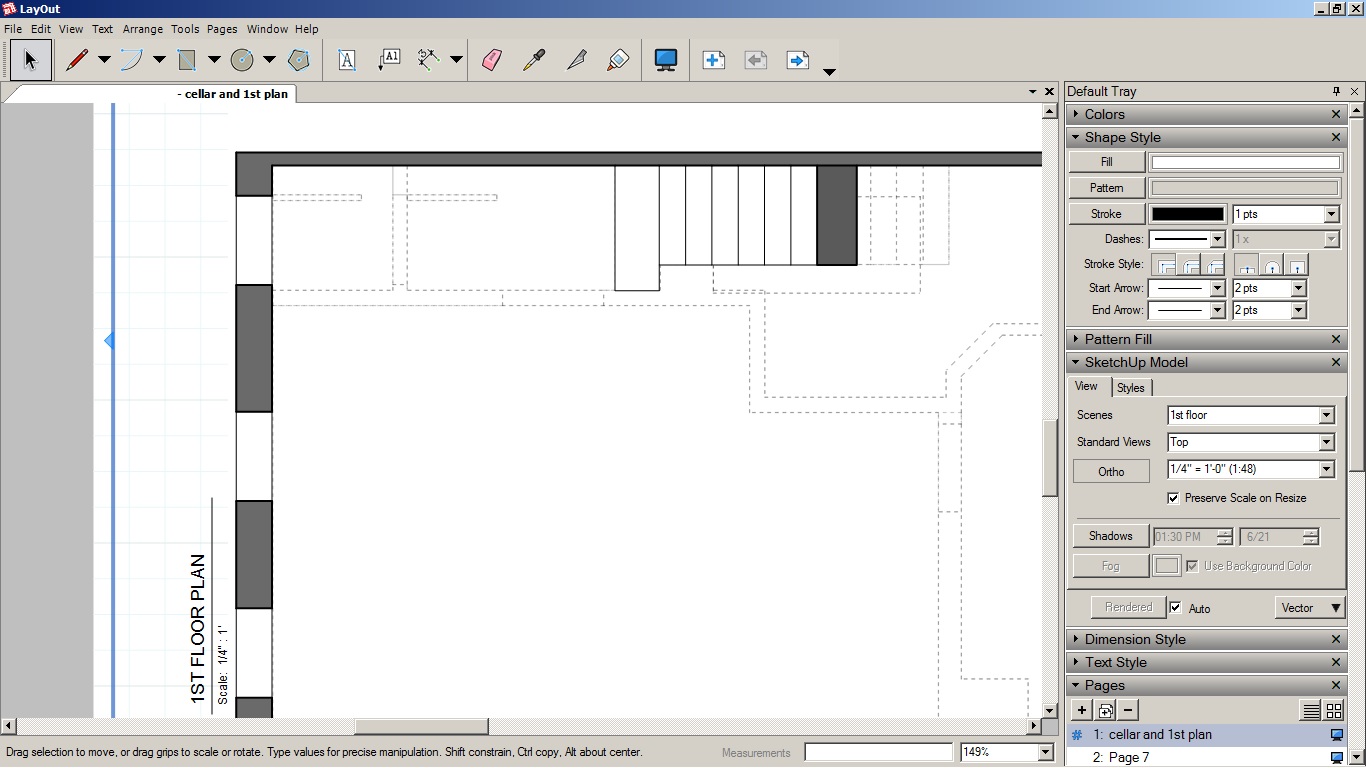
                    Make a scene with only the demo walls shown. Draw a plane that sits above your walls and is large enough to cover the extents of the scene. Put that plane on your demo layer.

                    Create a style with BACK EDGES turned on. Set that scene to raster in layout, align a vector scene above it with the non-demo layers turned on.

                    dashed lines example.jpg

                    1 Reply Last reply
                    Reply Quote 0
                    • TreblDT
                      TreblD
                      last edited by

                      Interesting approach Gabewill. To make the box clearer you gotta think outside the box πŸ˜„

                      1 Reply Last reply
                      Reply Quote 0
                      • heyitsmekyleH
                        heyitsmekyle
                        last edited by

                        Hi Guys -

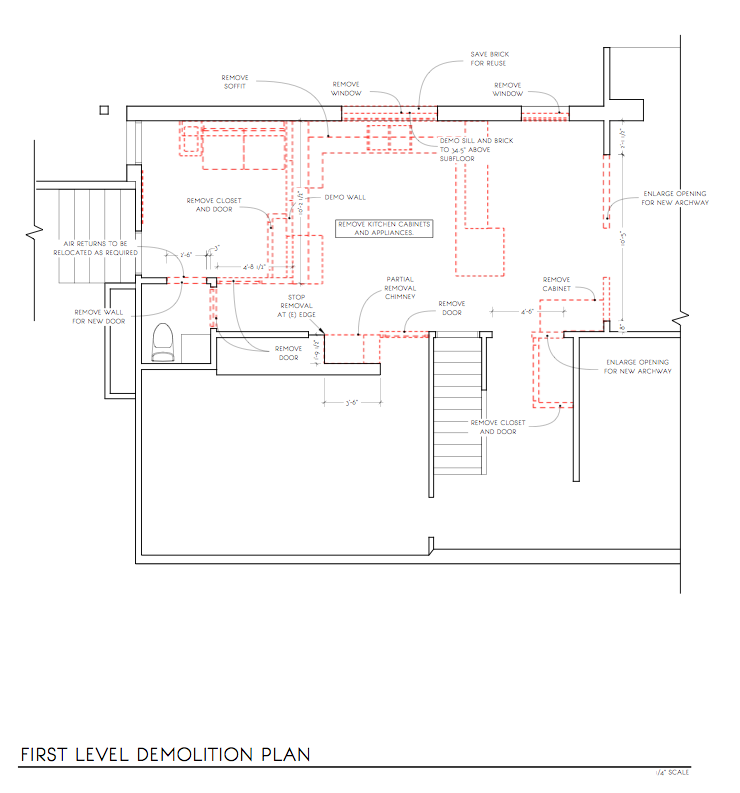
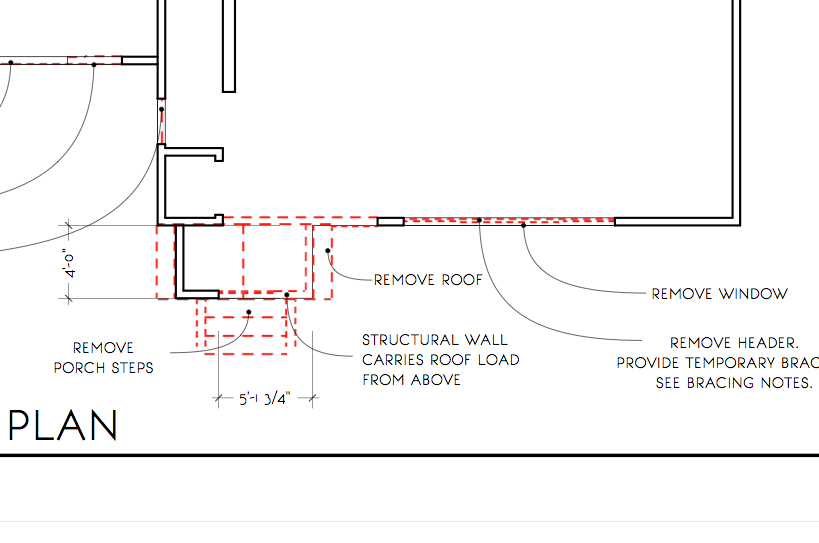
                        Just posted a reply to this under 'dashed lines' in the SU side of the forum. Expanding on my post, I've used the approach to do demo walls that show up Red in LO and with dashed lines as shown. These are tied to the model no need to update/explode/trace over. See my other post for more info.

                        Cheers -

                        Kyle

                        1/8 Scale Demo


                        1/4 Scale Demo

                        1 Reply Last reply
                        Reply Quote 0
                        • utilerU
                          utiler
                          last edited by

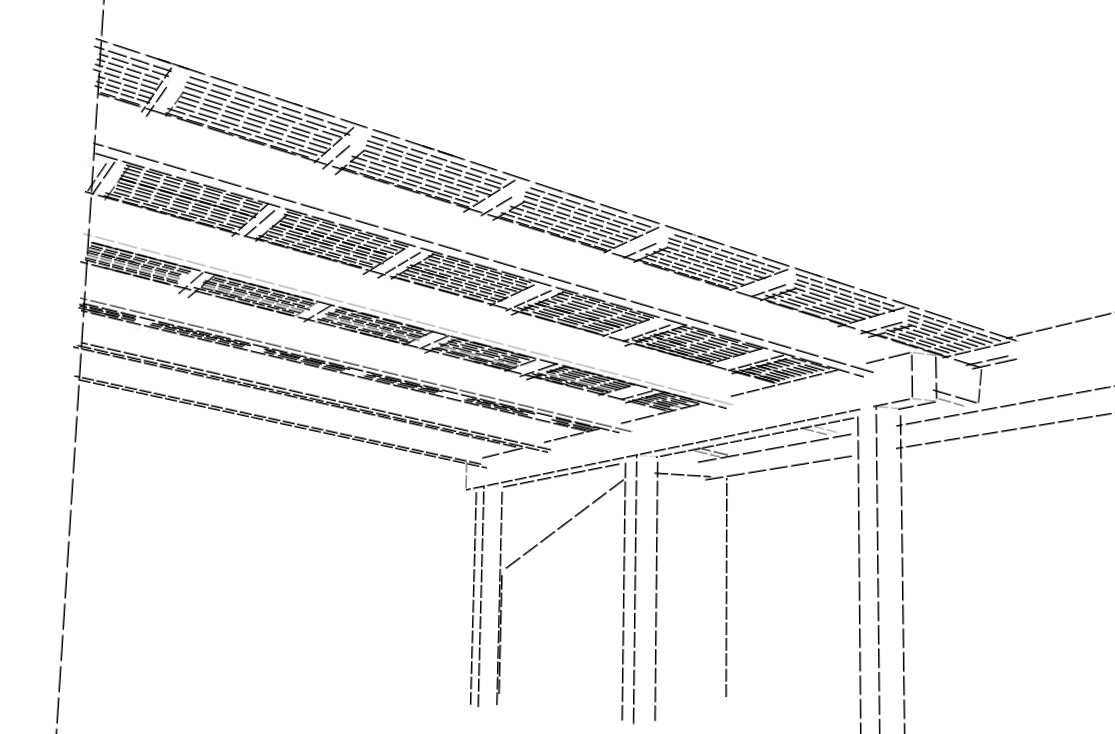
                          Hi guys, here's a few dashed line styles I've made for you to try out. Keep in might they are still only raster lines to in Layout they'll have to stay that way but they have been made as true straight lines....

                          Hope they help. πŸ‘


                          DASHED-Heavy.style


                          DASHED-Medium.style


                          DASHED-light.style

                          Just Curious...

                          1 Reply Last reply
                          Reply Quote 0
                          • heyitsmekyleH
                            heyitsmekyle
                            last edited by

                            Thanks Utiler! These look great. Applied them quickly here to a model just to check out the style:

                            [attachment=0]Screen Shot 2015-07-18 at 2.05.46 AM.png

                            Sketchup - Dashed Lines

                            1 Reply Last reply
                            Reply Quote 0
                            • utilerU
                              utiler
                              last edited by

                              No worries Kyle, glad you like them. πŸ‘

                              Just Curious...

                              1 Reply Last reply
                              Reply Quote 0

                              Hello! It looks like you're interested in this conversation, but you don't have an account yet.

                              Getting fed up of having to scroll through the same posts each visit? When you register for an account, you'll always come back to exactly where you were before, and choose to be notified of new replies (either via email, or push notification). You'll also be able to save bookmarks and upvote posts to show your appreciation to other community members.

                              With your input, this post could be even better πŸ’—

                              Register Login
                              • 1
                              • 2
                              • 2 / 2
                              • First post
                                Last post
                              Buy SketchPlus
                              Buy SUbD
                              Buy WrapR
                              Buy eBook
                              Buy Modelur
                              Buy Vertex Tools
                              Buy SketchCuisine
                              Buy FormFonts

                              Advertisement