[Plugin] TrueTangents v3.0
-
Dear Jeff,
I come back again on this method you develop into the previous video(the first one).
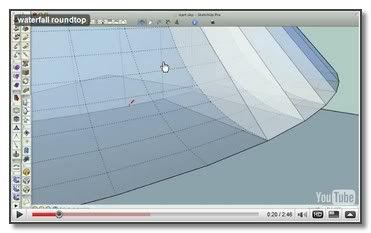
Very foxy, indeed. I keep the link apart

Can I make a critique on the video itself !
Some few editing, pointing milestones and resizing the long sames actions are preferable to this speedy solution. Witch we drive us to come again 5 or 6 times on the same rocket transition.
++simon.
-
Thank for this TIG
I think it will help me in my work,
Now, i'm gonig to watch tutorials,
Bye Jeff
Ricco -
Thanks TIG - I look forwardto using this in my modelling.
Slainte
Dermot
-
Dear Tig,
sorry for disturbing!
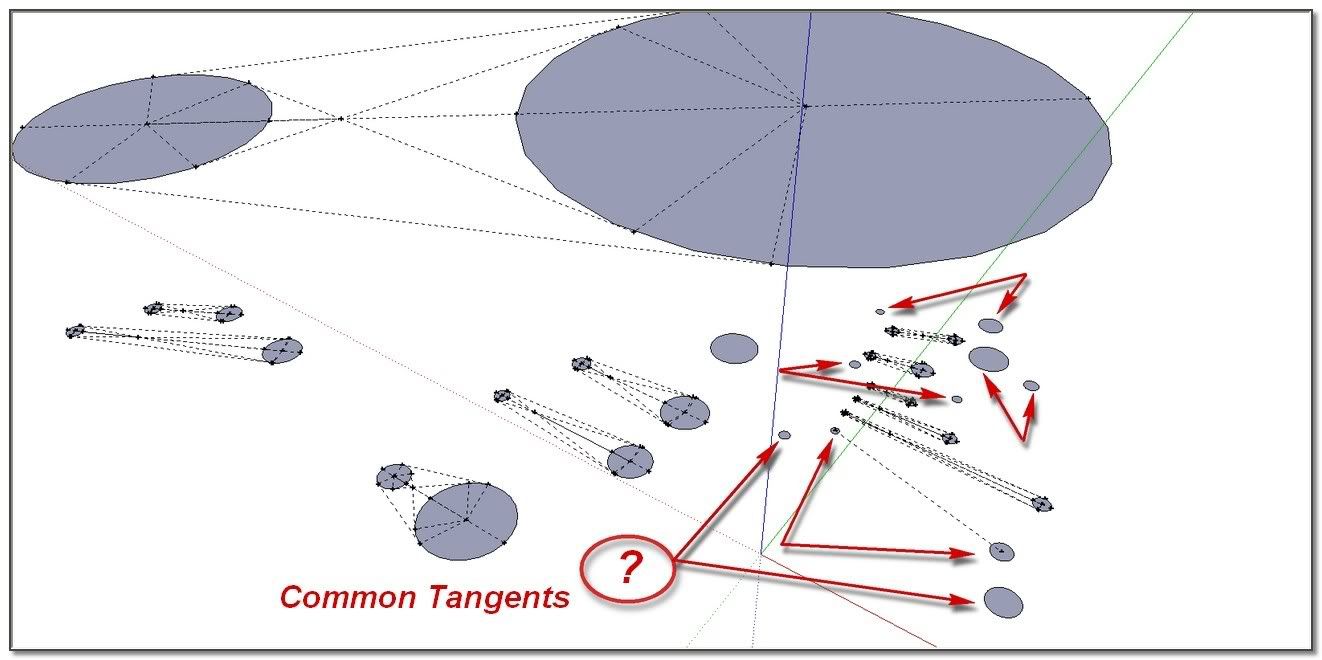
I experience some difficulty with "Common Tangents"
After various tries, I haven't found what can be the point which make the plug sometime not working!
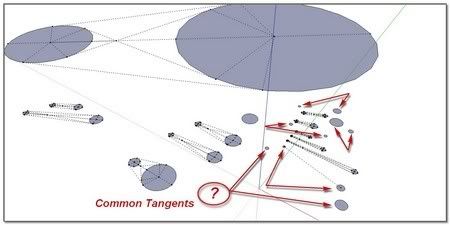
Maybe an idea?
 simon
simon -
So, to recap... you have discovered certain combinations of circles that won't display 'common-tangents'?
Looking at you image there seems nothing untoward. However, are all of these circles 'co-planar'? If they are not then they have no 'common-tangents'... I can't get it to reproduce unless I lift one of the circles up by a tiny amount (0.1mm) then it fails. The one with partial clines is a mystery...
To check this move the problem circles up in the z a large amount then draw a large face at z=0 under the circles and use the Sandbox Drape Tool to ensure they 'stamp' onto the face. Erase the originals and the rest of the unwanted face. Retry the common-tangent tool to see if they now form...
Could you send your problem skp to me by PM rather than clog up this thread ? -
Here's v2.0 http://forums.sketchucation.com/viewtopic.php?p=160780#p160780
It has a tolerance added to the check on pairs of arcs' co-planar-ness: now pair of arcs that are not quite co-planar are still processed successfully... -
Hurra!
I don't experience no difficulty anymore. Top strong!
Thank you TIG
-
Noticed this TIG: http://forums.sketchucation.com/viewtopic.php?f=323&t=27592#p271449 ?
-
Here's v3.0 http://forums.sketchucation.com/viewtopic.php?p=160780#p160780
The Float method 'n1=~n2' has been replaced with 'eq(n1,n2)' to avoid potential clashes.
-
Thanks TIG. I appreciate your hard work. It's great to find something you can't figure out how to do with standard SU tools and be able to find a plugin that will.
-
Hi TIG, Your plug in is working very well, thank you. But in fact I was looking for a tool that should make possible to draw a circle tangent to two other arcs or circles like the "Tan Tan Radius" option in autocad when drawing a circle. Do you have any idea how this is possible achieve into SketchUp?
-
@yomull said:
Hi TIG, Your plug in is working very well, thank you. But in fact I was looking for a tool that should make possible to draw a circle tangent to two other arcs or circles like the "Tan Tan Radius" option in autocad when drawing a circle. Do you have any idea how this is possible achieve into SketchUp?
Can't you do this combining these tools and some offset clines ?
Can you post an example of what you want ? -
The Tan-Tan-Radius problem is a simple circle-circle intersection problem as you may know if you have ever done this manually. If not, simply offset the two arcs/circles by the radius of the circle to be placed tangent to the two. Where those offsets intersect is the center of the tangent circle.
-
Hi TIG-
TT 3.0's "filletarc" is exactly the tool I need, but it has a 'feature' that doesn't make sense to me: It appears that at least for circles in the <1" diameter range the minimum fillet radius is limited to 1/2 the circle's radius.
In other words the smallest fillet I can add to a 1" circle is 1/4".
On the other hand I can use TT's "tangentialarcs" tool to make a 1/16" fillet -- but I have to take the added step of constructing a 1/16" inch long line segment on my fillet line and select that in order to force "tangentialarcs" to construct a fillet of the correct radius -- except that this actually creates an approximately correct radius, whereas Filletarc's radius is exactly what I input.
Anyway, I guess my point is that I don't understand why Filletarc shouldn't be able to make fillets whose radii are smaller that 1/2 the filleted circle's radius.
Regardless, it's a really useful tool for dealing with the true geometry of circles!
Thanks, -Carl-
-
Looks great, although I'm not really sure whats this plugin good for? (Hey, I ain't bi engineer
 )
) -
@gonashvili said:
Looks great, although I'm not really sure whats this plugin good for? (Hey, I ain't bi engineer
)Seriously?

-
@gonashvili said:
Looks great, although I'm not really sure whats this plugin good for? (Hey, I ain't bi engineer
)Well there are 66 lines of explanations and more than 10 images in the first TIG's post, plus 5 pages of thread so...seriously?
-
If you really need these tools then you'll already understand what they do... otherwise don't bother installing the toolset...
-
@tig said:
If you really need these tools then you'll already understand what they do... otherwise don't bother installing the toolset...
ha!.. a decent way to put it
(sorry about my missing imgs in the thread.. I used to upload and display via mobile me then apple just wiped the whole thing out... meh.. I upload directly to scf nowadays)
-
Thanks TIG! I don't think I've ever seen such thorough explanations of plugin functionality. Much appreciated.









Hello! It looks like you're interested in this conversation, but you don't have an account yet.
Getting fed up of having to scroll through the same posts each visit? When you register for an account, you'll always come back to exactly where you were before, and choose to be notified of new replies (either via email, or push notification). You'll also be able to save bookmarks and upvote posts to show your appreciation to other community members.
With your input, this post could be even better 💗
Register Login


Advertisement