sketchucation logo sketchucation
    • Login
    Oops, your profile's looking a bit empty! To help us tailor your experience, please fill in key details like your SketchUp version, skill level, operating system, and more. Update and save your info on your profile page today!
    ⚠️ Update | Sketchucation Tools 5.0.8 released with licensing improvements and bugfixes Download

    Alpha Channel, Trees, Vray - HELP

    Scheduled Pinned Locked Moved V-Ray
    renderpluginsextensions
    30 Posts 13 Posters 24.3k Views 13 Watching
    Loading More Posts
    • Oldest to Newest
    • Newest to Oldest
    • Most Votes
    Reply
    • Reply as topic
    Log in to reply
    This topic has been deleted. Only users with topic management privileges can see it.
    • C
      CurryPork
      last edited by

      OK, I got it to work... thanks.

      1 Reply Last reply
      Reply Quote 0
      • C
        chango70
        last edited by

        So how did you get it to work?

        1 Reply Last reply
        Reply Quote 0
        • C
          CurryPork
          last edited by

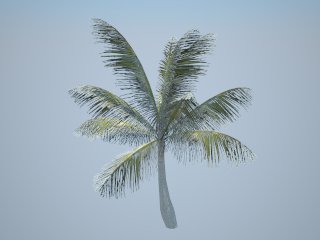
          I have it working for the 2D tree and this works for the 3D tree as well. So, just extract the alpha channel from the original texture as Thom described.

          In VRAY, apply the original texture in the Color slot and the alpha in the transparent slot. Render and this solves it.

          Thanks Thom.

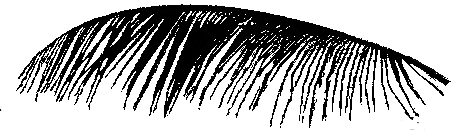
          palm.jpg


          coconut_test3_clean_green_alpha.png

          1 Reply Last reply
          Reply Quote 0
          • C
            chango70
            last edited by

            Thx I just tried it myself and it works.

            1 Reply Last reply
            Reply Quote 0
            • D
              devran
              last edited by

              Hi Fellowcombatants listen!!! First You download the tree from warehouse... click on the component open it then rightclick and save the png. then open in Photoshop and rightclick on the icon in the layers menu and choose choose pixels... change to channels menu and create a alpha channel... this channel is saveable as a new picture... rightclick on the alpha channel and save as a new picture... thats all.... ( sorry for all non Photoshop users)... ciao devran

              1 Reply Last reply
              Reply Quote 0
              • T
                tvicari
                last edited by

                You guys rock . . thanks for the tips, works great I have been looking for this solution for a long time. Thanks for making an effort and sharing knowledge.

                1 Reply Last reply
                Reply Quote 0
                • J
                  jdcarling
                  last edited by

                  Hey all,

                  I read this post and have figured out how to create the alpha channel in photoshop for a tree, but cannot find the location to insert the png properly in the material editor - diffuse - transparency. I clicked the lower case, then switched the left panel to TEXBITMAP but coudl not insert the alpha channel PNG anywhere... any tips.

                  1 Reply Last reply
                  Reply Quote 0
                  • J
                    jdcarling
                    last edited by

                    Hey All,

                    I read this post and have figured out how to create the alpha channel in photoshop for a tree, but cannot find the location to insert the png properly in the material editor - diffuse - transparency. I clicked the lower case, then switched the left panel to TEXBITMAP but coudl not insert the alpha channel PNG anywhere... any tips.

                    1 Reply Last reply
                    Reply Quote 0
                    • thomthomT
                      thomthom
                      last edited by

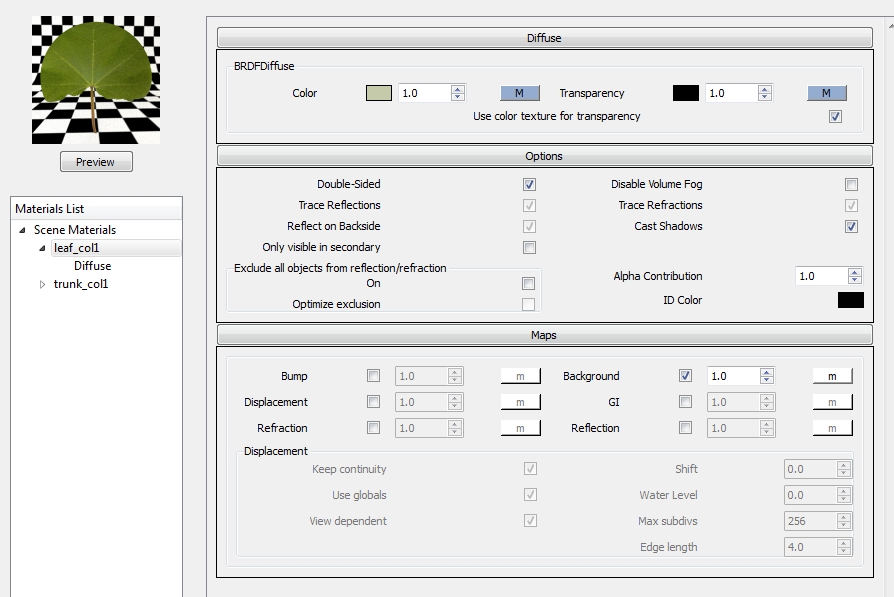
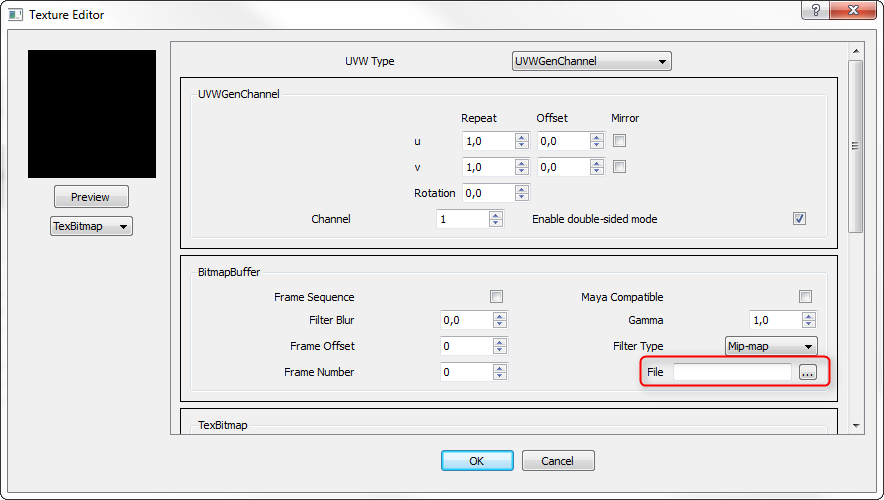
                      In the Transparency slot of the diffuse layer - add a TexBitmp:
                      vfsualpah.png

                      Thomas Thomassen β€” SketchUp Monkey & Coding addict
                      List of my plugins and link to the CookieWare fund

                      1 Reply Last reply
                      Reply Quote 0
                      • kaluK
                        kalu
                        last edited by

                        Hi thomthom:

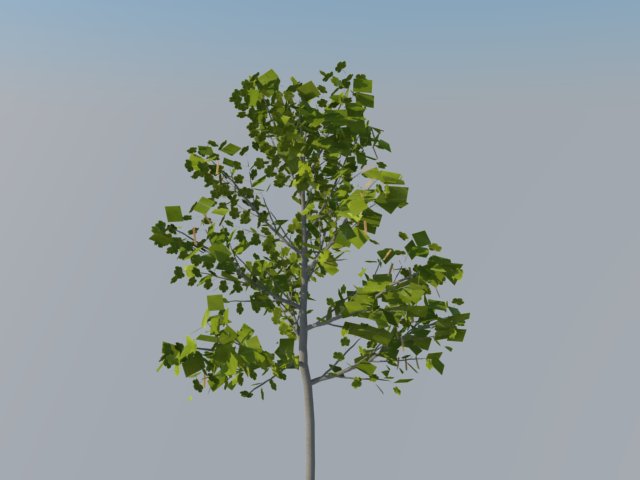
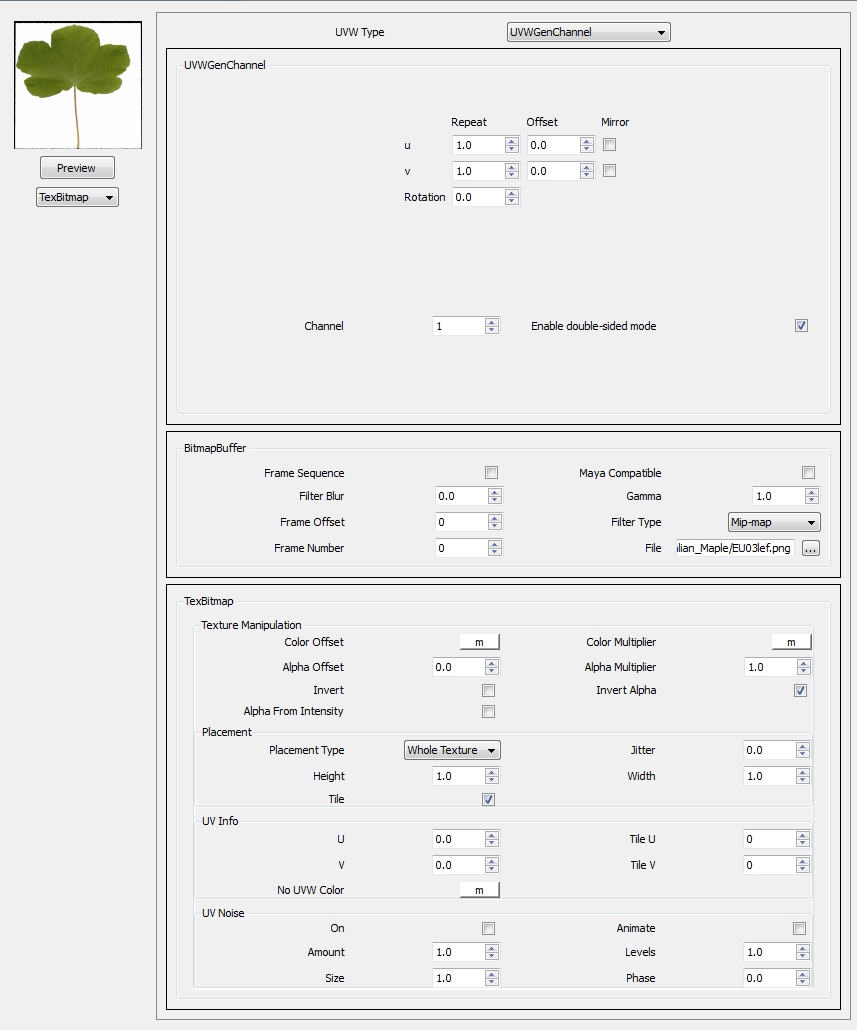
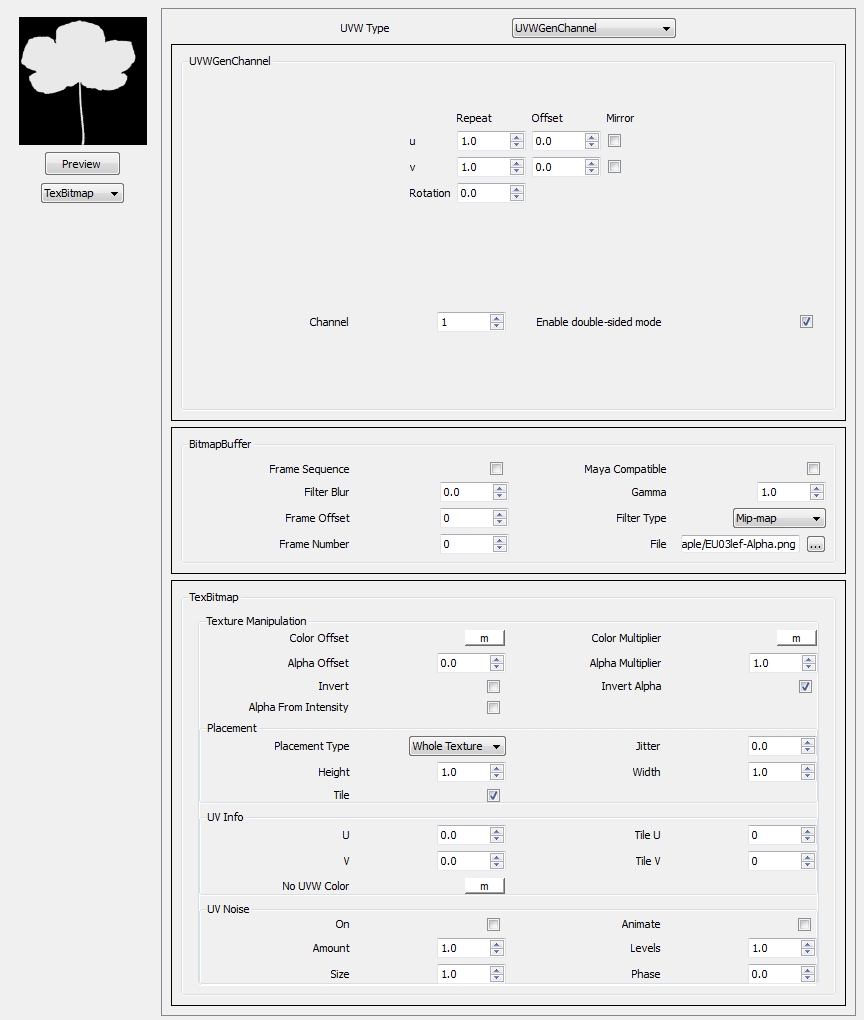
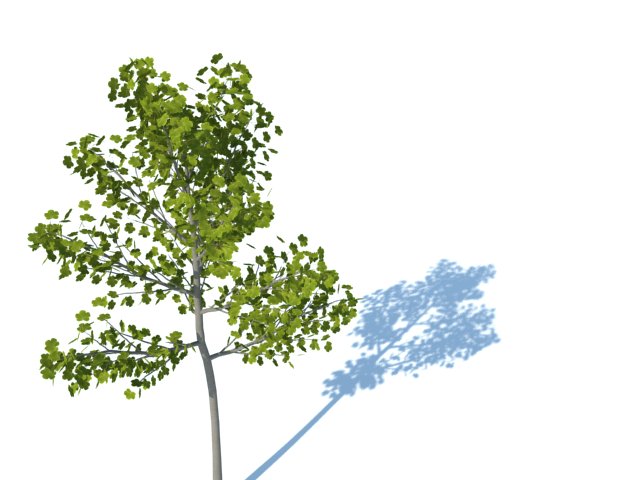
                        I have this dilema, I read the post all perfect. I try to mimic the results and I want to know what I am doing wrong. I attach the tree and the images for the render. Please let me know what I am doing wrong. I use Sketchup Pro 8 and Vray 1.48.89. Some of the leaves show as a rectangular green. I have no Idea why.

                        Here is the link to the 3D model of the tree:

                        https://rcpt.yousendit.com/1023169415/e1236da1e739047eed35fa1248da71be

                        Thank you!!!!


                        EU03lef.png


                        EU03lef-Alpha.png


                        tree.jpg


                        tree01.jpg


                        difuse01.jpg


                        difuse02.jpg


                        difuse03.jpg

                        THE ONLY DIFFERENCE BETWEEN FICTION AND REALITY IS WHEN FICTION HAS TO BE CREDIBLE

                        1 Reply Last reply
                        Reply Quote 0
                        • thomthomT
                          thomthom
                          last edited by

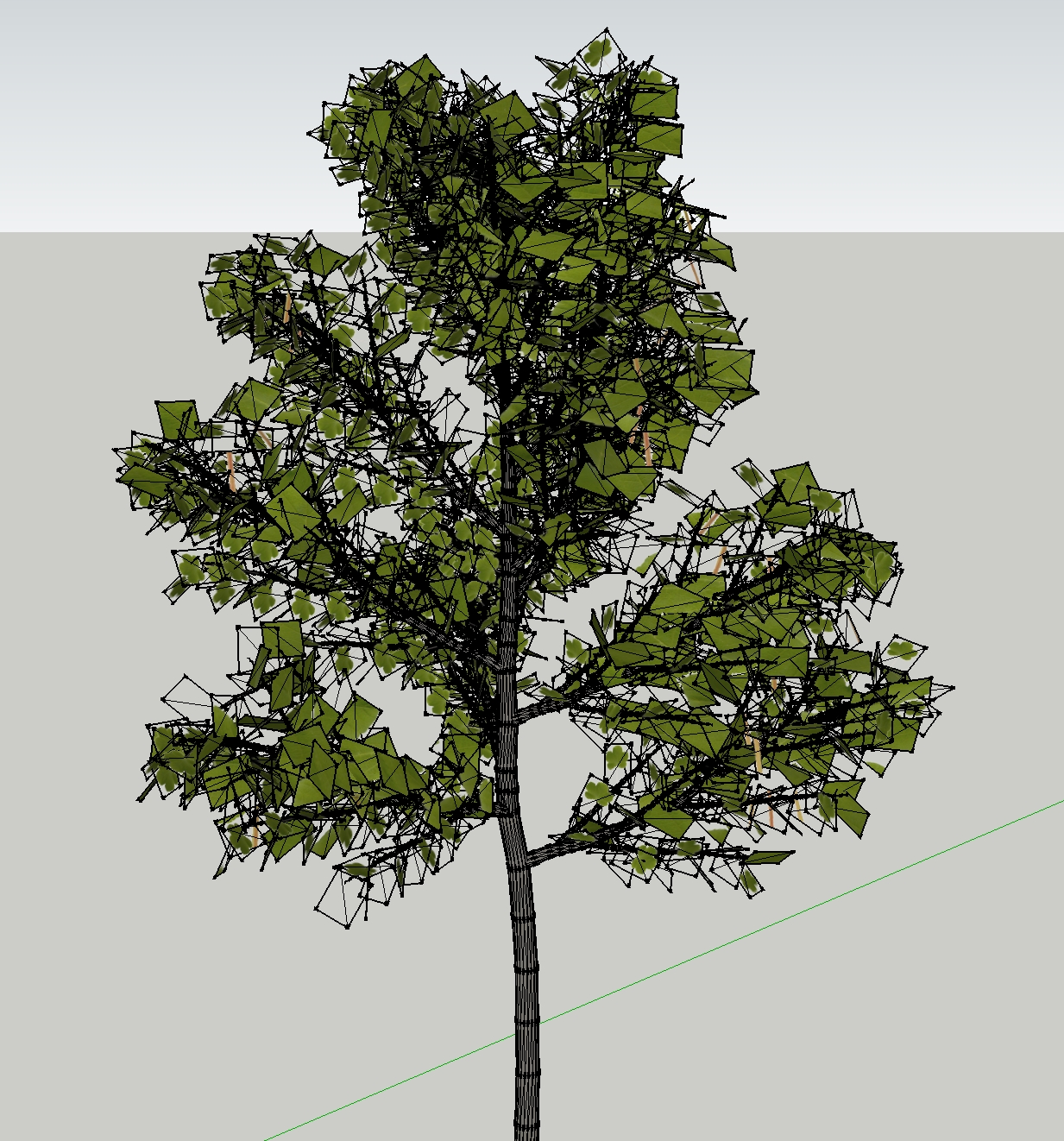
                          That's because you didn't map the backside of the faces. You can even see that in SketchUp.

                          I'm guessing you imported this from another 3d format?
                          Because of that you lost the backside information. Many other 3d apps doesn't display anything on the backside of faces. You have to explicitly enable it.

                          To quickly transfer UV mapping from one side to another, use this plugin: http://forums.sketchucation.com/viewtopic.php?f=323&t=18992&p=155759#p155759

                          Thomas Thomassen β€” SketchUp Monkey & Coding addict
                          List of my plugins and link to the CookieWare fund

                          1 Reply Last reply
                          Reply Quote 0
                          • kaluK
                            kalu
                            last edited by

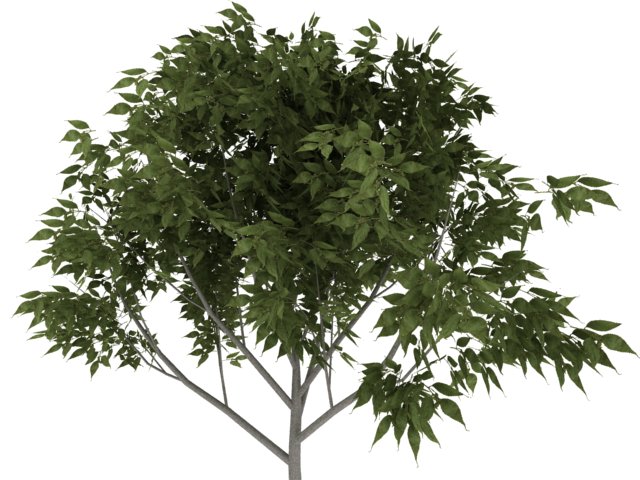
                            Thank you ThomThom, aweomse your plugin, I have that problem when Import 3DS trees...

                            This is the result:

                            tree.jpg


                            tree1.jpg

                            THE ONLY DIFFERENCE BETWEEN FICTION AND REALITY IS WHEN FICTION HAS TO BE CREDIBLE

                            1 Reply Last reply
                            Reply Quote 0
                            • thomthomT
                              thomthom
                              last edited by

                              πŸ‘ Nice

                              Where's that top tree from?

                              Thomas Thomassen β€” SketchUp Monkey & Coding addict
                              List of my plugins and link to the CookieWare fund

                              1 Reply Last reply
                              Reply Quote 0
                              • kaluK
                                kalu
                                last edited by

                                Is from ASGVIS, I need to use for a Tutorial that I work right now.

                                THE ONLY DIFFERENCE BETWEEN FICTION AND REALITY IS WHEN FICTION HAS TO BE CREDIBLE

                                1 Reply Last reply
                                Reply Quote 0
                                • T
                                  teris
                                  last edited by

                                  i've tried it... but it didn't work out... i wonder what part i've missed...

                                  1 Reply Last reply
                                  Reply Quote 0
                                  • T
                                    teris
                                    last edited by

                                    i've tried it using vray 1.48.xx,,, it works... just use the color texture as transparency option... but when i tried it using vray 6 with the explanation above,,, it still didn't work... i still wonder... help me out guys... thanks...

                                    1 Reply Last reply
                                    Reply Quote 0
                                    • bac9-flclB
                                      bac9-flcl
                                      last edited by

                                      Isn't there a way to utilize normal transparency types supported in SketchUp? I'm talking about alpha channels in .png/.tga/etc textures.

                                      I have a vast library of transparent materials, but all of them have transparency data inside, not as a separate file - and it is very inconvenient for me to make separate images with alpha, just to meet weird V-Ray standards. Is it possible (in V-Ray material editor) to assign alpha channel of e.g. RGBA .tga texture to be used as transparency map?

                                      1 Reply Last reply
                                      Reply Quote 0
                                      • andybotA
                                        andybot
                                        last edited by

                                        There is a check box in the material diffuse layer to "use color texture as transparency" for just such files.

                                        http://charlottesvillearchitecturalrendering.com/

                                        1 Reply Last reply
                                        Reply Quote 0
                                        • A
                                          ali64risk
                                          last edited by

                                          @devran said:

                                          rightclick on the alpha channel and save as a new picture... thats all

                                          I tried but I could not...
                                          please someone explain more?
                                          (right clicking on alpha channel in Photoshop gave me 2 options: "duplicate channel" and "save channel"... where I can save alpha channel as png?)

                                          1 Reply Last reply
                                          Reply Quote 0
                                          • N
                                            nomeradona
                                            last edited by

                                            ali.. what they were talking was the workflow for the old version. the new vray version, dont worry, just follow what andybot said.


                                            visit my blog: http://www.nomeradona.blogspot.com

                                            1 Reply Last reply
                                            Reply Quote 0

                                            Hello! It looks like you're interested in this conversation, but you don't have an account yet.

                                            Getting fed up of having to scroll through the same posts each visit? When you register for an account, you'll always come back to exactly where you were before, and choose to be notified of new replies (either via email, or push notification). You'll also be able to save bookmarks and upvote posts to show your appreciation to other community members.

                                            With your input, this post could be even better πŸ’—

                                            Register Login
                                            • 1
                                            • 2
                                            • 1 / 2
                                            • First post
                                              Last post
                                            Buy SketchPlus
                                            Buy SUbD
                                            Buy WrapR
                                            Buy eBook
                                            Buy Modelur
                                            Buy Vertex Tools
                                            Buy SketchCuisine
                                            Buy FormFonts

                                            Advertisement