Extrude profile to profile
-
Hi to all !
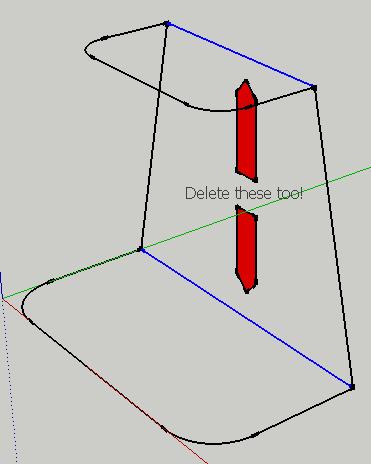
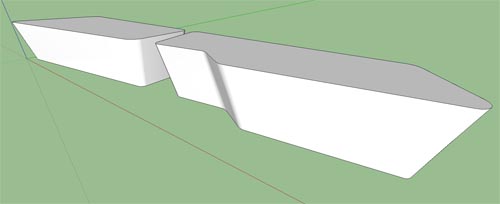
I need a plug in for my project. I must extrude my profile to another profile over (see the attachment below) but i need that sketchup do it automatically for precision reason.
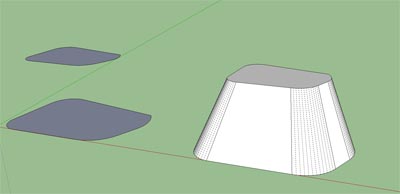
Some months ago I've seen someting like that.
Someone help me ?
Thanks !

-
You could try this....
Or this....
Or soon we'll have this, but not yet....
-
If those profiles are identical in shape, but not in size, you can simply push/pull the larger one to the desired height, and then scale its upper face uniformly about the center.
-
No, the profile are no identical.
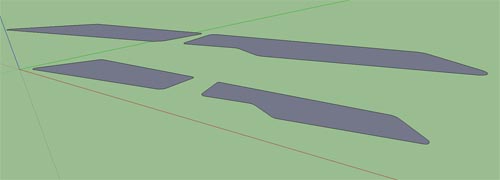
I've tried with blend 1.12 and I've found an error.
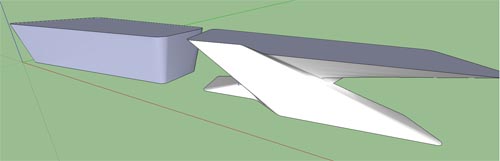
How can I make this with ExtrudeTools - Zipped Set ???
-
Post the SketchUp's file.
-
You can use EEbyFace with a single edge curve as the rail, or EEbyRails ditto...
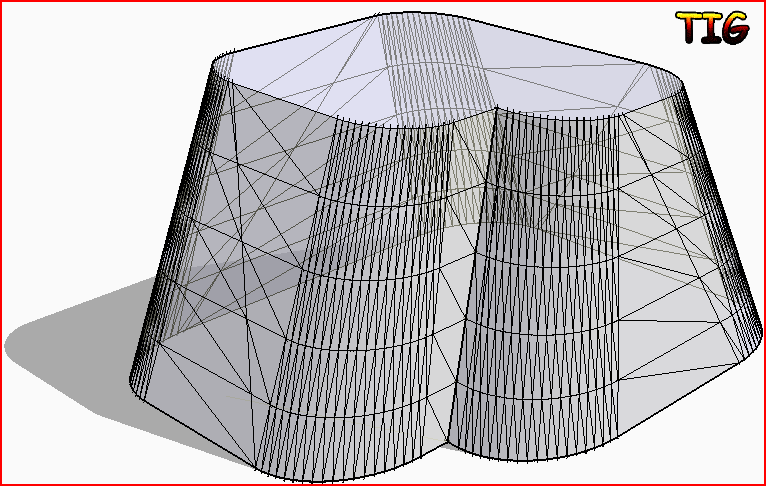 or EEbyLoft to make a Bezier between them...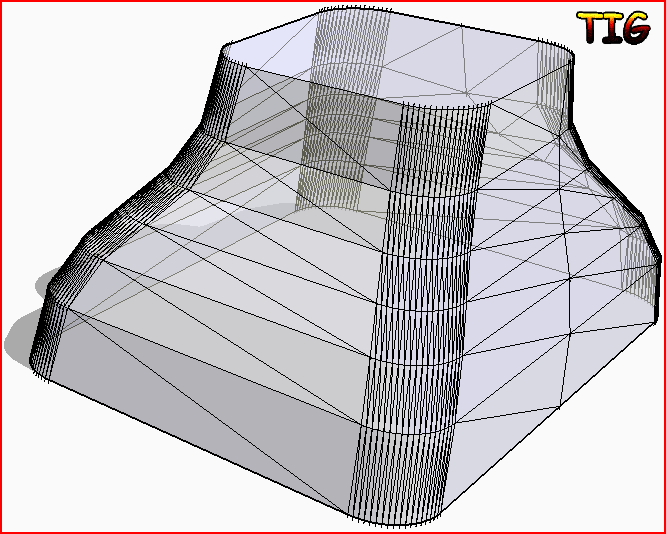
-
2 faces + Path? by Kirill2008
-
No disrespect intended, but couldn´t you just push/pull that and scale the upper face subsequently? Those faces are the same shape, right? Am I missing something?
-
-
@numbthumb said:
No disrespect intended, but couldn´t you just push/pull that and scale the upper face subsequently? Those faces are the same shape, right? Am I missing something?
Yes you can - unless one profile is not quite the same "shape"...

-
@tig said:
@numbthumb said:
No disrespect intended, but couldn´t you just push/pull that and scale the upper face subsequently? Those faces are the same shape, right? Am I missing something?
Yes you can - unless one profile is not quite the same "shape"...
Bingo!
-
Yeah, that is what confuses me - I was sure arcano´s profiles were the same shape, only different in size.
Anyway, some practice with your extrude tools won´t hurt - they are indispensable, especially when it comes to creating complex shapes. -
-
Rich wrote:
"If you wan to know why i 'Divided' the line before welding read this"
I would like to know why you divided the line before welding. The link you give is to the smustard site and I see no answer for the question there.
Cheers
S
-
-
Hi,
TIG's example are exactly what you need and unfortunately he beat me to the punch but here's a little info anyway....
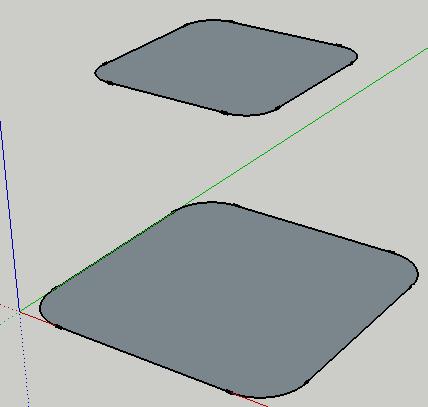
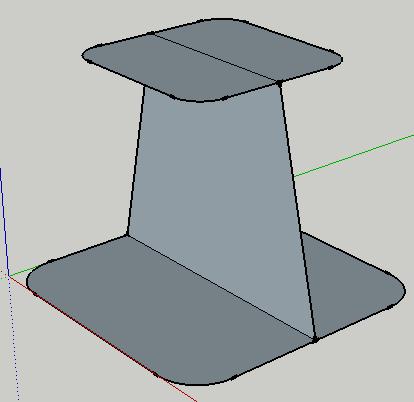
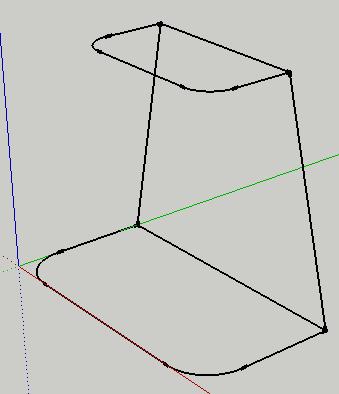
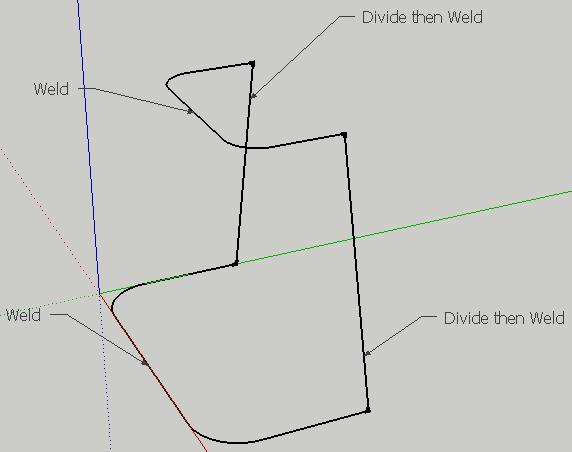
You'll find the 'Weld' plugin here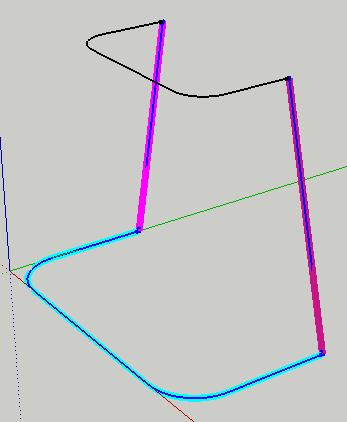
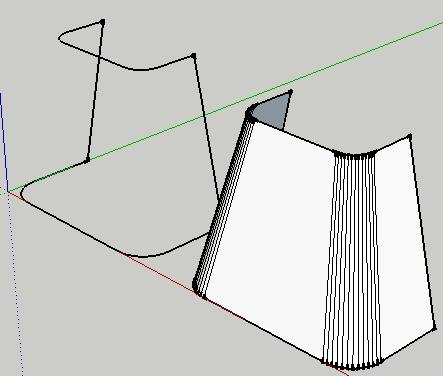
This shape could have easily been created using EEbyFaces with a lot less click but this might help you understand how the Extrude Toolset works.
If you wan to know why i 'Divided' the line before welding read this
Post your models if you can or if your stuck!
-
I think he meant "how" [to get 'weld.rb'], not "why" [he divided the edge before welding its parts]...
To use the EEby... tools [and others] any profiles/rails/etc need to be 'curves' - that is any collection of edges that have been made into a 'polyline' [in CAD-terms] - or a 'curve' in SUp-speak - SUp's arcs etc are naturally 'curves' - Bezier curves etc made with Fredo's tools are also this type of 'curve' - BUT any edges joined end-to-end [with no branching] can be made into such a 'curve' - even if there is no apparent 'curviness' in it at all
The tool to make these edges into a 'curve' is weld.rb. However, you can only 'weld' two or more edges into a curve, if you have just the one edge then it can't become a curve that way - therefore select the lone edge, right-click context-menu > divide it [i.e. 2 or more - if it's to match a 'paired' curve as a profile/rail/etc then it's recommended that you divide it to have a matching number of segments], it will remains highlighted [but it's now in bits], immediately weld those selected bits into a curve...
You are now ready for he next step...







Hello! It looks like you're interested in this conversation, but you don't have an account yet.
Getting fed up of having to scroll through the same posts each visit? When you register for an account, you'll always come back to exactly where you were before, and choose to be notified of new replies (either via email, or push notification). You'll also be able to save bookmarks and upvote posts to show your appreciation to other community members.
With your input, this post could be even better 💗
Register Login


Advertisement