Oops, your profile's looking a bit empty! To help us tailor your experience, please fill in key details like your SketchUp version, skill level, operating system, and more. Update and save your info on your profile page today!
⚠️ Important | Libfredo 15.6b introduces important bugfixes for Fredo's Extensions Update
It took all of us a long time of reading and playing to figure them all out. Once you understand, it will be like a whole new world. Here are some resources.
I just don't get why people use refraction on window glass? Maybe someone can school me on it. I prefer to use thin cheat glass- single pane, just reflection with 100% transparent black or a little less if you want coloration. Refraction seems like something you really only need when rendering, let's say, a glass vase or something like that, no?
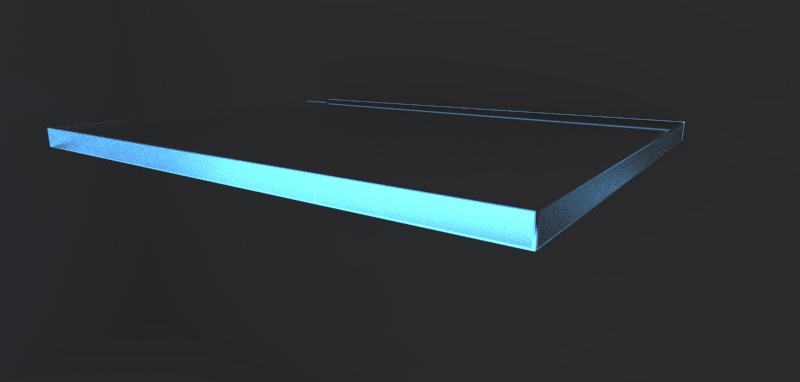
top and bottom planes of shelf are clear glass
edges are glass with glossy refractions, because in the photo it looks like the glass edges have been sandblasted.
light plane behind
no caustics
I think I also asked the Chaos guys a long time ago to add an eyedropper shortcut to the material editor. Might be a plugin out there, but the paint bucket + alt works like a charm. I think this will be a Doh! moment for LARV.
If you are in 2.0, try the loaded presets. These will typically yield great results. If you really want to learn all the parameters and what they mean, you could get this PDF book, still very relevant even though it is based on an older version of VR (for MAX) but the principles still apply for the most part.
Absolutely. There have been massive improvements to materials since 1.49 version. Any old files might cause issues in 2.0
The glass panels with refraction glossiness will take some time to render depending on the subdivs, but I didn't see settings that were all that high on it. I think there is a buggy material in there that needs to be hunted down or just start from scratch.
What are you machine specs? It looks like you have 2 render buckets. That could be the issue too. A dual core processor would take a long time to render any file you throw at it.
After defaulting all materials and render settings, it rendered in a couple of minutes. I reloaded the nightmare.visopt and fixed the IR and LC settings as they were set to render from file, and it rendered fine with the settings too. So in conclusion, there is a funky material, probably something from an older version of VR in there. Unfortunately, this legacy stuff needs to be reset and start from fresh.
I tried to copy and paste the whole thing into a new file and it crashed SU. Not sure what's up with this but I have to assume its all of these imported models and random texture names and setups. After running a Regenerate All Materials in the Debug menu I tried to render and it got through the light passes but would not final render. Then I loaded the default render settings (this is all in 2.0 SU2015x64 BTW) and it rendered 800 pixel wide in 30 seconds. There is just something funky in your setups, I would save the time in hunting and just reset everything and recreate your materials. Not the best solution, but it will fix the issue.
I saw a few things that might be the issue with the materials.
1- there is a glass material that I would just use a 'cheat glass' - a 100% transparent diffuse with a simple reflection layer set to Fresnel. I don't understand folks who use refraction layers on windows.I never found it added anything to the material. Maybe I am wrong.
Is it possible (or can we get the ability) to save out a multi layered EXR from the VFB? Right now, the only way I know how to do it is to save direct to EXR via the Render to VRIMG feature.