sketchucation logo sketchucation
    • Login
    1. Home
    2. thomthom
    3. Posts
    Oops, your profile's looking a bit empty! To help us tailor your experience, please fill in key details like your SketchUp version, skill level, operating system, and more. Update and save your info on your profile page today!
    🚨 Skimp | 25% Off until March 30 Buy Now
    Offline
    • Profile
    • Following 0
    • Followers 8
    • Topics 635
    • Posts 17,105
    • Groups 4

    Posts

    Recent Best Controversial
    • RE: Print to scale - but not using Standard views

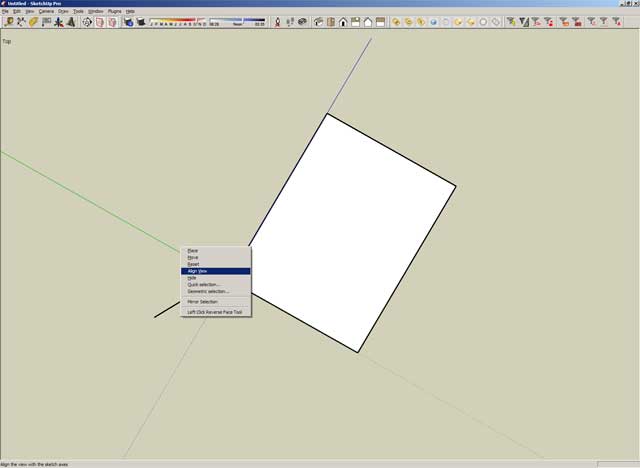
      Ok, when I set the axis I start at the bottom left corner of the model and then click on the right bottom corner, this sets the red axis. I then click once again and the axis is set. I right click the axis and align view and I'm then into a "Top" view where the model is squared up. So far so good,

      However, I'm seeing the top of the house. I don't see how I can align the axis so I end up seeing one of the sides...

      Sorry for keep asking the same questions guys.
      posted in Newbie Forum
      thomthomT
      thomthom
    • RE: Print to scale - but not using Standard views

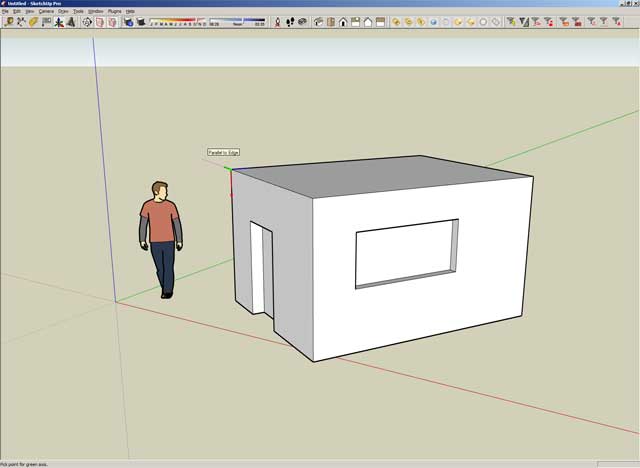
      Then I right click the green axis and Align View

      This the result.

      End of screenshots.

      posted in Newbie Forum
      thomthomT
      thomthom
    • RE: Print to scale - but not using Standard views

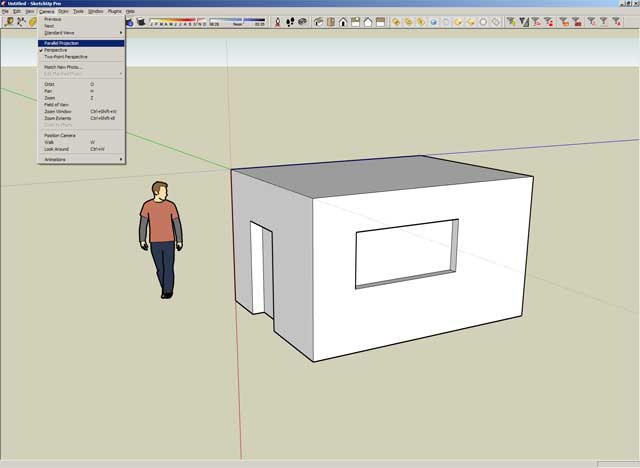
      I select Parallel Projection

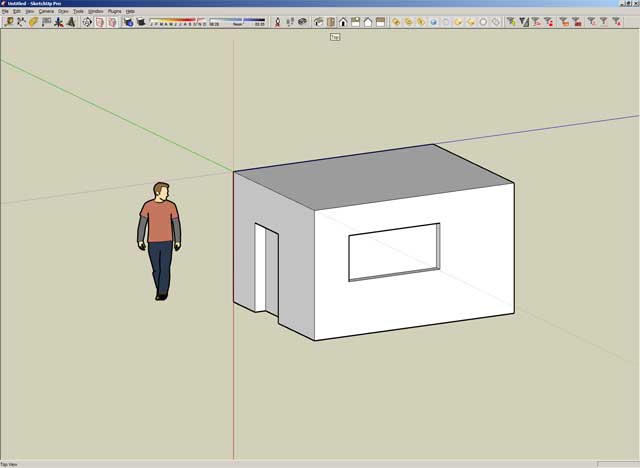
      Then go to standard Top view

      more coming...

      posted in Newbie Forum
      thomthomT
      thomthom
    • RE: Print to scale - but not using Standard views

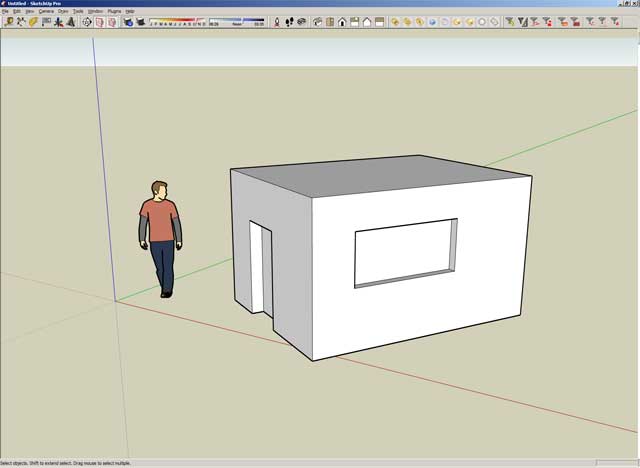
      This is how I positioned the axis

      Untitled-4.jpg

      more coming...

      posted in Newbie Forum
      thomthomT
      thomthom
    • RE: Print to scale - but not using Standard views

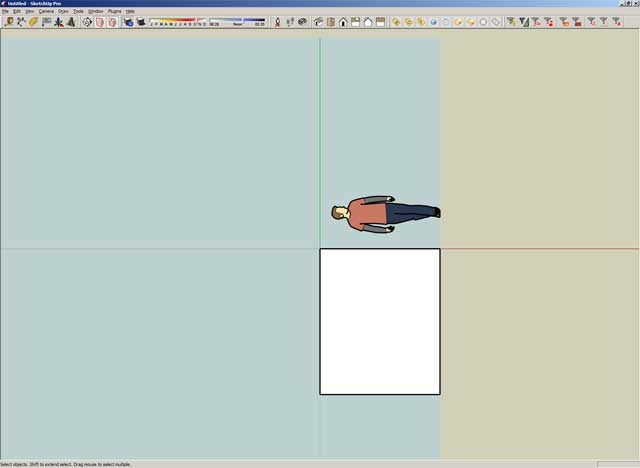
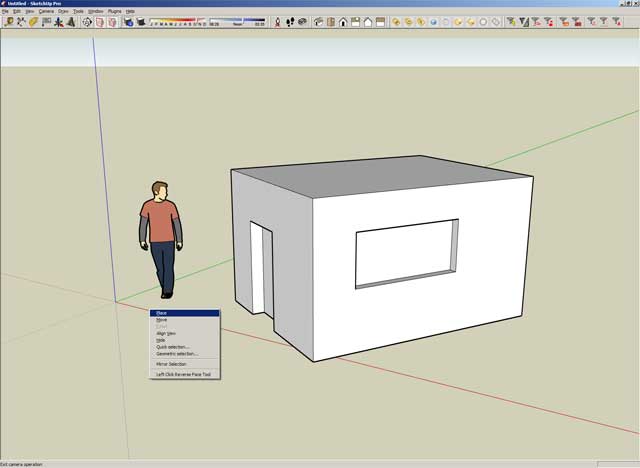
      I'm posting step by step screenshots of what I do.

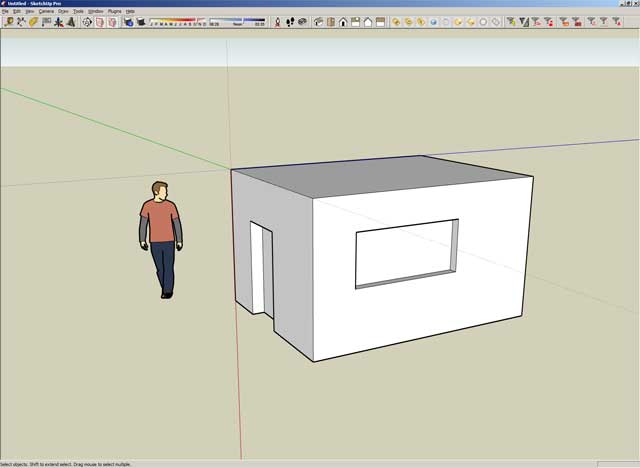
      My test model

      I right click the axis -> Place to position it

      more coming...

      posted in Newbie Forum
      thomthomT
      thomthom
    • RE: Print to scale - but not using Standard views

      Yes, after I'm in parallel Top view I right click the axis and Align View. That's when the "Top" text in the upper left part of the viewport disappears.

      Thanks for trying to help me out, but it seems my brain just can't wrap itself around this. Feels like a Monday...

      posted in Newbie Forum
      thomthomT
      thomthom
    • RE: Print to scale - but not using Standard views

      It did align the view to face the my object. But the result where just the same as when I select a face and choose "Align View"; I end up not in a standard view and can't print to scale.

      ... what SU version do you have? Mine is SU Pro 6.4.112

      posted in Newbie Forum
      thomthomT
      thomthom
    • RE: Print to scale - but not using Standard views

      😳 Still isn't getting it... 😞

      I tried following the steps to the letter, but I can't do the second last point as described. Simply clicking the axis doesn't do anything. I assumed you meant right-click and align view. But when I do that "Top" disappears from the upper left part of my viewport.

      Also, when am I suppose to update the scene?

      posted in Newbie Forum
      thomthomT
      thomthom
    • RE: Print to scale - but not using Standard views

      @wo3dan said:

      @thomthom said:

      I got a model where I have two buildings at different axes. I've set up a scene for each building with custom axes to match the buildings.

      Now I'd like to print off a parallel view of each side of the buildings in scale. The problem is that the print scale option only occurs when I've clicked on one of the Standard Views. And the Standard views only matches the original axes of the model, not the custom viewport axes.

      Is there any way around this? or is the only way to rotate each building to match the original model axis? I'd rather not have to take the model apart and mess around every time I want to do a scale print.

      And I don't understand why a Standard view has to be selected to get the print scale options. As long as the view is parallel it shouldn't matter.

      Thomthom,

      Try this to see if it works.
      %(#0040FF)[- For each face create a scene in which you have the Blue axis running 'down' towards the face that you want in front view. (don't save yet)

      • Select 'Parallel Projection' (...not yet)
      • And right clicking on one of the rotated axes will let you choose 'Align View', (learned that from Suzan, thanks).
        The origin will be in screen center and you will be looking 'down' on that particular face.
      • Pan and zoom to rigth view/position.
      • Now save this scene ('as a new style') with the right scene name as a scene, for use any time.
        (in top of the screen (left) you will see 'Top')]

      I hope this will do the trick. (try with one first)

      Wo3Dan

      I can't get this to work...

      • I create a new scene
      • I align the model axis so the blue z axis runs towards the face.
      • I select parallel projection (you said "not yet.." here, didn't understand that one. if not then, when?)
      • I align the view with the axis
      • I pan & zoom to fit
        But there is no text in the top left of the viewport indicating a standard view, nor do I get print scale options.

      What am I missing?

      posted in Newbie Forum
      thomthomT
      thomthom
    • RE: Print to scale - but not using Standard views

      I did a search by my self. Was this it? http://groups.google.com/group/SketchUp3d/browse_thread/thread/38084ae47fa304ed

      I suppose I'll just have to add this to feature requests. For architectural models where the's multiple axis it'd make much more sense to have the Standard Views match the local model axis. Actually, I don't see why a Standard view is required as long as the view is parallel...

      posted in Newbie Forum
      thomthomT
      thomthom
    • Print to scale - but not using Standard views

      I got a model where I have two buildings at different axes. I've set up a scene for each building with custom axes to match the buildings.

      Now I'd like to print off a parallel view of each side of the buildings in scale. The problem is that the print scale option only occurs when I've clicked on one of the Standard Views. And the Standard views only matches the original axes of the model, not the custom viewport axes.

      Is there any way around this? or is the only way to rotate each building to match the original model axis? I'd rather not have to take the model apart and mess around every time I want to do a scale print.

      And I don't understand why a Standard view has to be selected to get the print scale options. As long as the view is parallel it shouldn't matter.

      posted in Newbie Forum sketchup
      thomthomT
      thomthom
    • RE: SU instability

      I wonder if my problem started after I applied texture to the model. Because without textures the file was around 1-2MB. (I used lots of components.) And I've ensured that every component is clean and free of unneeded geometry. And so far I've only used one component that I didn't make myself and that was a tree from the SU download area. However, with the textures the model is now up to 14MB. I model without the textures visible, but maybe they are still causing trouble...

      Problem is that I can't just copy my model into a new file because I'm using V-Ray and all the materals will be lost if I do so...

      posted in SketchUp Discussions
      thomthomT
      thomthom
    • RE: How to hide components from teh Components Manger?

      The problem is that doesn't work well with my workflow. I'm using V-Ray for SU and when you import components it won't import the V-Ray materials.

      If I get time over the weekend I'll see if I can learn enough Ruby to make a script for this.

      posted in Newbie Forum
      thomthomT
      thomthom
    • SU instability

      I'm working on a file now which has begun to crash nearly hourly.

      I've used the Fix Problems several times without SU finding any problems.
      Has any of you lot experienced that certain files will make SU unstable? If so, did you find a solution to it?

      SU 6.4.112
      Intel Core Duo 2.4GHz
      2GB RAM
      nVidia Quadro FX 3500 - ForceWare 162.65

      posted in SketchUp Discussions sketchup
      thomthomT
      thomthom
    • RE: How to hide components from teh Components Manger?

      Just came across this:

      @unknownuser said:

      Hi,

      In the Ruby API docs, there is this ``hidden?'' method for components:

      hidden?
      
      The hidden method is used to determine if this component definition should be hidden on the component browser.
      

      Is there a way to tell SU that a component is not to be shown in the browser?

      http://groups.google.com/group/Ruby-API/browse_thread/thread/7fcd81914105b343/63f779a37291dbb7?lnk=gst&q=components#63f779a37291dbb7

      So it looks like a ruby script might be possible.

      posted in Newbie Forum
      thomthomT
      thomthom
    • RE: How to hide components from teh Components Manger?

      Just did a quick test:

      Imported components will hide their sub-components.

      Creating a new component while within an existing component will not hide it.

      I wonder... maybe a ruby script can access the properties that controls this..?

      posted in Newbie Forum
      thomthomT
      thomthom
    • RE: How to hide components from teh Components Manger?

      Maybe the component has to be created while inside the top component..?

      I'll have a go and see what happens if I export an component and then import it. (this would still not be ideal as it makes for an awkward workflow...)

      posted in Newbie Forum
      thomthomT
      thomthom
    • RE: How to hide components from teh Components Manger?

      No, the expand button let you see the hidden components.

      posted in Newbie Forum
      thomthomT
      thomthom
    • RE: How to hide components from teh Components Manger?

      No, what I want to do is hide some components from the Component Manager. Similar to how the default SU components do it.

      posted in Newbie Forum
      thomthomT
      thomthom
    • How to hide components from teh Components Manger?

      I noticed something while working with one of the components that comes with SU. When I place a car into the scene only the whole car appears as a component in the Component Manager. The nested components such as the tyres and side mirror and lights doesn't appear.

      How can I do this to the components I make myself. Often they consists of sub components which I really don't have any of for being listed in the Manager.

      posted in Newbie Forum sketchup
      thomthomT
      thomthom
    • 1 / 1