sketchucation logo sketchucation
    • Login
    1. Home
    2. TaffGoch
    3. Posts
    Oops, your profile's looking a bit empty! To help us tailor your experience, please fill in key details like your SketchUp version, skill level, operating system, and more. Update and save your info on your profile page today!
    ⚠️ Important | Libfredo 15.6b introduces important bugfixes for Fredo's Extensions Update
    Offline
    • Profile
    • Following 0
    • Followers 0
    • Topics 7
    • Posts 364
    • Groups 1

    Posts

    Recent Best Controversial
    • RE: An exercise: DRAWING A PARISIAN FENCE

      Simon,

      I didn't pursue the precise defining of the calculations, but I sensed the general concept of the relationships.

      When I started on my second model, I roughly estimated a "longitude-to-latitude" ratio that should (might) produce a more-complex, tighter spiral with less slope, and six loops.

      As an intellectual pursuit, yours is a good mental exercise. (Perhaps, if it were mid-winter, and I was snowed-in, then I would have time to wrestle with a precise definition.) πŸ˜†

      -Taff

      posted in SketchUp Discussions
      TaffGochT
      TaffGoch
    • RE: An exercise: DRAWING A PARISIAN FENCE

      Simon,

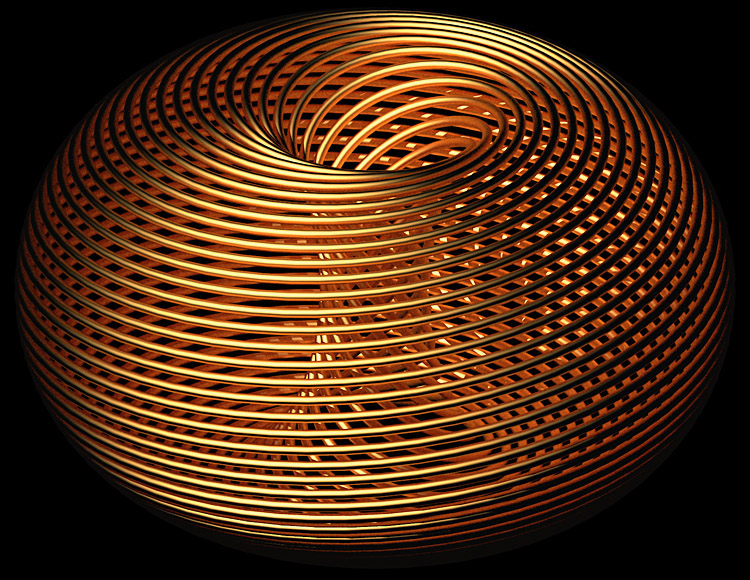
      I tried the chipped-paint texture, but it was too "busy," and was a visual distraction.

      A simple texture looks good though, when rendered:

      SpiralRender.jpg
      -Taff

      posted in SketchUp Discussions
      TaffGochT
      TaffGoch
    • RE: An exercise: DRAWING A PARISIAN FENCE

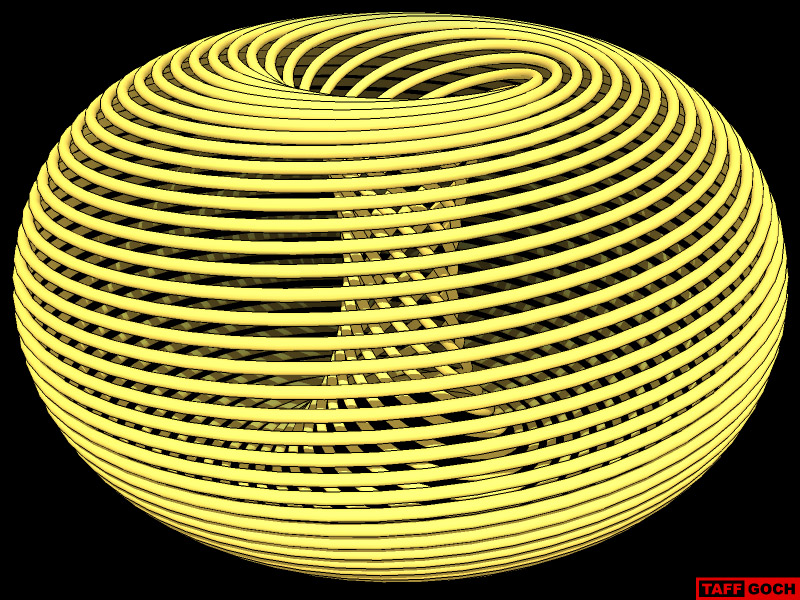
      More torus segments produce results that better approximate the original images.
      (Well, duh!) πŸ˜†

      Torus_spiral.jpg
      Model available at 3D Warehouse

      -Taff

      posted in SketchUp Discussions
      TaffGochT
      TaffGoch
    • RE: An exercise: DRAWING A PARISIAN FENCE

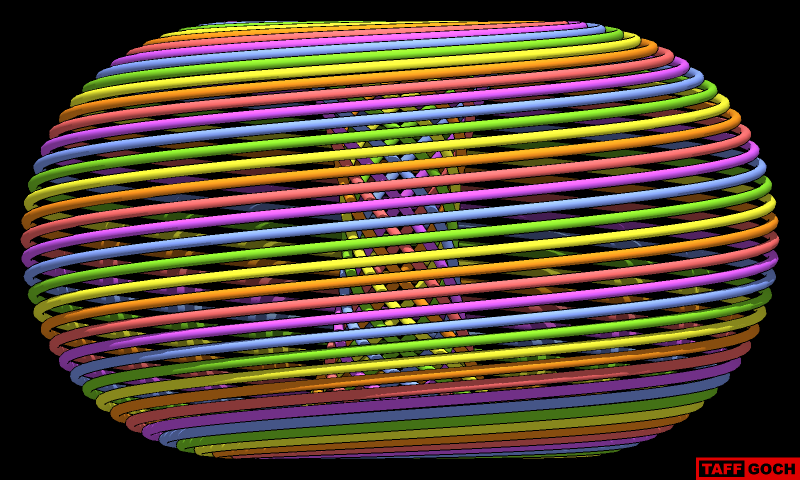
      Colors help identify the six separate (yet identical) loop components:

      Rainbow_spiral_toroid.png

      -Taff

      posted in SketchUp Discussions
      TaffGochT
      TaffGoch
    • RE: An exercise: DRAWING A PARISIAN FENCE

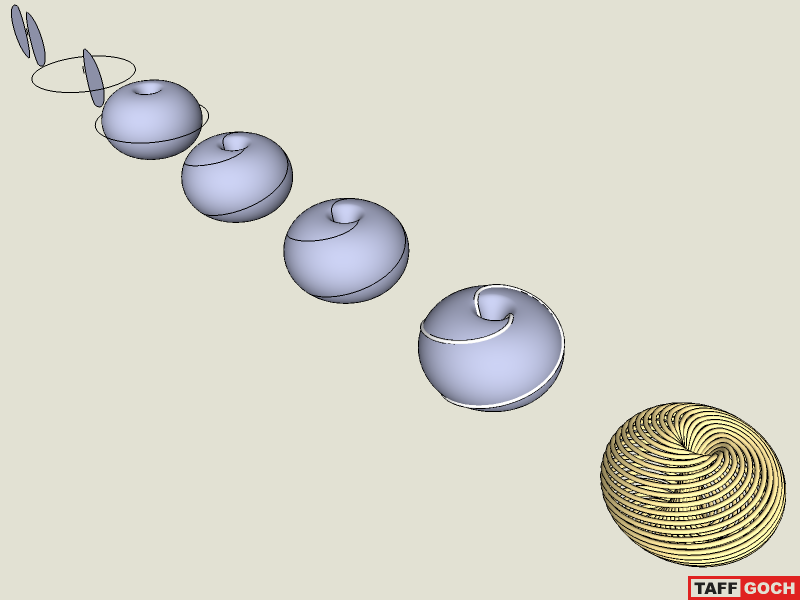
      This attempt was a "proof of concept" model, to try out a technique I had in mind.

      Torus_spiral.png
      The same technique could be used to precisely match the frequency and repetition of the original posted images, with the right count of torus and circle segments. (I doubt I'll pursue that further, but thought others might be interested in the technique.)

      Turn on viewing of "hidden geometry," to see how the follow-me path was drawn with the "Line" tool. (Model attached.)

      -Taff


      Torus_spiral.skp

      posted in SketchUp Discussions
      TaffGochT
      TaffGoch
    • RE: Various rendering choices? -- Challenge!

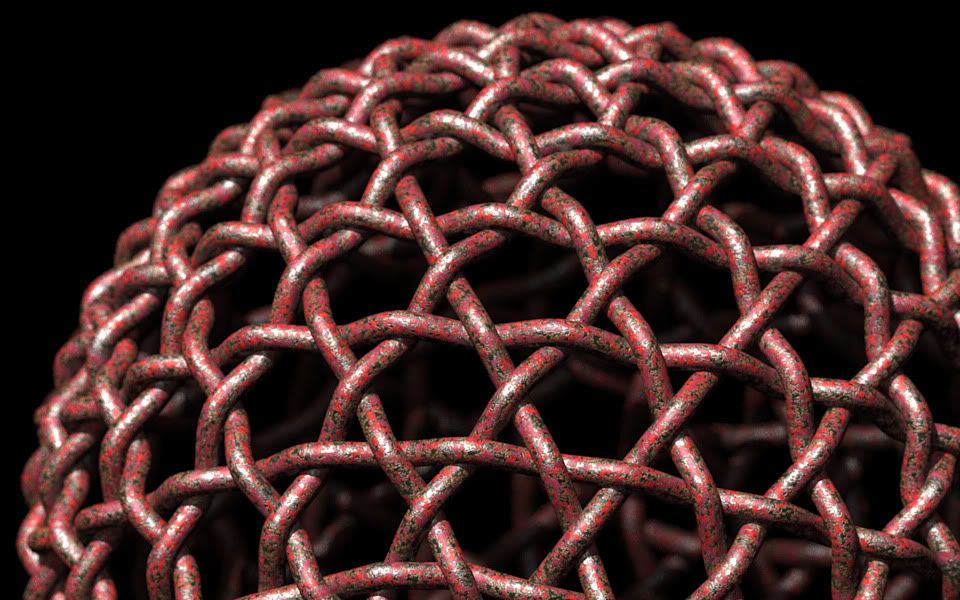
      Playing with weathered, chipped-paint material...
      Kerkythea Forum - Weathered metals

      Trial-and-error, to scale the texture bitmaps (color, specular & bump maps.) When I hit a good scale, the 3D-appearance of the texture really popped.

      http://i579.photobucket.com/albums/ss233/taffgoch/Weave_chipped.jpg

      -Taff

      posted in Gallery
      TaffGochT
      TaffGoch
    • RE: An exercise: DRAWING A PARISIAN FENCE

      Simon,
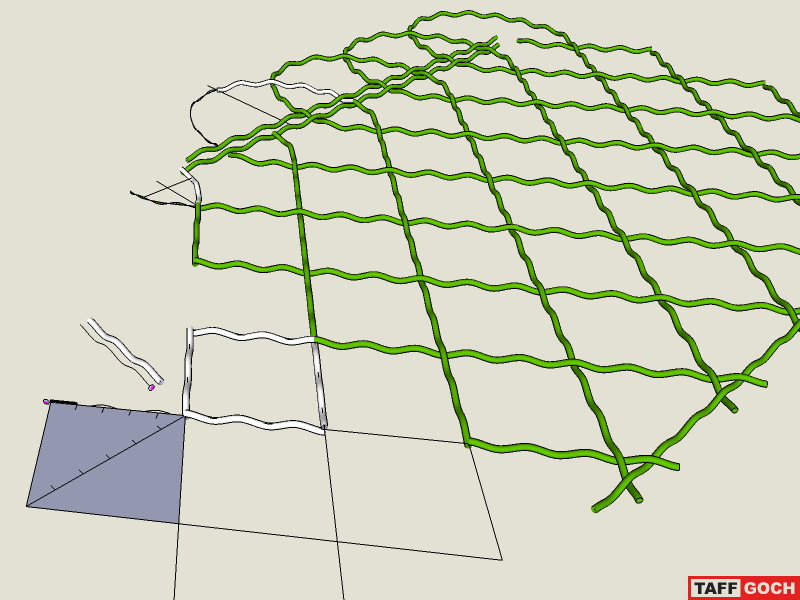
      I found that the key characteristic of the fence is the horizontal-to-vertical spacing. The diamond shape has to be exactly the correct proportions, or the sine waves of the top and bottom "rails" don't overlap properly. After a couple of false starts, I recognized my error, and got the diamonds the right shape.

      Parisian_Fence.png
      I hope that I've provided enough detail, in the model, to demonstrate how I constructed the sine wave paths.

      -Taff


      This model contains a mistake. Download corrected model from 3D Warehouse.

      posted in SketchUp Discussions
      TaffGochT
      TaffGoch
    • RE: An exercise: DRAWING A PARISIAN FENCE

      @simon le bon said:

      I havn't discovered what was the mistake Taff was talking about

      Simon, look here:
      Fence mistake fixed
      -Taff

      posted in SketchUp Discussions
      TaffGochT
      TaffGoch
    • RE: Various rendering choices? -- Challenge!

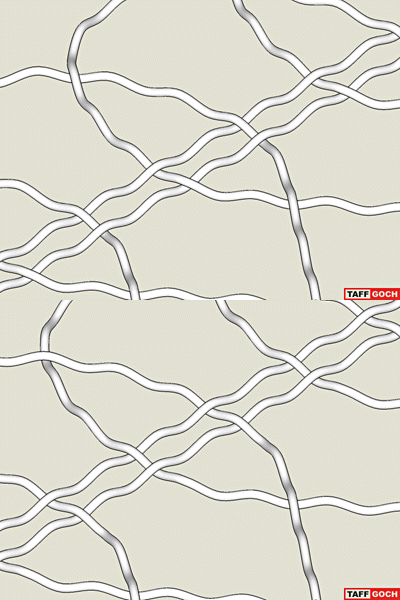
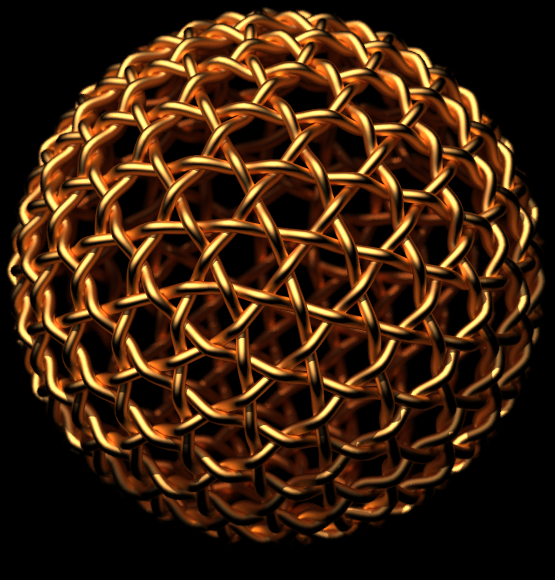
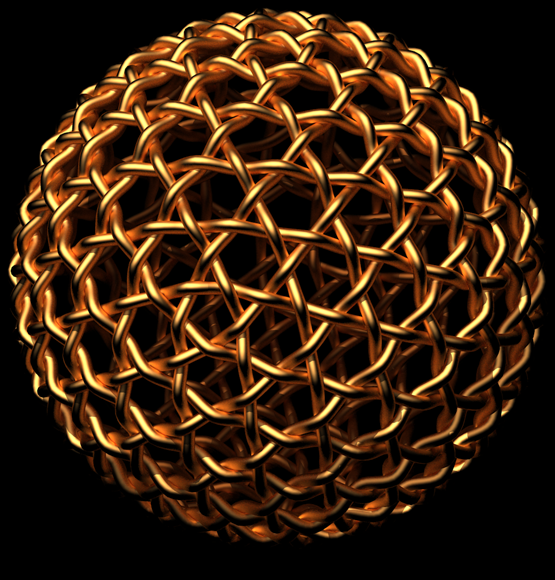
      Here's the "wiggle" stereograph, with which I was unimpressed:

      http://i579.photobucket.com/albums/ss233/taffgoch/Weave_wiggle.gif

      (Give it time to load both "frames.")

      -Taff

      posted in Gallery
      TaffGochT
      TaffGoch
    • RE: Various rendering choices? -- Challenge!

      @escapeartist said:

      "The inter ocular distance for most folks is around 2 - 4", and that model on my screen is just under 8" on centers for a 22" LCD. That means your eyes at a normal monitor's viewing distance of 1-3' would have to diverge to get the 3D effect."

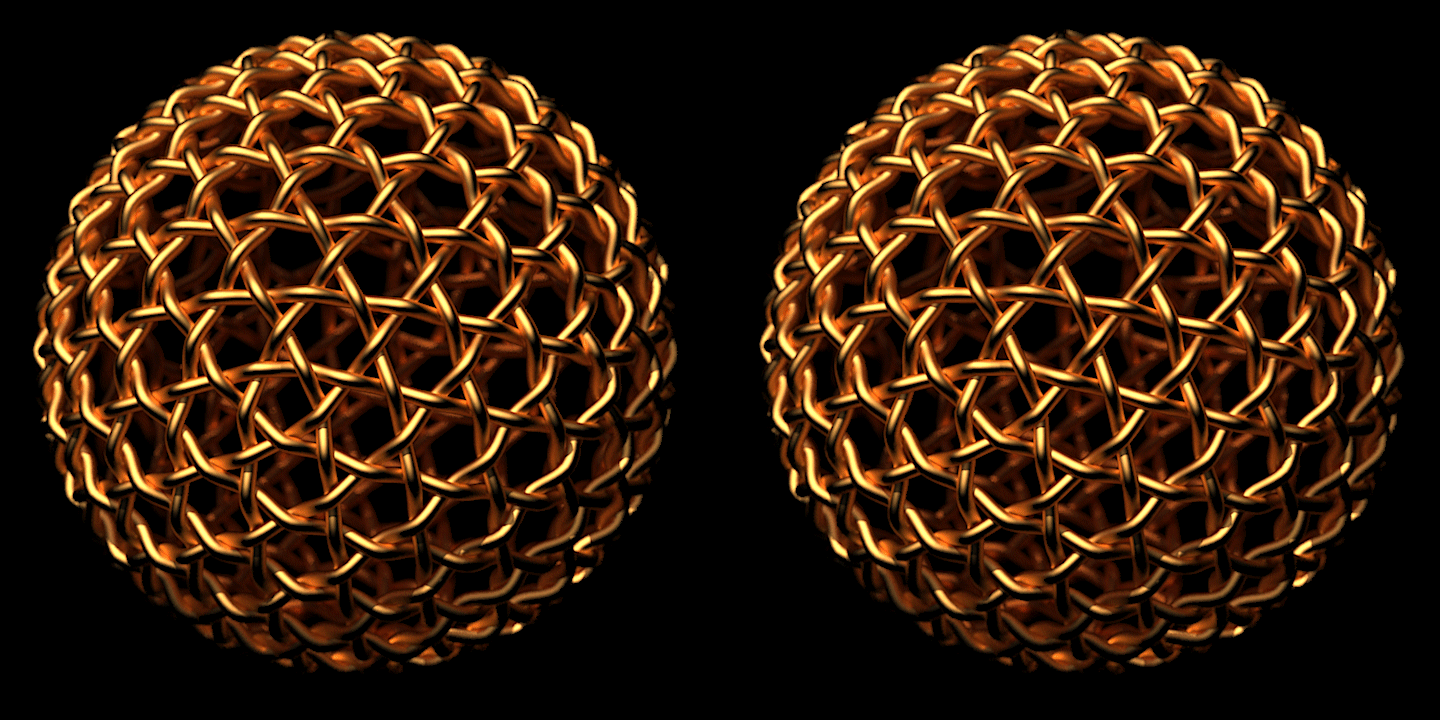
      Quiet right, but there are two different versions of this kind of stereo imagery: "parallel" and "cross" viewing.

      For parallel-viewing, the images MUST be small enough to be spaced at no more than the interocular distance. Parallel is viewed by "staring" off into the distance, to "set" your lines-of-sight to parallel, then shifting your gaze to the images, without changing the sight-line angle. (Kinda tricky. Many people never get the hang of it. It was easier for me, when I was younger. My eyes are now "old" enough that they can't focus as readily as they used to.)

      For cross-viewing, you're looking at the left image with your right eye, and the right image with your left eye. The images, therefore, have no interocular restraint. They can be bigger (sometimes much bigger,) providing the advantage for the viewer "backing away" from the image, to change perceived size (if they can't cross their eyes that much.)

      Note that with parallel-view stereo, the left eye is viewing the left image and the right eye is viewing the right image, just the opposite of cross-eyed stereo. For cross-eyed stereo, you MUST swap the images (which I did for my examples.)

      Please note that I provided the larger version for high-resolution displays only. On my LCD monitor, the pixels are pretty small, reducing the size of images and text. (The large-stereo image-centers are about 5" apart.) I can view my larger stereo-pair, with my eyes about 2-3 feet from the monitor. If you use Firefox, you can change the size of images/text on internet pages, so you can shrink the stereo image, should need be.


      @unknownuser said:

      "I do, however, own a very primitive pair of red/cyan-3d-glasses.
      So I tried making this picture into a picture that can work with those glasses... proves quite difficult, but I think it works..."

      I've played with red/cyan (anaglyph) stereo, as well, but never got good, sharp results. I haven't used it since (decades.)


      I even tried "wiggle" stereo on this model, but was disappointed with the results. For more info, the Wikipedia article, on "Stereoscopy," is fairly comprehensive.

      Eventually, 3D TV technology will migrate to computer displays, and the internet will be filled with 3D images that require dedicated "goggles" to view, just like "Avatar" theater goggles.

      -Taff

      posted in Gallery
      TaffGochT
      TaffGoch
    • RE: Various rendering choices? -- Challenge!

      @d12dozr said:

      This is a great learning thread...thanks Taff!

      Marcus,
      I've learned a lot, too. Your render depicts a handy concept for presentation of detail in a render.


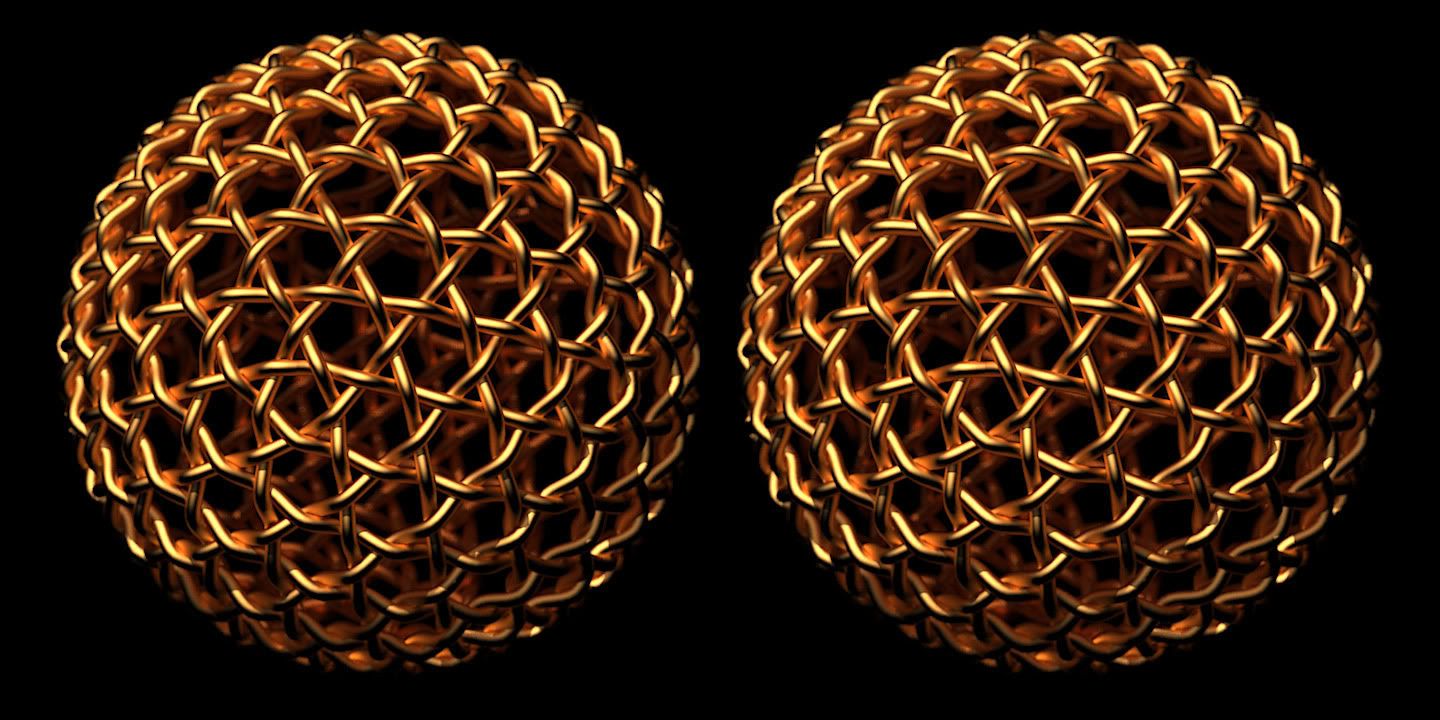
      Regarding my 3D view experiment, I've completed a larger version of my initial, small, proof-of-concept render. If you have a hi-res display, the initial model will look tiny. This one should look much better on hi-res displays.

      (If you have trouble focusing, cross-eyed, on the center image, move your head forward or back, as suggested by Oliver Shea.)

      http://i579.photobucket.com/albums/ss233/taffgoch/Stereo_Weave_Gold.jpg

      *%(#BF0000)[Render: "16. Path Tracing - High + AA 0.3"


      Camera 1:
      Ray Tracing : ( 4,892 seconds) 1h/21m/32s
      Antialiasing : (12,792 seconds) 3h/33m/12s
      Finished in : 4h/54m/48s


      Camera 2:
      Ray Tracing : ( 4,883 seconds) 1h/21m/23s
      Antialiasing : (13,105 seconds) 3h/38m/25s
      Finished in : 4h/59m/54s


      Both cameras:
      Lens: f/4.2, 135mm focal length, 3.4m focus distance]*
      -Taff

      posted in Gallery
      TaffGochT
      TaffGoch
    • RE: An exercise: DRAWING A PARISIAN FENCE

      @simon le bon said:

      "Is that the waves have to be regularly curved in the curved area?"

      Simon, good catch.

      Once I had established the curve, of 5 and 7 straight-line segments, I could then use the "arc" tool, to create new curves, of 35 and 49 straight-line segments (by multiplying by 7.)

      I did this, only to more "smoothly" model the curve. It's not absolutely necessary, but isn't difficult, since the sine-wave amplitudes are already established. Incorporating the amplitudes into the new, smoother curve is relatively easy, using SketchUp's inferences.

      -Taff

      posted in SketchUp Discussions
      TaffGochT
      TaffGoch
    • RE: An exercise: DRAWING A PARISIAN FENCE

      Simon,

      Sine wave count and braiding looks good. You are to be commended for persevering, until achieving success!

      -Taff

      posted in SketchUp Discussions
      TaffGochT
      TaffGoch
    • RE: Various rendering choices? -- Challenge!

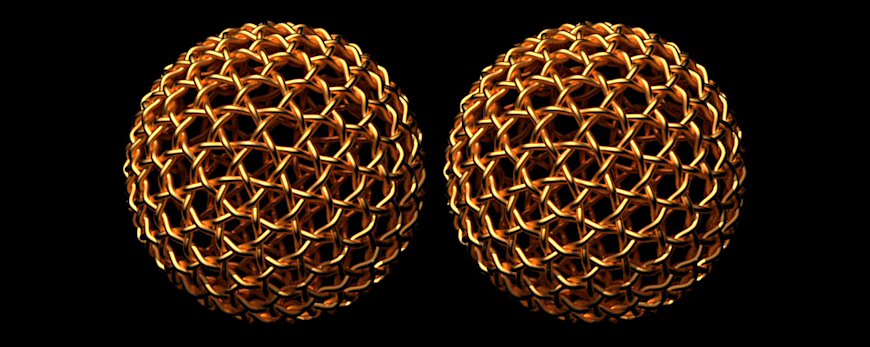
      Stereo: View cross-eyed
      Initial experiment with KT stereo-image production. View by crossing your eyes, until the two images superimpose in the center. (It will look like 3 images in-a-row.) Concentrate on the center image, until it comes into focus.

      I used SketchUp to produce two "scenes," which merge into KT as two cameras. (Getting the spacing is tricky. You don't want to overdo the angular separation. It is supposed to mimic the angular separation of your eyes, so camera distance is also a factor.)

      -Taff

      posted in Gallery
      TaffGochT
      TaffGoch
    • RE: Various rendering choices? -- Challenge!

      Thanks, notareal, for the tutorial links. Now, all I need is a few weeks/months to read & apply it all.


      My last render pleases me above all my previous renders. The more I stare at it, the more three-dimensional it looks. (Who needs those fancy 3D goggles, anyway!)

      http://i579.photobucket.com/albums/ss233/taffgoch/Weave_Toned_Silver_f35-1.jpg

      What a great program Kerkythea is, and what great help and inspirational ideas you guys provided.

      -Taff

      posted in Gallery
      TaffGochT
      TaffGoch
    • RE: Various rendering choices? -- Challenge!

      @notareal said:

      If you have simple lighting in KT (like one or two lights) then path tracing progressive might be the best option. Biased rendering will loose it's advantage when scene complexity rises and you use higher photon mapping options... For complex lighting MLT or MLT/BPT are better options. If you using HDR sky for lighting (and emitters), MLT might be the best option.

      Thanks, notareal,

      That is great to know, as I haven't previously seen any recommendations about which render mode is best, under various scene conditions. KT has so many options, any tips/tricks are highly beneficial. If you've got any other such tips, or can reference KT webpage/forum URLs for such, I'd love to hear about 'em.

      -Taff

      posted in Gallery
      TaffGochT
      TaffGoch
    • RE: Various rendering choices? -- Challenge!

      I've seen a stereoscopic SU/GE model of Machu Picchu (within this forum,) but haven't seen any stereoscopic renderings.

      Has anyone pursued stereo rendering? (I'm thinking this model should make a good subject.)

      -Taff

      posted in Gallery
      TaffGochT
      TaffGoch
    • RE: Various rendering choices? -- Challenge!

      Thanks, Eric.

      I'm glad I have some photography experience under my belt, otherwise, I wouldn't even have been able to guess. πŸ˜‰

      My test renders have been with the camera at greater distance, with 135mm "lens" to reduce perspective distortion. (I assume you're using the "standard" 25mm lens.)

      My last render, with which I am delighted, took a lot longer to render. I assume this is processing "overhead," due to the out-of-focus regions. I note that the anti-aliasing time went WAY up.

      From the Kerkythea console:
      Ray Tracing (13839 seconds) -- 3 hr, 50 min, 39 sec
      Antialiasing (23945 seconds) -- 6 hr, 39 min, 5 sec
      Finished in 10 hours, 29 minutes and 47 seconds
      (Render settings: 1200x1200 pixels, preset "16. Path Tracing - High + AA 0.3")


      Thanks, again, Eric, for your help & contributions.

      -Taff

      posted in Gallery
      TaffGochT
      TaffGoch
    • RE: Various rendering choices? -- Challenge!

      @unknownuser said:

      Here is another angle. I used the same lighting setup as the last one, changed the material to green gum and added a beige backdrop. I also changed the Camera F-Number to 22.

      Wait, wait, wait... πŸ˜•

      I thought that higher f-stop provides greater depth-of-field. Wouldn't f/22 give you a large range of in-focus detail?

      Are you positioning the camera right up against the sphere?

      -Taff

      posted in Gallery
      TaffGochT
      TaffGoch
    • RE: Various rendering choices? -- Challenge!

      Working with Kerky camera f-stop settings ("Scene> Camera" menu,) I eventually got the amount of depth-of-field blur that I was seeking:

      f/3.5
      Compared to the original:

      Initial render
      Yeesh, this is a lot more time-consuming than looking through a camera stopped-down viewfinder!

      -Taff

      posted in Gallery
      TaffGochT
      TaffGoch
    • 1
    • 2
    • 3
    • 4
    • 5
    • 6
    • 7
    • 18
    • 19
    • 5 / 19