sketchucation logo sketchucation
    • Login
    1. Home
    2. TaffGoch
    3. Posts
    Oops, your profile's looking a bit empty! To help us tailor your experience, please fill in key details like your SketchUp version, skill level, operating system, and more. Update and save your info on your profile page today!
    ⚠️ Important | Libfredo 15.6b introduces important bugfixes for Fredo's Extensions Update
    Offline
    • Profile
    • Following 0
    • Followers 0
    • Topics 7
    • Posts 364
    • Groups 1

    Posts

    Recent Best Controversial
    • RE: An exercise: DRAWING A PARISIAN FENCE

      @simon le bon said:

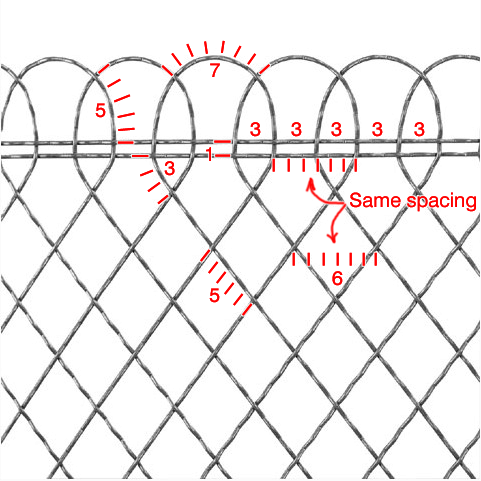
      The diamond need to be done with an odd number of semi waves.
      If I take the same wave and use 5 semi waves:

      http://i274.photobucket.com/albums/jj245/Spendauballet/SketchUp/ParisianFence007_th.jpg

      that works perfectly.

      Recall that I, also, had a couple of "false starts." You have just re-solved my first false start. πŸ‘

      My second mistake involved the horizontal "rail" strips that run at the top and bottom of the fence. That spacing also has to be precise, or they won't braid, either.

      (And you can't cheat, by using a different sinusoidal spacing. The fence is supposed to be made of all the same sine-wave wire.) β˜€

      -Taff

      posted in SketchUp Discussions
      TaffGochT
      TaffGoch
    • RE: Various rendering choices? -- Challenge!

      notareal,
      I'm also intrigued by your Thea transparent material for your latest.

      Is this material available for download (here or at Kerky website.) ?


      Here's my latest (slowly improving) attempt at jade (still using Photoshop adjustments):

      http://i579.photobucket.com/albums/ss233/taffgoch/Jade_small.jpg

      (I'm testing only material changes, to get accustomed to the materials editor parameters in Kerkythea. I'll move on to lighting & environment, after I'm more comfortable with materials.)

      -Taff

      posted in Gallery
      TaffGochT
      TaffGoch
    • RE: Various rendering choices? -- Challenge!

      The internal mirror globe (Pyroluna) and the internal lighting (notareal) introduce enchanting complexities to the renders.

      (I especially like the "God rays" produced by the "fog" in notareal's render.)

      -Taff

      posted in Gallery
      TaffGochT
      TaffGoch
    • RE: An exercise: DRAWING A PARISIAN FENCE

      @simon le bon said:

      ...and I'm actually in front of the picture expecting something stand up from my perplexity

      Simon,
      As I wrote earlier, I had a couple of false starts, until I studied the picture more closely...
      Wave counting...
      Each unit/increment is half of a sine wave (crest-to-trough, or trough-to-crest.) I finally recognized that each diamond was 6-units wide, having 5-unit side lengths. Only then would model components fit together properly.

      -Taff

      posted in SketchUp Discussions
      TaffGochT
      TaffGoch
    • RE: An exercise: DRAWING A PARISIAN FENCE

      Simon,

      Consider how the manufacturer produced the fence. Q: With what did they start?

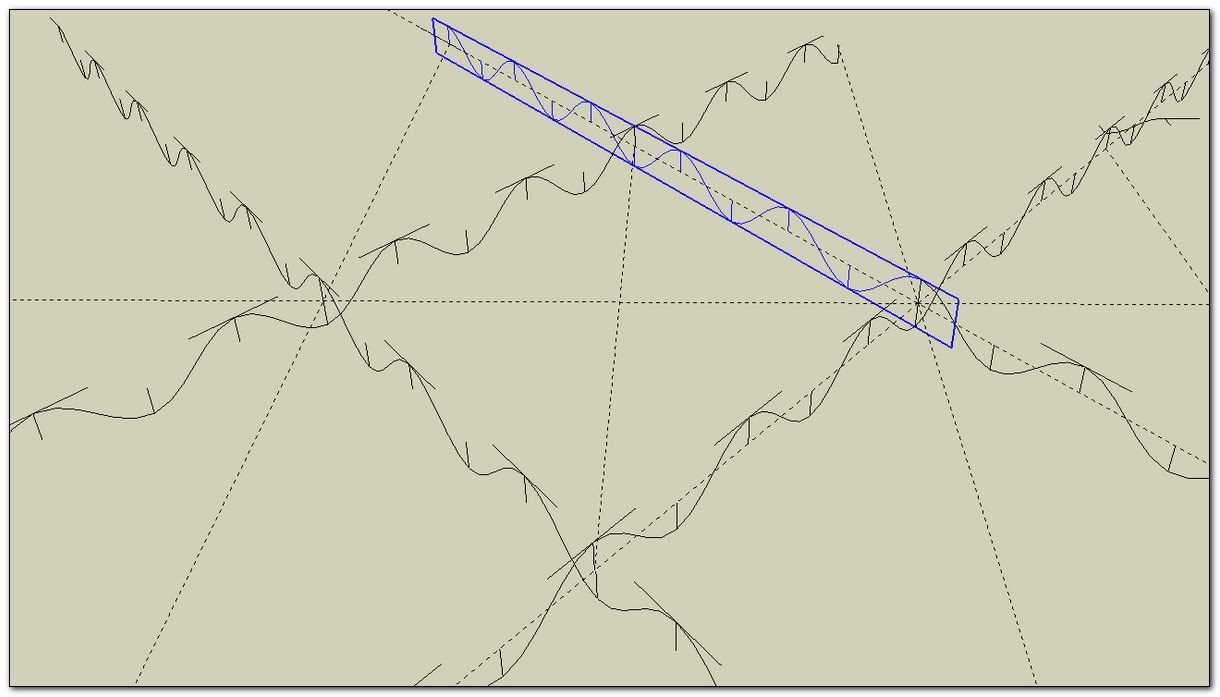
      A: A length of "wire," with a constant, repeated sine wave. This should be maintained in a 3D model. Keep all of the sinusoidal segments the same length.

      Truly, the sine segments along the top of the fence will be curved, but they should be maintained at the same length. I can demonstrate this evening, when I have some modeling time.

      -Taff

      posted in SketchUp Discussions
      TaffGochT
      TaffGoch
    • RE: Various rendering choices? -- Challenge!

      @richcat said:

      A couple or tries with IRendernXt

      Richard, I like the dark carbon-tinted version. Again, it's the complex reflections that produce the visual interest -- all other features (distractions) removed.

      It's like comparing b&w to color photography. Shadows and reflections take precedence. Nice exercise.

      -Taff

      posted in Gallery
      TaffGochT
      TaffGoch
    • RE: Various rendering choices? -- Challenge!

      @simon le bon said:

      But it remains a difficult exercise I guess πŸ˜’

      Simon,

      Tedious, yes! -- Difficult, not so much.

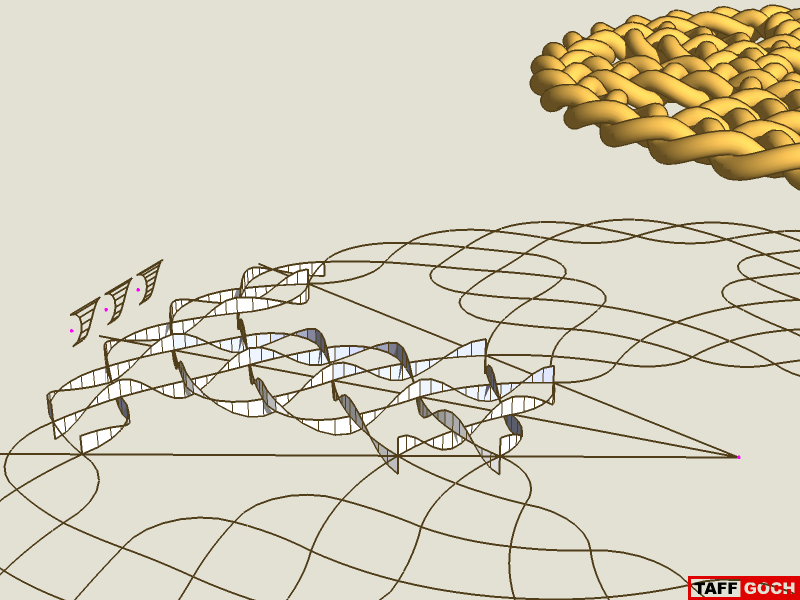
      Technically, the concept is simple. Scaling the sine wave lengthwise, to fit each straight line segment, is all that's required (while keeping the wave height constant.) It just takes some time to do each segment. If you need another example, here's a "flat" weave that employs the same technique:

      Rope β€’ Cornish Wheel Knot

      http://sketchup.google.com/3dwarehouse/download?mid=38f95256a00b460f2137e32e8ebf2b1&rtyp=lt&ctyp=other&ts=1276476025000

      Construction
      If it had not been for the radial symmetries in both of the weave models, I would not have attempted them. With symmetries and component-copying, the modeling becomes (almost) trivial. Actually, the flat weave was more troubling than the sphere!

      Taff (Welsh nickname, for Dave) Goch (Welsh, for "red")

      posted in Gallery
      TaffGochT
      TaffGoch
    • RE: Various rendering choices? -- Challenge!

      Martin,

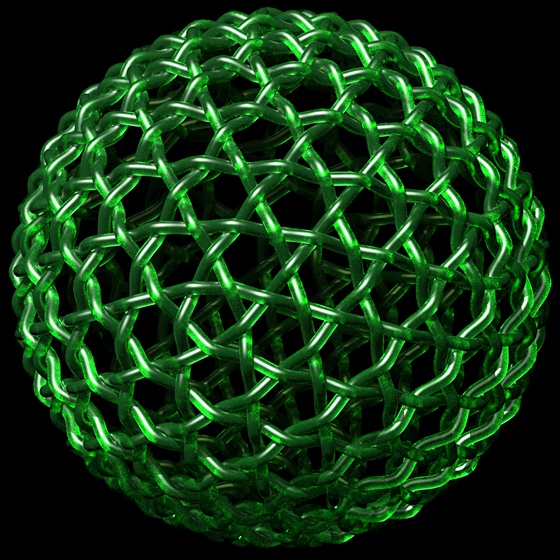
      I was shooting for "jade" last night (and missed.) What I got is similar to yours, in green, rather than red.

      Green apple
      -Taff

      posted in Gallery
      TaffGochT
      TaffGoch
    • RE: Various rendering choices? -- Challenge!

      @unknownuser said:

      i did one for fun here. Looks like candy.

      Yum!

      I like the variations produced by transparent materials, having a moderate internal index-of-refraction,...

      ...and really shiny materials with all the "self" reflections (like those in the renders posted by remon_v.)


      Hieru,

      Soccer? Really?

      ...sepak takraw, maybe...

      ...but, soccer ?? πŸ˜†

      -Taff

      posted in Gallery
      TaffGochT
      TaffGoch
    • RE: Various rendering choices? -- Challenge!

      dale,

      I was thinking of, eventually, trying a sub-surface-scattering jade render, with a centrally-positioned light-source globe, about half the diameter of the weave.

      I've got to go back to the SSS discussion, and experiment some. If someone else is quicker at it than I, it would be most appreciated if you could please share the KT parameters you used.

      -Taff

      posted in Gallery
      TaffGochT
      TaffGoch
    • RE: Various rendering choices? -- Challenge!

      Every good photographer takes advantage of the depth-of-field, for sharp/blur and close/distant distortion. I used to be okay at it, back when I was in college. Your latest renders, solo, really demonstrate the extremes.

      I just have to get used to the Kerkythea settings. I only wish I had more time to play with KT.

      Without these effects, the distinction between close and distant elements "gets lost."
      No DOF adjustments
      With DOF blurring & darkening, the depth is more apparent:
      DOF blur & darken

      -Taff

      posted in Gallery
      TaffGochT
      TaffGoch
    • RE: Various rendering choices? -- Challenge!

      solo,

      It's interesting that the "seams" where the multiple "worm" components meet are visible in your render, but not the others (so far.) That's something I was glad not to see in my renderings. So, how come they're in your latest? Was it the material, or some other parameter, I have to wonder?


      gaieus,

      Thanks for the DOF link. I've not yet tried that, and it looks VERY promising.

      [EDIT Wonderful! I played with the DOF mask, and really like the results. The same mask can be used for changing the lighting (fog) and depth-of-field blurring. Just what I needed, for post-processing in Photoshop. Thanks, again, Gai...]

      -Taff

      posted in Gallery
      TaffGochT
      TaffGoch
    • RE: Various rendering choices? -- Challenge!

      I like the iridescent, mother-of-pearl appearance. I'll have to download that material pack.

      Is the graininess of the image due to the render, or to post-render compression?

      -Taff

      posted in Gallery
      TaffGochT
      TaffGoch
    • RE: Various rendering choices? -- Challenge!

      So, you used chrome, eh?

      In my previous experience, with POV, chrome wouldn't look right, unless there was some thing(s) to reflect. Is this true for Kerkythea? Do I have to provide a "sky" to get chrome to render acceptably?

      Actually, now that I mention it, must I provide "off-stage" objects/emitters for reflections, to produce realistic "shiny" renders by Kerky? (I'm thinking, yes.)


      Secondly, you provided additional lights. Was this to provide "ambient" lighting, or to give something to reflect (as mentioned above) ?

      -Taff

      posted in Gallery
      TaffGochT
      TaffGoch
    • RE: Various rendering choices? -- Challenge!

      solo,

      I figured someone would try transparent, refractive material. πŸ˜„ The refractions make for a nice render.

      http://i579.photobucket.com/albums/ss233/taffgoch/red-pill-blue-pill.jpg

      I thought about using blue or red, but, with the economies around the world being in such bad condition, I'm currently partial to gold. πŸ˜†

      (Right now, the gold weave is my wallpaper....)

      -Taff

      posted in Gallery
      TaffGochT
      TaffGoch
    • RE: Various rendering choices? -- Challenge!

      @gaieus said:

      Instead of fog however (which will drastically increase your render time anyway), how about using some DOF (a DOF map could be exported in no time from Kerky and you can apply it in PP supposedly quite easily).

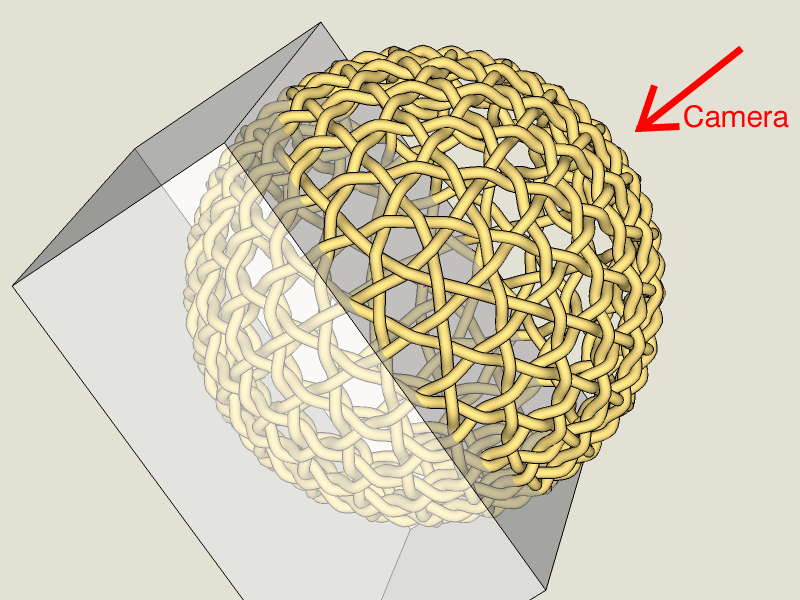
      I rudely discovered the time penalty of Kerky's fog feature (and I couldn't control the starting plane & depth.) While I called it "fog" in my original post, I actually reverted to using a "block" of volumetric smoked glass, which produced the effect that I was after.
      Rendering bounds
      I removed the reflection & refraction parameters from the definition of the smoked (dielectric) glass material, retaining only the semi-transparent grey color. Rendering produces increasingly darker blacks, relative to distance from the camera. The technique, additionally, reduces the bounds of the rendering task, since Kerky doesn't have to calculate fog effects for the entire environment. The rendering engine only has to evaluate the geodesic weave and the smoked-glass block. (Much quicker.)

      Setting the background to black essentially "hides" the glass block.

      So, there's a trick for you folks trying to achieve fog effects -- Always strive to limit the bounds of the rendering environment.

      The same trick will also work for achieving white "fog" effects.

      -Taff

      posted in Gallery
      TaffGochT
      TaffGoch
    • Various rendering choices? -- Challenge!

      This is my first render (since POV, over 15 years ago.)

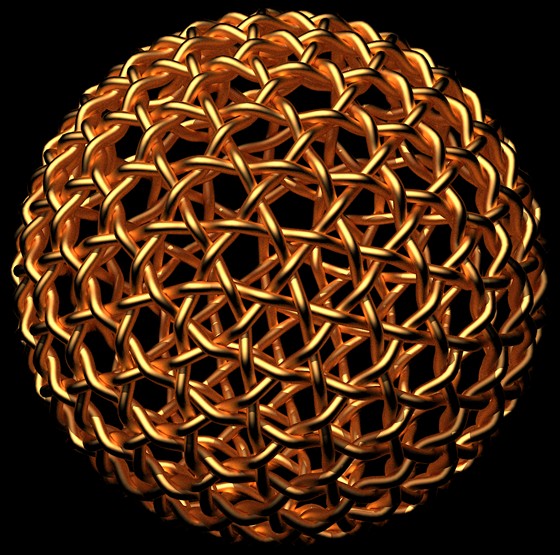
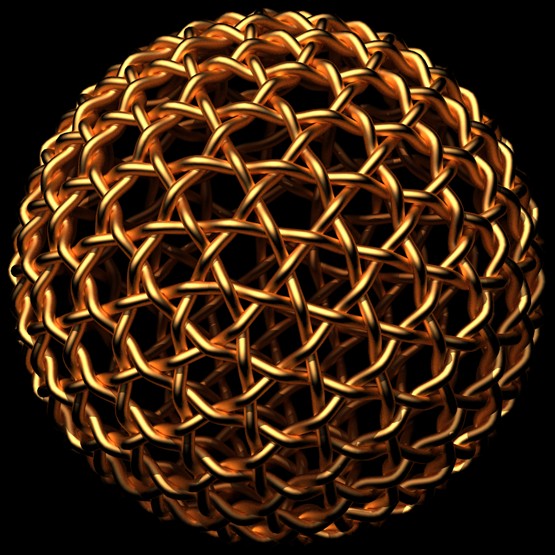
      It took a while, as I am learning the basics of Kerkythea. I used, therefore, only SketchUp-defined sunlighting and one of the basic materials. The only thing I fussed over was the darkening "fog" of the more distant portions.

      http://i579.photobucket.com/albums/ss233/taffgoch/Weave1.jpg

      I'm curious -- how would YOU have rendered the model (material, lighting, fog, etc.) Since I am learning Kerky, I'd appreciate a description of the steps/parameters you use to obtain your results.

      3D Warehouse - Geodesic Weave

      -Taff

      posted in Gallery
      TaffGochT
      TaffGoch
    • RE: Protected standalone exe viewer

      @tig said:

      The 3D PDF app is the only thing that might do this, that I can think of...

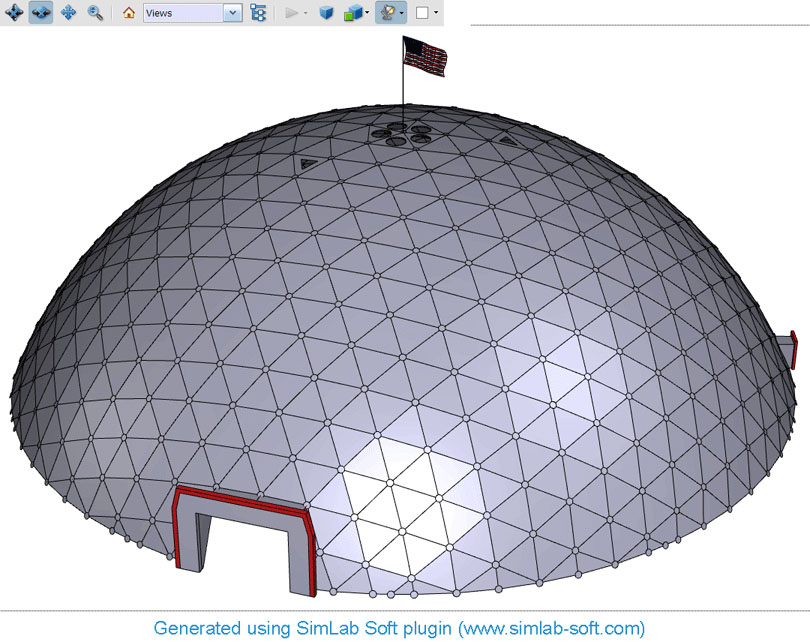
      Go to SimLab Soft to download a free version of the SketchUp plugin, required to produce such 3D PDF files. (SU7 only, as I recall.)

      Here's an example a 3D PDF file produced by the SimLab Soft plugin:
      Amundsen-Scott Antarctic Station Dome

      To enable/disable various layers, display the "Model Tree" and use the checkboxes.

      Screengrab:
      Amundsen-Scott_PDF_render.jpg
      NOTE: If you already have the SimLab Soft plugin for SketchUp, you may want to update, as a new version was released a couple of months ago, with some great new features.

      -Taff

      posted in Newbie Forum
      TaffGochT
      TaffGoch
    • RE: Geodesic shapes

      Andrew,

      As Frenchy Β wrote, you're welcome to freely take your pick...

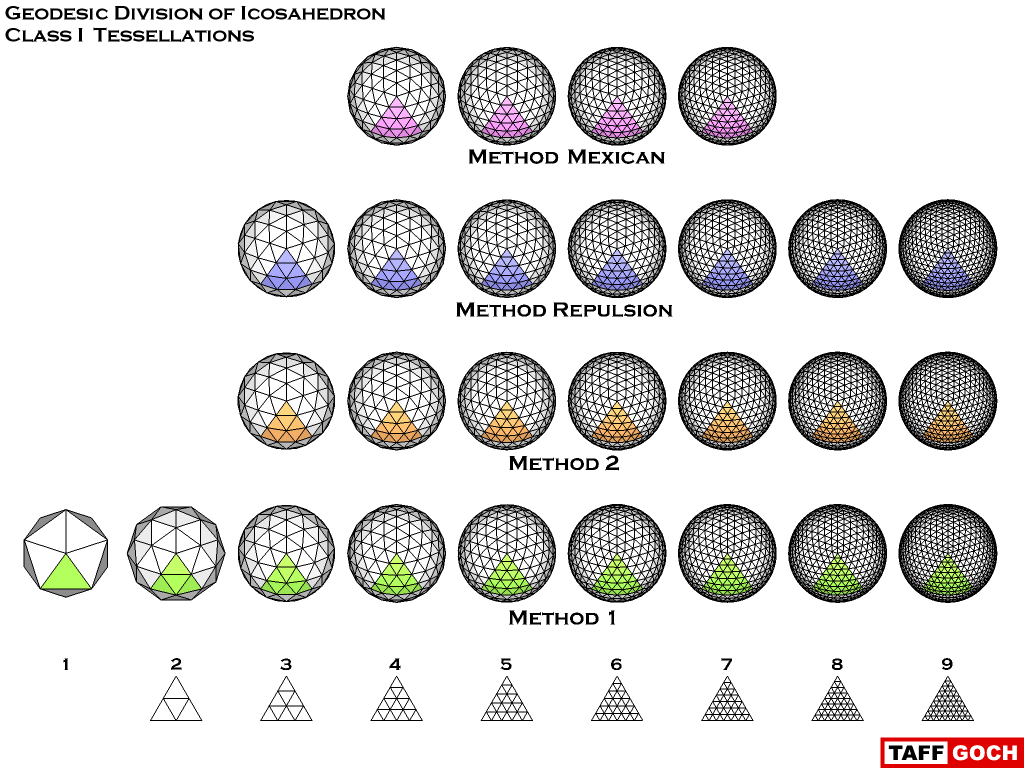
      3D Warehouse β€’ Geodesic domes and spheres

      Geodesic_Class_I_Library.png
      Also note that Al HartΒ  has added geodesic dome & sphere capabilities to RpTools.

      -Taff

      posted in SketchUp Discussions
      TaffGochT
      TaffGoch
    • RE: Space frame ? [TUTORIAL]

      I like the Lines2Tubes.rb plugin, for quick rendering, but prefer the tubes to be copies of a "master" tube component.

      With the master tube-component axes aligned to the model-space axes, I can scale different tubes to custom lengths. To make all the tubes fatter or thinner, I simply modify the "contents" of the master component, editing in its context.

      (...BUT, it requires a LOT more effort!)

      Now, if I could only have the "best of both worlds."

      Case in point...
      Taff

      posted in Newbie Forum
      TaffGochT
      TaffGoch
    • 1 / 1