sketchucation logo sketchucation
    • Login
    1. Home
    2. samuel_t
    3. Posts
    Oops, your profile's looking a bit empty! To help us tailor your experience, please fill in key details like your SketchUp version, skill level, operating system, and more. Update and save your info on your profile page today!
    Urasik Extensions | Lots of new extensions to check out Learn More
    Offline
    • Profile
    • Following 0
    • Followers 1
    • Topics 10
    • Posts 375
    • Groups 2

    Posts

    Recent Best Controversial
    • RE: [Plugin] Universal Importer - v1.2.6 - 30 July 2024

      @einstein said:

      OK, I managed to import FBX model properly textured ๐Ÿ˜„ Thank you for your help!

      ๐Ÿ˜‰ ๐Ÿ‘

      @einstein said:

      You mean I should totally reinstall NVIDIA drivers? (I'm actually afraid to do it because NVIDIA does problems with driver installation. Plus I'm an amateur and don't want to mess up with my computer.) Or should I just reinstall one of MS Visual C++ Redistributables or some other package?

      Yes, you should totally reinstall NVIDIA drivers.

      posted in Plugins
      samuel_tS
      samuel_t
    • RE: [Plugin] Universal Importer - v1.2.6 - 30 July 2024

      @samuel_t said:

      @einstein said:

      I pasted the library as you advised, relaunched SketchUp (maybe I should restart my PC) but still the same error pops up as I press the violet swan ๐Ÿ˜ž

      Do you use SketchUp through a remote desktop? ๐Ÿ˜ฎ

      @einstein said:

      How do you specify textures? If I pick them one by one during import, only one texture is put onto whole chair. Surely, I can manually repaint a part of it but it looks like no UV map is assigned. If I pick the other texture from "In Model" material palette, say leather, and paint the chair top, the texture has wrong scale and orientation.

      I specify textures during import process (dialog box).

      About remesher, you can try to reinstall your graphics card driver. Let me know if problem persists.
      Also, be sure to import FBX version of "Rudolf Chair" model since OBJ version is badly textured. ๐Ÿ˜‰

      posted in Plugins
      samuel_tS
      samuel_t
    • RE: [Plugin] Universal Importer - v1.2.6 - 30 July 2024

      @oxer said:

      macos 10.13.6 & SU2017

      The v1.1.5 gives an error when I try to import an obj format model, with previous version v1.1.4 the model was imported right.

      https://sketchucation.com/forums/download/file.php?id=158504

      ๐Ÿ˜ฎ Could you please upload your model here or to a file hoster?

      posted in Plugins
      samuel_tS
      samuel_t
    • RE: [Plugin] Universal Importer - v1.2.6 - 30 July 2024

      @einstein said:

      I pasted the library as you advised, relaunched SketchUp (maybe I should restart my PC) but still the same error pops up as I press the violet swan ๐Ÿ˜ž

      Do you use SketchUp through a remote desktop? ๐Ÿ˜ฎ

      @einstein said:

      How do you specify textures? If I pick them one by one during import, only one texture is put onto whole chair. Surely, I can manually repaint a part of it but it looks like no UV map is assigned. If I pick the other texture from "In Model" material palette, say leather, and paint the chair top, the texture has wrong scale and orientation.

      I specify textures during import process (dialog box).

      posted in Plugins
      samuel_tS
      samuel_t
    • RE: [Plugin] Universal Importer - v1.2.6 - 30 July 2024

      @einstein said:

      @samuel_t said:

      @einstein said:

      1. When I import a model with multiple textures, I can only select one texture file and that texture is applied.
        Sometimes I can but another time I cannot have all textures included. Some models may be badly textured but I'm almost sure that I tried importing the same chair as TutorialsUp did with success, while I didn't get both textures (only one).
        [...]

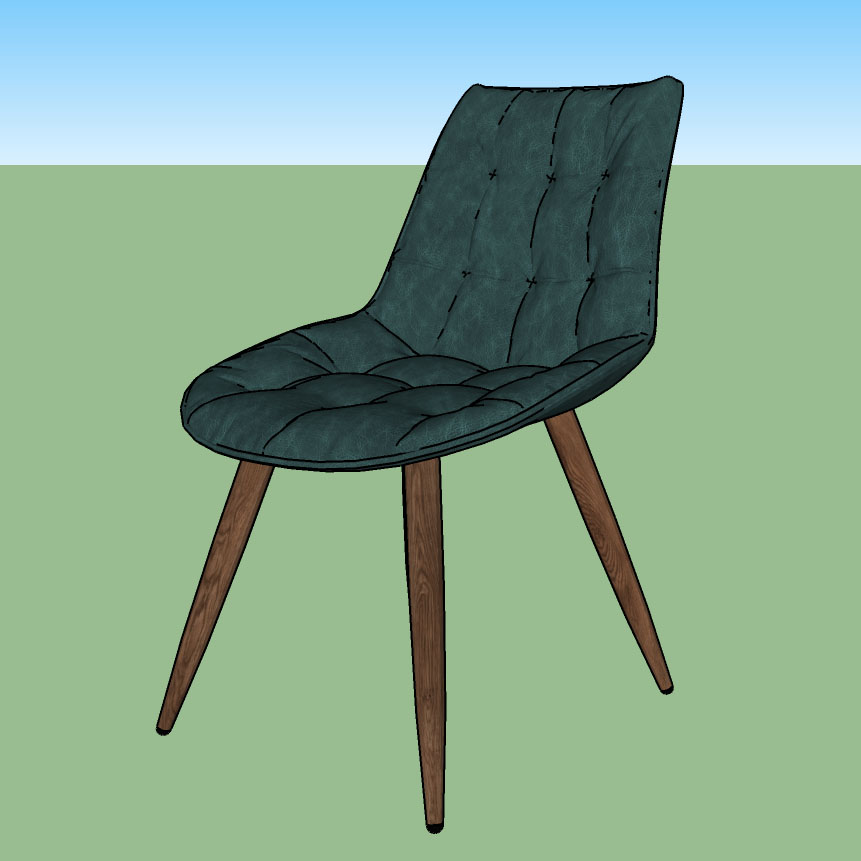
      Einstein, your issue has been fixed with 1.1.3 version of plugin. ๐Ÿ˜‰

      [attachment=1:1a6tfze3]<!-- ia1 -->Rudolf Chair.jpg<!-- ia1 -->[/attachment:1a6tfze3]

      Hi!
      Can you tell me how you imported this chair with both textures? I downloaded the latest version of your plugin and tried to import OBJ model. It asked me a few times for textures, I indicated one map (green leather), then the other (wood) but still it'll only be mapped with one of them.

      Hi!

      I specify a leather texture, nothing for plastic (because it's a color) and a wood texture then it's OK.

      @einstein said:

      What's more, I cannot remesh any model. Every time it splashes this error:

      https://sketchucation.com/forums/download/file.php?id=158502&t=1

      Try to follow these steps:

      1. Download opengl32.dll (Win64) from this direct link.
      2. Move downloaded opengl32.dll to this folder: C:\Users\DELL\AppData\Roaming\SketchUp\SketchUp 2018\SketchUp\Plugins\universal_importer\MeshLab\Win
      3. Reduce polygons with Universal Importer plugin.
      posted in Plugins
      samuel_tS
      samuel_t
    • RE: [Plugin] Universal Importer - v1.2.6 - 30 July 2024

      1.1.5 version adds TGA and TIFF support for textures.

      Download latest Universal Importer plugin from SketchUcation PluginStore.

      posted in Plugins
      samuel_tS
      samuel_t
    • RE: [Plugin] Universal Importer - v1.2.6 - 30 July 2024

      @einstein said:

      Would it be possible to implement support for TGA format of textures? You can often download models textured with TGA files.

      Yes. It's possible. ๐Ÿ˜‰

      posted in Plugins
      samuel_tS
      samuel_t
    • RE: [Plugin] Universal Importer - v1.2.6 - 30 July 2024

      @headmade said:

      Hi, iI installed the latest version of the plugin and it does not work on mac os ((

      https://sketchucation.com/forums/download/file.php?id=158468&t=1

      Hi. What version of macOS are you running?

      posted in Plugins
      samuel_tS
      samuel_t
    • RE: [Plugin] Universal Importer - v1.2.6 - 30 July 2024

      @kostiaarh said:

      Hello. Importer Error. What does that mean

      https://sketchucation.com/forums/download/file.php?id=158465

      Problem comes from model encoding. I've manually fixed "222.obj" and "222.obj.mtl" with a text editor.

      I've attached fixed model:

      222-fixed-model.zip

      posted in Plugins
      samuel_tS
      samuel_t
    • RE: [Plugin] Universal Importer - v1.2.6 - 30 July 2024

      @joshtays said:

      Maybe this has been asked, I tried to search it just in case, so apologies if it has been answered already... Is there any plan to support PDF in the future? Lack of PDF import to Windows Sketchup boggles my mind.

      There's no plan to support PDF in future. ๐Ÿ˜•

      posted in Plugins
      samuel_tS
      samuel_t
    • RE: [Plugin] Universal Importer - v1.2.6 - 30 July 2024

      Hello @kostiaarh. This sounds like a bug. Could you please upload your model to a file hoster? This way I could debug it.

      posted in Plugins
      samuel_tS
      samuel_t
    • RE: [Plugin] Visual History - v1.0.3 - 26 Jan. 2020

      1.0.3 version adds a feature: Pause/restart state recording.

      Download latest Visual History plugin from SketchUcation PluginStore.

      posted in Plugins
      samuel_tS
      samuel_t
    • RE: [Plugin] Universal Importer - v1.2.6 - 30 July 2024

      @lewmosconi said:

      Hello man, thanks in advance for the app.
      But every time I try to import an FBX, messages like that appear.

      Universal Importer Error: Command failed: "C:/Users/Leo/AppData/Roaming/SketchUp/SketchUp 2019/SketchUp/Plugins/universaLimporter/Assimp/Win/assim p.exe- info 'C:WrogramData/Universal Importer/tmp/import.FEOC > "C:WrogramData/Universal Importer/tmp/assimp.nfo-
      C:/Users/Leo/AppData/Roaming/SketchUp/SketchUp 2019/SketchUp/Plugins/universaLimporter/assimp.rb:166:in 'get_texture_refs'
      Universal Importer Version: 1.1.4

      Hello. Reinstall Microsoft Visual C++ library (it can fix your error) then let me know if problem persists.

      posted in Plugins
      samuel_tS
      samuel_t
    • RE: [Plugin] Visual History - v1.0.3 - 26 Jan. 2020

      1.0.2 version adds macOs support.

      Download latest Visual History plugin from SketchUcation PluginStore.

      posted in Plugins
      samuel_tS
      samuel_t
    • RE: [Plugin] Visual History - v1.0.3 - 26 Jan. 2020

      With 1.0.1 version, you can:

      • Force recording of a state.
      • Create a rebound effect...

      Visual History Plugin Bouncing Ball Demo

      Download latest Visual History plugin from SketchUcation PluginStore.

      posted in Plugins
      samuel_tS
      samuel_t
    • [Plugin] Visual History - v1.0.3 - 26 Jan. 2020

      Hello! ๐Ÿ˜„ I created a free new plugin for SketchUp: Visual History. With this plugin, you can visually control your history and export your history to an animated GIF. It's easy to create a turntable effect with it. ๐Ÿ‘

      => You can download it from SketchUcation PluginStore.

      Demos

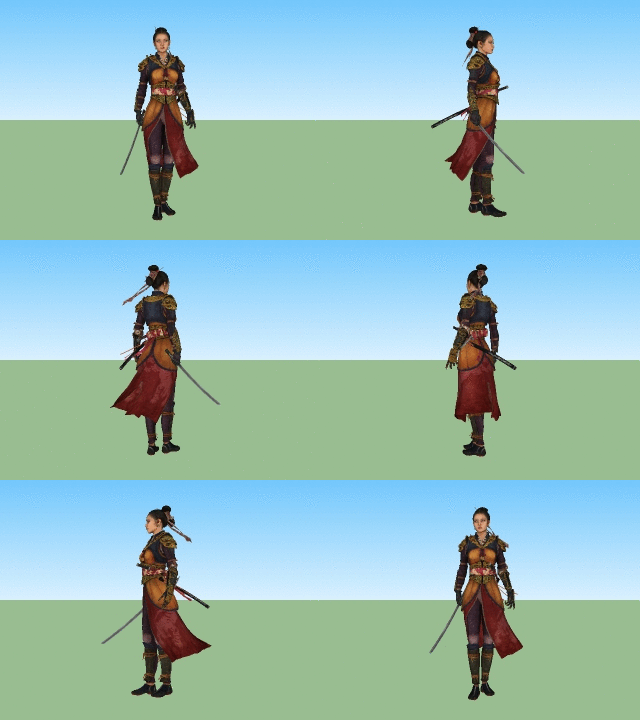
      Visual History Plugin Sphere Demo

      Visual History Plugin Warrior Demo

      Credits: Nyra Woman Warrior by Arion Digital.

      posted in Plugins
      samuel_tS
      samuel_t
    • RE: [Plugin] Universal Importer - v1.2.6 - 30 July 2024

      1.1.4 version fixes rendering of some high-density models (typically trees).

      Download latest Universal Importer plugin from SketchUcation PluginStore.

      posted in Plugins
      samuel_tS
      samuel_t
    • RE: [Plugin] Universal Importer - v1.2.6 - 30 July 2024

      @sibawal said:

      im using mac os high siera , sketchup 2019, and blender 2.81a

      This Blender is not supported. ๐Ÿ˜• Export to .fbx or, as suggested by @Oxer, retry with Blender 2.79. ๐Ÿ˜‰

      posted in Plugins
      samuel_tS
      samuel_t
    • RE: [Plugin] Universal Importer - v1.2.6 - 30 July 2024

      @oxer said:

      Samuel , really the Model height (cm) option do something, I changed this parameter to different values but the imported model has the same dimensions always.

      Hi Oxer! This feature works pretty well on Windows. I don't know why it doesn't work at all on macOS.

      posted in Plugins
      samuel_tS
      samuel_t
    • RE: [Plugin] Universal Importer - v1.2.6 - 30 July 2024

      @einstein said:

      1. When I import a model with multiple textures, I can only select one texture file and that texture is applied.
        Sometimes I can but another time I cannot have all textures included. Some models may be badly textured but I'm almost sure that I tried importing the same chair as TutorialsUp did with success, while I didn't get both textures (only one).
        [...]

      Einstein, your issue has been fixed with 1.1.3 version of plugin. ๐Ÿ˜‰

      Rudolf Chair

      posted in Plugins
      samuel_tS
      samuel_t
    • 1 / 1