sketchucation logo sketchucation
    • Login
    1. Home
    2. pmolson
    3. Posts
    Oops, your profile's looking a bit empty! To help us tailor your experience, please fill in key details like your SketchUp version, skill level, operating system, and more. Update and save your info on your profile page today!
    πŸ”Œ Smart Spline | Fluid way to handle splines for furniture design and complex structures. Download
    Offline
    • Profile
    • Following 0
    • Followers 0
    • Topics 80
    • Posts 564
    • Groups 1

    Posts

    Recent Best Controversial
    • RE: Sketchup subscription

      I seem to be the one of the few who likes the subscription model.

      From a business stand point I know I will always have the latest greatest without worrying about when a software version is outdated and becomes unsupported.

      I do not like to have to come up with lump sums every time a software has progressed enough to justify upgrading.

      A known monthly amount for various subscriptions can be easily figured into an overall business plan and when spread out over a full year does not price one out of the market.

      Using software to make money costs money. Plan for it, charge for it, accept it.

      For hobbyist...I feel your pain.

      p

      posted in SketchUp Discussions
      pmolsonP
      pmolson
    • RE: Yet another kitchen render

      Sorry Bryan, I have to pick on you a little with this render. Please take this as constructive criticism.

      The Island cabinet is too shiny.

      You must figure out the lighting thing. It really feels false not knowing the source of the light.

      The stainless steel texture you are using just looks grey.

      The scale of the fruit bowl, jars, etc. all look too large I think. They feel too much in my face. The faucet also feels really big and would probably look better chrome.

      Microwave looks like a photo and the location eats up about 50% of the very limited counter space.

      I do not understand the seats around the island. Do you sit on them and lean on the island? Maybe there is a table not shown which the seats are for...if so, still seams odd to sit with your back against the island.

      The track lighting seems an odd choice for illuminating the glass cabinets. I think all you would get is some glare on the glass rather than highlighting the decorative items that would be behind the glass. lights inside the glass cabinets would be the ticket.

      The camera angle could maybe be adjusted. You are pointing pretty much straight into the corner of the room and this give a bit of an axonometric feel.

      I cant really tell what the wall material is. is it tile? small shingles?

      p

      posted in Gallery
      pmolsonP
      pmolson
    • RE: Small Log House.

      I like the design of the main home/cabin. In my opinion the garage and free standing... garbage can hut...? do not fit style-wise with the home. That is just an opinion and of course everyone has their own:)

      The thing I notice about your render is the composition. It feels a bit flat. as if the building were sitting on a perfectly flat plane and just rotated a bit. I would suggest rotating the view a little so you are looking slightly up at it. It feels almost as if a 2d view was just spun on the vertical axis.

      Nice curb and driveway. Although I think the asphalt is too light.

      Another thing that would help the composition would to be to add some foreground plants or bushes and plant some trees behind the camera to cast some shadows on the lawn. The lawn as it is, is too flat and too lime green to be convincing.

      How about some furniture on the upper deck?

      The roof texture is not great.

      The bench is kind of in an odd place. Would you be staring at the garage wall with your knees under your chin if you were sitting on it?

      The bushes look like photos of bushes sitting on a flat plane. If you add some bushy small plants at the base of those bushes it will help them feel grounded.

      Do not be afraid to add some more plants and shrubs. The very limited amount you used feels like the home owner ran out of money before finishing the landscape:)

      The planter thing hanging from the deck looks lonely. Such a symmetrical form, one would think maybe hanging two of them.

      I have never been a fan of cars parked in front of houses, unless I am selling cars, not homes.

      I hope you take all of that as not just criticism, but as a constructive critique.

      paul

      posted in Gallery
      pmolsonP
      pmolson
    • RE: New laptop not meeting my expectations

      I ran into this same thing a while back and the fix rich mentioned worked for me also. If i remember right, it was when i upgraded to windows 10...I think...I need a memory upgrade...

      posted in SketchUp Discussions
      pmolsonP
      pmolson
    • RE: Issue Inferencing along the Green Axis...

      happens to me all the time. I just orbit around to a different view and grab the object from a different point and then it works. Drives me nuts too.

      posted in SketchUp Discussions
      pmolsonP
      pmolson
    • RE: Npr home

      @daniel said:

      Well, Paul, you know me - I'm gonna be honest and blunt. I find this batch of renderings to be pulchritudinous.

      If English poet John Keats was right when he wrote that "a thing of beauty is a joy forever," then pulchritude should bring bliss for many years to come. That word has already served English handsomely for centuries; it has been used since the 1400s. It's a descendant of the Latin adjective pulcher, which means "beautiful." Pulcher hasn't exactly been a wellspring of English terms, but it did give us both pulchritude and pulchritudinous, an adjective meaning "attractive" or "beautiful." The verb pulchrify (a synonym of beautify), the noun pulchritudeness (same meaning as pulchritude), and the adjective pulchrous (meaning "fair or beautiful") are other pulcher offspring, but those terms have proved that, in at least some linguistic cases, beauty is fleeting.

      You have always shown yourself to be sapient, and you have shown that again in your critique of my work.

      Thanks Daniel

      posted in Gallery
      pmolsonP
      pmolson
    • RE: Rendering Software and Plugins

      Very little.
      I usually just adjust the levels a bit to increase depth of shadows and on exteriors I might straighten the verticals a tad.

      I do that in PS, but supodium now has a built in tweaker that i think does both those and more.
      I have never used the built in editor, just because i have always done it with PS and I am an old dog.

      p

      posted in SketchUp Discussions
      pmolsonP
      pmolson
    • RE: Rendering Software and Plugins

      I am a long time su podium user.

      I cannot comment on other applications, but I will say that the thing that decided it for me years ago was the su podium approach of balancing high quality renders with a interface and learning curve that is manageable for those of us that cannot look away from the bottom line in order to create impactfull renders.

      Don't get me wrong, one has to put in some time to get the hang of it, but the learning curve is short to be producing some very nice renders and with some extra effort one can produce stunning images.

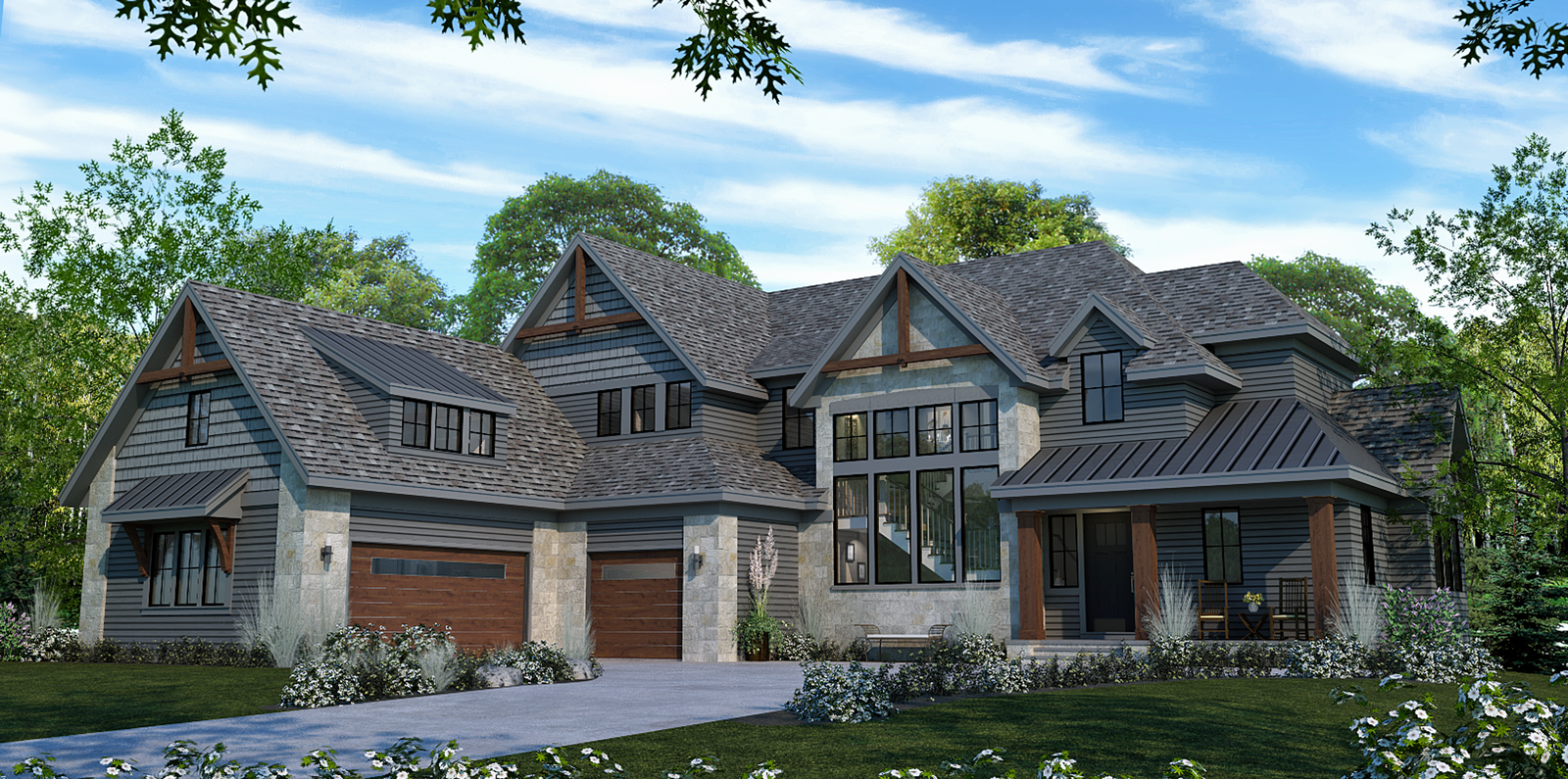
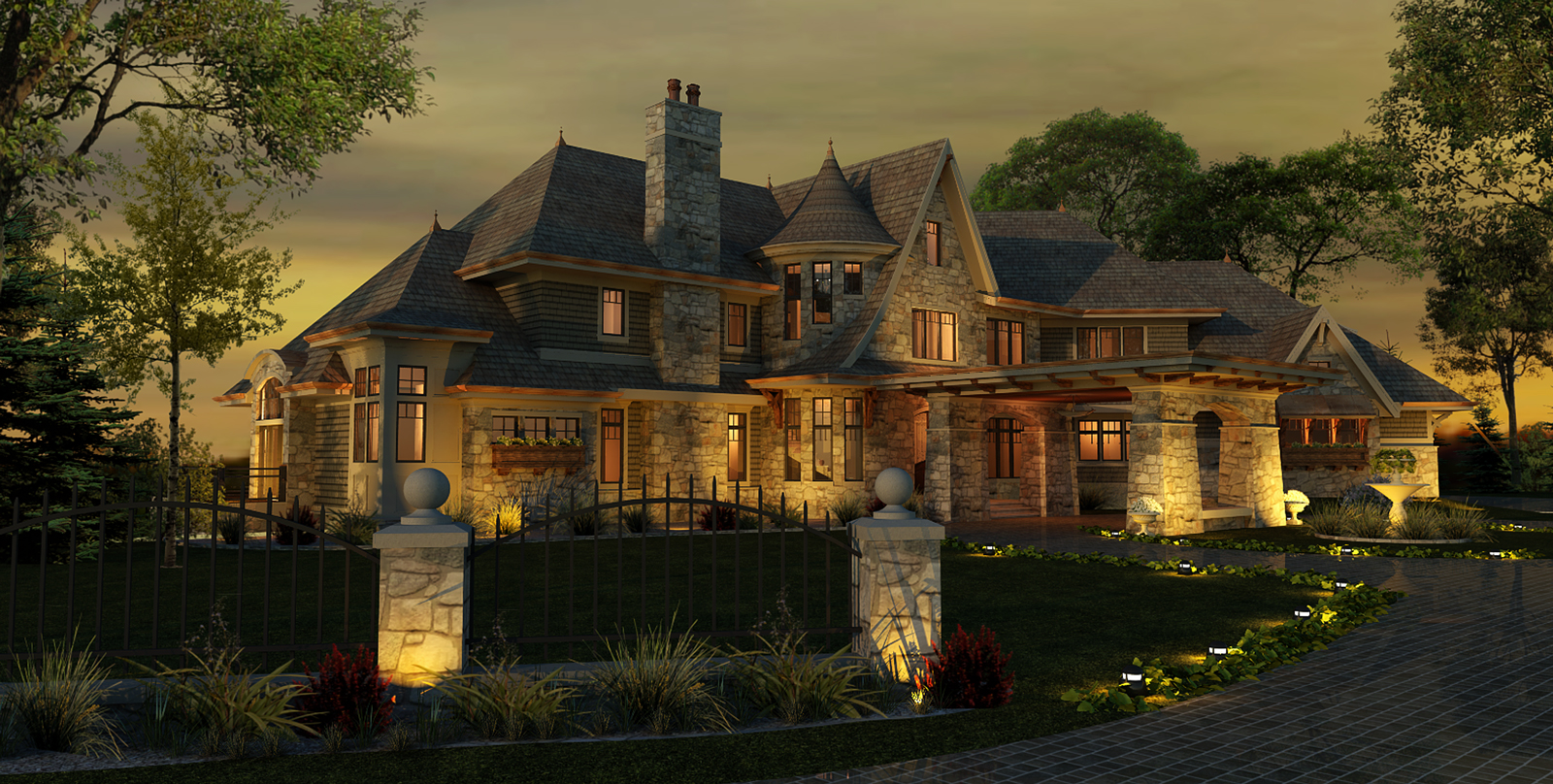
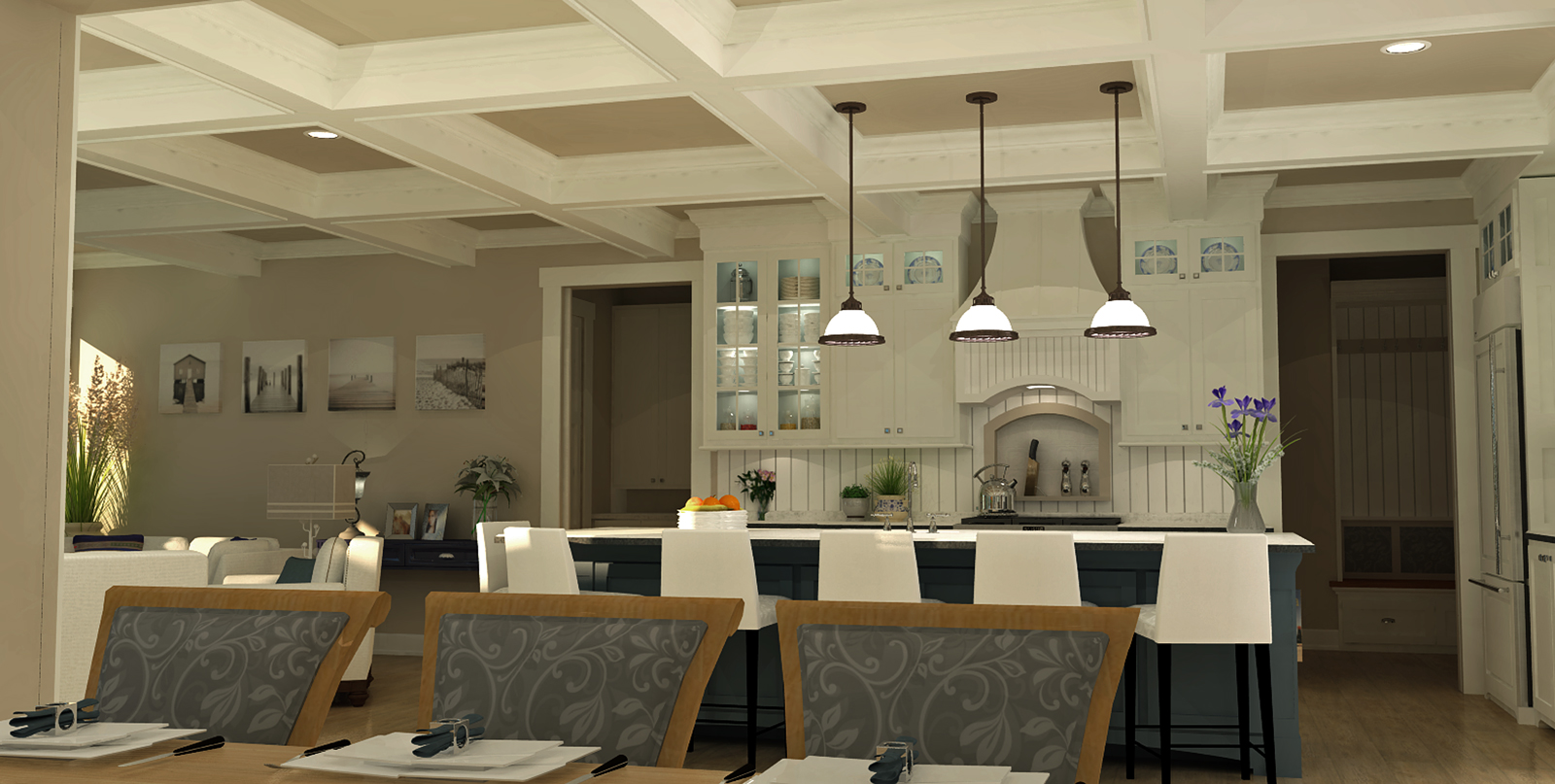
      Below are a few examples of real world projects for pay done by me. I am by no means a master and to truly see what supodium can do you should check out their gallery where the masters exibit their work.

      This is more an example of what one can produce without breaking a sweat and staying on budget.

      day-exterior-example.jpgdusk-front-example.jpginterior-example.jpg

      paul

      posted in SketchUp Discussions
      pmolsonP
      pmolson
    • RE: Npr home

      @Bryan - Thanks - Very nice of you to comment. You always do.

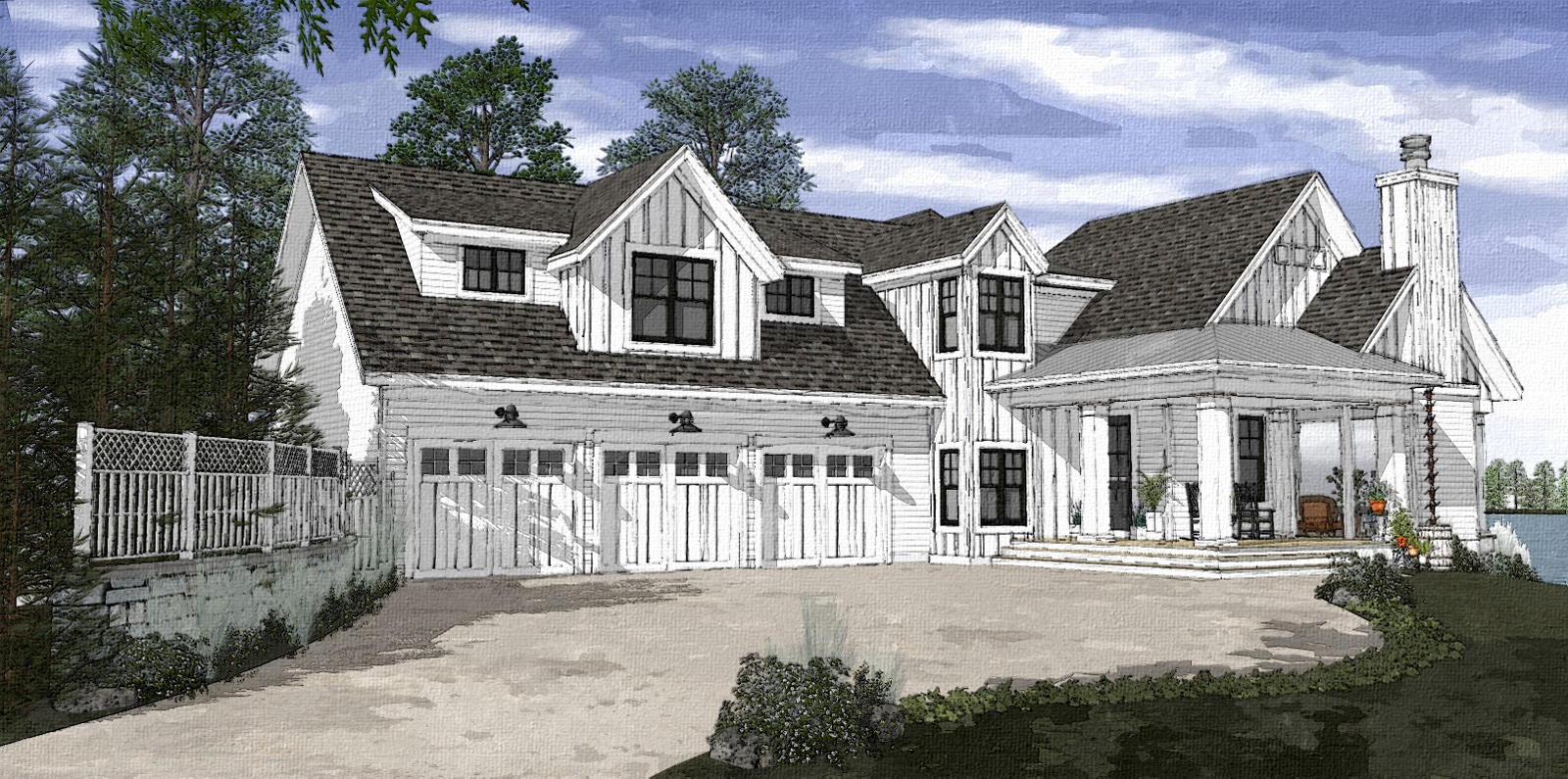
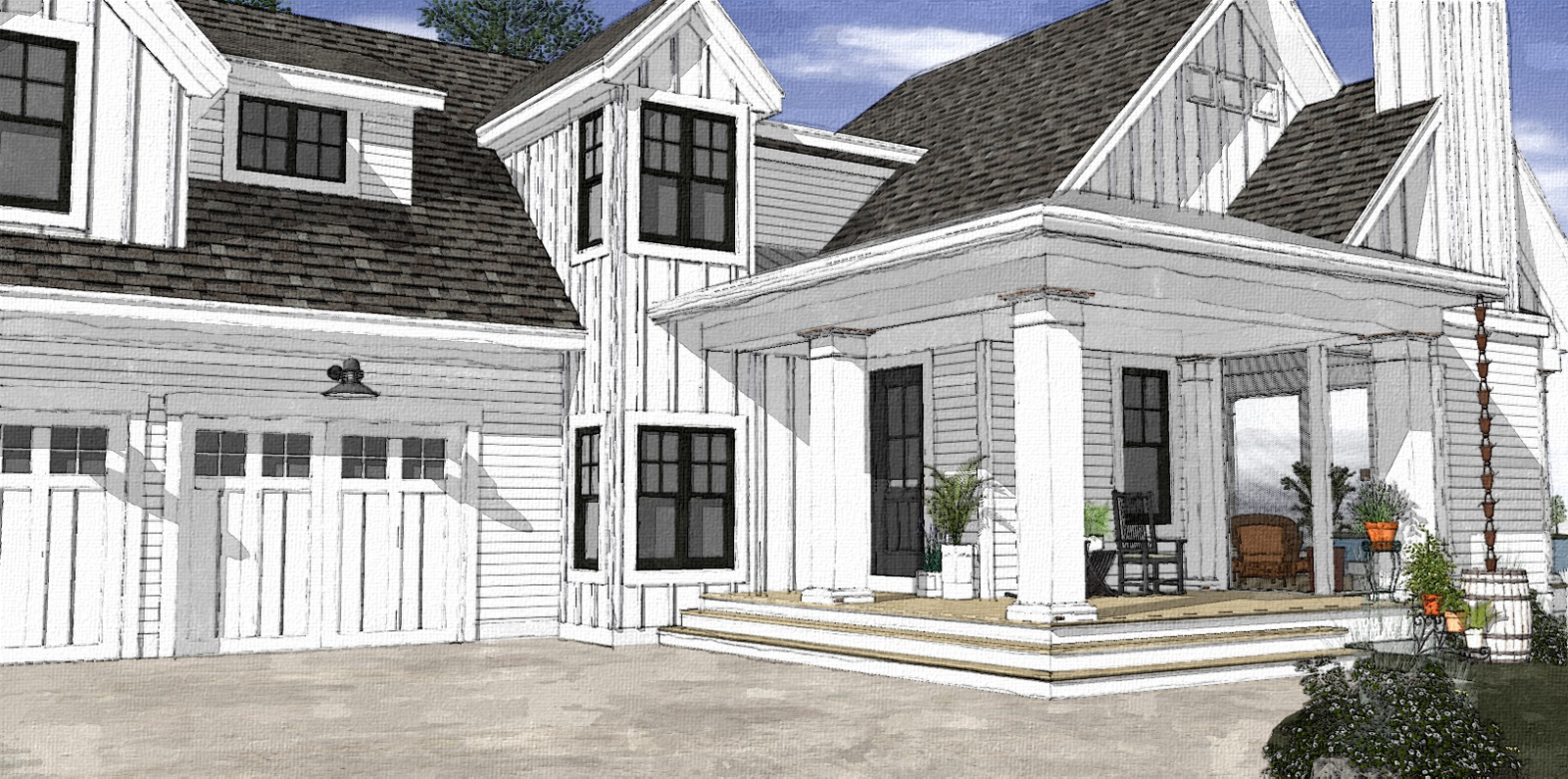
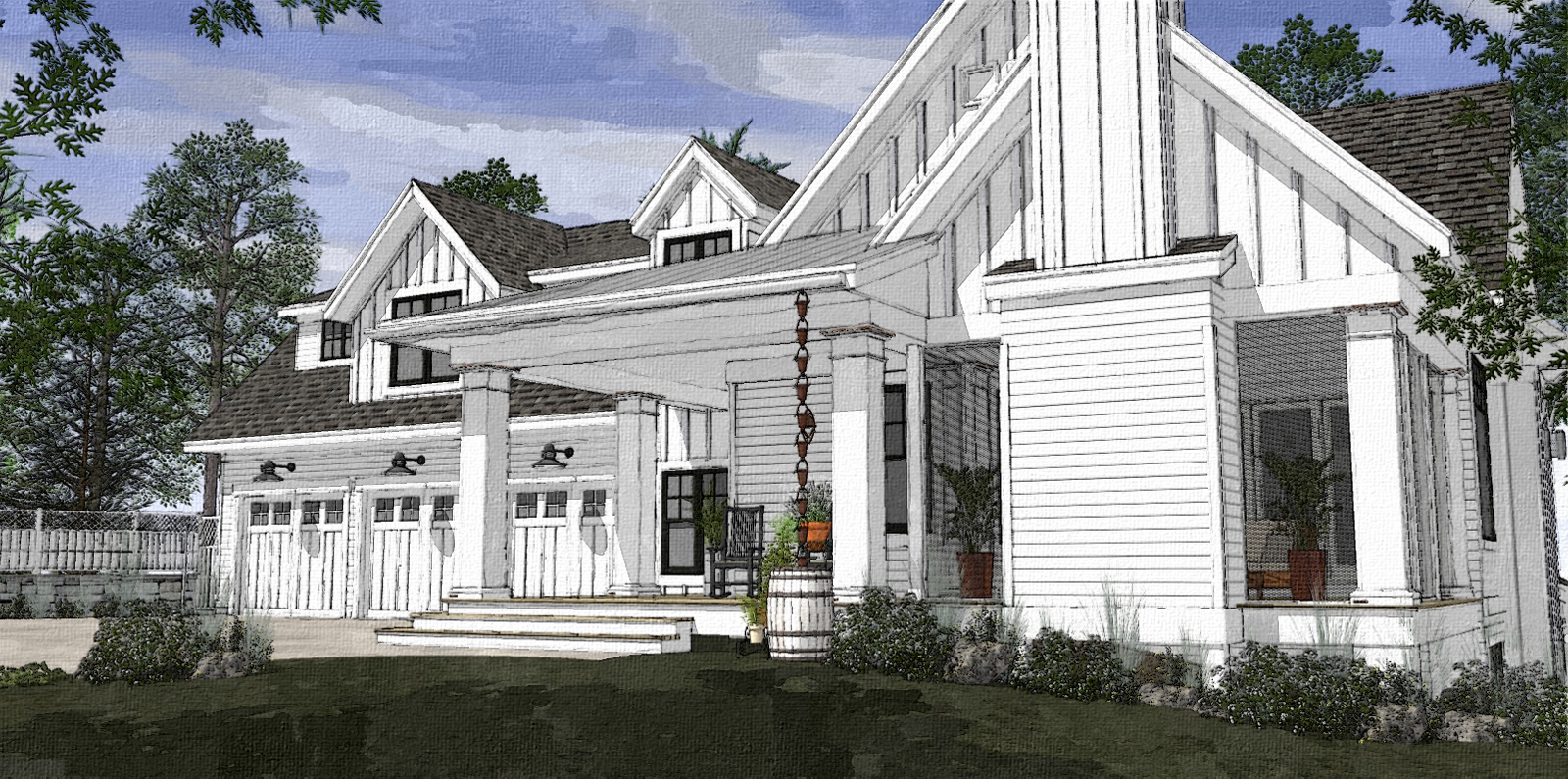
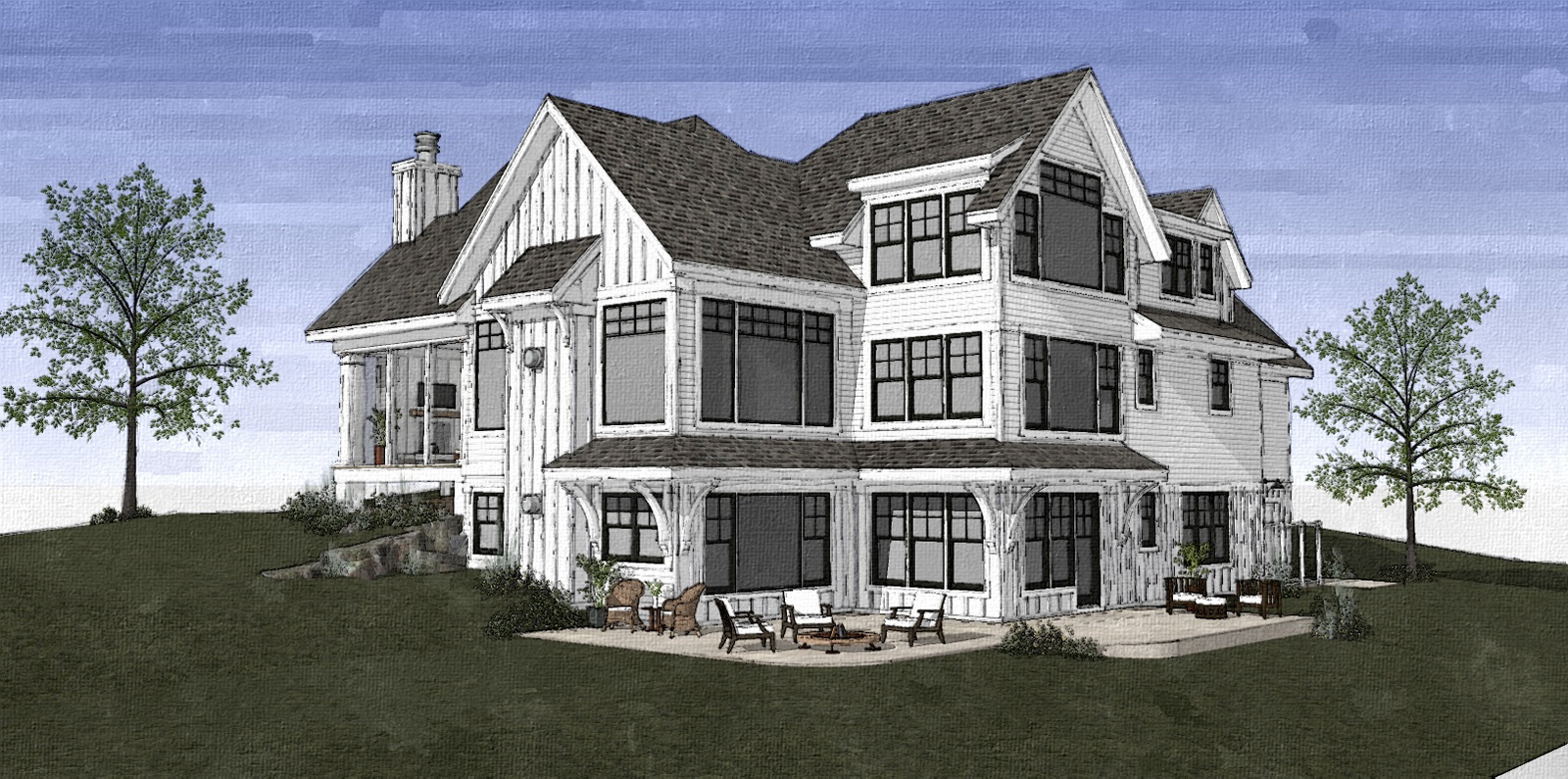
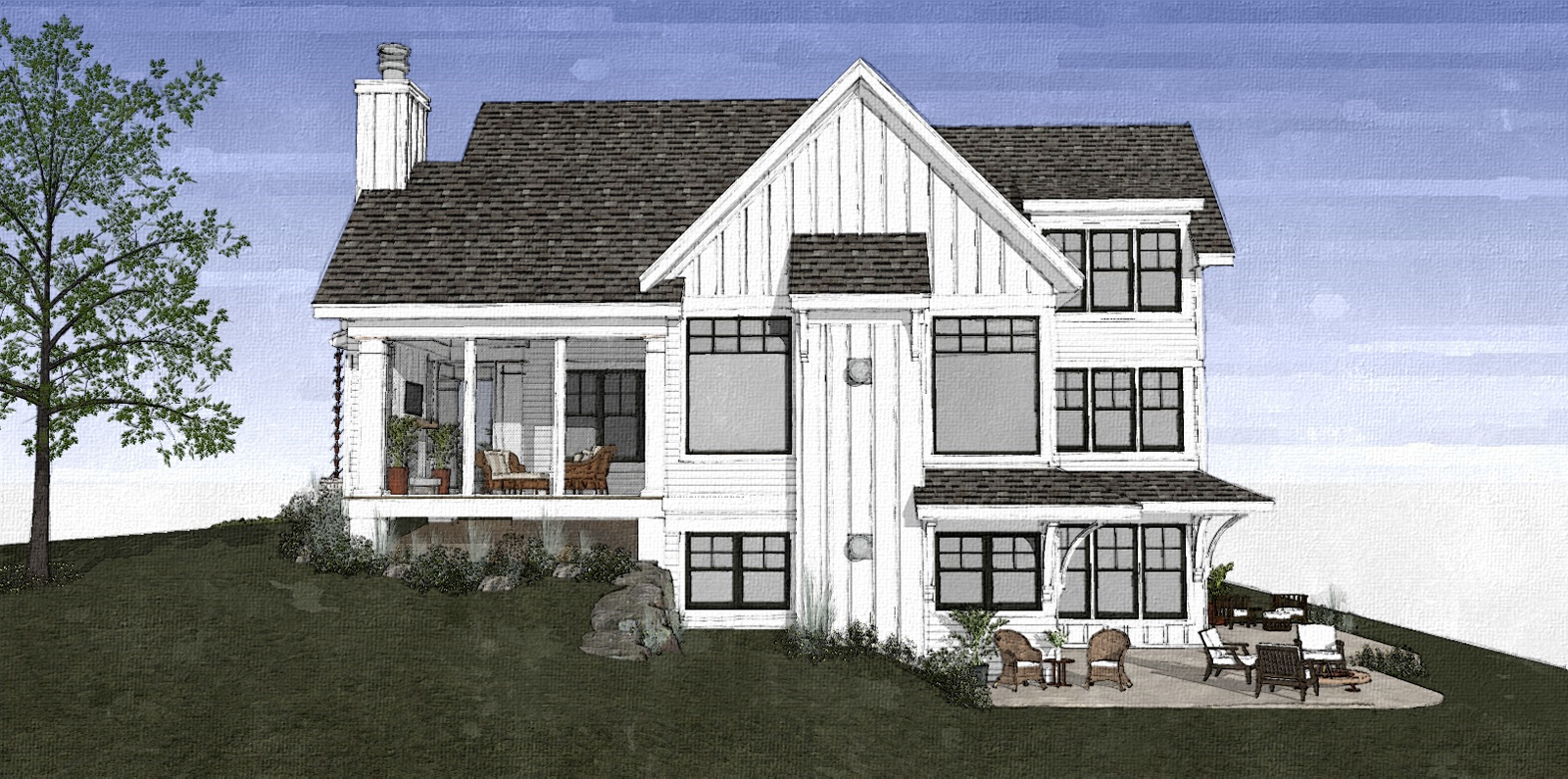
      @John - I use fotosketcher in a very controlled way because I too have seen inconsistency from image to image. I have adjusted the settings and saved the parameters so they are always the same and I then match those parameters with images created with a specific sketchup style. Also have found that certain colors and materials in sketchup play nicer with certain settings in fotosketcher so I further individualize saved parameters based on color.

      A bit fussy to be sure, but over the years i have a managed to get a small library of parameters that allow me to fairly certain of the outcome.

      p

      posted in Gallery
      pmolsonP
      pmolson
    • RE: Npr home

      thankee

      posted in Gallery
      pmolsonP
      pmolson
    • RE: Npr home

      Thank you. it is fotoSketcher.A freebie.

      posted in Gallery
      pmolsonP
      pmolson
    • Npr home

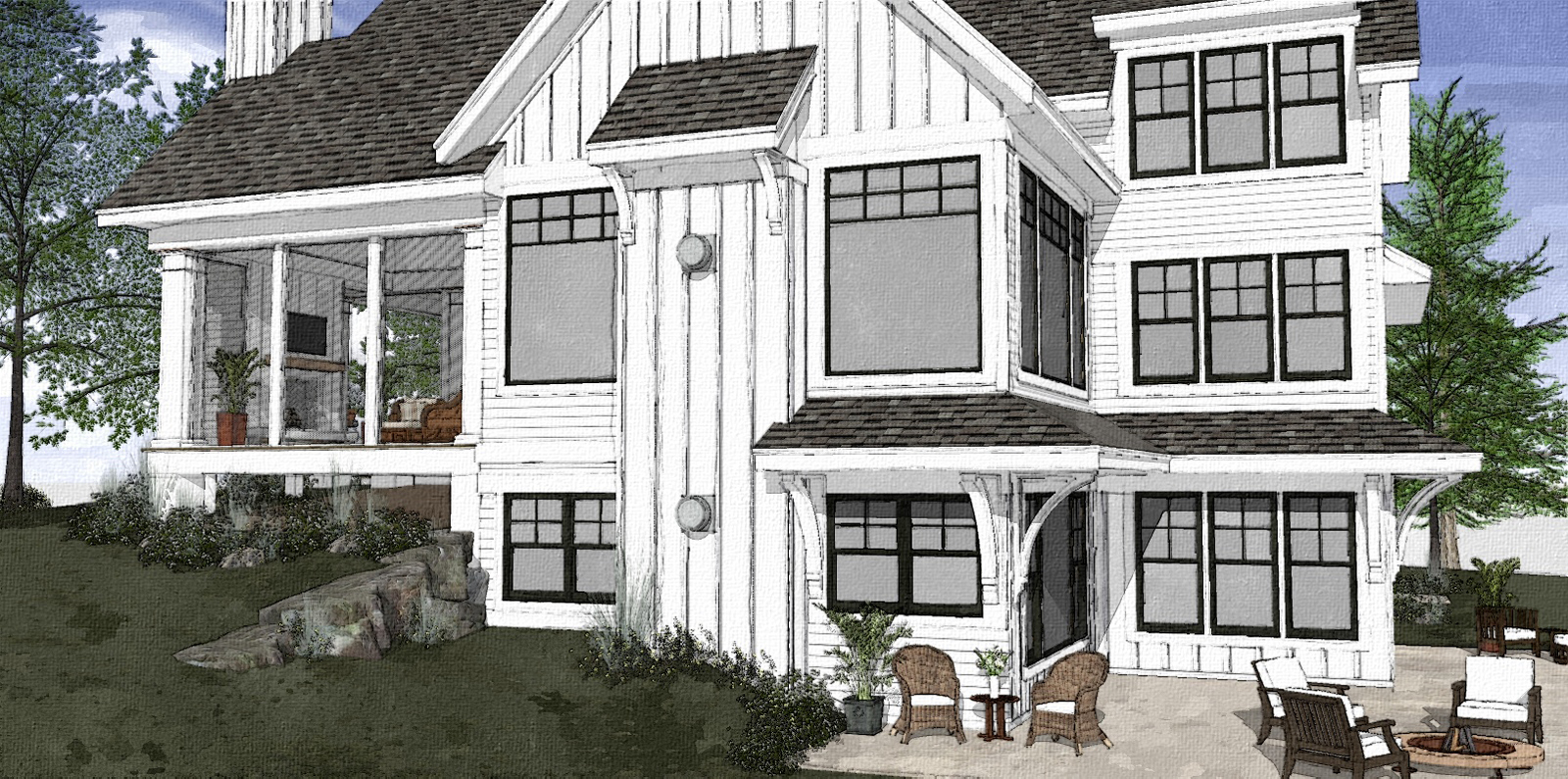
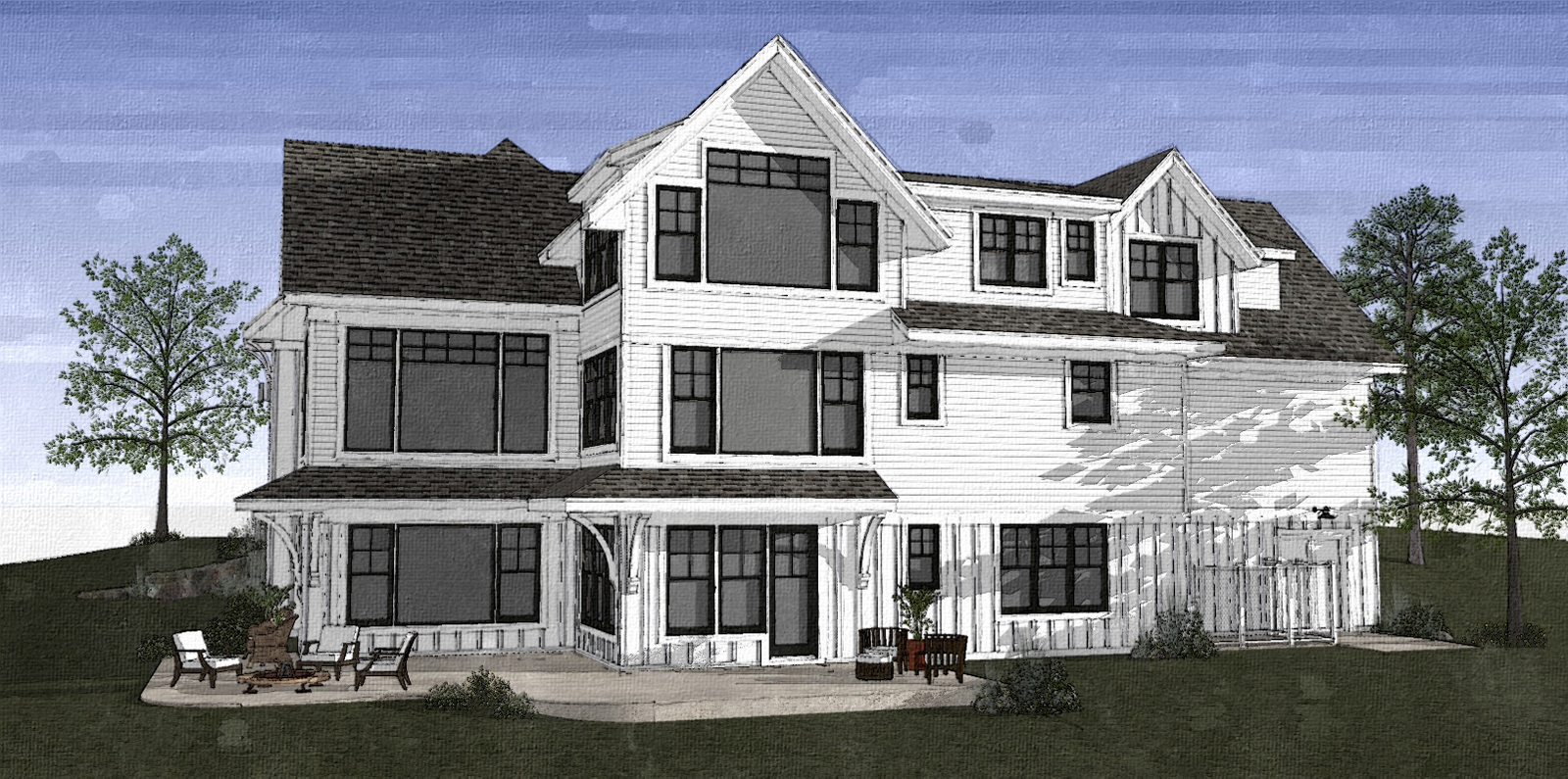
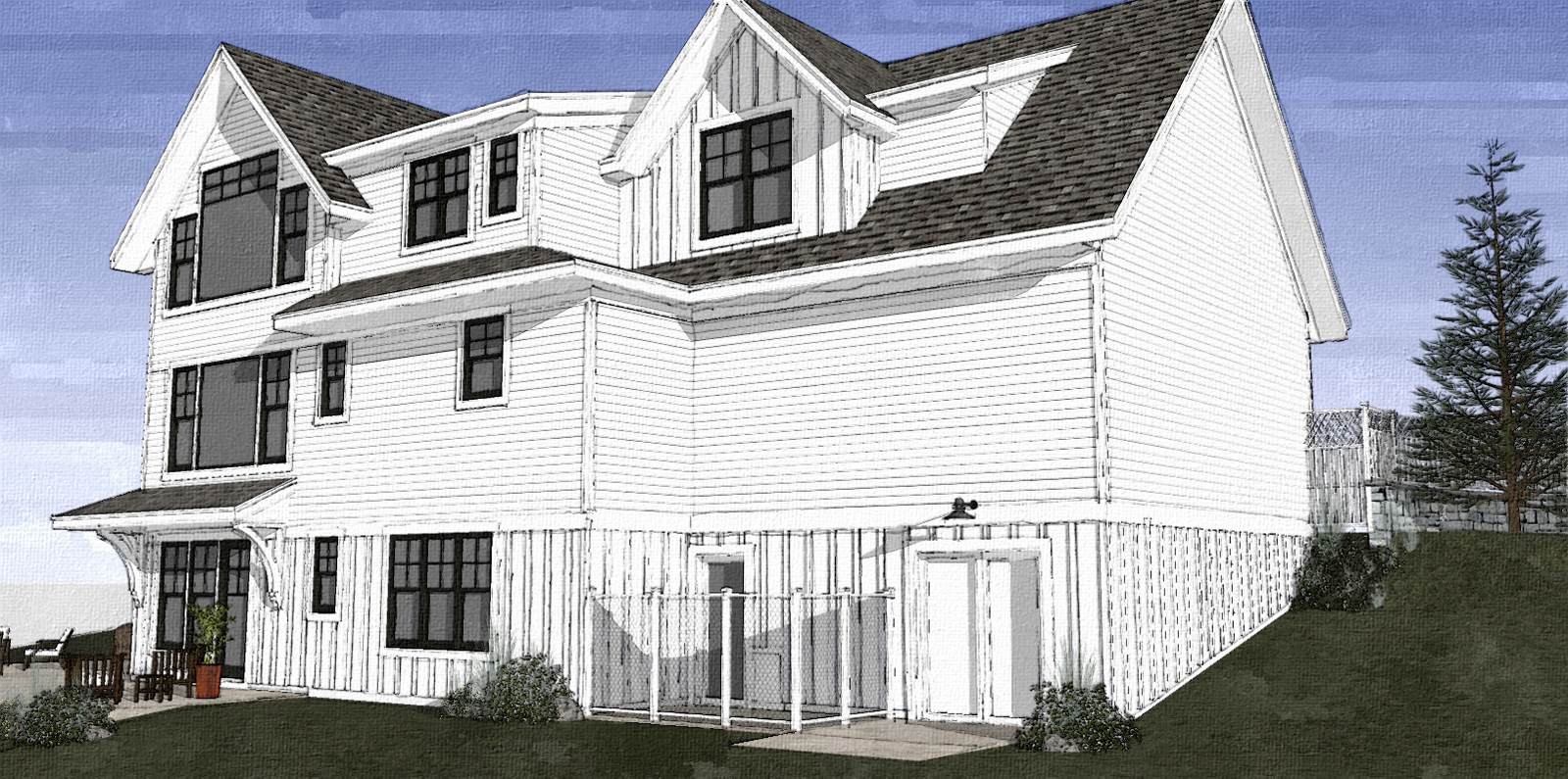
      This was one of my favorite projects of 2016. Not the most elaborate or challenging, but I guess the style kind of resonated with me. Not my Design, although I may have influenced some aspects.

      03.jpg04.jpg05.jpg06.jpg07.jpg08.jpg09.jpg10.jpg

      posted in Gallery
      pmolsonP
      pmolson
    • RE: Hole punch not working

      Yes, the holepunchtool...sorry about not stating that clearly.

      Thanks

      posted in Plugins
      pmolsonP
      pmolson
    • Hole punch not working

      My very favorite plug in ever, and one I have used now for years is not working as expected in sketchup 2017

      For some reason the video capture does not show the drop down dialog box that I get when i right click and then select the hole punch option. But rest assured that is happening.

      As you can see from the video, the punch is not going through both skins of the wall and is also adding a surface where the window has already cut through the outer skin.

      I have used this window component and the hole punch tool thousands of times in sketchup 2016 with this exact procedure and it has worked like a champ.

      Any ideas what is going on.

      I have installed the latest version I could find. version 2.8

      Thanks

      posted in Plugins
      pmolsonP
      pmolson
    • RE: A bench

      nice!

      posted in Gallery
      pmolsonP
      pmolson
    • RE: Sketchup 2017 - dpc watchdog violation

      Thanks again for the Ideas.

      Turned out to be the graphic cards driver. It was up to date, but the current driver somehow created a problem with su2017.

      The previous driver also had the same problem, so we had to roll the driver back two releases.

      Probably not coincidentally, two drivers ago was when I installed "the gforce experience" application that is designed to prompt you when new drivers are available so you can stay current with the actual manufactures latest and greatest. I actually thought it would be better to let the manufacture prompt me rather than let windows update handle when and what gets updated. I have had two instances with this gtx1080 gpu in the recent past where windows has changed the driver for me and it has caused problems so I was trying to be smart by going to the gforce experience. I guess i will just let windows do its thing and put the fires out after.

      p

      posted in SketchUp Discussions
      pmolsonP
      pmolson
    • RE: Sketchup 2017 - dpc watchdog violation

      I have my computer guys trying that now. I'll let you know how that works.

      posted in SketchUp Discussions
      pmolsonP
      pmolson
    • RE: Sketchup 2017 - dpc watchdog violation

      Thank you for that idea. I just swung by the computer shop to steal some files that I need off of my computer and ask them specifically if they have uninstalled and reinstalled the audio drivers. They have uninstall and reinstall every single driver that there is and still experiencing the problem. Currently backing up all of my files in preparation for a full reinstallation of Windows 10.

      posted in SketchUp Discussions
      pmolsonP
      pmolson
    • RE: Sketchup 2017 - dpc watchdog violation

      I do have an SSD drive but it's the same one that I have had since it was built. Firmware and drivers are up-to-date.
      The only thing that I know that has changed is going from 2016 SketchUp to 2017 SketchUp.
      I sure hope that my computer guys can figure it out soon because I really like the way 2017 performs in comparison to 2016 on these large complicated models right up until it crashes.

      posted in SketchUp Discussions
      pmolsonP
      pmolson
    • Sketchup 2017 - dpc watchdog violation

      This is kind of a hail mary hoping that someone out there has had this issue and has found a fix.
      I am guessing it is not related to sketchup 2017 or I would have seen other posts relating to it, but I have to at least take a shot.

      My set up:
      i7 5820k, 3.3 ghz
      gtx 1080 gpu
      crucial bx100 ssd
      32gb ram
      sketchup 2017 latest release.
      windows 10

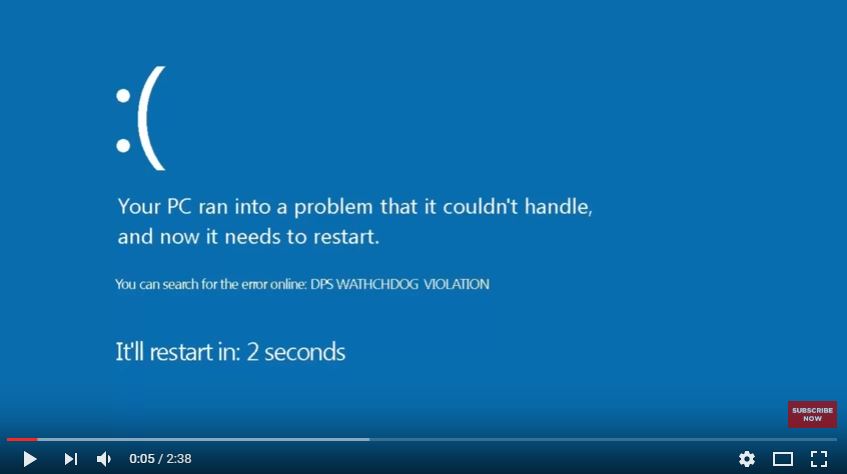
      on large models, heavily laden with 3d trees and bushes I am getting the following system crash when I initiate heavy duty tasks such as turning shadows on or rotating the model with all the layers on and shadows on.
      These are operations that I carried out routinely, if slowly, in sketchup 2016.

      It does not happen all the time, but if I am not careful to unburden the system by turning 3d tree and bush layers off, as well as turning shadows off before initiating an orbit or changing time of day I will crash it more often than not.

      I am using the same 3d components and styles and modeling technigues that I have always used with 2016. I opened several models in 2016 that are crashing in 2017 and have not had the crash happen in 2016.

      Here is the blue screen.

      dpc watchdog violation.JPG

      I have updated all drivers and firmware updates, read most of the fixes on google, but no joy yet.
      My machine is currently at the computer shop where it was built, but they have not had any luck yet either.

      Like I said, I am guessing it is not a 2017 sketchup issue, but I thought I would ask if anybody else has experienced this since changing to 2017.

      Thanks

      posted in SketchUp Discussions sketchup
      pmolsonP
      pmolson
    • 1 / 1