sketchucation logo sketchucation
    • Login
    1. Home
    2. panixia
    3. Posts
    Oops, your profile's looking a bit empty! To help us tailor your experience, please fill in key details like your SketchUp version, skill level, operating system, and more. Update and save your info on your profile page today!
    🚨 Skimp | 25% Off until March 30 Buy Now
    Offline
    • Profile
    • Following 1
    • Followers 1
    • Topics 13
    • Posts 839
    • Groups 1

    Posts

    Recent Best Controversial
    • RE: SketchUp 2018

      @dave r said:

      @function said:

      Sketchup Make gone... hard to believe

      It's not gone. You can still use Make 2017 or earlier.

      So basically it's gone. Let's face the reality.
      Moreover is clear enough that they are developing the software in a direction which only makes sense for architects (maybe).
      No improvements at all on the actual modeling tools. They are pretty much the same as sketchup 8 (they just messed some inferences and encuraged people to do bad modeling with the useless rotated rectangle, wow!). πŸ˜’
      The software is still usable only for the epic work of plugins developers.

      If the strategy was intended to encourage free/make users to buy a pro license, I think that will fail really bad. They are just making Blender even more appealing.
      An hobbist or a 3d generalist may think to buy sketchup, if only they pack some useful modeling features in the pro version, let's say native quad support, decent uv mapping tools, non destructive approach based on modifiers (well.. keep dreaming) or at least some basic capabilities, let's say dealing with small faces or a native sphere tool.. Nope. Nothing at all.
      They officially dropped "general" modeling. πŸ˜•

      I'm not sure what they are expecting after all the work they spent developing sketchup online..
      Peraphs they think someone is able to model even the most basic stuff with native sketchup tools without tons of plugins? 😐
      Come on Trimble.. that's only a toy.

      posted in SketchUp Discussions
      panixiaP
      panixia
    • RE: Smooth not working

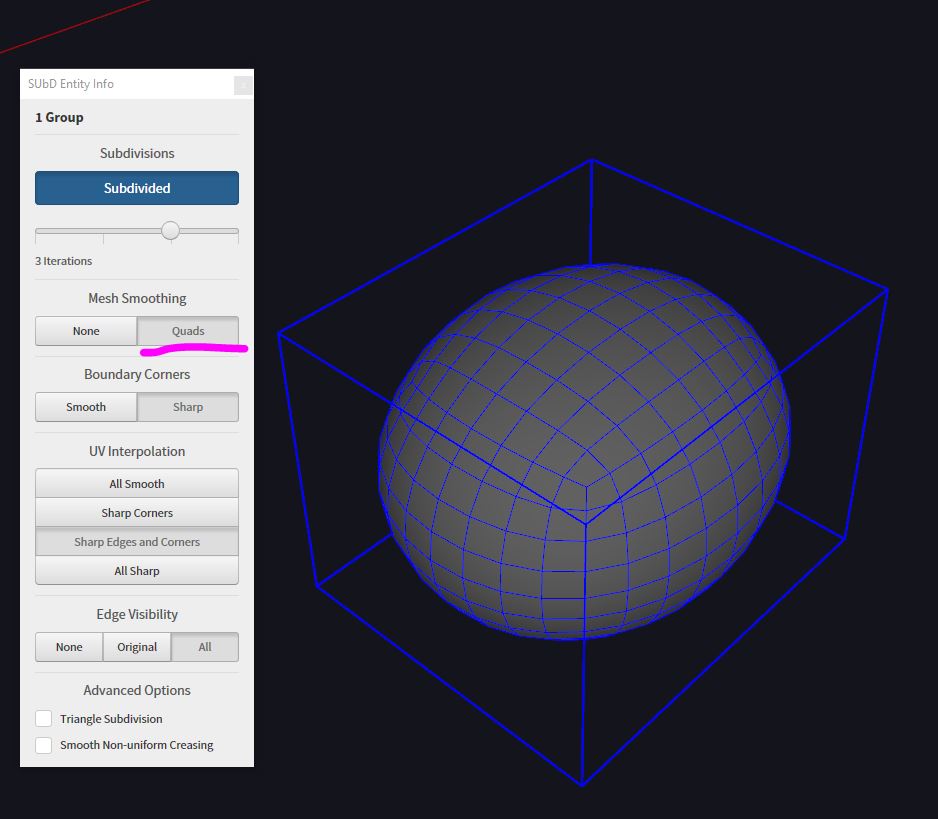
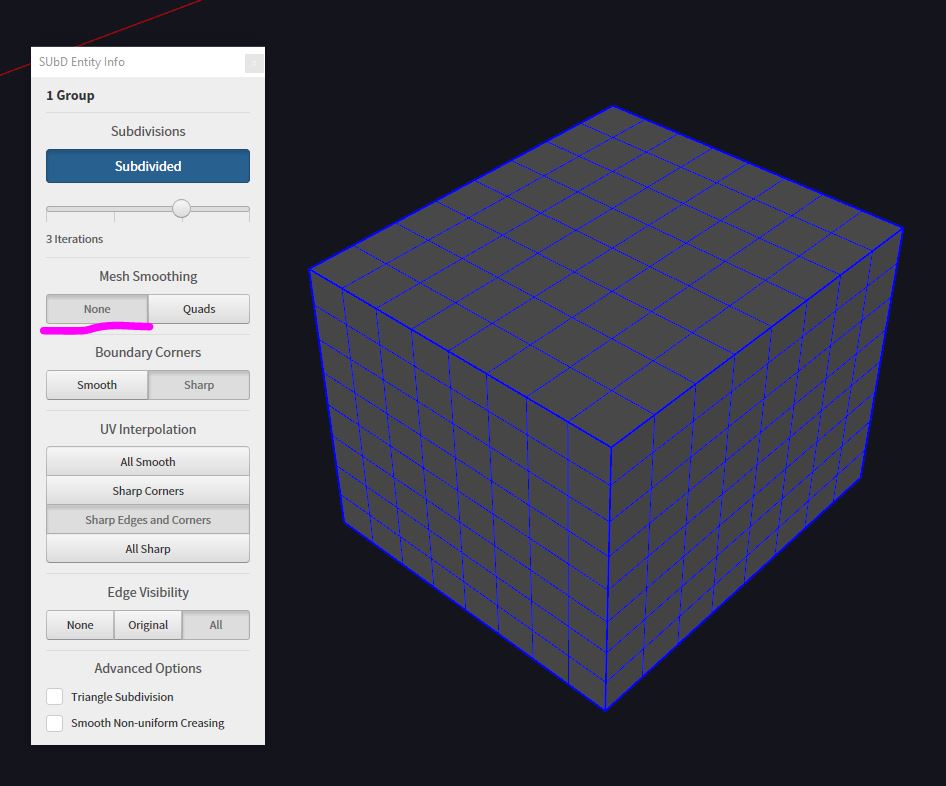
      You may check if the "mesh smoothing" in sub-d entity info is toggled off.
      In that case, you get your subdivisions, but no smoothing happening, see the example below.

      SmoothON.JPG

      SmoothOFF.JPG

      posted in SUbD
      panixiaP
      panixia
    • RE: [Plugin][$] JointPushPull Interactive - v4.9a - 02 Apr 25

      @fredo6 said:

      [*]Diagonals for faces and borders are now created with the quad convention for diagonals, that is: Soft, Smooth, Hidden and NOT casting shadows

      Thank you sooooo much!!! πŸŽ‰
      I don't have sketchup on this pc but I'll try this as soon as possible.

      posted in Plugins
      panixiaP
      panixia
    • RE: SubD examples and models

      @l i am said:

      Hi panixia, are those mushrooms 'infected'
      😎

      🀣 🀣 🀣

      posted in SUbD
      panixiaP
      panixia
    • RE: [Plugin][$] JointPushPull Interactive - v4.9a - 02 Apr 25

      @fredo6 said:

      If I understood well, you would like that in the offset surface, each quad is also composed of 2 co-planar triangles, whereas JPP does not make the triangles co-planar for each quad.

      No sir, I don't need them to be coplanar: I mean they preserve pseudo/non-planar quads as per Thomthom's Quadface Tools definition.

      https://sketchucation.com/forums/viewtopic.php?f=323&t=39442

      That very same standard is found in Curviloft and in Trupaint "Quad Mapping Method", you added it at some point and works 100% bulletproof, whereas in JPP offsetted pseudo-quad faces are preserved, while extruded borders create "broken quads" with shadow-casting diagonals.. I suppose Thom is able to explain this better than me.. πŸ€“

      posted in Plugins
      panixiaP
      panixia
    • RE: [Plugin][$] JointPushPull Interactive - v4.9a - 02 Apr 25

      Not sure I understood 100% of what you said 😍
      But if you say it's difficult, I trust you.
      Thank you anyway for your outstanding works. πŸ‘

      posted in Plugins
      panixiaP
      panixia
    • RE: Sketchup causing n-gon triangulation when imported to UE4

      SketchUV plugin has a "triangulate" function which works automatically also on N-gons.

      http://sketchucation.com/forums/viewtopic.php?t=44501

      posted in SketchUp Discussions
      panixiaP
      panixia
    • RE: [Plugin][$] JointPushPull Interactive - v4.9a - 02 Apr 25

      @fredo6 said:

      this is more difficult for the border faces. Anyway, not a piece of cake.

      I suspected that! 😒

      @fredo6 said:

      In SU2016 and SU2017, the flags are missing.

      You need to click the "+" icon on EntityInfo upper right corner to visualize those additional flags. πŸ‘

      posted in Plugins
      panixiaP
      panixia
    • RE: [Plugin][$] JointPushPull Interactive - v4.9a - 02 Apr 25

      following from: https://sketchucation.com/forums/viewtopic.php?f=323&t=68433&p=626632#p626632

      I took some time to explain why I think adding a "preserve quads" method could make sense to have in both JPP and NPP. I added in attachment the example .skp, in case this can be helpful.
      I suppose there are quite a lot of people out there that uses JPP in combination with quad-friendly tools (Sub-d, QFT, VT, Curviloft, TIG extrude, Trupaint, and so on..)
      I'm curious if someone else has encountered similar problems and if, maybe they found better/alternative/faster workarounds for theese situations.

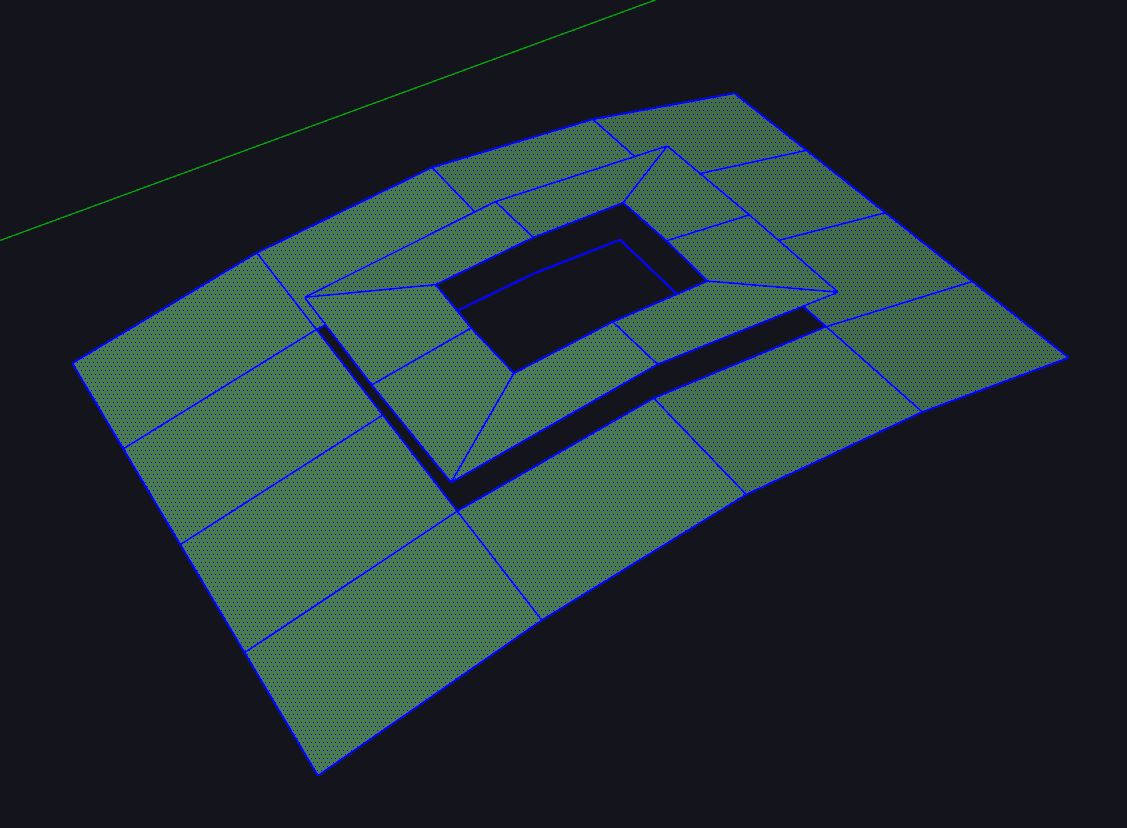
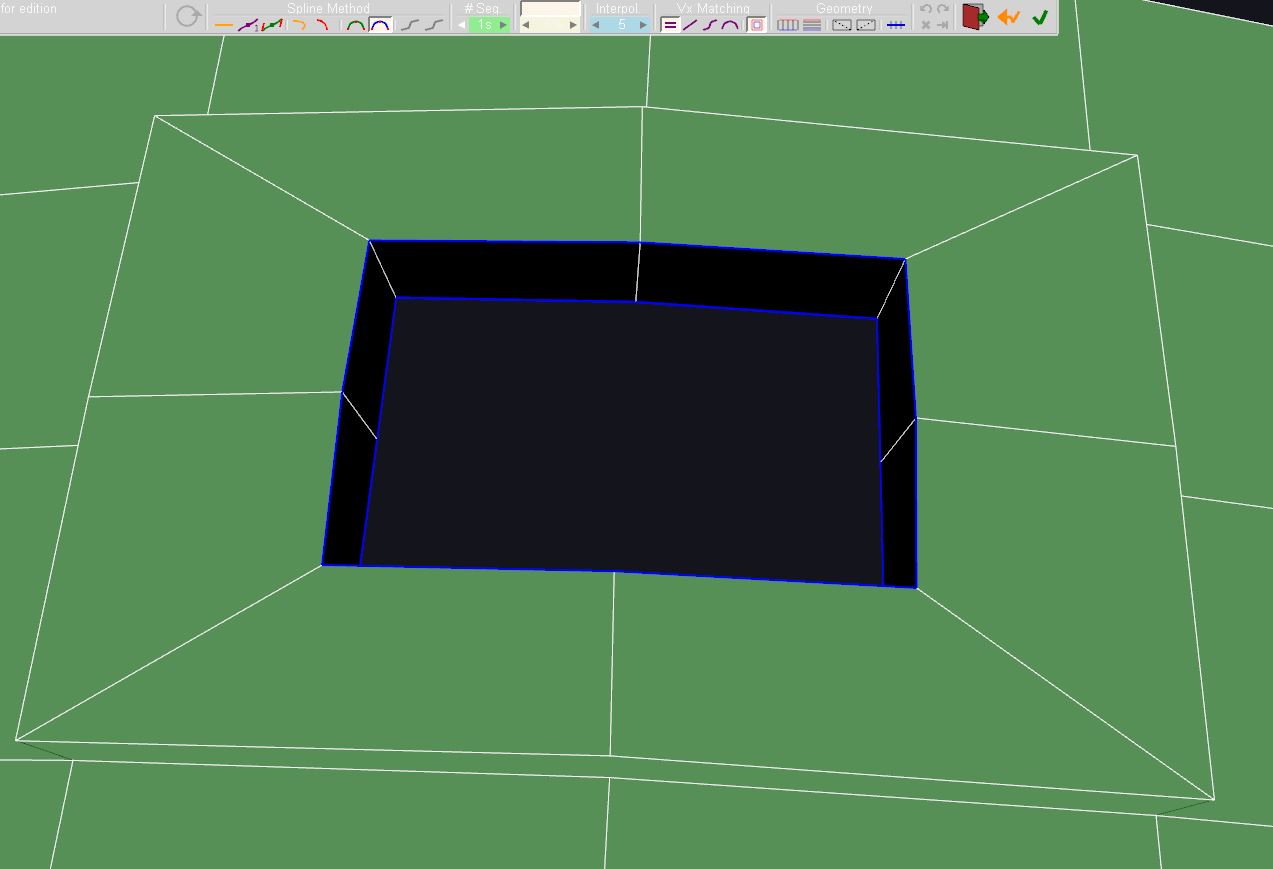
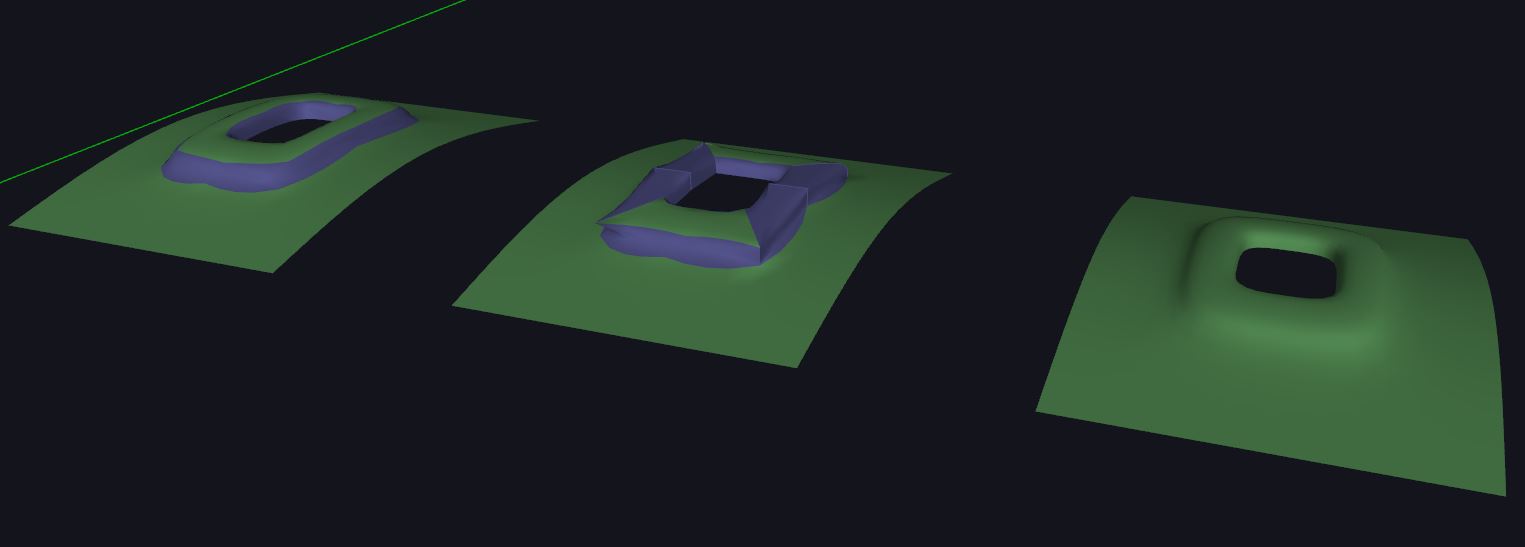
      I've created a basic quad topolgy example, in which I extrude a faceloop with Regular JPP (both with borders = "contours" and border = "each face") and Normal JPP, to show you when it would make sense to have a "preserve quads" option.
      QuadFaceTools live mesh analysis is activated, so you can see that when quad (not shadow casting) diagonals are present, all the three methods produces triangles instead of preserving the "diagonal" behaviour.
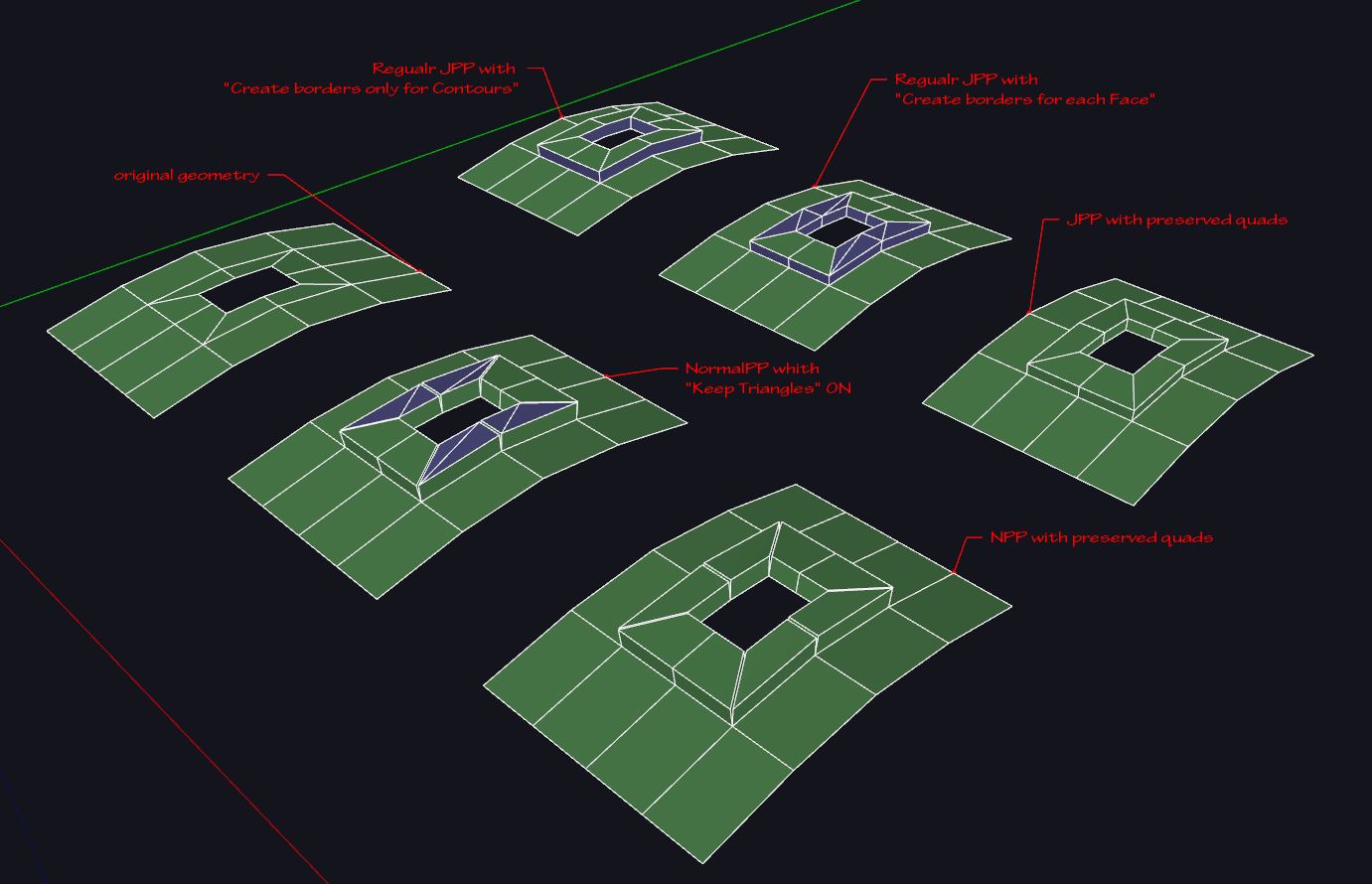
      1.JPG

      Below you can see why this is not ideal for subdivision, as the triangles produces bad topology and smoothing artifacts.
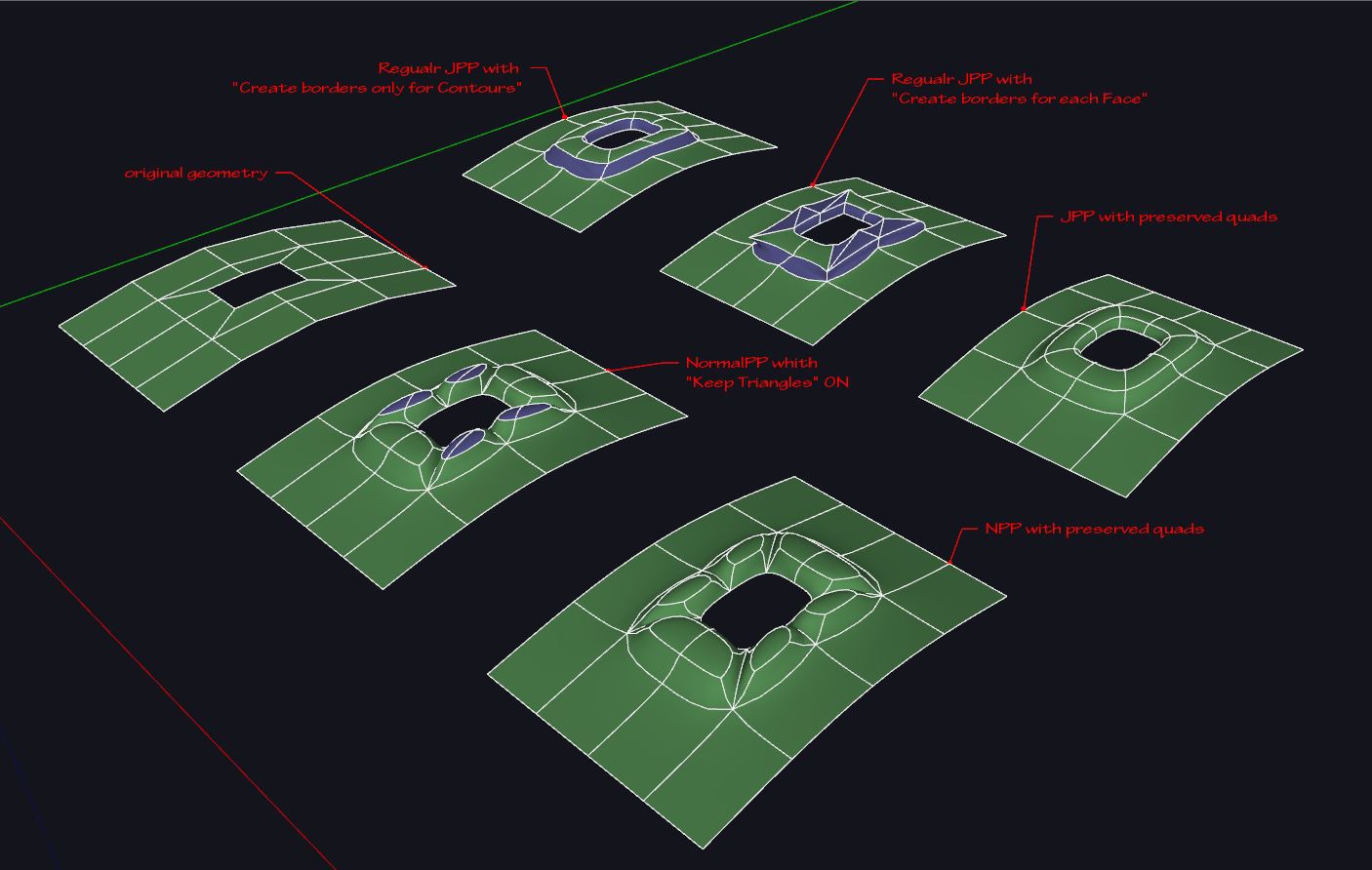
      2.JPG

      Here you can see an orthographic top view of the same stuff, with monocrome style and edge visibility turned off, to emphatyze the smoothing artifacts.
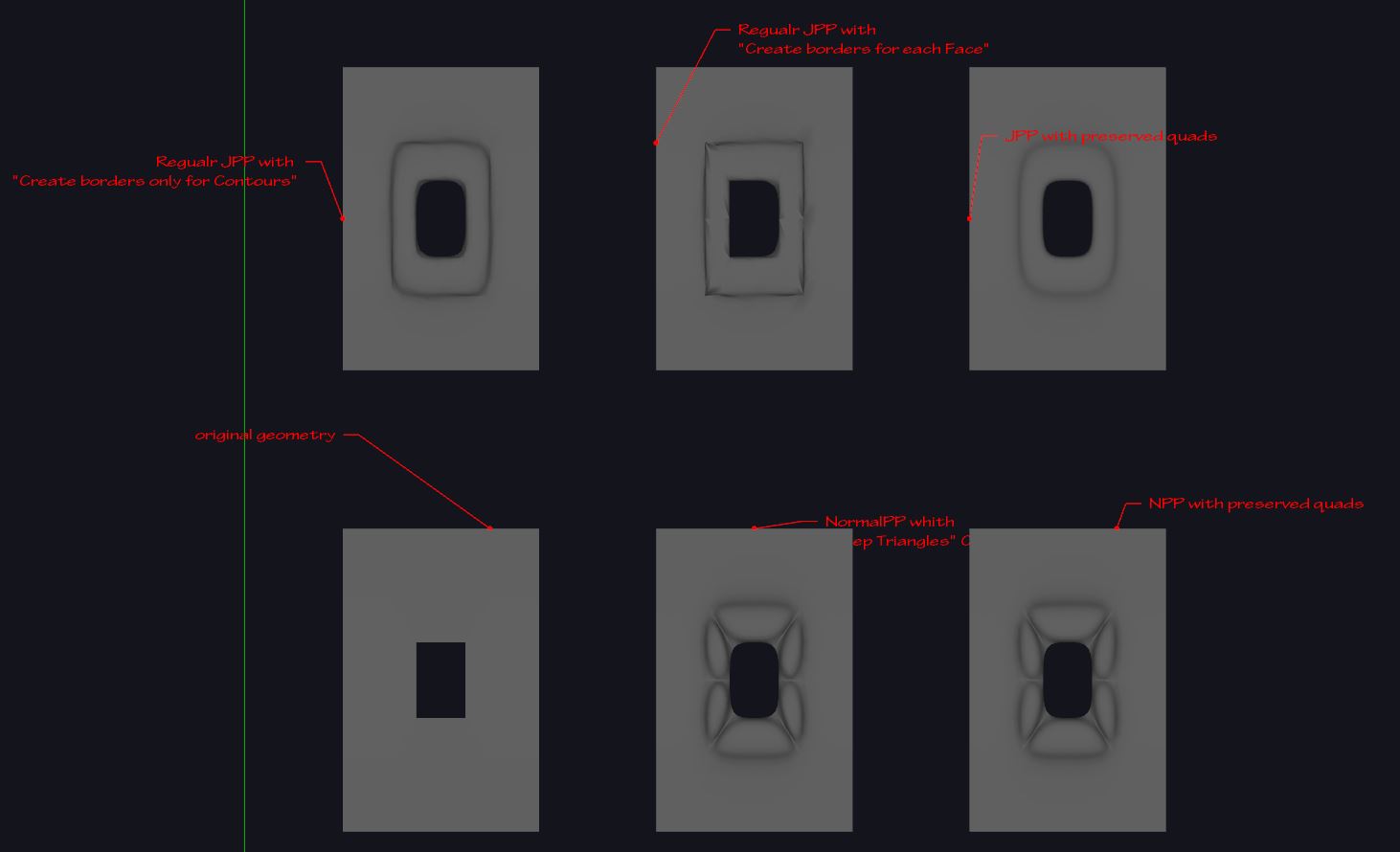
      3.JPG

      With normal push pull you got an option to keep triangles, but still that doesn't preserve the "do not cast shadow" property, so that, even if the artifacts are less evident than the other methods, you can tell that the topology is slightly distorted. It's rather easy to fix this manually, just filtering selection for smooth edge (i use TT selection toys in order to do this quickly) then i check/uncheck smooth-soft/cast shadow in "entity info" dialog.
      As you previously said, hopefully this is a rather simple (but effective) option to add, in order to automate the cleanup.
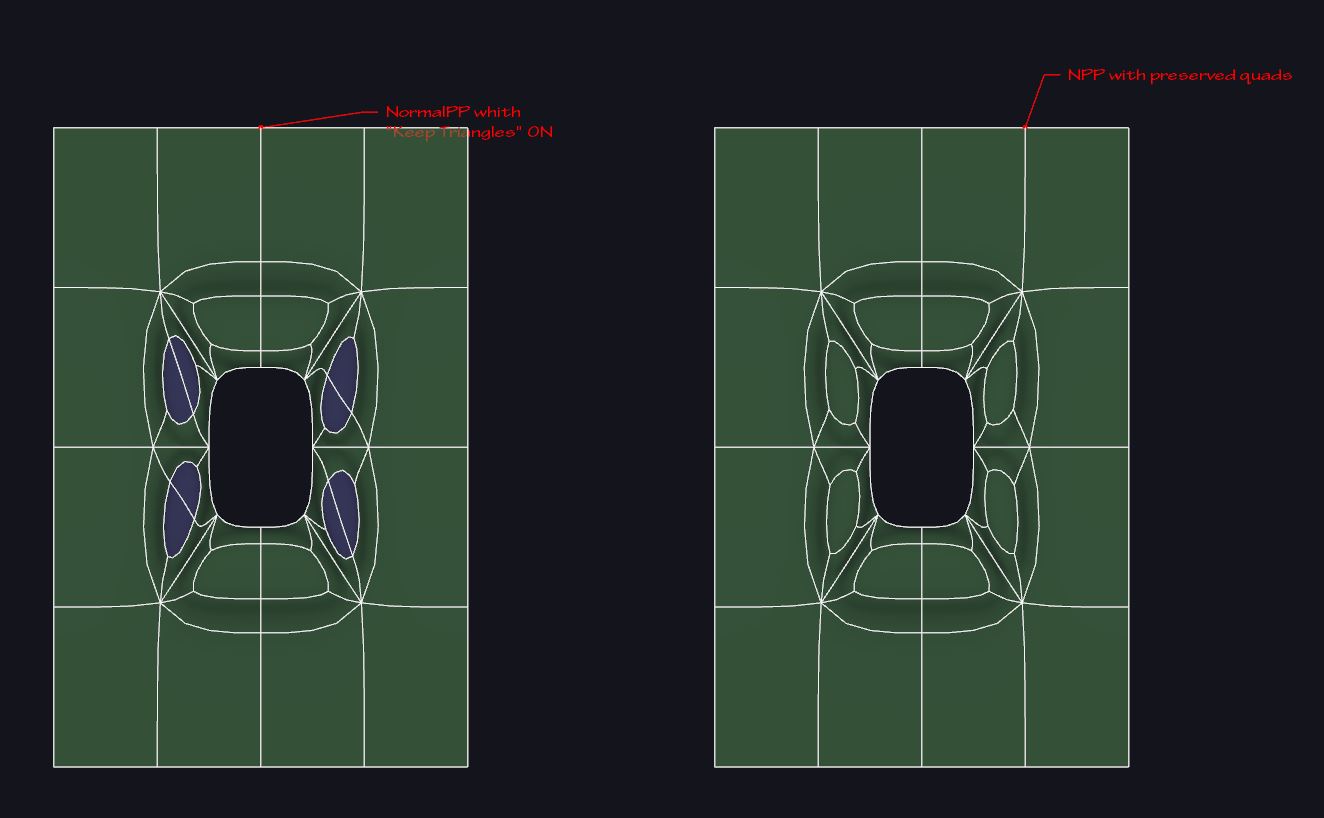
      4.JPG

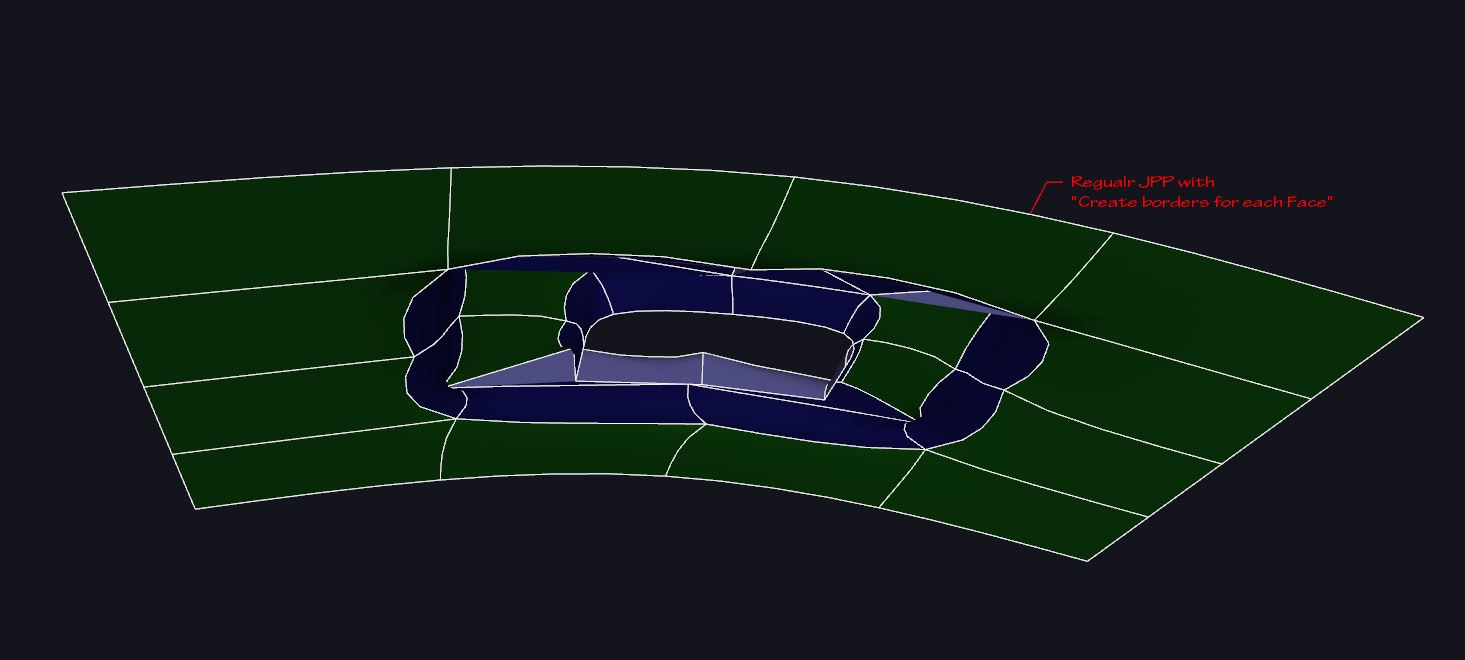
      What I'm not sure is easy to fix at all, would be the quad-managing behaviour of regular JPP, as you can see below, there are a few more problems, with both methods.
      "Create borders for each face" also produces inner faces, wich completely screw the subdivisions.
      Notice that in addition to smoothing artifacts, you get messed UV, due to the topology distorsion and the presence of triangles would cause, for instance, Trupaint "quad" method to fail.
      Moreover selection of rings/loop is screwed and you'll have problems if you need to do furter modifications to the mesh or manually unwrap it, and so on..
      5.JPG

      6.JPG

      What I've found that DOES preserve the diagonals (at least in my experience) is regular JPP with "No Borders" option ticked.
      Unfortunately, as you can see, it destroyes the surronding edges, so that some faces are lost.
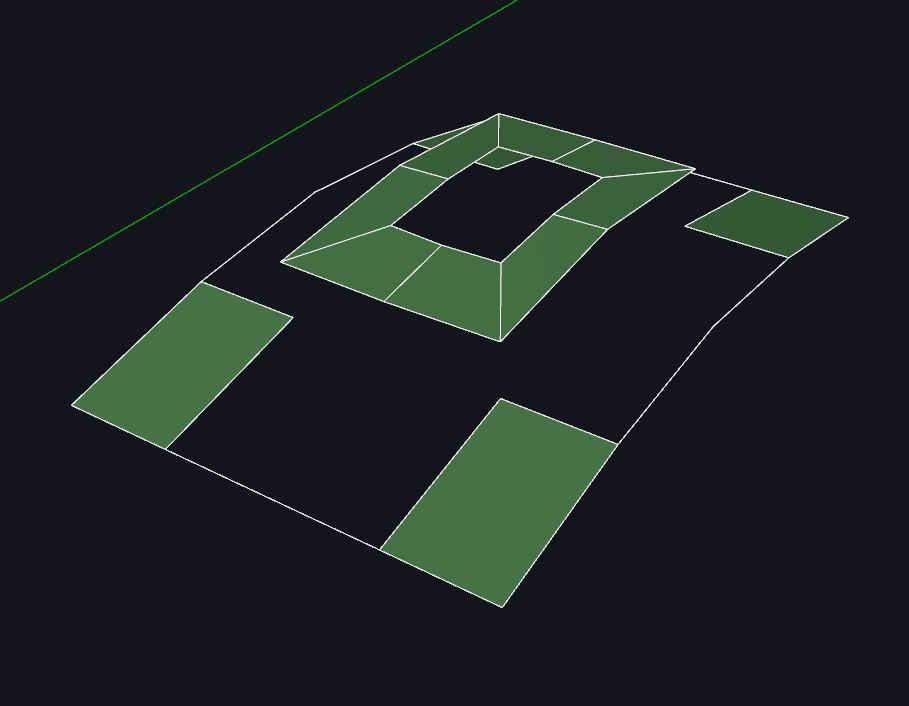
      Nevertheless, i think this method, is the best starting point for my manual workaround, which I'll try my best to show you, hoping that there's some little chance to automate/incorporate it in future developements of JPP.
      The fact wich gives me some sort of hope, is that I use your brilliant Curvyloft to fix this, so maybe you could integrate some code from that.
      workaround_00.JPG

      Let's start with fresh geometry: to prevent missing faces, I select the geometry I need to JPP->invert selection->include inner (hole) loop in selection!!->make first group.
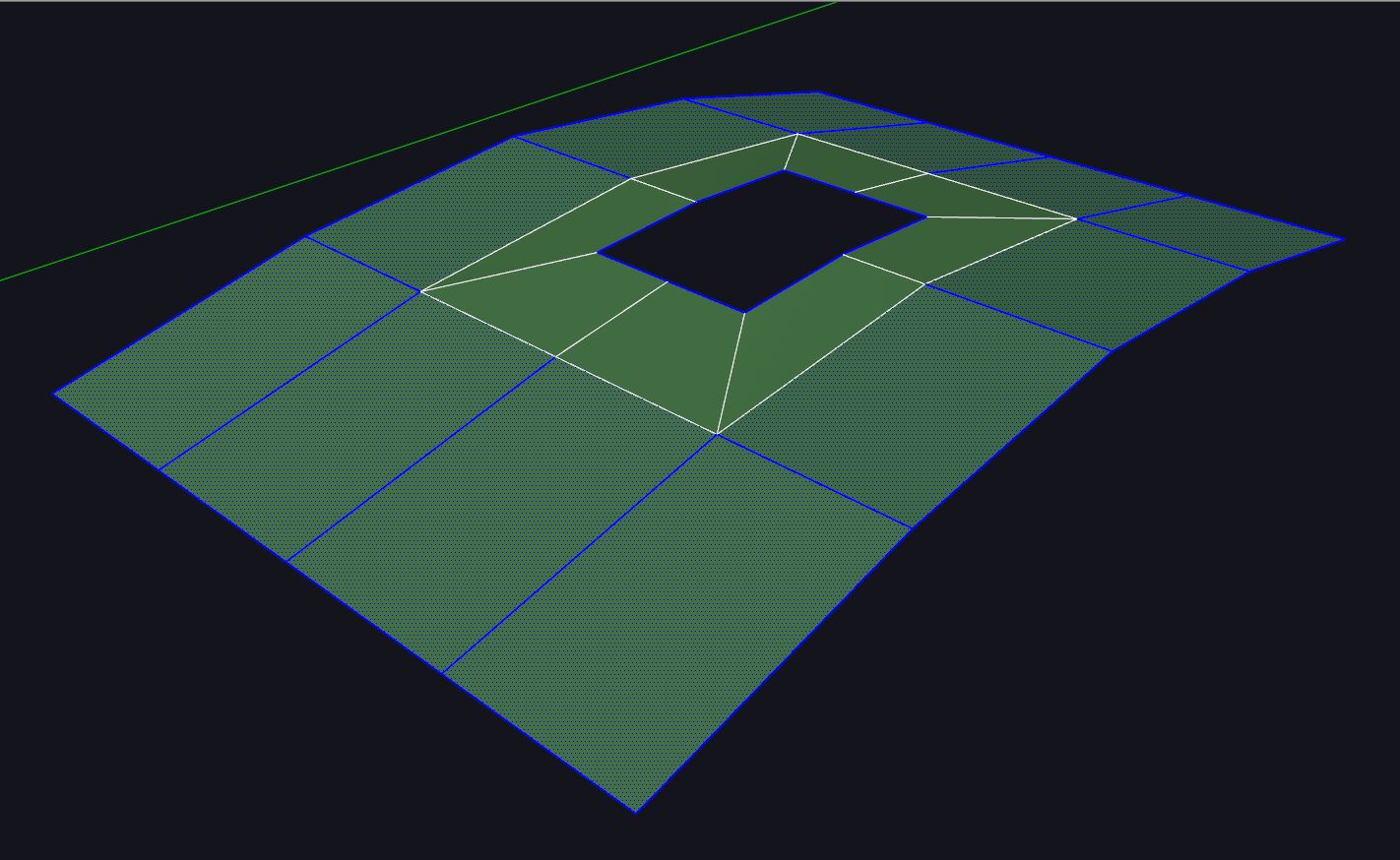
      workaround_01.JPG

      Triple click the remaining loose geometry and make a second group.
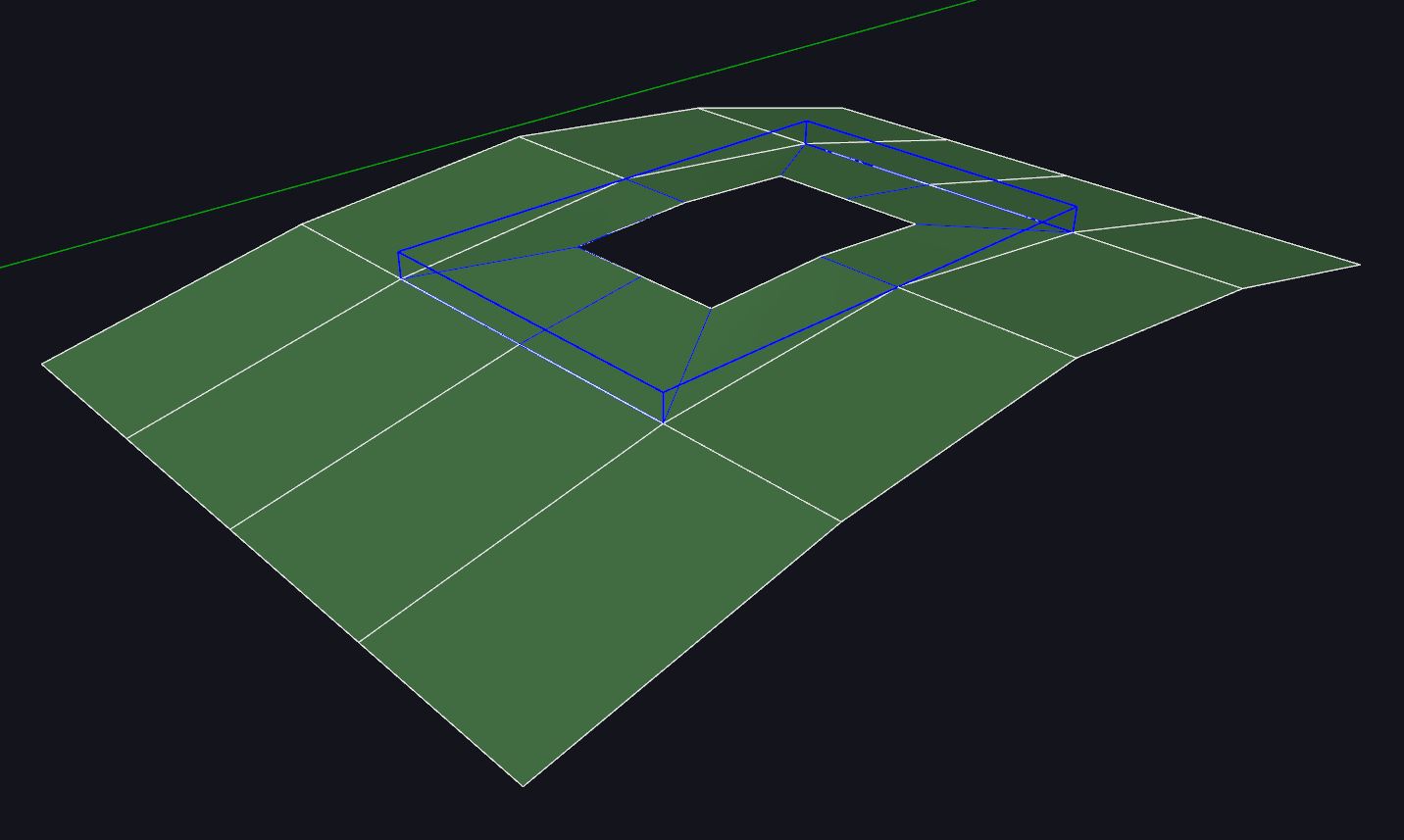
      workaround_02.JPG

      Perform JPP "No Tickening - No Borders" (diagonals preserved-live mesh analysis ok!)
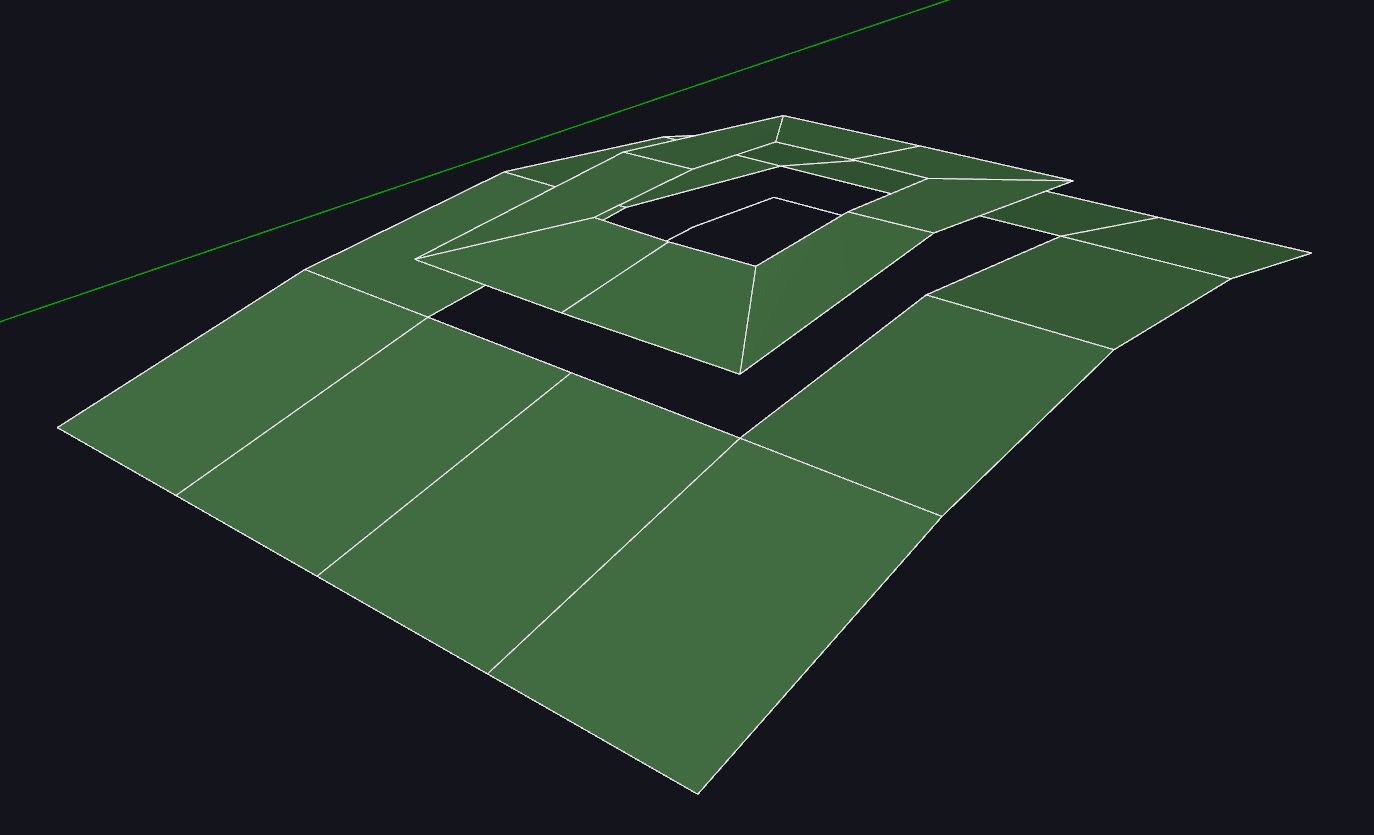
      workaround_03.JPG

      Select both groups->explode

      workaround_04.JPG

      Pick the outer loops and run regular curviloft (lowered from default 5 segments to only 1 segment)
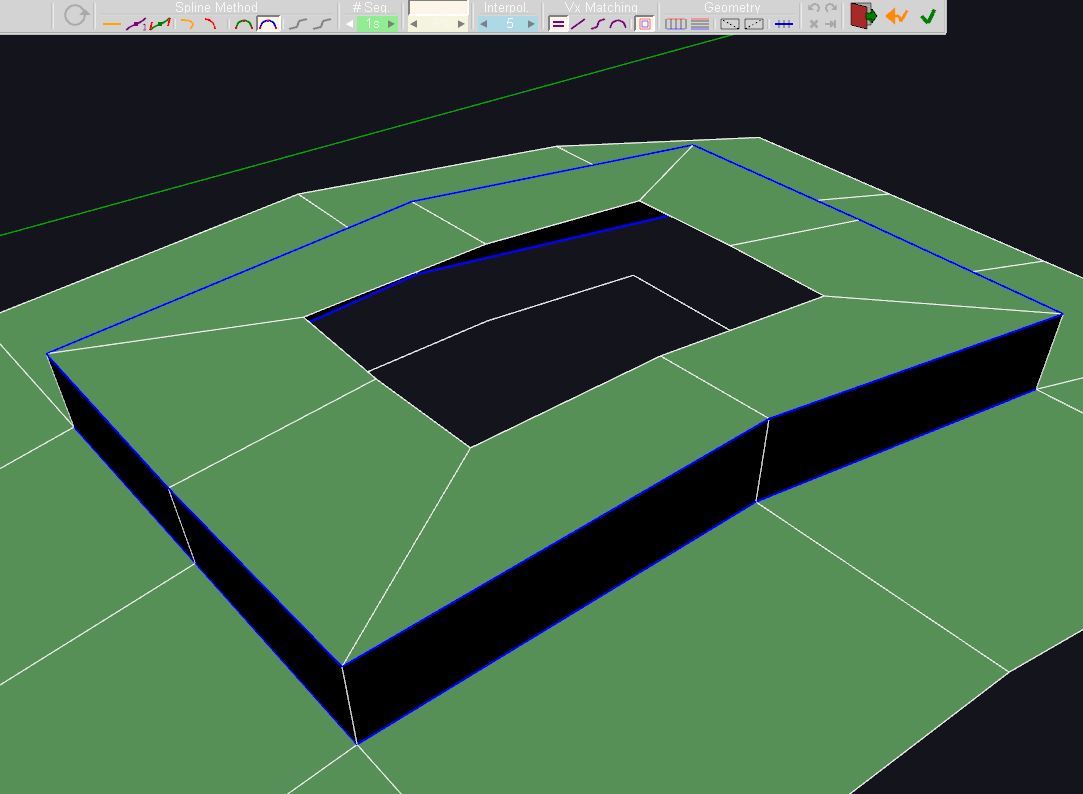
      workaround_05.JPG

      Do exactly the same for inner loops

      workaround_06.JPG

      Final cleanup: Select both curviloft groups->explode->orient faces->run ThomThom QFT"UnsmoothQuads"
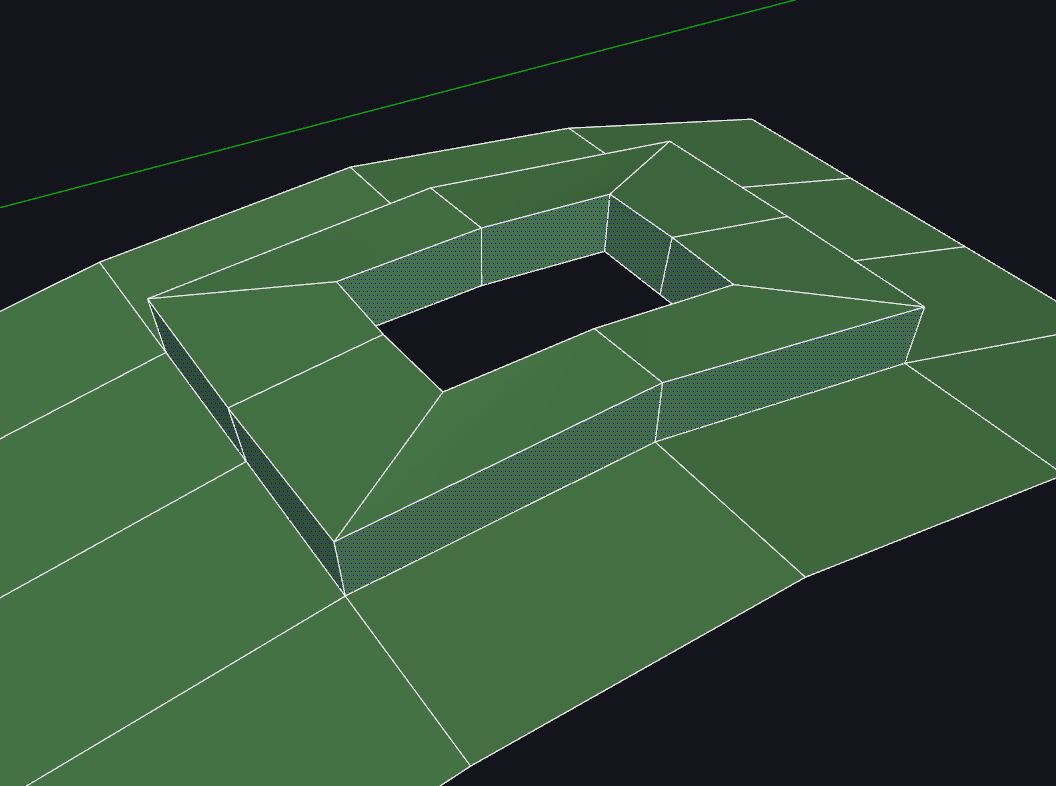
      workaround_07.JPG

      Not sure it easy/possible to replicate such operation in JPP but that would be a MAJOR improvement to the usability of JPP in organic/subdivision modelling.
      But if it's not possible we have to tank you anyway because, as you can see, with some minor tricks and workarounds JPP and Curviloft togheter have tons of usefulness in this kind of modelling! πŸ‘


      JPPquadExample.skp

      posted in Plugins
      panixiaP
      panixia
    • RE: JointPushPull 4.0g - Call to kind users for Evaluation

      @fredo6 said:

      @panixia said:

      I have a little request, if possible/not too hard: can you add an option to preserve/create quads? Curviloft and Trupaint already support it and can be integrated really well in a quad/sub-d workflow.. Having JPP with same capability would be a dream!

      I think there is the option, but for Normal PushPull. Not sure it makes sense for the other tools.

      Fredo

      I'll try to put togheter a simple example to show you why i think that could make sense both with NPP and regular JPP.

      edit: I noticed this tread is about outdated version, so I posted my example here
      https://sketchucation.com/forums/viewtopic.php?f=323&t=54771&p=626639#p626639

      posted in Plugins
      panixiaP
      panixia
    • RE: JointPushPull 4.0g - Call to kind users for Evaluation

      Thank Fredo for your precious work. I tested JPP4 a little bit and the interface seems to be a big improvement.

      It also looks like in this relase, the text is always black, not "default line color dependant" as previous versions were. I tend to work with my custom sketchup style, wich uses white as default line color instead of black and having the white text in jpp/curviloft/roundocorner was a bit uncomfortable and hard to read. Now that's perfect!

      I have a little request, if possible/not too hard: can you add an option to preserve/create quads? Curviloft and Trupaint already support it and can be integrated really well in a quad/sub-d workflow.. Having JPP with same capability would be a dream!

      posted in Plugins
      panixiaP
      panixia
    • RE: SubD + Quadface Tools. Live mesh analyses button

      @jql said:

      after they have been UV unwrapped

      I think that's not a good workflow with any application. You should unwrap your mesh once the topology is well defined. Unwrap on a mesh you are still refining/modeling/adding geometry makes no sense and will not work properly, regardless the software you are using to perform the mapping..

      posted in SUbD
      panixiaP
      panixia
    • RE: Bringing Satellite and Terrain back with Twilight Render

      @pixero said:

      Too bad it isn't available for users that don't use Twilight. Why not a standalone SU plugin as an option?

      +1 on this

      posted in Extensions & Applications Discussions
      panixiaP
      panixia
    • RE: Implications of end of google earth

      i tested the trial of su17 both before and after may 22 deadline..
      looks like the terrain quality of the DG globe import was far better (very close to google earth mesh, but terrible texture resolution in comparison) before may 22 than now.. now the same locations i tested before 22 are left with just a couple of triangles..
      has anyone noticed the same?

      posted in SketchUp Discussions
      panixiaP
      panixia
    • RE: Some of my model face is reversed when import to MAX. Help

      your model is fine in sketchup and the face orientation is correct.
      i saved it as version 7 and imported in max 2014 as skp.. it works perfectly, no face flipping at all.
      that said, i suppose the problem can be related to newer versions of max/sketchup reader.

      posted in SketchUp Discussions
      panixiaP
      panixia
    • RE: Terrain-related plugin I cannot remember!

      @collage architecture said:

      you can't input value via VCB

      you can actually do this, as demonstrated in this video i did.. take a look at about 11.30/12.30 πŸ‘

      posted in SketchUp Discussions
      panixiaP
      panixia
    • RE: Terrain-related plugin I cannot remember!

      you can scale at any random size with the vertex tools gizmo and then input 0 in the vcb and hit return.. and they will be 100% flat

      posted in SketchUp Discussions
      panixiaP
      panixia
    • RE: Implications of end of google earth

      @glenn said:

      Tyler thanks for the misdirection

      +1

      posted in SketchUp Discussions
      panixiaP
      panixia
    • RE: Parametric facade design

      @john2 said:

      @panixia said:

      the "Flowify" plugin could be very helpful for this kind of shapes too..

      The easiest way to become Frank O Gehry. Thanks a lot for this!! My mind was feeling dizzy as experienced in the theatre while watchign the shape shifting architecture of Inception and Dr. Strange.

      it's a very useful (and robust) plugin.. you can model some simple flat shapes and then map them to curved surfaces.. here you can see an example of use.. a simple process to get a shape that would be not so easy and fast without flowify and a couple of oter plugins.. http://sketchucation.com/forums/viewtopic.php?f=397%26amp;t=66269

      posted in SketchUp Discussions
      panixiaP
      panixia
    • RE: Parametric facade design

      the "Flowify" plugin could be very helpful for this kind of shapes too..

      posted in SketchUp Discussions
      panixiaP
      panixia
    • 1 / 1