sketchucation logo sketchucation
    • Login
    1. Home
    2. NBG
    3. Posts
    Oops, your profile's looking a bit empty! To help us tailor your experience, please fill in key details like your SketchUp version, skill level, operating system, and more. Update and save your info on your profile page today!
    πŸ”Œ Smart Spline | Fluid way to handle splines for furniture design and complex structures. Download
    N
    Offline
    • Profile
    • Following 0
    • Followers 0
    • Topics 1
    • Posts 25
    • Groups 1

    Posts

    Recent Best Controversial
    • RE: [Plugin] GKWare Cabinet Maker

      Hi everyone,

      I have another question for custom build. But this time I think it is a bit more complicated, because:

      1. It is not a one time cabinet, I want to be able to draw a lot of those cabinets.
      2. I'm modifying sides (and not the optional shelves) so i can't just use the trick to edit the cabinet and cancel those pieces when I'm done modifying the first sides as I want... I guess?

      So here is the results I want
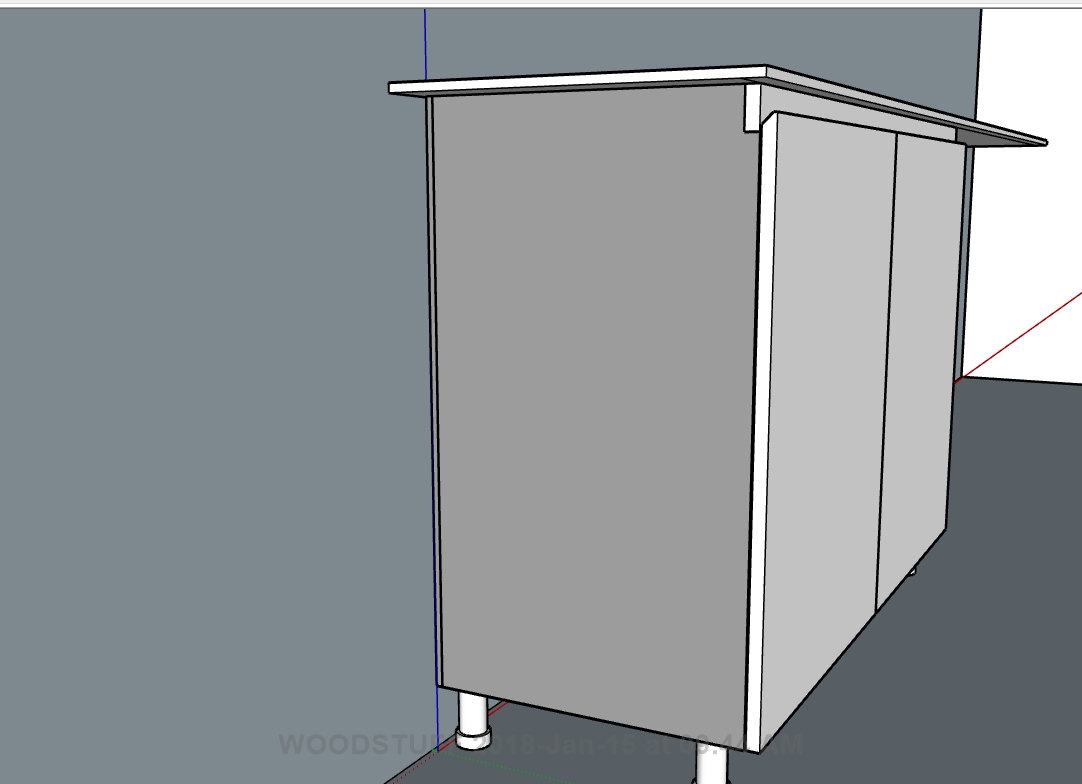
      Screen Shot 2018-Jan-15 at 09.44 AM.JPG

      AS you can see the sides have been modified as to let the finished board go from one side to the other. Indeed this pieces will be several meters long, going in front of several cabinets.

      I got how to edit the sides, copy them outside the cabinets, so they are not deleted by changes to the cabinet. But I have no way to prevent new side to be generated each time I enter the edit windows, do i?

      Could I make a new cabinet style with this kind of sides?

      thanks in advance,
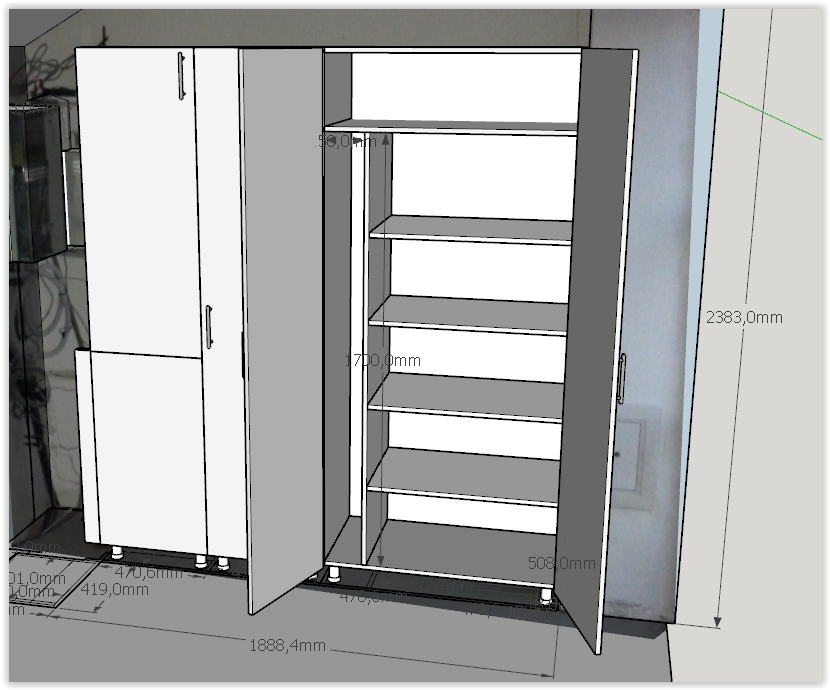
      posted in Plugins
      N
      NBG
    • RE: [Plugin] GKWare Cabinet Maker

      That was a very complete answer! Thank You Garry.

      posted in Plugins
      N
      NBG
    • RE: [Plugin] GKWare Cabinet Maker

      HEllo,

      I'm a cabinet maker and a newbie regarding this plugin, but I've spent several hours on it to try to see if it could work for me. So I already have 2 questions:

      1. IS there a way to prevent modifications to "disappear" when i update something with the edit windows? I know I should try to use the edit tools as much as possible, but I guess it is not always doable. For example, I did this with a tall cabinet. I looked for a while and I think this is not doable in edit mode.
        Screen Shot 01-03-18 at 02.34 PM.JPG

      but now, if i open the edit mode to change a little thing, it will re-asign the cabinet type template and my vertical divider will be back in the center, from bottom to top, my shelves shortened to havf the cabinet and my larger fixed shelve (that i copied from the top) will disappear. I started with a tall cabinet with a "left closet" type.

      And now I want to move one of my handle (heigth). But when i see how this is handled by the plugin, it seems to me I'll have the same problem.

      1. Is there a way to make real flush back? I did it selecting "back dado: 18mm", "slide in" and "extend back upper". But maybe there is another way? It is not perfect, because doing it my way the sides will be to deep. The plugin consider that I will make a groove, but I wont.

      best regards,

      posted in Plugins
      N
      NBG
    • RE: Where are my windows?

      thank you. Your last procedure worked.

      for other people with the same problem. it's explained in detail here:

      https://sites.google.com/site/sketchupsage/problems/other#TOC-How-do-I-retrieve-a-dialog-box-that-has-disappeared-Windows-only-

      posted in SketchUp Discussions
      N
      NBG
    • Where are my windows?

      HEllo,

      I've got a new bug on sketchup 2015 on windows 8 64. When I triy to open a "secondary" window (don't know how to call them), for example clocking on "make component", or the bucket to add texture, the tools window does not show.
      Actualy I can tel it opens it somewhere because my main window is not in focus anymore, and if i try to click somewhere on my model, I got the windows sound that mean you're trying to work in a background windows you cannot go before closing the current one. But I can't see it anywhere.

      I've got two screens fyi. But I do not see any tiny bit of those windows anywhere. I tried ctrl+alt+tab, closing every other windows, but I can't find them.

      any clue?

      thanks in advance,

      posted in SketchUp Discussions sketchup
      N
      NBG
    • 1
    • 2
    • 2 / 2