sketchucation logo sketchucation
    • Login
    1. Home
    2. medeek
    3. Posts
    Oops, your profile's looking a bit empty! To help us tailor your experience, please fill in key details like your SketchUp version, skill level, operating system, and more. Update and save your info on your profile page today!
    ⚠️ Important | Libfredo 15.6b introduces important bugfixes for Fredo's Extensions Update
    Offline
    • Profile
    • Following 0
    • Followers 3
    • Topics 64
    • Posts 3,313
    • Groups 2

    Posts

    Recent Best Controversial
    • RE: 3D Truss Models

      In my neck of the woods we don't typically use dimensional lumber alot for floor framing anymore. Most of what I see is I-Joist products with LVL or LSL rimboard.

      For those that still use dimensional lumber what is the common practice for the rim joists? I'm assuming that it is the same as the rest of the joists in the floor (ie. 2x8, 2x10 or 2x12).

      posted in Plugins
      medeekM
      medeek
    • RE: 3D Truss Models

      I thought about multi-ply girder trusses but I think for now it is not too hard for the user to simply create another instance of the truss component and manually stack them up to create double or triple ply trusses.

      Another interesting thought I had is what would it take to codify an algorithm for creating a typical dormer:

      http://design.medeek.com/images/MISC/GARAGE4828-A6D-3_DORMER1.jpg

      However, this may be a bit ambitious at this point but I think it could be done.

      posted in Plugins
      medeekM
      medeek
    • RE: 3D Truss Models

      I'm considering adding the following advanced options to roof trusses:

      1.) Sheathing
      2.) Fascia
      3.) Rake Board (Gable Overhang)
      4.) Outlookers (Structural vs. Non- Structural, Horizontal vs. Vertical)
      5.) Vent Blocks
      6.) Gable End Trusses (Already in progress: Dropped top chord and structural variants)

      This would then provide a fairly complete roof framing solution.

      For floor trusses (adv. options):

      1.) Sheathing
      2.) Gable End Floor Truss (Ladders)
      3.) Ribbon Board

      For floor joists [TJI and dimensional lumber] (advanced options):

      1.) Sheathing
      2.) Midspan blocking at user selected bearing points.
      3.) Sill Plate (for floor framing on top of concrete foundations)

      Please suggest other options that might be handy to have.

      posted in Plugins
      medeekM
      medeek
    • RE: 3D Truss Models

      Version 1.0.8 - 11.04.2015

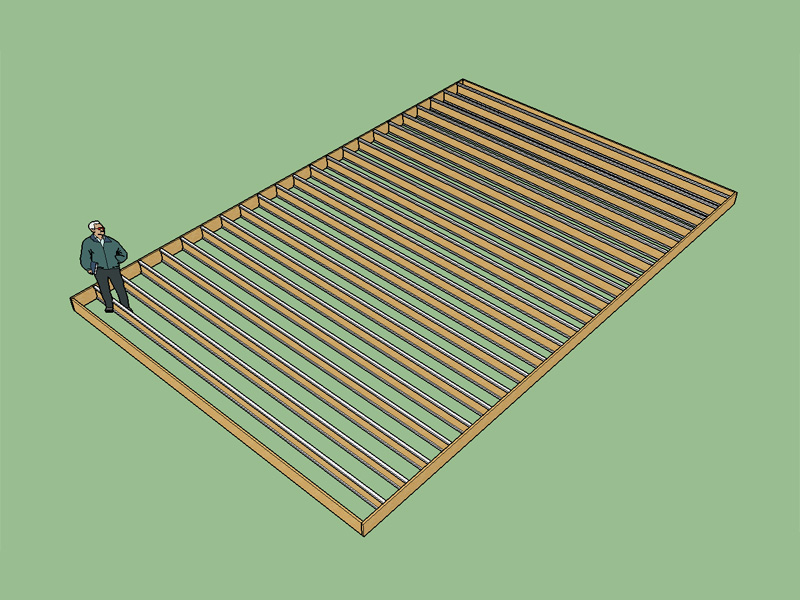
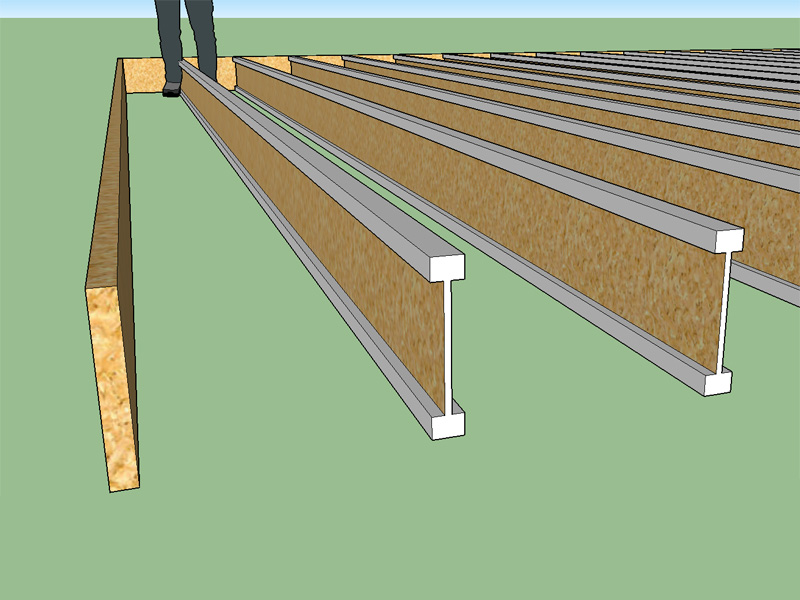
      • Added Weyerhauser TJI® I-joists: 110, 210, 230, 360, 560, 560D.
      • Rim joist option enabled for TJI floor joists.

      http://design.medeek.com/resources/images/truss_su13_800.jpg

      http://design.medeek.com/resources/images/truss_su14_800.jpg

      Only a rectangular configuration is available currently. If I can figure out how to code a polygon version of this that would be much more impressive (ie. pick the points that define the perimeter of the foundation and the plugin generates the complete floor layout).

      This is straying a bit from trusses but I figured if I'm going to include floor trusses I might as well make floor joists available as well, just a small bit of code to get there.

      posted in Plugins
      medeekM
      medeek
    • RE: 3D Truss Models

      Version 1.0.7 took a while to pop out. The big improvement is the ability to click with the mouse at three corners and place the truss set without any additional rotating or translating.

      In literally seconds I can now put a floor and a roof on 4 walls using the truss plugin and the Homebuilder plugin:

      http://design.medeek.com/images/MISC/testhouse2.jpg

      Of course the gable walls are not quite right but you get the idea. I may have slightly misunderestimated (a word created by GW Bush) SketchUp and what one can do with it.

      The biggest hurdle was to learn how to create and properly set up a "tool" within the API. Adding different truss types is much more fun than working through that mess.

      I'm also thinking it might be useful to have an option to put sheathing on the roof and/or floor?

      I'm also looking for a good plugin that does stemwall and slab on grade foundations, if anyone has recommendations please advise. I may use my own plugin for my own practice in order to quickly mock up certain structures and provide visuals. With the right tools I think SketchUp can be a very effective and quick turnaround platform

      posted in Plugins
      medeekM
      medeek
    • RE: 3D Truss Models

      Version 1.0.7 - 11.03.2015
      Trusses can now be positioned and sized via three mouse clicks, with the option for manual overide in the dialog windows.
      The number of trusses is now based on the spacing and building length.
      Floor trusses with top chord bearing now are positioned properly.

      Hopefully I haven't broken the metric inputs with the latest revision. I will test further tonight but so far its looking really good.

      posted in Plugins
      medeekM
      medeek
    • RE: 3D Truss Models

      I have a question or request for our Mac/Apple users. Has anyone tried using the plugin on a Mac. I don't have access to a Mac so I have no way of testing the plugin to see if it actually might work on this platform. If someone would be willing to test it out for me I have no problem in setting them up a permanent license and sending them the full version of the plugin, this would help me out a lot.

      I've had to take a bit of a break from my coding, too much local work to process and never enough time in the day to get everything done.

      As Juju suggests, I am going to try and figure out a better positioning mechanism before I start adding more truss types or additional features. This is the biggest thing holding the plugin back right now.

      posted in Plugins
      medeekM
      medeek
    • RE: 3D Truss Models

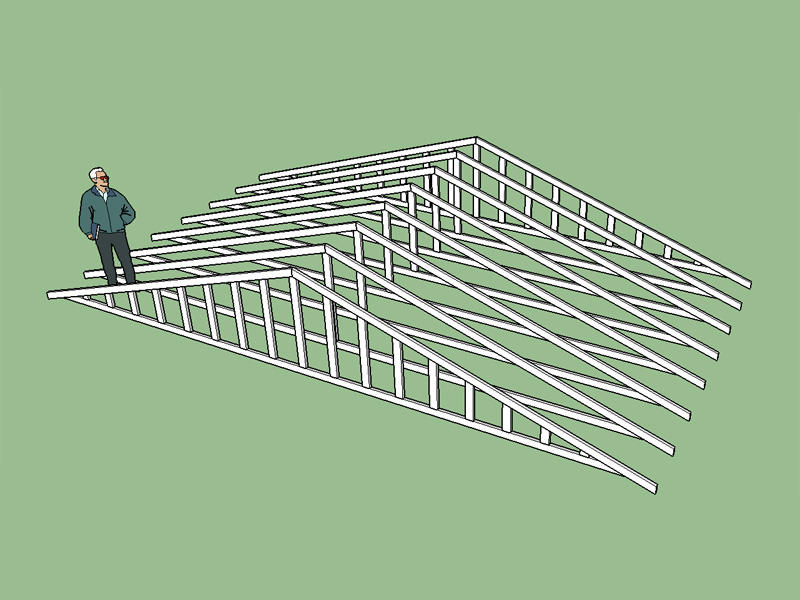
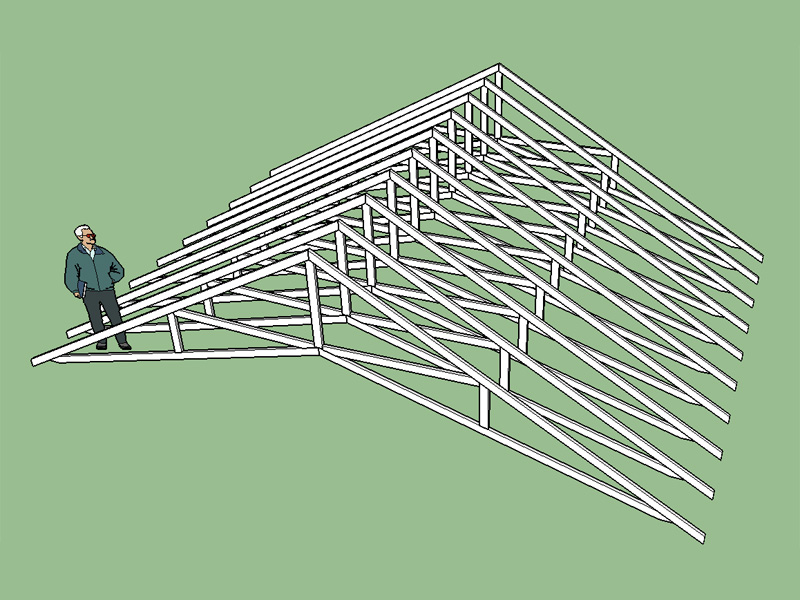
      I've got gable end trusses working for king post trusses:

      http://design.medeek.com/resources/images/truss_su12_800.jpg

      I haven't made this latest update live just yet as I need to update all of the other truss types to make sure it does not break anything.

      The other thing I am changing is the second user prompt box that allows one to enter in the number of trusses. I have now switched to a building length and the logic spaces the trusses based on the this length and the truss on center spacing. Gable end trusses can be switch on or off. Spacing of the gable studs is another user input.

      posted in Plugins
      medeekM
      medeek
    • RE: 3D Truss Models

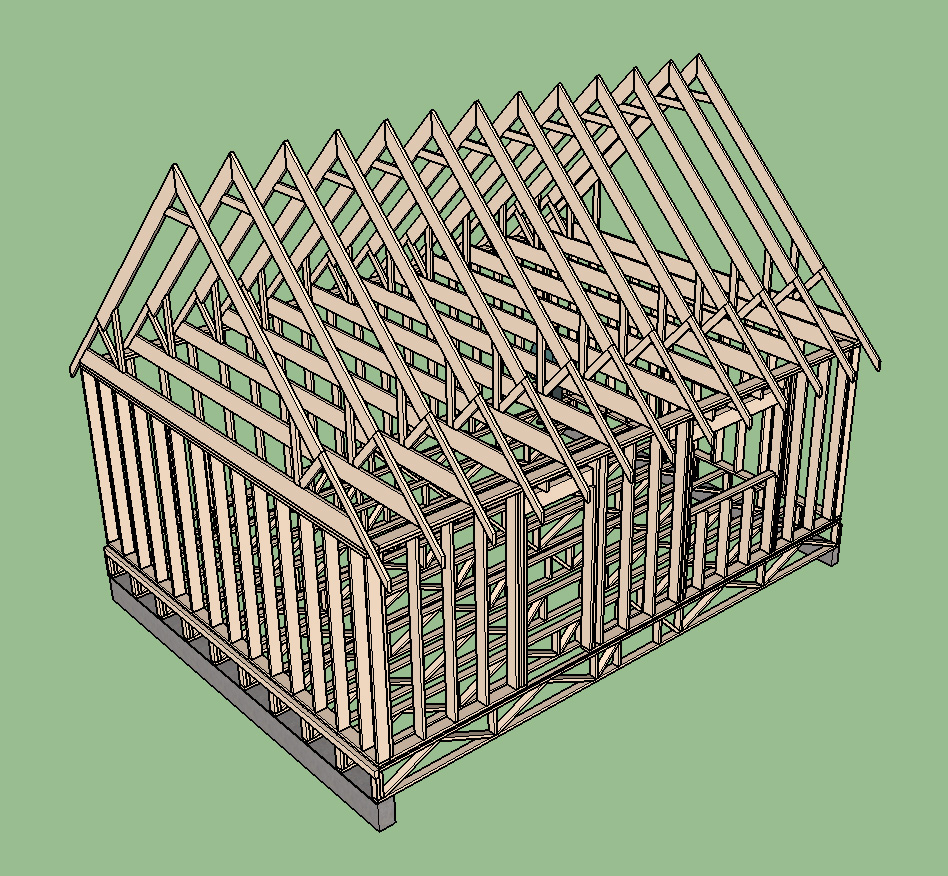
      Using the Medeek Truss Plugin and the housebuilder plugin I was able to create this simple model in about 3 minutes:

      http://design.medeek.com/images/misc/testhouse1.jpg

      I would like to be able to create this type of model in the future:

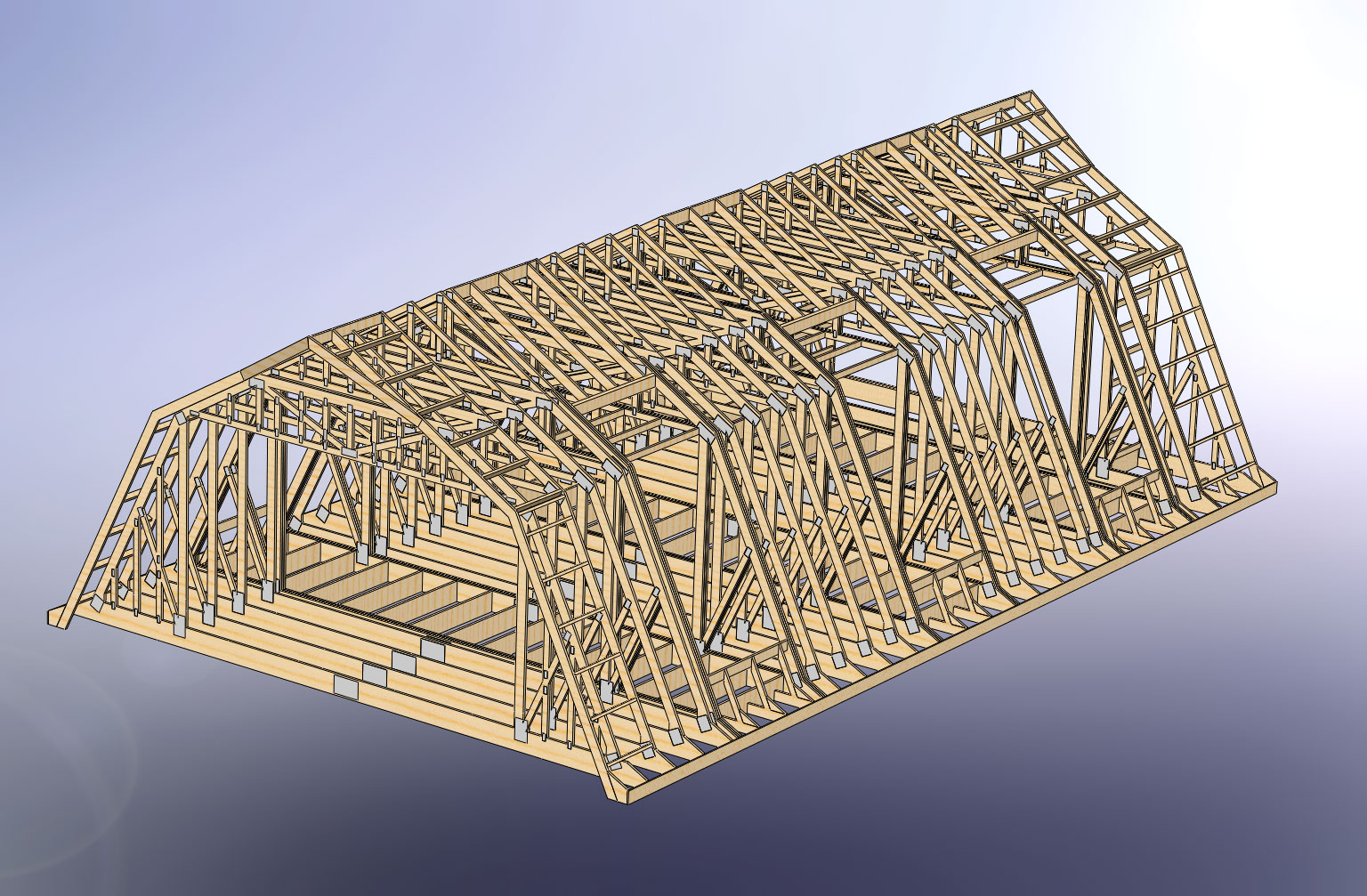
      http://design.medeek.com/images/misc/BARN5030-A6D-2_ROOF_FRAMING.jpg

      This model was created in Solidworks and probably took a day or two to assemble. Notice the gambrel attic and the gable end trusses. That ability I would like to add into the plugin.

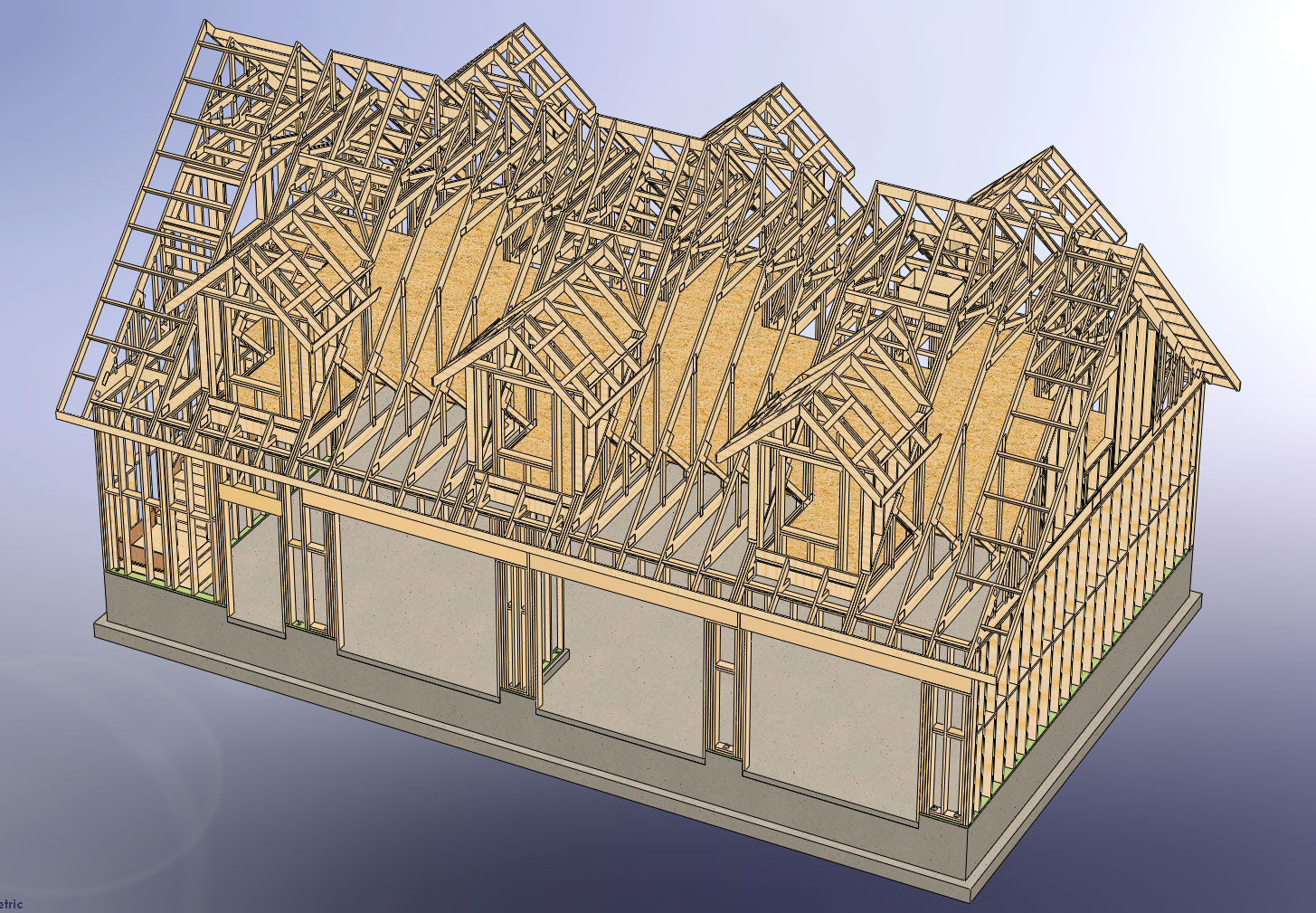
      This next model was also created in Solidworks and only shows the foundation and framing, the entire model represents about a month of work including the drawing set.

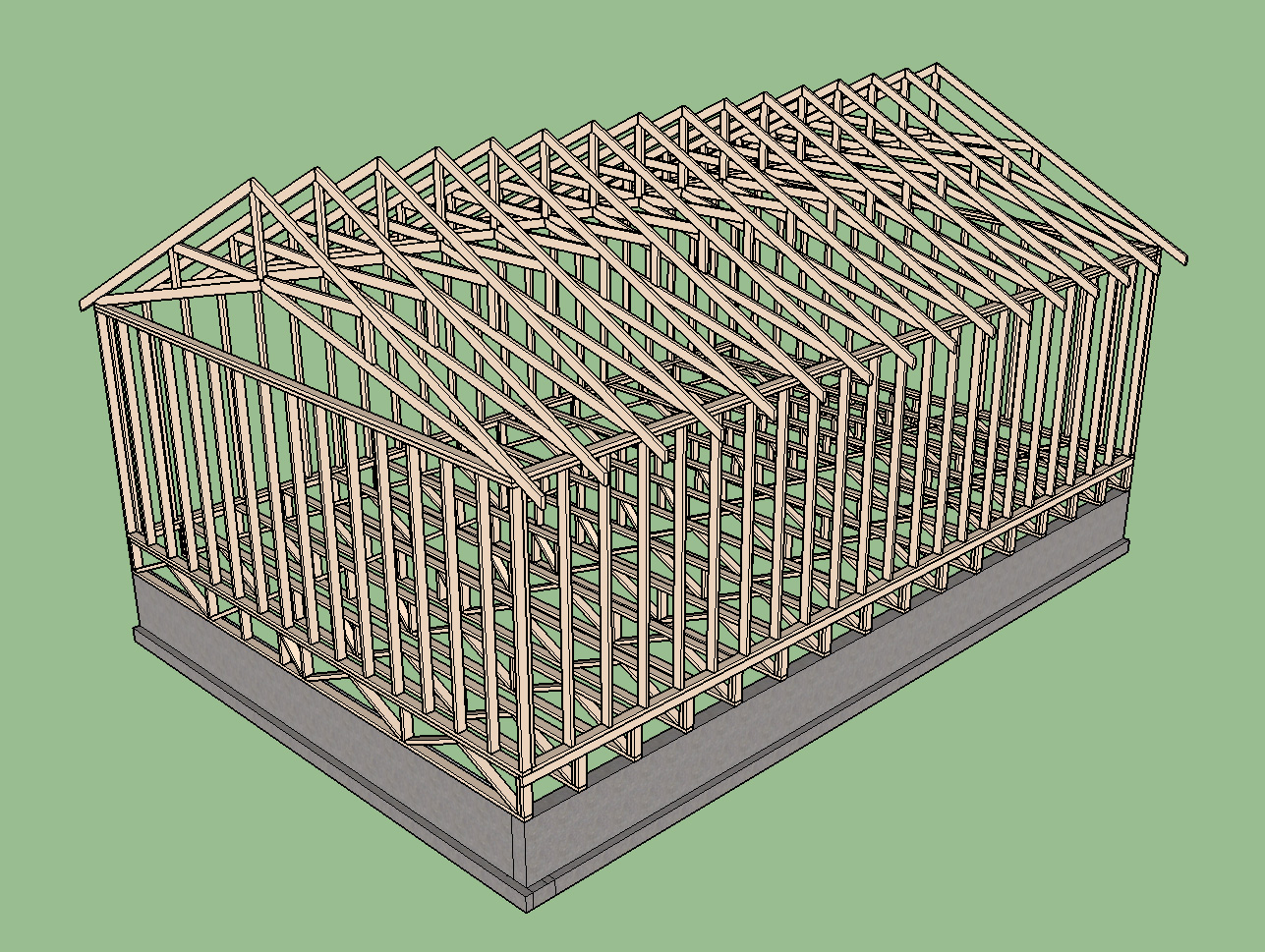
      http://design.medeek.com/images/misc/GARAGE4828-A6D-3_FRAMING1.jpg

      I would like to see a plugin that is capable of generating this level of structural detail in a couple of hours instead of weeks. Is this possible?

      On a related note, does a plugin exist for creating SOG and stemwall foundations?

      posted in Plugins
      medeekM
      medeek
    • RE: 3D Truss Models

      @driven said:

      have at look at "parametric_grid.rb" and "parametric.rb" from sketchucation Plugin Store...
      john

      Thank-you for the information. I will be looking into this further.

      After using the housebuilder plugin and my own I've determined I am lacking in two areas:

      Post Configuration: Ability to modify the component once it is created. It would be nice to make it a dynamic component and adjust any and all variables.

      Positioning: It would be really nice to drop the truss set right into place by clicking the location with the mouse.

      posted in Plugins
      medeekM
      medeek
    • RE: 3D Truss Models

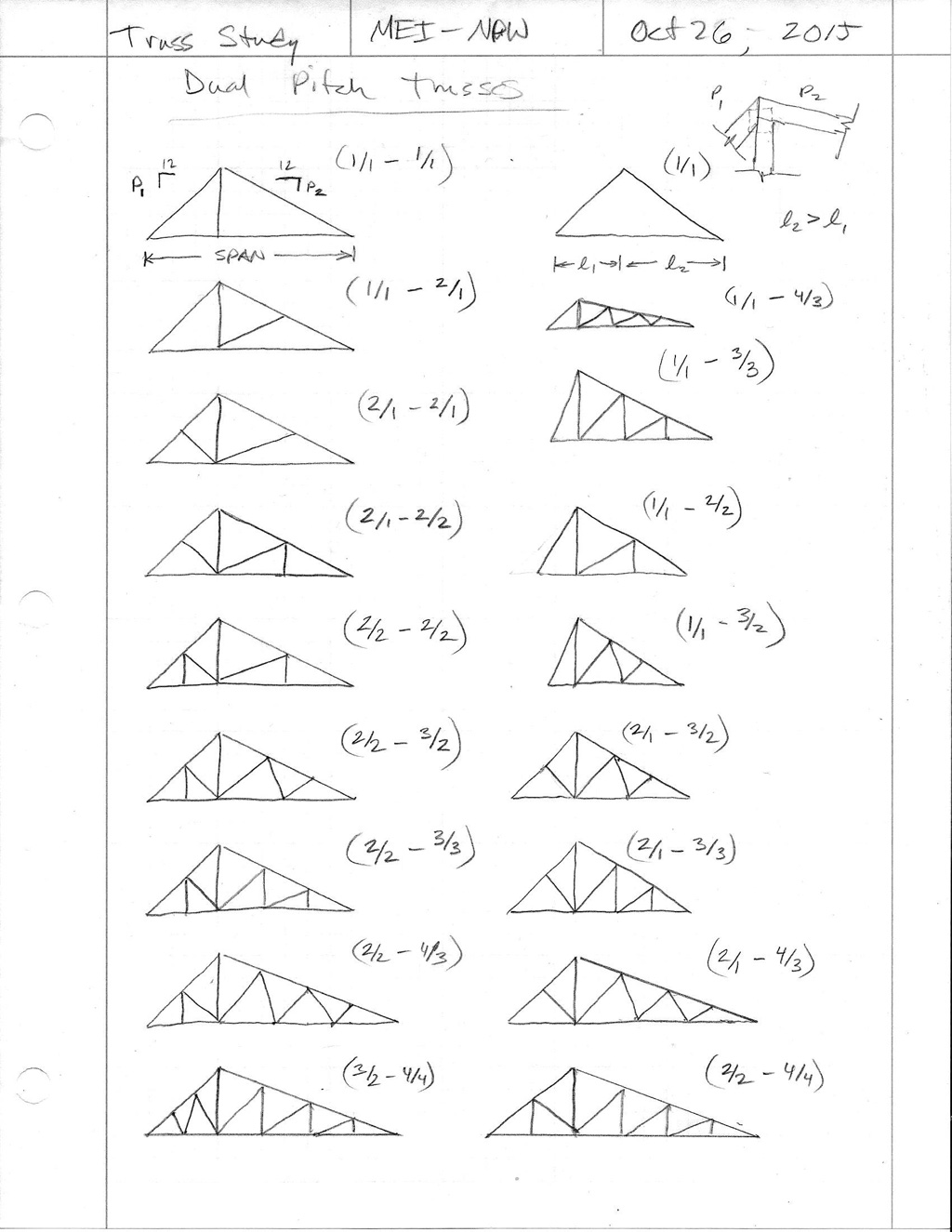
      Various configurations of dual pitch trusses:

      http://design.medeek.com/images/MISC/dualpitch_trusses1_1024.jpg

      posted in Plugins
      medeekM
      medeek
    • RE: 3D Truss Models

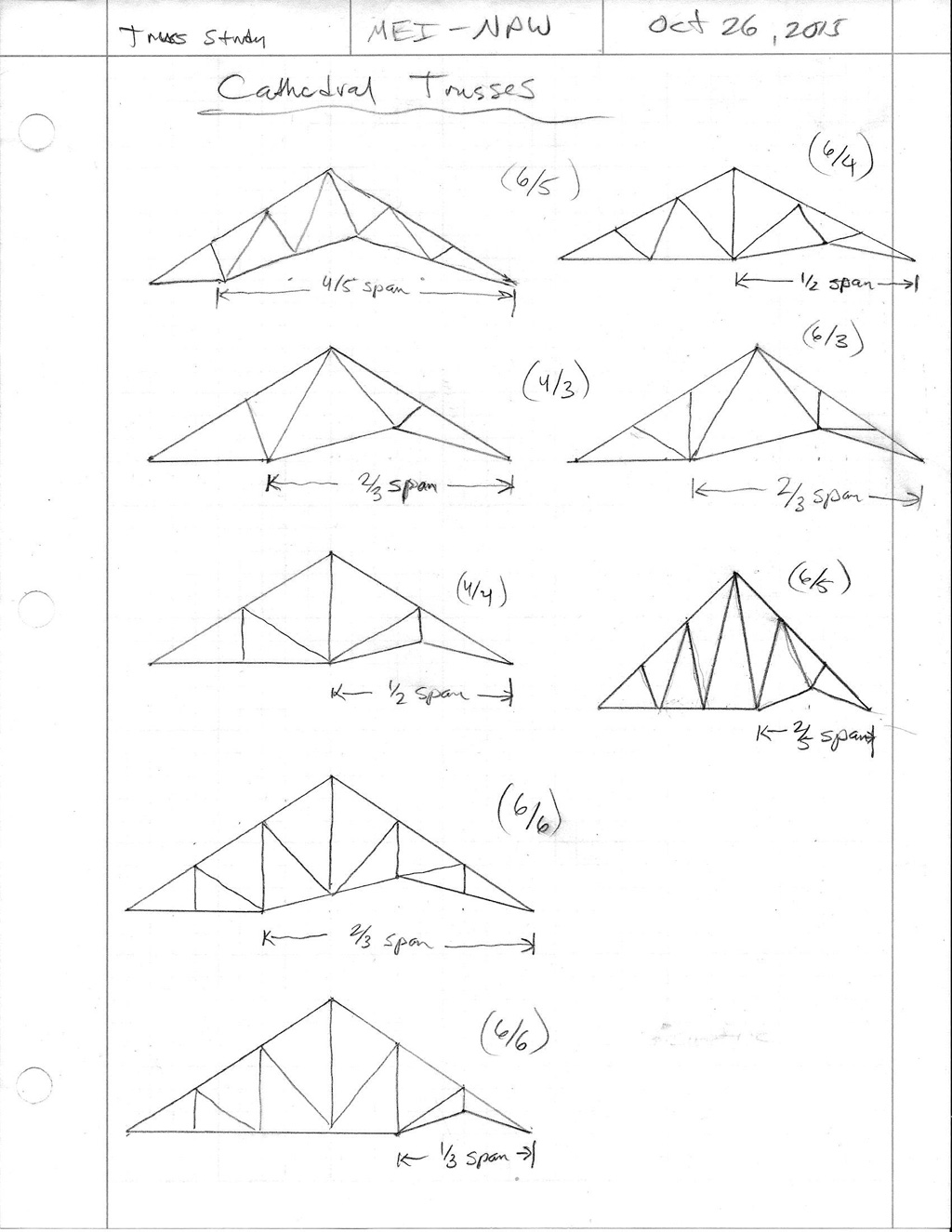
      Various configurations of a vaulted or cathedral truss:

      http://design.medeek.com/images/MISC/vault_truss1_1024.jpg

      posted in Plugins
      medeekM
      medeek
    • RE: 3D Truss Models

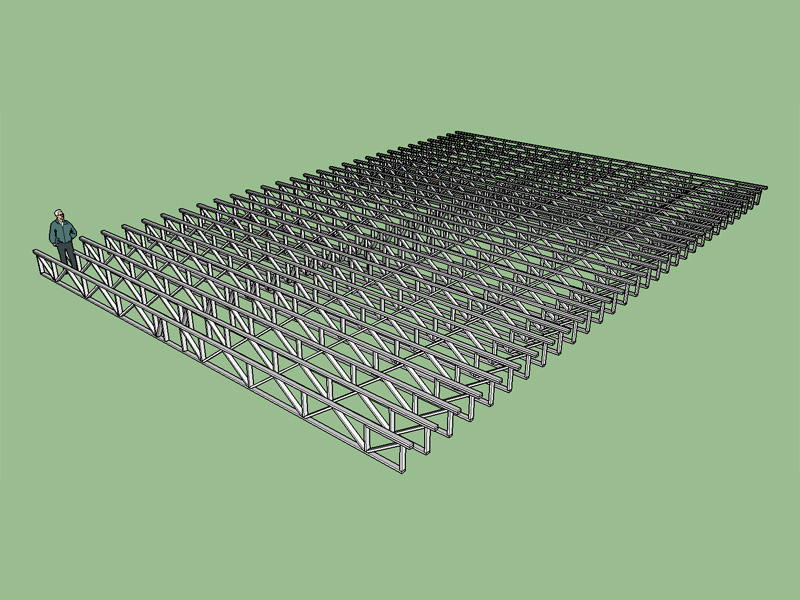
      Floor trusses 40' span, 60' bldg. length, 24" deep.

      http://design.medeek.com/resources/images/truss_su11_800.jpg

      Notice these are top chord bearing trusses with the diagonal webs reversed from the bottom bearing trusses in the previous post, this is by design.

      posted in Plugins
      medeekM
      medeek
    • RE: 3D Truss Models

      @pilou said:

      @unknownuser said:

      don't know if SketchUp has parametric capabilities. Any thoughts on this?

      With Dynamic Components or heavy ruby coding? 😉

      I've been looking at dynamic components and the API documentation seems rather sparse. There are a number of forum posts on this topic but so far it seems to be just beyond my grasp.

      posted in Plugins
      medeekM
      medeek
    • RE: 3D Truss Models

      Version 1.0.6 - 10.25.2015
      Added floor truss type, Modified Warren - System 42.
      Metric input enabled for floor truss types.
      Top and bottom bearing option enabled for left and/or right end of floor trusses.
      Ribbon cut option (top) enabled for left and/or right end of floor trusses.

      http://design.medeek.com/resources/images/truss_su10_800.jpg

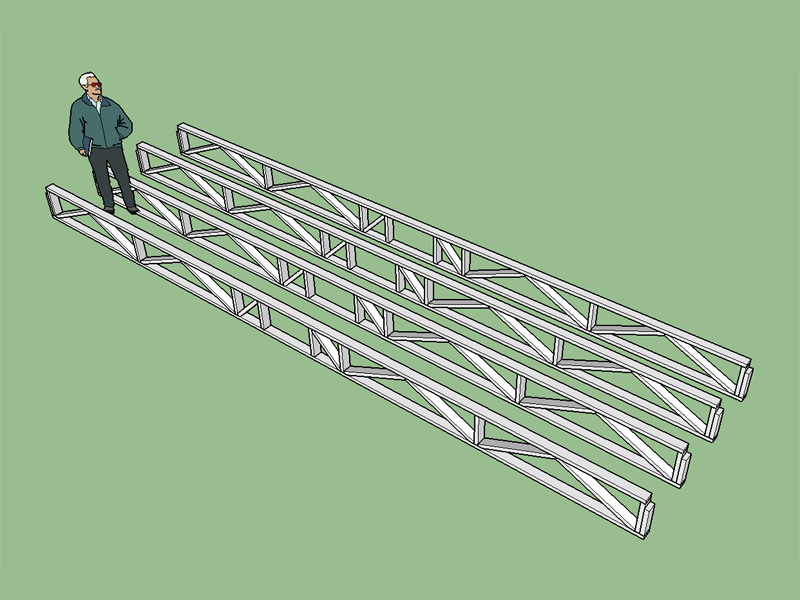
      One central chase that can be position relative to the left end of the truss. If the chase becomes closer than 1/4 the span to either end it will flag the user and re-position. Also some logic to check the chase size to span ratio and absolute max. chase size (24").

      System 42 or 32 floor trusses using the modified warren configuration which seems to be the most popular for this type of floor truss. Top bearing configuration includes an additional slider for extra strength and a vert. Note the change in diagonal directions when comparing a top to bottom bearing floor truss, I was not aware of this until studying them in some detail. Typical panel length is 28" but this can also be set by the user to any value.

      I figure if you need more than one chase it isn't to hard to manually edit the component and copy a couple of the vertical members over and then trim out the diagonals.

      posted in Plugins
      medeekM
      medeek
    • RE: 3D Truss Models

      On the SketchUp board I've had a request to make the member size parametric so that they can be changed/updated after they are created. I did not know or don't know if SketchUp has parametric capabilities. Any thoughts on this?

      posted in Plugins
      medeekM
      medeek
    • RE: 3D Truss Models

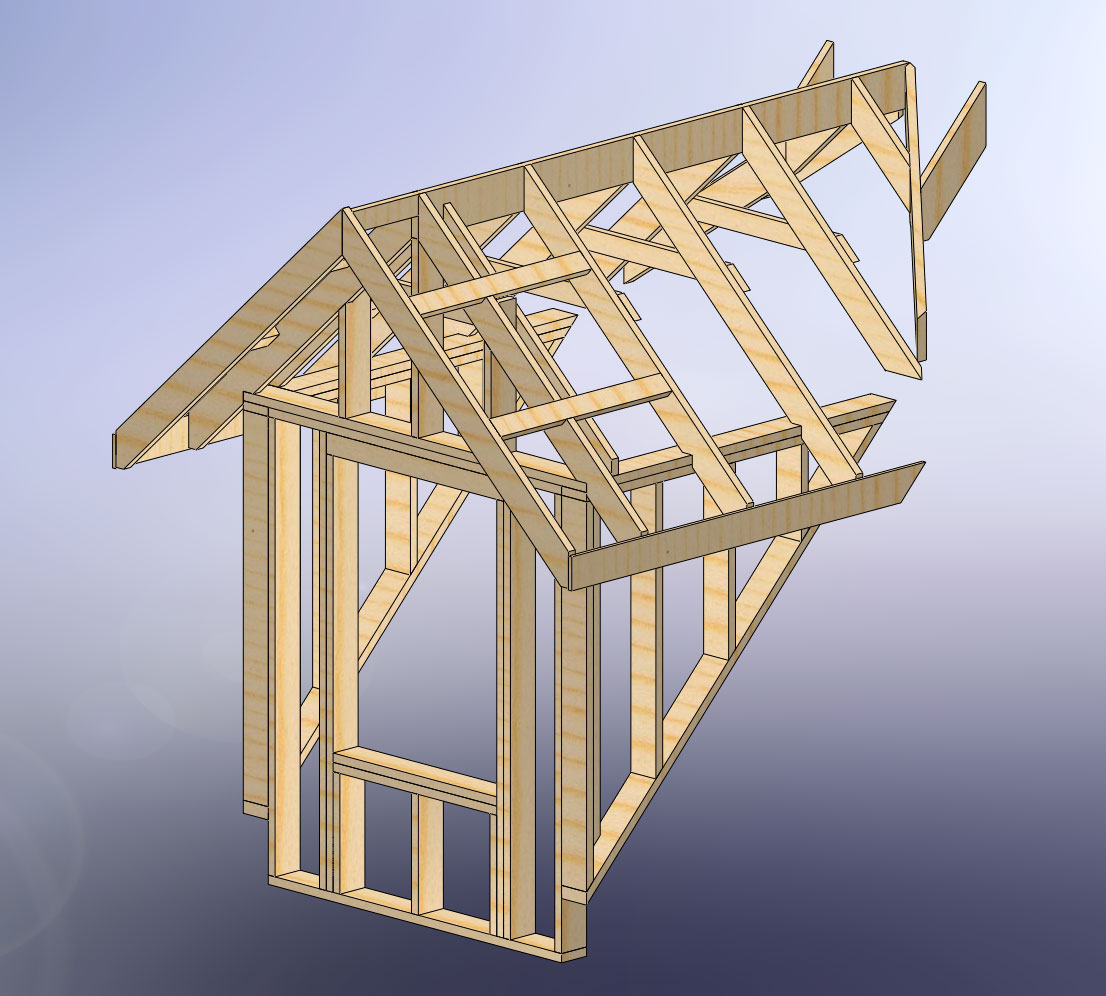
      I've been adding truss types/families as requested by users and member of this forum and others. The list of families continues to grow and my current todo list is:

      Common (tail bearing)
      Dual Pitch
      Gambrel Attic
      Mono Scissor
      Floor
      Vault or Cathedral
      Clerestory

      Of course this is only a small sampling of the potential truss families and types.

      Beyond the basic truss families I would like to have the plugin also have the option to generate gable end trusses for each family was well as all the raised heel variants (wedges, sliders and verts). The gable end trusses are more complicated than originally thought since structural and dropped gables also need to be included. Dropping the top chord 1.5 or 3.5 inches also further complicates the matter since this change in drop involves a different geometry.

      Instead of dumping the trusses at the origin I've had requests for the ability to locate the truss array based on selection of a bounding rectangle. I need to give this some serious consideration since it will probably make this plugin that much more valuable and efficient to use.

      I'm also thinking about more complex situations such as entire hip sets and valley sets.

      Then there are transition gable end trusses and transition gable end monopitch trusses, which may or may not be worth adding.

      On a completely different note I've also considered adding in timber framed trusses (ie. hammer beam trusses etc...) however I think a separate plugin dealing specifically with timber framing would be more appropriate.

      I have no idea how long it will take me to accomplish all of this. I have become faster at adding truss types as I've settled into a standard procedure for adding each truss family. However, each truss family takes at least 2-3 hours to add in and then that only includes 1 or 2 configurations whereas I should probably add at least 4 to 5 configurations for each truss family.

      I will probably continue to chip away at this as time allows and as interest grows.

      As you can probably tell trusses are intensely interesting to me and that will probably keep me going regardless of the interest levels.

      posted in Plugins
      medeekM
      medeek
    • RE: 3D Truss Models

      The equation was spot on, my faith in trigonometry is restored:

      http://design.medeek.com/resources/images/truss_su9_800.jpg

      Version 1.0.5 - 10.24.2015
      Added Scissor truss type, configurations: (2/2), (4/4).
      Metric input enabled for scissor truss types.

      In certain instances the scarf length of the bottom chord becomes less than the bearing length, the logic checks for these cases and inserts either a 3.5 or 5.5 heel wedge as required.

      posted in Plugins
      medeekM
      medeek
    • RE: 3D Truss Models

      @juju said:

      I'm appreciating the eagerness with which you are developing this plugin.

      Would you post a notifier here every time a new version is released?

      I can do that.

      Creating this plugin has been a bit of fresh air for me, definitely a change up from my regular fare of local engineering projects. I'll probably need to pull back for a few days and focus on my regular clients but it is hard not to dabble with this whenever I get a moment.

      What makes this so exciting is the speed with which I am able to add new geometries and features. Programming my other truss calculator is much more tedious and time consuming (html, SVG and perl).

      posted in Plugins
      medeekM
      medeek
    • RE: 3D Truss Models

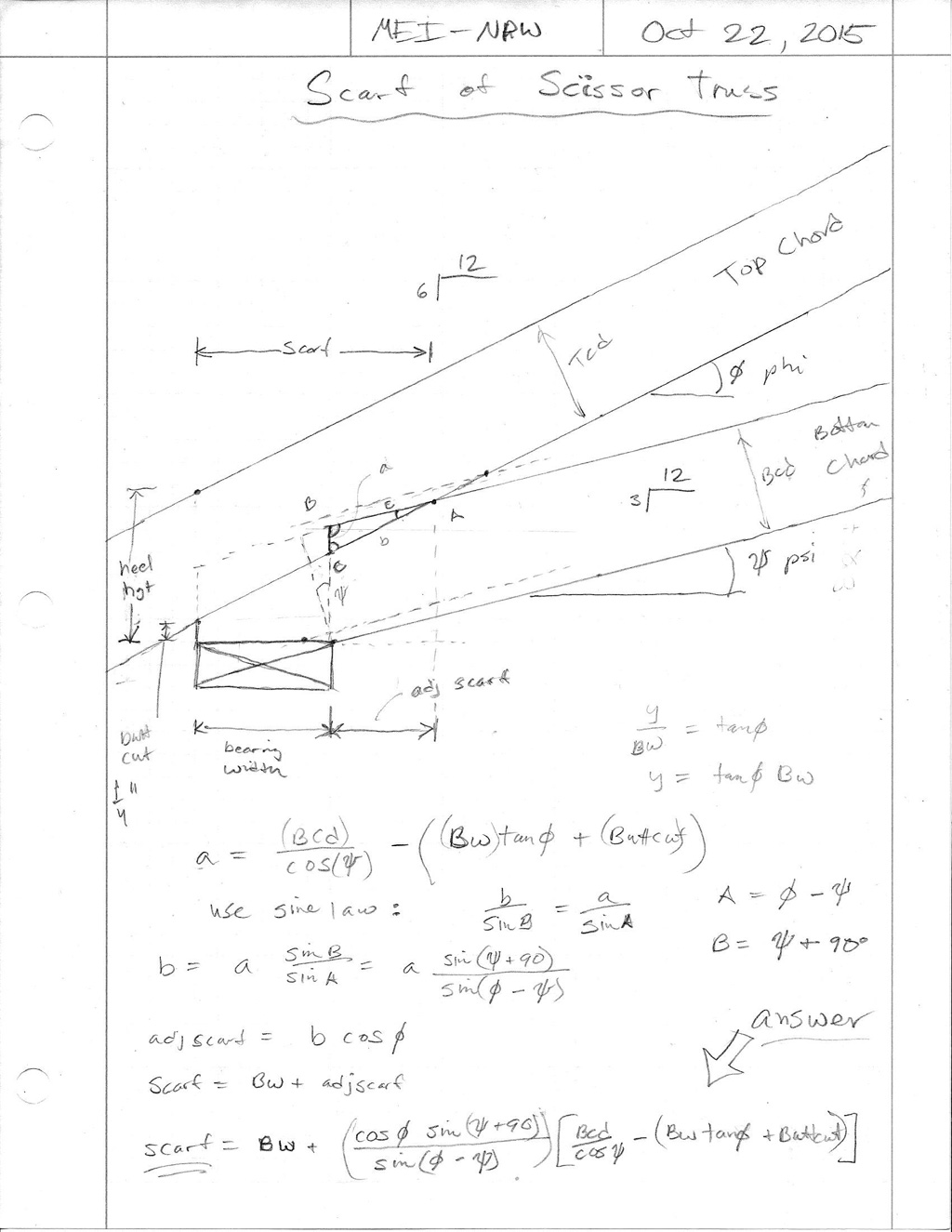
      I was thinking about adding the scissor truss family to my SketchUp plugin until I realized that the calculation of the scarf of the bottom chord was a bit more complicated than your typical common truss with a zero pitch bottom chord. When I actually sat down and did the math it became clear how much more complicated it actually was. If anyone cares to check the math I would be very grateful. I will probably run it into AutoCAD tomorrow and graphically check the geometry against the equation, they should give the same result.

      http://design.medeek.com/images/misc/scissortruss1_1024.jpg

      Notice how the bearing width factors into the scarf and ultimately affects the entire design of the truss (web placement, panel lengths). This is why the truss companies require the bearing width before they can quote you on scissor truss package.

      Makes one appreciate computers a little more when you realize that the software, once programmed, can take care of all these detailed calculations without us giving it a second thought.

      posted in Plugins
      medeekM
      medeek
    • 1
    • 2
    • 162
    • 163
    • 164
    • 165
    • 166
    • 164 / 166