I just asked this question "could you wright a script to do 3d modelling program perhaps similar to Blender open source and simplify it with functionality to the SketchUp interface" and I got a positive answer


Oops, your profile's looking a bit empty! To help us tailor your experience, please fill in key details like your SketchUp version, skill level, operating system, and more. Update and save your info on your profile page today!
Check out Febhouse | New extensions for Shadow Analysis in SketchUp Download
L
Offline
Posts
-
RE: Ruby script by AI
-
I am thinking of doing an image looking for comment
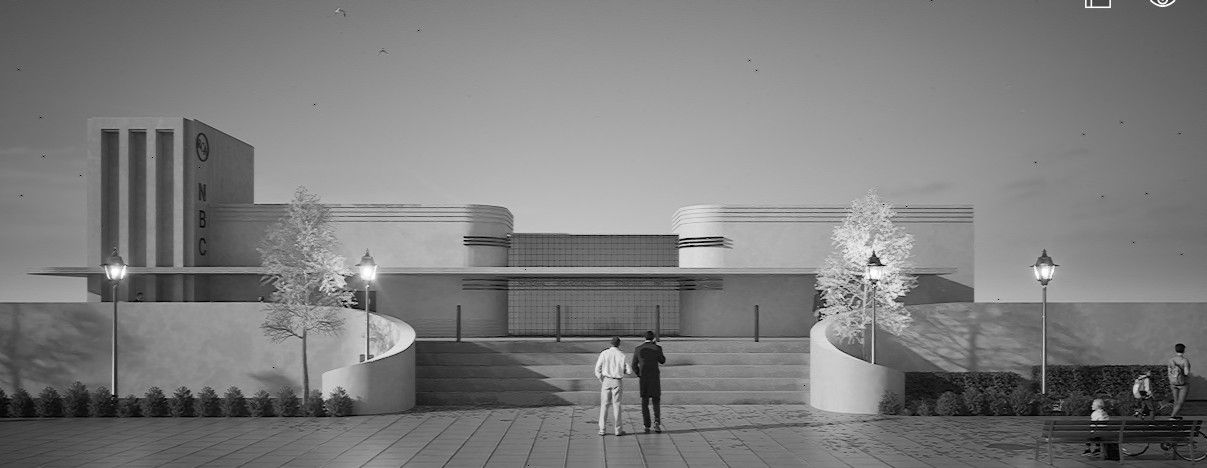
I am thinking of doing an image looking for comment/advice. I came about this composition of one of my prior Art Deco model I posted a week ago on here. I was surprised and exited by is I desaturated it. I do not know what to get rid of and what to keep but have some ideas. This is just a screenshot. Does anybody think this image is as cool as I think it is? Would love to get some feedback before I start experimenting with it.
-
Go fund me?
Hi a member quite recently I saw a member who had a link to a Go Fund Me Page. I have forgot that members name and I just did a search for "go fund me" on here and it came up with nothing. I think I know the name but need to be sure. Could that member please PM me please
Cheers
-
RE: Urchin the Australian lunar village
Mi Majid, interesting what is the Australian link/
-
RE: Somewhere in Russia (render)
@majid Thanks Majid I will have another go with
-
RE: Urchin the Australian lunar village
Biomimicry is such a cool device for inspiration from nature
-
RE: Automotive render by Diffusion.
No Mike, no warts at all, I genuine think it has a look of its own and I love it a lot
-
RE: Urchin the Australian lunar village
@Rich-O-Brien said in Urchin the Australian lunar village:
I hope house prices on Mars are more affordable than here!
What are prices like where you are (I assume Ireland) Australian Bureau of Statistics (ABS) for March 2025 indicates a national mean dwelling price of $1,002,500!!!!!!!!!
-
RE: Automotive render by Diffusion.
I let chatgpt come up with a name for your car, it came up with "Apex Lumina"
-
RE: Urchin the Australian lunar village
@majid said in Urchin the Australian lunar village:
I spared some time to model and share my vision of the Australian Lunar Village. It would be much appreciated if share your feedback.
All (almost all) is done in Blender 3D, based on sketches and simple SketchUp models developed in Blender 3D.
https://www.linkedin.com/feed/update/urn:li:activity:7368947491309846530/
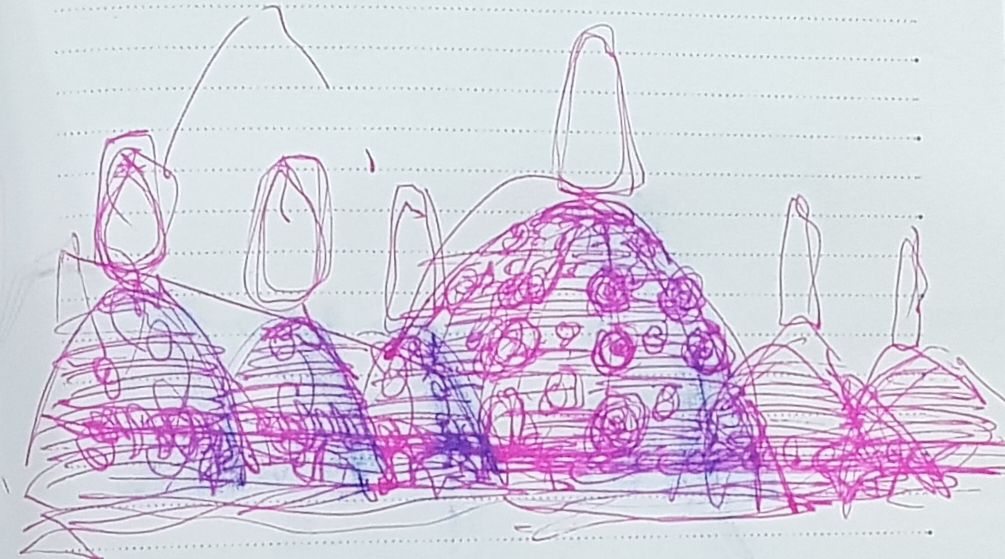
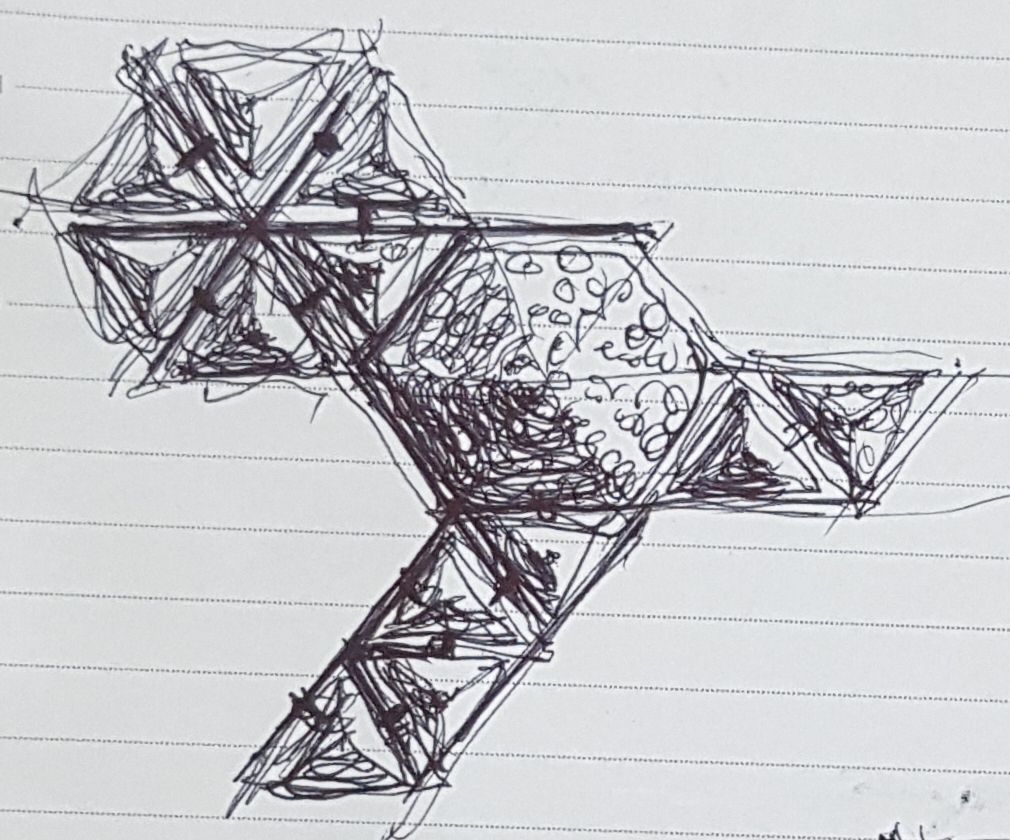
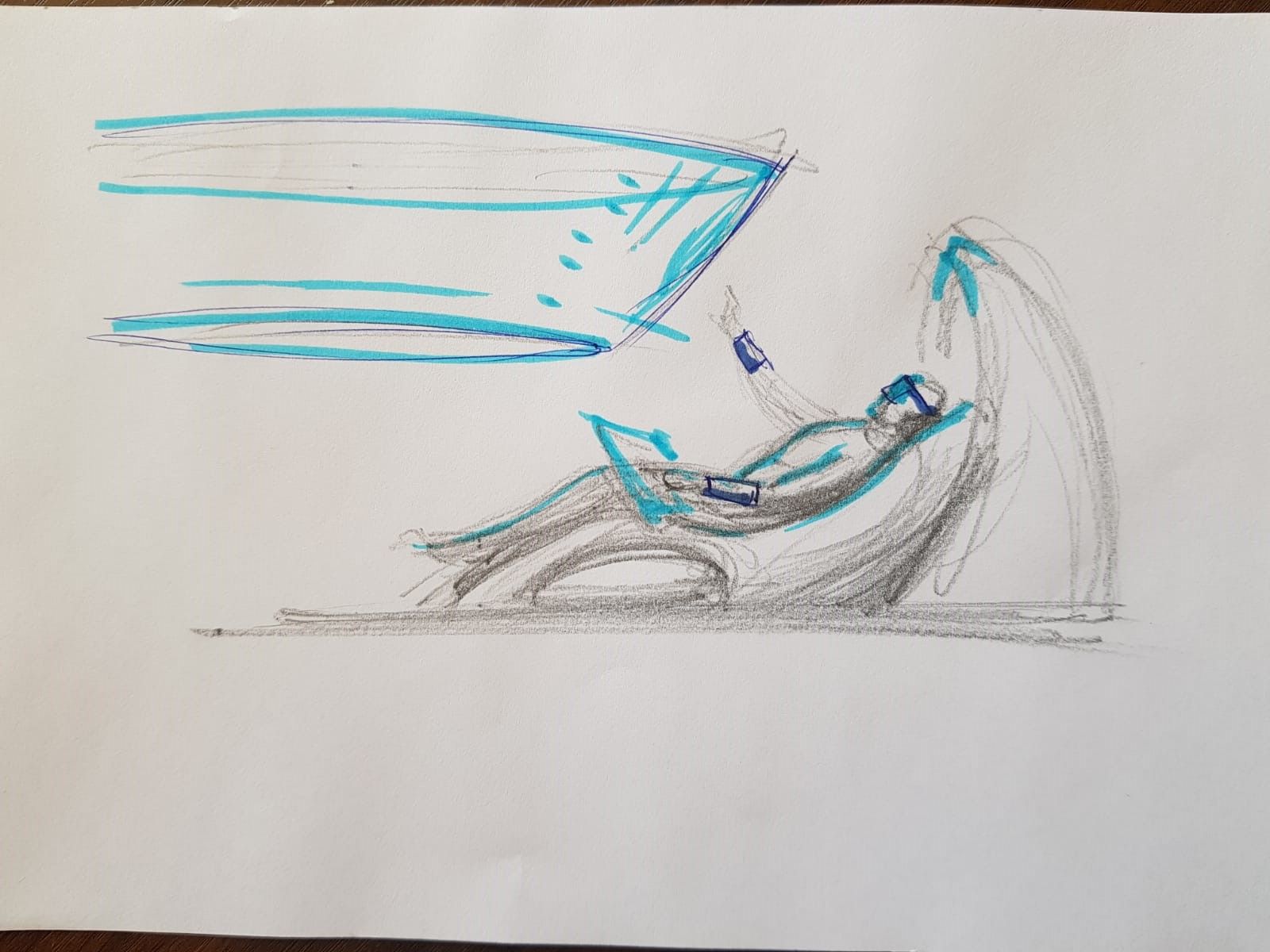
Beautiful sketches
-
RE: Automotive render by Diffusion.
Has it made the rear wheels smaller? it looks that way
-
RE: Urchin the Australian lunar village
@majid said in Urchin the Australian lunar village:
@L-i-am said in Urchin the Australian lunar village:
Biomimicry is such a cool device for inspiration from nature
Agreed if understood right. In many cases, it is just playing with forms, nothing more, while we might be inspired by the forces that shaped those natural innovations. By "forces", I mean all chemical, mechanical, logical... forces that shape a phenomenon.
This is a subject that holds a lot of interest for me. I find sharks beautiful not by deign but by evolution (although I don't fully endorse Darwinian theory in its entirety) the form of a shark is purely efficiency of hydrodynamics etc, etc. I also draw the analogy that I also find fighter jets beautiful almost in the extreme. There were no industrial designers or sculptors involved saying "I think if that was a little broader it would look more sleek and pretty" or "if we put the cockpit back a bit it would look more balanced. So every single part of the and the resultant jet is a beautiful at lease to me yet NO part of it was an aesthetic consideration. It was all based on pure logic based upon the skills of the design engineering and testing, even the additional considering the aircrafts radar foot print has added another function in balance with aerodynamic considerations turns out such a beautiful "sculptural" form.
Imagine when AI gets its hand on aircraft design, skies the limit Who knows what innovation will be the form of future aircraft design will take. It may also seem organic both in form/ function...............print me an aircraft
-
RE: Tadao Ando stairs( Render)
@gullfo said in Tadao Ando stairs( Render):
that last step is a doosie...
You are not seeing what happens beyond the frame of the image and what you are looking at is not a step as it has glass balustrade
-
RE: Urchin the Australian lunar village
Exactly Majid, have an Industrial design degree. And if I was to sum it up a lot of the course was deprogramming. In its most simple explanation would be that in day one of the course you would be asked to design a chair. In our young heads and 99.99% of us would see the a stereotypical break down of a chair and visualise a flat plane for your butt perhaps 4 legs to keep you off the ground and perhaps a vertical plane to support you back. Whereas a trained designer very deliberately undo the brief from "design a chair" and change it to "Develop a device to support the human frame in an "X" environment" then we might study the human anatomy.
-
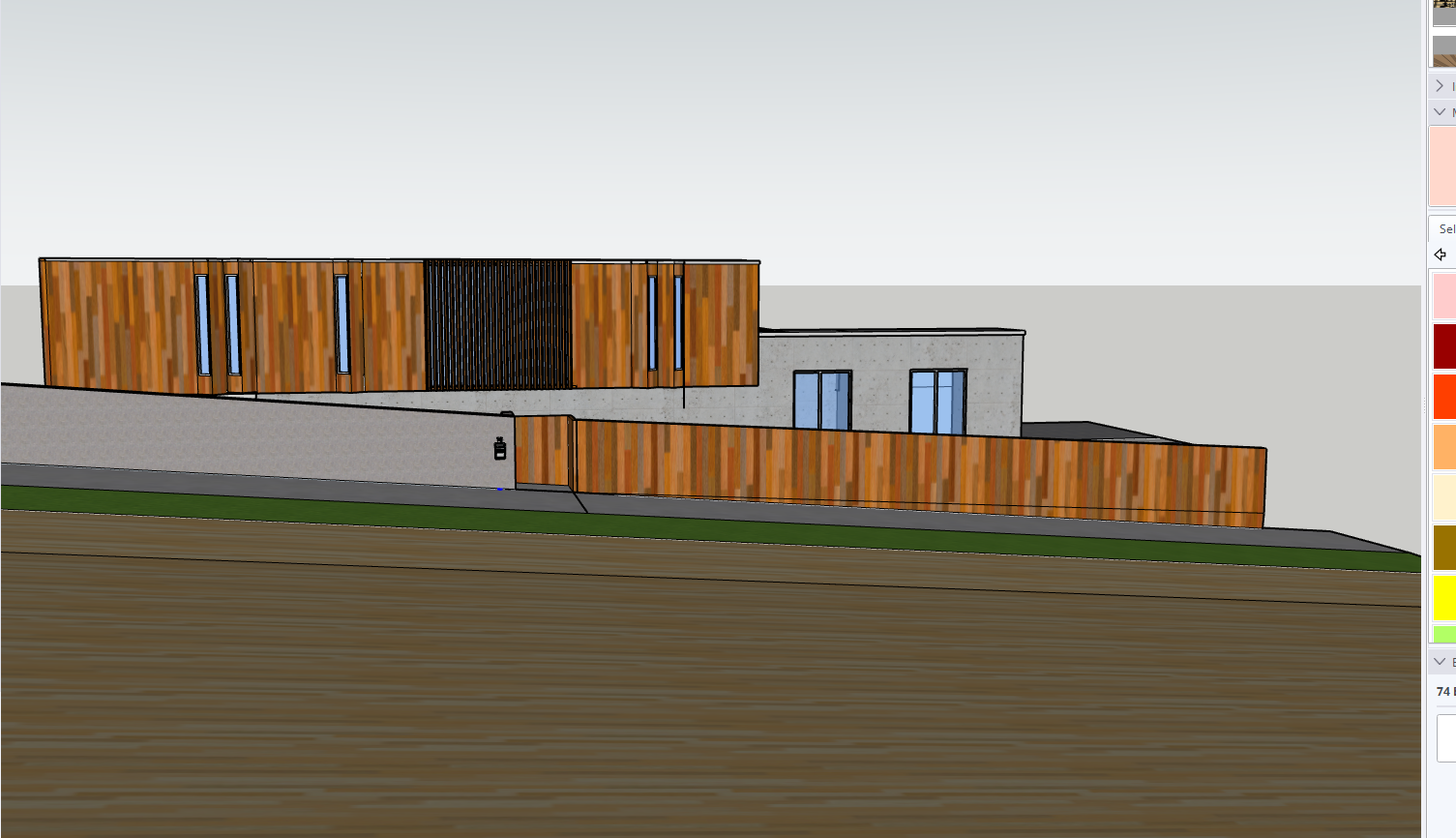
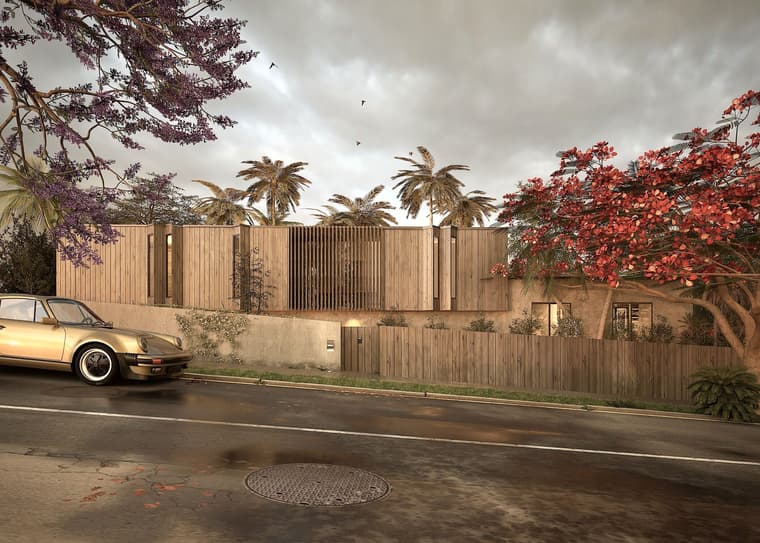
Somewhere humid render
Modelled this House in SU from a photo. I feel stupid because I have used a few Post Programs and when I opened windows Photos it has an inbuilt image editor which is great for my needs
-
Potential for SU type interface for Blender?
Hi Guys, I am not a "computery" person. but I asked Chat GPT if AI could write code in Blender to give it similar UI simplicity and user experience as SU and this is the reply, some may find the AI response. Just giving food for thought
Ah, I see what you're getting at — you're asking if AI can write a script that makes Blender as easy to use as SketchUp, right? A more intuitive, user-friendly system with all the complexity of Blender but wrapped in the simple, accessible UI and interaction style of SketchUp.
That's a bigger challenge, but it's definitely doable with the right approach. The key is to streamline the workflow and UI design in a way that feels natural and accessible to people who are used to SketchUp's simplicity.
🧠 AI-Driven Strategy to Create a "SketchUp-Like" Blender Experience
To make Blender as easy to use as SketchUp, we'd need to:
Simplify the UI: Remove Blender's overwhelming menus and focus on a clean, minimal interface for basic modeling tasks.
Implement Intuitive Tools: Focus on a small set of easy-to-learn tools for architectural modeling (like push/pull, drawing, extrude, snapping).
Customizable Shortcuts/Toolbar: Have an interface where only the essential modeling tools are available.
Guided Workflow: Incorporate step-by-step visual cues or instructions to guide new users through modeling.
 How Could AI Help Write This Script?
AI could assist in creating this SketchUp-like user experience in several ways:
Simplified Interaction: Use AI to generate simplified Python scripts that hide Blender's complexity. For example, a single-click tool could create walls, doors, and windows without requiring users to navigate through multiple menus.
Custom Toolbars: AI can dynamically generate toolbars that contain just the necessary tools for a user to start modeling, similar to SketchUp’s clean toolbar.
For instance, tools like Draw Line, Push/Pull, Extrude, and Rectangle could be grouped in a panel or dropdown.
These could be assigned intuitive keybinds and on-screen guidance for new users.
Guided Mode: AI can help create a step-by-step guided mode where users are prompted to take actions sequentially, minimizing confusion (similar to SketchUp’s automatic prompts).
A dialogue box might say, "Click to draw your first rectangle," and the user would click and draw directly in the viewport.
AI could anticipate the next logical step, making modeling seem smoother and more intuitive.
Preset Shapes: AI can write a script that provides preset architectural shapes, like walls, floors, roofs, and stairs, which could be added with a single click — just like SketchUp’s pre-made models.
Dynamic Snapping: A dynamic snapping system can be created that automatically snaps to edges, midpoints, and grid intersections, similar to SketchUp’s “inference” system. AI could script intelligent snapping based on context, so the user doesn’t have to think about it.
 Example Workflow AI Script
Here’s an example of how an AI-driven script might work to make Blender feel like SketchUp:
Start Drawing a Floor Plan:
You hit Shift+Space (a custom shortcut), and a simple interface appears.
AI gives a prompt: “Draw the base rectangle for your floor plan.”
You click and drag to create a rectangle.
Extrude the Walls:
After drawing the rectangle, AI pops up a small toolbar: Push/Pull Tool and Extrude Height.
You drag the height or input a number, and the walls are instantly extruded to the correct height.
Add a Door/Window:
AI asks, “Do you want to insert a door or window?” You click on the wall where you want the door.
You get a simple, predefined door model that you can scale, move, and adjust.
Clean Up the Model:
A “Cleanup” button appears, and the AI automatically removes unused vertices and tidies up the geometry.
 AI-Generated Code (Example)
Here’s a sample code snippet where AI could help create a push/pull tool for Blender that mimics the ease of SketchUp:
import bpy
class PushPullOperator(bpy.types.Operator):
bl_idname = "mesh.push_pull"
bl_label = "Push/Pull Tool"
bl_options = {'REGISTER', 'UNDO'}# This function handles the basic Push/Pull operation def execute(self, context): # Grab the selected object obj = context.active_object # Make sure it's a mesh if obj.type == 'MESH': bpy.ops.transform.extrude_region_move(TRANSFORM_OT_translate={"value": (0, 0, 1)}) self.report({'INFO'}, "Push/Pull Applied") else: self.report({'ERROR'}, "Select a mesh object") return {'FINISHED'}Register the operator
def register():
bpy.utils.register_class(PushPullOperator)def unregister():
bpy.utils.unregister_class(PushPullOperator)if name == "main":
register()This simple example script would:
Apply extrusion (a push/pull operation).
Use the Shift+Space keybinding to activate the tool.
Work with user-friendly inputs: no complex menus, just a simple button interface that would be created through an easy-to-navigate toolbar.
 What Else Could AI Do?
Intelligent UI Creation: AI could design an adaptive, context-sensitive UI based on what you’re doing in the scene. For example, when you select a wall, the toolbar could automatically show wall-specific tools like add window/door, cut, and move.
Simplified Viewport Controls: AI could enhance the viewport by showing context-sensitive guides or tooltips, making it easier for users to pick up. For example, showing “Click to add wall” when a wall tool is active.
Preset Construction Kits: AI could generate predefined models (like walls, windows, doors, etc.) that can be inserted quickly without navigating menus or requiring advanced Blender knowledge.
 Conclusion: Making Blender as Easy as SketchUp
While Blender is a more complex tool overall, AI can streamline the modeling experience to feel as easy and intuitive as SketchUp for certain types of workflows. AI can:
Simplify interaction (single-click tools, guided prompts).
Design a user-friendly interface (with toolbars, icons, and step-by-step cues).
Build intuitive snapping, geometry management, and instant object creation.
Would you like to dive deeper into any of these features or discuss how to make one of these tools?
-
RE: Many projects
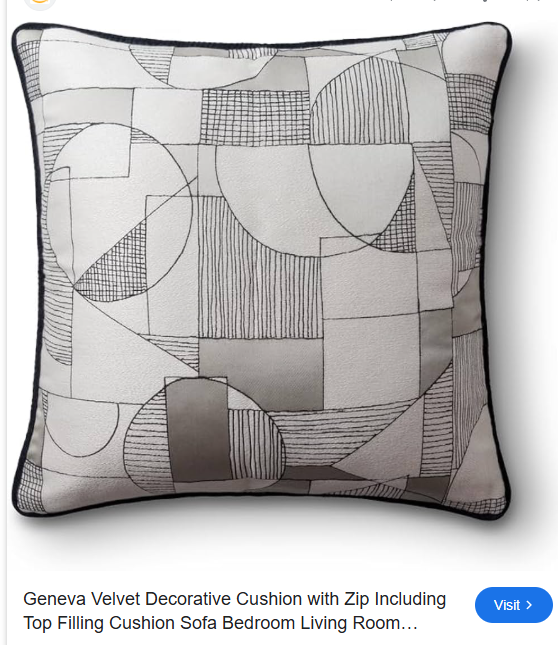
Thanks JO-ke. I did some research and it is by Zimmer + Rohde. I think it is absolutely beautiful and masterful, I find is stunning
-
Somewhere in Italy render
Just
 did this with SU and Tm assets are from sketcfab.