Your tip came just in the nick of time - I had a gun in one hand, a rusty razor blade in another hand and a samuri sword in the third (yeah, I spent some time around Chernobyl  ). I owe you a Big Mac. Or a Porsche. Whichever you prefer (although the Big Mac does require less maintenance, gets better mileage and costs a lot less to insure)
  .
.
Oops, your profile's looking a bit empty! To help us tailor your experience, please fill in key details like your SketchUp version, skill level, operating system, and more. Update and save your info on your profile page today!
🚨 Skimp | 25% Off until March 30 Buy Now
 Offline
Posts
-
RE: [Plugin][$] FredoScale - v3.6a - 01 Apr 24
-
RE: [Plugin][$] FredoScale - v3.6a - 01 Apr 24
That did it!!!!!
 I've been going nuts for almost 2 days trying to get it to work, and all I had to do was type in 0.98 instead of just .98 Such a small thing, such a big difference! I really appreciate you taking the time to reply, I had just about given up on hearing from anybody about this. Again, thanks!
 -
RE: Hole.rb
@didier bur said:
Remove the ./ in front of the offset.rb in holes.rb. This will make it work.

I'm having the same problem. Could you explain how to do what you suggest? Thanks
-
RE: Box Tapering problem
Good info. Will go into my ragged and tattered mental notebook
-
RE: Box Tapering problem
Jeez, I did not know that. I figured this would be the place to get help. Thanks.
-
RE: [Plugin][$] FredoScale - v3.6a - 01 Apr 24
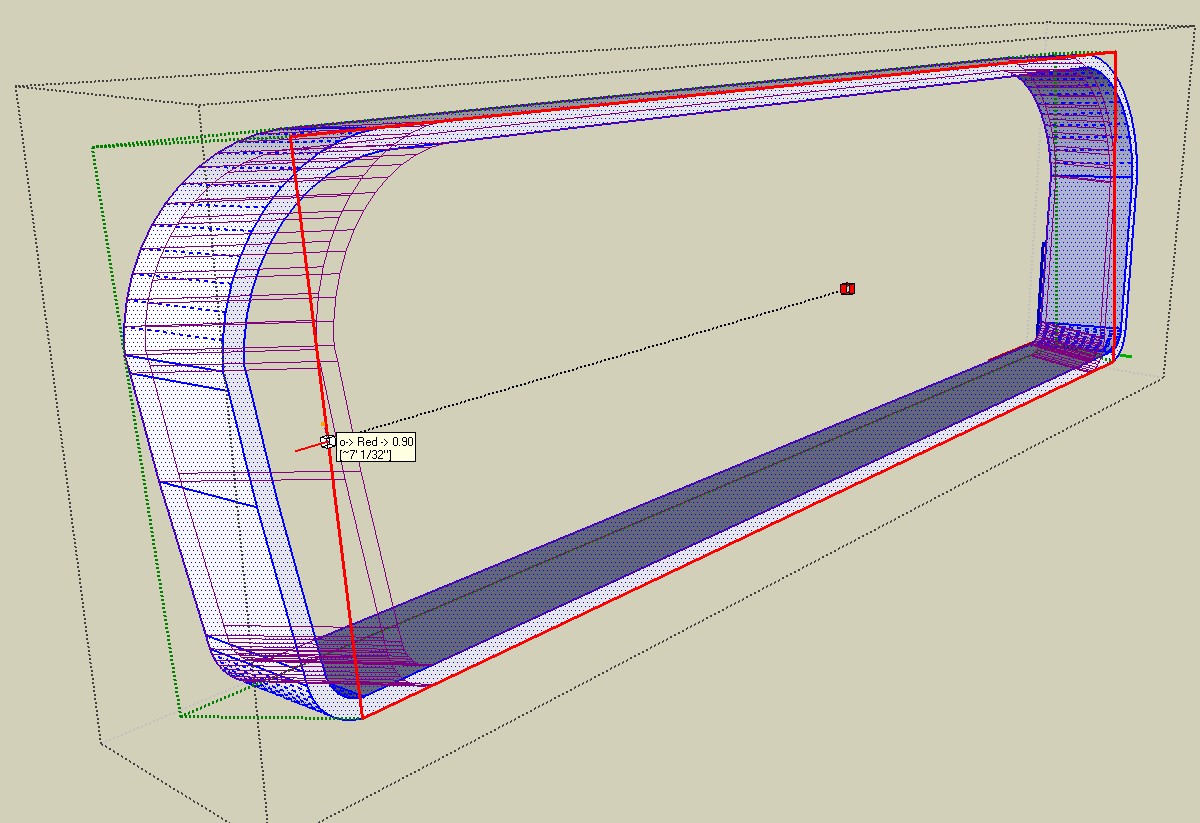
I've use Box Tapering before and it's performed wonderfully (as do all of your amazing plugins), but I'm having a problem now. I'm trying to taper an object, just move the face in a bit. Well, when I move the cursor in the direction I want, nothing happens, and then it snaps to .95. After that I can keep moving it in just as smoothly as you please, but I cannot get it to go anywhere between .95 and 1.00, if I try it just snaps back to 1.00. I've tried typing in the taper I want (somewhere around .98, although I can't be sure yet because I havent' been able to test it), but when I hit enter nothing happens. If I hit enter again it snaps back to 1.00. I've tried many, many times, no luck. Any help would be appreciated.
-
RE: Box Tapering problem
Doesn't anyone have some suggestions on why this is happening? If I lose the ability to use this plugin my life is going to get a lot more complicated!

-
Box Tapering problem
I've use Fredo's box tapering before, and it's worked wonderfully (as do all of his amazing plugins). However, I'm having a problem now. I'm trying to taper an object, just move the face in a bit. Well, when I move the cursor in the direction I want, nothing happens, and then it snaps to .95. After that I can keep moving it in just as smoothly as you please, but I cannot get it to go anywhere between .95 and 1.00, if I try it just snaps back to 1.00. I've tried typing in the taper I want (somewhere around .98, although I can't be sure yet because I havent' been able to test it), but when I hit enter nothing happens. If I hit enter again it snaps back to 1.00. I've tried many, many times, no luck. Any help would be appreciated.
-
RE: What does this msg mean?
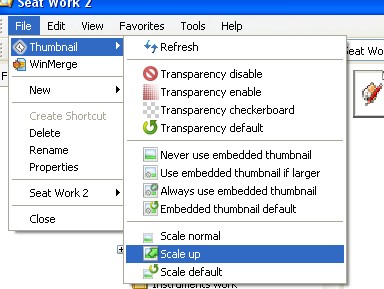
Doesn't enlarge them that much but with my eyes I need all the help I can get
-
RE: What does this msg mean?
Yeah, made the mistake of installing SU7 on same puter as SU8 and my thumbnails went away. Tried uninstalling, reinstalling, praying, cussing, nothing got them back. So I installed Mystic Thumbnails and got them back, plus it had the option of enlarging the thumbnails a bit.
-
RE: What does this msg mean?
Nope, haven't braved the world of renderers yet. Can't remember what I was doing the other times it happened, but this time all I did was copy a component to a separate folder, then opened that folder, and when I used Mystic Thumbnails to enlarge the thumbnail this message appeared. It's still sitting there, not going to click yes or no until I hopefully get some information about what either choice does.
-
What does this msg mean?
From time to time, not too often, I get the following message. I always click "No", but I can't swear that nothing bad happens somewhere among all my sketchup stuff.
What causes it?
Is it something I should worry about?
If not, is there a way to stop it from appearing?
What's the real meaning of life?

-
RE: Materials folder question
@solo said:
Share 30GB?
I've got space too, and I'll even provide the dvd's. Or you could just provide me a link to your computer and I could download them directly (and I wouldn't look at anything else, really. Trust me
 )
) -
RE: Materials folder question
Thanks, but even at the extra large size it's still difficult to see some of the textures clearly, especially if they're dark, and if you have several similar ones it's difficult to be sure which one you're looking at. I hate having to use magnifying glasses, but maybe my eyes are getting old (I would guess so, since the rest of me certainly is)
 Thanks
 -
Materials folder question
Is there any way, maybe a plugin, that can increase the size of the textures viewed in the Materials Folder. I'm not talking about modifying the textures to make them bigger, I'm talking about the little pictures in the folder, sometimes they are just way too small to actually see what the texture actually looks like, especially if it's a dark texture. Thanks.
-
RE: Showing intersection lines
Probably none of my business, but what's a "bling club"?
-
RE: Showing intersection lines
@thomthom said:
If you have an object with lots of details that will be presented in a small size on screen you're best of hiding more edges.
It will not be viewed at one particular distance, it's just that when it's viewed at a greater distance the problem occurs. As far as hiding the edges, for me that's not an option. The edges in this particular model play a big role in it's appearance, as I indicated when I posted my original question, wanting to know how to view more edges. When you hide all the edges, on this or any other SU model, it just looks so bland, so 2 dimensional. At least to me it does.
-
RE: Showing intersection lines
@unknownuser said:
Looks like your Rim is the issue...
I've tried that, I've deleted the entire surface you're referring to, still there.
-
RE: Showing intersection lines
@thomthom said:
The edge?
You want to hide the edge?All I want to do is prevent the ugliness around the outer edge of the rim when it's viewed from any distance, at an angle. As I explained in my original post, it looks like it's got some sort of herringbone pattern, like you see on tv when somebody is wearing a suit with the wrong pattern on it, it seems to "shimmer". Geez, it's so difficult to explain, like trying to describe a smell, or a color. If you look at the model you can surely see what I'm referring to.