RoundCorner de Fredo6 fonctionne très bien.
Oops, your profile's looking a bit empty! To help us tailor your experience, please fill in key details like your SketchUp version, skill level, operating system, and more. Update and save your info on your profile page today!
Urasik Extensions | Lots of new extensions to check out Learn More
 Offline
Posts
-
RE: Problème de congé (et c'est pas des vacances)
-
RE: Can NxN post hold Y weight?
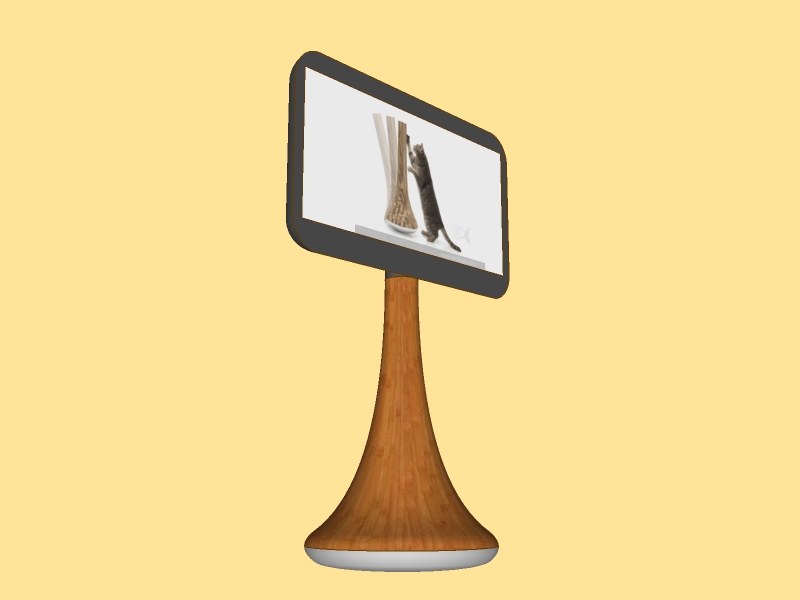
if you're fed up with TV your cat could enjoy!
I played with the idea of James Owen
http://www.dexigner.com/news/9849
-
RE: Intersection, thought it was simple
Of course, but doing calculations by myself for a lot of intersections!!!
Have a good day.
Salut.
-
RE: Intersection, thought it was simple
Works fine, I spend a lot of time to find an easy method not to use Pythagora's theorem.
thanks again.
-
Intersection, thought it was simple
hello,
I have a center point, I have a line A.
I want to draw a second line with a specific length, first vertex starting at center point second vertex intersect with line A.
I have tried different methods, circle, rotation... but can't find the real intersection.
Ideas are welcome.
-
RE: Dernières présentations de Plugins SketchUp
@unknownuser said:
Donc pourquoi ne pas avoir l'équivalent avec les surfaces. Soit sur la bulle "Texte", soit dans la fenêtre "Infos sur l'entité". ???
on peut, info sur le modèle/ unités/ format décimal/ cm, mm, m...
-
RE: I need to figure square area in inches
hello,
open "model infos" check units, format: decimal - inches.note that when "text tool" is selected it gives you area if you click on a face.
-
RE: Scale of Tubes ... How to get Blue Selected
hi,
may be you could draw just axis lines, let say a wireframe and then convert to tube with:
http://forums.sketchucation.com/viewtopic.php?t=12354 line2 tube.
just idea. -
RE: Showing intersection lines
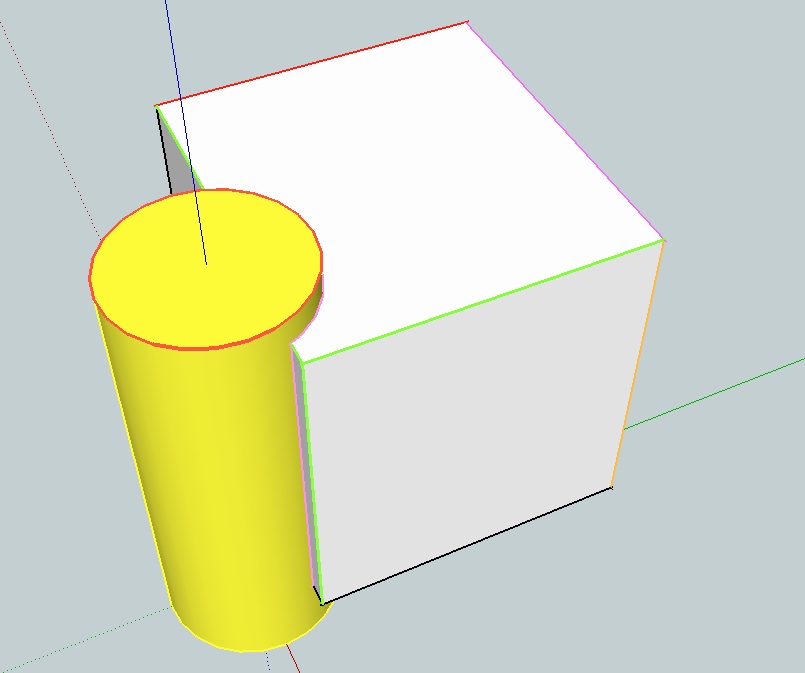
in window style choose color by material
then select a edge or edges or lines arc etc..
right click open entity info
click on the color in entity info this open colors window
then choose your color or material.this allow you to have with different colors of edges lines and faces
-
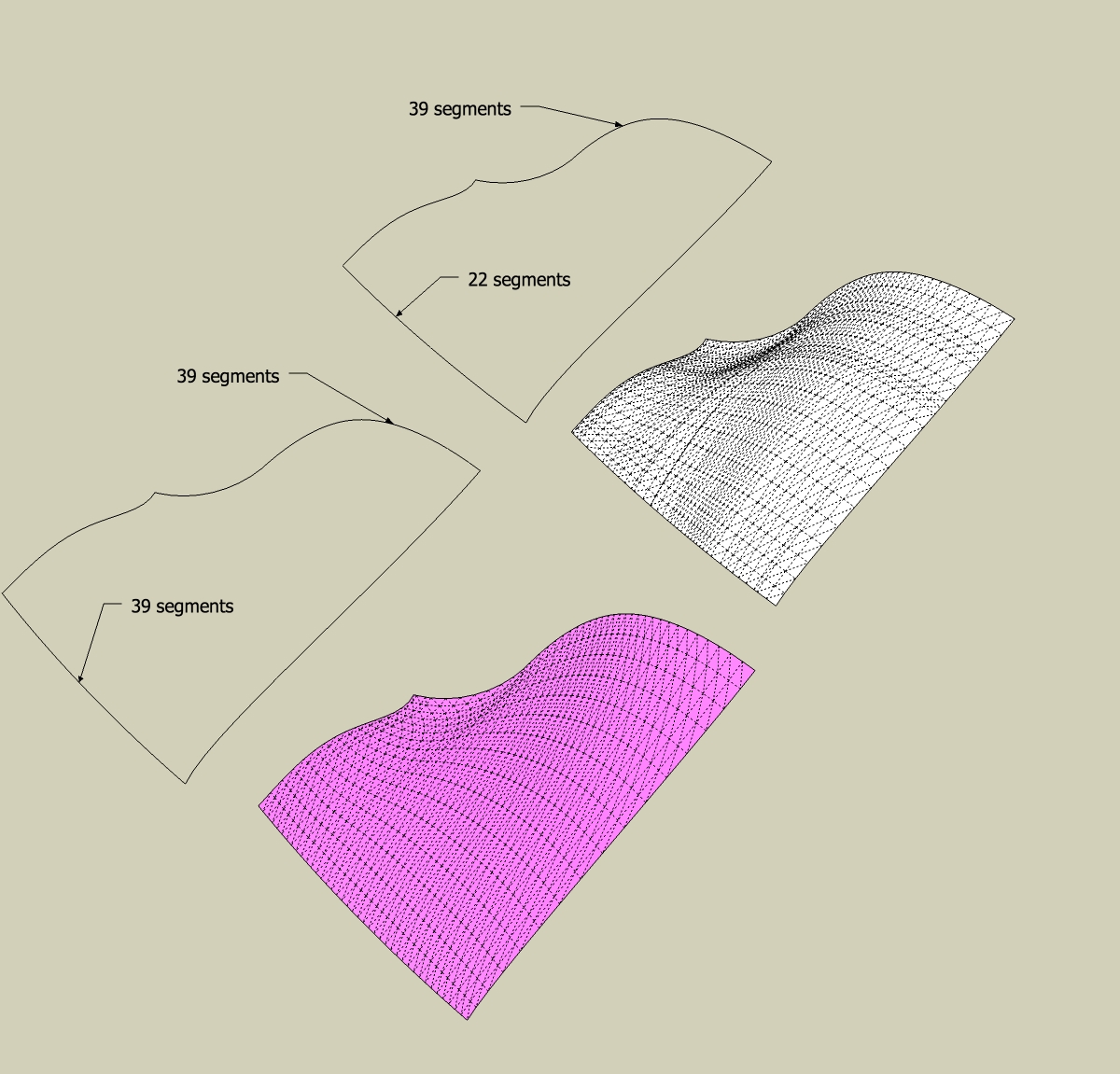
RE: Wrinkle Removal?
hello,
With EEbR, try to set your first profile to have the same amount of segment than the second.
-
RE: [Plugin] Shape Bender Beta
a very easy way to screw any face:
http://forums.sketchucation.com/viewtopic.php?f=15&t=15784#p122571 -
RE: Solid Tools - subtract
you could try this, with SU8 free or pro only
http://forums.sketchucation.com/viewtopic.php?p=112055#p112055
-
RE: Draw circle
@unknownuser said:
Somehow like the rotate tool alignment works?
I have a pending feature request at Google. Until then, have a look at this plugin.
exactly this would be a must.
I tried chris fullmer's perpendicular face tools but it is not as easy than the rotate tool alignment, It would be easy for sketchup team to add this particularity for basic shapes. just 3 clicks. -
Draw circle
Hello,
a wonderful tool i'd like to have to draw circles (or other forms):1-click for center
2-click to choose alignment of the perpendicular axis
3-click or enter radiusdo you know something like that?
-
RE: Re: [Plugin] Flatten to Plane v1.2 20101023
SU 8 versionHello,
first I must thank you for your marvelous plugins.
so I try this one and exept for the workplane coplanar to the ground the result is not coplanar with is workplane but seems to be perpendicular.
SU 8 on mac 10.6
see attatchment.
-
RE: Request- Dotted lines on xyz at a point on right clicking
TIG
Have something in mind ? -
Request- Dotted lines on xyz at a point on right clicking
Would'nt it be fine to have a plugin that could place dotted lines on xyz at a point on right clicking or typing coordinates?
-
RE: Need Help with spiral shape
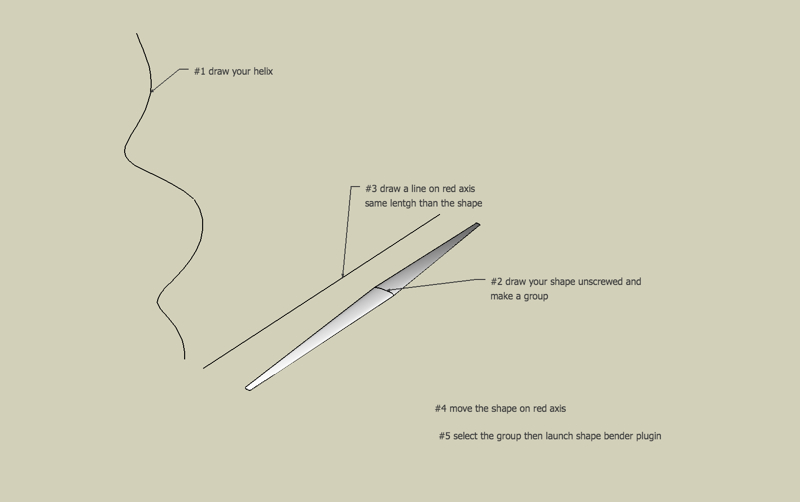
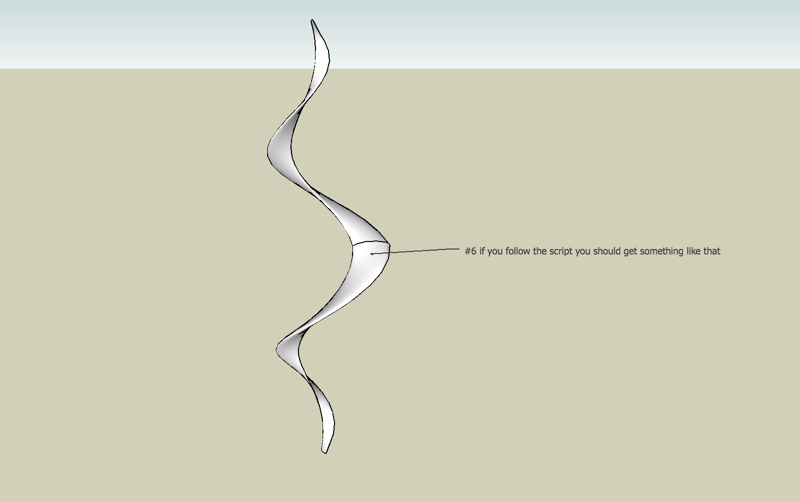
You could use Chris Fullmer plugin "shape bender" . see attachment.