sketchucation logo sketchucation
    • Login
    1. Home
    2. Garry K
    3. Posts
    Oops, your profile's looking a bit empty! To help us tailor your experience, please fill in key details like your SketchUp version, skill level, operating system, and more. Update and save your info on your profile page today!
    Urasik Extensions | Lots of new extensions to check out Learn More
    G
    Offline
    • Profile
    • Following 0
    • Followers 0
    • Topics 33
    • Posts 976
    • Groups 2

    Posts

    Recent Best Controversial
    • RE: [Plugin] GKWare Cabinet Maker

      I'm looking at adding edging information (along with additional information) for cabmaker's parts report. This information will be imported into CutMaster Gold.

      So I'm thinking of adding edging on the Materials tab and also adding more rules for edging. Essentially each edge of a part can have a different edge.

      This would then allow CabMaker to adjust the texture for edging.

      CutMaster Gold would adjust the width and length of parts based on the edging and will show the different edges base on color coded lines on the cut plan reports.

      posted in Plugins
      G
      Garry K
    • RE: [Plugin] GKWare Cabinet Maker

      John,

      That is unfortunate, but for me, reprogramming CutMaster for a Mac would around 3 months and that is not an option at this time.

      posted in Plugins
      G
      Garry K
    • RE: [Plugin] GKWare Cabinet Maker

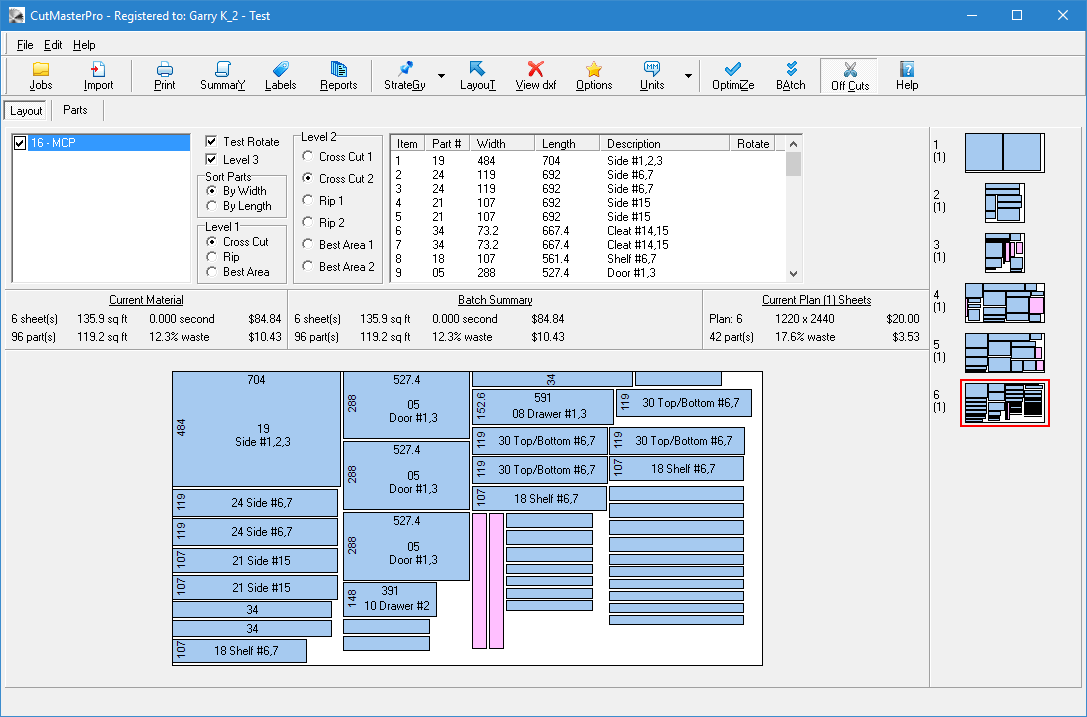
      Here is the same cutting list but in this case I've added 3 off cuts.

      Use Offcuts.png

      Notice there are 6 thumbnails. The first is the 600 X 1220 off cut and the next 2 are the 1220 X 1220 offcuts. They will be used first.

      optimized.png

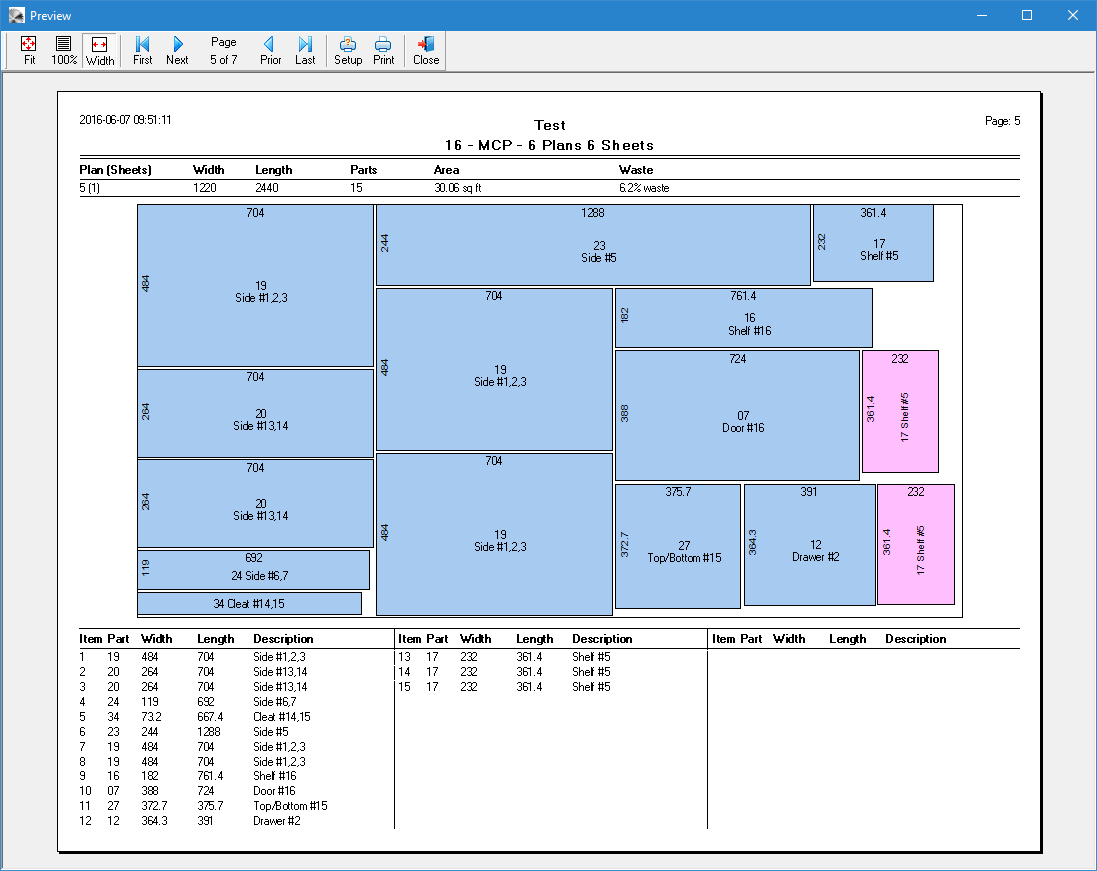
      Here is 1 page of the cut plan report.

      Cutting Plan.png

      posted in Plugins
      G
      Garry K
    • RE: [Plugin] GKWare Cabinet Maker

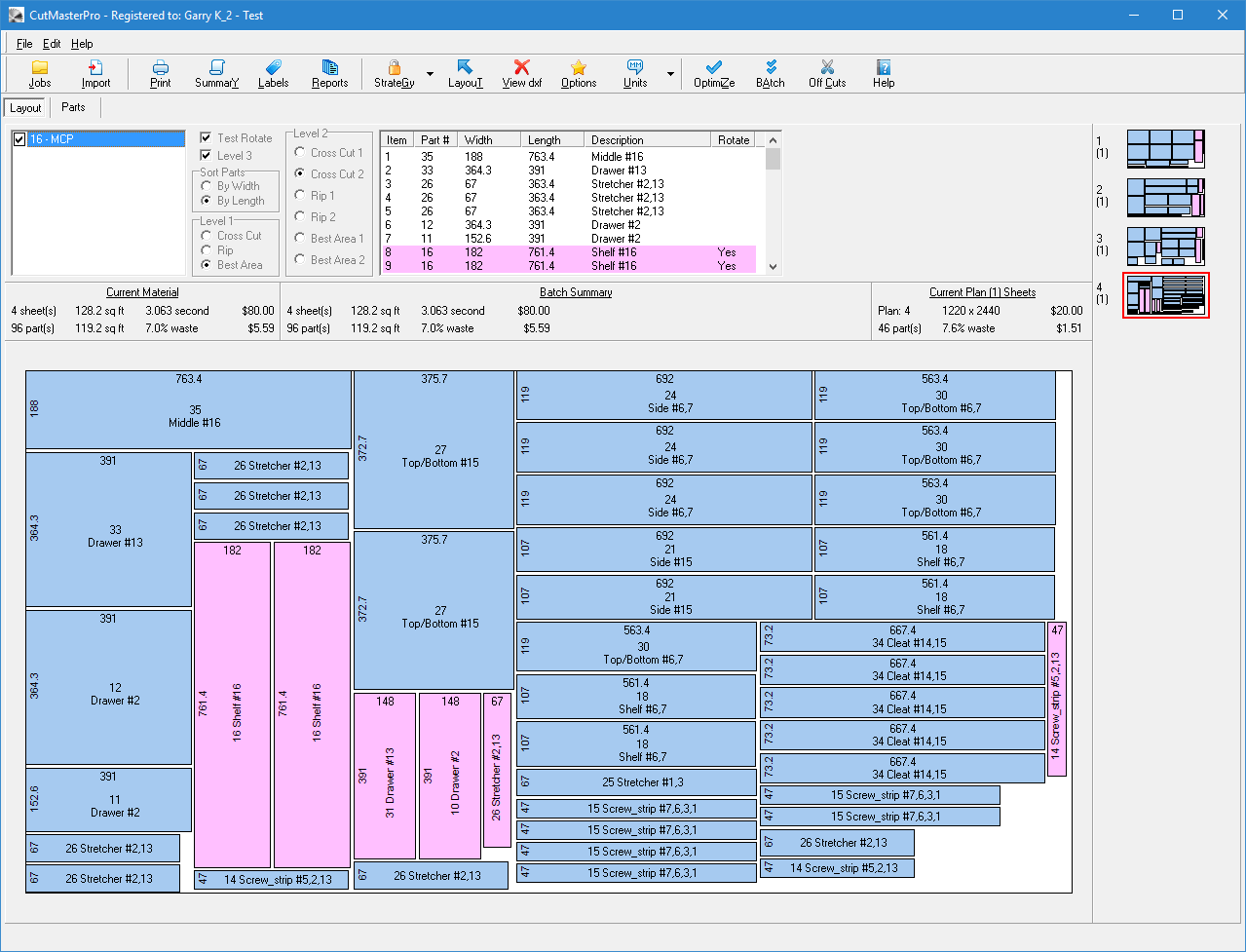
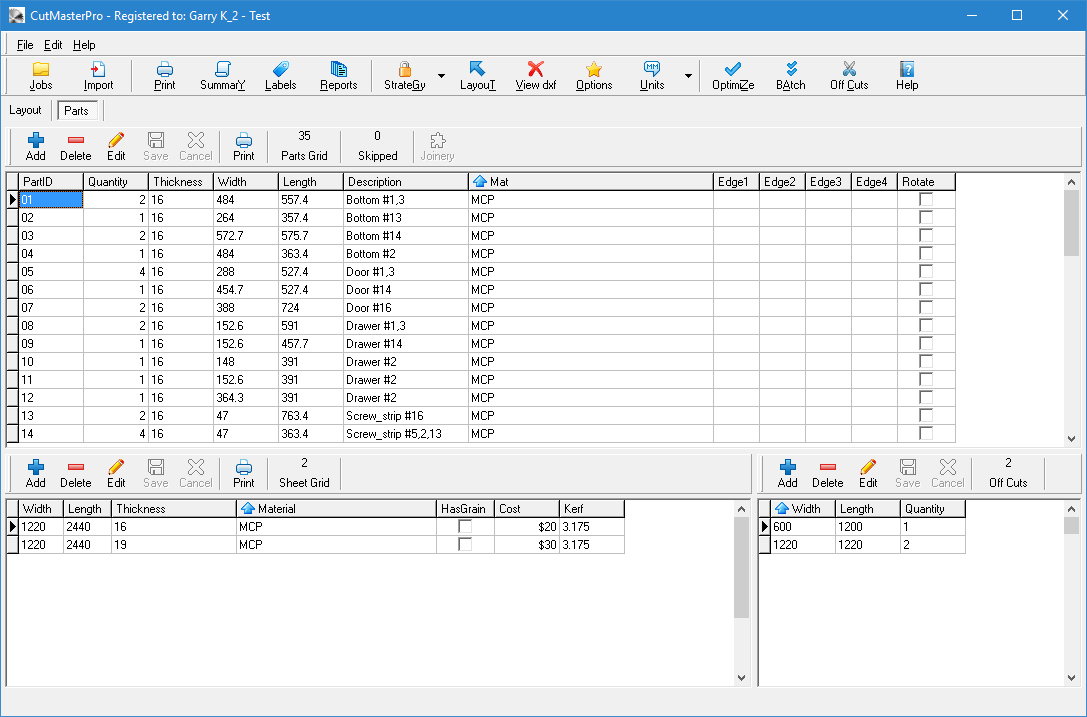
      Here is CutMasterPro after importing a csv file. It is now using sqlite database where you can store many projects.

      The right hand corner shows thumbnails of the sheets. In this case the 4th sheet is selected (red frame around the thumbnail) and the 4th sheet is also showing in the larger bottom area.

      The pink represents rotated parts.


      CutMasterPro.png

      posted in Plugins
      G
      Garry K
    • RE: [Plugin] GKWare Cabinet Maker

      I have started working on CutMaster Pro.

      Mac users will have to install Parrallels, Fusion or Boot Camp. The compiler that I use just has too many bugs for proper cross platform compilation. I am, however changing the way I store data to make it simpler and safer. Once the data base is changed I will then look at completing the nested dxf output.

      posted in Plugins
      G
      Garry K
    • RE: [Plugin] GKWare Cabinet Maker

      Version 1.0.47 now ready for download. Fixed a few bugs.

      posted in Plugins
      G
      Garry K
    • RE: [Plugin] GKWare Cabinet Maker

      Sorry - I've been tied up on another custom project (got to make a living).

      Hopefully I can get back to it early June.

      posted in Plugins
      G
      Garry K
    • RE: [Plugin] GKWare Cabinet Maker

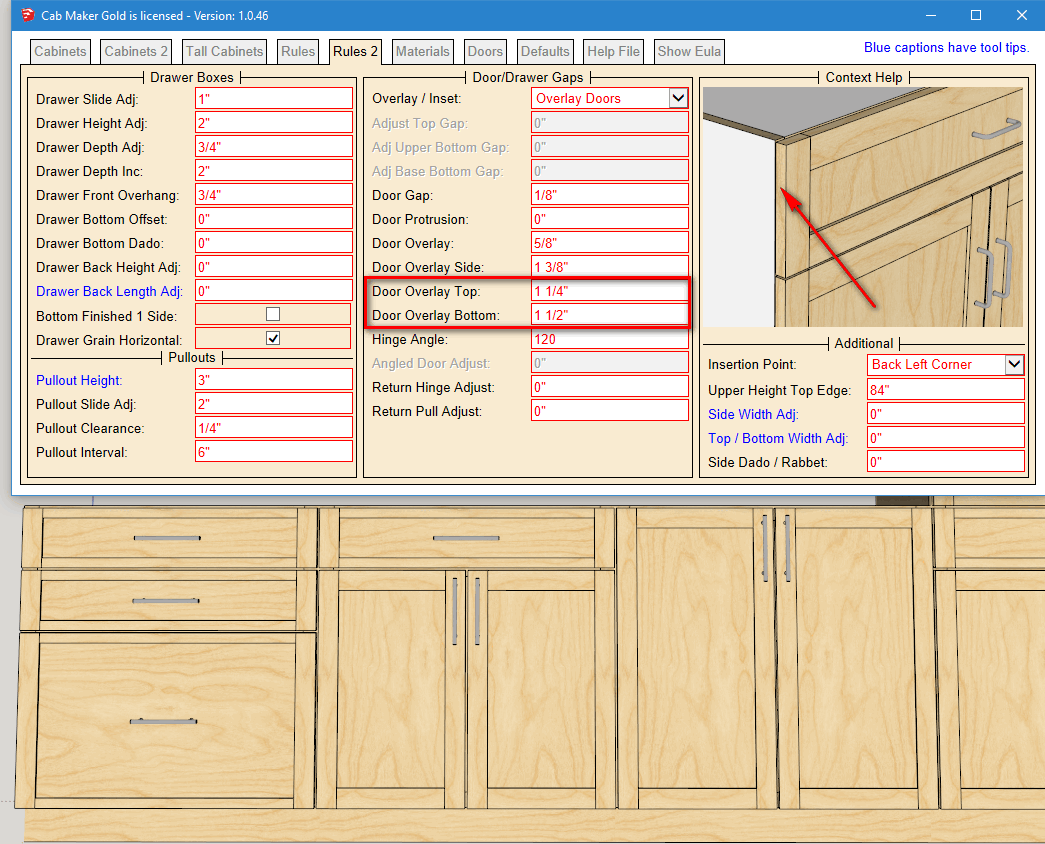
      Version 1.0.46 is now ready for download

      • Added Door Overlay Top and Door Overlay Bottom. This allows you to create cabinets with consistent gaps.
      • Added Override Delimiter in Config file. This is for better compatibility with CabMaker and CutMaster Pro or CutList Plus.
      posted in Plugins
      G
      Garry K
    • RE: Module depth: Good Practices

      I use a modified template that Dan Rathburn created. I also use his file naming convention for the loader etc.

      You could strip this down. But I like to place my plugins in a shared folder so I can test a single plugin on 6 versions of Sketchup SU7 through SU2016

      
      require('extensions.rb')
      
      module YourCompany    # Proprietary TopLevel Namespace; No Trespassing!
      
        module ThisPlugin   # Namespace for THIS plugin
          # Create an entry in the Extension list that loads script called;
          # "gkware_doormaker_loader.rb"
          APP_VERSION = '1.0.1'
      
          @plugin = SketchupExtension.new('Company Plugin Description', File.join('PluginName', 'Company_PluginName_loader'))
      
          @plugin.creator = 'Your Name'
          @plugin.copyright = '(c)2013-2016 by YourCompany'
          @plugin.version = APP_VERSION
          @plugin.description = 'Plugin does something - optional url to your website'
      
          unless @plugin.class.method_defined?(;path)
            #
            # Define a singleton method for @plugin to access the @path attribute.
            # (... because the API did not do it in extensions.rb !!)
            #
            def @plugin.path()
              instance_variable_get(;@path)
            end
          end # unless
      
          # Create local path and filename constants;
      
          PATH = @plugin.path()
          LOADER_SUFFIX = '_loader'
          LOADER = File.basename(PATH)
          tmp = LOADER.split('_')
          RBSFILE = tmp[0] + '_' + tmp[1] + '.rbs'
      
          # RELDIR is relative to Plugins dir, OR the dir from
          # the $LOAD_PATH array that require used to find it.
          RELDIR = File.dirname(PATH)
      
          ROOT = $LOAD_PATH.find(false) do |abspath|
            Kernel.test(?d, File.join(abspath, RELDIR))
          end
      
          if ROOT
            ABSDIR = File.join(ROOT, RELDIR)
          else
            # assume the target dir is directly below, the dir that THIS file is in.
            ABSDIR = File.join(File.dirname(__FILE__), RELDIR)
          end
      
          # Register this extension with the Sketchup;;ExtensionManager
          Sketchup.register_extension(@plugin, true)
      
        end # module YourCompany;;ThisPlugin
      
      end # module YourCompany
      
      
      posted in Developers' Forum
      G
      Garry K
    • RE: Object or No: Good Practices

      I've been coding all the way back to my assembler days (pre 1980). Various flavors of (Basic, Cobol, C, C++, Pascal, C#, Java), many database scripting languages such as (dBase, MSAcces, Paradox), other scripting languages such as javascript, jquery, PHP, Ruby, CSS, SQL. AWK, TCL ...

      I usually go with the flow. Borland built a very good library called the VCL (Visual Components Library), which makes use of an absolutely excellent object oriented set of classes. Easy to follow and very consistent stylisticly. This library is used by Delphi (object oriented pascal) and by C++ Builder.

      Microsoft built a terrible interface called MFC (Microsoft Foundation Classes). So when I had to use Microsoft for various early mobile devices I skipped it and used the Win API.


      With Sketchup I use a mix of both Classes (for tools) and simple reusable methods for helper functions. Even though I prefer using pointers with C, C++ etc. it just isn't possible with ruby (although under the hood most everything is passed as a reference).

      Having said all that - Ruby is quite good - although there are a few too many ways to do anything. This just means it is often a bit slower reading other code as the programmer often chooses a different way to do things.

      So I'm a bit more formal and like to use terse syntax where possible. ! instead of not, || instead of or, immediate if = ? :, parenthesis for all methods, lots of white space etc. For me it is all about readability so I can come back and speed read code I wrote months or years ago.

      But I do like some of Ruby's ways. "#{var}" the use of if after an assignment etc.
      posted in Developers' Forum
      G
      Garry K
    • RE: [Plugin] GKWare Cabinet Maker

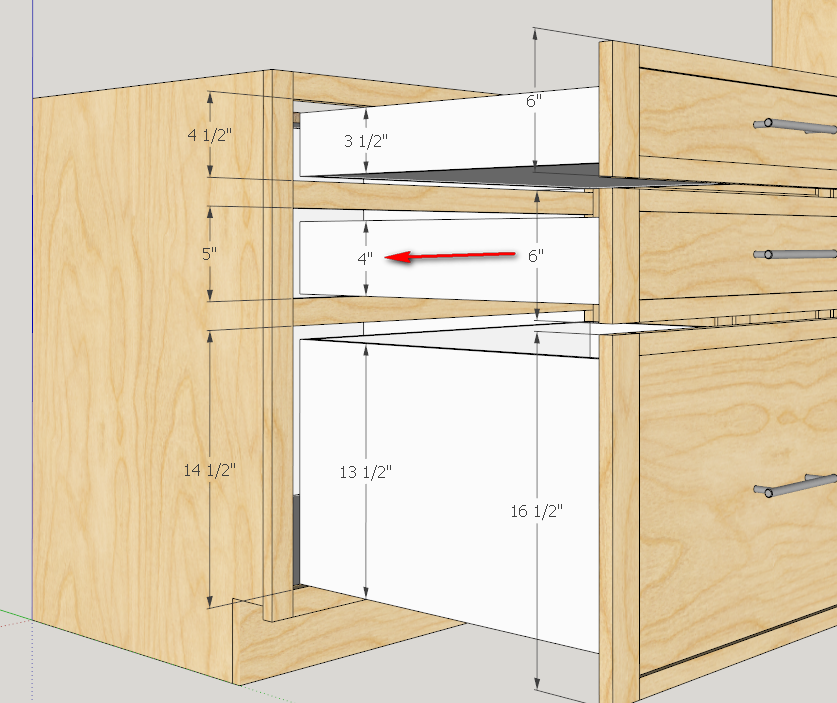
      Just about ready to release. I have a question. Does this look reasonable for drawers and their drawer boxes or do you guys need something different.

      I've got it all working but I'm not yet convinced that the drawer boxes are correct. For the 1-1/4" overlays I set the Drawer Height Adjustment to 2".

      The 1-1/4" overlay has these settings.
      Frame stile and rail width = 1-1/2"
      Door Overlay = 1/2"
      Overlay Side = "1-1/4"
      Overlay Top = 1"
      Overlay Bottom = 1-1/2"

      This works fine for the middle drawer where the drawer front ht is 1" greater than the opening.
      However, the top drawer front ht is 1 1/2" greater than the opening.
      And the bottom drawer front is 2" greater than the opening.

      What I have done so far is adjust the placement of the drawer box so that it has the same clearance at the bottom of each drawer. This part I think is right as it will better facilitate bottom mount drawer slides.
      What I did is adjust the drawer box so that it maintains the same overall height clearance of 1". The other way to look at it is to try and use the same ht drawer box for the top 2 drawers and just adjust the bottom drawer.

      As we all know - the devil is in the details.


      hybrid drawers.png

      posted in Plugins
      G
      Garry K
    • RE: [Plugin] GKWare Cabinet Maker

      I've been requested for additional door overlay adjustments for face frame construction. Now you can adjust cabinets so that they have a similar look and feel to frame less cabinets but they have frames.

      These cabinets have full face frames with 1 1/2" stiles and rails. Along with the 4 door overlay rules, this results in a consistent door gap of 1/4".


      hybrid.png

      posted in Plugins
      G
      Garry K
    • RE: 'Colouring in"!

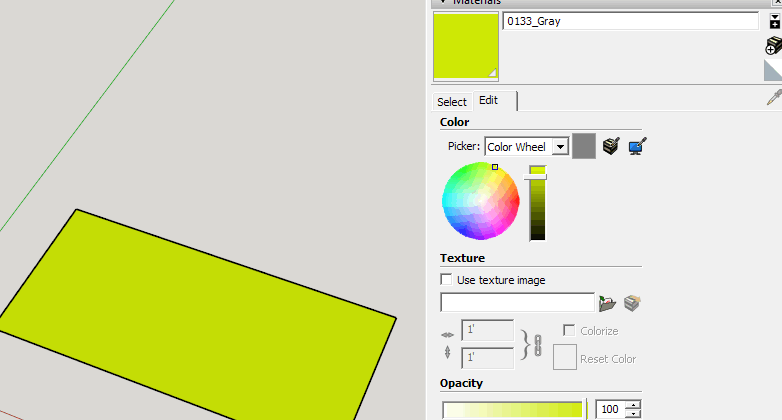
      If it is already colored you can actually edit the color in the materials list and change it. Yes I know, the color gray is now yellow or something like that.


      change color.png

      posted in SketchUp Discussions
      G
      Garry K
    • RE: Stretch with array

      A ruby plugin could do this - but it is fairly involved. Could you post model so we could take a look at it.

      posted in SketchUp Discussions
      G
      Garry K
    • RE: [Plugin] GKWare Cabinet Maker

      Version 1.0.45 now available for download.

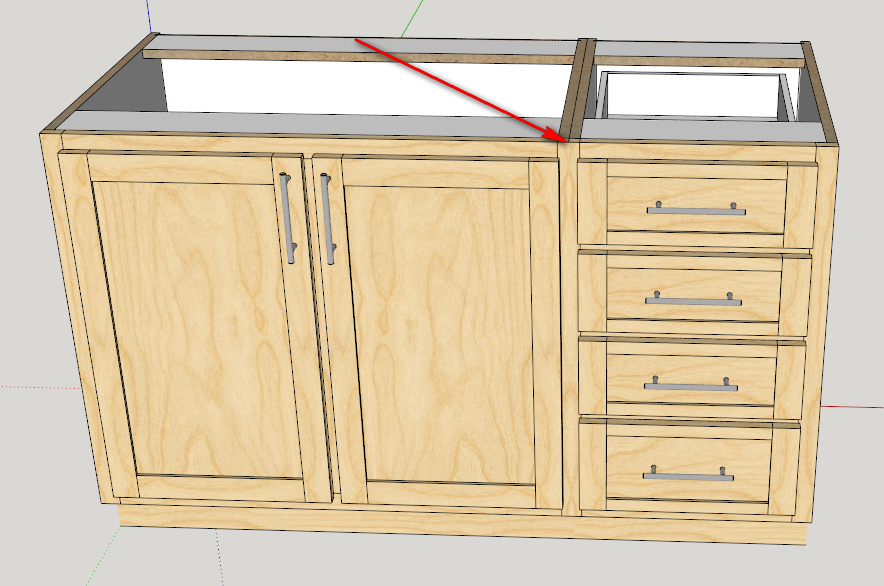
      Add a requested feature for face frame construction. You can now hide the left and or right outer edge of the stiles. This means you can set up your cabinets so that where 2 stiles meet they appear to be a single stile. This along with adjusting the width of the stiles will provide the effect of a single stile. Please note that you must have edge profiles turned off.


      hidden edges.png

      posted in Plugins
      G
      Garry K
    • RE: Jaggies On The Web Page

      I opened the example_corner_construction.skp file in Sketchup version 16.1.1449 64 bit.
      The skp file was saved in Sketchup 8.0.1

      The only other thing I did was as I said earlier - Turn off profiles.

      Other that that I did nothing to reduce the file size.

      posted in SketchUp Discussions
      G
      Garry K
    • RE: Jaggies On The Web Page

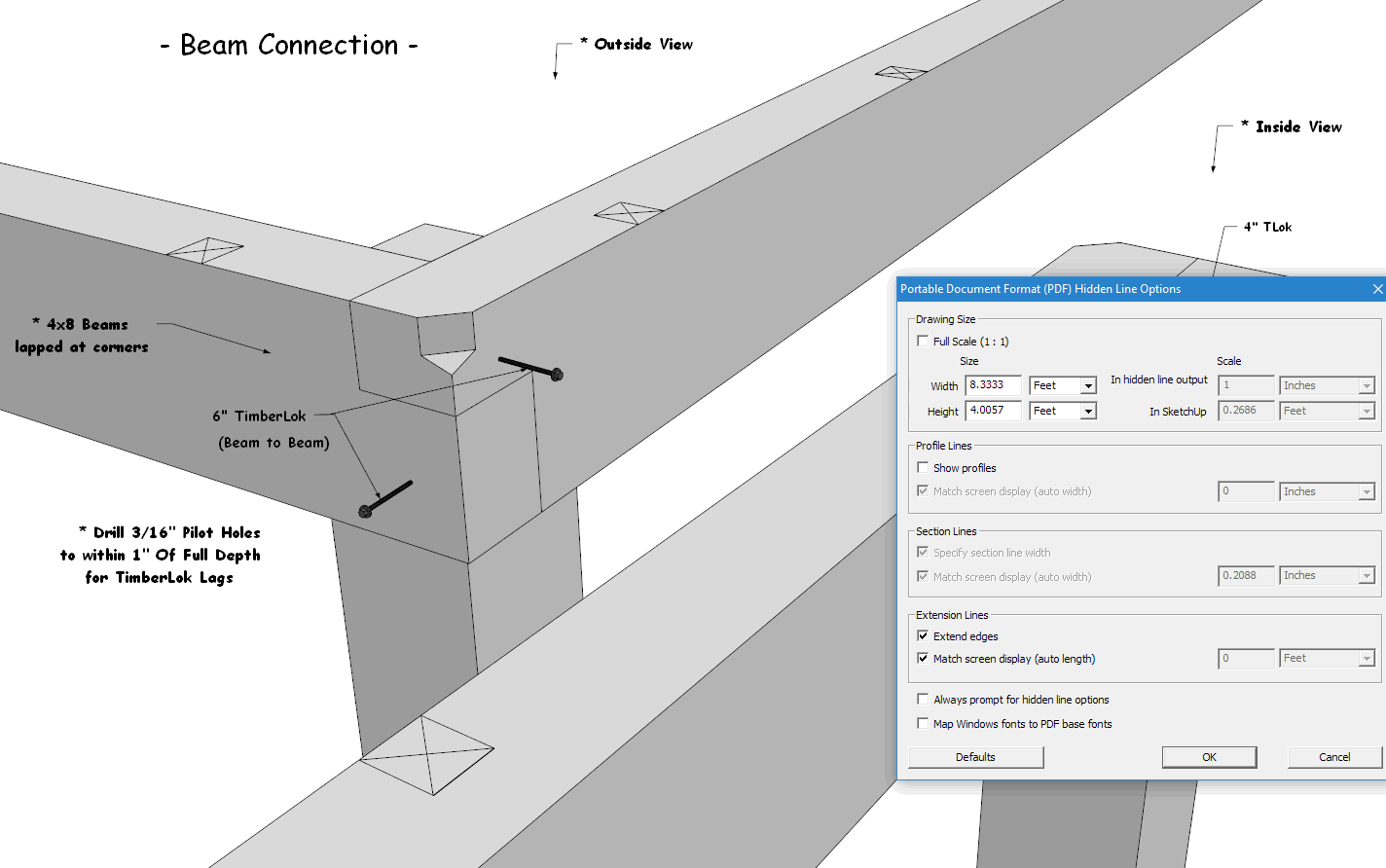
      I turned off Edge Profiles in the model and also during export.


      pdf options.png

      posted in SketchUp Discussions
      G
      Garry K
    • RE: Jaggies On The Web Page

      Here is your model exported as pdf
      pdf = 56K
      tif = 1107K
      png = 409K

      Just for show, I zoomed in with the pdf reader and then took a snap shot of it and saved as png.

      Personally - I think you could create a catalog of pdf's. It certainly is smaller.


      Example Corner_Connections.pdf


      pdf zoomed.png

      posted in SketchUp Discussions
      G
      Garry K
    • RE: Motivate A Web Developer?

      What percentage of payment have you held back?

      posted in SketchUp Discussions
      G
      Garry K
    • RE: Jaggies On The Web Page

      Whenever you scale an image up or down there are compromises.

      Check out my daughters web site (Canadian Artist) and also read some of these articles about image sizing.

      http://sheilakernan.com/

      https://en.wikipedia.org/wiki/Image_scaling
      http://therefractedlight.blogspot.ca/2010/12/problem-of-resizing-images.html
      http://www.cambridgeincolour.com/tutorials/image-resize-for-web.htm
      https://feedback.photoshop.com/photoshop_family/topics/image_resizing_small_makes_image_pixelated

      posted in SketchUp Discussions
      G
      Garry K
    • 1 / 1