Definitely a fantastic render!! 
Oops, your profile's looking a bit empty! To help us tailor your experience, please fill in key details like your SketchUp version, skill level, operating system, and more. Update and save your info on your profile page today!
Check out Febhouse | New extensions for Shadow Analysis in SketchUp Download
D
Offline
Posts
-
RE: Help creating a texture map - Resolved, but could be better
You're a smart fellow, Gai
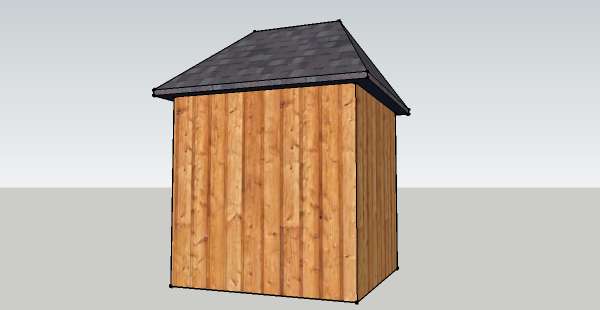
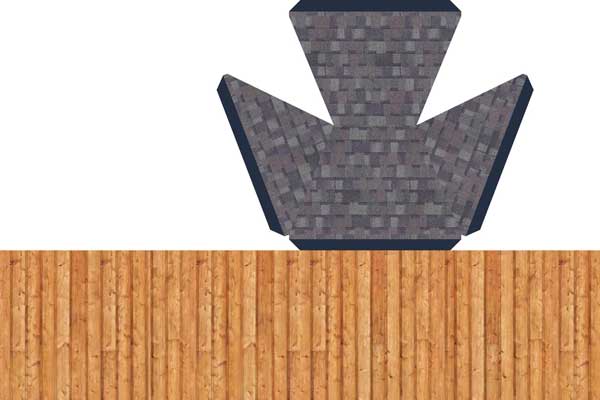
 It worked like a charm! I just used a small model I had made for testing a Collada export. The process would be harder with a more complicated model where the unfolded parts would overlap, but it could still be done in separate pieces.
Here are the steps to make a UV/texture map(they are the same thing, right?):
- Copy the model(so you don't have to fold the original back up or in case you make a mistake)
- Unfold the model using the "Unfold" plugin listed above - starting from the top and working down worked best for me
- Select all > right click > "combine textures" > click yes to "Do you want to erase interior edges?"
- Right click > Texture > Edit Texture Image... (if you need to take it to your image editor)
Some images:
Thanks, Gai! -
RE: Adjusting & Exporting VRML scenes for 3D avatar interactions
I would use it if I there was a way to make money from it!
-
RE: Patio - Night lighting (Twilight Render)
That's pretty good (better than any of mine for sure)
but maybe it could use some bump on the patio and make the fire emit some light... -
RE: The bridge with Twilight Render
Now THAT'S impressive!!
 Excellent lighting effects
 -
RE: Help creating a texture map - Resolved, but could be better
Thanks fellas...Jim Foltz did make an "Unfold" plugin - its here: http://sketchuptips.blogspot.com/2007/08/plugin-unfoldrb.html
-
Help creating a texture map - Resolved, but could be better
Ok, I'm kinda new at this, but I'll do my best to explain what I'm trying to do...is it possible to create a texture map from a Sketchup model? Here is an example of what I'm trying to do...
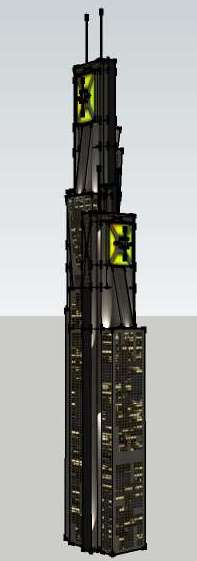
Here is the Texture map like I want to make...
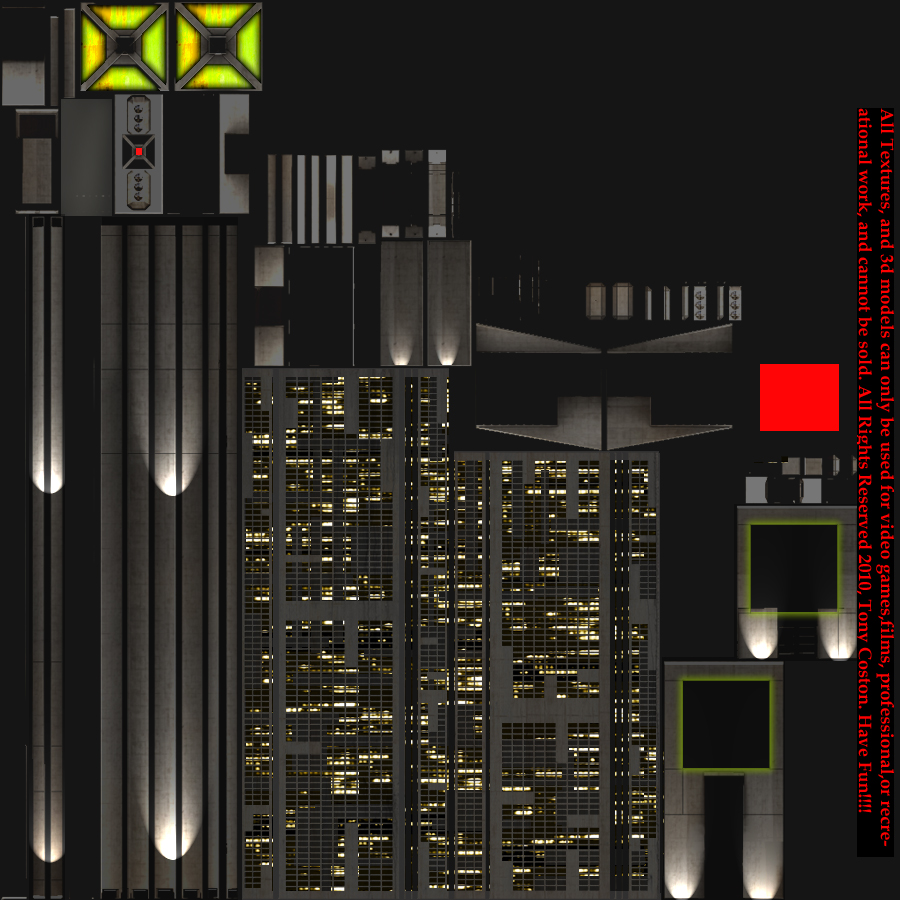
So, if I made a building in SU and used 10 or 20 different image textures, is there a way to create one texture map from all of them?
-
RE: [Plugin] Import OBJ with Materials v2.1 20131118
Works perfect now!! Thanks, TIG...I am a complete newbie with .obj's and .mtl's so please forgive my ignorance
 I'm guessing that I'll have to manually change the .mtl to use the other 2 textures...Once again, thanks for the great plugin
 -
RE: [Plugin] Import OBJ with Materials v2.1 20131118
Thanks TIG, the plugin works great for importing geometry, but the UV mapped texture is coming in all black. Am I doing something wrong? I have attached a ZIP with the .obj, .mtl and 3 textures (for different times of day).
Thanks!
-
RE: New Monopoly City Streets uses Sketchup
To be fair, they are offering a Pro license...
@unknownuser said:
If global MONOPOLY fame and fortune isn't enough, you also have a chance to win a Google SketchUp Pro 7 license (US $495 value).
The thing that gets me is no photo-textures allowed - only solid colors!
 Good luck making a cool model that way, but I suppose the whole thing is geared towards schoolkids - but then why only offer a Sketchup Pro license?? Whatever their reasoning, the game is getting an overwhelming response...
@unknownuser said:
Since yesterday, we've increased our capacity three-fold, which enabled more new users to get to play the game. While this means more people are playing at any given moment in time, it also means that game play is still sluggish.
-
RE: Pool Night Lighting renders
@earthmover said:
...these renders also sold the client on doing outdoor lighting...
Great! That's what counts
-
RE: [Tutorial] Building a waterfall
Thanks Adam, I also learned lots from this tutorial...in fact I have been wishing some of the SU masters here would post screencasts of random projects - just a glimpse at their workflow would help newbies tremendously.
 WTF? That's neat...Nice find, Dale
  it looks like a cartoon house, but its a very fine render