Hi to all Ruby specialist,
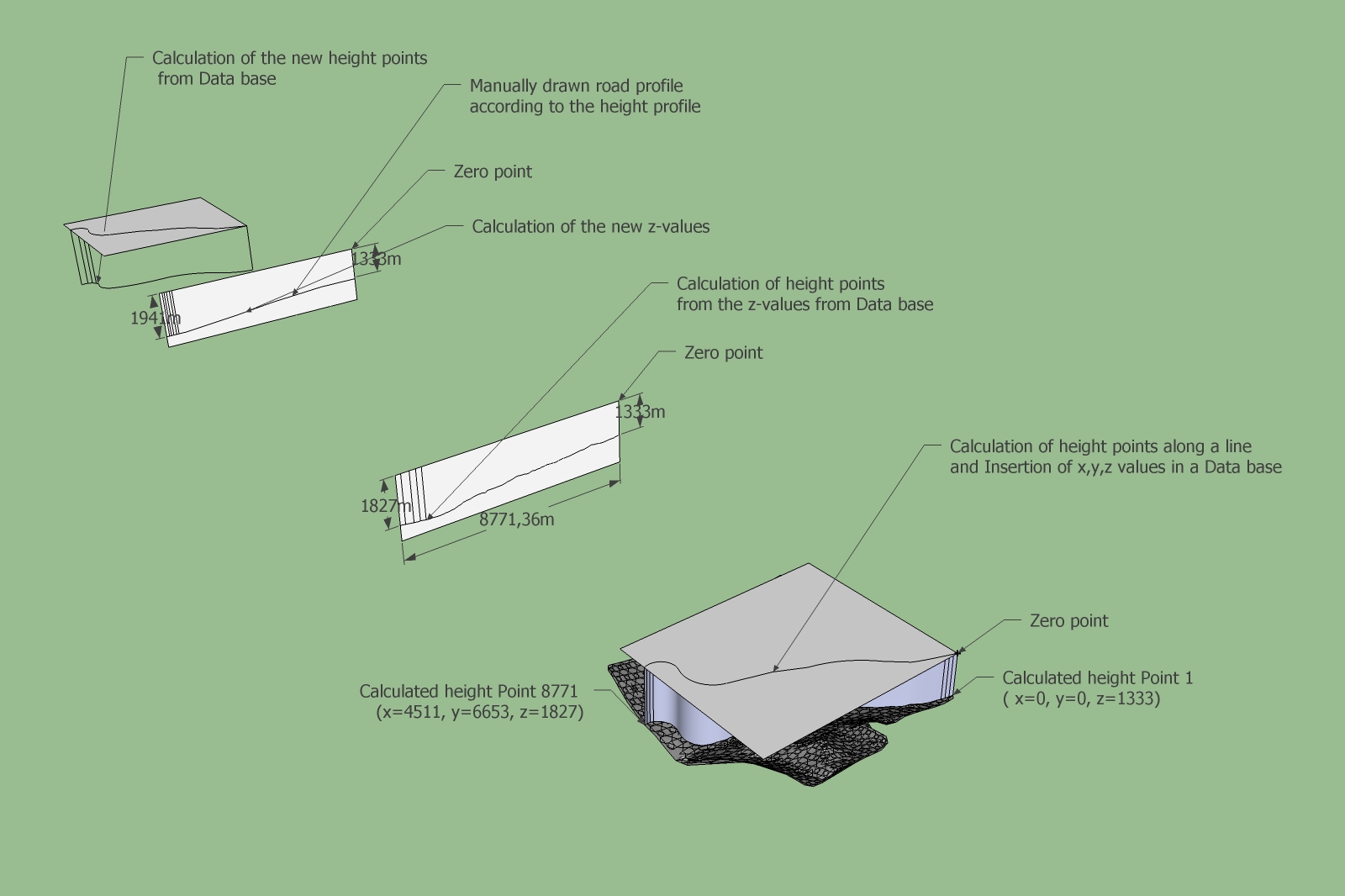
I have a question in connection with the Road design. Could it theoretically possible to do something like that with a Ruby script. See image below.
Karlheinz
 Offline
Hi to all Ruby specialist,
I have a question in connection with the Road design. Could it theoretically possible to do something like that with a Ruby script. See image below.
Karlheinz
Hi Gabor,
how many time did you spent on this model?. Which documents were at your disposal (Plans, Drawings, Images)?
Karlheinz
After executing these 8 steps i reinstalled the driver but it was not successful. After a second deinstallation/reinstallation it worked without problems.
Hi Csaba,
the road was generated with Geocontrol (GC). The workflow is as follows:
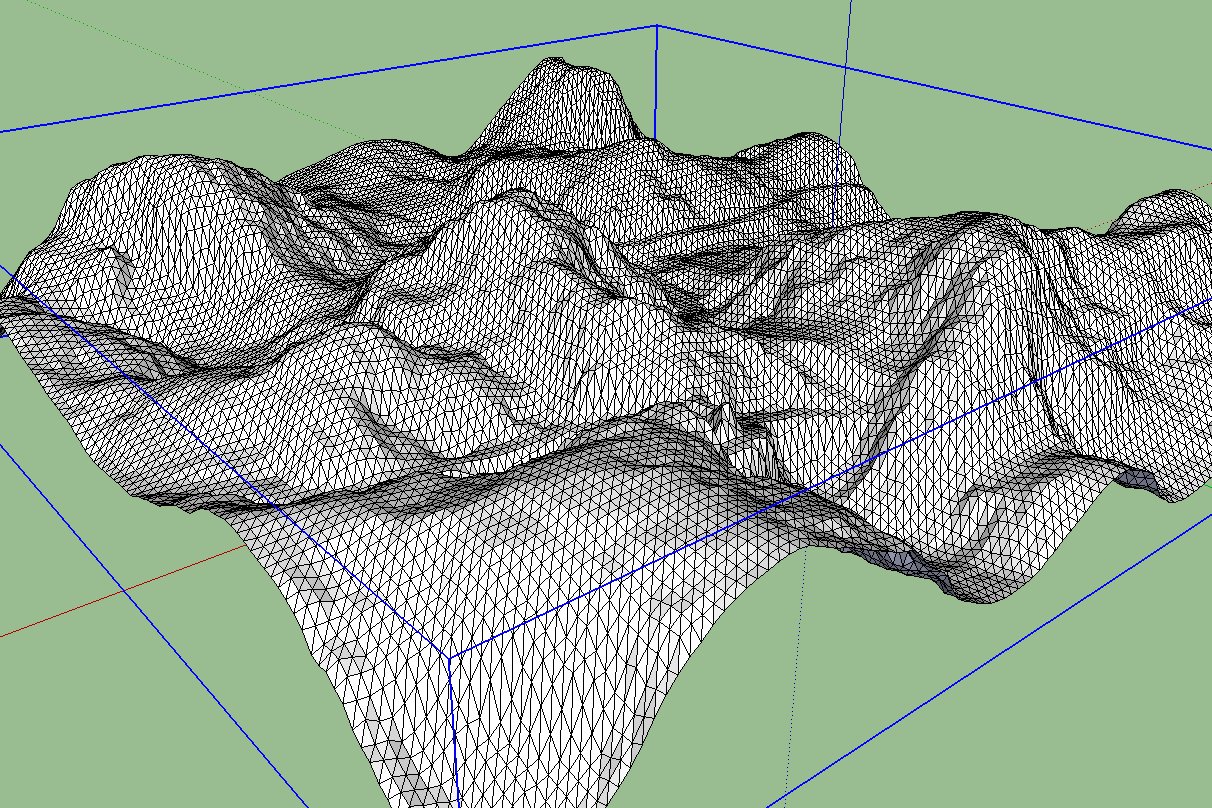
At present i can't see any way to separate the terrain mesh from the Vector road. It is exported as one triangulated mesh.
Karlheinz
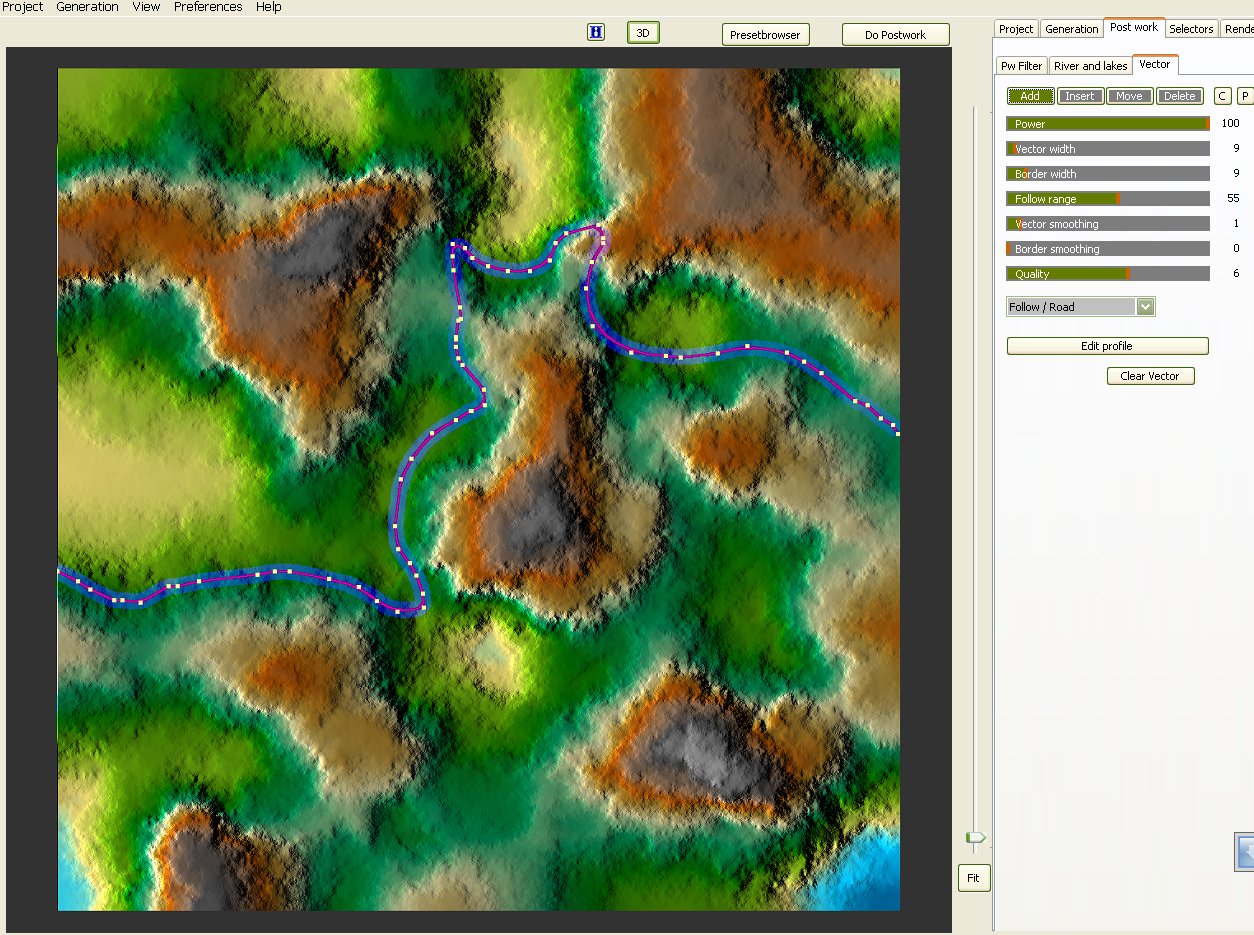
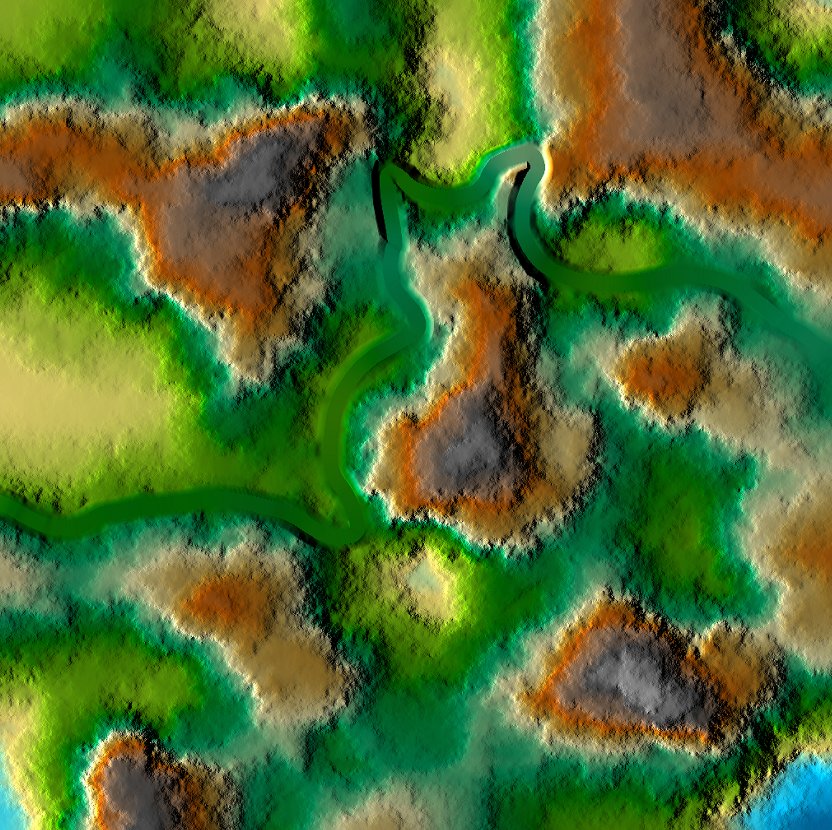
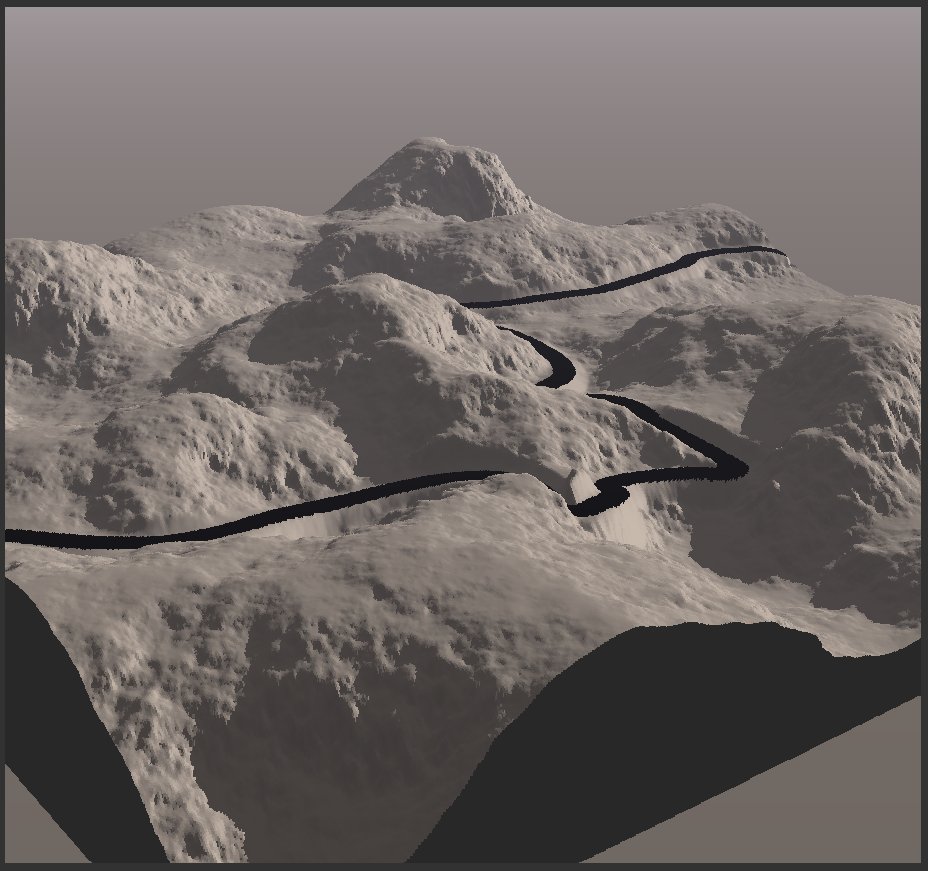
Pete, Csaba, Pilou,
please can you show me an example how you would do this on the Test Road.skp above.
Karlheinz
Hi Pete,
it is not a particulare project it is only for fun. I try to find only a comfortable workflow for road design that can be used within Sketchup. With GC i did only some first steps. I don't know how to make a profile in GC and to export them separately. Up till now I have exported only an obj file from GC. In the use of Vue i'm also a beginner. It seems to me that you have some experience with GC. Your method sounds promising but I comprehend not yet completely the steps. Perhaps I can soothe my frustration again. Would you be so kind to give me a rough description of the steps within GC.
Karlheinz
Summary:
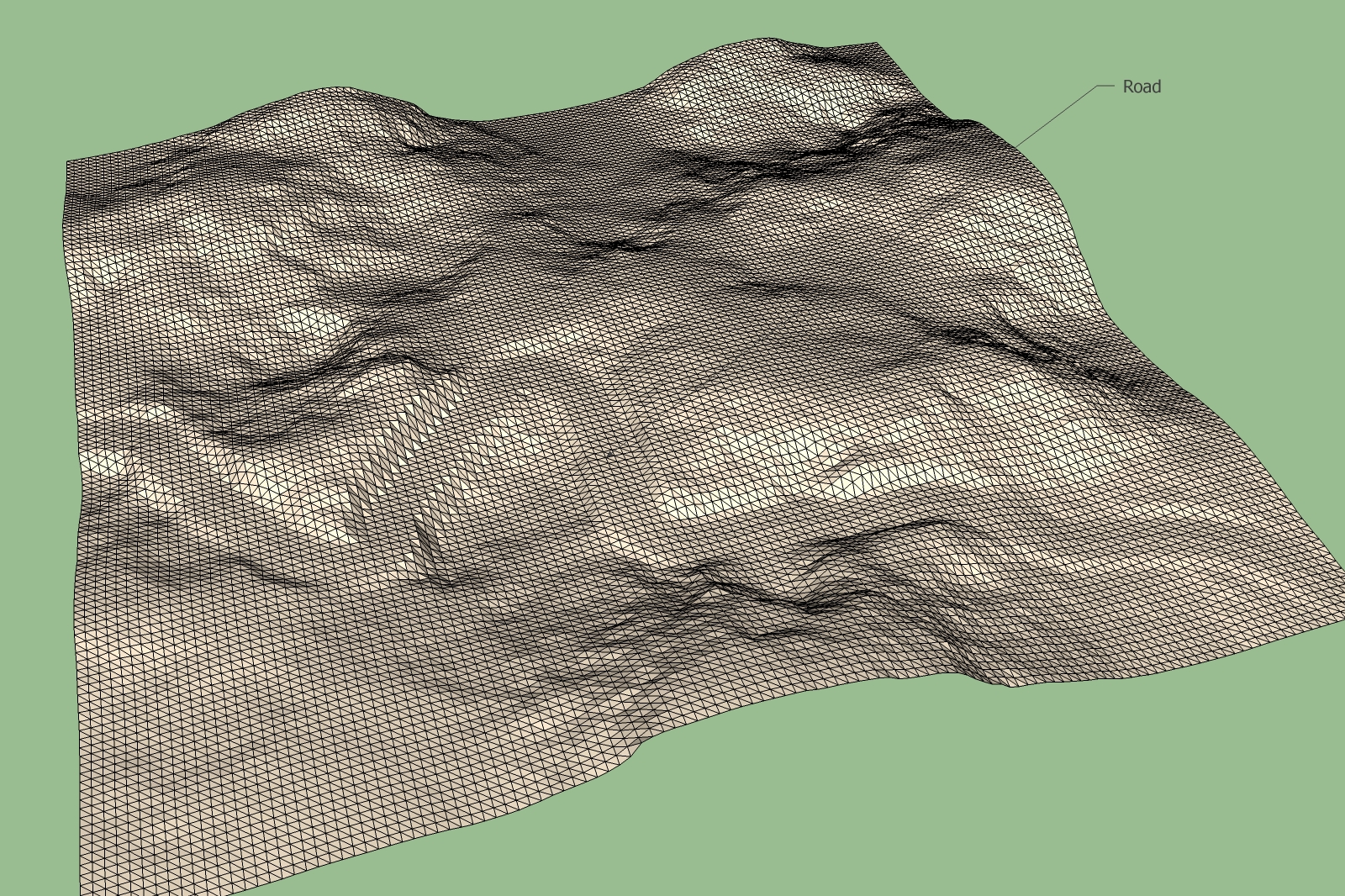
Up till now I have not found any satisfactory possibility for the construction of roads in Sketchup. Road design within Geocontrol is done simply and shows satisfactory results. The Terrain was exported as an .obj file and changed to an 3ds file which is Sketchup able to import. To have good view of the road in the triangulated terrain in Sketchup it is neccessary to import it as a high resolution terrain.
The biggest size which Sketchup was able to load is the terrain shown below. The difficulty is that the road doesn't have a sharp borderline as shown in Geocontrol.
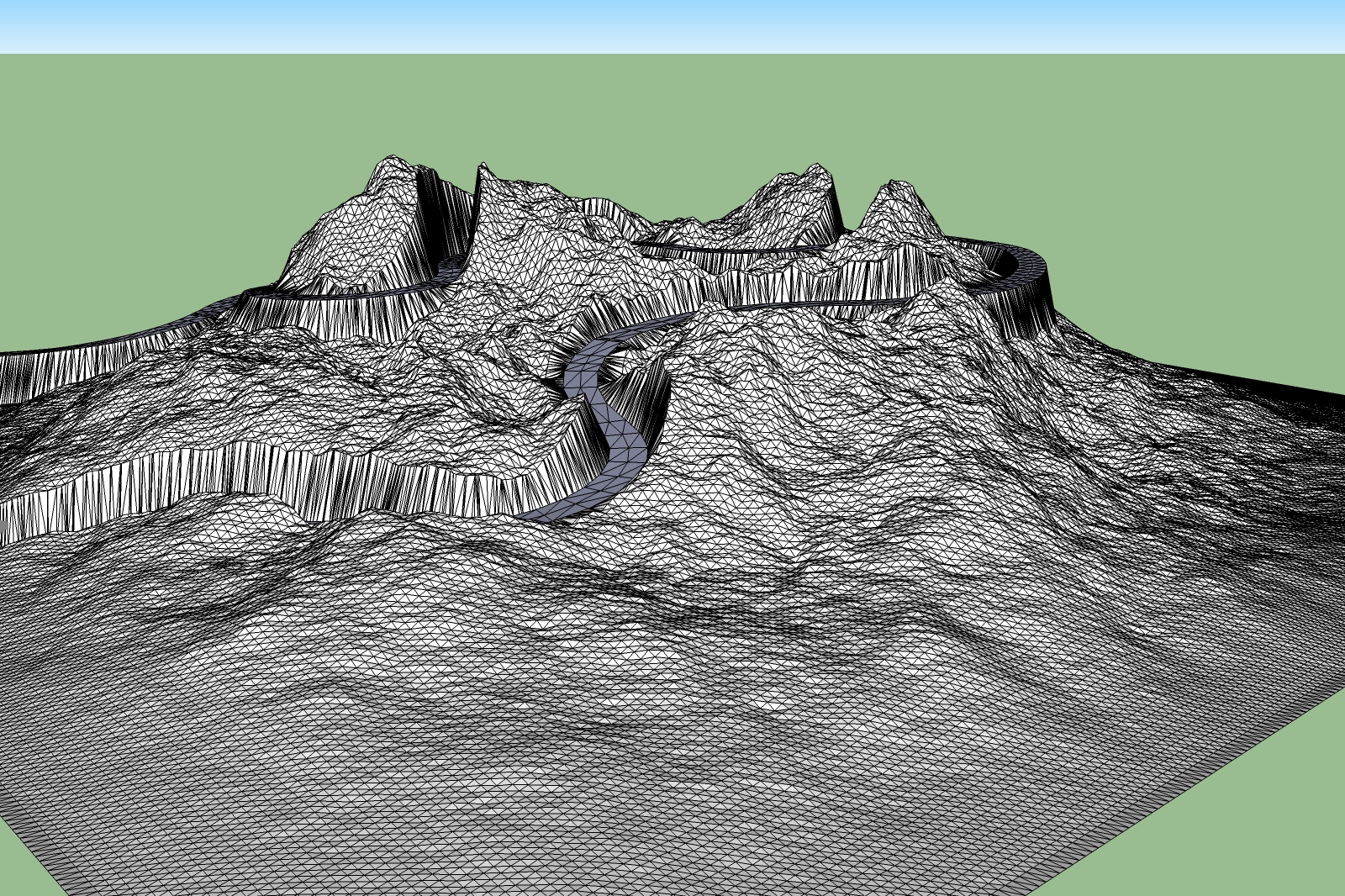
I'm not shure if it is possible to create smooth borderlines because for the road also we have only triangles.
I will devote again myself to other more pleasant work. May be in the future somebody has a brainwave.
Karlheinz
Hi to All,
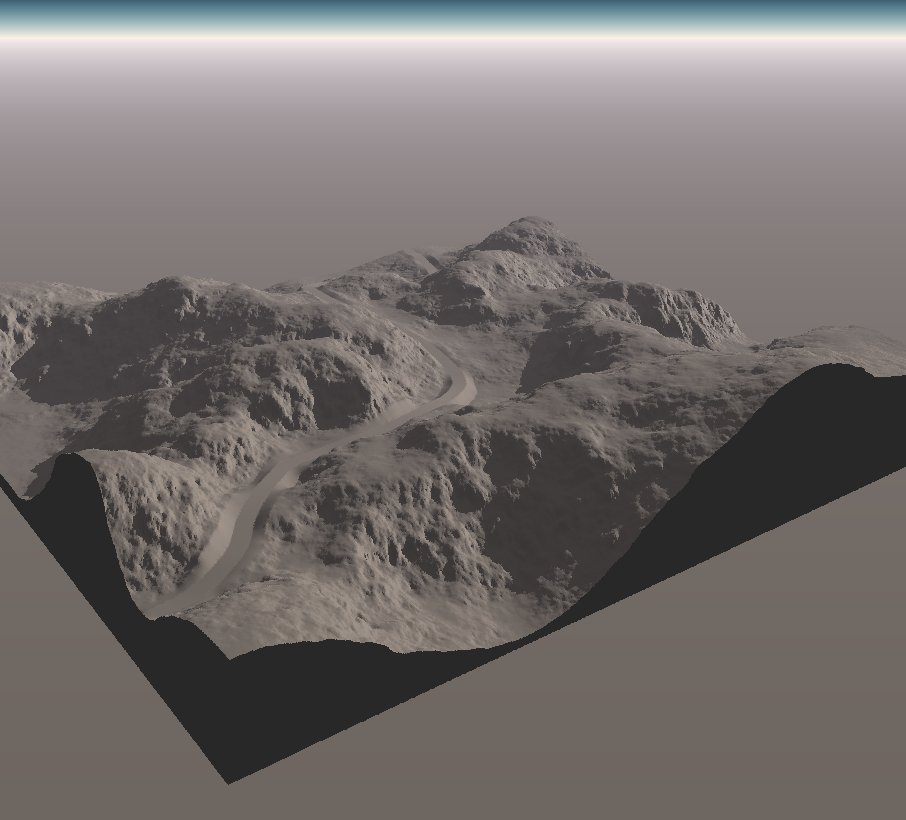
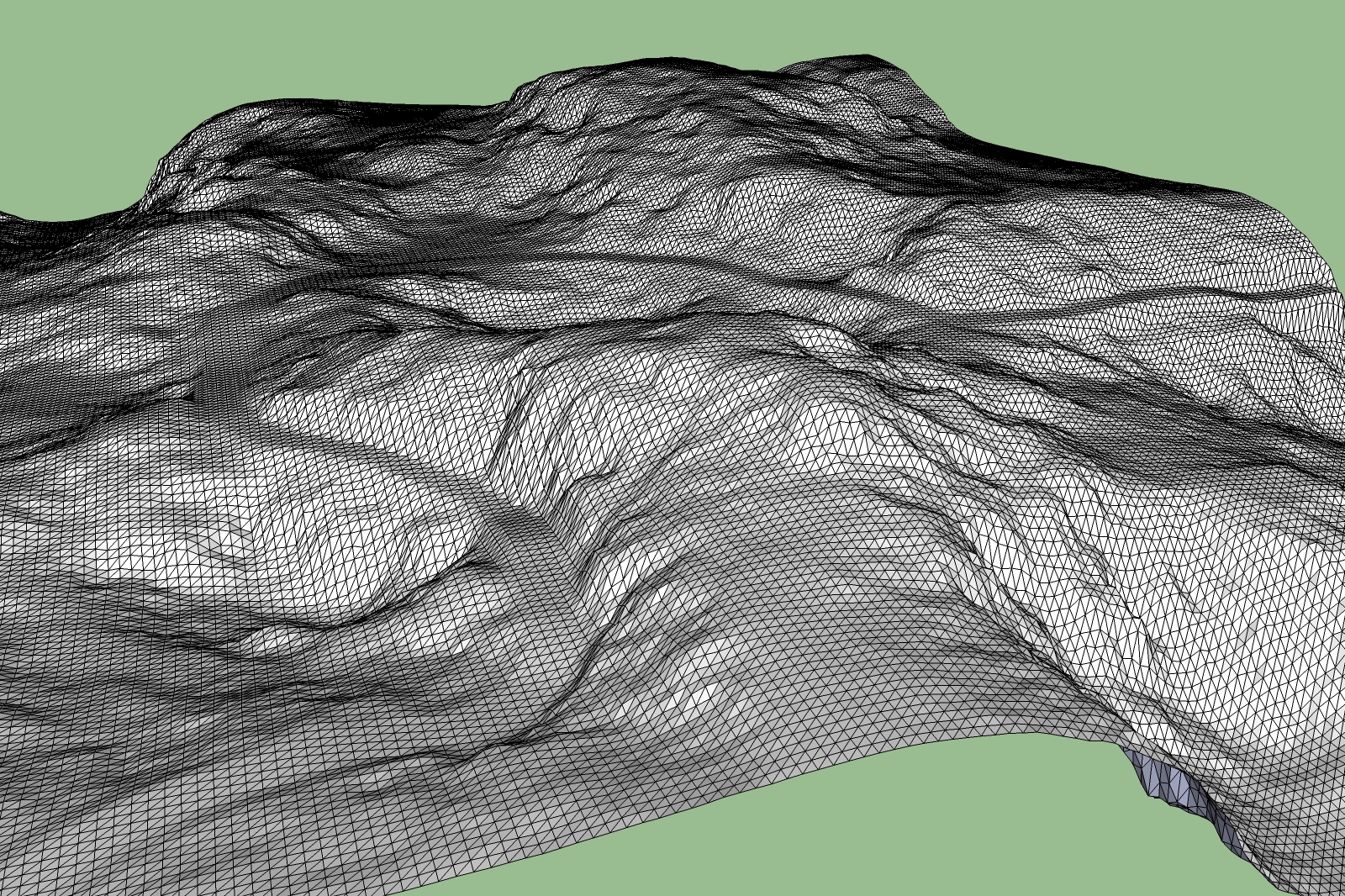
in the second test, the road looks fine in Geocontrol. But the exported road doesn't look exactly the same in Sketchup. May be anyone has an Idea how to improve the road in Sketchup.
Karlheinz
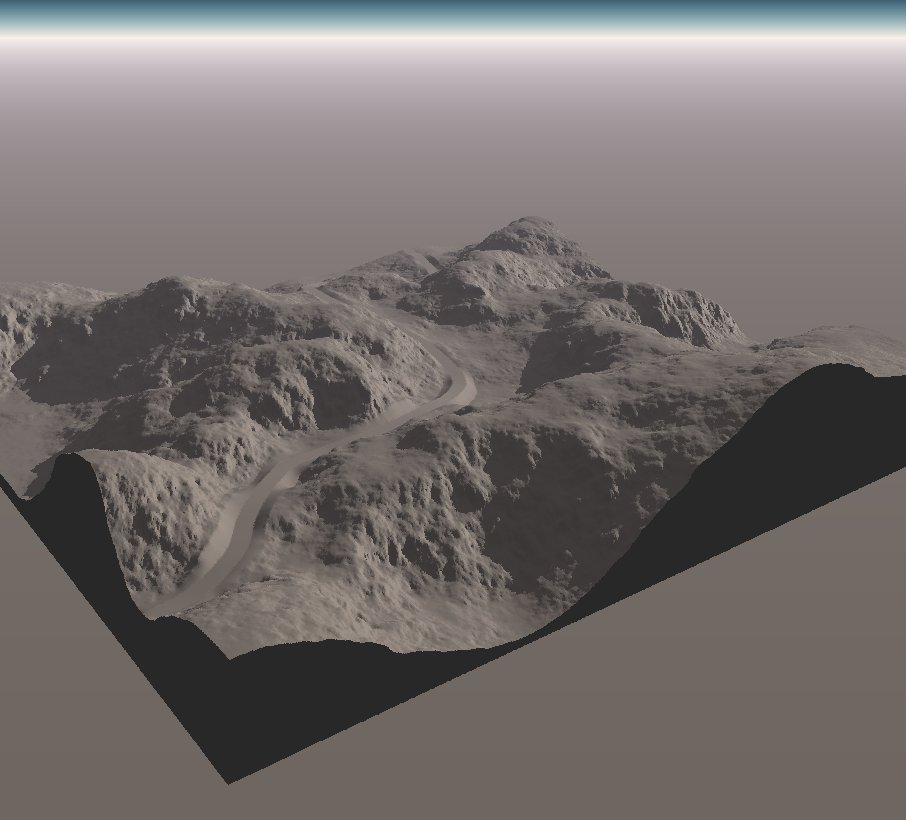
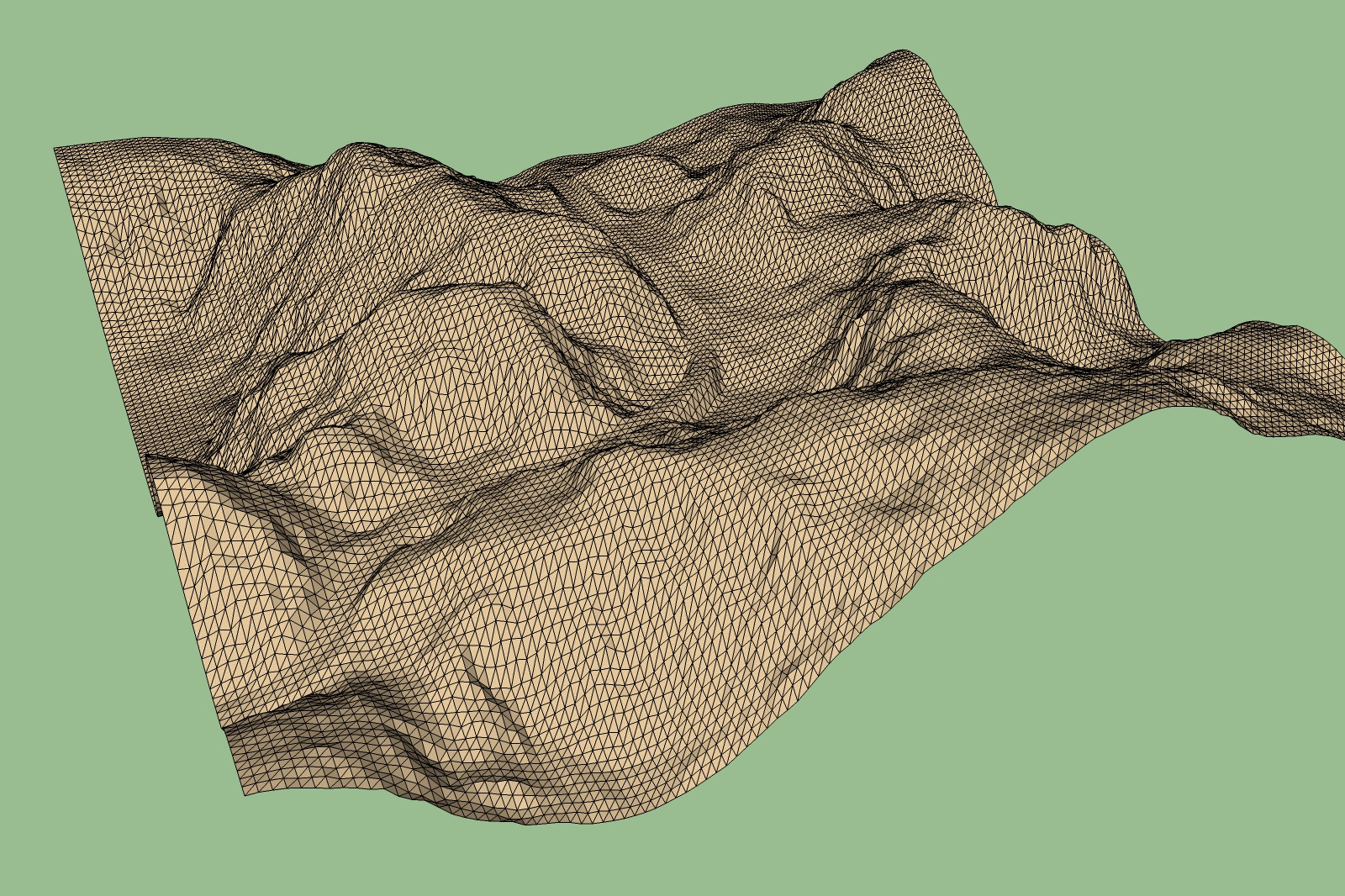
Hi Pete,
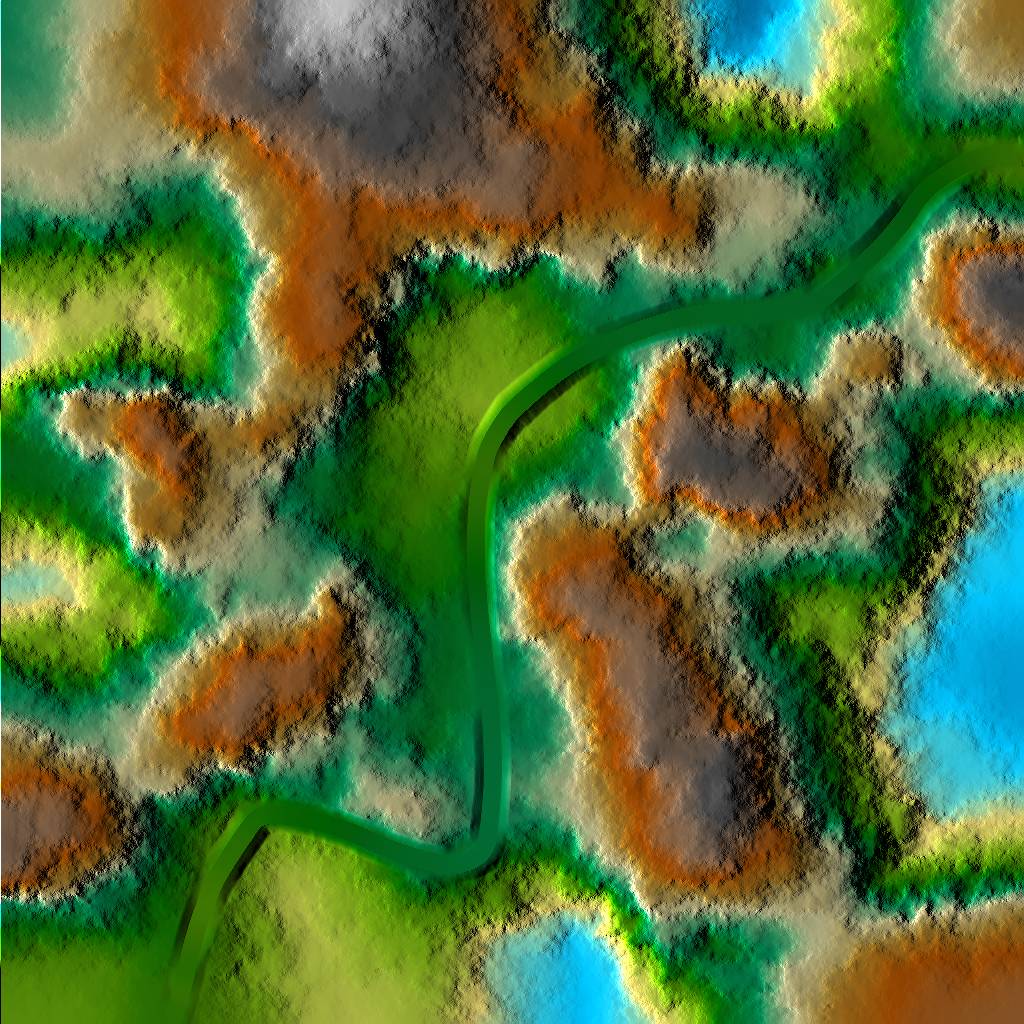
i had a look at the Geocontrol tutorial and it seems not bad and relativly simple to use. I have downloaded the trial version to carry out some tests according to that video. From Geocontrol i exported a wave object file with a project size of 128, then imported the file into Vue and exported a 3ds file. The file size in Sketchup is now reasonable. It seems to be a promising solution. To have a similar tool inside Sketchup would be very nice. It should be possible somehow to develop something like that also for Sketchup in anyway.
Karlheinz
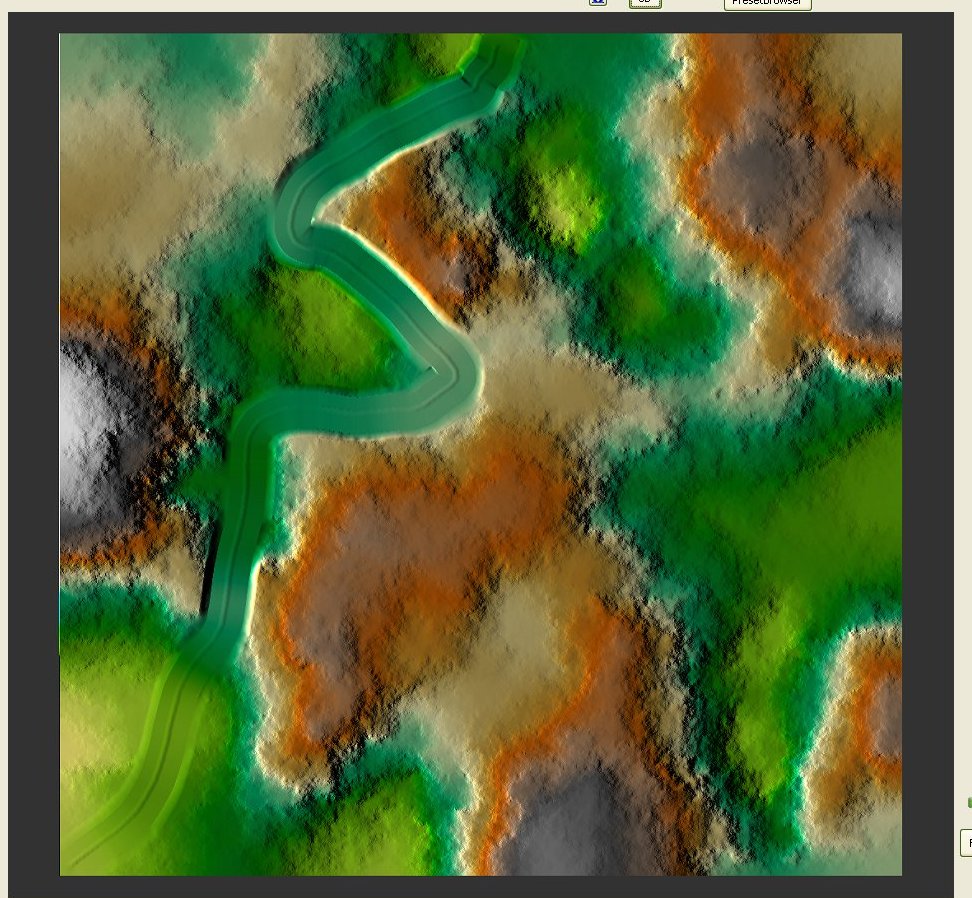
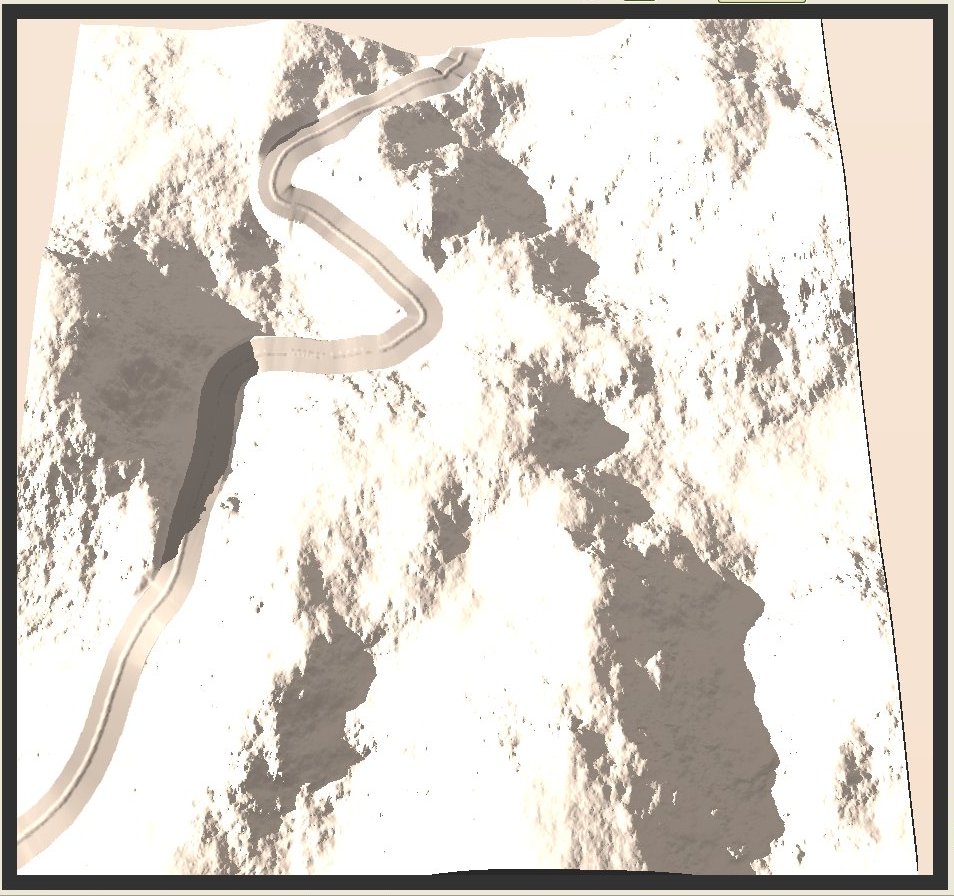
Hi Gabor,
nice model, continue with your work.
Karlheinz
Hallo Klaus,
sorry das ich erst so spät antworte. Können wir gerne machen. Ich war als Ingenieur im pharmazeutischen Anlagenbau tätig.
Gruß Karlheinz
Hi Chris, hi Pete,
thanks for your detailed advices. I will try it with the terrain reshaper and consuming some cups of
coffee.
Another question is how to get a less triangulated mesh out from Vue. Maybe that would be the way for future to start with less triangulated Terrains. I have spent some time for work with VUE. Geocontrol seems to be a nice tool.
Karlheinz
Csaba,
i'm not shure about how to simplify the mesh. Is the simplify or simplify contour tool used for?
Karlheinz
Hi,
after waiting another hour the stamp process has finished. But i think if there are so many polygons it makes no sense to work with in Sketchup because Sketchup needs to much time for the calculation. May be the better way is to design a road in a CAD System. At present i can't see any other solution.
Karlheinz
Csaba i will follow your advices. Sketchup has now finished the explode process, it took one hour for this 42MB file.
Karlheinz
This may be the solution, found in the 3dConnexion forum:
How do I perform a full clean-up and re-install for Windows?
Before starting make sure you are logged in with full admin privileges.
Download the latest driver from the 3DConnexion website and save it to an easy to access location such as the desktop.
Remove the current driver through the Add/Remove programs. Then make sure the 3DConnexion folder in C:\Program Files is deleted.
Navigate to C:/Documents and Settings/your profile/Application Data or C:/Documents and Settings/admin/Application Data/ and delete the 3DConnexion folder. Check both locations to be sure.
NOTE: on Vista machines the paths to the profiles will be found in C:/Users/your profile/AppData or C:/Users/admin/AppData/.
Before proceeding with the next steps, It is strongly recommended that a backup of the registry be made. Instructions to create a back-up and to restore the registry can be found on the Microsoft's Knowledge Base article Q322756.
Under the 'Start' button and 'Run' type in 'regedit' and hit OK to bring up the Registry Editor. There are 2 registry entries to remove: Under the branches ‘HKEY_CURRENT_USER’ and ‘HKEY_LOCAL_MACHINE’ and under each of their ‘Software’ folders delete the 3DConnexion folder found in each location (note: sometimes there might not be one under the Local Machine key folder).
Remove the device if it is still plugged in and follow this by rebooting the computer.
To rule out installation conflicts with firewalls or antivirus software please disconnect from any local network if applicable (with most places, depending on how their network and licenses are managed you can physically unplug the network cable after logging back into Windows), disable any antivirus programs and turn off any local firewalls. The Windows firewall settings can be accessed from the Windows control panel. All of these items can be reconnected/turned back on after the driver is successfully installed.
Install the latest driver previously saved to the desktop. Once the driver is installed, plug the device back in and open the 3DConnexion Control Panel (Sometimes the device will ‘wake up’ immediately after plugging it back in and other times it will not ‘wake up’ until after opening the Control Panel). Hit the Calibrate button to rezero the device motion settings. The Control Panel can be closed after this.
Karlheinz
Today i loaded down the latest driver. I had a look again at the download page but i couldn't find any special for SU7. It seems to me that it will be a Windows problem.
Karlheinz
Hello to All,
Today i faced a problem with my Space Navigator PE. Yesterday evening it worked without problems. Today i noticed that the driver was not started. OK i thought i will install it again. I did it two times without success. Then i did download the latest driver. But after installation i couldn't start the neither the driver nor the control panel.
Maybe anybody had the same problem.
Karlheinz
Hi Csaba,
thanks for your advise. That means I should let it run and then hope it will be finished somtime! More greatly shits. Sorry.
At present i'm trying to stamp a more curved road into this high triangulated Terrain to see how it looks like. It makes a little desire if this lasts so eternally.
Karlheinz
Hi to All,
i have a problem with this high triangulated terrain above. I tried to explode the terrain, it is a component. When i started the process the titel bar shows no re-registration. It seems that Sketchup has crashed down. The same happens if i use the stamp tool. What could be the reason?
Karlheinz