sketchucation logo sketchucation
    • Login
    1. Home
    2. baz
    3. Posts
    Oops, your profile's looking a bit empty! To help us tailor your experience, please fill in key details like your SketchUp version, skill level, operating system, and more. Update and save your info on your profile page today!
    πŸ”Œ Smart Spline | Fluid way to handle splines for furniture design and complex structures. Download
    Offline
    • Profile
    • Following 2
    • Followers 1
    • Topics 89
    • Posts 1,202
    • Groups 1

    Posts

    Recent Best Controversial
    • RE: Importing SU colours into LO

      @utiler said:

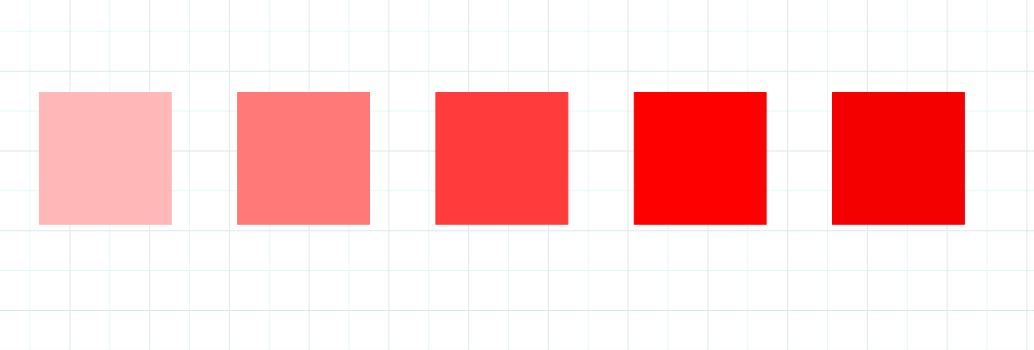
      Just revisiting this thread; when converting colours to vector and exploding down to base elements, any colours with opacity levels altered will come in as full colour.

      That is just a condition of vectorizing the file. Same as when you lose shadows etc.
      You can get your opacity colours in hybrid or raster. But with less editing capabilities.
      But then you are back where you started I suppose.

      posted in LayOut Discussions
      bazB
      baz
    • RE: Incised lettering, how to?

      @pilou said:

      Just In V6 for a more large audiance! πŸ˜‰

      Thanks Pilou, I must remember to do that in future.

      posted in SketchUp Discussions
      bazB
      baz
    • Incised lettering, how to?

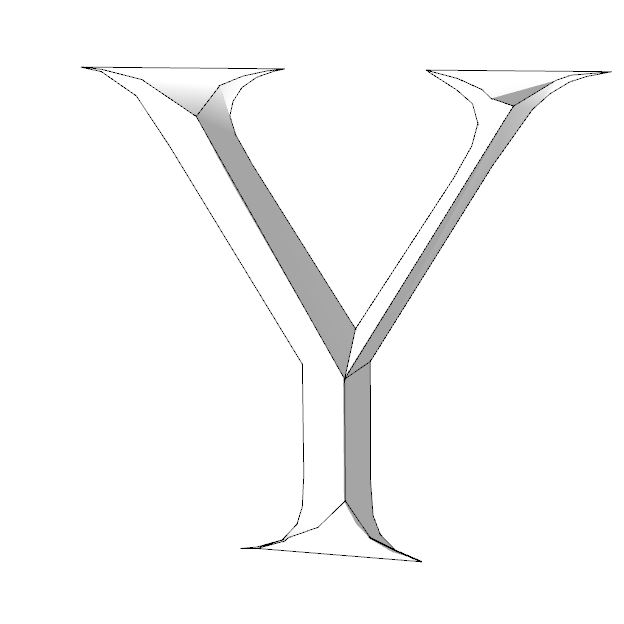
      I do a bit of letter carving for signs in the real world. Thought I'd give it a try in SU.
      And thought it would be straightforward. Not at all. Got in a hell of a mess.
      The pic below was as good as I managed, very slow, too many vertices, broken faces, hard work.
      Must be a better way...
      ...I'm wondering how some of you guys might tackle it?

      I've attached a couple of sample letters in outline if anyone wants to have a go...
      Cheers
      Baz

      Like so... sort of...


      IncisedLetters_Forum-V6.skp

      posted in SketchUp Discussions sketchup
      bazB
      baz
    • RE: Importing SU colours into LO

      πŸ‘

      posted in LayOut Discussions
      bazB
      baz
    • RE: Landscaping masks

      @nujak66 said:

      Baz,

      You are great! I didn't even think of drawing in sketchup first, then converting to vector in layout! Genius! Thank you! Much better than my png version. I'm glad I didn't spend too much time building a library of .png. I'm going to go at a scrapbook library your way in Layout.

      Cheers!

      Good,thanks. Show us a few examples when you have some...

      posted in LayOut Discussions
      bazB
      baz
    • RE: My second design version (opinions, please)

      @ntxdave said:

      @baz said:

      Here is a plugin for exploded views...

      http://sketchucation.com/plugin/1424-eclate_deplace

      I get a pretty much blank page (except all of the add stuff). No text at all under the name of the plugin. πŸ˜•

      Look to the right. Says 'Login to get it".

      posted in Newbie Forum
      bazB
      baz
    • RE: How to show bark edge in Sketchup?

      @brooklynia373 said:

      Is the edge just drawn freehand and then push/pull?

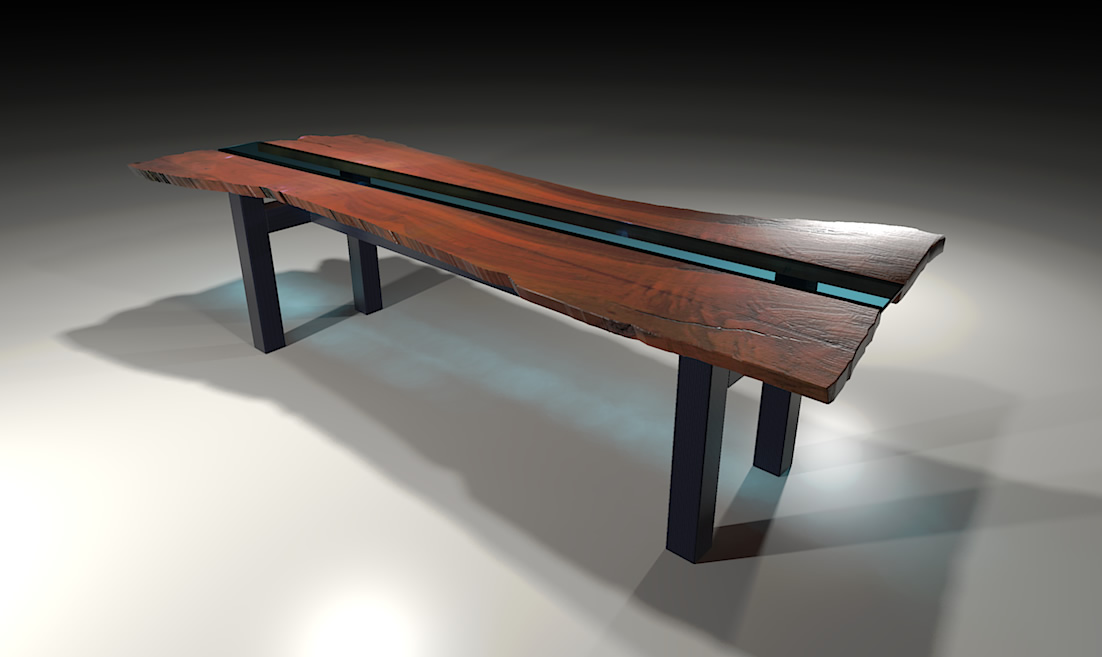
      Baz, how do you get the checking lines at the end of the board in your render? Is that also drawn in the model?... or a bump/displacement map?

      It was a bump.

      posted in Woodworking
      bazB
      baz
    • RE: My second design version (opinions, please)

      Here is a plugin for exploded views...

      http://sketchucation.com/plugin/1424-eclate_deplace

      posted in Newbie Forum
      bazB
      baz
    • RE: Convert circles/circles with holes to quads/triangles(image)

      Tig's Split Tools/SplitDonut should do it for you.

      posted in SketchUp Discussions
      bazB
      baz
    • RE: How to show bark edge in Sketchup?

      Here's another...

      A-1-web.jpg

      posted in Woodworking
      bazB
      baz
    • RE: Importing SU colours into LO

      Try exploding the 'Vector' model in LO and ungroup until you just have the colour swatches.
      Does that get you what you want?

      SU model exploded & ungrouped, all but faces deleted

      posted in LayOut Discussions
      bazB
      baz
    • RE: Importing SU colours into LO

      Can't you use the eyedropper tool in LO to sample the colour?
      Or am I missing the point?

      posted in LayOut Discussions
      bazB
      baz
    • RE: Landscaping masks

      @pbacot said:

      I've tried to explode a SU reference. Grayed out. How is this process done (how did you get put it in LO etc.)?

      Insert model in LO or send to LO from SU.
      Check Vector is on.
      Right click model window/Explode/Ungroup/

      And depending on how far you drill down you are then left with a bunch of vector entities which can be manipulated with LO tools.

      posted in LayOut Discussions
      bazB
      baz
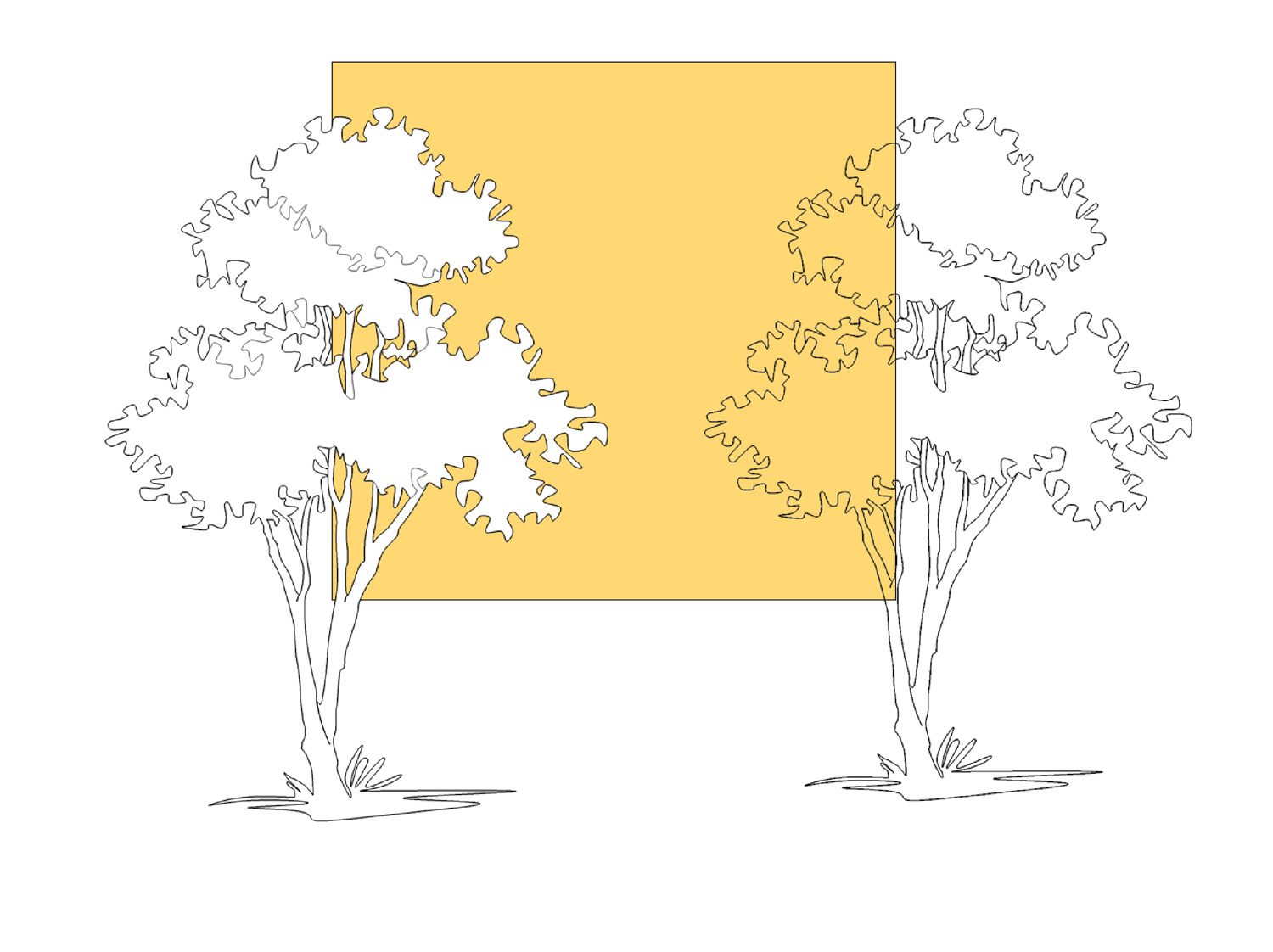
    • RE: Landscaping masks

      Got it. This is SU and Layout only.
      Drawn in SU, Vector model exploded and ungrouped down to single entities.Then regrouped.
      At this stage you can change the line weights, fill etc.
      Warning, once you have any stage of the Layout file as you want it, save it. Layout seems to be a bit twitchy with this operation and you might have to revert.

      explode.JPG


      Tree-One-Explode.layout

      posted in LayOut Discussions
      bazB
      baz
    • RE: Landscaping masks

      Here is a PNG with transparency, same as your method.
      Might have a go a la Richard in Layout...


      Tree-One.png

      posted in LayOut Discussions
      bazB
      baz
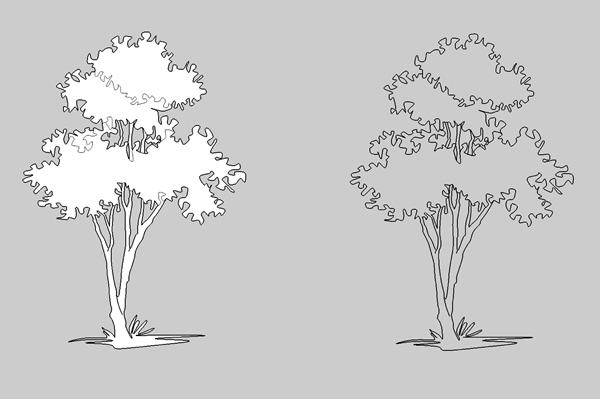
    • RE: Landscaping masks

      Edit, hang on, that doesnt work, needs transparency of course, duh.
      Will have another think...

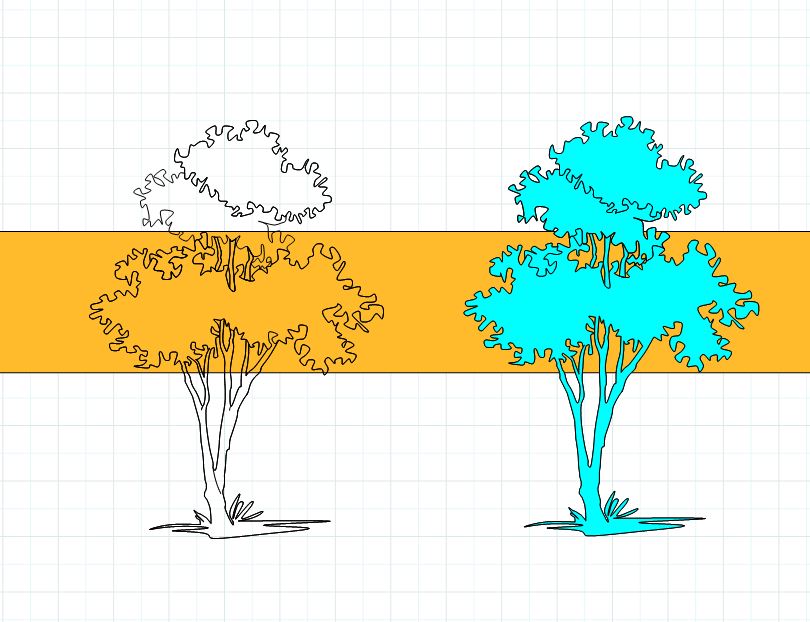
      Thought I would have a go at this.
      Drawn in SU, saved as scrapbook file in layout.
      Filled and unfilled version.
      You can change the line weights and apply sketchy styles. And of course they are vector.
      I would be happy to knock some of these out if you are interested.

      Tree-One.jpg


      Tree-One.layout

      posted in LayOut Discussions
      bazB
      baz
    • Boulder: The Consciousness Capital

      Aha πŸ˜„

      posted in Corner Bar
      bazB
      baz
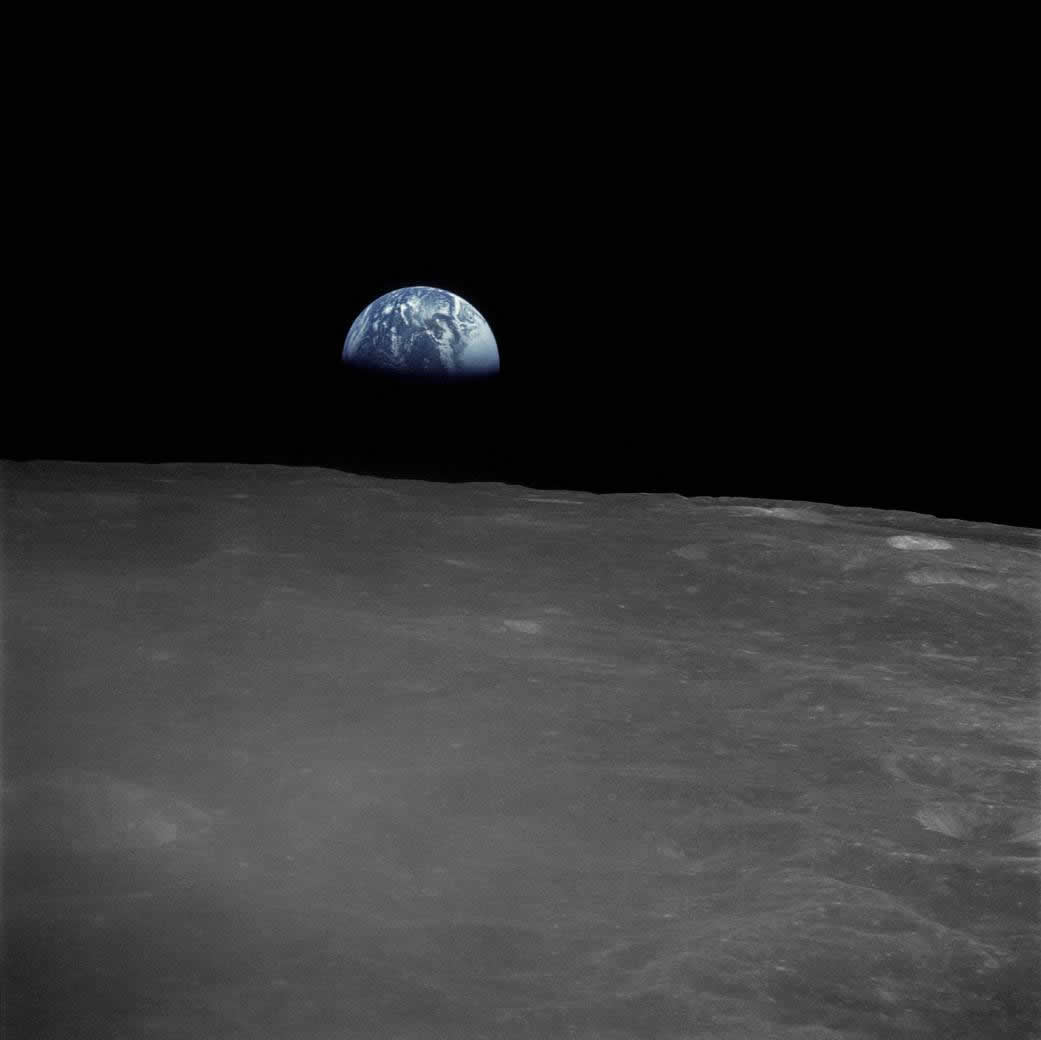
    • RE: A few thoughts about the future of this planet

      This picture is most def worth a thousand words...

      Earthrise.From Apollo 13.1971.

      posted in Corner Bar
      bazB
      baz
    • RE: Update extensions alert

      Yeah, been there...pita.

      posted in Newbie Forum
      bazB
      baz
    • RE: Update extensions alert

      That worked.
      Thanks Box.
      PS: How is the Glass sculpture going, haven't seen an update for a while.

      posted in Newbie Forum
      bazB
      baz
    • 1 / 1