I'm creating repeating tiles of bricks but the bricks vary in color and size/shape throughout one texture - my understanding is that automatic systems such as pixplant can't help in this instance?
Thanks
 Offline
I'm creating repeating tiles of bricks but the bricks vary in color and size/shape throughout one texture - my understanding is that automatic systems such as pixplant can't help in this instance?
Thanks
Fletch,
Thats awesome! Very nice work
If it's useful to anyone, turning off Vsync on your graphics card improves the 'smoothness' of animations recorded with fraps.
This isn't a problem if you use rendering software that exports to image stream......A render tool called 'Twilight' comes to mind. 
Morisdov,
not sure if you know, although I'm sure you do, but the longer a scene transition is the further "out of sync" the animation easing settings become. That is, if the scene transition time is set to a longer period (say 10 seconds), in proper animation, then the default animation easing settings (0.3 - whatever that means!) will cause the transition to occur too quickly (IE the object will animate in 6 seconds and sit idle for 4). Yet if the object's transition time is very short - say 0.5 seconds - the animation easing settings will often need to be increased to stop the object animating too slowly and 'jumping' to position at the end of the scene.
This is all supposing that the goal is to get objects to animate for the whole scene transition time and no more resulting in the smoothest animation possible.
It appears, after many hours using your wonderful plugin, that the correlation between the animation easing requirement and the scene transition time setting is linear. But I haven't tested that theory. If the correlation is linear then it would be easy to have the animation easing settings automatically set themselves in relation to the scene transition time that the user selects.....
Perhaps this is all hogwash but it seemed logical to me so thought I would contribute it if it will help this wonderful plugin become even better.
Have created a very large animation (have used 5 different models with 25 scenes in each as there appears to be issues after scene 25) and am very grateful for your work. Please keep it up.
Regards
Ash
Anyone else noticed that object transitions cease to work after 25 scenes?
So if I am going to use keyframes animation the whole animation needs to be done with the plugin.....
It looks like a nice bit of gear but I have three models in sequence which will be edited together to make a movie and all the models have been prepared with proper_animation.rb
Looks like I will have to use fraps (high res screen capture) for this one.
Thanks for your help.
I get the gist of your keyframe tool now, very clever, currently exporting the animation, will give an update.
I'm surprised there isn't a simple ruby exporter based (perhaps) on add_frame_change_observer that would allow you to export an image stream of exactly what is seen in SU......Google Earth has this kind of functionality; in fact it appears to be the most robust hi res export option in Google Earth.....
Excuse me if this is a poor suggestion as I don't understand ruby well.
Ok, but will that give a 'clean' export of animated objects to an AVI? Sounds like it just gives me scenes....within which SU's exporter still wont recognize animated objects.....
Thanks for the reponse
Can anyone explain why the traditional exporter won't recognize the proper animation moving objects?
I'm having to export through twilight as smoothstep forces me to cut out small pauses in the animation that need to be there. However, leaving my machine for 8 hours to render an animation only to come back and find that something has been mis-interpreted or I haven't set up properly is a bit of a pain.
@gaieus said:
It also has the value that in these cases the model does not go through the automated kmz generation of the Warehouse software (including image compression often destroying the quality too much) but you yourself can control the whole process.
I hadn't actually realized that until now Gaieus but once you say it, it becomes painfully obvious. .KMZ uploading really is the way to go for GE models.
This is from a wee way back in the conversation but I just stumbled across it:
@jaxcoffee said:
Hey Lee,
If your models are in a collection, it will create it's own KML file called Placemarks. Click on View in Google Earth off the collection and save the file to your desktop. Double clicking on that file will open it up in Google Earth.
Once it does, you can right click on it in Google Earth and save it as a KMZ file with what ever name you want.
Then you can import that KMZ file into My Maps, and the end result is something like this.
Thought your maps visualization was really nice jax, We have a little something here to play with where you could represent this sort of thing as well: http://estate3d.com/static/show_and_tell#
Its a bit buggy right now and needs work but you get the idea.
@gaieus said:
You can upload kmz files directly from the web interface (need to log in first I guess). So you first export your model from SU to kmz then upload it there (only georeferenced models can be added this way however). These models can only be downloaded as kmz. Whatever you upload from SU itself, will be available in skp - and if it is a georeferenced model, the kmz file is generated by the 3D Warehouse software.
Uploading a .KMZ like this has the added value of allowing you to insert your own image of the model for other 3DWH users to see. Not sure how widely known that is but it seems valuable to me. It means you can create a nice image to show your model rather than the (sometimes) unappealing Sketchup shot you get when uploading a .SKP
You understand that sketchup is a single thread app right? If you do then you're talking about stuff out of my league
The closest thing to this I can imagine is the Google Earth API, which is shown here: http://estate3d.com/portfolio learn more about it here: http://code.google.com/apis/earth/
And perhaps Hypercosm's offerings which you can discover here: http://www.hypercosm.com/
Neither of which are editable in any real sense, hypercosm's stuff can be given some heavy scripting.....
Haha, problem solved. Thanks very much.
I have to keep reminding myself to think of the simple solutions first.
 Much appreciated
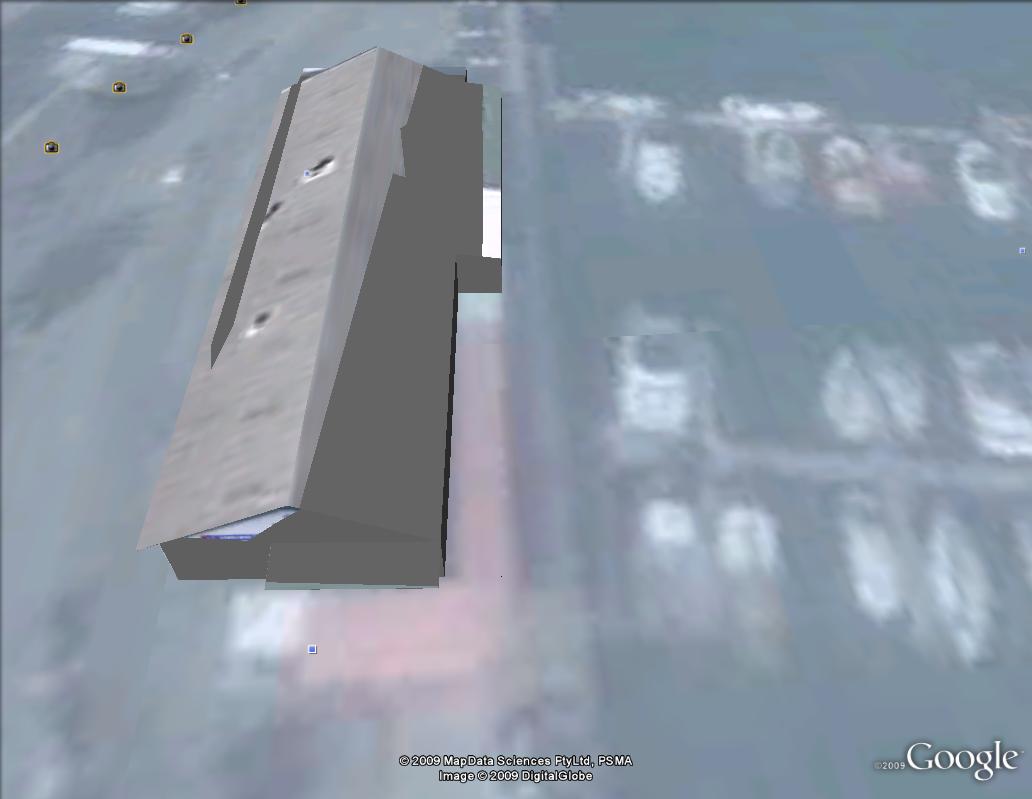
By the way, when I view the same buildings via the GE api within a browser, the textural issues are gone. So its something to do with GE itself....but what?
I have posted several models in the GE 3D buildings layer and they were all successful, everything was uploaded and photo-textures looked great. But now, for some unknown reason, the photo-textures have gone all messed up and appear gray in parts, this has only happened to 2 of the 5 models I uploaded 1 other model only has this issue at certain times.
Has anyone had this issue before?
Any help/suggestions are much appreciated.
Hmm it seems that the DWG/DXF exporters can handle only so much data, beyond which nothing gets exported. Thanks for your attempt to help Anssi but I can't post as Intellectual Property presented in the model is sensitive. Thanks for your attempt to help but I fixed the issue by cutting back the amount of data.
Perhaps the advent of windows 7, and therefore more ram, will alleviate this issue somewhat??......
When attempting to export from sketchup to DWG or DXF in 3D I get an error and "auditreport.txt" generated.
When I try to export the same file as DWG or DXF but 2D I only get a very small portion of it when I open it with a 2D CAD program.
Can anyone tell me why?
Thanks in advance
Anyone had any experience with Hypermove? http://www.bunkspeed.com/hypermove/
Here is an example: http://www.youtube.com/watch?v=3oi81Lo6x6A&feature=related
Supposed to be real time ray tracing. It certainly sounds impressive but does it live up to the hype? Can anyone enlighten us.....