sketchucation logo sketchucation
    • Login
    Oops, your profile's looking a bit empty! To help us tailor your experience, please fill in key details like your SketchUp version, skill level, operating system, and more. Update and save your info on your profile page today!
    ⚠️ Update | Sketchucation Tools 5.0.8 released with licensing improvements and bugfixes Download

    Modlumi - Easy 3D modelling


    Scheduled Pinned Locked Moved Corner Bar
    33 Posts 5 Posters 435 Views 5 Watching
    Loading More Posts
    • Oldest to Newest
    • Newest to Oldest
    • Most Votes
    Reply
    • Reply as topic
    Log in to reply
    This topic has been deleted. Only users with topic management privileges can see it.
    • pilouP
      pilou
      last edited by pilou

      I believe there is a little bug somewhere! πŸ˜‰
      There is just the last faces who are yet in place! πŸ™‚
      I have verified in hide them ! πŸ˜‰
      Very cool that you have keept original " */ " of the copy functions !
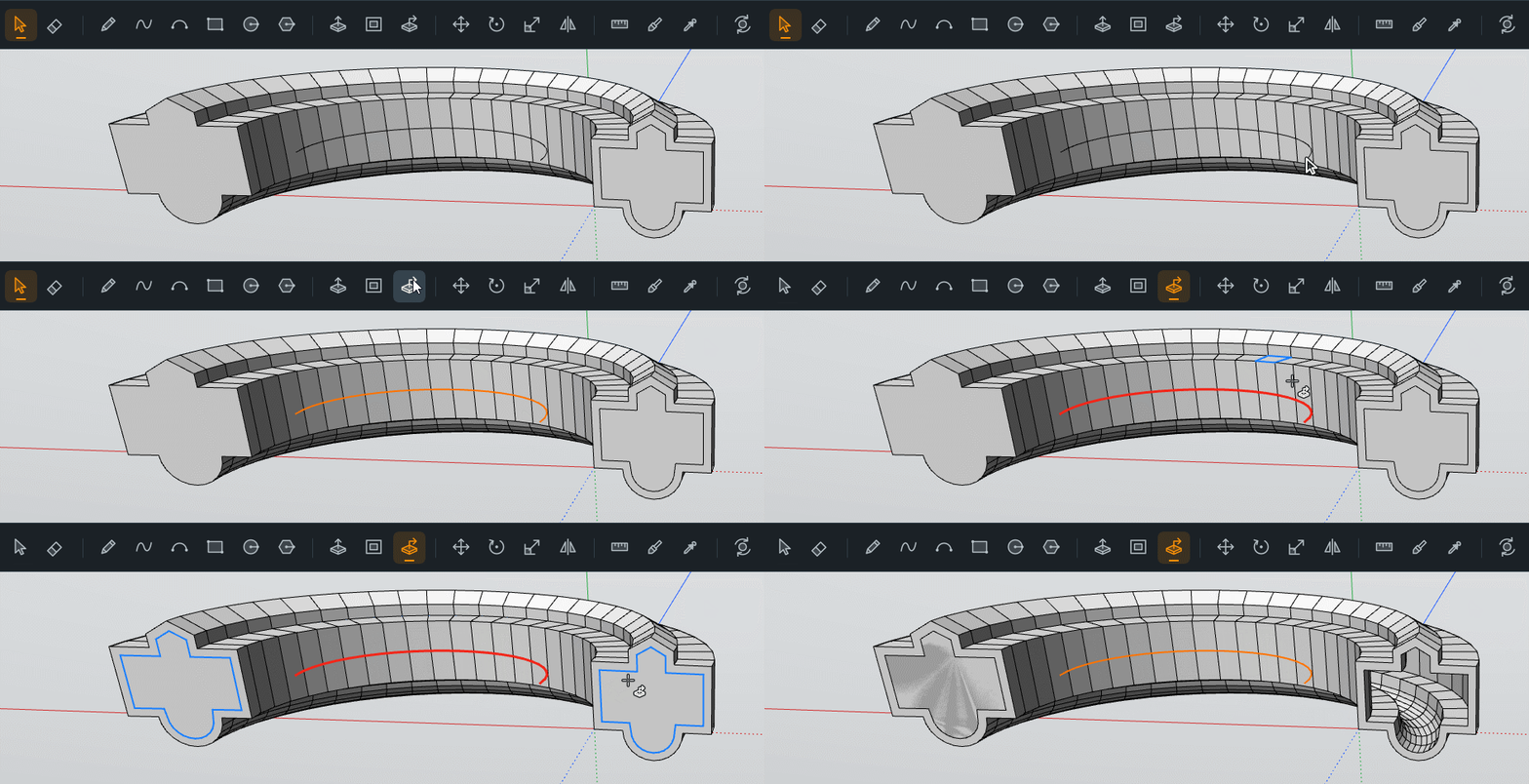
      GIF_bugornot.gif

      Frenchy Pilou
      Is beautiful that please without concept!
      My Little site :)

      P 1 Reply Last reply
      Reply Quote 0
      • pilouP
        pilou
        last edited by pilou

        @ Ntx Dave
        Just Left DoubleClick for have the drawing of the Rectangle, then write 1,2 for a rectangle or 2,2 for a square Enter ! etc.. πŸ˜‰

        Or Just Press R , Left Click and Drag for see the Blue Rect , write 2,2, Enter for a square etc...

        It's quasi the same than SketchUp! πŸ˜‰

        Frenchy Pilou
        Is beautiful that please without concept!
        My Little site :)

        ntxdaveN 1 Reply Last reply
        Reply Quote 0
        • pilouP
          pilou
          last edited by pilou

          You have not: Inverse Selection ?

          There is no Snap in 3D Space of the second click of the Arc Circle ?

          Frenchy Pilou
          Is beautiful that please without concept!
          My Little site :)

          P 1 Reply Last reply
          Reply Quote 0
          • ntxdaveN
            ntxdave @pilou
            last edited by

            @pilou OK, I finally got it to work; I am having some user problems but will continue to learn how to use the tool.

            I would like to have some more options for entering the information when in the drawing mode.\

            Press F1...thank me later

            1 Reply Last reply
            Reply Quote 0
            • P
              pixelcruncher Extension Creator @pilou
              last edited by

              @pilou said:

              I believe there is a little bug somewhere! πŸ˜‰
              There is just the last faces who are yet in place! πŸ™‚
              I have verified in hide them ! ;)f
              Very cool that you have keept original " */ " of the copy functions !
              GIF_bugornot.gif

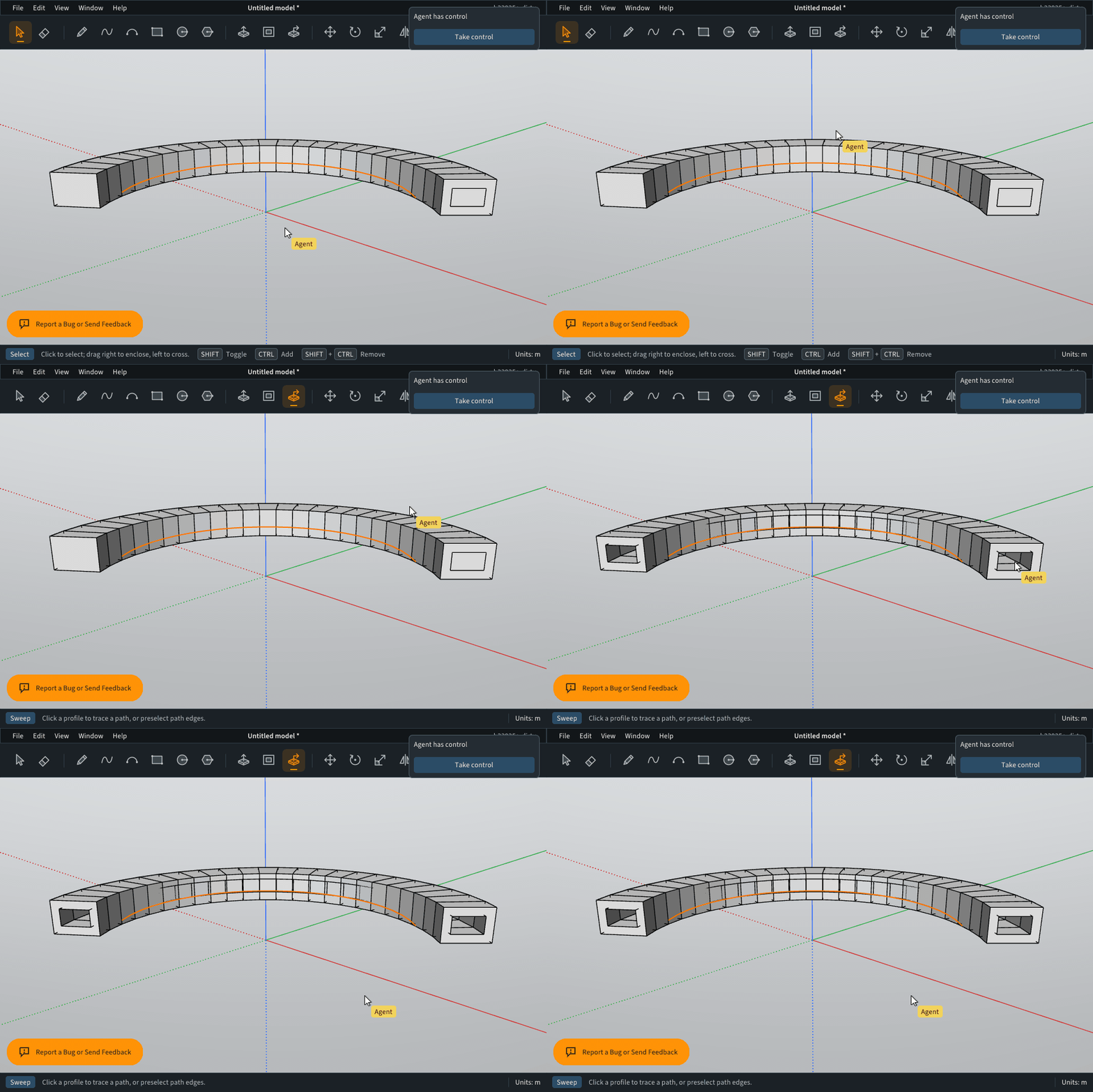
              @pilou You were right; that was a bug! Sweeping a face along the bar's own path now cuts a clean tunnel: the far end opens up instead of keeping that last face in place.
              sweep-through-solid-fix.gif

              A sweep that stops inside the solid still gives you a recess. Can you try it again on your model? Keep those bugs flowing. I'm drinking from the firehose.

              Cheers!
              Thomas

              I'm the developer of Rayscaper: https://rayscaper.com/ - Fast and easy rendering for SketchUp.

              ntxdaveN 1 Reply Last reply
              Reply Quote 0
              • ntxdaveN
                ntxdave @pixelcruncher
                last edited by

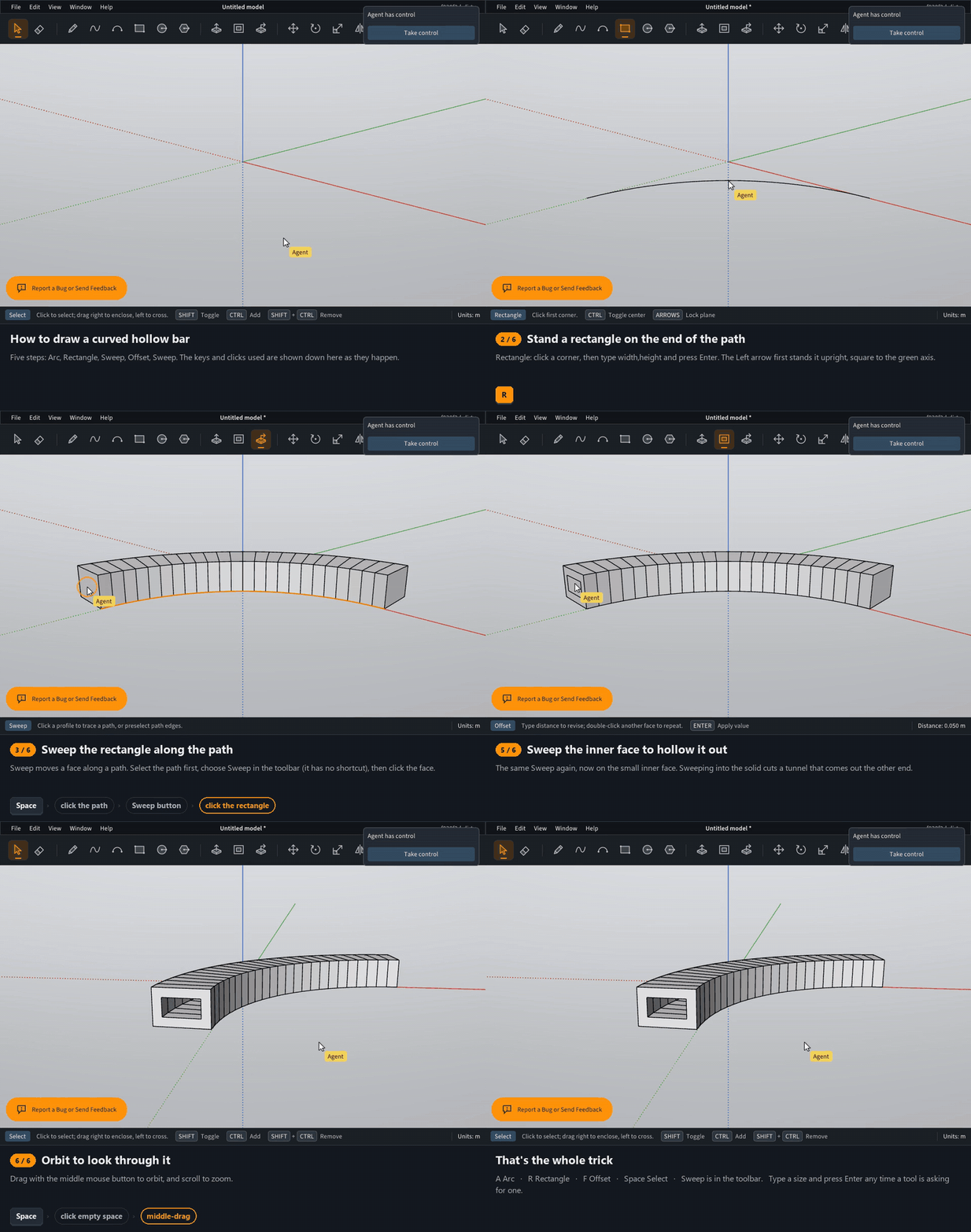
                @pixelcruncher How the heck do you draw something like this. I am currently feeling really stupid and am not doing well. The object in the model looks kind of neat but I cannot understand how you drew it.
                Press F1...thank me later

                P 1 Reply Last reply
                Reply Quote 0
                • ntxdaveN
                  ntxdave
                  last edited by

                  How the heck do you draw something like this? So far, I am not doing very well when trying to draw objects that are not all that complicated. Is there some place I can go to learn how to use the drawing tools better?

                  Press F1...thank me later

                  1 Reply Last reply
                  Reply Quote 0
                  • P
                    pixelcruncher Extension Creator @ntxdave
                    last edited by pixelcruncher

                    @ntxdave said:

                    @pixelcruncher How the heck do you draw something like this. I am currently feeling really stupid and am not doing well. The object in the model looks kind of neat but I cannot understand how you drew it.

                    curved-hollow-bar.gif

                    @ntxdave said:

                    How the heck do you draw something like this? So far, I am not doing very well when trying to draw objects that are not all that complicated. Is there some place I can go to learn how to use the drawing tools better?

                    Not really; you are on the bleeding edge with us. This software doesn't have documentation yet πŸ™‚ But a lot of your SketchUp skills should translate over. Note that it's all still very alpha, lots of bugs to bite you. But many eyes make all the bugs shallow.

                    I'm the developer of Rayscaper: https://rayscaper.com/ - Fast and easy rendering for SketchUp.

                    1 Reply Last reply
                    Reply Quote 1
                    • pilouP
                      pilou
                      last edited by pilou

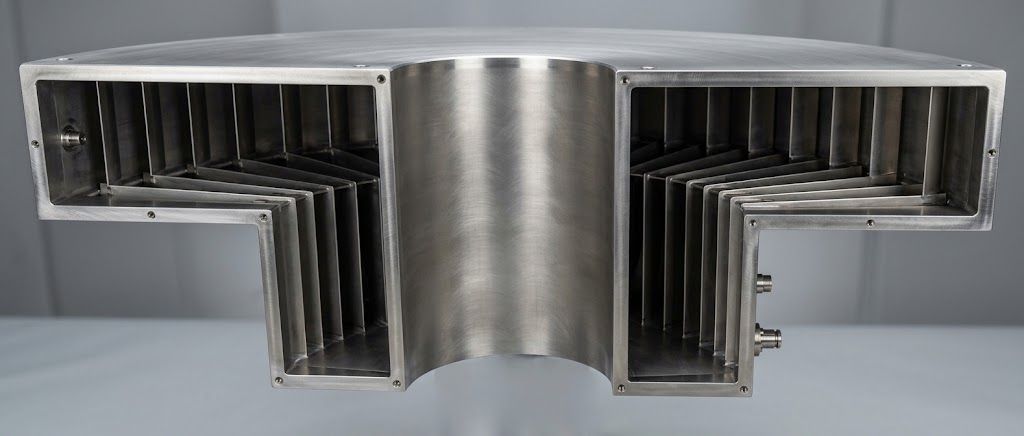
                      Before you post i have verified on a more simple one ... that was a repetive bug! πŸ˜‰

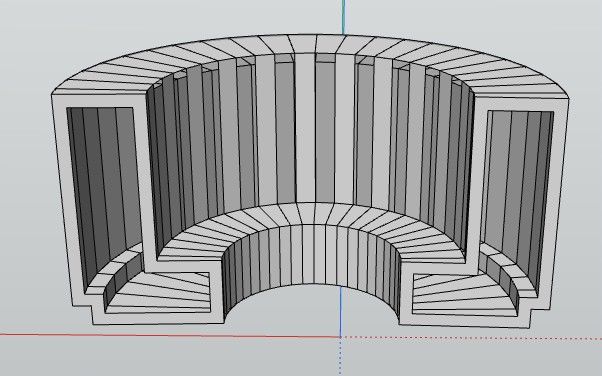
                      Here modified by hands!

                      So I must return to your last version! πŸ™‚
                      75e31cad-948c-4d7c-b518-9b317326207c.jpg

                      Frenchy Pilou
                      Is beautiful that please without concept!
                      My Little site :)

                      1 Reply Last reply
                      Reply Quote 0
                      • P
                        pixelcruncher Extension Creator
                        last edited by

                        @pilou, what are you using for those renders? They look cool.

                        I'm the developer of Rayscaper: https://rayscaper.com/ - Fast and easy rendering for SketchUp.

                        1 Reply Last reply
                        Reply Quote 0
                        • pilouP
                          pilou
                          last edited by pilou

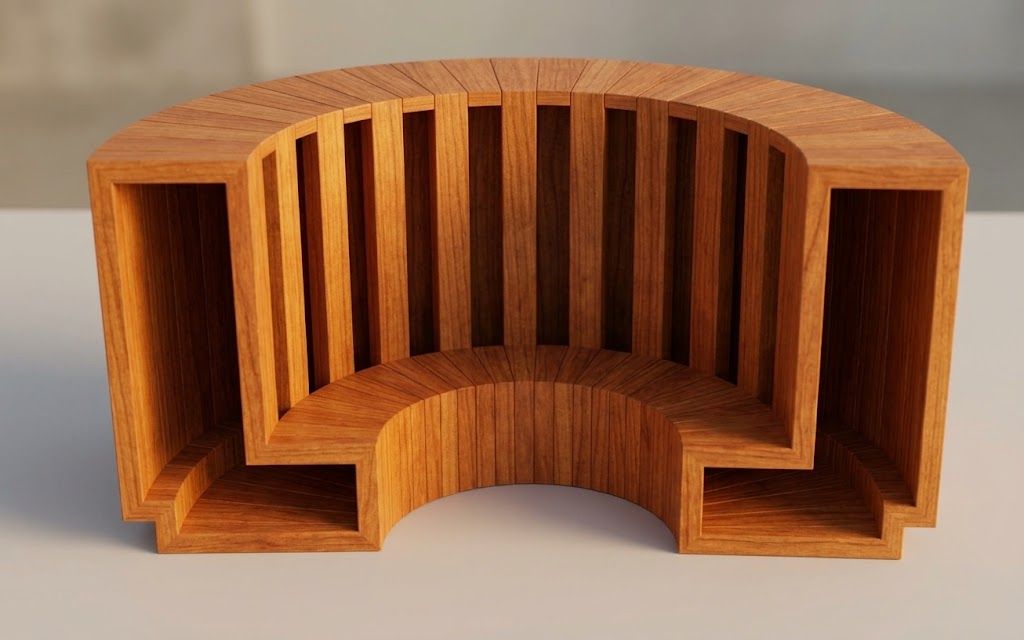
                          I use only Gemini free there is maybe a little limit of number images by day but sufficient for me... in case of overpass i use this terrific free one ( 95 % of functions have Free Access : Vizcom ! )
                          https://vizcom.com/ You can make in free 1,2,4,8 k images!
                          A must and Online so for my very old Latop (more than 12 years old) that is paradise! πŸ™‚

                          I will go test your new opus! πŸ™‚

                          Frenchy Pilou
                          Is beautiful that please without concept!
                          My Little site :)

                          1 Reply Last reply
                          Reply Quote 1
                          • P
                            pixelcruncher Extension Creator @pilou
                            last edited by

                            @pilou said:

                            You have not: Inverse Selection ?

                            There is no Snap in 3D Space of the second click of the Arc Circle ?

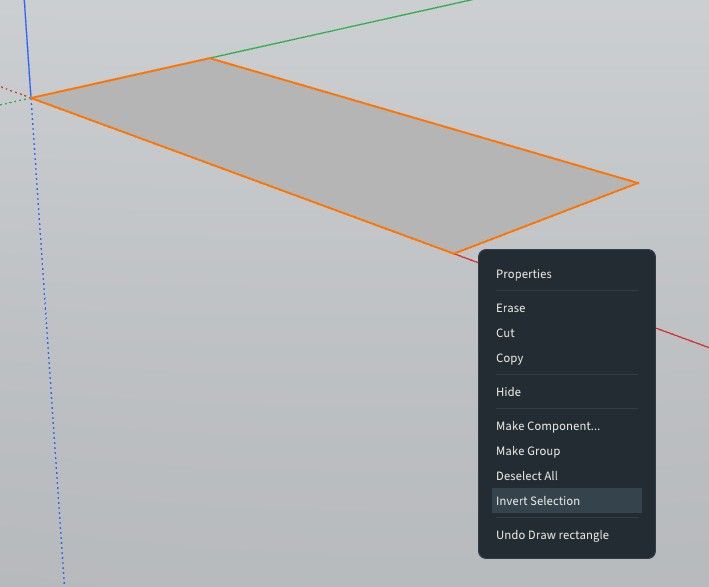
                            We have invert selection now.

                            image.jpeg

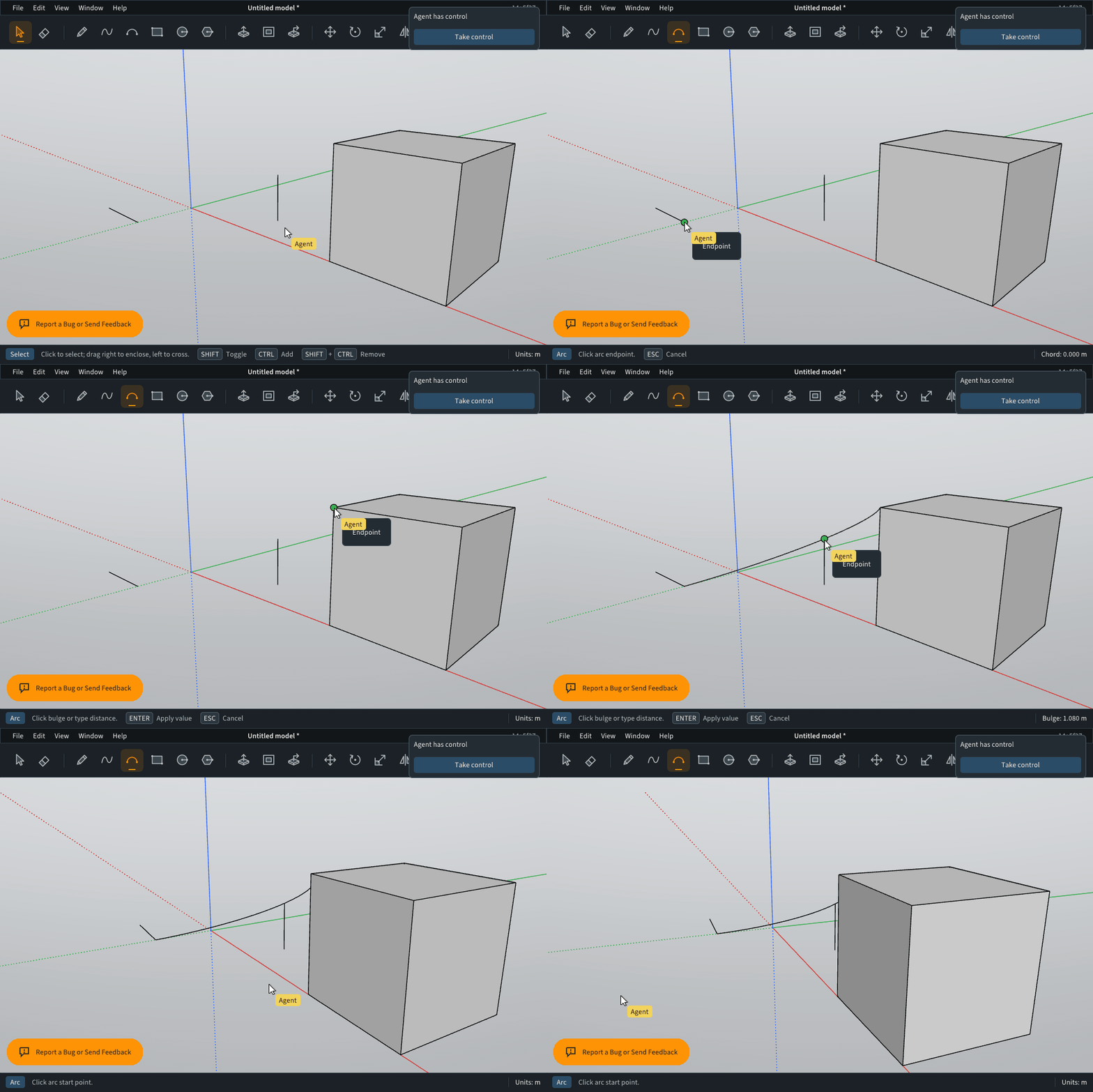
                            Snapping for the arc tool should work now:

                            arc-off-plane-fix.gif

                            I'm the developer of Rayscaper: https://rayscaper.com/ - Fast and easy rendering for SketchUp.

                            1 Reply Last reply
                            Reply Quote 0
                            • pilouP
                              pilou
                              last edited by

                              Ah you are speedy! πŸ™‚
                              Seems no more bug inside Sweep now! πŸ˜‰
                              bois.jpg

                              aca1471a-476e-4782-956a-cff70757b2a8.jpg

                              Frenchy Pilou
                              Is beautiful that please without concept!
                              My Little site :)

                              1 Reply Last reply
                              Reply Quote 1
                              • ntxdaveN
                                ntxdave
                                last edited by

                                How do you draw something like this in Modlumi?

                                Press F1...thank me later

                                1 Reply Last reply
                                Reply Quote 0
                                • pilouP
                                  pilou
                                  last edited by pilou

                                  Can you put a number of version or something similar on the top of the Net version ?
                                  Like this user can see if it uses a new version or not! πŸ™‚
                                  Excellent for the new functions! πŸ™‚

                                  Frenchy Pilou
                                  Is beautiful that please without concept!
                                  My Little site :)

                                  1 Reply Last reply
                                  Reply Quote 0
                                  • P
                                    pixelcruncher Extension Creator
                                    last edited by

                                    Yea, we have this but it's probably not that user friendly:

                                    image.jpeg

                                    I will add a better versioning scheme.

                                    I'm the developer of Rayscaper: https://rayscaper.com/ - Fast and easy rendering for SketchUp.

                                    1 Reply Last reply
                                    Reply Quote 0
                                    • pilouP
                                      pilou
                                      last edited by pilou

                                      Not hyper friendly indeed! πŸ™‚

                                      @ ntxdave
                                      ModLumi = SketchUp lite for the moment ... so you draw exactely like before!

                                      Here i just erased by Hand some faces because i had no time! πŸ™‚

                                      But result images will be the same! πŸ˜‰ Because today AI help you! πŸ˜‰

                                      Frenchy Pilou
                                      Is beautiful that please without concept!
                                      My Little site :)

                                      1 Reply Last reply
                                      Reply Quote 0
                                      • pilouP
                                        pilou
                                        last edited by pilou

                                        @pixelcruncher
                                        What is Redo if existing?
                                        Found!!! CTRL + Y ! πŸ™‚

                                        So I can make my little video! πŸ™‚
                                        @ntxdave
                                        No more simple use the Sweep and Offset Functions as usual! πŸ˜‰

                                        As you see Ai will add thickness itself on the final render! πŸ™‚
                                        https://community.sketchucation.com/post/1622428

                                        So you can make now furnitures in a wink!
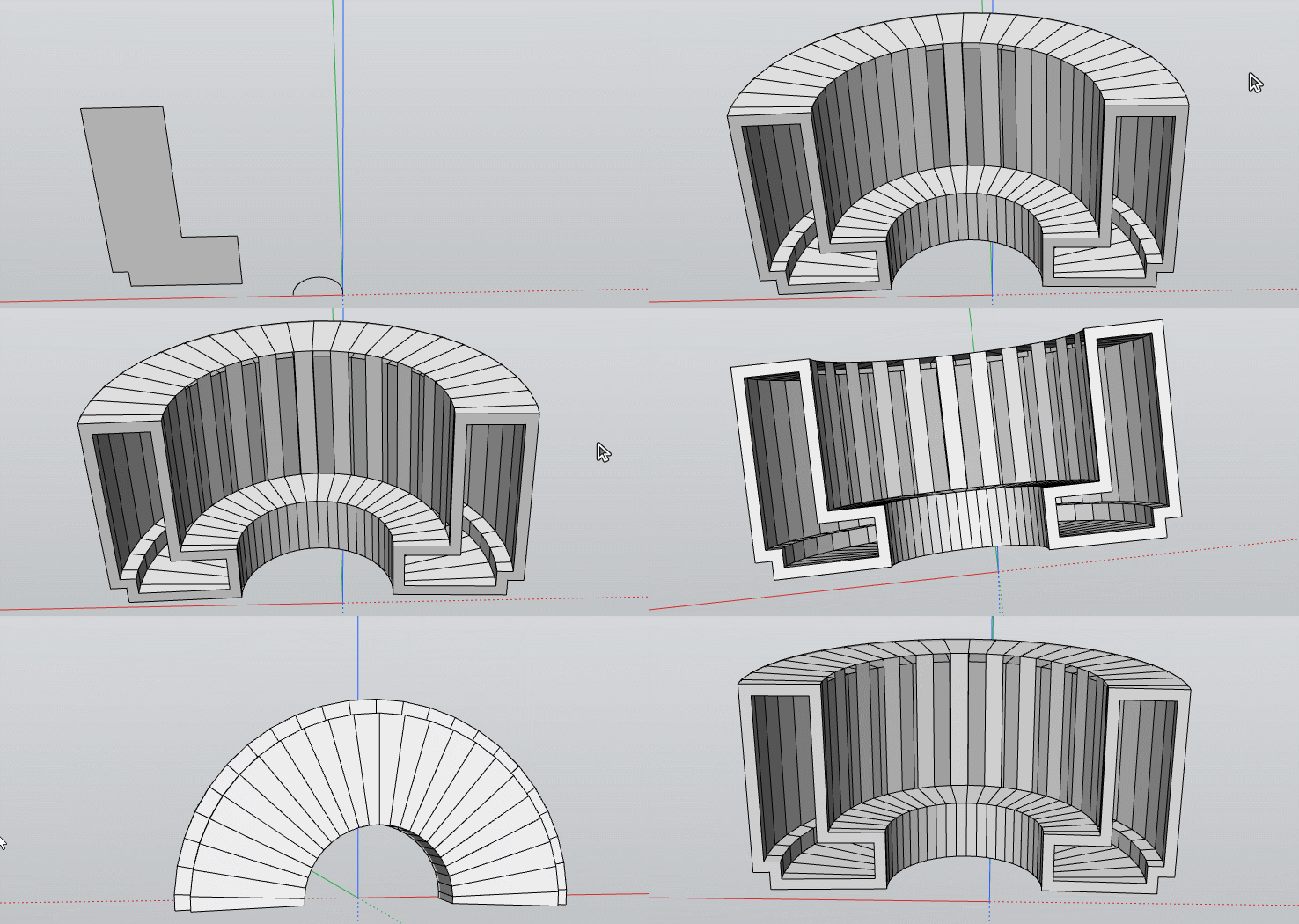
                                        GIF_meuble.gif

                                        Frenchy Pilou
                                        Is beautiful that please without concept!
                                        My Little site :)

                                        1 Reply Last reply
                                        Reply Quote 0

                                        Hello! It looks like you're interested in this conversation, but you don't have an account yet.

                                        Getting fed up of having to scroll through the same posts each visit? When you register for an account, you'll always come back to exactly where you were before, and choose to be notified of new replies (either via email, or push notification). You'll also be able to save bookmarks and upvote posts to show your appreciation to other community members.

                                        With your input, this post could be even better πŸ’—

                                        Register Login
                                        • 1
                                        • 2
                                        • 2 / 2
                                        • First post
                                          Last post
                                        Buy SketchPlus
                                        Buy SUbD
                                        Buy WrapR
                                        Buy eBook
                                        Buy Modelur
                                        Buy Vertex Tools
                                        Buy SketchCuisine
                                        Buy FormFonts

                                        Advertisement