Rayscaper New Releases
-
@Krass, sorry about that. I think this is a bug in Rayscaper. I will investigate and see if we can fix it.
-
@krass That's unfortunate. Doesn't help with what happened but I tend to work on copies of files rather than the source file to prevent data loss. Especially while in Beta.
Download the free D'oh Book for SketchUp 📖
-
Hey, Rayscaper users!
Rayscaper 0.9.105 Beta is available. You can get it via:
- The SketchUcation store.
- Direct download: Rayscaper_Win_0.9.105_Beta.rbz.
I recommend upgrading to the latest version.
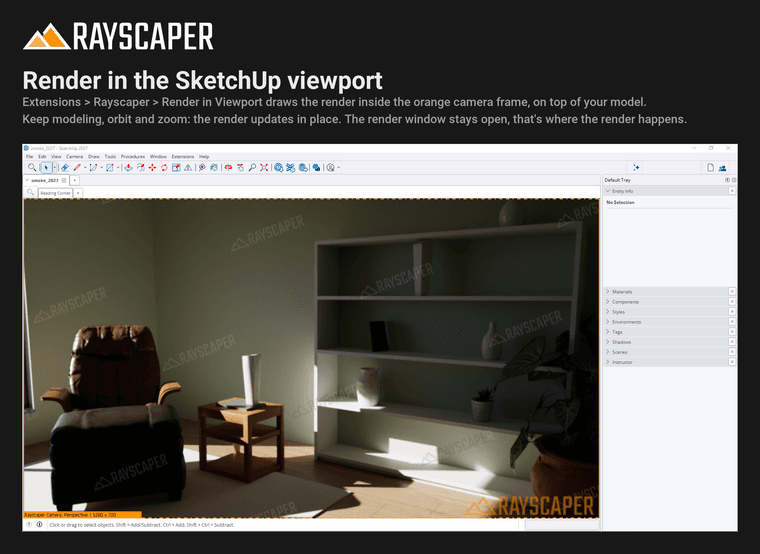
Render in the SketchUp Viewport
Choose Extensions > Rayscaper > Render in Viewport and the render appears inside the orange camera frame, right on top of your model. Keep modeling, orbit and zoom, and the render updates in place. The render window stays open, that's where Rayscaper renders; make it small or move it aside. See Render in Viewport.
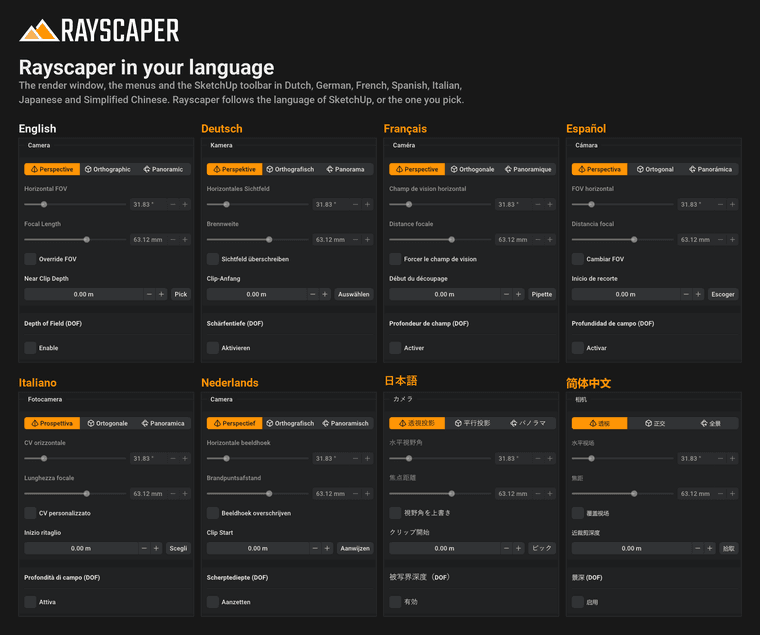
Rayscaper in Your Language
The render window, the menus and the SketchUp toolbar are now available in Dutch, German, French, Spanish, Italian, Japanese and Simplified Chinese. Rayscaper follows the language of SketchUp, or you pick one in File > Settings. SketchUp's menus change the next time SketchUp starts.
A word of warning: the translations were made with AI and checked against the terms SketchUp, Blender and GIMP use, but no native speaker has reviewed them yet. If a label or a message doesn't make sense in your language, please let me know and I'll fix it.
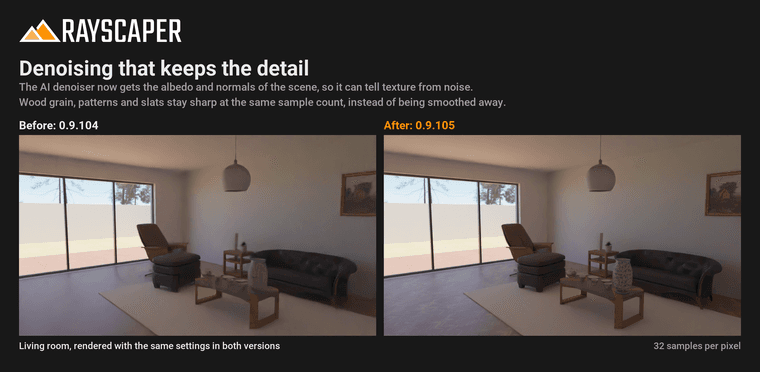
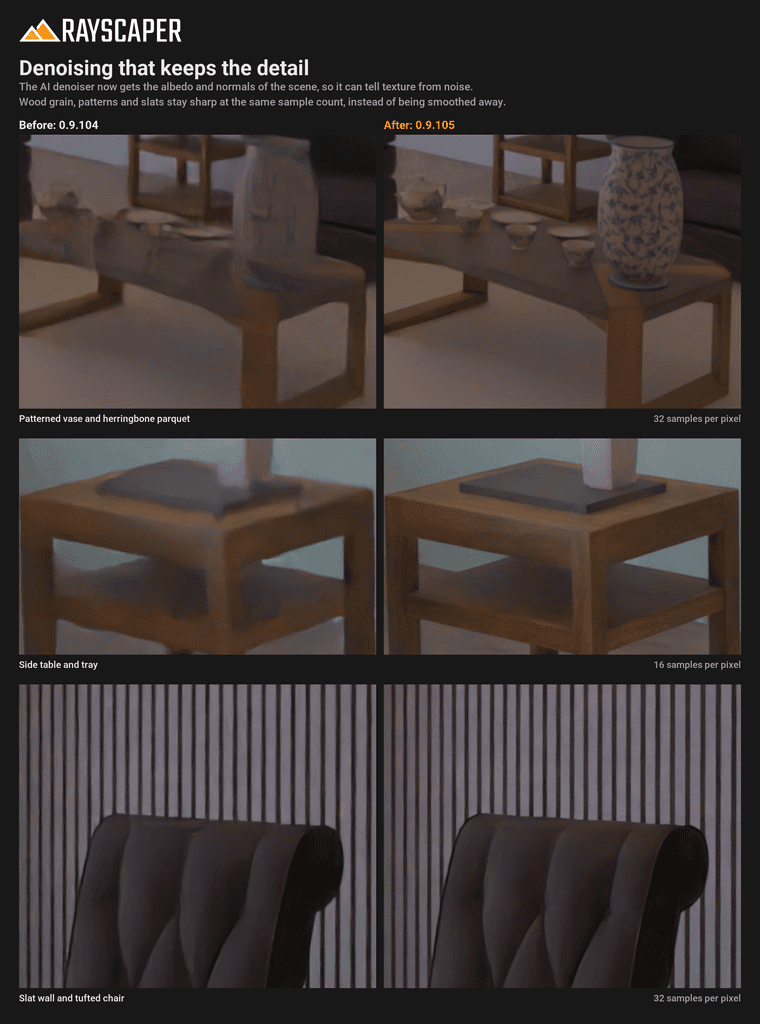
Denoising That Keeps the Detail
Several of you noticed that the AI denoiser smoothed away fine textures, like dark wood grain in the distance. The denoiser now gets the albedo and normals of the scene, so it can tell texture from noise: parquet, patterns and slats stay sharp at the same sample count. See AI Denoise.
What Changed?
- Render in the SketchUp viewport: Extensions > Rayscaper > Render in Viewport draws the render inside the camera frame of the SketchUp view, so you can model and watch the result in one place.
- Translate the user interface into Dutch, German, French, Spanish, Italian, Japanese and Simplified Chinese. Rayscaper follows the language of SketchUp; pick another one with the Language setting.
- Keep fine, low-contrast textures such as dark wood grain in the distance when denoising, by guiding the denoiser with the albedo and normals of the scene.
- Show lights in reflections: area, spot and point lights with a size now show up in mirrors, glass, chrome and glossy surfaces, which rendered them black.
- Use a new Poly Haven resolution right after changing the setting, without restarting Rayscaper.
- Render the textures of materials painted on groups and components: the faces inside them that keep the default material rendered in one flat color.
- Follow a texture added to or removed from a SketchUp material, and render materials created in the same operation as the geometry painted with them, which rendered without their material until the model was opened again.
- Keep objects in place after moving, rotating or scaling them while a group or component is open: they jumped away in the render.
- Update the render right away when a texture is repositioned with Position Texture, instead of after reopening the model.
- Leave out a normal map whose image is missing instead of darkening the surface and lighting it from the wrong side.
- Fix SketchUp quitting when a 16K HDRI is picked from Poly Haven.
- Fix a crash when closing the render window while the scene changes, e.g. during a Fredo6 Animator clip or while the shadow time moves.
Full release notes: rayscaper.com/manual/release-notes
Help Me Build the Community

If you like Rayscaper, please share your renders (final or work-in-progress, it doesn't matter)! This is motivating and helps me showcase its capabilities to new users.
Follow me on X.
Happy Rendering!
Thomas -
That's unfortunate. Doesn't help with what happened but I tend to work on copies of files rather than the source file to prevent data loss. Especially while in Beta.
yes you are right, I should make a copy
Thomas
Wow! The rendering in the SketchUp viewport is fantastic! -
I’m adding a small extension that lets you switch from standard rendering mode to "render-in-view" mode with a single click.
-
Quick update on 0.9.105: there was a mix-up with the SketchUcation upload. The store lists 0.9.105, but the RBZ it serves is still 0.9.104, so updating through SketchUcation leaves you on 0.9.104.
For now, 0.9.105 is only available as a direct download: Rayscaper_Win_0.9.105_Beta.rbz
Sorry for the confusion! We plan to sort it out tomorrow, and I'll let you know here once the store has the right version.
Thomas
I'm the developer of Rayscaper: https://rayscaper.com/ - Fast and easy rendering for SketchUp.
-
Is there anything new?
-
@Alattab There's a bunch of new things in 0.9.105, check out the release post a couple of messages earliers.
-
@pixelcruncher I have downloaded the version you pointed to via the link; what prompted my question is this phrase: "We plan to sort it out tomorrow."
-
Hey folks,
A new Mac beta is up: Rayscaper 0.9.105. Same link as before: Rayscaper for Mac
It brings the Mac up to date with the latest Windows release, plus a few things that Windows doesn't have yet. What's new since 0.9.104:
- Render in the SketchUp viewport: Extensions > Rayscaper > Render in Viewport draws the render inside the camera frame of the SketchUp view, so you can model and watch the result in one place.
- Rayscaper speaks your language: Dutch, German, French, Spanish, Italian, Japanese and Simplified Chinese. Rayscaper follows the language of SketchUp, or pick another one with the Language setting. Chinese, Japanese and Korean text now shows up on the Mac too.
- Presets for the Post Processing, Environment and Render tabs, including the sky conditions, and you can save your own. (Mac first, Windows gets them in the next release.)
- Your own keyboard shortcuts in a Keyboard Shortcuts tab of the settings. (Mac first as well.)
- Sharper details after denoising: fine, low-contrast textures like dark wood grain in the distance no longer get smeared out.
- Lights in reflections: area, spot and point lights with a size now show up in mirrors, glass, chrome and glossy surfaces.
- Fixes: textures of materials painted on groups and components render again, texture changes and Position Texture show up right away, objects stay in place after editing inside an open group, a missing normal map no longer darkens a surface, picking a 16K HDRI no longer quits SketchUp, and SketchUp's Undo can no longer take your Rayscaper settings away.
If you installed an earlier beta: install this one over it with the Extension Manager, then restart SketchUp.
Thanks to everyone testing, keep the feedback coming!
Cheers, Thomas
-
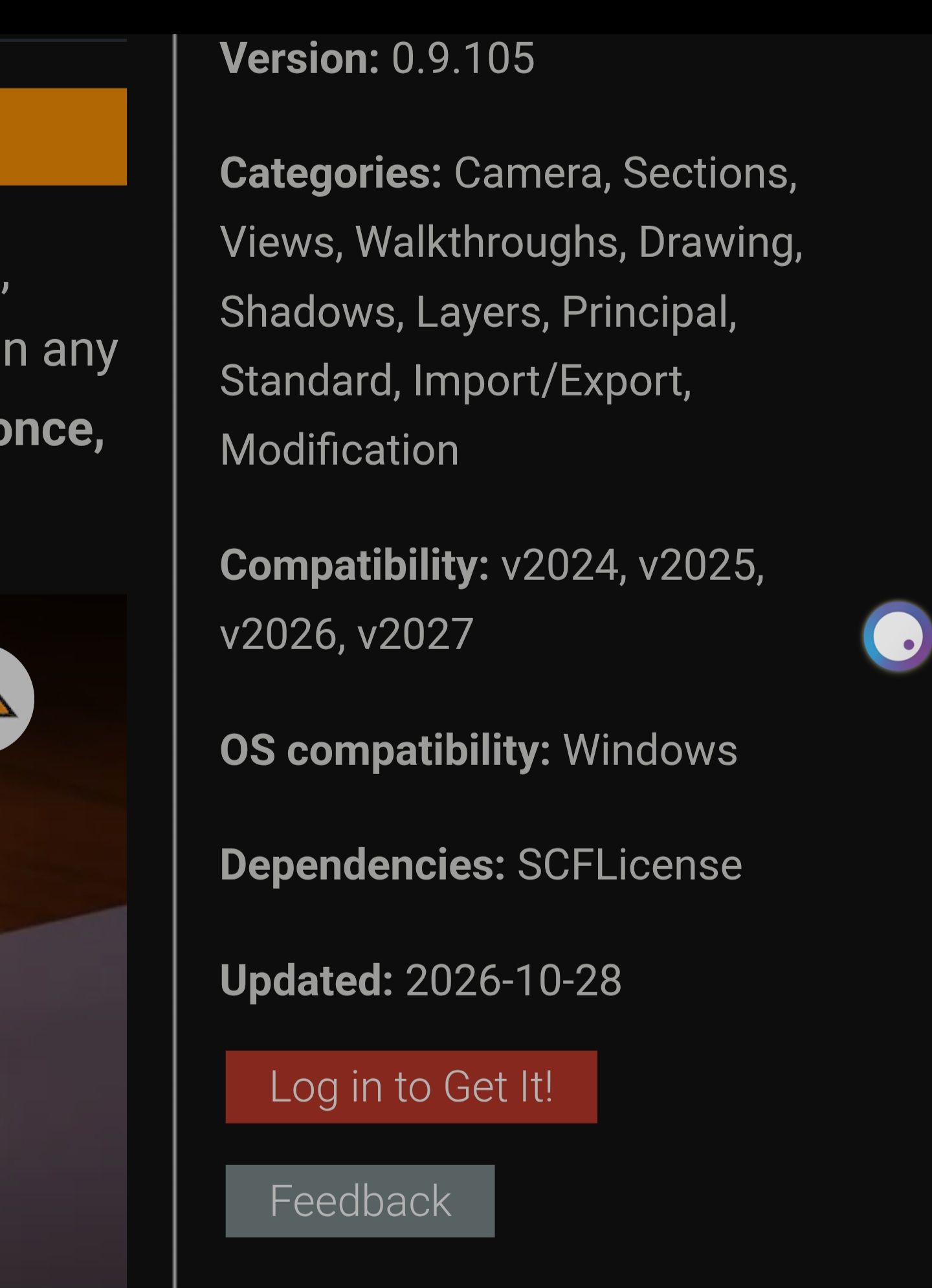
This version was released on Oct 28, 2026.I downloaded the version you indicated in the link. What made me ask was this phrase: "We plan to sort it out tomorrow."
-
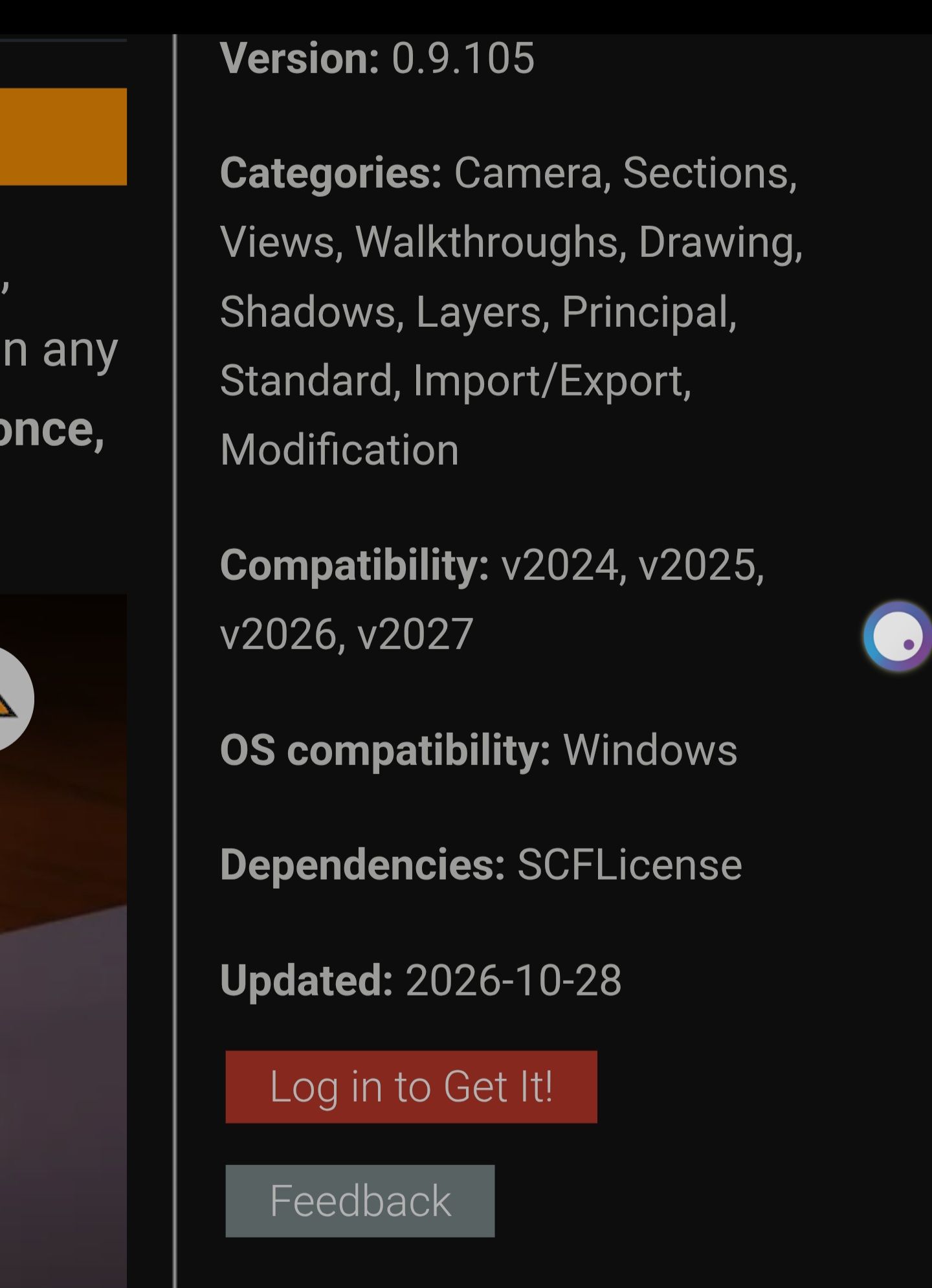
I downloaded the version you indicated in the link. What made me ask was this phrase: "We plan to sort it out tomorrow."
This version was released on October 28, 2026
-
@pixelcruncher
I bring greetings from China, and many designers and rendering creators around me have praised Rayscaper's official quick and serious response. The launch of the Chinese version has increased everyone's interest in using Ray. We have conducted a preliminary screening of the content of existing Chinese translations in the WeChat community. There is basically no incomprehensible content. I would like to express my respect for your work -
@lightscape Thanks for the kind words! And of course, we hope this might be the trigger for many creators in China to become Rayscaper customers!
Cheers,
ThomasI'm the developer of Rayscaper: https://rayscaper.com/ - Fast and easy rendering for SketchUp.
-
Hello,
an other animation with Fredo6 Animator!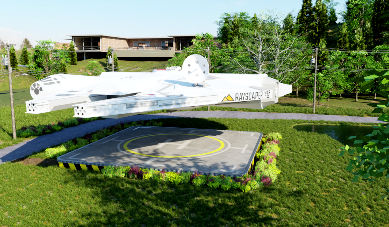
Krass
-
@Krass Nice, that's awesome! Very well done.
-
Simply this, WOW.
-
@Krass Impressive




Hello! It looks like you're interested in this conversation, but you don't have an account yet.
Getting fed up of having to scroll through the same posts each visit? When you register for an account, you'll always come back to exactly where you were before, and choose to be notified of new replies (either via email, or push notification). You'll also be able to save bookmarks and upvote posts to show your appreciation to other community members.
With your input, this post could be even better 💗
Register Login


Advertisement