sketchucation logo sketchucation
    • Login
    Oops, your profile's looking a bit empty! To help us tailor your experience, please fill in key details like your SketchUp version, skill level, operating system, and more. Update and save your info on your profile page today!
    Mac User? | Join the Rayscaper Beta for Mac Learn More

    Rayscaper New Releases

    Scheduled Pinned Locked Moved Extensions & Applications Discussions
    rayscaperrender
    540 Posts 13 Posters 248.7k Views 14 Watching
    Loading More Posts
    • Oldest to Newest
    • Newest to Oldest
    • Most Votes
    Reply
    • Reply as topic
    Log in to reply
    This topic has been deleted. Only users with topic management privileges can see it.
    • KrassK
      Krass
      last edited by

      beautiful objects, lovely decor, great renders. Did you use a HDRI ? Or emissive plane behind the window ?

      Krass

      L 1 Reply Last reply
      Reply Quote 0
      • L
        lightscape Newcomers @Krass
        last edited by

        @Krass
        Yes, I use an HDR to illuminate the scene while making the kitchen wall lights and dining table pendant lights glow (material glowing)

        1 Reply Last reply
        Reply Quote 0
        • pixelcruncherP
          pixelcruncher Extension Creator @lightscape
          last edited by

          @lightscape Good stuff! Definitely great renders to showcase Rayscaper's capabilities.

          I'm the developer of Rayscaper: https://rayscaper.com/ - Fast and easy rendering for SketchUp.

          1 Reply Last reply
          Reply Quote 0
          • KrassK
            Krass
            last edited by

            hello Thomas,
            I can't reach real reflections on my glass material. In this screen shot the IQR is very high...
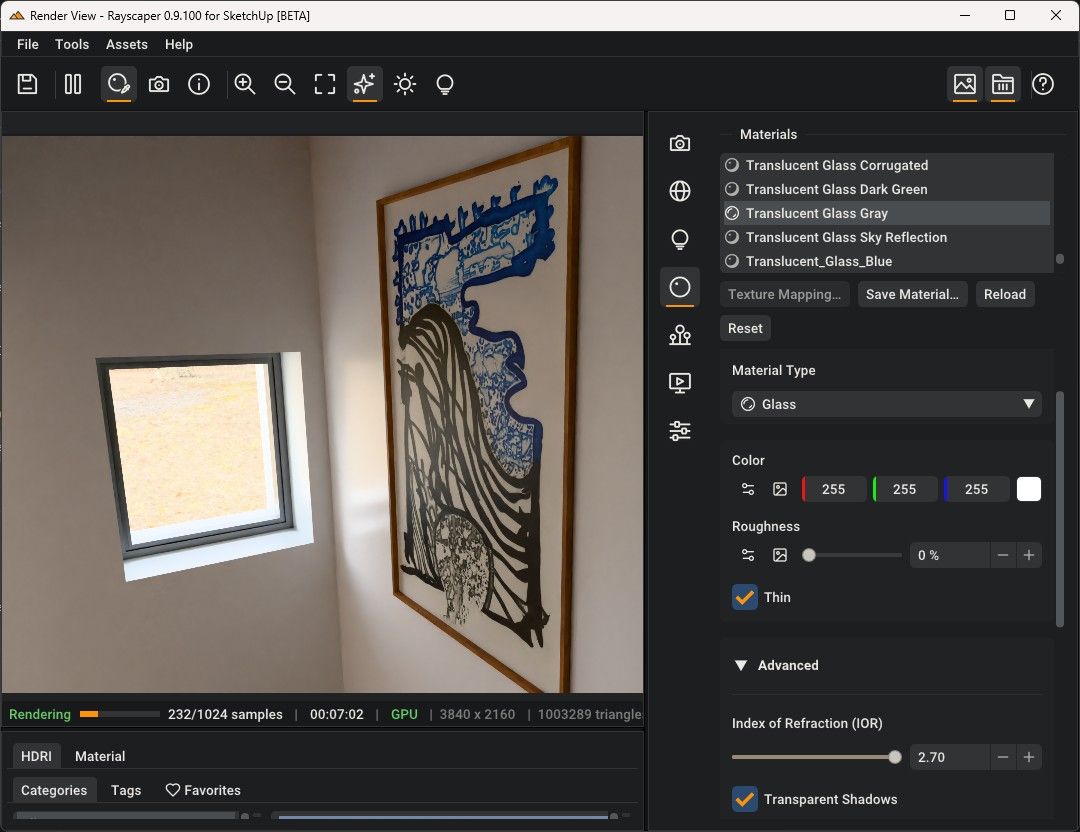
            image.jpeg
            on this other screen these picture is behind a standard glass
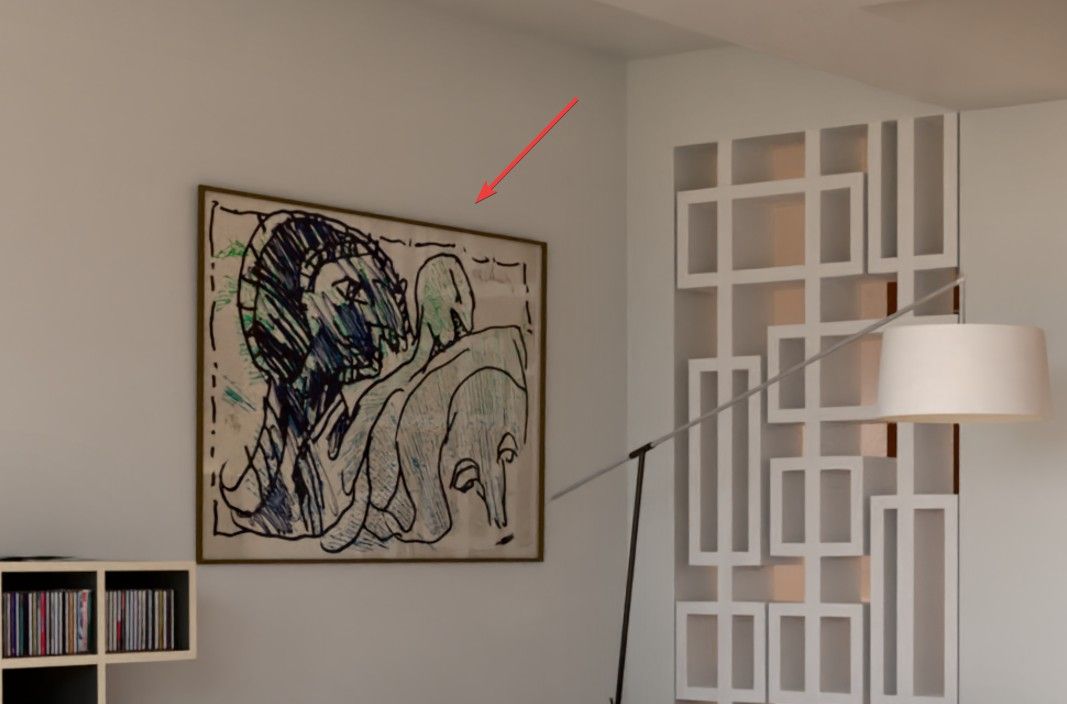
            image.jpeg

            Krass

            pixelcruncherP 1 Reply Last reply
            Reply Quote 0
            • pixelcruncherP
              pixelcruncher Extension Creator @Krass
              last edited by

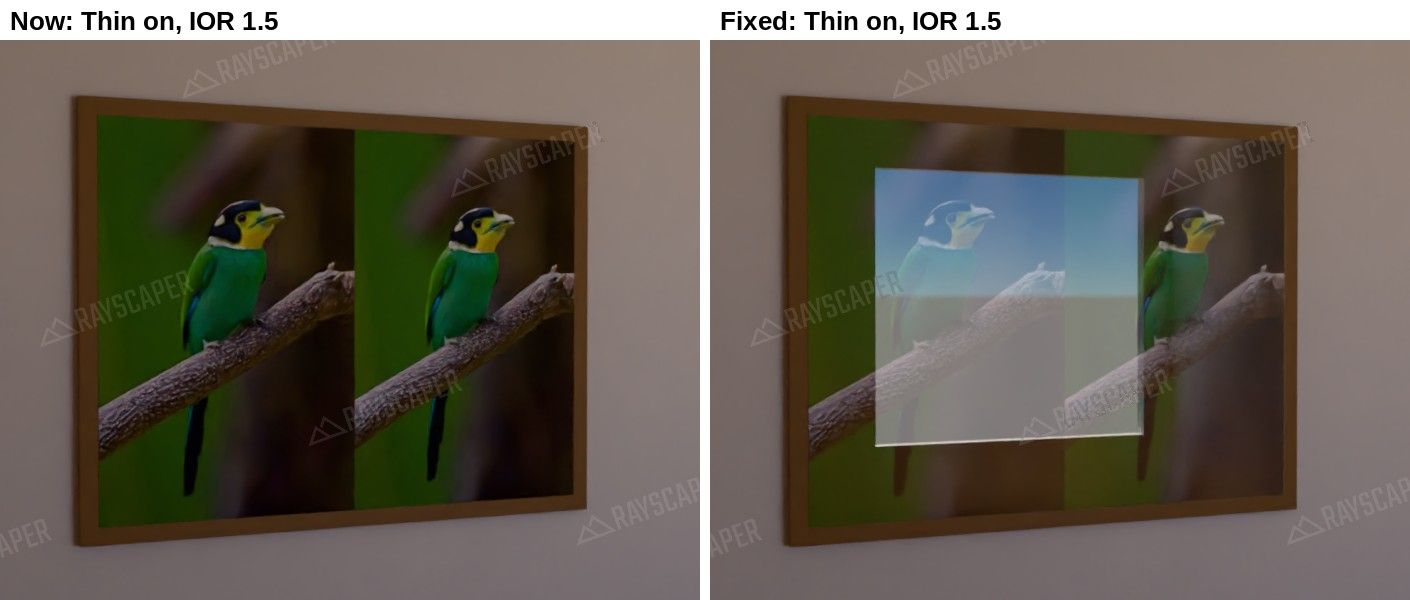
              @Krass Thanks for the screenshots, you found a bug! When Thin is on, Rayscaper ignores the IOR, so a thin pane of glass doesn't reflect anything at all. Raising the IOR can't help.

              I rebuilt your situation in a small test scene (a framed picture behind a single face of glass, with a window across the room) and fixed it: thin glass now reflects as much as its IOR gives, like real glass (about 8% when you look at it straight on, more at a glancing angle), while the light still passes straight through. Left is the current behavior, right is the fix, both with Thin on and IOR 1.5:
              thin_glass_fix.jpg

              The fix won't be in today's release, but it will be in the next one.

              Until then, a workaround: turn Thin off for the picture glass and set the IOR back to about 1.5. Glass lying flat on a picture doesn't visibly bend the light, so you get the reflection without side effects. Also keep in mind that a reflection only shows where something bright, like a window or a lamp, sits in the mirror direction from the camera.

              I'm the developer of Rayscaper: https://rayscaper.com/ - Fast and easy rendering for SketchUp.

              KrassK 1 Reply Last reply
              Reply Quote 1
              • pixelcruncherP
                pixelcruncher Extension Creator
                last edited by

                Hey, Rayscaper users!

                Rayscaper 0.9.102 Beta is available. You can get it via:

                • The SketchUcation store.
                • Direct download: Rayscaper_Win_0.9.102_Beta.rbz.

                I recommend upgrading to the latest version.

                What Changed?

                Render History

                Not sure whether the warmer sun or the new material looked better? Click Save in the new render history (the clock button in the toolbar) before you change something, and click a saved render to compare it with the live one. You can still change the exposure, tone mapping, white balance or bloom of a saved render afterwards, without rendering it again.
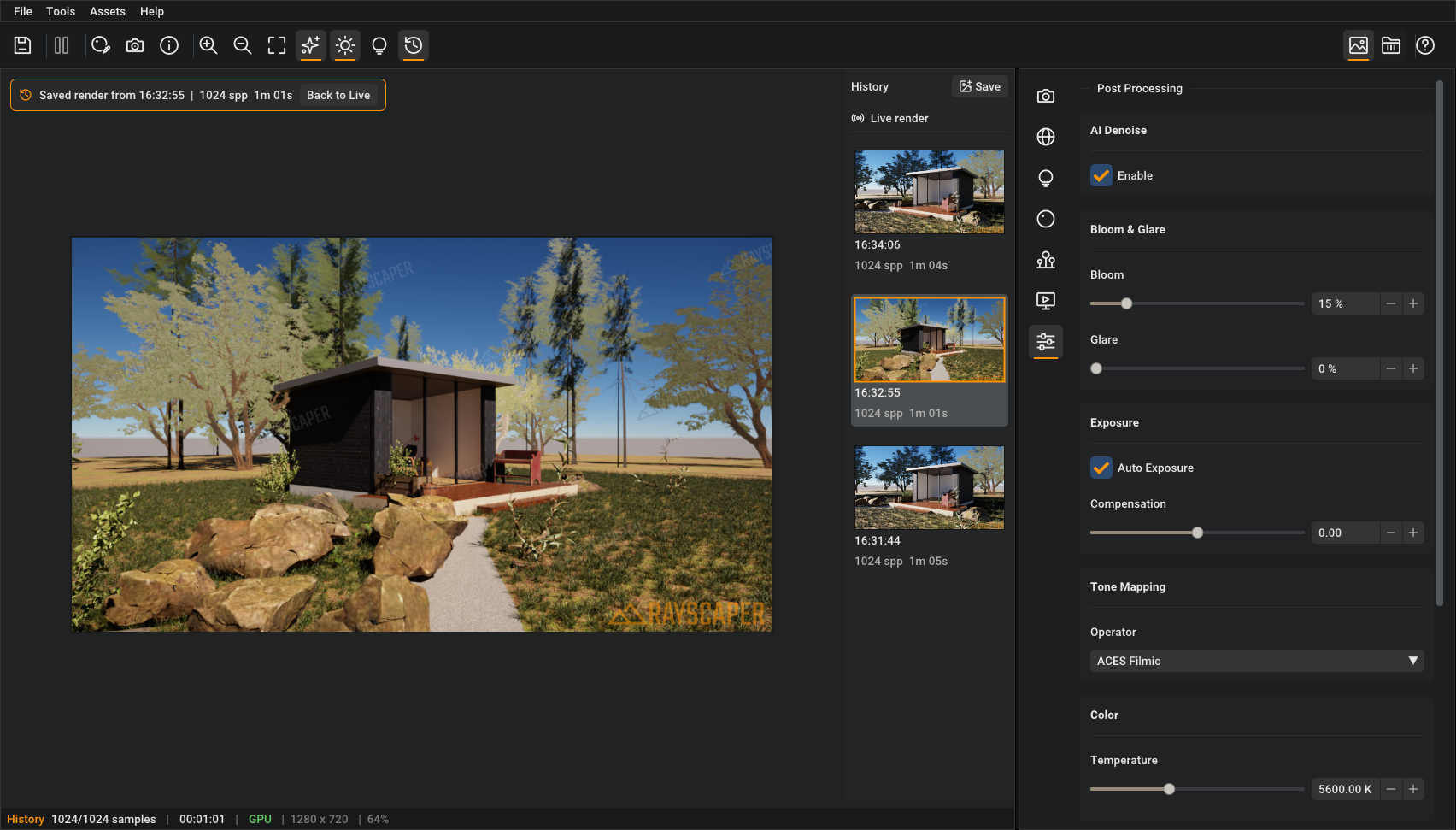
                Render history

                More in the manual.

                Render Scenes

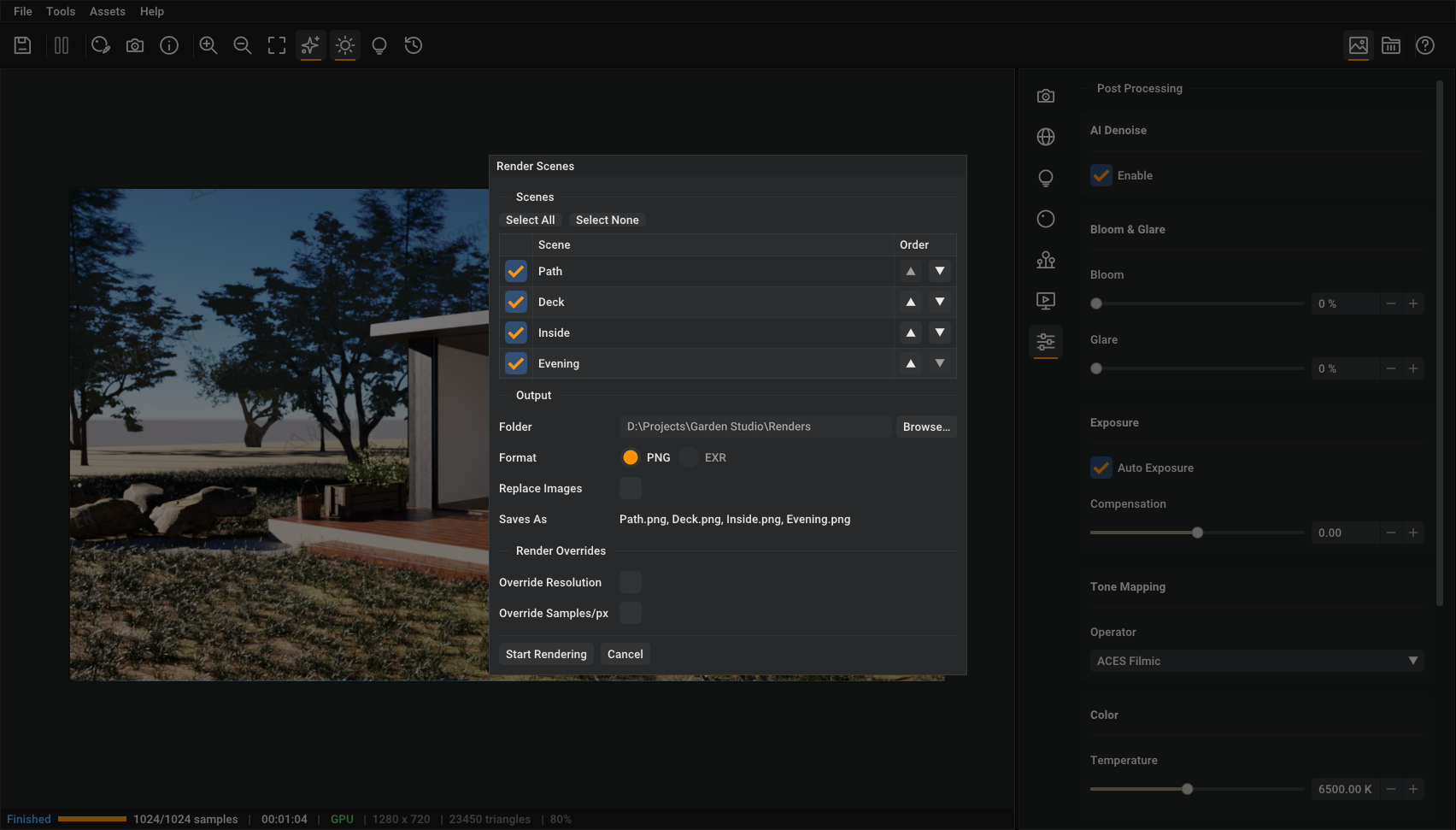
                File > Render Scenes... renders your SketchUp scenes one after the other and saves each image under the name of its scene. Start it before you leave the office, and all the views of a project are waiting for you in the morning. Override the resolution or samples for quick drafts of every view.
                Render Scenes

                More in the guide.

                Fixes

                • Update the render when you change the size of a texture in SketchUp.
                • Fix SketchUp crashes while Rayscaper renders: when quitting SketchUp, when importing a Collada, 3DS or IFC file, and when adding a snap.

                Full release notes: rayscaper.com/manual/release-notes

                Help Me Build the Community 👍

                If you like Rayscaper, please share your renders (final or work-in-progress, it doesn't matter)! This is motivating and helps me showcase its capabilities to new users.

                Follow me on X.

                Happy Rendering!
                Thomas

                I'm the developer of Rayscaper: https://rayscaper.com/ - Fast and easy rendering for SketchUp.

                1 Reply Last reply
                Reply Quote 1
                • Rich O BrienR
                  Rich O Brien Moderator
                  last edited by

                  Image History! Yay!!!!!!

                  Download the free D'oh Book for SketchUp 📖

                  KrassK 1 Reply Last reply
                  Reply Quote 1
                  • KrassK
                    Krass @Rich O Brien
                    last edited by Krass

                    Ah, while I was struggling with Rayscaper, a new version came out!

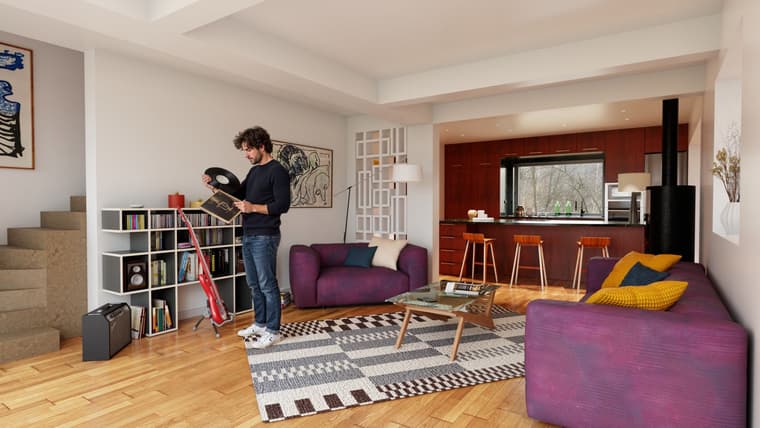
                    So: rendered with an old Rayscaper, GPT image character, arranged with Magnific AI (apart from the character, everything is raw Rayscaper).
                    2.jpg

                    Krass

                    1 Reply Last reply
                    Reply Quote 0
                    • KrassK
                      Krass
                      last edited by

                      Thomas,
                      I’m still missing a render method that would allow for quick masking by material, using solid colors—similar to a Render ID pass.
                      Thanks a lot for the Render Scenes feature!
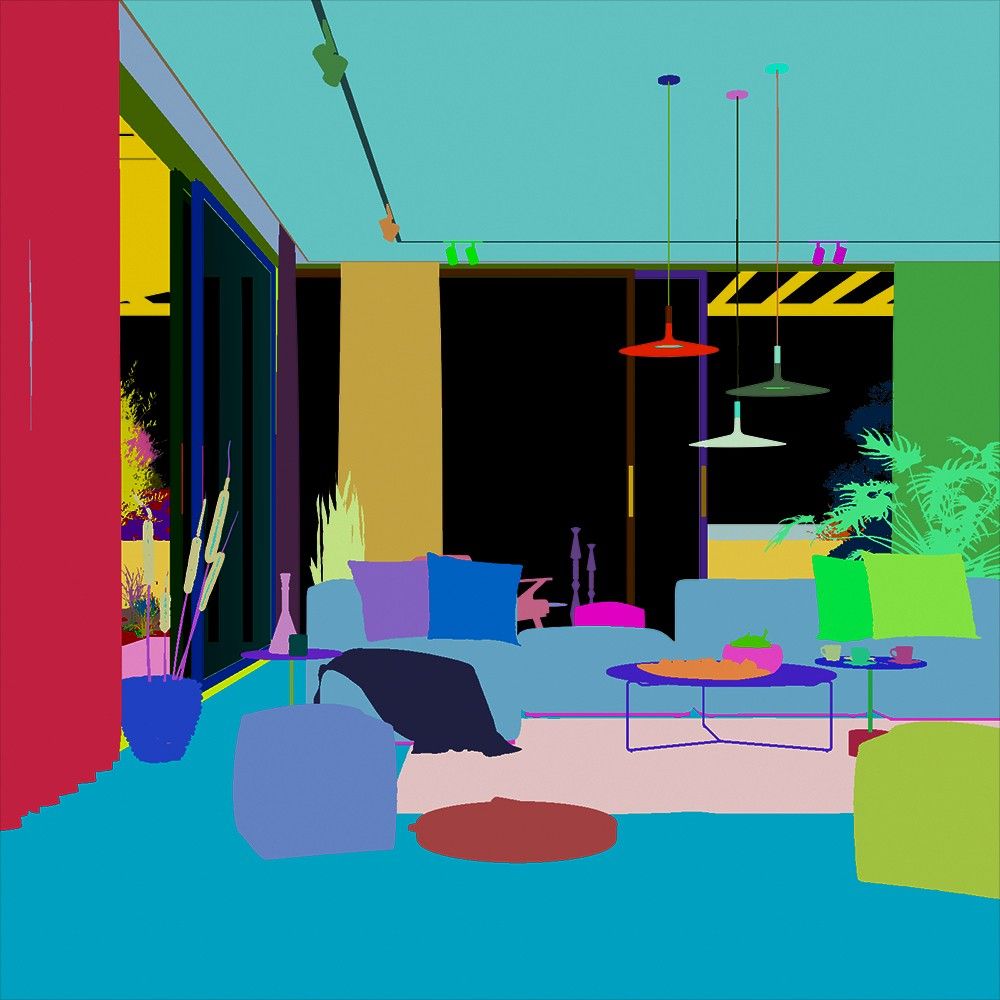
                      image.jpeg

                      Krass

                      1 Reply Last reply 😊
                      Reply Quote 1
                      • Rich O BrienR
                        Rich O Brien Moderator
                        last edited by

                        FR: Cryptomatte 😜

                        Download the free D'oh Book for SketchUp 📖

                        1 Reply Last reply
                        Reply Quote 0
                        • KrassK
                          Krass @pixelcruncher
                          last edited by Krass

                          @pixelcruncher
                          Thanks a lot Thomas for the tip about glass reflection!

                          Krass

                          1 Reply Last reply
                          Reply Quote 1
                          • KrassK
                            Krass
                            last edited by

                            Yes Rich,
                            I ve let V-ray for so long to replace it with rayscaper, this is exactly cryptomatte
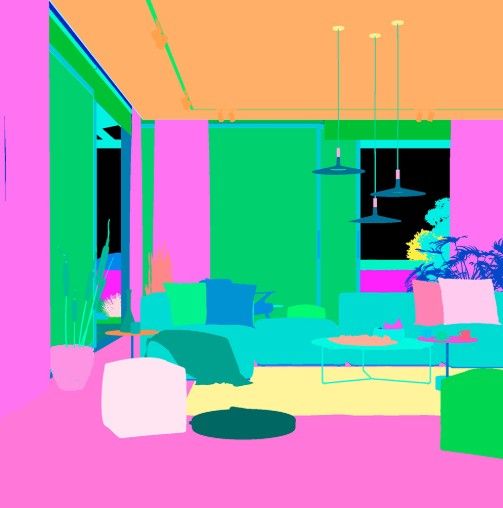
                            image.jpeg

                            Krass

                            1 Reply Last reply
                            Reply Quote 0
                            • KrassK
                              Krass
                              last edited by Krass

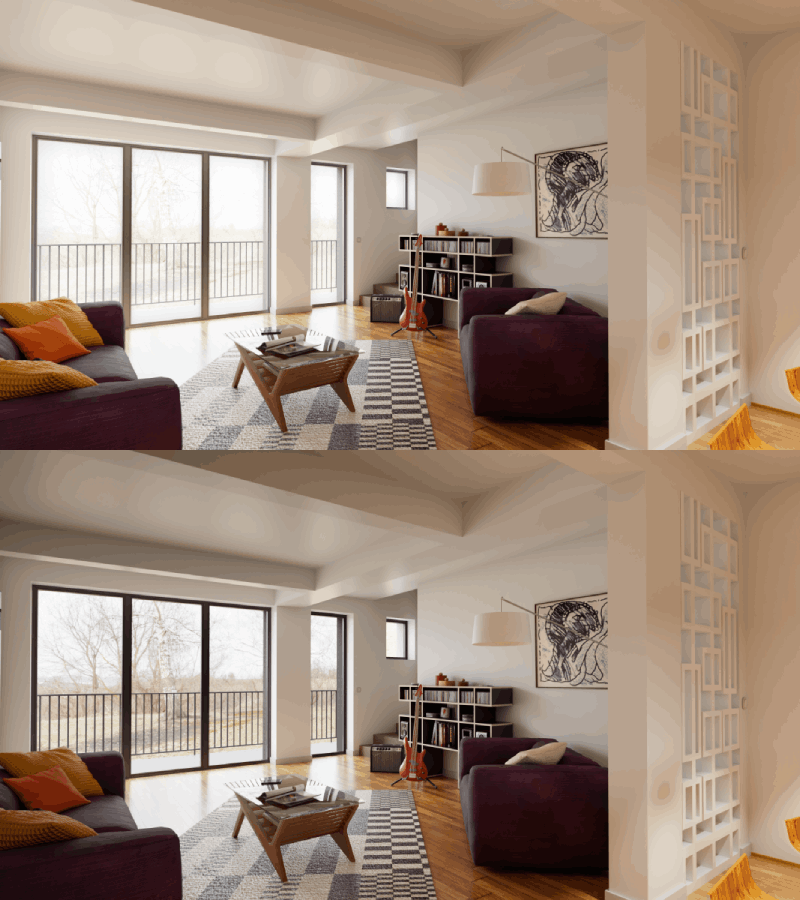
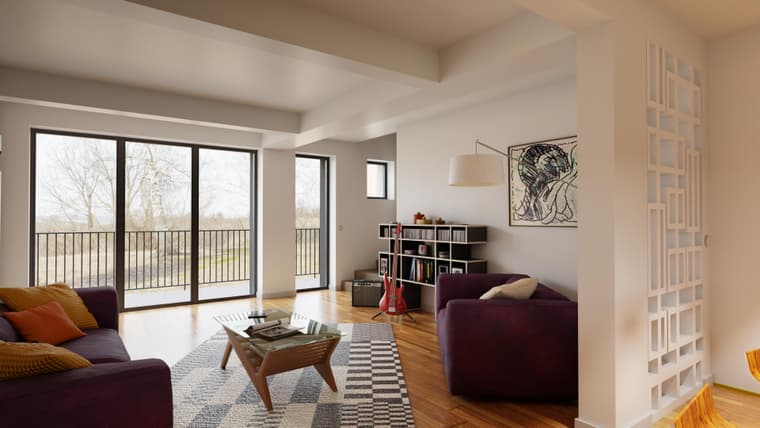
                              adjusting the exposure of the background with a mix of two différent exposure renders using Photopea
                              3 (1).gif

                              3web.jpg

                              Krass

                              1 Reply Last reply
                              Reply Quote 1
                              • KrassK
                                Krass
                                last edited by

                                SHUT DOWN COMPUTER AFTER RAYSCAPER SCENES RENDER

                                I’m not sure if something like this already exists, but I asked ChatGPT to create an extension for me that puts the PC into hibernation after Rayscaper finishes rendering scenes.
                                The first button closes SketchUp once the renders are complete; the second one shuts down the PC—or rather, puts it into hibernation—after the rendering is done.
                                I’ve only tested it with small-scale renders involving about ten scenes, and it works well. It allows me to run longer rendering tasks overnight or after I’ve left for the day.
                                I’ve attached the RBZ file (it’s currently in French, but once it’s gone through beta testing, we can create an English version!). Works well on my SU 2024.
                                If you’re able to test the extension to see how well it works, thanks in advance!
                                Fin_des_rendus_Rayscaper_1.2.0_Veille_prolongee.rbz

                                Krass

                                1 Reply Last reply
                                Reply Quote 1

                                Hello! It looks like you're interested in this conversation, but you don't have an account yet.

                                Getting fed up of having to scroll through the same posts each visit? When you register for an account, you'll always come back to exactly where you were before, and choose to be notified of new replies (either via email, or push notification). You'll also be able to save bookmarks and upvote posts to show your appreciation to other community members.

                                With your input, this post could be even better 💗

                                Register Login
                                • 1
                                • 2
                                • 23
                                • 24
                                • 25
                                • 26
                                • 27
                                • 27 / 27
                                • First post
                                  Last post
                                Buy SketchPlus
                                Buy SUbD
                                Buy WrapR
                                Buy eBook
                                Buy Modelur
                                Buy Vertex Tools
                                Buy SketchCuisine
                                Buy FormFonts

                                Advertisement

