Rayscaper New Releases
-
Thomas,
"xport your model as glTF and open it in Blender. File > Export glTF saves a .glb or .gltf file that Blender, Unreal, Unity, Godot and three.js open. Groups and components, materials, textures and smooth edges come along, at the model’s real size. The user guide shows how to open your model in Blender. Open your model in Blender"This is new 0.16 realease. Great!
For faster importing GLB into Sketchuup and keep Hierarchy, groups you will install this sketchup extension and directly import the Modlumi GLB.SketchUp Extension Warehouse
Your library of custom third-party extensions created to optimize your SketchUp workflow.
(extensions.sketchup.com)
then we can convert several group identical copies to components with Component Replacer from Thom THOM
https://extensions.sketchup.com/extension/fcd94c85-28b6-4b50-a4ef-fc83630349ff/component-replacer -
Hey, Rayscaper users!
Rayscaper 0.9.100 Beta is available. You can get it via:
- The SketchUcation store.
- Direct download: Rayscaper_Win_0.9.100_Beta.rbz.
I recommend upgrading to the latest version.

What Changed?
- Support SketchUp 2027.
- Add a Car Paint material type: a colored or metallic base coat with sparkling flakes under a clear coat.
- Add 27 textured architecture materials to the Rayscaper library: tiles, wood, concrete, plaster, brick, stone, patterned metal, paving and roofing.
- Add a Reset to Defaults button to the Camera, Environment and Render sections of the scene editor.
- Bring back the material settings the simplification hid, in a collapsed Advanced section per material type, such as Transmission, Coating, Sheen, Specular Tint, IOR and Anisotropy for Standard and IOR, Transparent Shadows and Opacity for Glass.
- Raise the render resolution limit from 4000 to 16384 pixels, enough for a 16384 x 8192 panorama. Above 8K the editor shows how much graphics memory the image needs.
- Type an exact texture rotation in the material editor, with step buttons of 1° (10° with Shift).
- Show an icon for each material type in the material list and the Material Type combo, and show the type in the asset manager's tooltips.
- Add icons to the camera Projection and Environment Type buttons.
- Keep Rayscaper responsive while it renders and while you edit large scenes: moving a component no longer rebuilds the whole scene, a material change only rebuilds the shaders that changed, texture thumbnails no longer freeze the UI after an import, and the denoiser no longer keeps every core busy during a render.
- A model made on another computer no longer reports the image files of its SketchUp textures as missing: Rayscaper takes those textures from the model, as SketchUp does. This was the case for the Quick Start scene.
- The Panoramic camera no longer switches back to Perspective when you orbit, pan or click a scene tab in SketchUp, so you can move between the positions of a virtual tour without choosing Panoramic again. See 360° Panoramas.
- Switching a transparent material to Glass, Metal or Water makes it opaque, so the glass no longer renders faint without a setting to fix it.
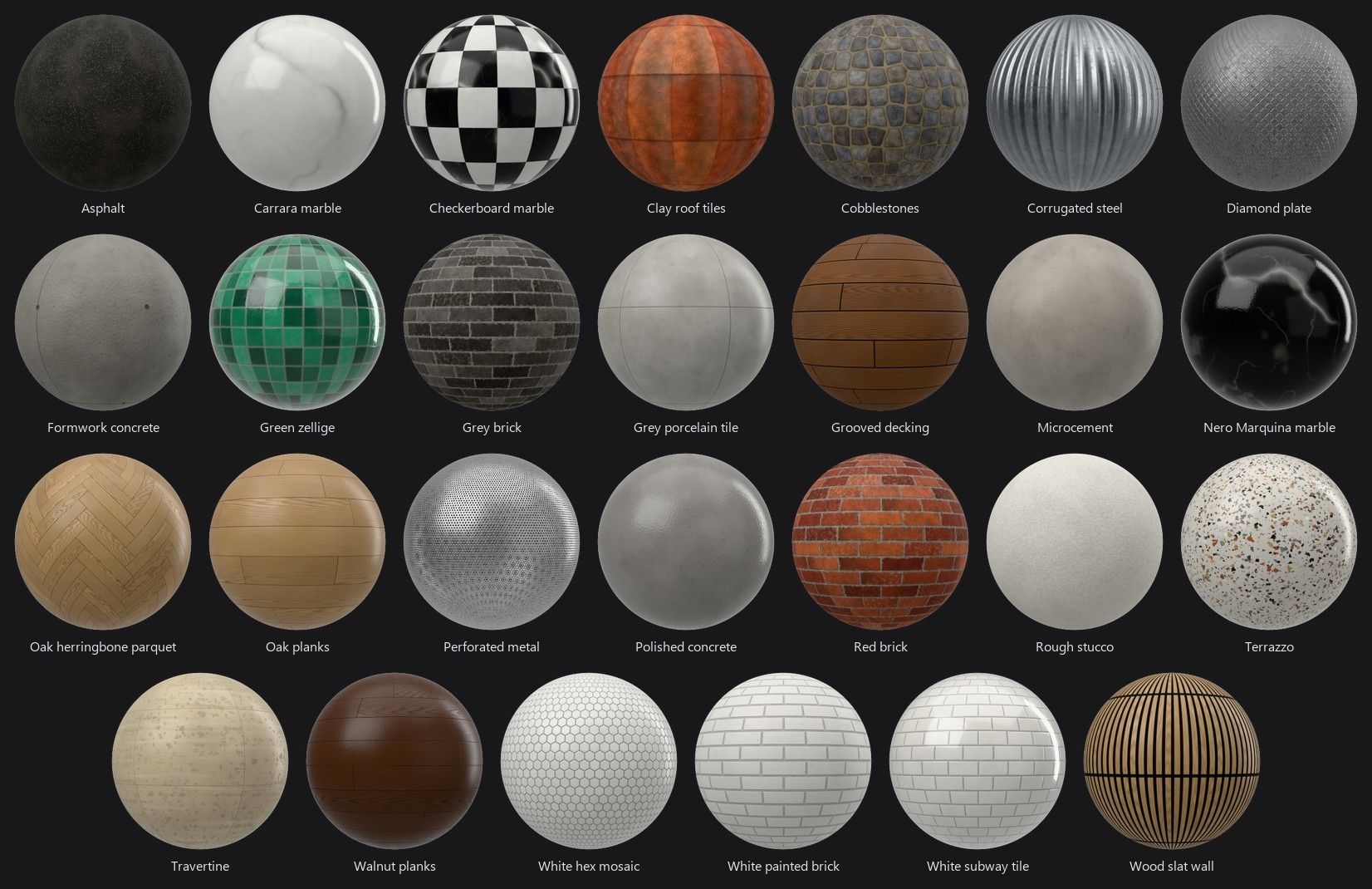
Full release notes: rayscaper.com/manual/release-notes
Help Me Build the Community

If you like Rayscaper, please share your renders (final or work-in-progress, it doesn't matter)! This is motivating
and helps me showcase its capabilities to new users.Follow me on X.
Happy Rendering!
Thomas -
Tahnks!=
-
thank you very much! One bug I noticed for a while already, that when I open rayscaper, it shows all tags, even the ones that are hidden, and I have to show and rehide the tag, and only then it does not show up in the render window. Can this be fixed, so that automatically rayscaper reads which tags are hidden, and does not show them?
-
@sashapepperspray I think I found the bug with the visibility tags. Should be fixed in the next release.
I'm the developer of Rayscaper: https://rayscaper.com/ - Fast and easy rendering for SketchUp.
-
you said : "A model made on another computer no longer reports the image files of its SketchUp textures as missing: Rayscaper takes those textures from the model, as SketchUp does. This was the case for the Quick Start scene."
Don't we have to keep buildind an archive anymore? -
@Krass No, I explained that wrong.
If the SKP file has embedded textures, Rayscaper will also search the SKP file for these embedded textures instead of trying to load them from disk.
SketchUp doesn't know about any other textures you use directly in Rayscaper (for example, a coating map for the standard material). So they aren't saved inside the SketchUp file. This means you still need to archive your scene if you want to use it in Rayscaper on another computer.
-
Hey, Rayscaper users!
Rayscaper 0.9.101 Beta is available. You can get it via:
- The SketchUcation store.
- Direct download: Rayscaper_Win_0.9.101_Beta.rbz.
I recommend upgrading to the latest version.
What Changed?
- Add support for SketchUp Image entities, so imported pictures render without needing to explode them.
- Restore controls for light bounces, transparent layers and highlight clamping in an Advanced section of the render settings.
- Remember the selected scene editor section and asset manager tab between sessions.
- Fix a SketchUp crash when reloading an imported image, and update the render when replacing a component through Replace Selected.
- Fix objects on hidden SketchUp tags appearing in the first render.
- Show an error when the render window cannot open, including when the graphics driver lacks OpenGL 4.3 support, instead of crashing SketchUp.
- Fix Create Archive and Export Logs failing because of a missing ZIP library. Support archiving individual files of 2 GB or more within the 4 GB archive limit, and remove incomplete archives if writing fails.
Full release notes: rayscaper.com/manual/release-notes
Help Me Build the Community
If you like Rayscaper, please share your renders (final or work-in-progress, it doesn't matter)! This is motivating and helps me showcase its capabilities to new users.
Follow me on X.
Happy Rendering!
ThomasI'm the developer of Rayscaper: https://rayscaper.com/ - Fast and easy rendering for SketchUp.
-
@pixelcruncher
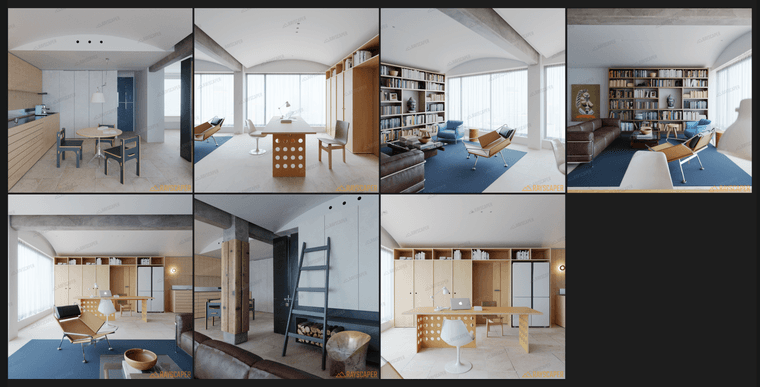
I tested the latest version 0.9.101 and everything is evolving in a better direction. “Restore controls for light bounces, transparent layers and highlight clamping in an Advanced section of the render settings.” I really like this. It has stronger controllability and has not become more complex. This is the indoor rendering I tested.
-
beautiful objects, lovely decor, great renders. Did you use a HDRI ? Or emissive plane behind the window ?
-
@Krass
Yes, I use an HDR to illuminate the scene while making the kitchen wall lights and dining table pendant lights glow (material glowing) -
@lightscape Good stuff! Definitely great renders to showcase Rayscaper's capabilities.
-
hello Thomas,
I can't reach real reflections on my glass material. In this screen shot the IQR is very high...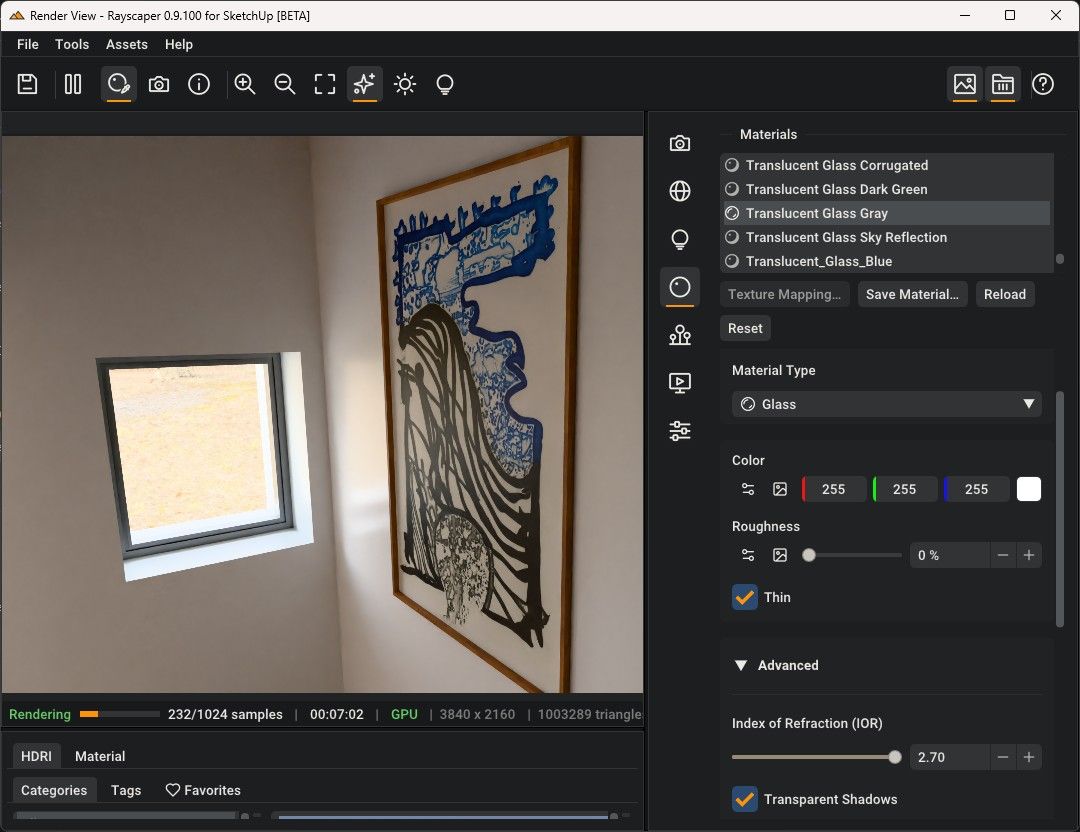
on this other screen these picture is behind a standard glass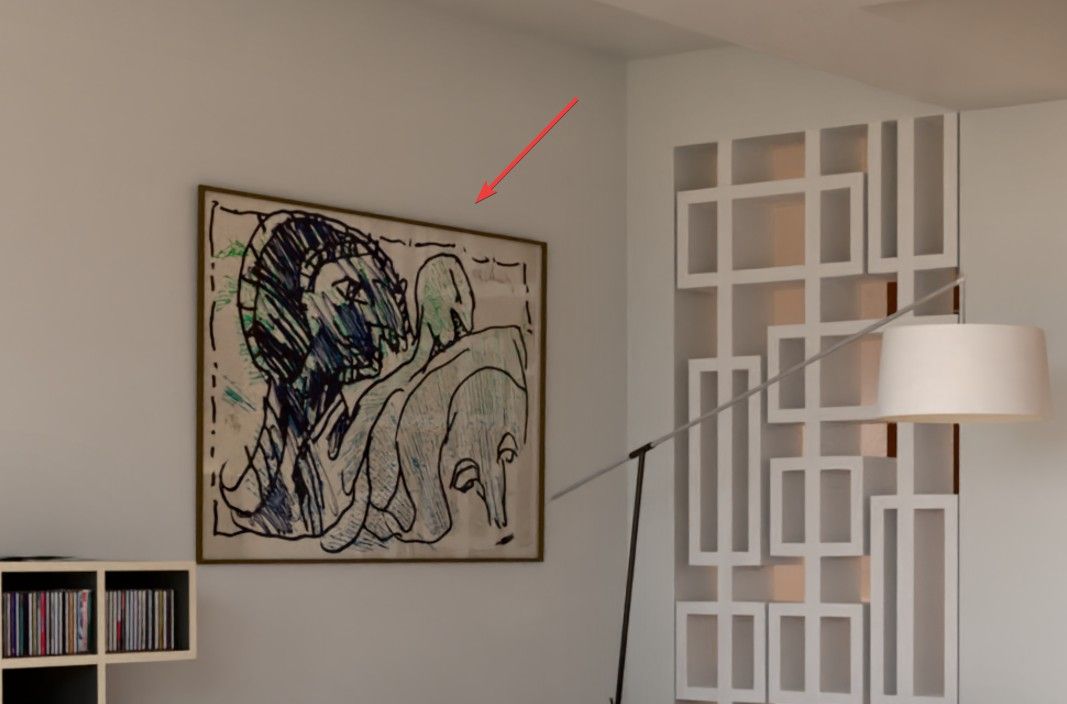
-
@Krass Thanks for the screenshots, you found a bug! When Thin is on, Rayscaper ignores the IOR, so a thin pane of glass doesn't reflect anything at all. Raising the IOR can't help.
I rebuilt your situation in a small test scene (a framed picture behind a single face of glass, with a window across the room) and fixed it: thin glass now reflects as much as its IOR gives, like real glass (about 8% when you look at it straight on, more at a glancing angle), while the light still passes straight through. Left is the current behavior, right is the fix, both with Thin on and IOR 1.5:
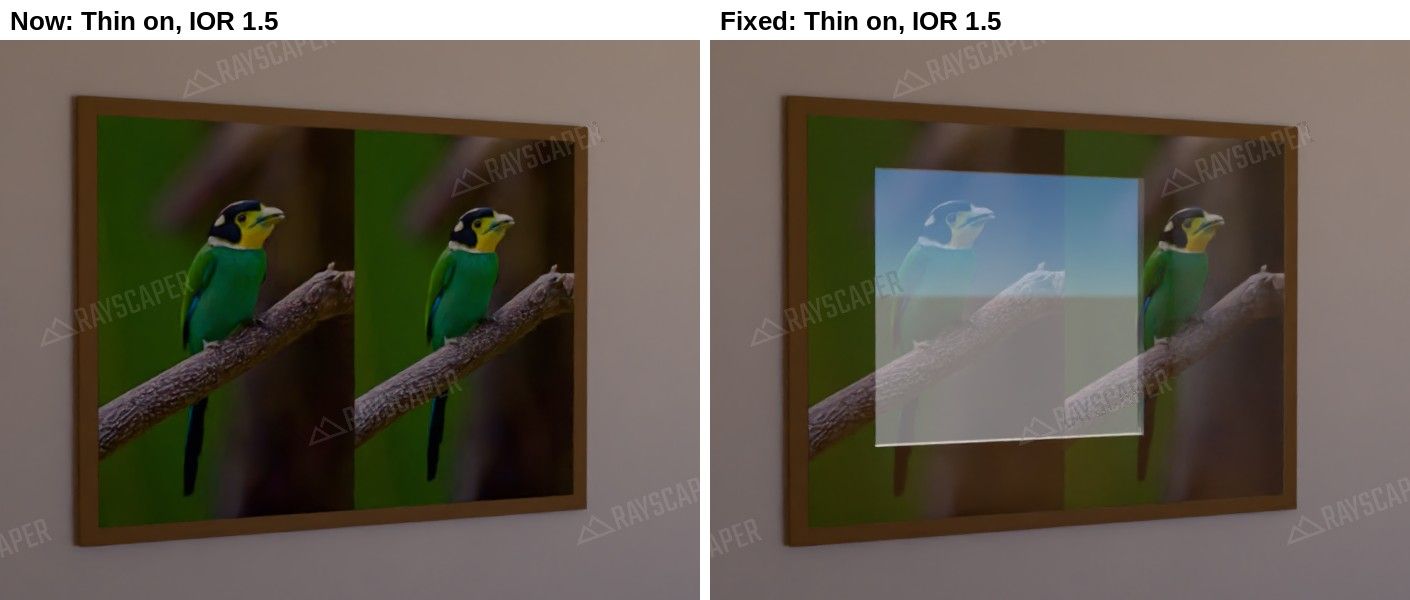
The fix won't be in today's release, but it will be in the next one.
Until then, a workaround: turn Thin off for the picture glass and set the IOR back to about 1.5. Glass lying flat on a picture doesn't visibly bend the light, so you get the reflection without side effects. Also keep in mind that a reflection only shows where something bright, like a window or a lamp, sits in the mirror direction from the camera.
I'm the developer of Rayscaper: https://rayscaper.com/ - Fast and easy rendering for SketchUp.
-
Hey, Rayscaper users!
Rayscaper 0.9.102 Beta is available. You can get it via:
- The SketchUcation store.
- Direct download: Rayscaper_Win_0.9.102_Beta.rbz.
I recommend upgrading to the latest version.
What Changed?
Render History
Not sure whether the warmer sun or the new material looked better? Click Save in the new render history (the clock button in the toolbar) before you change something, and click a saved render to compare it with the live one. You can still change the exposure, tone mapping, white balance or bloom of a saved render afterwards, without rendering it again.
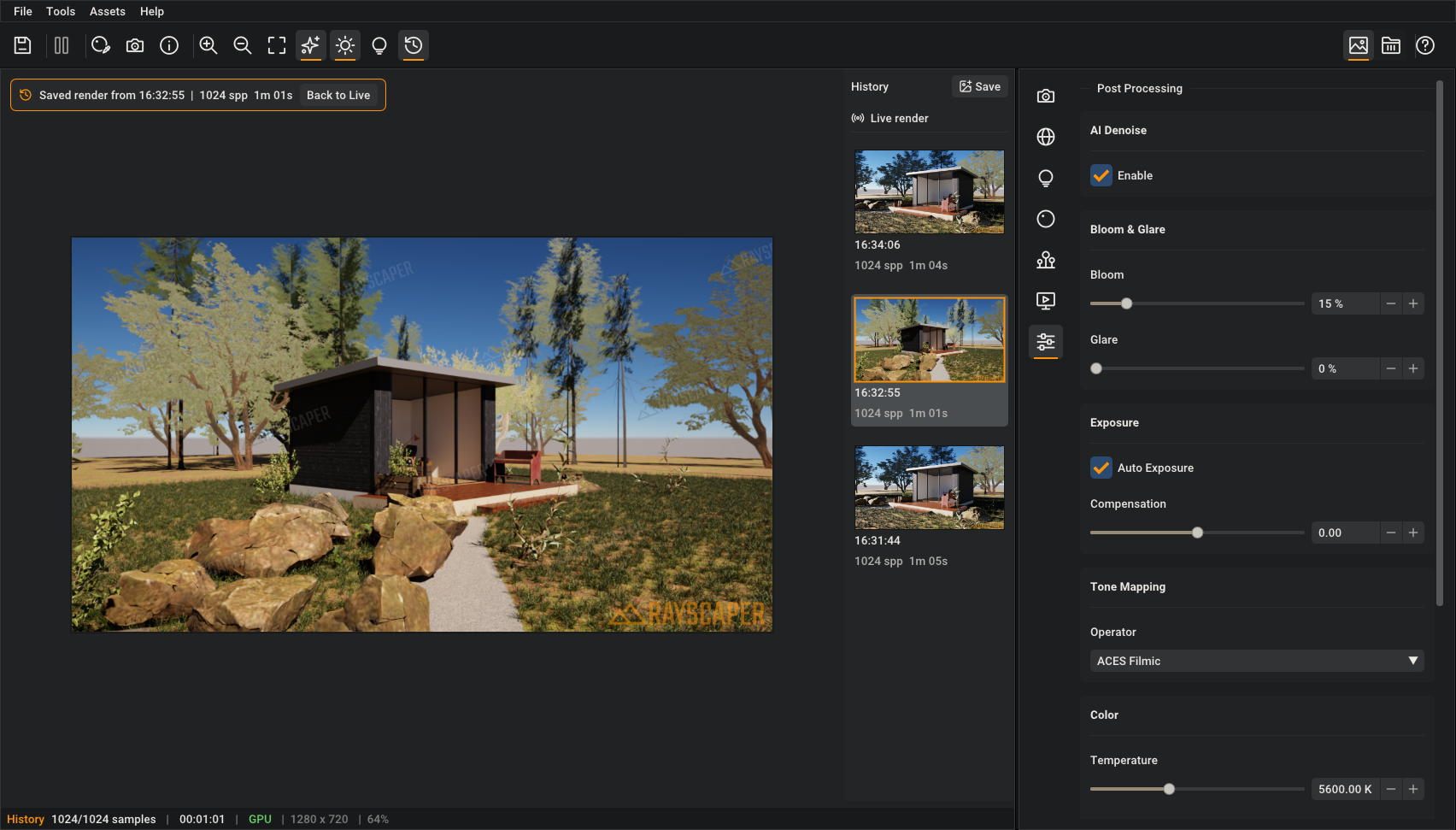
More in the manual.
Render Scenes
File > Render Scenes... renders your SketchUp scenes one after the other and saves each image under the name of its scene. Start it before you leave the office, and all the views of a project are waiting for you in the morning. Override the resolution or samples for quick drafts of every view.
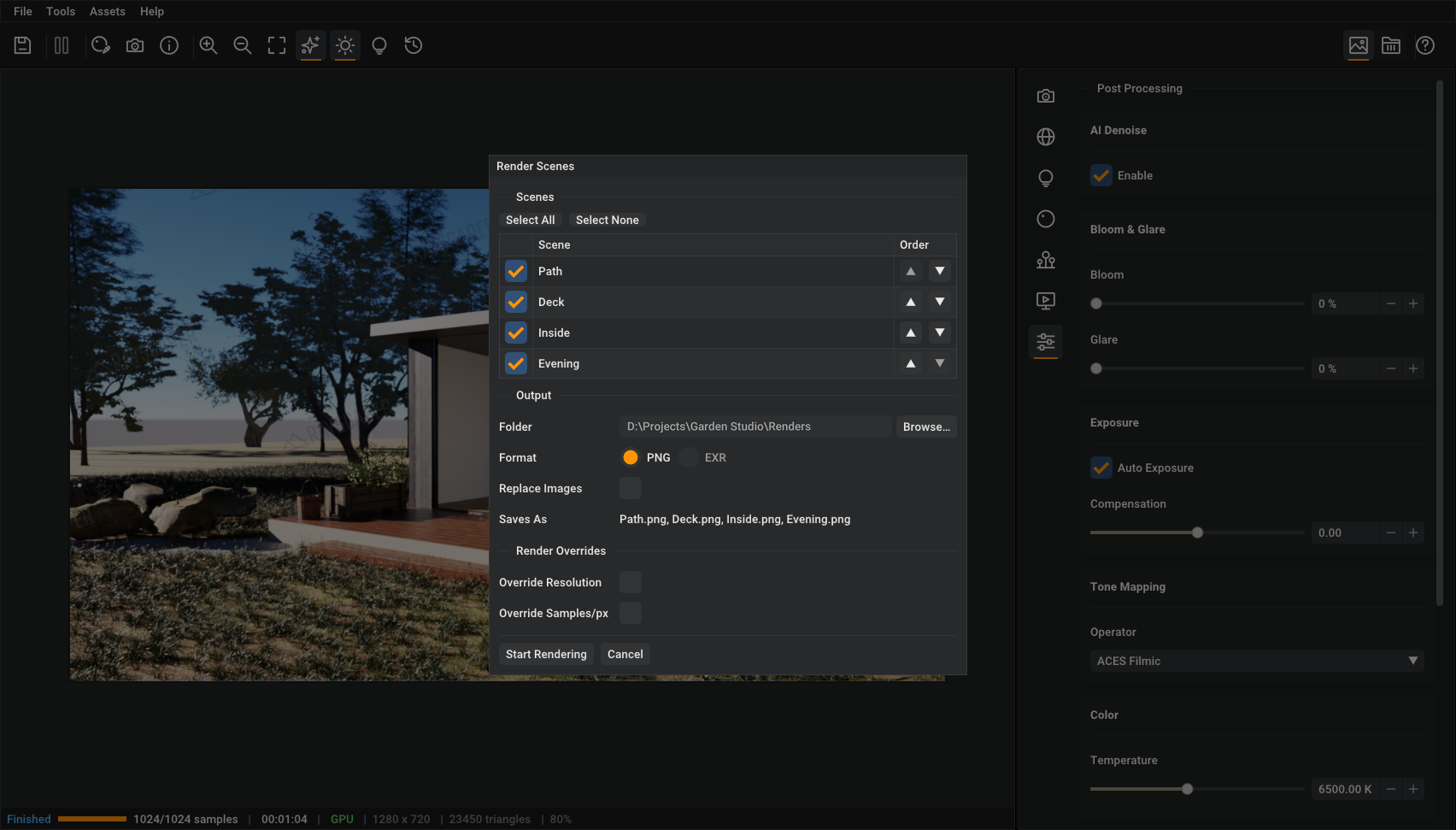
More in the guide.
Fixes
- Update the render when you change the size of a texture in SketchUp.
- Fix SketchUp crashes while Rayscaper renders: when quitting SketchUp, when importing a Collada, 3DS or IFC file, and when adding a snap.
Full release notes: rayscaper.com/manual/release-notes
Help Me Build the Community
If you like Rayscaper, please share your renders (final or work-in-progress, it doesn't matter)! This is motivating and helps me showcase its capabilities to new users.
Follow me on X.
Happy Rendering!
Thomas -
Image History! Yay!!!!!!
Download the free D'oh Book for SketchUp 📖
-
Ah, while I was struggling with Rayscaper, a new version came out!
So: rendered with an old Rayscaper, GPT image character, arranged with Magnific AI (apart from the character, everything is raw Rayscaper).
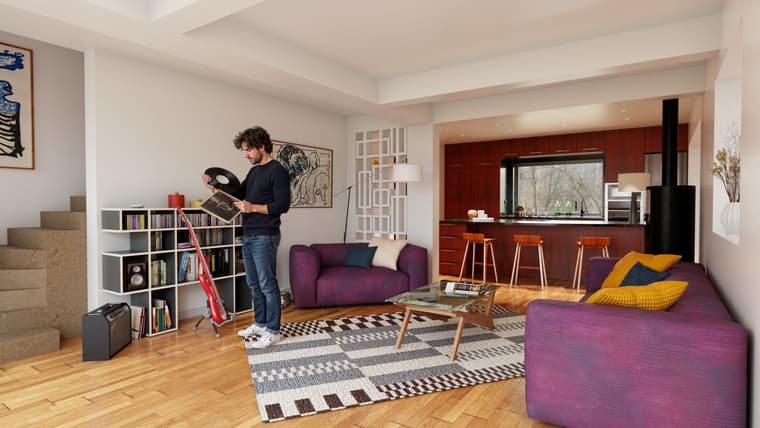
-
Thomas,
I’m still missing a render method that would allow for quick masking by material, using solid colors—similar to a Render ID pass.
Thanks a lot for the Render Scenes feature!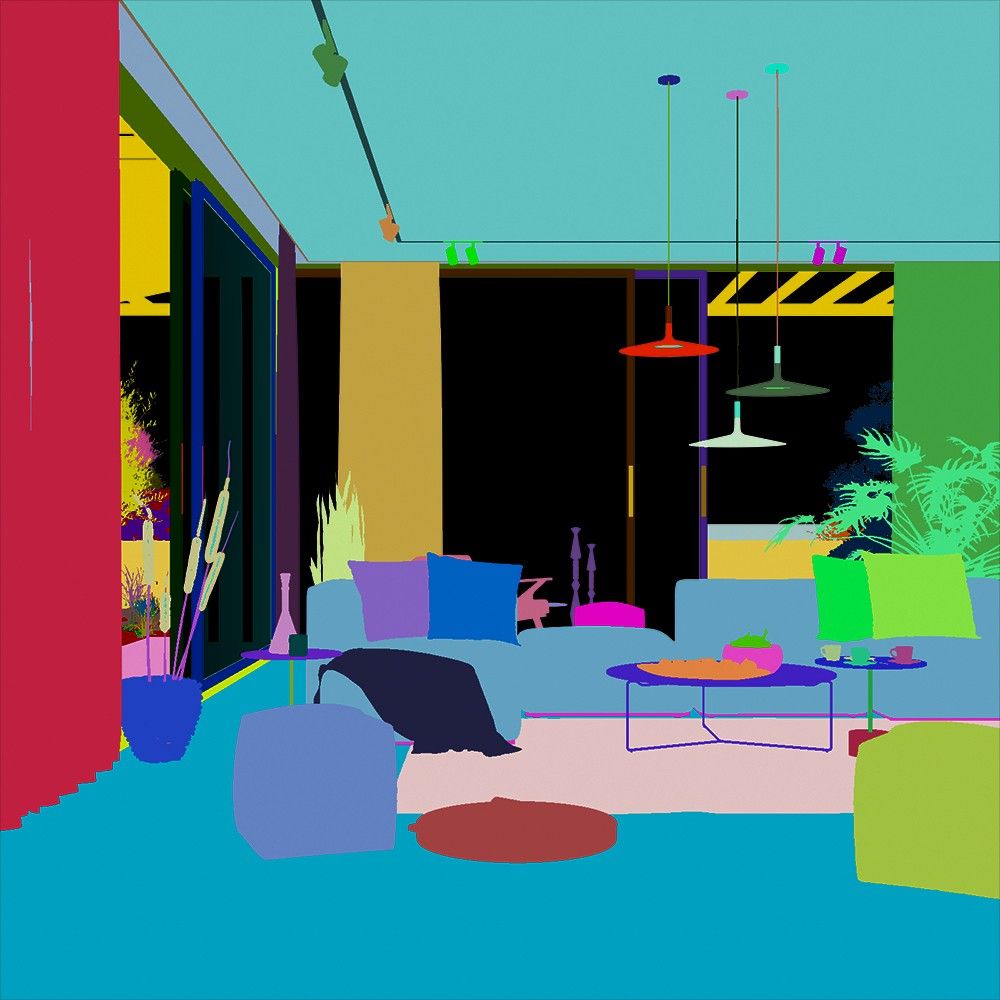
-
FR: Cryptomatte

-
@pixelcruncher
Thanks a lot Thomas for the tip about glass reflection!




Hello! It looks like you're interested in this conversation, but you don't have an account yet.
Getting fed up of having to scroll through the same posts each visit? When you register for an account, you'll always come back to exactly where you were before, and choose to be notified of new replies (either via email, or push notification). You'll also be able to save bookmarks and upvote posts to show your appreciation to other community members.
With your input, this post could be even better 💗
Register Login


Advertisement