sketchucation logo sketchucation
    • Login
    Oops, your profile's looking a bit empty! To help us tailor your experience, please fill in key details like your SketchUp version, skill level, operating system, and more. Update and save your info on your profile page today!
    Urasik Extensions | Lots of new extensions to check out Learn More

    Rayscaper New Releases

    Scheduled Pinned Locked Moved Extensions & Applications Discussions
    rayscaperrender
    440 Posts 11 Posters 73.6k Views 12 Watching
    Loading More Posts
    • Oldest to Newest
    • Newest to Oldest
    • Most Votes
    Reply
    • Reply as topic
    Log in to reply
    This topic has been deleted. Only users with topic management privileges can see it.
    • P Offline
      pixelcruncher Extension Creator @Mike Amos
      last edited by

      @Mike-Amos If you don't like them, I can add a small feature to hide this panel so you can have more viewport?

      I'm the developer of Rayscaper: https://rayscaper.com/ - Fast and easy rendering for SketchUp.

      1 Reply Last reply Reply Quote 1
      • Mike AmosM Offline
        Mike Amos
        last edited by

        Yes please, the less visual clutter the better.

        Absentia mortis praesentiam vitae probat, vita autem est argumentum constantiae.

        1 Reply Last reply Reply Quote 1
        • P Offline
          pixelcruncher Extension Creator
          last edited by

          Hey, Rayscaper users!

          Rayscaper 0.9.91 Beta is available. You can get it via:

          • The https://sketchucation.com/plugin/2677-rayscaper.
          • Direct download: https://rayscaper-releases.s3.amazonaws.com/SketchUp/Windows/Rayscaper_Win_0.9.91_Beta.rbz.

          I recommend upgrading to the latest version.

          What Changed?

          • Add tone mapping options β€” choose from ACES Filmic, Filmic (Hable), PBR Neutral, Linear, or Reinhard to control the look of your renders.
          • Add color grading controls β€” fine-tune renders with white balance temperature, tint, and contrast sliders.
          • Add auto-exposure β€” exposure now adjusts automatically to scene lighting, with a toolbar toggle and compensation slider.
          • Improve asset library reliability β€” fix occasional failures when browsing or downloading Poly Haven assets.

          Below screenshot shows the new post-processing capabilities:
          4507dc66-abc6-40f7-ba3a-c5f8df92ce83-image.jpeg

          Full release notes: https://rayscaper.com/manual/release-notes/

          Help Me Build the Community πŸ‘

          If you like Rayscaper, please share your renders (final or work-in-progress, it doesn't matter)! This is motivating and helps me showcase its
          capabilities to new users.

          Follow me on https://x.com/rayscaper3d.

          Happy Rendering!
          Thomas

          I'm the developer of Rayscaper: https://rayscaper.com/ - Fast and easy rendering for SketchUp.

          KrassK 1 Reply Last reply Reply Quote 1
          • KrassK Offline
            Krass @pixelcruncher
            last edited by

            @pixelcruncher said:

            Add tone mapping options β€” choose from ACES Filmic, Filmic (Hable), PBR Neutral, Linear, or Reinhard to control the look of your re

            aaaah, je m'y mets tout de suite
            merci !

            Krass

            1 Reply Last reply Reply Quote 0
            • S Offline
              sashapepperspray @pixelcruncher
              last edited by

              @pixelcruncher Is there any update on the bug that if I have a group nested in a different group, that nested group is always visible even if it is on a tag that is turned off?

              1 Reply Last reply Reply Quote 0
              • KrassK Offline
                Krass
                last edited by

                Hello,
                not yet, I still have this issue too, but I hide the unwanted geometry in the the scene
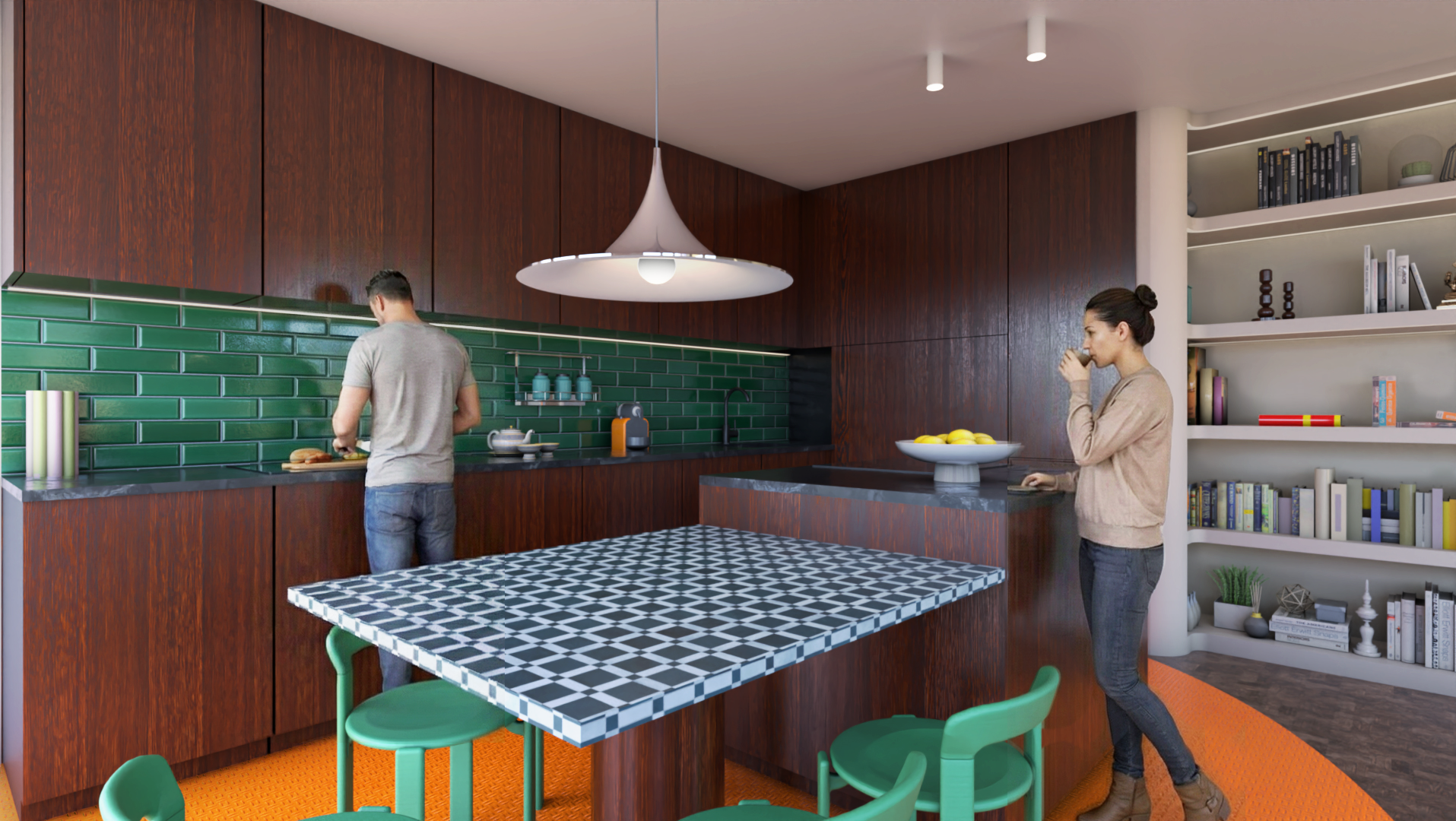
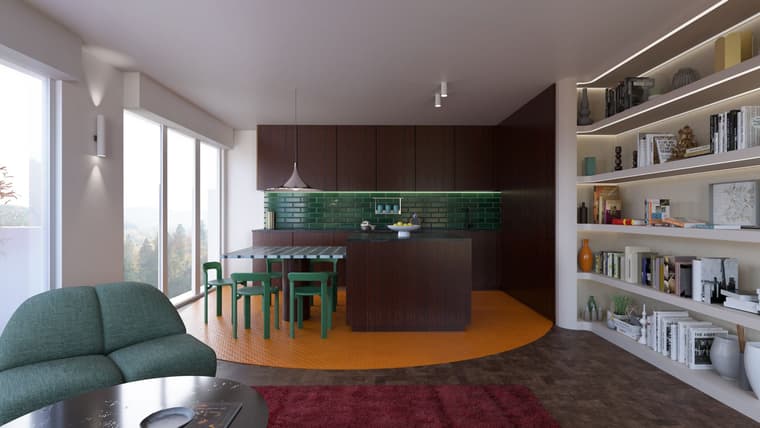
                Render with 0.9.91, post prod photoshop.

                But I really like the auto exposure settings, all this settings are great
                salon-Rayscaper-post-prod.jpg

                Krass

                1 Reply Last reply πŸ‘ Reply Quote 0
                • P Offline
                  pixelcruncher Extension Creator
                  last edited by

                  Nice render!

                  @krass @sashapepperspray - I can reproduce the issue, I'm looking into it for the next release. I'm sorry for the delay!

                  I'm the developer of Rayscaper: https://rayscaper.com/ - Fast and easy rendering for SketchUp.

                  1 Reply Last reply Reply Quote 0
                  • S Offline
                    sashapepperspray
                    last edited by

                    okay, thank you

                    1 Reply Last reply Reply Quote 0
                    • Mike AmosM Offline
                      Mike Amos
                      last edited by

                      Lightly tested this evening. Liking the auto exposure a lot.

                      Absentia mortis praesentiam vitae probat, vita autem est argumentum constantiae.

                      1 Reply Last reply Reply Quote 2
                      • P Offline
                        pixelcruncher Extension Creator
                        last edited by

                        Hey, Rayscaper users!

                        Rayscaper 0.9.92 Beta is available as a hotfix release to fix asset thumbnail downloads failing in the asset library. I strongly recommend upgrading. You can get it via:

                        • The SketchUcation store.
                        • Direct download: Rayscaper_Win_0.9.92_Beta.rbz.

                        What Changed?

                        • Fix asset thumbnails occasionally failing to download in the asset library.
                        • Fix AO Distance slider having no effect in standalone AO render method.

                        Full release notes: rayscaper.com/manual/release-notes

                        Help Me Build the Community πŸ‘

                        If you like Rayscaper, please share your renders (final or work-in-progress, it doesn't matter)! This is motivating and helps me showcase its capabilities to new users.

                        Follow me on X.

                        Happy Rendering!
                        Thomas

                        I'm the developer of Rayscaper: https://rayscaper.com/ - Fast and easy rendering for SketchUp.

                        1 Reply Last reply Reply Quote 0
                        • KrassK Offline
                          Krass
                          last edited by

                          you are too fast Pixelcruncher !
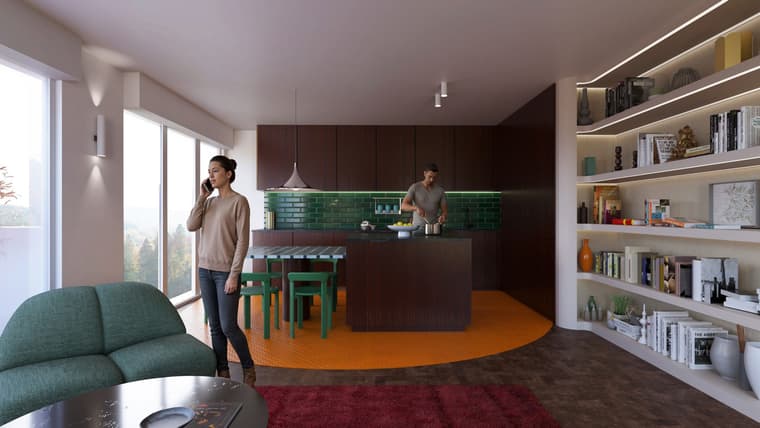
                          I'm still using 0.9.91 for this photomontage

                          render with Rayscaper 0.9.91, characters generated with D5 Lite and

                          character’s outline using Photoshop. To be in tune with the times, I naturally put the man in charge of the kitchen.
                          salon-Rayscaper-post-prod-persos.jpg

                          Krass

                          1 Reply Last reply Reply Quote 1
                          • KrassK Offline
                            Krass
                            last edited by

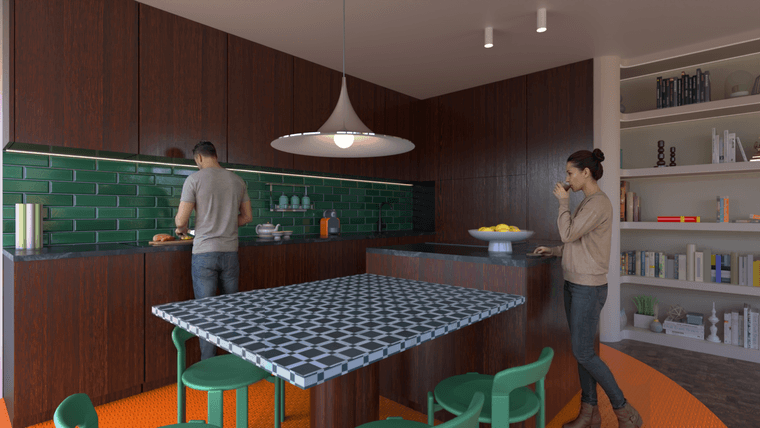
                            Here, the same exercise, but the aim is to maintain consistency by keeping the points of view the same with the same characters.
                            2.png

                            Krass

                            1 Reply Last reply Reply Quote 1
                            • KrassK Offline
                              Krass
                              last edited by

                              1- So, a "consistency" test, meaning renderings from different viewpoints with the same characters. It's not perfect, but the method is to create two 3D renderings (here in Rayscaper) and place the image in SketchUp. Then, I ask D5 Render Lite's AI to add characters to the first viewpoint. I also give D5 the same image as a reference. Then, I take the least bad result and create a Photoshop montage.

                              2- To get the same characters from a different viewpoint, I place the new rendering with a new viewpoint in SketchUp and give D5 Lite my latest image with the characters. I then request the same characters in a different location.

                              Krass

                              1 Reply Last reply Reply Quote 1
                              • KrassK Offline
                                Krass
                                last edited by

                                Ah! Thomas, the ambient occlusion is perfect in version 0.9.92!

                                Krass

                                1 Reply Last reply πŸ‘ Reply Quote 0
                                • KrassK Offline
                                  Krass
                                  last edited by

                                  2.png

                                  Krass

                                  1 Reply Last reply Reply Quote 1
                                  • P Offline
                                    pixelcruncher Extension Creator
                                    last edited by

                                    Magnifique!

                                    I'm the developer of Rayscaper: https://rayscaper.com/ - Fast and easy rendering for SketchUp.

                                    1 Reply Last reply Reply Quote 0
                                    • KrassK Offline
                                      Krass
                                      last edited by

                                      Hello
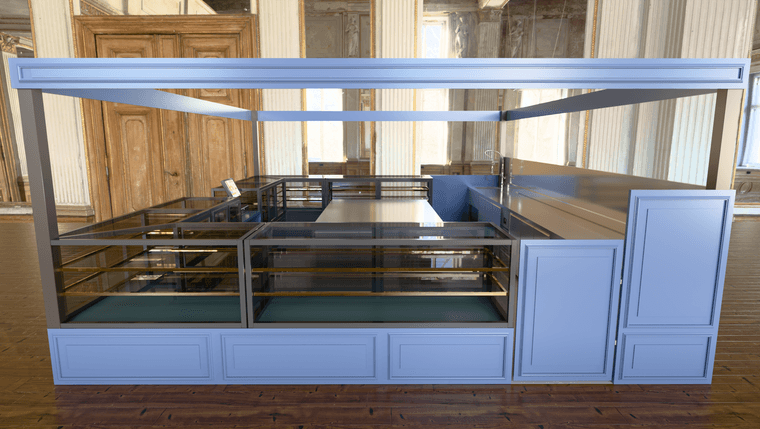
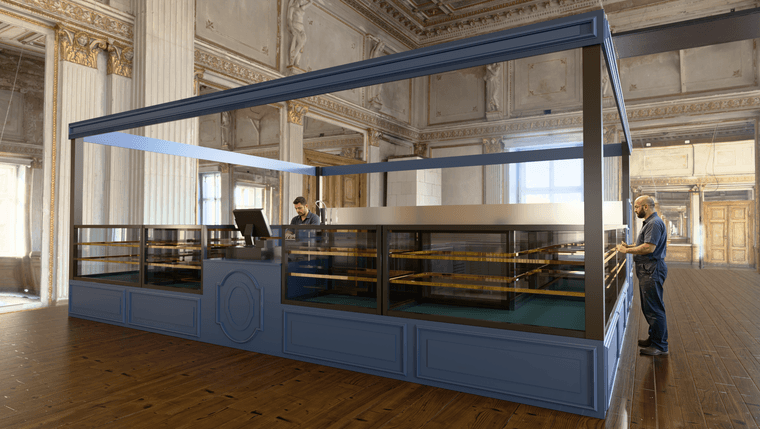
                                      other Rayscaper render with D5 characters, but I should have changed the scale of the characters, which is messed up, but I'm too lazy.
                                      1.png

                                      Krass

                                      1 Reply Last reply Reply Quote 1
                                      • KrassK Offline
                                        Krass
                                        last edited by

                                        2.png

                                        Krass

                                        1 Reply Last reply Reply Quote 0
                                        • Mike AmosM Offline
                                          Mike Amos
                                          last edited by

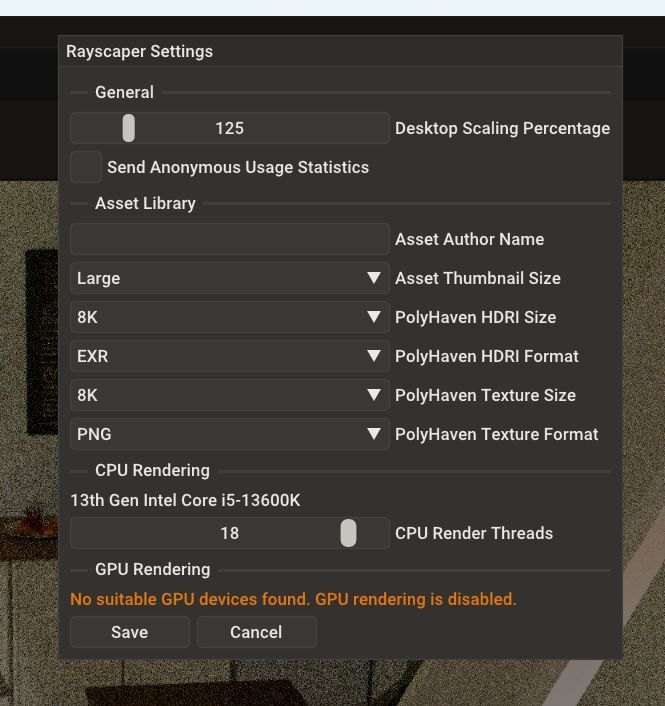
                                          OK, for some reason the settings are set at USE GPU but the render window states CPU and the times are slow enough.

                                          Absentia mortis praesentiam vitae probat, vita autem est argumentum constantiae.

                                          1 Reply Last reply Reply Quote 0
                                          • Mike AmosM Offline
                                            Mike Amos
                                            last edited by

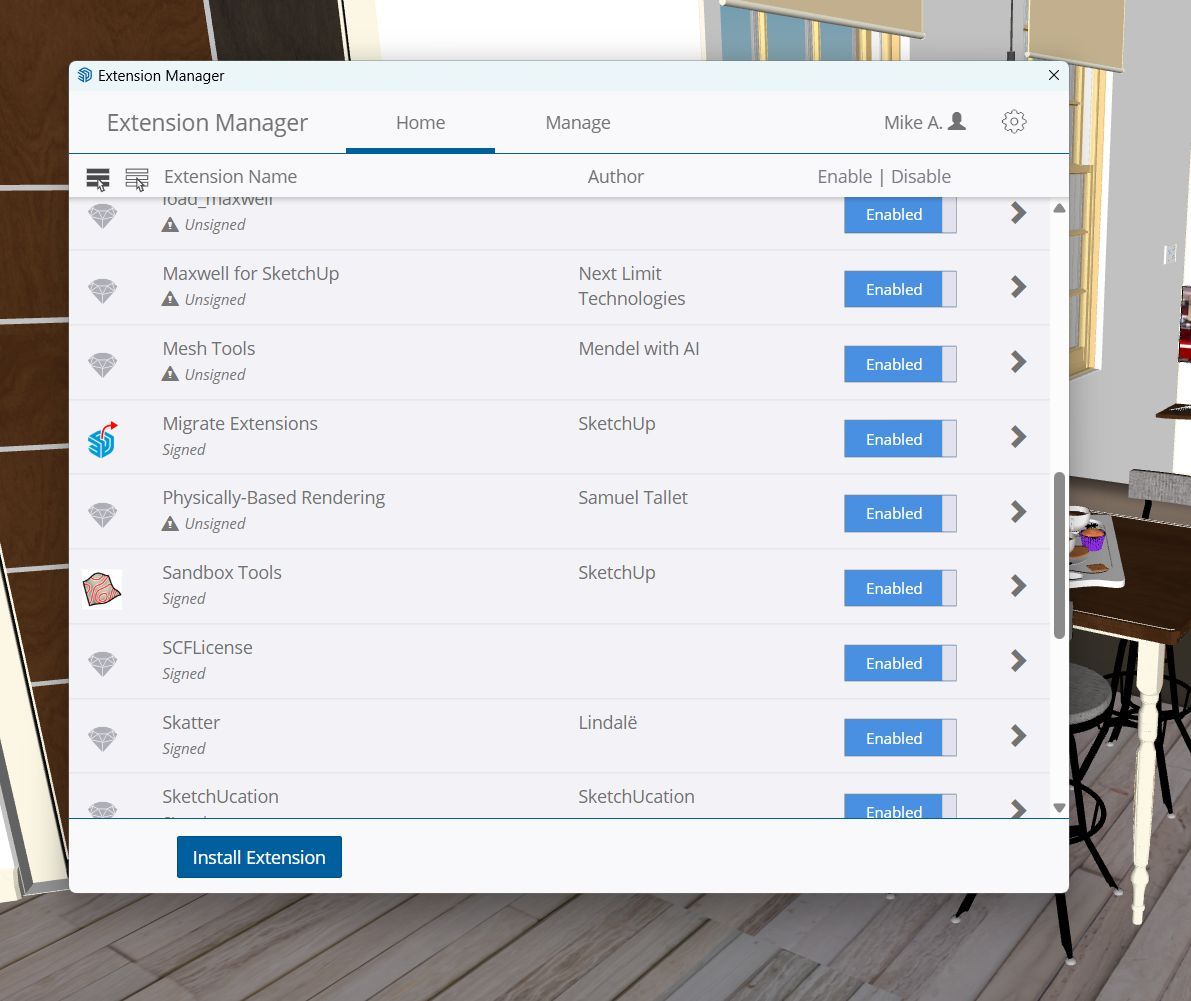
                                            Considering that win dose is once again deleting files I am at odds as to what to do next. micro snot are less use than a pre used nasal tissue.

                                            Absentia mortis praesentiam vitae probat, vita autem est argumentum constantiae.

                                            1 Reply Last reply Reply Quote -1

                                            Hello! It looks like you're interested in this conversation, but you don't have an account yet.

                                            Getting fed up of having to scroll through the same posts each visit? When you register for an account, you'll always come back to exactly where you were before, and choose to be notified of new replies (either via email, or push notification). You'll also be able to save bookmarks and upvote posts to show your appreciation to other community members.

                                            With your input, this post could be even better πŸ’—

                                            Register Login
                                            • 1
                                            • 2
                                            • 18
                                            • 19
                                            • 20
                                            • 21
                                            • 22
                                            • 22 / 22
                                            • First post
                                              Last post
                                            Buy SketchPlus
                                            Buy SUbD
                                            Buy WrapR
                                            Buy eBook
                                            Buy Modelur
                                            Buy Vertex Tools
                                            Buy SketchCuisine
                                            Buy FormFonts

                                            Advertisement