Rayscaper New Releases
-
@pixelcruncher thank you very much!
-
@ntxdave Can you provide some context on what's now working?
As soon as you have a Skatter composition, click generate, and the skattered items should appear in Rayscaper. I will create a demo video later. It would be great if you could provide a screenshot (or video) of what youare seeing. Just saying "it doesn't work" isn't providing me much to help you.
-
Thanks Thomas. I think the inclusion of Skatter will make for a more capable render program and enable us to produce better results, getting to grips with it is the issue a few of us will have but keeping on will be the answer.
Step by step, tbh, I have never had a decent result but that is me and NOT Skatter at fault.
-
OK - Some progress. Although there are some problems, I just did a new test and "kind of" got it to work. Although the grass and bush colors are wrong in the rendered copy, here is the result of the test.
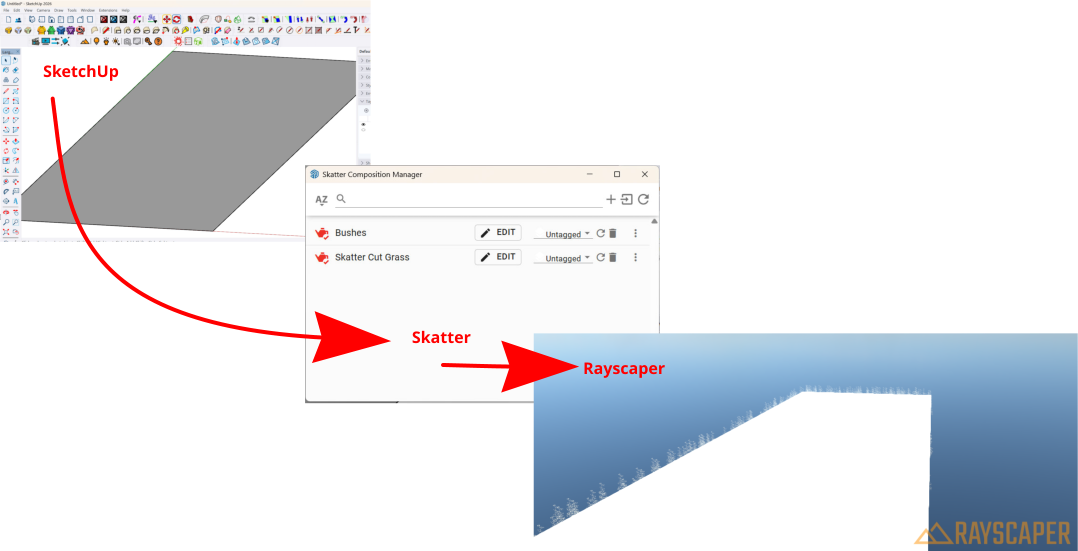
As I said, this is progress but so far, I can only get this to work with a new project. If I go back to an existing model, I cannot get things to work with an old/existing model. I do cannot get the Generate option to show up.
-
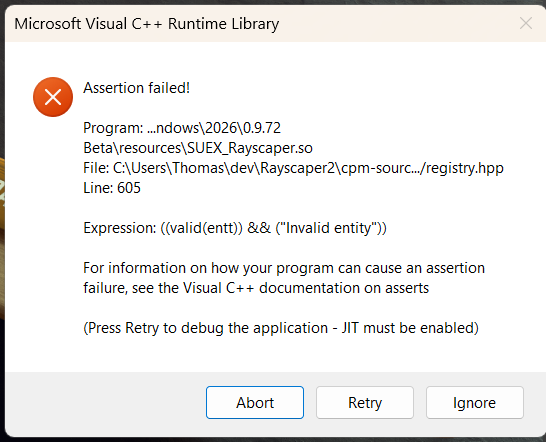
OK, I just tried an old/existing file again and am getting this error:
-
@ntxdave Sorry about that, this seems like a real bug. I will investigate!
-
Here's a quick video on how to use Rayscaper with Skatter. Still trying to get better at making video content

I'm the developer of Rayscaper: https://rayscaper.com/ - Fast and easy rendering for SketchUp.
-
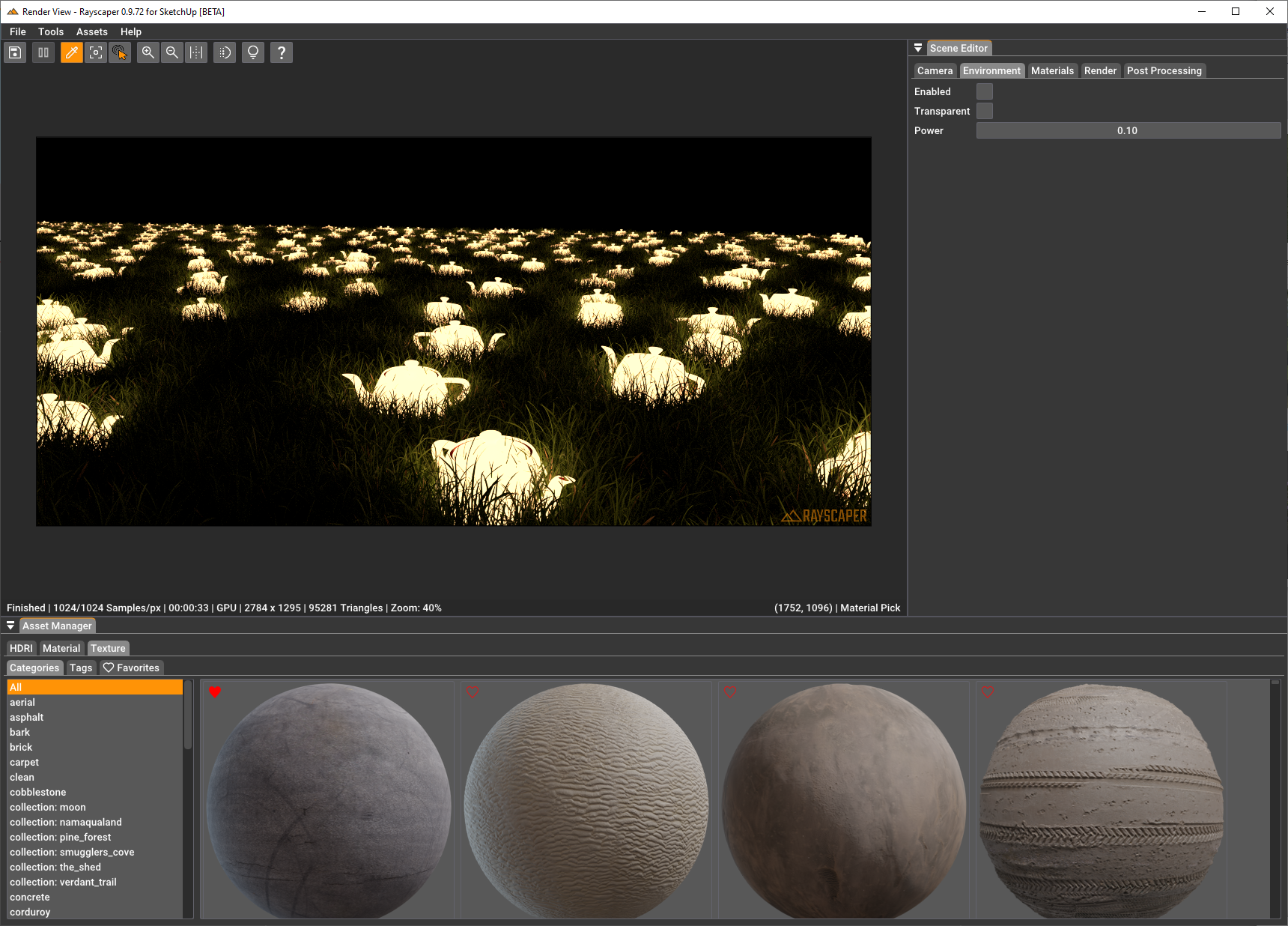
And here are some teapots in the night
-
But why aren't the transparent PNG files of the leaves taken into account?
Krass
-
@pixelcruncher said in Rayscaper New Releases:
Here's a quick video on how to use Rayscaper with Skatter. Still trying to get better at making video content
Thanks for posting the video. However, in the video you have generated the skattered items in the model. Now what you need to do is to turn on the “ Render only” option and then go to Rayscaper and see if the skattered items are generated by Rayscaper.
I think we are moving in the right direction. Just need to “work some things out”.

-
OK, I just gave things a second go round and things are not generating correctly when I use the "render only" option.
Here is my SketchUp model which you can use for testing/messing around.
Test - 2.skpPress F1...thank me later
-
@Krass I didn't modify the materials, just used them as they came from SketchUp. But it's possible ofcourse:

But maybe it's more intuitive to use the alpha channel from the color slot immediately if one exists?
-
@ntxdave - In your test file, it had a ton of geometry generated in the model. If I tried to re-create your scene again, step-by-step I got this:

Can you try to just generate the grass on the plane, a first step and see if that works?
As a sanity check, you are using Rayscaper 0.9.72?
I'm the developer of Rayscaper: https://rayscaper.com/ - Fast and easy rendering for SketchUp.
-
Great!
-
@pixelcruncher said in Rayscaper New Releases:
As a sanity check, you are using Rayscaper 0.9.72?
Yes, I have updated to Rayscaper 0.9.72. I am having ongoing problems. I will let you know more when I can. I will try to create a very basic file and show what I am see both if I generate in model and with render only.
It is probably going to be much later though. I want to get to the bottom of the problem(s) I am seeing.
-
@ntxdave Sounds good!
-
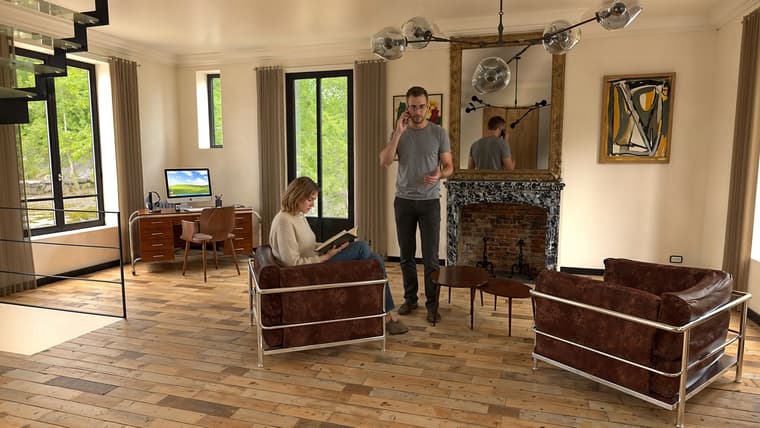
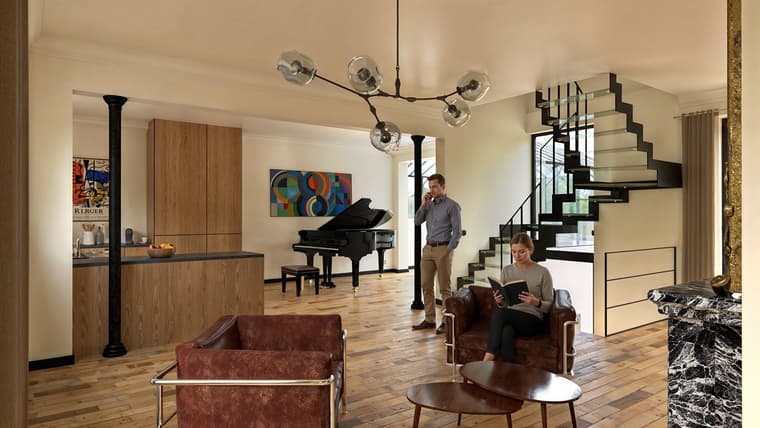
Rayscaper 0.9.71 renders / Photoshop / Nano Banana for the characters / Magnific Upscale
-
Compared to D5 Render Plus and D5 Render AI Enhancement, it's much better
D5 is faster, but its path tracing is a sham
https://jskup.fr/wp-content/uploads/2025/11/scene-6.FB_.jpg -
Compared to D5 Render Plus and D5 Render AI Enhancement, it's very mediocre!
What exactly is mediocre, or what are you missing? That helps me improve the software. Now I can only guess at what's mediocre compared to D5 render.
Cheers,
Thomas -
Sorry Pixelcruncher, that's my faulty translation... I really want to highlight Rayscaper! I love the photorealistic quality of RS's path tracing. I meant the opposite in my post and I've corrected it.





Hello! It looks like you're interested in this conversation, but you don't have an account yet.
Getting fed up of having to scroll through the same posts each visit? When you register for an account, you'll always come back to exactly where you were before, and choose to be notified of new replies (either via email, or push notification). You'll also be able to save bookmarks and upvote posts to show your appreciation to other community members.
With your input, this post could be even better 💗
Register Login


Advertisement