sketchucation logo sketchucation
    • Login
    Oops, your profile's looking a bit empty! To help us tailor your experience, please fill in key details like your SketchUp version, skill level, operating system, and more. Update and save your info on your profile page today!
    Mac User? | Join the Rayscaper Beta for Mac Learn More

    [Plugin] SketchyFFD (mind.sight.studios)

    Scheduled Pinned Locked Moved Plugins
    17 Posts 14 Posters 21.3k Views 14 Watching
    Loading More Posts
    • Oldest to Newest
    • Newest to Oldest
    • Most Votes
    Reply
    • Reply as topic
    Log in to reply
    This topic has been deleted. Only users with topic management privileges can see it.
    • GD3DesignG
      GD3Design
      last edited by

      Hey Dale,
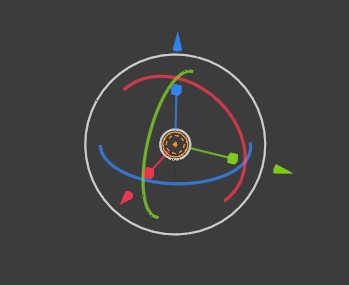
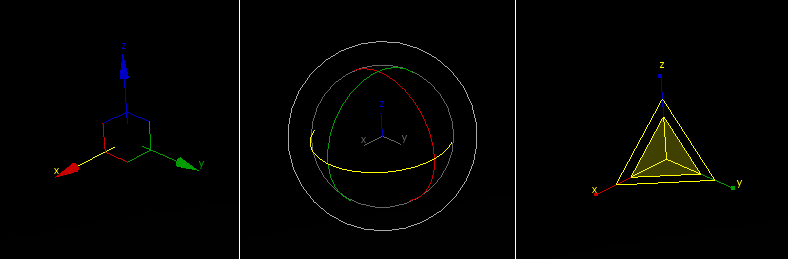
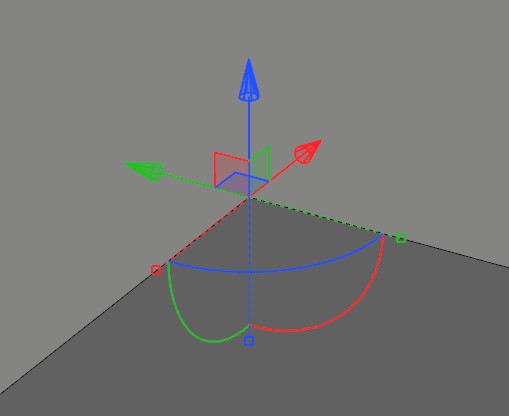
      That is great news. Very interested to see what you can do to improve FFD. I've posted gizmos from other programs. 3ds max has a different gizmo for each transform - move, rotate & scale. Blender also, but they also have a combined gizmo if you choose to use it. You can easily move, rotate & scale without switching modes/commands. In sketchup, Thom has implemented a gizmo in Vertex tools that is also a combined gizmo for moving vertices.
      I agree that a gizmo would be very handy to have in FFD. One thing I miss from 3ds max when using sketchyFFD is the ability to select two control points and scale them as a means of moving them equal distances toward or away from each other. If you aren't familiar with that or it isn't making sense, I could post a gif.

      Cheers,
      GD


      Blender all-in-one gizmo


      3ds Max gizmos


      Vertex Tools Gizmo

      1 Reply Last reply
      Reply Quote 0
      • mindsightstudiosM
        mindsightstudios
        last edited by

        @gd3design said:

        I agree that a gizmo would be very handy to have in FFD. One thing I miss from 3ds max when using sketchyFFD is the ability to select two control points and scale them as a means of moving them equal distances toward or away from each other.

        Thanks the great feedback! Rather than using gizmos, I like to utilize move, rotate and scale in a more 'SketchUp' way. Some people prefer gizmos though - I suppose it might be related to which apps you used prior to discovering SketchUp.

        1 Reply Last reply
        Reply Quote 0
        • R
          rv1974
          last edited by

          To scale 2 points in 'Sketchup way' means fail 😄 I hope you won't copy SU behavior fully

          1 Reply Last reply
          Reply Quote 0
          • pilouP
            pilou
            last edited by

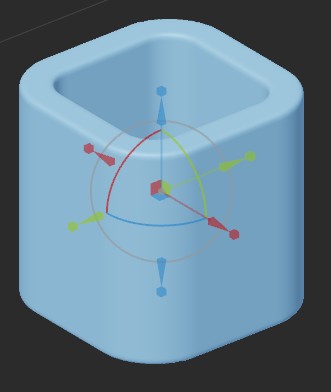
            The Gizmo of this incredible new free modeler : MagicaCSG ☀


            gizmo.jpg

            Frenchy Pilou
            Is beautiful that please without concept!
            My Little site :)

            1 Reply Last reply
            Reply Quote 0
            • mindsightstudiosM
              mindsightstudios
              last edited by

              @rv1974 said:

              To scale 2 points in 'Sketchup way' means fail 😄 I hope you won't copy SU behavior fully

              haha! don't worry - we've got you covered

              1 Reply Last reply
              Reply Quote 0
              • L
                lab971mail
                last edited by

                So I tried downloading this plugin "slicer" or as after downloading it says "sketchyFFD", but for some reason it is not appearing anywhere. But shows "installed" in Extension Manager.
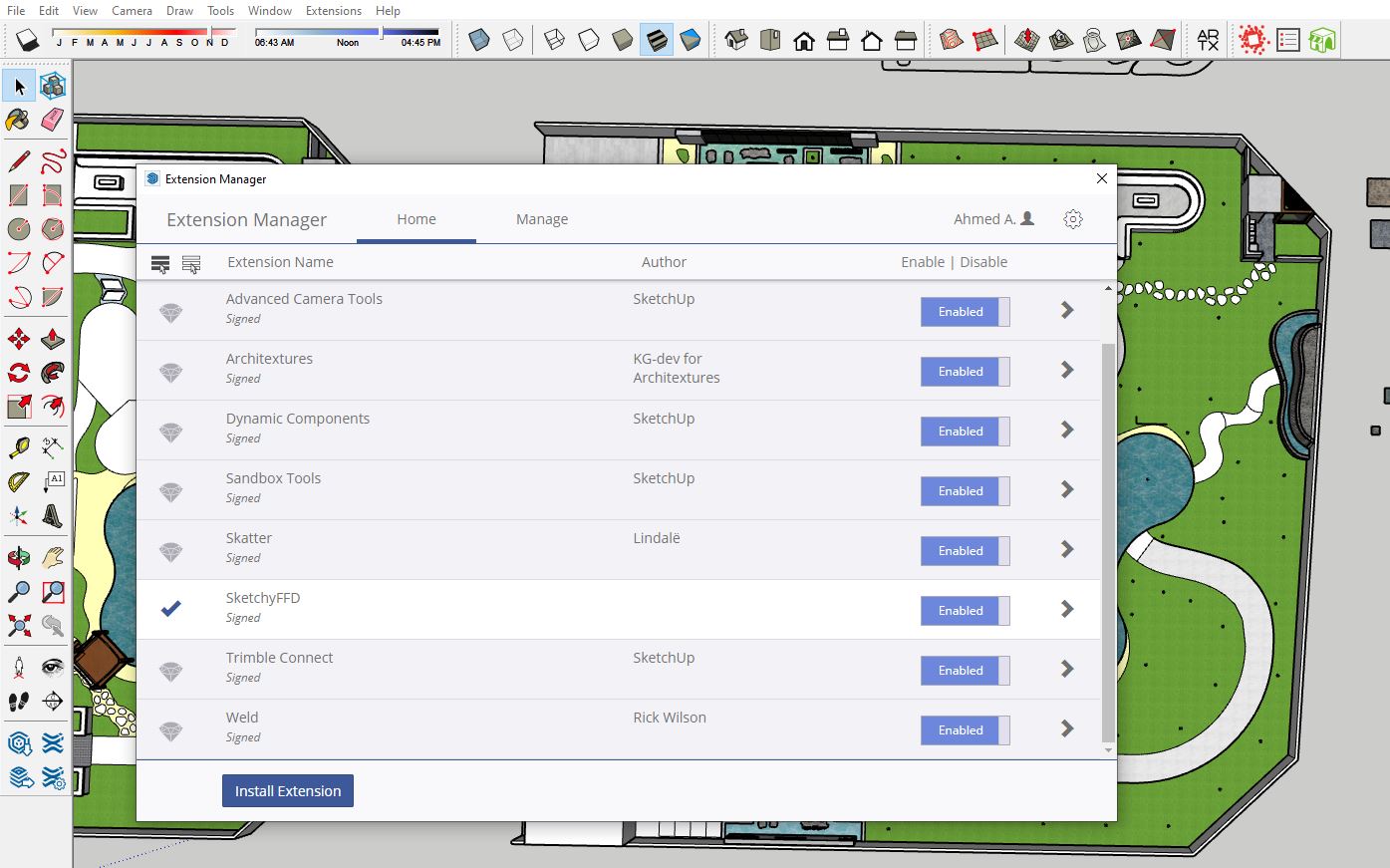
                Capturesd.JPG

                B 1 Reply Last reply
                Reply Quote 0
                • Rich O BrienR
                  Rich O Brien Moderator
                  last edited by

                  Its a context-menu entry so you only see it when your selection is correct and you right click.

                  Download the free D'oh Book for SketchUp 📖

                  1 Reply Last reply
                  Reply Quote 0
                  • L
                    Louis Moens
                    last edited by

                    Hey Dale,
                    I've got a little problem using FFD. After selecting the group and choosing one of the three FFD options, the control points do not appear. Any idea of what that might be ? Maybe just a display issue...
                    Thank you in advance,
                    Louis M.

                    C 1 Reply Last reply
                    Reply Quote 0
                    • H
                      Himbeertoni
                      last edited by

                      Hello ! by hardware restrictions i have i like to ask if this plug-in exist somewhere in a version for su2016 x86 ?
                      thank you

                      1 Reply Last reply
                      Reply Quote 0
                      • C
                        cgmbook @Louis Moens
                        last edited by

                        @Louis-Moens Hey, i have the same problem have you found the solution to view the control points ?

                        1 Reply Last reply
                        Reply Quote 0
                        • B
                          badvendetta @lab971mail
                          last edited by

                          @lab971mail same problem, can you find where is it?

                          1 Reply Last reply
                          Reply Quote 0
                          • C
                            CésarCK
                            last edited by

                            this plug in does nothing. Is there somewhere where someone can explain to me what it is for?

                            1 Reply Last reply
                            Reply Quote 0
                            • TIGT
                              TIG Moderator
                              last edited by

                              Try visiting the owner's website and follow the instructions carefully.
                              The things you need to select to get the tool to work is a little complicated, but once you understand it it's pretty straightforward...


                              TIG

                              1 Reply Last reply
                              Reply Quote 0

                              Hello! It looks like you're interested in this conversation, but you don't have an account yet.

                              Getting fed up of having to scroll through the same posts each visit? When you register for an account, you'll always come back to exactly where you were before, and choose to be notified of new replies (either via email, or push notification). You'll also be able to save bookmarks and upvote posts to show your appreciation to other community members.

                              With your input, this post could be even better 💗

                              Register Login
                              • 1 / 1
                              • First post
                                Last post
                              Buy SketchPlus
                              Buy SUbD
                              Buy WrapR
                              Buy eBook
                              Buy Modelur
                              Buy Vertex Tools
                              Buy SketchCuisine
                              Buy FormFonts

                              Advertisement