SCFLicense: Extension Licensing on Sketchucation
-
Unless you others frozen you didn't show?
-
I have to release all the boxes with the square
-
Each is a device you activated on. So yes.
I can do it for you. Give me a few mins.
-
Grazie
-
https://sketchucation.com/webshop/my-licences.php should be clear now.
To activate and release in Sketchucation Tools you can open the Settings > Licenses and activate as needed
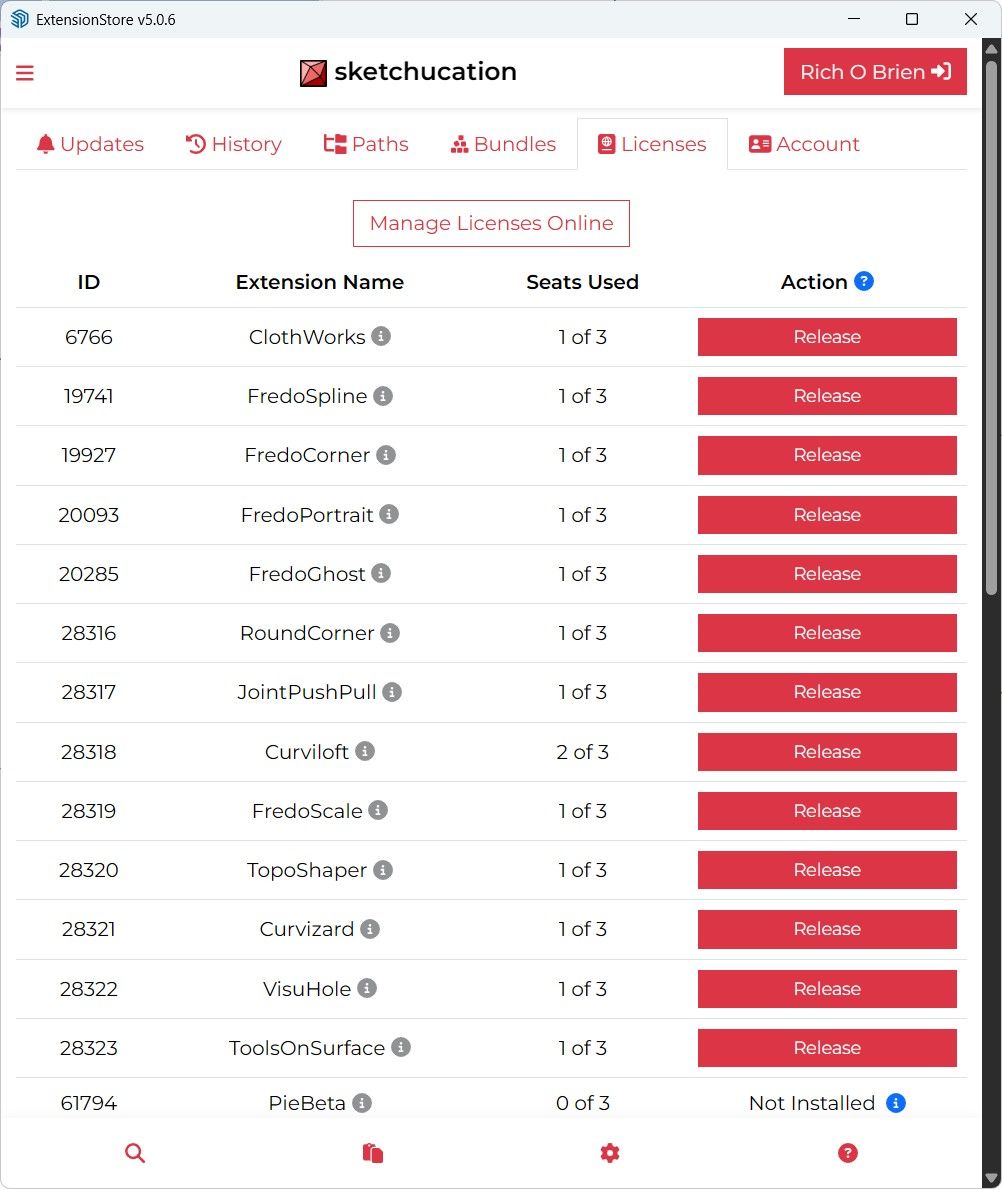
-
You're great now everything works Thanks
-
Enjoy the weekend Robo

-
Thank you too
-
Hello,
I've been installing the latest Sketchucation, and install Libfredo6, and FredoCorner. And I've put the license on it. After the installation, the toolbar shows up, but when I click on it, nothing happens. Can somebody help me -
Can you open the Ruby Console before launching FredoCorner
-
I’ve been open the Ruby Console before launching FredoCorner, when I click the FredoCorner toolbar, this message appear from Ruby Console
"build_config_commands'
c:/users/win10/appdata/roaming/sketchup/sketchup 2026/sketchup/plugins/fredo6_!libfredo6/lib6traductor.rbe:1569:in `block in add_command' -
Use this method to select all output in the Ruby Console
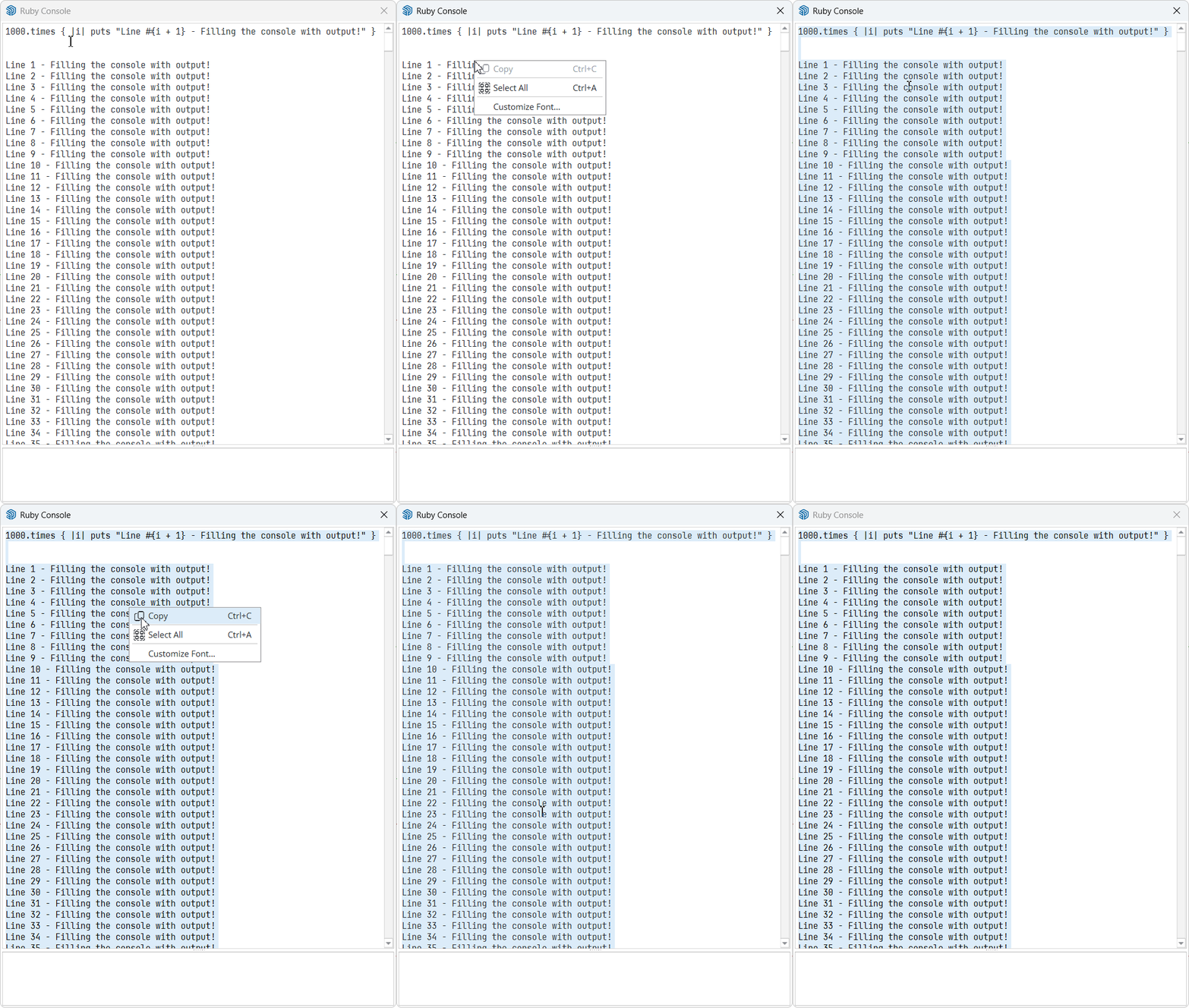
-
Good evening, Fredo.
I have a problem with a lost license of Thrupaint and Visushole. I installed them on my laptop, but after a while, the hard disk failed, so I had to replace it. I lost all the data and configurations. The licenses are still active, even though the installation no longer exists. Is there any way to reactivate them?
Attached is a screenshot of the licenses. They were installed in 2025.
Thank you.[Uploaded Images Lost to Server Upgrade Issue May 15th]
-
Go to your My Licenses page at https://sketchucation.com/webshop/my-licences.php. You just need to sign in with your Sketchucation credentials.
You'll be able to release the seats corresponding to your old PC configuration and to download the licenses for a new activation on your fresh PC configuration.
-
Comprei a licença mas não consigo usar o plugin Fredo Corner, como resolver?
I bought the license but I can't use the Fredo Corner plugin, how to solve it?
-
rbz파일을 인스톨해도 아이콘이 생기지 않음. 툴바에도 없음 스케치업 v2022사용중. 정품 사용자이고 라이센스도 가지고 있음
No icon appears after installing the .rbz file, and it doesn't show up on the toolbar either. I am using SketchUp v2022. I am a legitimate user and hold a valid license.
-
rbz파일을 인스톨해도 아이콘이 생기지 않음. 툴바에도 없음 스케치업 v2022사용중. 정품 사용자이고 라이센스도 가지고 있음
No icon appears after installing the .rbz file, and it doesn't show up on the toolbar either. I am using SketchUp v2022. I am a legitimate user and hold a valid license.
Which exact extension are you referring to ?
If it's a Fredo6 extension, then look under the Tools menu.
Remember that you need LibFredo6 installed as well - because this supports Fredoo6's extensions.
And you need the latest version of the SketchUcation tools installed, as that manages the licenses.
After installing these extensions restart SketchUp to sync everything... -
When I want to use curviloft it doesn't work because it says that my liscense has expired but I have never used or installed curviloft before. I don't want to pay for something that has a 30 day free trial and I never had my 30 days. In the picture is what happens when I want to try and use this extension.
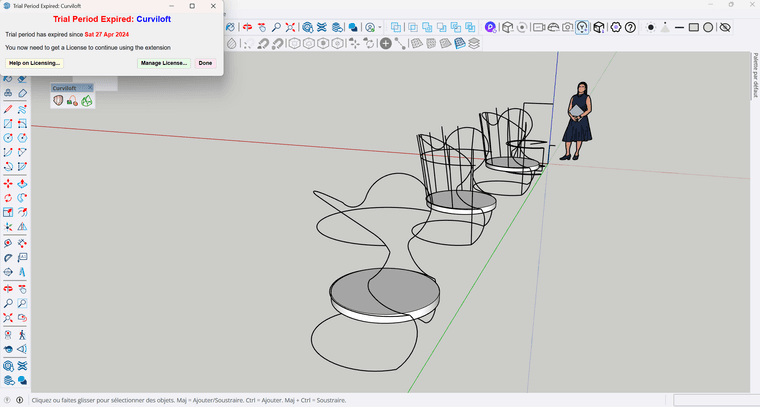
-
Are you using the latest version of both Curviloft and Libfredo?
That may be the reason you are prompted. Otherwise you may have simply forgotten you installed at some point.
-
Hi Fredo,
Thank you for your previous reply.
Before writing back to you, I followed the instructions and tried to release/reset the licenses in order to identify which ones were still linked to my broken computer configuration.
Most of the relevant activations were made in 2025, when I bought ThruPaint and installed SketchUp 2025. The activation dates shown in the license store match the period when I installed everything on my previous system configuration.
The issue is that some licenses now appear to be linked to an obsolete hardware/OS configuration. I had to reinstall the operating system and all programs from scratch on a new hard drive, so the hardware ID seems to have changed.
As you can see in the screenshot pasted below, the listed seats still refer to the old configuration, and I do not see any option available to release those seats myself from the license store.
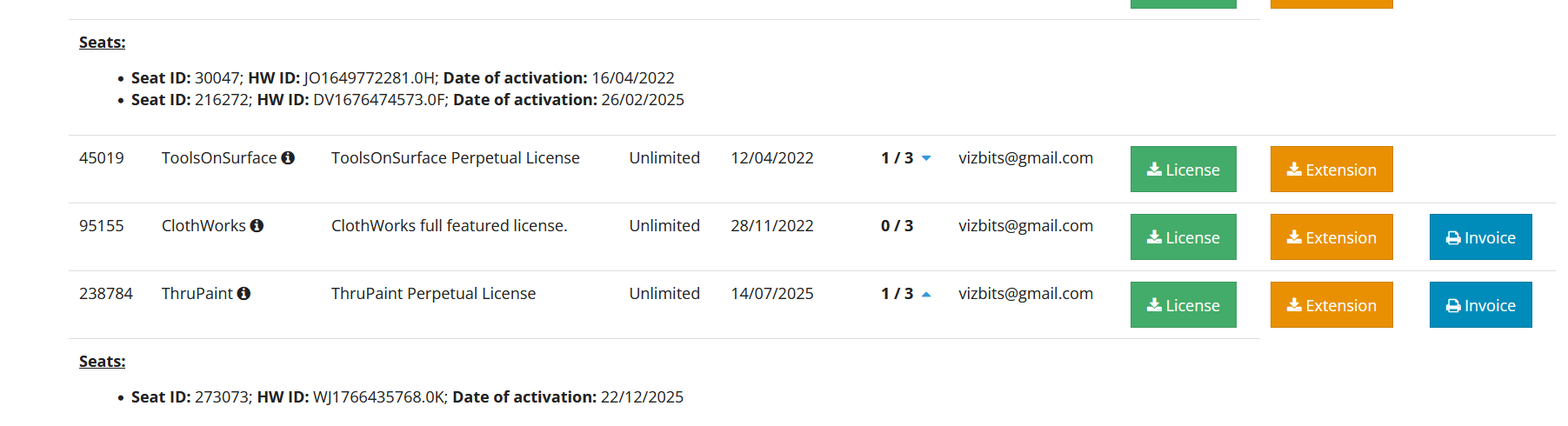
Would you be able to help me with this, or advise me who I should contact at SketchUcation to have these old seats released/reset?
I am always grateful for the excellent work you do.
Best regards,
Farid Mokhtar Noriega




Hello! It looks like you're interested in this conversation, but you don't have an account yet.
Getting fed up of having to scroll through the same posts each visit? When you register for an account, you'll always come back to exactly where you were before, and choose to be notified of new replies (either via email, or push notification). You'll also be able to save bookmarks and upvote posts to show your appreciation to other community members.
With your input, this post could be even better 💗
Register Login


Advertisement