SCFLicense: Extension Licensing on Sketchucation
-
@pklenk702 said:
Could an Ad Blocker, or some other program/adjustment/device that the IT people have installed in their attempt to keep us kids in line be preventing access to the appropriate files
In those cases where IPs or URLs are monitored/blocked you usually see a 'Cannot Access Sketchucation' type message when you try to license.
Your ruby output seems to suggest your Libfredo is not installed correctly. You can see LibFredo6 Binary NOT loaded in the output in the console.
I would go into C:\Users\SomeName\AppData\Roaming\SketchUp\SketchUp 2022\SketchUp\Plugins and delete the Fredo6_!LibFredo6 folder and the Fredo6_!LibFredo6.rb file
If SketchUp is open close it and start it again. Now install Libfredo and restart SketchUp.
Now run Window > Libfredo Settings > Fredo6 Plugins Information for Sketchucation Support and see if there's still errors. In an ideal environment you should see something like this
Fredo6 Plugins Information on 2024-02-26 19;20;48 +0000
--------------------------
- Platform; x64-mswin64_140 - Ruby; 2.7.7
- Sketchup; 23.1.340
- LibFredo6; v14.2a
- [b]LibFredo6 Binary loaded[/b]
- Sketchucation ExtensionStore; 4.3.1
Your setup is crying about Libfredo mostly and if that gets sorted we can look into activating.
-
I need this
-
Hello I recently had to reset my laptop and had to redownload sketchup. I share the SCFLicense with 2 other friends and all the seats have been taken. When I redownload sketchup before the license usually still works but this time around it doesn't anymore. What can I do?
-
@jillyace said:
Hello I recently had to reset my laptop and had to redownload sketchup. I share the SCFLicense with 2 other friends and all the seats have been taken. When I redownload sketchup before the license usually still works but this time around it doesn't anymore. What can I do?
Release the seat at https://sketchucation.com/webshop/my-licences.php
-
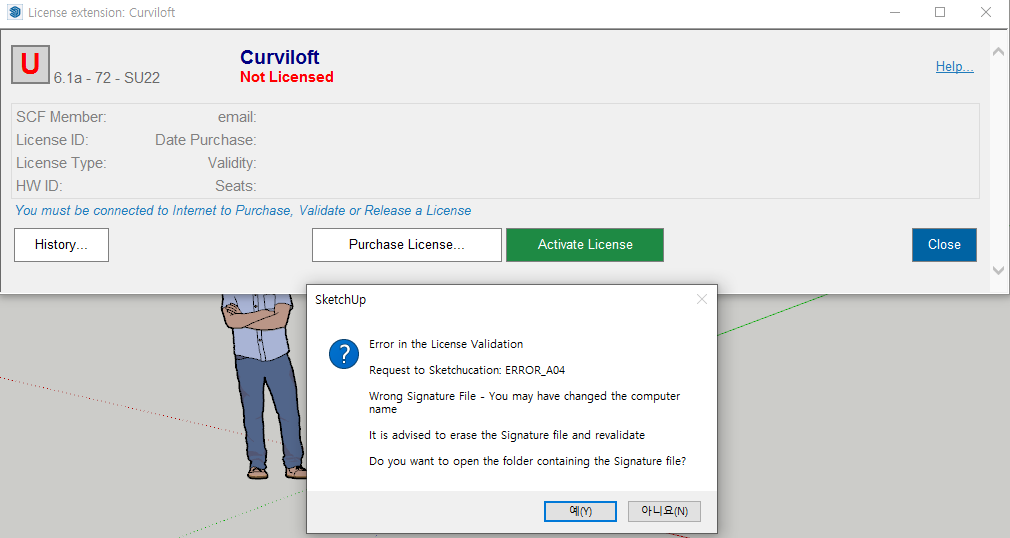
Hello, I purchased FREDO6 BUNDLE 2022-8 PACK. I received the license and extension files, but I got an error code ( ERROR_A04 ) in the license registration process.
FYI, I'm using the Sketchup 2022 program, the SketchUcation version is 4.3.1, and the Fredo6 LibFredo6 version is 14.2.
I also converted computer user name to English name, but it won't be solved.What kind of solution is there? I want a quick solution.
I'll be waiting for your answer.

-
Close SketchUp
Delete the signature file at C:\Users\SomeName\AppData\Local\SCF Licenses
Open SketchUp
Activate license per https://downloads.sketchucation.com/licensing/SCFLicense-Instructions_to_Users.pdf
-
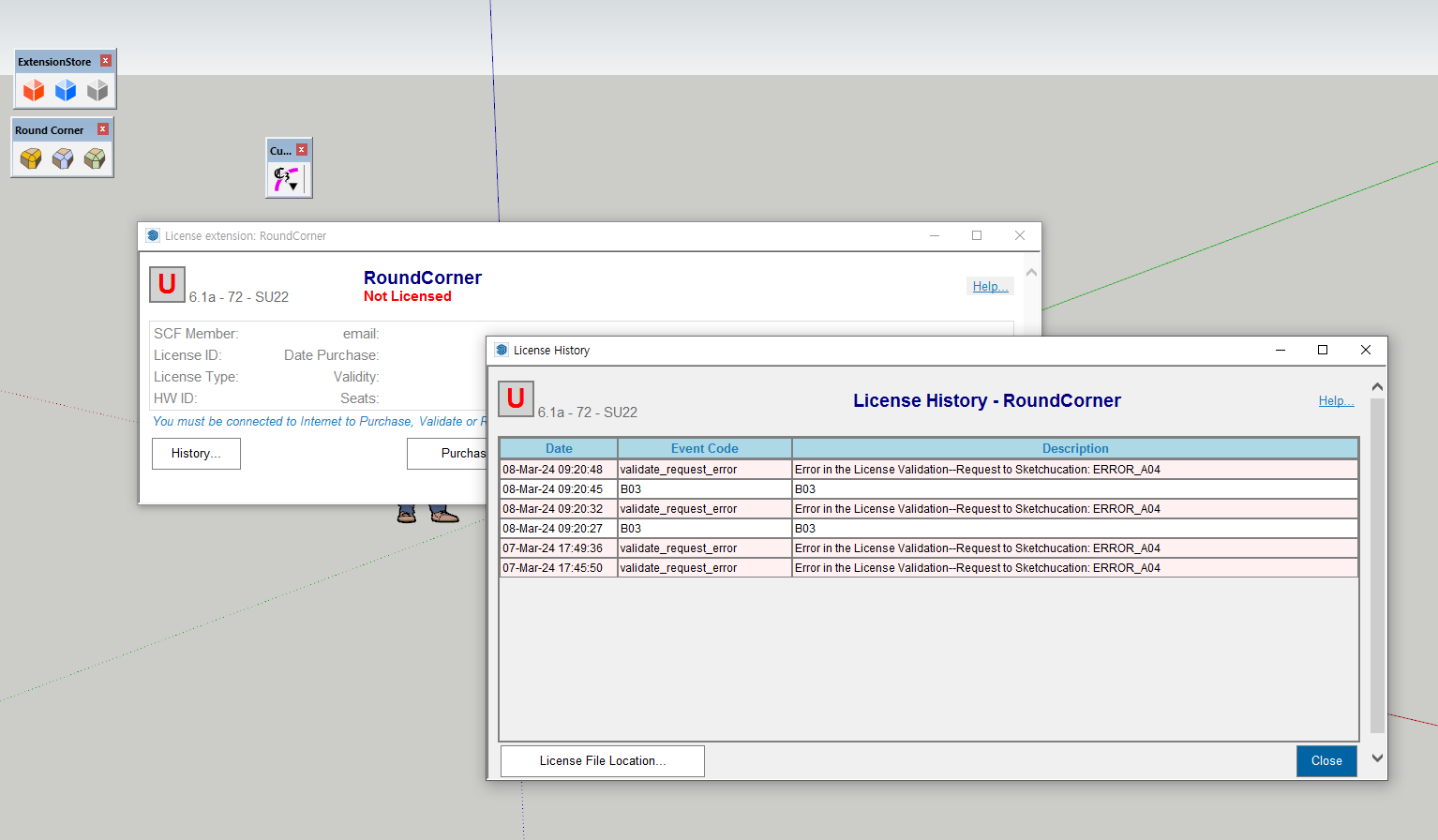
I'm sorry, but it won't be solved by the way you told me. Error codes B03 and A04 keep coming up. I still need help.
-
@sra said:
I'm sorry, but it won't be solved by the way you told me. Error codes B03 and A04 keep coming up. I still need help.
Please run the Window > Libfredo Settings > Fredo6 Plugins Information for Sketchucation Support menu command in SketchUp and copy/paste the output into your reply.
-
Hello, @Rich-O-Brien!
Can you release this licences:Round Corner:
Seat ID: 29019; HW ID: AM1649685560.0Q; Date of activation: 11/04/2022
JointPushPull:
Seat ID: 29018; HW ID: AM1649685560.0Q; Date of activation: 11/04/2022
Curviloft:
Seat ID: 34946; HW ID: AM1649685560.0Q; Date of activation: 12/05/2022
FredoScale:
Seat ID: 35457; HW ID: AM1649685560.0Q; Date of activation: 16/05/2022I don't have access to this computer anymore.
-
Thanks for your reply.
Here is LibFredo6 plugins information.- Sketchucation ExtensionStore: 4.3.1
- SCFLicense: v6.1a - 72
- Fredo6 Plugins
Curviloft v1.9b
Curvizard v2.4b
FredoScale v3.5a
JointPushPull v4.7a
RoundCorner v3.3a
ThruPaint v2.3a - SCFLicense directory present
Signature File: 2024-03-08 09:20:45 +0900
-
@sra said:
- Sketchucation ExtensionStore: 4.3.1
- SCFLicense: v6.1a - 72
- Fredo6 Plugins
Curviloft v1.9b
Curvizard v2.4b
FredoScale v3.5a
JointPushPull v4.7a
RoundCorner v3.3a
ThruPaint v2.3a - SCFLicense directory present
Signature File: 2024-03-08 09:20:45 +0900
Please install Libfredo
https://sketchucation.com/pluginstore?pln=LibFredo6Restart SketchUp after installation and activate per guide
https://downloads.sketchucation.com/licensing/SCFLicense-Instructions_to_Users.pdf -
@Wujcenty send an email to support[at]sketchucation.com and we'll look into it
-
@Rich-O-Brien Thanks!
-
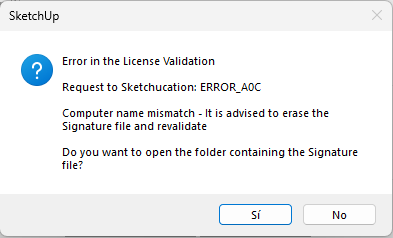
Hello, my license was uninstalled. When I want to install it again, this sign pops up. How can I solve that_?
-
-
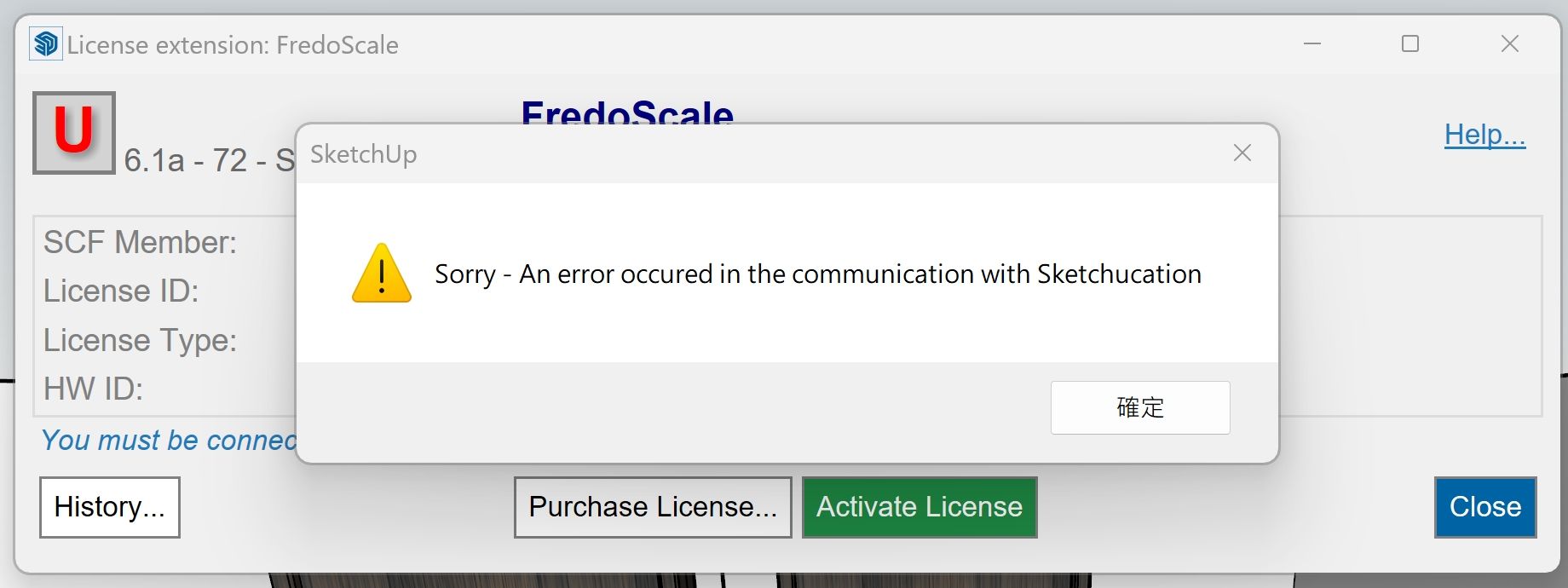
I purchased a permanent serial number but it expired?
-
@da800429
The trial period has expired.
Have you downloaded the license file, placed it in a safe folder on your computer, then run the submenu item for FredoScale - the dialog appears as you showed.
Follow the instructions that Rich sets out in the first post of this thread {although the latest version of the SketchUcation tools is now 4..4.0 and Fredo has updated his LibFredo and most of his Extensions].The failure to communicate with SketchUcation.com might be do to your firewall blocking the site - whitelist it.
sketchucation.com ?
IP addresses 178.63.47.155, 144.76.69.227 -
There is a paid purchase serial number
It was usable for a few days but suddenly unavailable.
The above content appears after I log in again@TIG
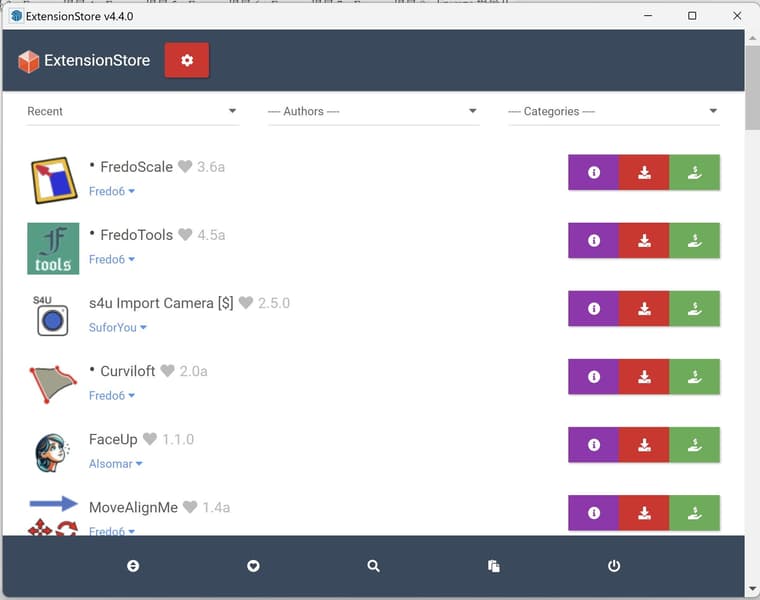  image url))
 -
@da800429
Please run the Window > Libfredo Settings > Fredo6 Plugins Information for Sketchucation Support menu command in SketchUp and copy/paste the output into your reply. -
@Rich-O-Brien
Is this what you are referring to?
Fredo6 Plugins Information on 2024-04-15 02:03:34 +0800- Platform: x64-mswin64_140 - Ruby: 2.7.2
- Sketchup: 22.0.316
- LibFredo6: v14.3b
- LibFredo6 Binary loaded
- Sketchucation ExtensionStore: 4.4.0
- SCFLicense: v6.4a - 74
- Fredo6 Plugins
Curviloft v2.0a
Curvizard v2.5a
FredoCorner v2.7a
FredoScale v3.6a
FredoSpline v2.6a
FredoTools v4.5a
JointPushPull v4.8a
RoundCorner v3.4a
ToolsOnSurface v2.6a
TopoShaper v2.7a
VisuHole v1.5a - SCFLicense directory present
Signature File: 2023-08-22 06:52:55 +0800


Hello! It looks like you're interested in this conversation, but you don't have an account yet.
Getting fed up of having to scroll through the same posts each visit? When you register for an account, you'll always come back to exactly where you were before, and choose to be notified of new replies (either via email, or push notification). You'll also be able to save bookmarks and upvote posts to show your appreciation to other community members.
With your input, this post could be even better 💗
Register Login


Advertisement