SCFLicense: Extension Licensing on Sketchucation
-
@ppappa0099 Is your device named with non-alphanumeric characters?
Please don't delete posts that have info we need to help.
Error B03 is related the non-alphanumeric characters
-
As well as your computer-name, your windows-username shouldn't contain any non-ASCII characters.
Because these can trip up Ruby code processes...
Also you do need to restart your computer after the renaming... -
@Rich-O-Brien said in SCFLicense: Extension Licensing on Sketchucation:
Please update Sketchucation Tools on all these devices
I have the same problem.
Old notebook was formatted and donated to the ukrainian army. Sure licenses were not released before. Now I have licenses that cannot be revoked via the web page. -
Please run the Window > Libfredo Settings > Fredo6 Plugins Information for Sketchucation Support menu command in SketchUp on your current device and copy/paste the output into your reply.
-
Fredo6 Plugins Information on 2025-11-18 20:59:03 +0200
- Platform: x64-mingw32 - Ruby: 2.2.4
- Sketchup: 17.2.2555
- LibFredo6: v15.5a
- LibFredo6 Binary loaded
- Sketchucation ExtensionStore: 4.3.1
- SCFLicense: v6.1a - 72
- Fredo6 Plugins
Curviloft v2.0a
Curvizard v2.5a
FredoScale v3.6a
JointPushPull v4.9a
RoundCorner v3.4a
ToolsOnSurface v2.6a - SCFLicense directory present
Signature File: 2025-11-18 19:44:48 +0200
-
@Kondybas Please update Sketchucation Tools to v 5.0.3

Sketchucation Tools | SketchUcation
3D SketchUp Community for Design and Engineering Professionals.
(sketchucation.com)
Restart SketchUp
After restart run Window > Libfredo Settings > Fredo6 Plugins Information for Sketchucation Support and copy/paste output
Latest Sketchucation Tools enables online releasing.
-
I have that pane not responding to clicks
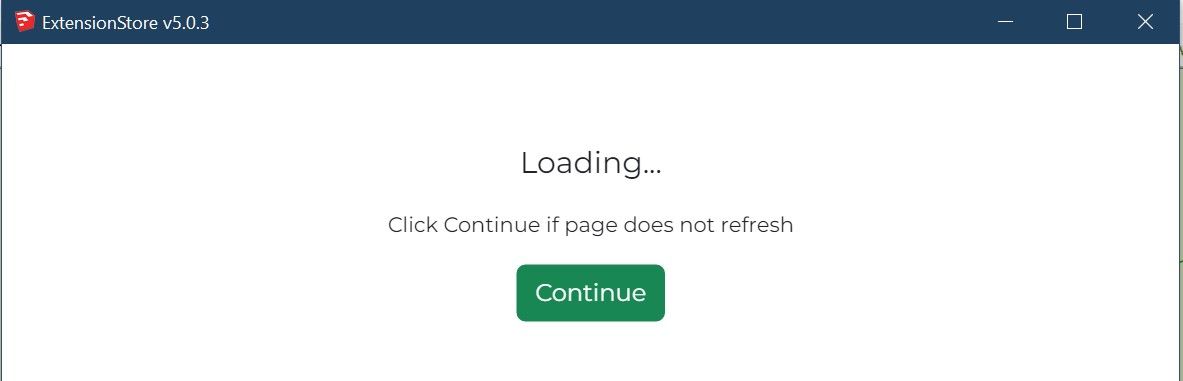
-
Ah....SketchUp 2017.
Please Install this version
SketchUcationTools_v4.4.1.rbz -
Have installed 4.4.1 and still no checkboxes for license revokation
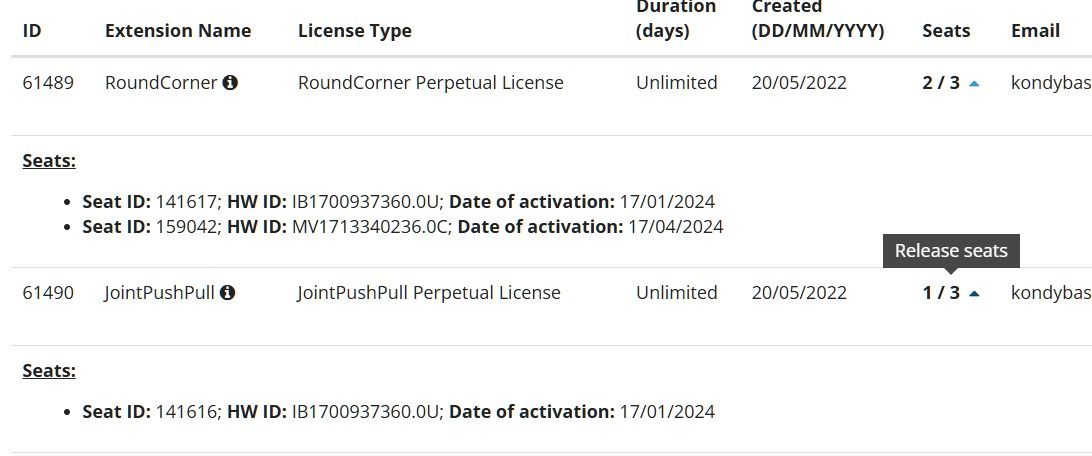
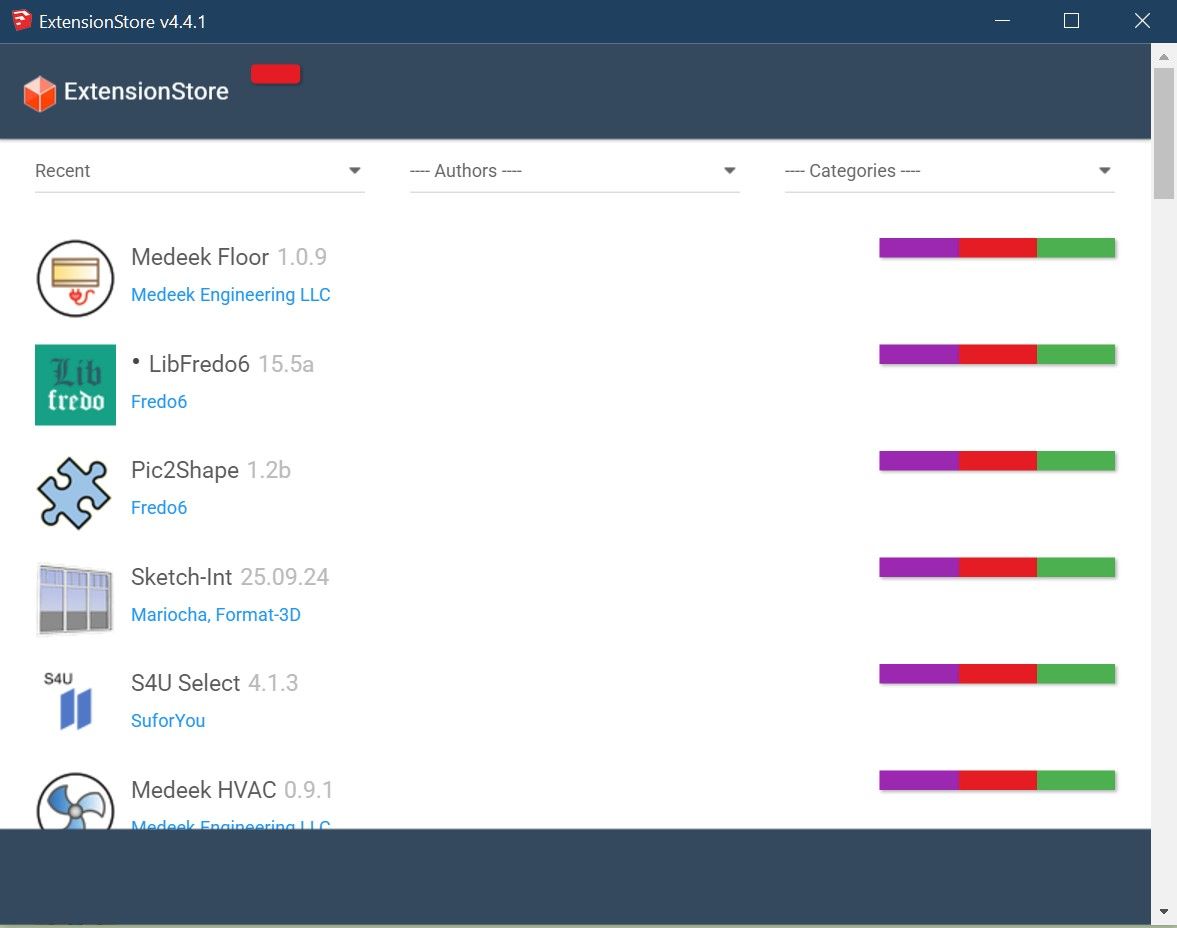
Also there are no button images and bottom buttons in SUTools 4.4.1 (4.3.1 has the same issue for a while)
-
Download the free D'oh Book for SketchUp 📖
-
WOW!
I promise I'll be VERY careful with licenses now!Am I got it right that SUTools 5.0.3 is not compatible with SU2017?
-
Correct, but we'll take a look and see what we can do to make it work.
Download the free D'oh Book for SketchUp 📖
-
Thank you very much for all the efforts, SketchUp is the only CAD I really love since version 6.
-
Im activating my Toposhaper liscense, but when I select the .scflience liscense, I get a message saying: error in liscense validation. repsonse from sketchucation liscense is not in the database
-
Yeah, I can confirm there is a hiccup. Give us a few mins to look into it.
-
Can you try again please?
-
Hello, I purchased the "round corner" license, installed the latest Fredo6, and Sketchucation. When I press the round corner plugin button, nothing happens. Appreciate any help or advice.
-
Hi there - when I look at the license it appears that it has been activated. Could you send me a screenshot of this issue to support@sketchucation.com and I can help you from there.
Thanks
Anne -
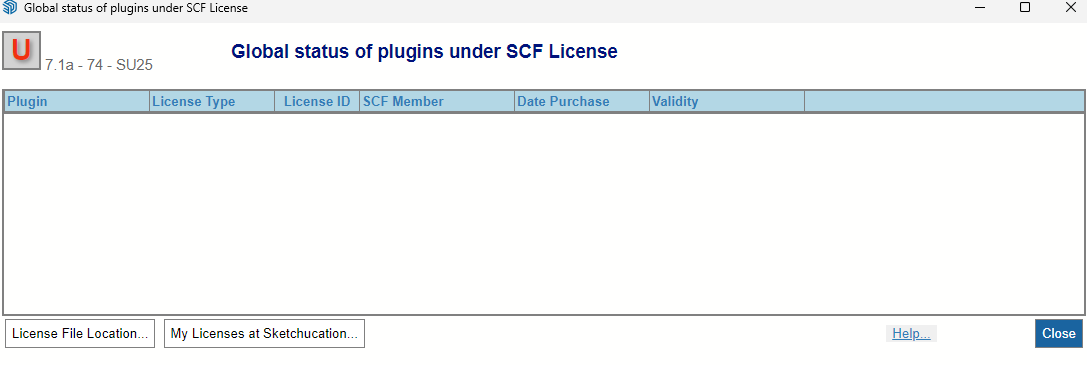
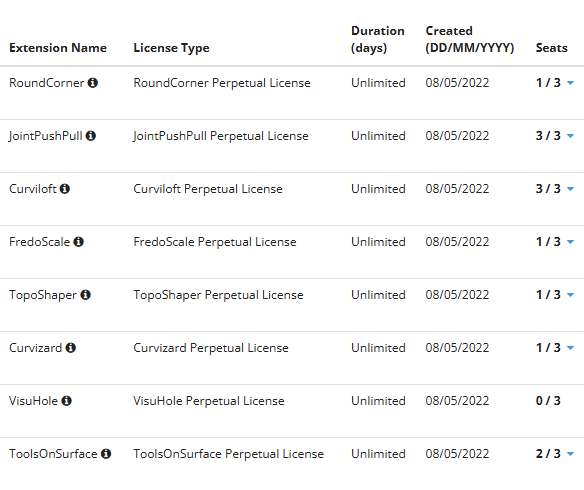
Hi can anyone guide me on how to release license seats? I have gone to sketchucation>global license status but nothing come up. but if i checked under my license page i have all the plugins i have purchased with number of seats linked to it. i need to unlink some as im not using that computer anymore.
-
With the latest versions of the SketchUcation tools installed you should see the options on our web page or in one of the settings tabs in the ExtensionStore dialog ?
If not Rich will probably be able to do something via admin...




Hello! It looks like you're interested in this conversation, but you don't have an account yet.
Getting fed up of having to scroll through the same posts each visit? When you register for an account, you'll always come back to exactly where you were before, and choose to be notified of new replies (either via email, or push notification). You'll also be able to save bookmarks and upvote posts to show your appreciation to other community members.
With your input, this post could be even better 💗
Register Login


Advertisement