sketchucation logo sketchucation
    • Login
    Oops, your profile's looking a bit empty! To help us tailor your experience, please fill in key details like your SketchUp version, skill level, operating system, and more. Update and save your info on your profile page today!
    ⚠️ Important | Libfredo 15.6b introduces important bugfixes for Fredo's Extensions Update

    [Plugin] Universal Importer - v1.2.6 - 30 July 2024

    Scheduled Pinned Locked Moved Plugins
    445 Posts 108 Posters 451.5k Views 108 Watching
    Loading More Posts
    • Oldest to Newest
    • Newest to Oldest
    • Most Votes
    Reply
    • Reply as topic
    Log in to reply
    This topic has been deleted. Only users with topic management privileges can see it.
    • samuel_tS Offline
      samuel_t @MikeG73
      last edited by

      @MikeG73 I'm not sure to understand you.

      Universal Importer isn't compatible with recent .blend files but this may change in the future 🙂

      1 Reply Last reply Reply Quote 0
      • samuel_tS Offline
        samuel_t @vadhome
        last edited by

        @vadhome I rented a Mac Mini M1 for 24H but I couldn't reproduce the bug shown in your screenshot, at least with macOS Sonoma 14.6.1. However, SketchUp 2025 crashed several times randomly when placing the model to import. I need to investigate further...

        1 Reply Last reply Reply Quote 0
        • B Offline
          brianroy2 Newcomers
          last edited by

          Hi Samuel using a Mac Air Running Sequoia 15.1.1 when I am trying to convert a STEP file I am getting this error message

          Screenshot 2025-03-21 at 5.52.35 PM.png

          samuel_tS 1 Reply Last reply Reply Quote 0
          • samuel_tS Offline
            samuel_t @brianroy2
            last edited by

            @brianroy2

            Hi, thanks for your bug report.

            I would be interested to have a copy of this STEP file (in private if you prefer) to confirm or not if this issue is macOS-specific 🤔

            How did you install Universal Importer, using the Extension Manager or another method?

            Could you please open the Terminal app on your Mac, paste the two commands below (one after the other), and send me their output?

            xattr "/Users/brianroy/Library/Application Support/SketchUp 2024/SketchUp/Plugins/universal_importer/Applications/Mayo/Mac/mayo-conv"

            "/Users/brianroy/Library/Application Support/SketchUp 2024/SketchUp/Plugins/universal_importer/Applications/Mayo/Mac/mayo-conv" --system-info

            1 Reply Last reply Reply Quote 0
            • pilouP Offline
              pilou
              last edited by pilou

              Hello
              ça faisait longtemps! 🙂 SketchUp Make 2017
              J'ai fait marché le plugin avec des modèles FBX réalisés avec le Free Tripo AI!
              En Retopologie basse résolution Game Asset (3000) pas de problème!
              A la résolution du dessus, (Low 5000) je n'ai pas la proposition de réduction des polygones dans Universal Importer!
              Et donc mon écran reste noir! Et cela échoue!
              Y a-t-il un nombre maximum en entrée ?

              Merci d'avance des conseils! 🙂
              mon modèle :
              https://www.tripo3d.ai/app/model/d122e434-c32d-4bac-adaa-1d47968dd18f

              Le modèle donné par Tripo
              Nickel_Robot_Tripo.jpg

              Mon propre modèle
              Nickel_Tractor2.jpg

              Frenchy Pilou
              Is beautiful that please without concept!
              My Little site :)

              samuel_tS 1 Reply Last reply Reply Quote 0
              • samuel_tS Offline
                samuel_t @pilou
                last edited by

                @pilou Hello, how have you been since then?

                I haven't set any hard limits in the Universal Importer plugin code... However, depending on your machine's specifications (especially the amount of system RAM), the import may be slow or even fail.

                Or maybe the second retopology generates an invalid model.

                Can you please send me the files directly in both resolutions? Because I don't wish to spend Tripo credits 😅

                1 Reply Last reply Reply Quote 0
                • pilouP Offline
                  pilou
                  last edited by pilou

                  @samuel_t
                  Med resolution (who don't works)
                  https://moiscript.weebly.com/uploads/3/9/3/8/3938813/tripo_convert_a8a4796d-366a-45ec-b815-09b229a99bbd__2_.fbx

                  Low resolution who works
                  https://moiscript.weebly.com/uploads/3/9/3/8/3938813/tripo_convert_c35581b0-d804-4224-990b-b31022f0afd8.fbx

                  Maybe the textures...
                  https://moiscript.weebly.com/uploads/3/9/3/8/3938813/uir-source.fbx

                  But maybe sure on my latop 12 years old there is only 8G Hard Memory! 🙂

                  Frenchy Pilou
                  Is beautiful that please without concept!
                  My Little site :)

                  1 Reply Last reply Reply Quote 0
                  • U Offline
                    Uhlala Newcomers
                    last edited by

                    Hi, I have the same message as romanencom with Universal Importer 1.2.6

                    Any idea? Thanks.
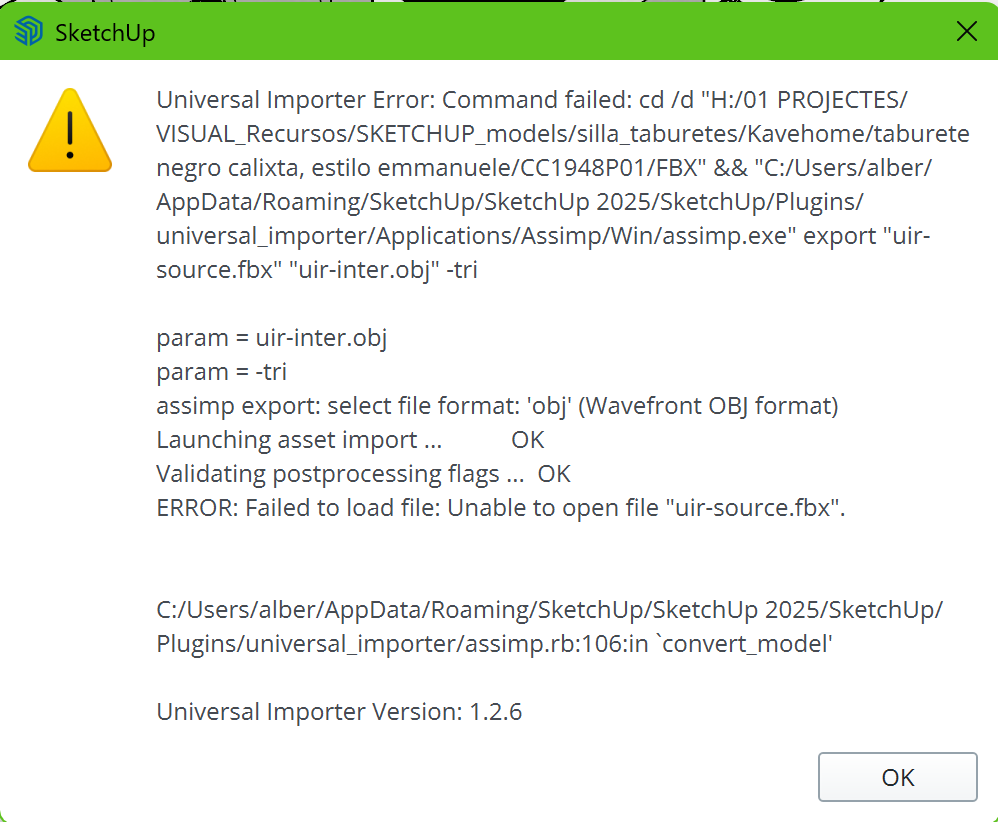
                    Captura de pantalla 2025-10-24 142802.png

                    1 Reply Last reply Reply Quote 0
                    • U Offline
                      Uhlala Newcomers @romanencom
                      last edited by

                      @romanencodem Hi, I have the same issue with Universal Importer 1.2.6

                      Any idea? Thanks.Captura de pantalla 2025-10-24 142802.png

                      1 Reply Last reply Reply Quote 0
                      • B Offline
                        BGUERRE
                        last edited by

                        hello
                        thank you to provide universal importer to the SU community.
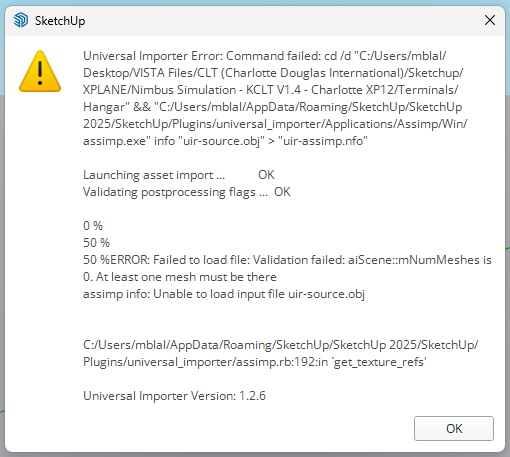
                        Unfortunately, i did try to dowload .obj file, but get the following error message
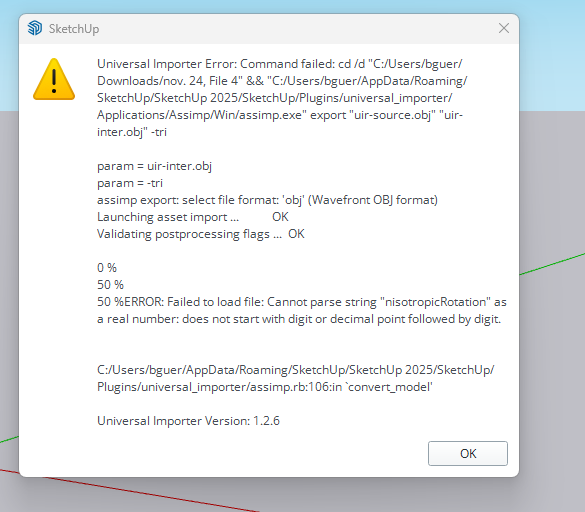
                        8d4f79a6-b19a-4b4a-b105-c2b4f1c06fa7-image.png

                        OBJ fil is about 16 MO and he was generating by 3D Snap an IOS app.
                        Any suggestion ?.
                        thank you
                        Bruno

                        samuel_tS 1 Reply Last reply Reply Quote 0
                        • samuel_tS Offline
                          samuel_t @BGUERRE
                          last edited by samuel_t

                          @BGUERRE Hello,

                          You're welcome!

                          Seems there's an issue in .MTL file paired with .OBJ file.
                          Can you please upload them and send me both (in private if you prefer)?

                          1 Reply Last reply Reply Quote 0
                          • 1
                          • 2
                          • 19
                          • 20
                          • 21
                          • 22
                          • 23
                          • 23 / 23
                          • First post
                            Last post
                          Buy SketchPlus
                          Buy SUbD
                          Buy WrapR
                          Buy eBook
                          Buy Modelur
                          Buy Vertex Tools
                          Buy SketchCuisine
                          Buy FormFonts

                          Advertisement