sketchucation logo sketchucation
    • 登入
    Oops, your profile's looking a bit empty! To help us tailor your experience, please fill in key details like your SketchUp version, skill level, operating system, and more. Update and save your info on your profile page today!
    🔌 Smart Spline | Fluid way to handle splines for furniture design and complex structures. Download

    [Plugin] ClothWorks v1.8.0 - 28 Apr 2024

    已排程 已置頂 已鎖定 已移動 Plugins
    699 貼文 161 Posters 669.7k 瀏覽 161 Watching
    正在載入更多貼文
    • 從舊到新
    • 從新到舊
    • 最多點贊
    回覆
    • 在新貼文中回覆
    登入後回覆
    此主題已被刪除。只有擁有主題管理權限的使用者可以查看。
    • A 離線
      Anton_S
      最後由 編輯

      @unexpectediteminbaggingarea said:

      I can select the pins during playback in cloth works and I can use the move handles, and when I hold down Control the move handles do switch to expand/contract, but when I click the mouse on any of the handles the whole lot vanishes and the selection is lost.

      Is this a Mac bug??

      Yes, just checked. It's a bug! Will make a maintenance release today.

      Edit: Fixed. Upgrade to 1.1.1: https://sketchucation.com/pluginstore?pln=ClothWorks

      On Mac OS X, use SHIFT key for converging/diverging.

      @3dhouse21 said:

      was super excited to buy.
      But it just does not work for me in SU 2018
      I downloaded it and installed it .. but it does not work either in my 2017 or in 2018
      I followed all the instructions.
      I do not know what could be happening ... sad.

      Could you give more details about what going on?

      1. First of all, are you using Windows or Mac OS X? If on Mac OS X, please upgrade to ClothWorks versions 1.1.0.
      2. If the issues continue to arise (or you're already updated), when you open SketchUp, do you get any load errors?
      3. Is the plugin installed correctly? Do you see the ClothWorks toolbar and is there a ClothWorks menu: (Menu) Extension->ClothWorks ?
      4. When you press play, does the frame increment in the status-bar below? Make sure your cursor is pointing to the viewport window when you check that.
      5. If not, can you Open Ruby Console and see what messages you get when pressing play:
        (Menu) Window -> RubyConsole

      More details about what's not working would be appreciated.

      Thanks

      1 條回覆 最後回覆 回覆 引用 0
      • R 離線
        rv1974
        最後由 編輯

        Amazin tool, Anton!
        My $.02:

        1. The buying process should be reworked. It's unnecessary over-complicated especially for non-english customers (I guess it f@cks sales 😉 ) . There could be simple 'buy' and 'validate' buttons in license window with popping-up hints.
        2. Lots of small animated gifs (on product page) explaining influence of the settings would be a huge help.
        1 條回覆 最後回覆 回覆 引用 0
        • U 離線
          Unexpectediteminbaggingarea
          最後由 編輯

          @anton_s said:

          @unexpectediteminbaggingarea said:

          I can select the pins during playback in cloth works and I can use the move handles, and when I hold down Control the move handles do switch to expand/contract, but when I click the mouse on any of the handles the whole lot vanishes and the selection is lost.

          Is this a Mac bug??

          Yes, just checked. It's a bug! Will make a maintenance release today.

          Edit: Fixed. Upgrade to 1.1.1: https://sketchucation.com/pluginstore?pln=ClothWorks

          On Mac OS X, use SHIFT key for converging/diverging.

          Yey! I found an actual bug!
          Fast fix, all good now!
          Well done and thanks!!

          1 條回覆 最後回覆 回覆 引用 0
          • U 離線
            Unexpectediteminbaggingarea
            最後由 編輯

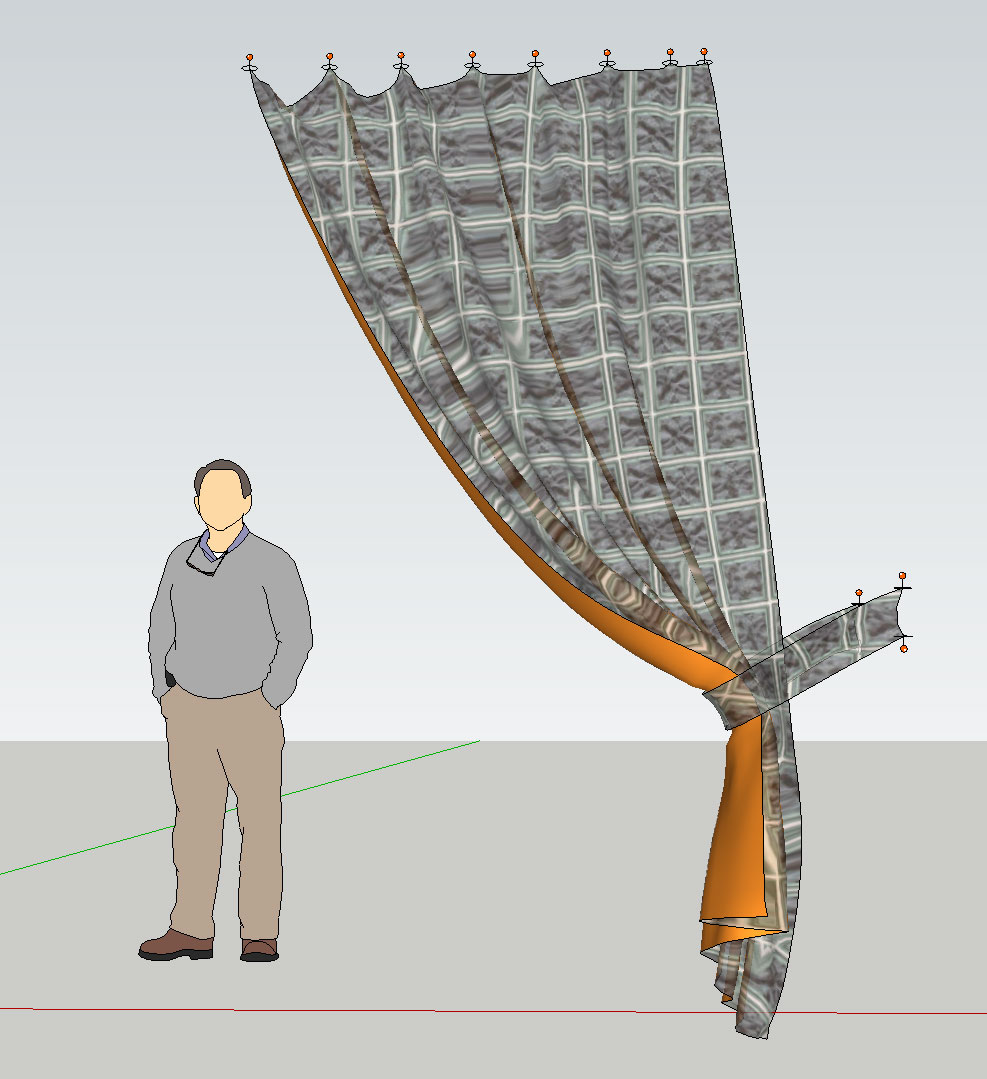
            Anton this plugin is just amazing!

            It's going to fill a HUGE gap in SketchUp for me for visualisation.

            And I know it's not meant as an animation tool, but if ever you felt like building a SketchUp animation tool I'm sure there's a big market out there!

            drape.jpg

            1 條回覆 最後回覆 回覆 引用 0
            • R 離線
              rv1974
              最後由 編輯

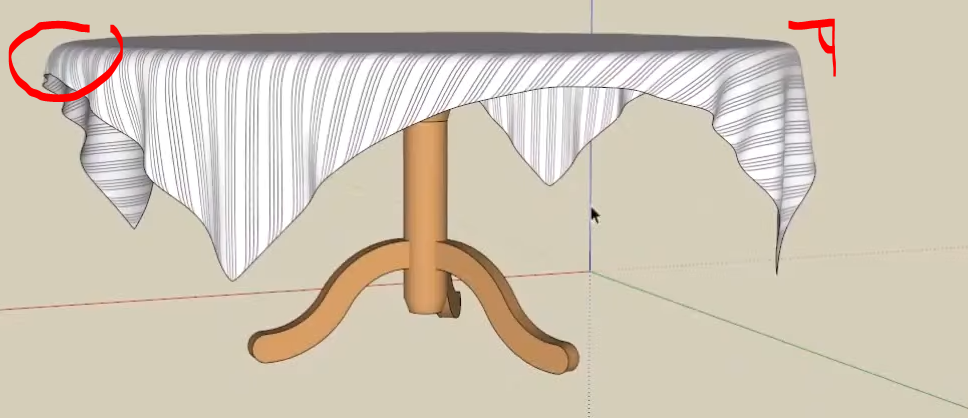
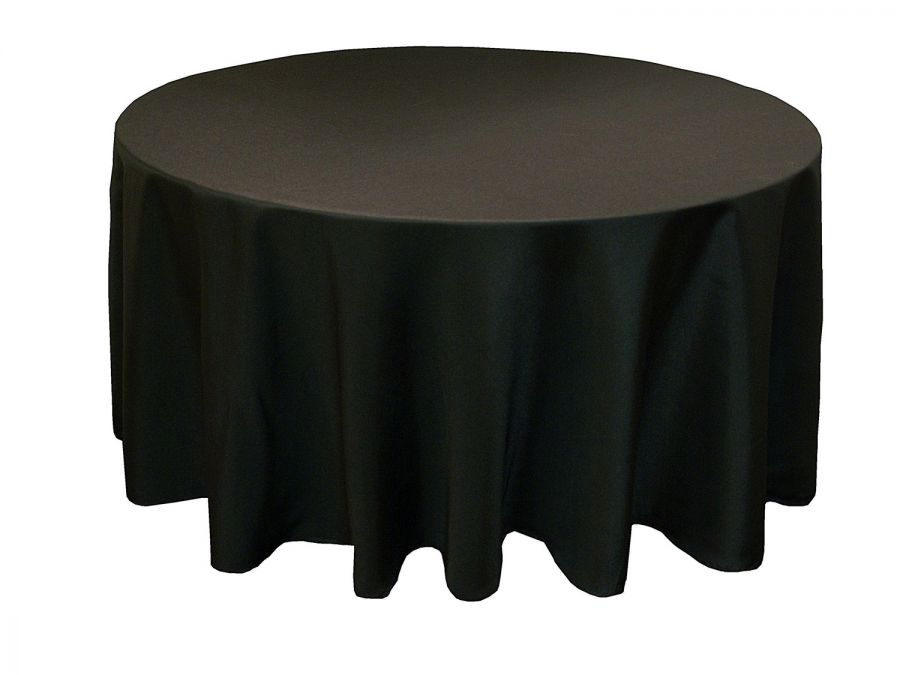
              Anton, all examples I've seen so far looks like made of 2mm steel sheet. Is there a trick in settings to get much more sharper corners in bending areas (is creasing a good term for this)?
              Capture.PNGa.PNG


              37171.jpg

              1 條回覆 最後回覆 回覆 引用 0
              • R 離線
                rv1974
                最後由 編輯

                Can you implement a loop of edges as "linear pin"? Could be useful for long curtains and waterfalls. And maybe for sharp corners too.

                1 條回覆 最後回覆 回覆 引用 0
                • A 離線
                  Anton_S
                  最後由 編輯

                  @rv1974 said:

                  Anton, all examples I've seen so far looks like made of 2mm steel sheet. Is there a trick in settings to get much more sharper corners in bending areas (is creasing a good term for this)?

                  I don't know actually. Perhaps increasing cloth resolution (applying a grid with smaller spacing), could do the trick with forming sharp corners. I will need to test this around a bit and see if there is a way to achieve the sharp corners.

                  1 條回覆 最後回覆 回覆 引用 0
                  • A 離線
                    Anton_S
                    最後由 編輯

                    @rv1974 said:

                    Can you implement a loop of edges as "linear pin"? Could be useful for long curtains and waterfalls. And maybe for sharp corners too.

                    Can you provide more detail with that?

                    1 條回覆 最後回覆 回覆 引用 0
                    • soloS 離線
                      solo
                      最後由 編輯

                      @rv1974 said:

                      Can you implement a loop of edges as "linear pin"? Could be useful for long curtains and waterfalls. And maybe for sharp corners too.

                      +1

                      http://www.solos-art.com

                      If you see a toilet in your dreams do not use it.

                      1 條回覆 最後回覆 回覆 引用 0
                      • J 離線
                        Jorgensen
                        最後由 編輯

                        Mood. First image using ClothWorks 😄


                        20180404 03.jpg

                        sketchup pro 2016 16.1.1449 64 bit | windows 10 pro | i7-3770k @3.5 GHz | 16gb ram | gtx 780 ti / gtx 980 ti | nvidia driver 368.39

                        1 條回覆 最後回覆 回覆 引用 0
                        • R 離線
                          rv1974
                          最後由 編輯

                          @anton_s said:

                          @rv1974 said:

                          Can you implement a loop of edges as "linear pin"? Could be useful for long curtains and waterfalls. And maybe for sharp corners too.

                          Can you provide more detail with that?

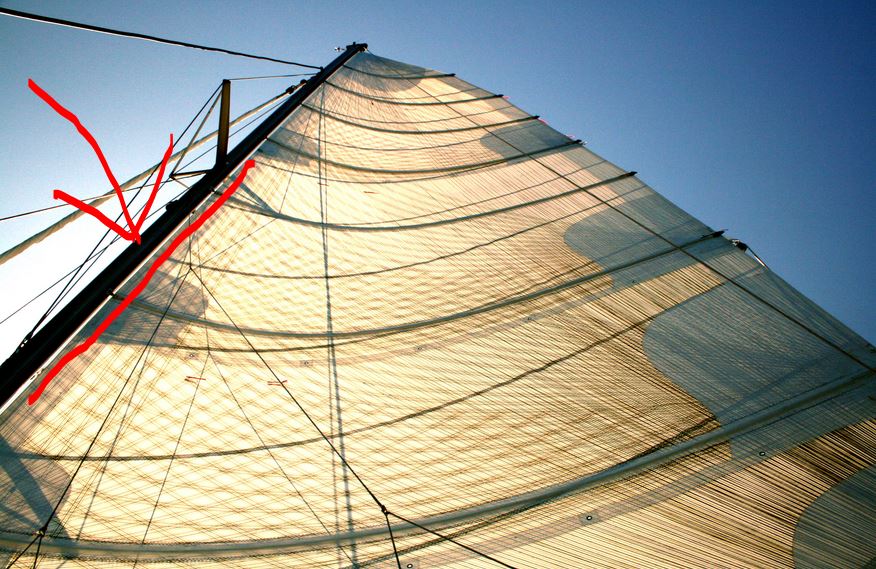
                          it's a simple idea: you'd select a loop (or set of edges, even unconnected) and order it to stay fixed. instead of point pin you get a linear holder. What important is an easy access to those linear holders (for selecting\editing).

                          Capture.JPG

                          1 條回覆 最後回覆 回覆 引用 0
                          • Rich O BrienR 離線
                            Rich O Brien Moderator
                            最後由 編輯

                            If you look up Vertex Groups in Blender you can get an idea what RV is asking.

                            Maybe you could add a feature that allows the user to make any object behave like a pin.

                            So selected edge/s behave the same as a collection of pins.

                            Download the free D'oh Book for SketchUp 📖

                            1 條回覆 最後回覆 回覆 引用 0
                            • jiminy-billy-bobJ 離線
                              jiminy-billy-bob
                              最後由 編輯

                              @rv1974 said:

                              1. The buying process should be reworked.

                              I agree!

                              25% off Skatter for SketchUcation Premium Members

                              1 條回覆 最後回覆 回覆 引用 0
                              • A 離線
                                Anton_S
                                最後由 編輯

                                @rv1974 said:

                                it's a simple idea: you'd select a loop (or set of edges, even unconnected) and order it to stay fixed. instead of point pin you get a linear holder. What important is an easy access to those linear holders (for selecting\editing).

                                For now, if you assign a pin type to the pole, and if the edges along the pole overlap the bounding box of the pole, they will be locked in place.

                                @rich o brien said:

                                If you look up Vertex Groups in Blender you can get an idea what RV is asking.

                                Maybe you could add a feature that allows the user to make any object behave like a pin.

                                So selected edge/s behave the same as a collection of pins.

                                I checked the blenders group pins video: https://www.youtube.com/watch?v=yzRS2cCiBnc

                                It seems like it would be useful. Added to my TODO list (it would be an easy feature to implement).

                                @jiminy-billy-bob said:

                                @rv1974 said:

                                1. The buying process should be reworked.

                                I agree!

                                Yeah... The buying process is not so user friendly. It's not the worst start though 💚

                                1 條回覆 最後回覆 回覆 引用 0
                                • BoxB 離線
                                  Box
                                  最後由 編輯

                                  How sharp and linear do you want it?

                                  https://i.imgur.com/dI14YqS.gif

                                  1 條回覆 最後回覆 回覆 引用 0
                                  • S 離線
                                    sofie9536
                                    最後由 編輯

                                    in order to get a sharp edge I doubled the mesh in the area of the edge with artisan.
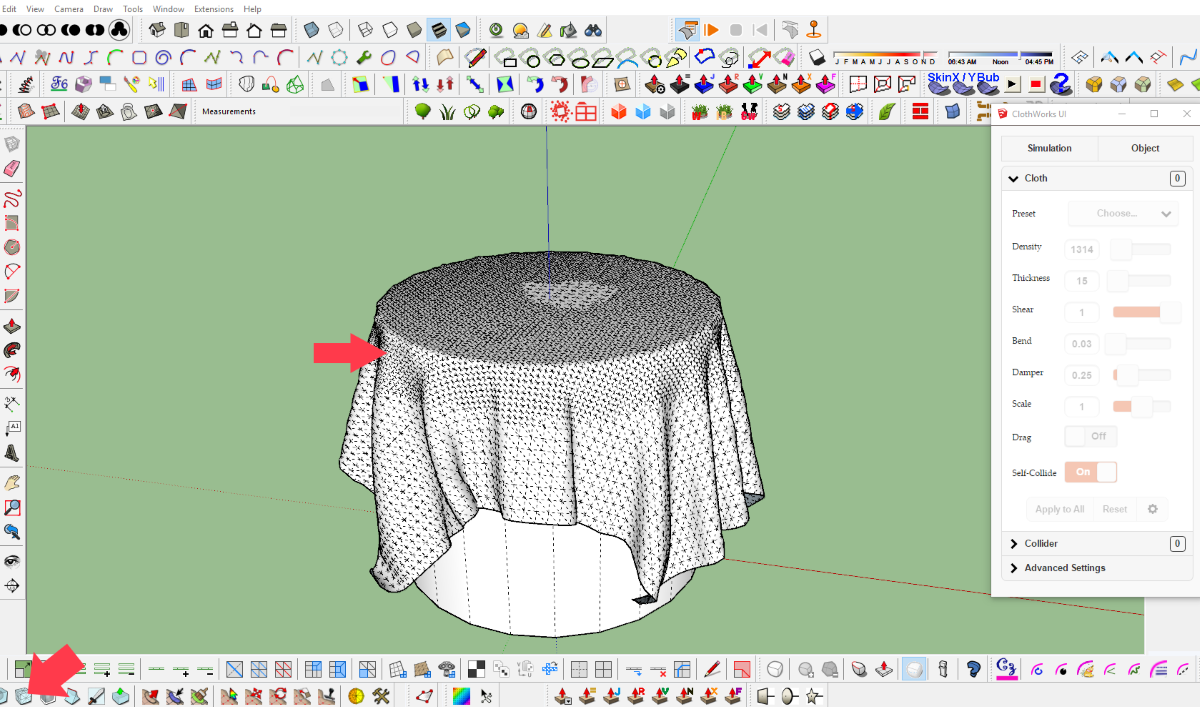

                                    artisan.png

                                    1 條回覆 最後回覆 回覆 引用 0
                                    • C 離線
                                      cas45
                                      最後由 編輯

                                      Hi have 3.04.2018 the plugin ClothWork via PayPal, so far no license has been received. Have had the experience to send it immediately. Ask for info Thank you

                                      1 條回覆 最後回覆 回覆 引用 0
                                      • A 離線
                                        Anton_S
                                        最後由 編輯

                                        @cas45 said:

                                        Hi have 3.04.2018 the plugin ClothWork via PayPal, so far no license has been received. Have had the experience to send it immediately. Ask for info Thank you

                                        Sent you a PM regarding this.

                                        1 條回覆 最後回覆 回覆 引用 0
                                        • BoxB 離線
                                          Box
                                          最後由 編輯

                                          A feature request of sorts, more of a think about this and see if it is possible.
                                          Can you make the shape of the geometry of the pin the thing that does the pinning rather than the bounding box of the pin/pin object.
                                          I know we can point pin, multi point pin and linear pin, but the ability to pin along a curve would be great.
                                          As you see here the pin itself is a curve but the bounding box makes it a rectangle.
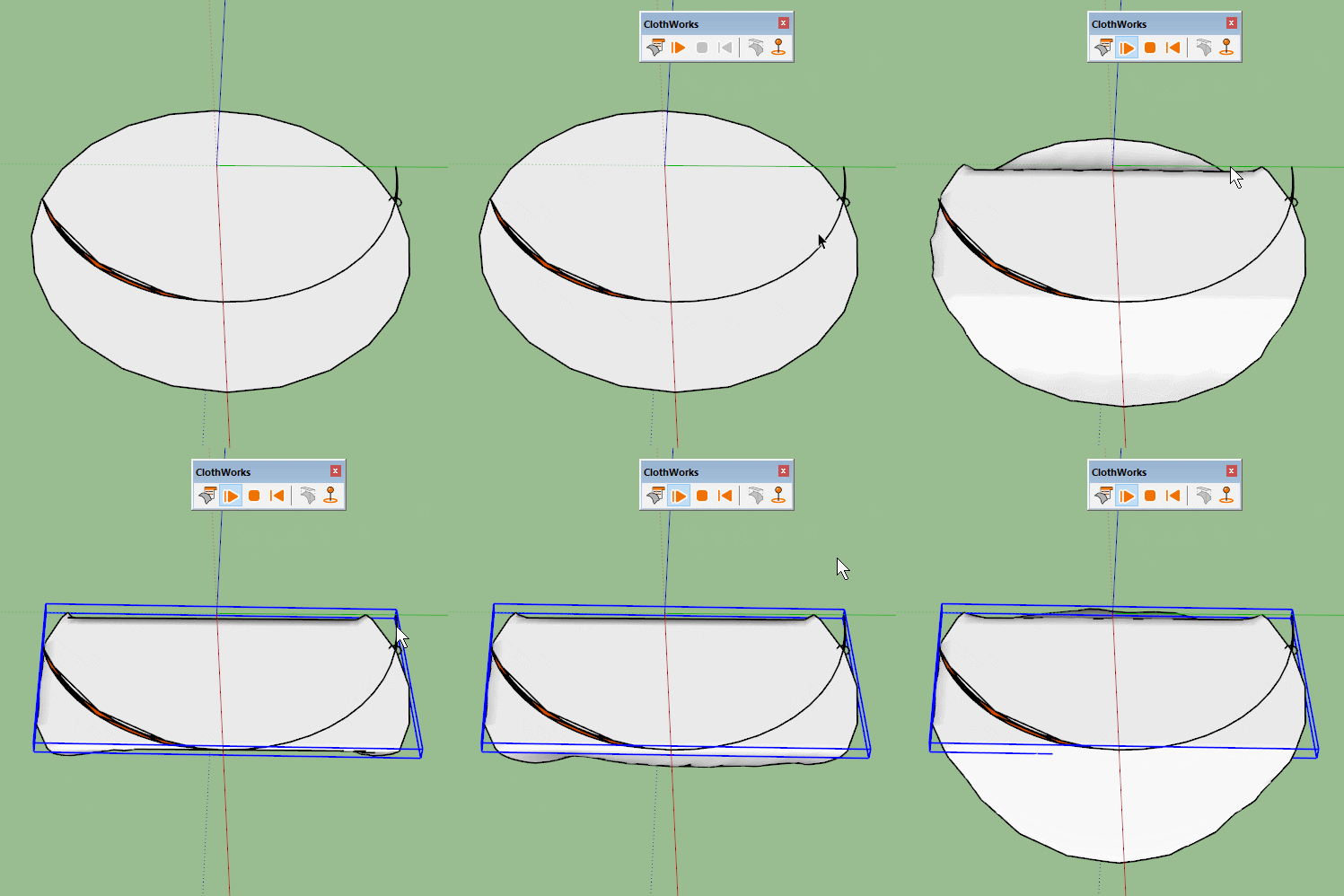
                                          Bounding.gif
                                          Whereas an array of small pins gives you a curve but it can be tricky to set up, gives you bumps and is less predictable than if you could use a specific edge.

                                          I know you could use a shaped collider in this instance, but I can see uses for curved pins.
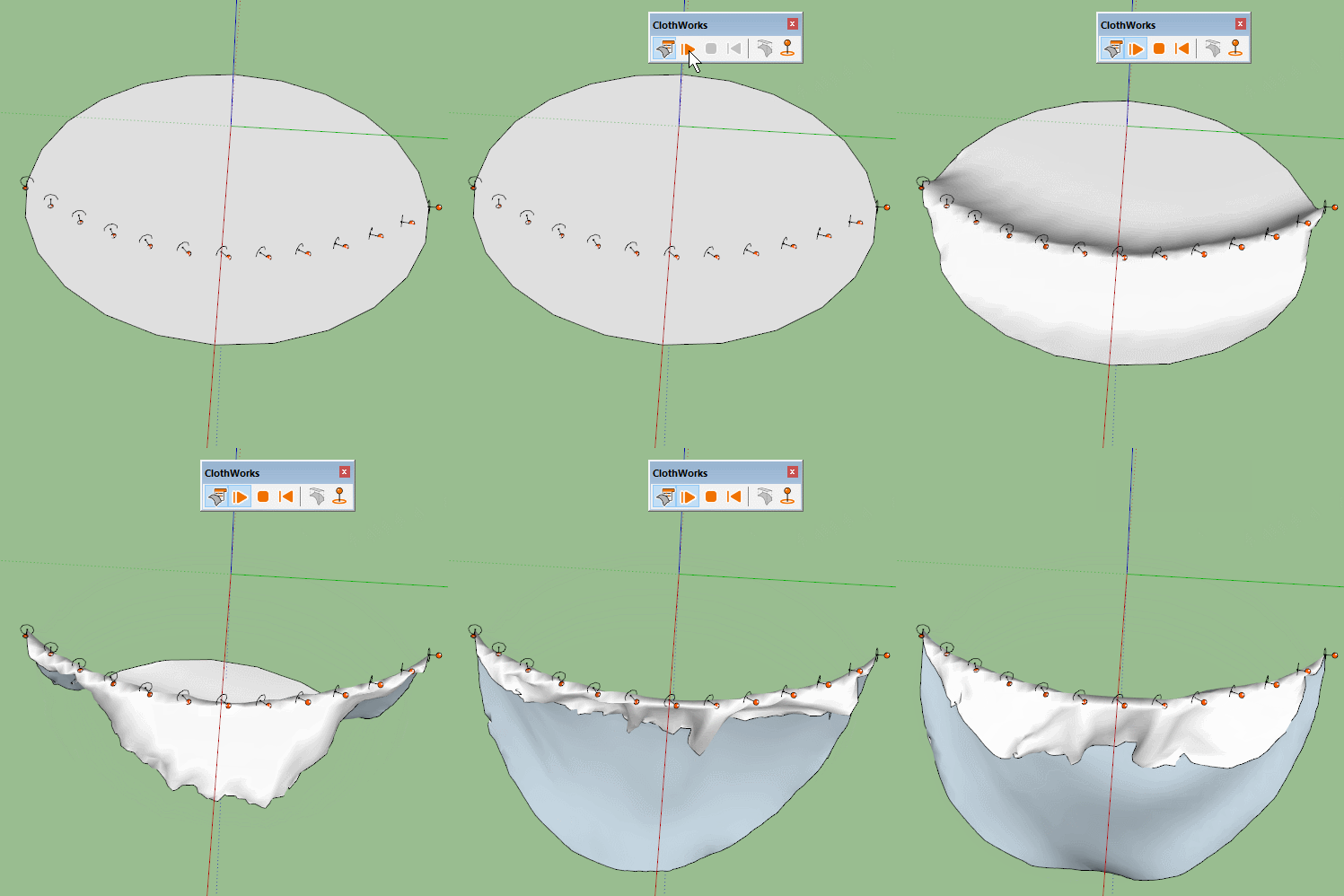

                                          PinArray.gif

                                          1 條回覆 最後回覆 回覆 引用 0
                                          • jiminy-billy-bobJ 離線
                                            jiminy-billy-bob
                                            最後由 編輯

                                            Hey Anton, I was wondering today: what's the performance bottleneck? Is it the physics simulation itself, or moving the whole geometry at each frame?


                                            25% off Skatter for SketchUcation Premium Members

                                            1 條回覆 最後回覆 回覆 引用 0
                                            • 1
                                            • 2
                                            • 3
                                            • 4
                                            • 5
                                            • 6
                                            • 7
                                            • 8
                                            • 34
                                            • 35
                                            • 6 / 35
                                            • 第一個貼文
                                              最後的貼文
                                            Buy SketchPlus
                                            Buy SUbD
                                            Buy WrapR
                                            Buy eBook
                                            Buy Modelur
                                            Buy Vertex Tools
                                            Buy SketchCuisine
                                            Buy FormFonts

                                            Advertisement