[Plugin] Animator - v4.6a - 18 Dec 25




-
I am suddenly having interface problems. I cannot control how the timeline looks/is located and some other user information is not all visible for me.
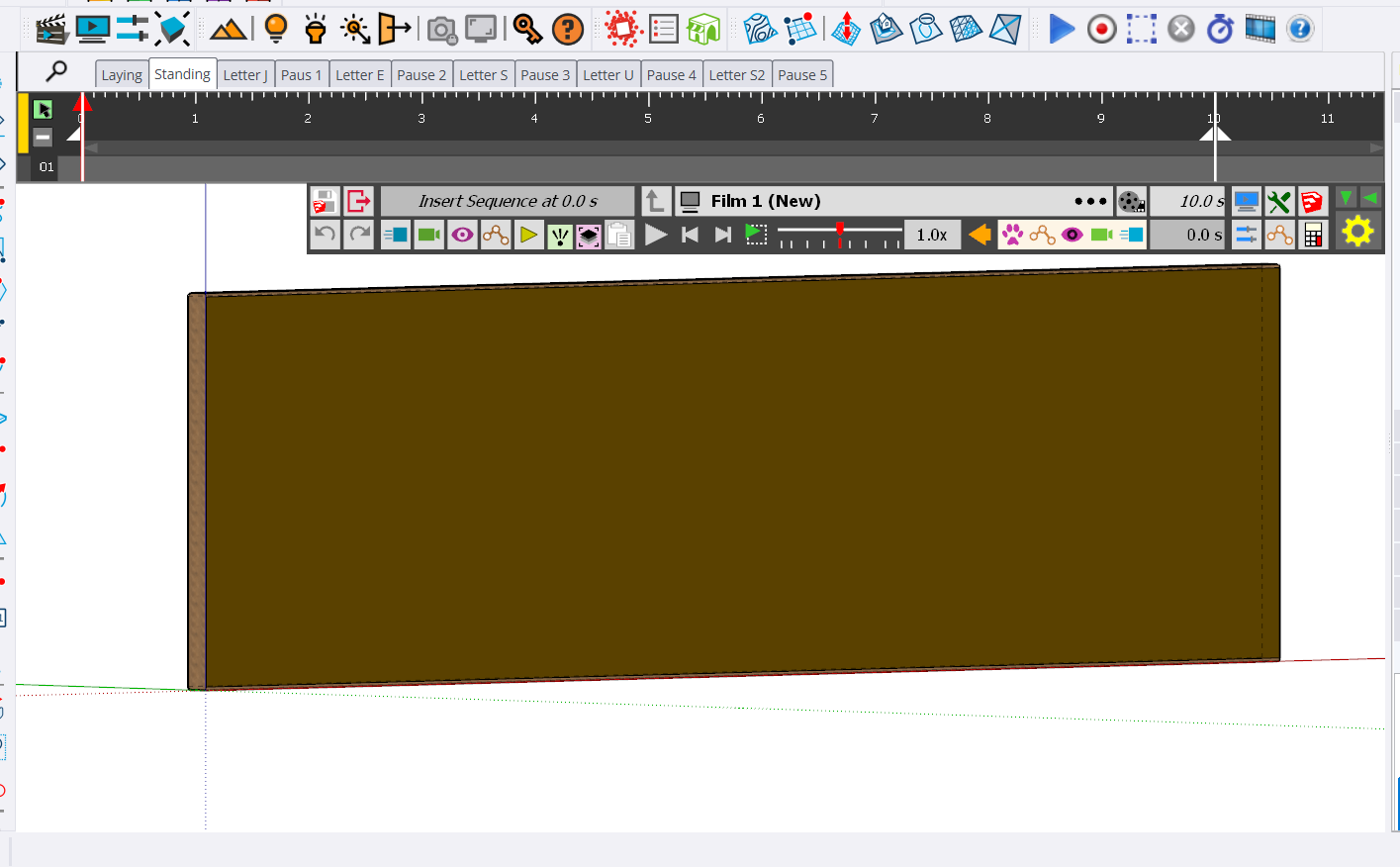
Here is a view of the timeline, and no matter which thing I click on, I cannot get the timeline to show up vertically (which used to be the default and the way I like it the best). Here is a view of how it currently looks:
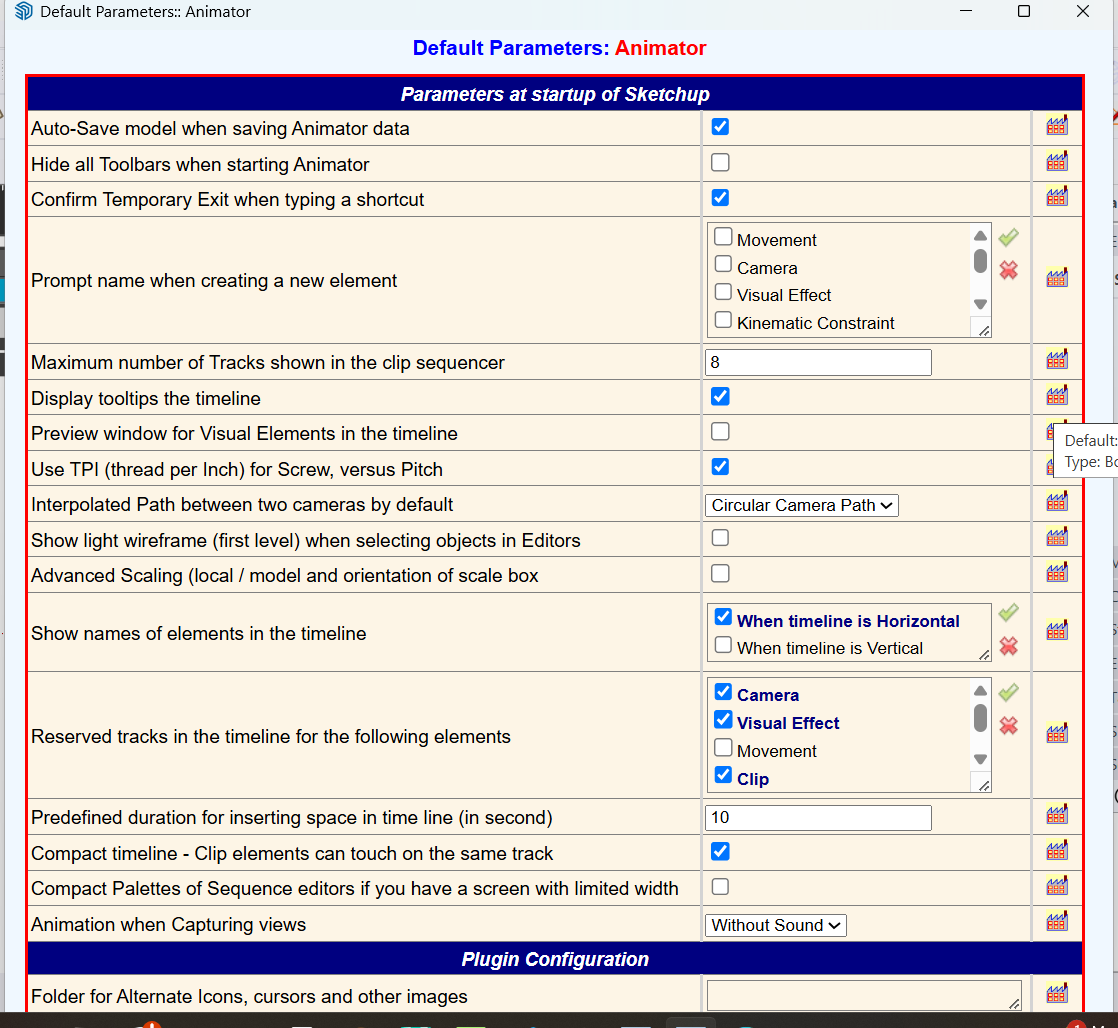
Here is another image that shows the Animator default settings. Notice that at the bottom, not everything is showing (at least as far as I can tell) and there is no option for me to scroll so that I can see what is below (if anything).
I also have been having a problem trying to select multiple items to make part of a clip (or how to add things to an existing clip).
I have tried shutting down SketchUp and Animator multiple times to see if restarting or selecting models where I had some existing Animator animations to see if that would have any effect and it did not. I have also reported these problems (at least some of them). in this thread https://community.sketchucation.com/topic/164682/scene-animation-with-animator/29
OK, I just went back to SU 2025 and tried to create a new Animator file with 2025 and am having the same issues with the Animator UI. I first had to update Animator in 2025 and then I restarted SU and as I just said, I am seeing the same issue with the Animator UI.
What the heck am I/have I done wrong?
-
Please hover these UI buttons:
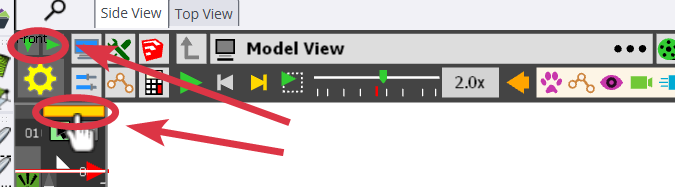
These allow you to position the UI
Download the free D'oh Book for SketchUp 📖
-
@Rich-O-Brien Thanks, @rich-o-brien, clicking on the yellow bar solved the problem for me.

Now I have to solve the problem of how to combine multiple sequences (movements) into a single Clip. When I try to use the shift key to select multiple items and put them into a clip, it does not work. Also, if I have a clip, how to I add additional items to it?
I watched @fredo6 tutorial (Tutorial 1), I thought I understood how to combine items, but I must be missing something. I think (at least for now) figuring this issue out will help me make a lot of progress to where I want to do.
As I have said before (in multiple threads/posts), I appreciate the feedback and patience from you. I have tried to watch videos and read some stuff to understand these issues on my own. Maybe I am just getting to old learn how to do things.

DUH I just figured out the combining issue. I used the Ctrl key to select multiple items instead of the shift key a LALa, it worked.
-
OK, I think I have finally figured out all of the tricks I need to make a video with Animator.
Here is an example
Model View.mp4Yes the video/model is pretty basic but through it, I think I have learned how to accomplish the things I want for some upcoming Animator generated videos.
I just have one last silly question; how do I set the location for where the video is created (folder name and location).?
-
Is it possible to start a new thread or category for asking "how to" questions for Animator. I think I have recently learned a lot of very useful information, but I still have a number of questions that I have not been able to find answers to. Yes, I can do a lot of testing but there are topics where other users might be able to provide good feedback/advice for.
-
I am suddenly getting a message that my license expired on 23 Jan 2026 and I do not know how to update/get it working again. Right now I cannot use Animator.
-
I am suddenly having a problem generating a video. When I click on the link to generate a video, nothing is happening.
Here is the file I am trying to use to generate a video. Hope someone can either generate a video for me, or look at my file and tell me what is happening.
3 Scene Animator.skp -
Can you open the Ruby console.
-
@fredo6 Right now I am having a problem with my laptop and cannot doe things as normal. I will try to get back to you when I have things under control agaon.
-
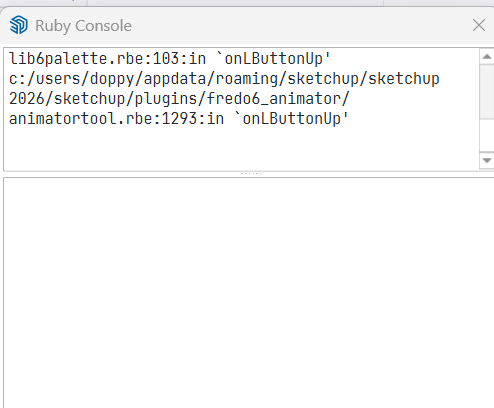
Here is the ruby console when I clicked on the Generate Video button.
-
When you report a Ruby error, please copy the text in the Ruby console from the Error line and paste it as text here in the forum. This screenshot can be exploited.
-
There was no error message so I shared what I saw. I fully understand what you are saying though.
Any idea why I am not getting a video though?
-
Yes there is an error as shown in your screenshot.
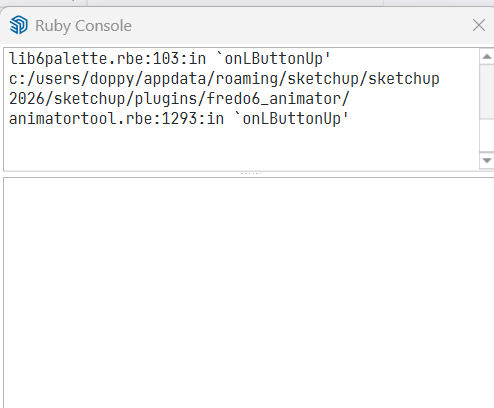
Simply, I miss the beginning of the error message.
By the way resize to lower part of the console to the minimum (one line). The upper part is for the display of messages.
-
Is this what you are looking for?
fredo6_animator/animatorpalette.rbe:820:in `block in palette_clip_name_duration_video' c:/users/doppy/appdata/roaming/sketchup/sketchup 2026/sketchup/plugins/fredo6_!libfredo6/body_lib6palette.rbe:4100:in `execute_button' c:/users/doppy/appdata/roaming/sketchup/sketchup 2026/sketchup/plugins/fredo6_!libfredo6/body_lib6palette.rbe:3854:in `onLButtonUp' c:/users/doppy/appdata/roaming/sketchup/sketchup 2026/sketchup/plugins/fredo6_!libfredo6/lib6palette.rbe:103:in `onLButtonUp' c:/users/doppy/appdata/roaming/sketchup/sketchup 2026/sketchup/plugins/fredo6_animator/animatortool.rbe:1293:in `onLButtonUp' -
Better but I need the top message starting by 'Error...'. This is where the error is stated.
-
@fredo6 said in [Plugin] Animator - v4.6a - 18 Dec 25:
Better but I need the top message starting by 'Error...'. This is where the error is stated.
OK, here it everything that is in the top box
#<NoMethodError: undefined method
custom_convert_id' for Traductor::ChromiumWdlg:Class> c:/users/doppy/appdata/roaming/sketchup/sketchup 2026/sketchup/plugins/fredo6_!libfredo6/body_lib6weblist.rbe:159:incid'
c:/users/doppy/appdata/roaming/sketchup/sketchup 2026/sketchup/plugins/fredo6_!libfredo6/body_lib6weblist.rbe:44:ininitialize__' c:/users/doppy/appdata/roaming/sketchup/sketchup 2026/sketchup/plugins/fredo6_!libfredo6/lib6weblist.rbe:33:ininitialize'
c:/users/doppy/appdata/roaming/sketchup/sketchup 2026/sketchup/plugins/fredo6_animator/animatorvideomanager.rbe:1666:innew' c:/users/doppy/appdata/roaming/sketchup/sketchup 2026/sketchup/plugins/fredo6_animator/animatorvideomanager.rbe:1666:injob_dialog_select_repair'
c:/users/doppy/appdata/roaming/sketchup/sketchup 2026/sketchup/plugins/fredo6_animator/animatorvideomanager.rbe:1641:injob_detect_repairing' c:/users/doppy/appdata/roaming/sketchup/sketchup 2026/sketchup/plugins/fredo6_animator/animatortool.rbe:2293:inmovie_clip_generation'
c:/users/doppy/appdata/roaming/sketchup/sketchup 2026/sketchup/plugins/fredo6_animator/animatorpalette.rbe:820:inblock in palette_clip_name_duration_video' c:/users/doppy/appdata/roaming/sketchup/sketchup 2026/sketchup/plugins/fredo6_!libfredo6/body_lib6palette.rbe:4100:inexecute_button'
c:/users/doppy/appdata/roaming/sketchup/sketchup 2026/sketchup/plugins/fredo6_!libfredo6/body_lib6palette.rbe:3854:inonLButtonUp' c:/users/doppy/appdata/roaming/sketchup/sketchup 2026/sketchup/plugins/fredo6_!libfredo6/lib6palette.rbe:103:inonLButtonUp'
c:/users/doppy/appdata/roaming/sketchup/sketchup 2026/sketchup/plugins/fredo6_animator/animatortool.rbe:1293:in `onLButtonUp' -
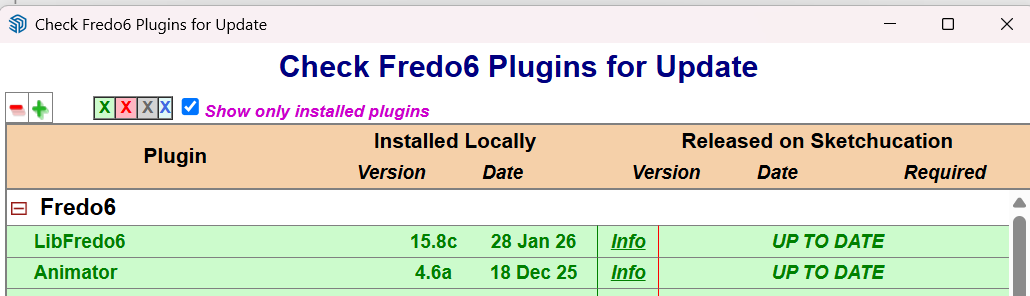
Which version of LibFredo6 do you have?
-
I thought I had the latest version. It says I am up to date. I will have to go to my laptop to find out. Where is the best place to check?
-
-
Menu Window > LibFredo6 Setting... > About



Hello! It looks like you're interested in this conversation, but you don't have an account yet.
Getting fed up of having to scroll through the same posts each visit? When you register for an account, you'll always come back to exactly where you were before, and choose to be notified of new replies (either via email, or push notification). You'll also be able to save bookmarks and upvote posts to show your appreciation to other community members.
With your input, this post could be even better 💗
Register Login


Advertisement