sketchucation logo sketchucation
    • 登入
    Oops, your profile's looking a bit empty! To help us tailor your experience, please fill in key details like your SketchUp version, skill level, operating system, and more. Update and save your info on your profile page today!
    🔌 Smart Spline | Fluid way to handle splines for furniture design and complex structures. Download

    [Plugin] Animator - v4.6a - 18 Dec 25


    已排程 已置頂 已鎖定 已移動 Animator Beta
    renderpluginsextensions
    554 貼文 119 Posters 1.8m 瀏覽 119 Watching
    正在載入更多貼文
    • 從舊到新
    • 從新到舊
    • 最多點贊
    回覆
    • 在新貼文中回覆
    登入後回覆
    此主題已被刪除。只有擁有主題管理權限的使用者可以查看。
    • V 離線
      Valy2404
      最後由 編輯

      Hi Fredo. when I export animation or render plugin writes that it needs a Pro version where I can fix it or buy a Pro version ?

      1 條回覆 最後回覆 回覆 引用 0
      • fredo6F 離線
        fredo6
        最後由 編輯

        New Release: Animator - v2.3a - 14 Nov 18

        Requirement: LibFredo6 v8.6k

        Minor release

        • Mouse Wheel can now be used for scrolling on Mac platforms
        • Various bug fixing

        See plugin home page of Animator for Download of RBZ from the PluginStore.

        See Main Post of the Animator thread for more information.

        1 條回覆 最後回覆 回覆 引用 0
        • P 離線
          palphd
          最後由 編輯

          Hi Fredo,

          Is there an option for achieving transparent backgrounds when generating a video as an images sequence (PNGs)?

          Cheers,
          Chris

          1 條回覆 最後回覆 回覆 引用 0
          • fredo6F 離線
            fredo6
            最後由 編輯

            @palphd said:

            Is there an option for achieving transparent backgrounds when generating a video as an images sequence (PNGs)?
            Chris

            Good point. I have to test, but it should be possible. I'll have to add the option in the GUI too.

            Fredo

            1 條回覆 最後回覆 回覆 引用 0
            • P 離線
              palphd
              最後由 編輯

              @fredo6 said:

              @palphd said:

              Is there an option for achieving transparent backgrounds when generating a video as an images sequence (PNGs)?
              Chris

              Good point. I have to test, but it should be possible. I'll have to add the option in the GUI too.

              Fredo

              Thanks so much for the reply! Animator is such a fantastic plugin, but I was going insane trying to find that option since MSPhysics and ClothWorks have it. Adding it to Animator will truly complete the SketchUp animation trifecta as far as I'm concerned.

              Good luck and thanks again! 👍 I'll stay tuned 😎

              Cheers,
              Chris*

              1 條回覆 最後回覆 回覆 引用 0
              • fredo6F 離線
                fredo6
                最後由 編輯

                New Release: Animator - v2.3b - 16 Nov 18

                Requirement: LibFredo6 v8.6k

                Minor release

                • Mouse Wheel for scrolling now works in parallel projection mode

                See plugin home page of Animator for Download of RBZ from the PluginStore.

                See Main Post of the Animator thread for more information.

                1 條回覆 最後回覆 回覆 引用 0
                • fredo6F 離線
                  fredo6
                  最後由 編輯

                  New Release: Animator - v2.3c - 18 Nov 18

                  Requirement: LibFredo6 v8.6m

                  Minor release

                  • Bug fixing and GUI adjustments
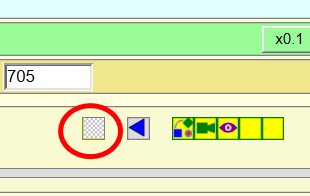
                  • Option for Transparent background for generating videos. It only works for Natural rendering and generate the PNG images with no background. I don't know if this makes its way through the video generation via FFmpeg. You need to install LibFredo6 8.6m.
                    Animator - Transparent Background toggle button.png

                  See plugin home page of Animator for Download of RBZ from the PluginStore.

                  See Main Post of the Animator thread for more information.

                  1 條回覆 最後回覆 回覆 引用 0
                  • P 離線
                    palphd
                    最後由 編輯

                    @fredo6 said:

                    New Release: Animator - v2.3c - 18 Nov 18

                    Requirement: LibFredo6 v8.6m

                    Minor release

                    • Bug fixing and GUI adjustments
                    • Option for Transparent background for generating videos. It only works for Natural rendering and generate the PNG images with no background. I don't know if this makes its way through the video generation via FFmpeg. You need to install LibFredo6 8.6m.
                      [attachment=0:1f6ufy1r]<!-- ia0 -->Animator - Transparent Background toggle button.png<!-- ia0 -->[/attachment:1f6ufy1r]

                    See plugin home page of Animator for Download of RBZ from the PluginStore.

                    See Main Post of the Animator thread for more information.

                    Thanks Fredo,

                    Good news: I can now see the Transparent Background toggle button on the GUI.
                    Bad news: I don't get transparent backgrounds in my PNGs when I export them with the option selected 😞

                    1 條回覆 最後回覆 回覆 引用 0
                    • fredo6F 離線
                      fredo6
                      最後由 編輯

                      @palphd said:

                      Bad news: I don't get transparent backgrounds in my PNGs when I export them with the option selected 😞

                      Did you upgrade to LibFredo6 8.6m?

                      1 條回覆 最後回覆 回覆 引用 0
                      • P 離線
                        palphd
                        最後由 編輯

                        @fredo6 said:

                        @palphd said:

                        Bad news: I don't get transparent backgrounds in my PNGs when I export them with the option selected 😞

                        Did you upgrade to LibFredo6 8.6m?

                        That did the trick! You're the man, Fredo!

                        1 條回覆 最後回覆 回覆 引用 0
                        • R 離線
                          rong1937
                          最後由 編輯

                          Hope to support Enscape render

                          1 條回覆 最後回覆 回覆 引用 0
                          • C 離線
                            chals375
                            最後由 編輯

                            Hello.

                            First of all, I hope you understand the awkwardness of English.

                            Writing on the translator.

                            I used the animator 2.1a version and thea render v2.

                            I was using it well, but after updating the animator to 2.3c, I can't turn it on.

                            When I press the render button, the word "no clip defined in model" appears.

                            So do files with dozens of clips.
                            Everything went dead.

                            I want to use version 2.1a again, but it is not possible because the period of use has expired.

                            If I set my computer time to the past, I can use it, but because thea render license is not available, rendering is not possible.

                            How shall I do it?
                            Please help me.T.T

                            1 條回覆 最後回覆 回覆 引用 0
                            • fredo6F 離線
                              fredo6
                              最後由 編輯

                              @chals375

                              1. First of all, can you play the animation interactively within Animator

                              2. Can you generate the video in natural mode (No rendering by Thea)?

                              3. Can you open the Ruby console while you are in Animator, to see i there are errors showing.

                              Finally, the best would be that you post or PM me your model so that I can have a closer look.

                              Fredo

                              PS: do not play with the clock of your PC, as you can have many other bad side effects on other applications.

                              1 條回覆 最後回覆 回覆 引用 0
                              • T 離線
                                Tranthanhvu
                                最後由 編輯

                                Can you help me.
                                https://youtu.be/eLUiA4i01Yo

                                1 條回覆 最後回覆 回覆 引用 0
                                • fredo6F 離線
                                  fredo6
                                  最後由 編輯

                                  @tranthanhvu said:

                                  Can you help me.
                                  https://youtu.be/eLUiA4i01Yo

                                  For the rotation, you need to select the two arms objects, instead of the components which includes both arms.

                                  1 條回覆 最後回覆 回覆 引用 0
                                  • C 離線
                                    Comial
                                    最後由 編輯

                                    @fredo6 said:

                                    @chals375

                                    1. First of all, can you play the animation interactively within Animator

                                    2. Can you generate the video in natural mode (No rendering by Thea)?

                                    3. Can you open the Ruby console while you are in Animator, to see i there are errors showing.

                                    Finally, the best would be that you post or PM me your model so that I can have a closer look.

                                    I'm having the same issue since upgrading to v2.3. In response to your questions to @chals375

                                    1. Yes, I can play the animation without any problems in Animator
                                    2. Yes, I can generate the video in natural mode. Also, Thea render's animation tab can render Sketchup default animations but does not open a dialog when selecting Animator as the plugin.
                                    3. Ruby console does not display any errors when trying to render from Thea Render

                                    Rendering with Thea works just fine if I initiate it from Animator, but the only reason I want to render from Thea is so that I have control over what format the exported image sequence is in. If there is a way to do that from Animator then that would also solve my problem.

                                    PS. I love all your plugins. Thank you for all your contributions to the Sketchup community!!

                                    1 條回覆 最後回覆 回覆 引用 0
                                    • fredo6F 離線
                                      fredo6
                                      最後由 編輯

                                      @comial said:

                                      Rendering with Thea works just fine if I initiate it from Animator, but the only reason I want to render from Thea is so that I have control over what format the exported image sequence is in. If there is a way to do that from Animator then that would also solve my problem.

                                      I fixed the issue with the generation from Thea render in Animator 2.4a.
                                      Please advise if this is ok for your now.

                                      1 條回覆 最後回覆 回覆 引用 0
                                      • fredo6F 離線
                                        fredo6
                                        最後由 編輯

                                        New Release: Animator - v2.4a - 10 Jan 19

                                        Requirement: LibFredo6 v8.7e

                                        Minor release

                                        • Extension of validity
                                        • Fix a problem preventing to generate the video from Thea render

                                        See plugin home page of Animator for Download of RBZ from the PluginStore.

                                        See Main Post of the Animator thread for more information.

                                        1 條回覆 最後回覆 回覆 引用 0
                                        • C 離線
                                          Comial
                                          最後由 編輯

                                          @fredo6 said:

                                          I fixed the issue with the generation from Thea render in Animator 2.4a.
                                          Please advise if this is ok for your now.

                                          It does! Thank you, this is really great. I appreciate you providing such great support for your plugins.

                                          1 條回覆 最後回覆 回覆 引用 0
                                          • OxerO 離線
                                            Oxer
                                            最後由 編輯

                                            It works fine on Mac too. 👍

                                            "The result is the end what is important is the process" by Oxer
                                            [http://www.oxervision.blogspot.com/(http://www.oxervision.blogspot.com/)]

                                            1 條回覆 最後回覆 回覆 引用 0
                                            • 1
                                            • 2
                                            • 8
                                            • 9
                                            • 10
                                            • 11
                                            • 12
                                            • 27
                                            • 28
                                            • 10 / 28
                                            • 第一個貼文
                                              最後的貼文
                                            Buy SketchPlus
                                            Buy SUbD
                                            Buy WrapR
                                            Buy eBook
                                            Buy Modelur
                                            Buy Vertex Tools
                                            Buy SketchCuisine
                                            Buy FormFonts

                                            Advertisement



