A Nightmare render
-
@tedvitale_cg said:
Could you pack the scene (Plugins>V-Ray> Pack Scene) and reshare it with the community in another post. Id like to test this and see whats actually going on, but you are missing a lot of information in the last shared model.
Hi, I have made a copy of existing file (becouse I am still rendering
 )
)
please see a following link for packed scene: http://leteckaposta.cz/880330958 -
@dkendig said:
Please use the "pack scene" feature when sharing scenes. It's possible the slowdown could be related to external assets such as IES profiles, high resolution textures, etc. I see in this case that Andy was able to reproduce the issue without the external assets, but I highly recommend sharing that way in the future.
Hi, here is the link with packed scene: http://leteckaposta.cz/880330958
-
@doppel said:
I found this : one reason that your render is incredibly long is one or several materials.
I delete all your materials and the render was very fast.You don't have to delete the materials, you can just use the material override as mentioned earlier.

ps. you can also go to the debugging tools in vray and clear the vray material information from the Sketchup model. That's a much less destructive step if you want to rebuild the materials in your model.
-
Yes. But i wasn't able to use it. The override material function didn't work sometimes, because of trouble with some materials. And it didn't work on this sketchup file

Override Material problem here : http://sketchucation.com/forums/viewtopic.php?f=322%26amp;t=59900
-
@doppel said:
Yes. But i wasn't able to use it. The override material function didn't work sometimes, because of trouble with some materials. And it didn't work on this sketchup file
Override Material problem here : http://sketchucation.com/forums/viewtopic.php?f=322%26amp;t=59900
Please make sure you are using the current service release #3. There have been numerous bugfixes over previous versions.
-
I tried to copy and paste the whole thing into a new file and it crashed SU. Not sure what's up with this but I have to assume its all of these imported models and random texture names and setups. After running a Regenerate All Materials in the Debug menu I tried to render and it got through the light passes but would not final render. Then I loaded the default render settings (this is all in 2.0 SU2015x64 BTW) and it rendered 800 pixel wide in 30 seconds. There is just something funky in your setups, I would save the time in hunting and just reset everything and recreate your materials. Not the best solution, but it will fix the issue.
I saw a few things that might be the issue with the materials.
1- there is a glass material that I would just use a 'cheat glass' - a 100% transparent diffuse with a simple reflection layer set to Fresnel. I don't understand folks who use refraction layers on windows.I never found it added anything to the material. Maybe I am wrong.
in the names. Not sure if these are supported. -
After defaulting all materials and render settings, it rendered in a couple of minutes. I reloaded the nightmare.visopt and fixed the IR and LC settings as they were set to render from file, and it rendered fine with the settings too. So in conclusion, there is a funky material, probably something from an older version of VR in there. Unfortunately, this legacy stuff needs to be reset and start from fresh.
-
you know, I tried fixing a few of those obvious things. Like rename that material with the funny characters, turned down some bump maps below 1.0, deleted a few area lights that had a value of 50 default units. The funny thing is, the render crawled even when rendering over a simple diffuse area, so I'm guessing there is some interaction going on with some of the lighting and some material, that it's not just strictly a material problem.
Also - the first thing I did was load the interior high preset. Yeah, should have loaded default settings, that sounds like the better option.
Edit: nope, loading default didn't help either. Doesn't seem to be an option settings problem.
-
I tried your sketchup file, and I agree that the render takes abnormally too much time.
I found this : one reason that your render is incredibly long is because one or several materials.
I delete all your materials and the render was very fast.But i don't know which material makes you trouble

EDIT : i do this override material render with your settings (except for the output settings)

-
what an exciting thread!
-
@valerostudio said:
After defaulting all materials and render settings, it rendered in a couple of minutes. I reloaded the nightmare.visopt and fixed the IR and LC settings as they were set to render from file, and it rendered fine with the settings too. So in conclusion, there is a funky material, probably something from an older version of VR in there. Unfortunately, this legacy stuff needs to be reset and start from fresh.
Do you mean that there could be a problem when is used material from older version of SU/Vray? This could happend - because this is updated old scene.. So I should delete all materials and create them again?
-
Thanks guys,
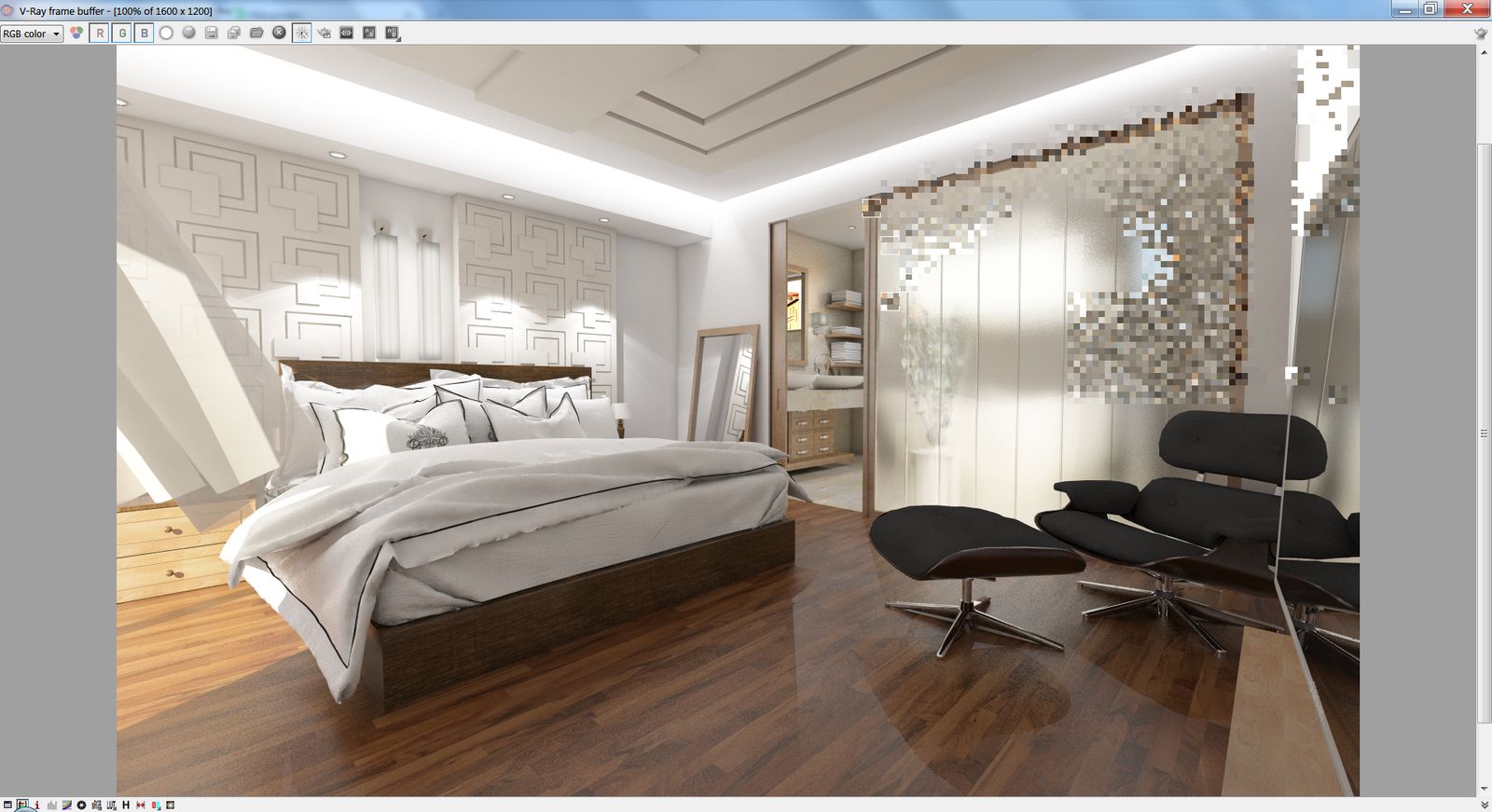
Yesterday I have tried to change lights & materials setup, uncheck low thread priority according to your answers and render it again (1600x1200). From reflection materials I removed any bump maps. Aqua blue material with some weird characters "×óãóíèé1" was removed and replaced with standard glass.All materials without any reflections was rendered fast as usually, lampshades, bed & chair and floor slower, but with possible speed. The rest of the render - bathroom, TV screen where glass wall reflected, wooden shelve under TV and of course glass wall spent over 20 hours and I am on 90%...
Packed scene with updated materials: http://leteckaposta.cz/145119615
Maybe I am wrong but there is not any special material setting used..
For example floor material and shelve material should be similar - only different texture and amount of reflections.
-
Absolutely. There have been massive improvements to materials since 1.49 version. Any old files might cause issues in 2.0
The glass panels with refraction glossiness will take some time to render depending on the subdivs, but I didn't see settings that were all that high on it. I think there is a buggy material in there that needs to be hunted down or just start from scratch.
What are you machine specs? It looks like you have 2 render buckets. That could be the issue too. A dual core processor would take a long time to render any file you throw at it.
-
@valerostudio said:
Absolutely. There have been massive improvements to materials since 1.49 version. Any old files might cause issues in 2.0
The glass panels with refraction glossiness will take some time to render depending on the subdivs, but I didn't see settings that were all that high on it. I think there is a buggy material in there that needs to be hunted down or just start from scratch.
What are you machine specs? It looks like you have 2 render buckets. That could be the issue too. A dual core processor would take a long time to render any file you throw at it.
Ok, I´ll try to remove all materials and start from the schratch..
My specifications are: Intel Core i7- 2640M CPU 2,80GHz, RAM 8GB, Win 7 -
It might help to use the new V-Ray Material that was made available in version 2.0.
-
@dkendig said:
It might help to use the new V-Ray Material that was made available in version 2.0.
Why was it introduced, btw? What are the benefits of it?
This guy was having trouble with it: http://forums.sketchup.com/t/bump-slot-in-the-vray-material/4382
But I'd like to know what are the pros compared to the "standard" material. Is it faster? -
It's the V-Ray Material from 3D Studio Max. It is a bit more optimized, compact, and I only hear good things from our artists who use it. If you want to use any of the optional maps that we have in our standard material, you can use the VRayBRDF which is just the V-Ray Material embedded in the Standard material as a layer. It's a little confusing, but that's the workflow at the moment.
-
@dkendig said:
It's a little confusing
Yeah it is
I actually always prefered the "standard" VrayMtl in VfS over the VrayMtl in Vf3Dsmax. I use both, and found the layering in VfS to be much more easy to work with.
For instance, the fact that we don't need to mess with the refraction to make a simple glass material (In max, we need to make it fully refractive with a refractive IOR of 1. So much for simplicity)
And with the layering we can stack multiple diffuses, or reflections, etc.But maybe I'm missing something? I'd love to hear other people's opinion on this. Like Ted?
-
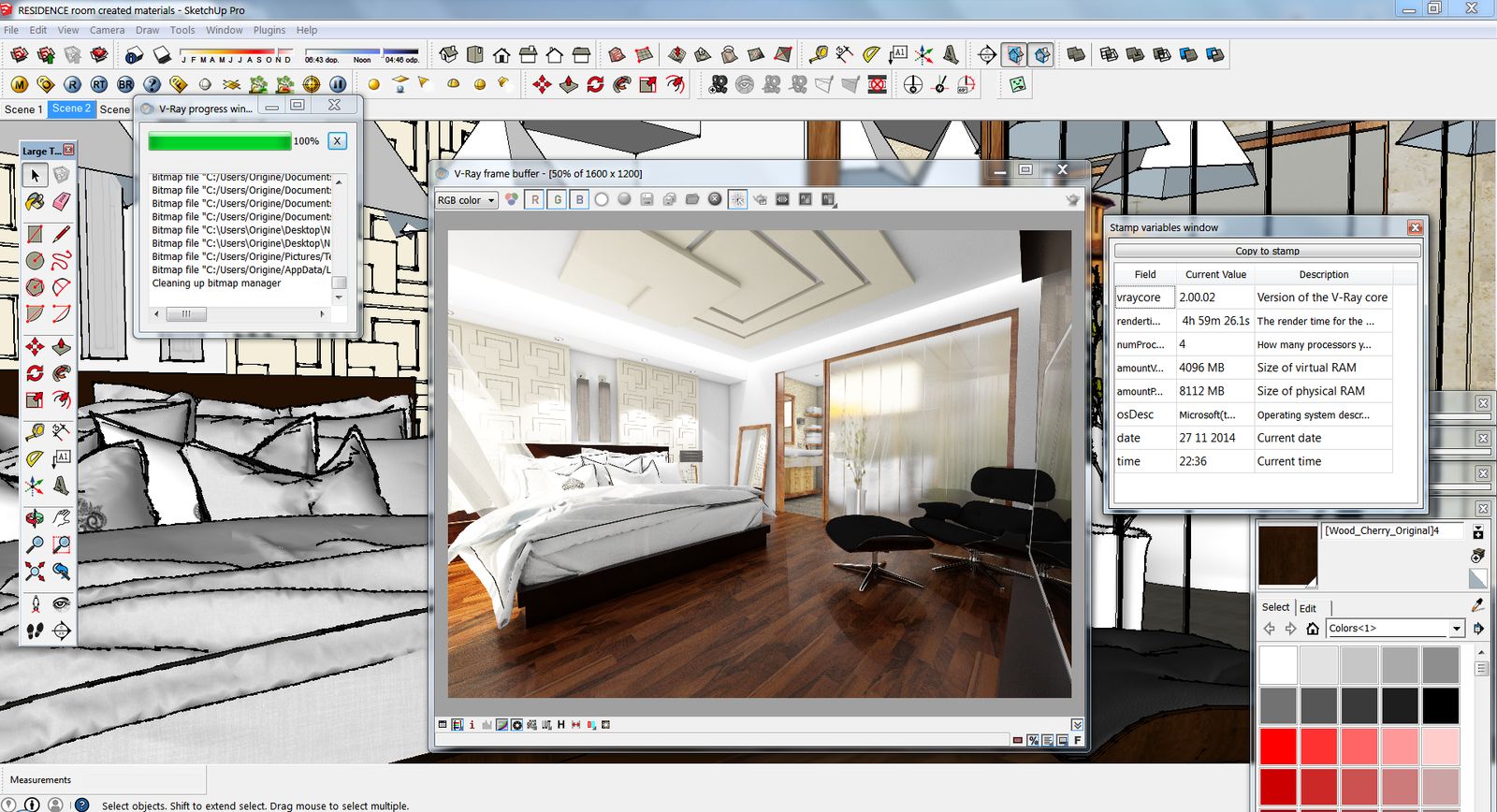
Thanks to you all - I removed all materials and start from a beginning.
Today I finally rendered the scene in requested resolution 1600x1200 - in 5 hours.
-

The result is really nice ! Good job !







Advertisement