sketchucation logo sketchucation
    • 登入
    Oops, your profile's looking a bit empty! To help us tailor your experience, please fill in key details like your SketchUp version, skill level, operating system, and more. Update and save your info on your profile page today!
    🔌 Smart Spline | Fluid way to handle splines for furniture design and complex structures. Download

    Glass reflection

    已排程 已置頂 已鎖定 已移動 V-Ray
    renderpluginsextensions
    21 貼文 7 Posters 1.5k 瀏覽 7 Watching
    正在載入更多貼文
    • 從舊到新
    • 從新到舊
    • 最多點贊
    回覆
    • 在新貼文中回覆
    登入後回覆
    此主題已被刪除。只有擁有主題管理權限的使用者可以查看。
    • andybotA 離線
      andybot
      最後由 編輯

      I sometimes bump up my fresnel ior to get the proper looking amount of reflection in my glass, especially if nothing is behind it, usually 2.5. But it only works if the environment is correctly set up. It's hard to know without an image from the OP.

      BTW, for a mirror, it's much simpler to change from Fresnel reflection type to "none" - then you can adjust the reflection color from white to a light gray if you want the reflection to be less strong, but still look like a mirror.

      http://charlottesvillearchitecturalrendering.com/

      1 條回覆 最後回覆 回覆 引用 0
      • V 離線
        valerostudio
        最後由 編輯

        3.0 seems like a lot. Maybe 1.8 when I am really faking it, but I would never (or need to) use 3 for Fresnel.

        Are you using thick glass with refraction? Front face check? The angle are you viewing the glass at will effect how the reflection looks - that's what Fresnel is.

        If you must fake a reflection, just take Fresnel map off the reflection slot and add a very dark gray, almost black color to your reflection slot. The closer to white - the more reflection.

        1 條回覆 最後回覆 回覆 引用 0
        • R 離線
          rspierenburg
          最後由 編輯

          Is the OP talking about IOR or the actual reflection value?

          1 條回覆 最後回覆 回覆 引用 0
          • V 離線
            valerostudio
            最後由 編輯

            Guess we need to see a screenshot to really see whats going on.

            Sounds like they just want to see more of the BG reflected in their glass. Most of us would achieve this by upping the IOR. My suggestion as a cheat is to not use Fresnel at all (I know, blasphemy).

            1 條回覆 最後回覆 回覆 引用 0
            • L 離線
              larszzz
              最後由 編輯

              Hi guys,

              Sorry for my late reply, but i was expecting a mail for replies.

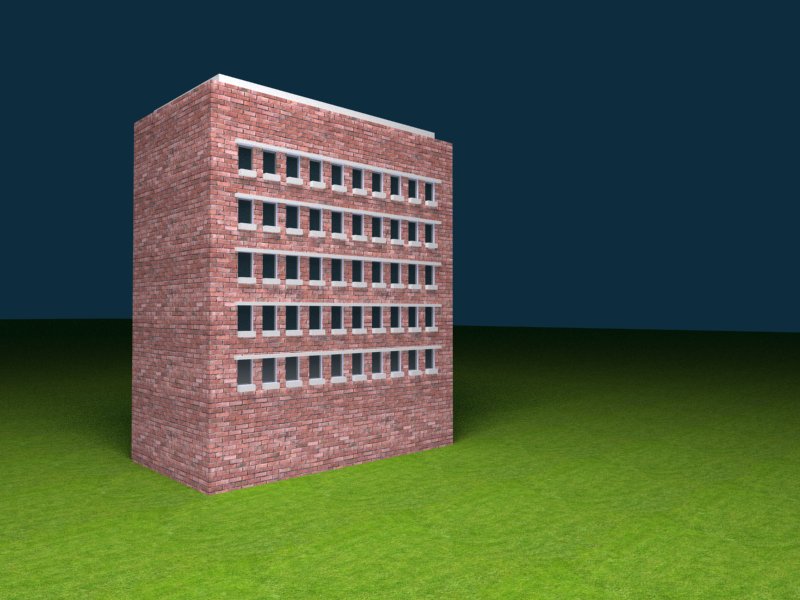
              So anyway, i posted a screenshot from my render and screenshots from my environment settings. I hope this will help 😄

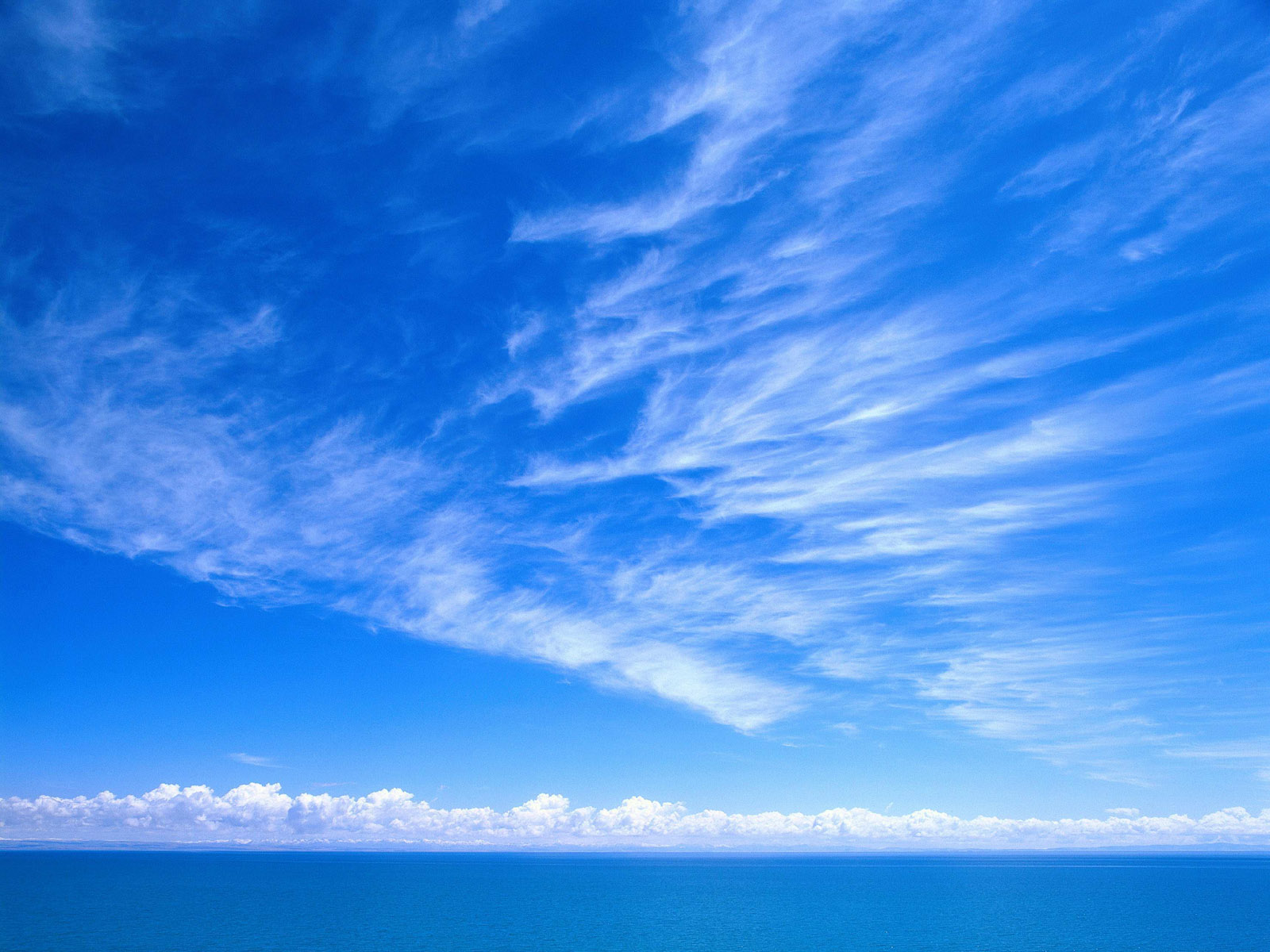
              Btw, my bitmap picture is a light blue sky with white clouds...

              Thanks,
              Lars

              RENDER.jpg

              1 條回覆 最後回覆 回覆 引用 0
              • L 離線
                larszzz
                最後由 編輯

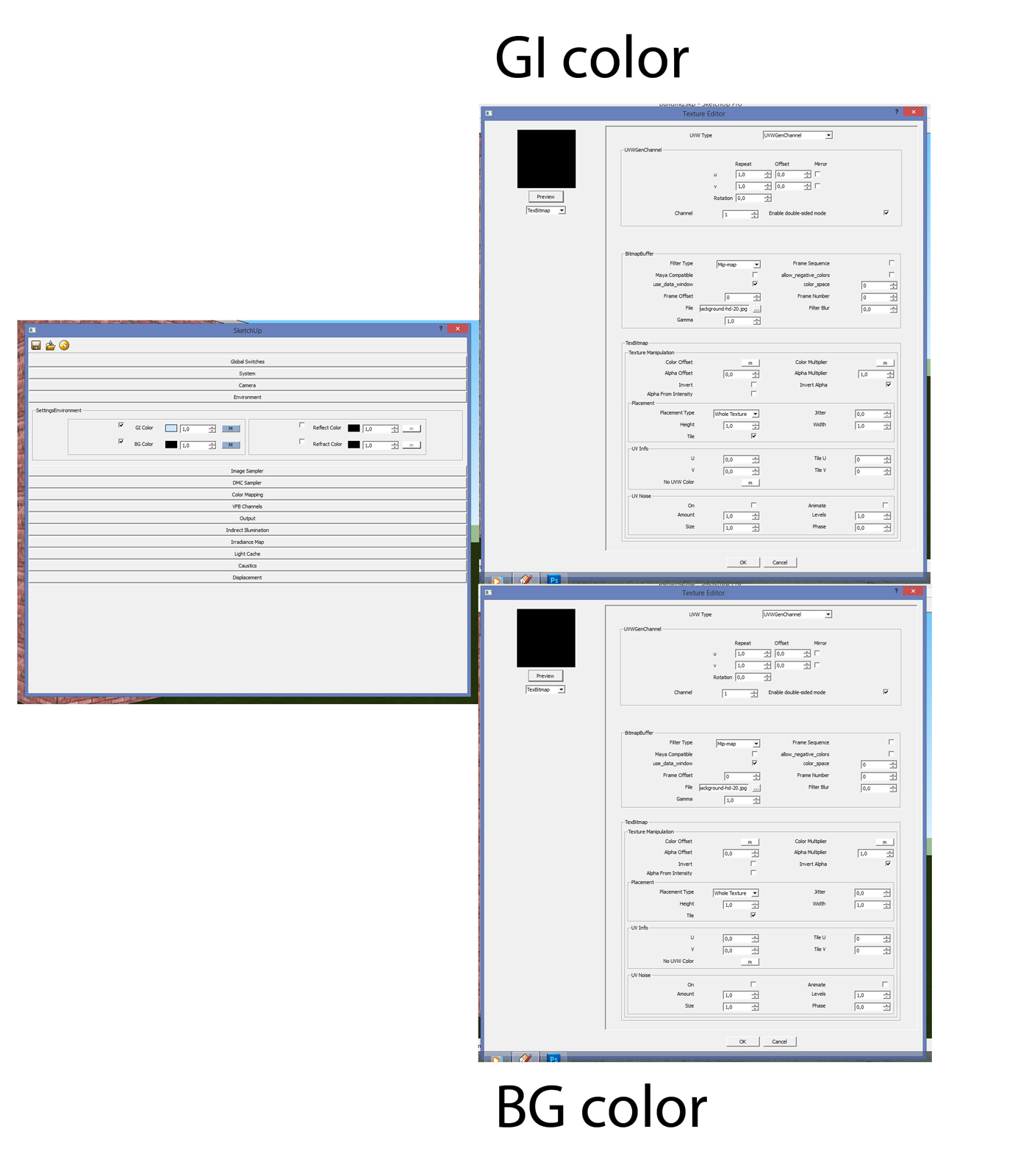
                Forgot my settings screenshot 😉


                environment.jpg

                1 條回覆 最後回覆 回覆 引用 0
                • R 離線
                  rspierenburg
                  最後由 編輯

                  So from what I believe I see, its not the reflection that is the issue. It looks as if something is going on with your background. Could you post a copy of the background-hd-20.jpg? I'm just curious as to what is was supposed to look like.

                  Rob

                  1 條回覆 最後回覆 回覆 引用 0
                  • andybotA 離線
                    andybot
                    最後由 編輯

                    you need your mapping to be "UVWGenEnvironment" instead of Channel.

                    http://charlottesvillearchitecturalrendering.com/

                    1 條回覆 最後回覆 回覆 引用 0
                    • V 離線
                      valerostudio
                      最後由 編輯

                      If you upgrade to 2.0 you will have domelight and a bunch of bug fixes.

                      1 條回覆 最後回覆 回覆 引用 0
                      • L 離線
                        larszzz
                        最後由 編輯

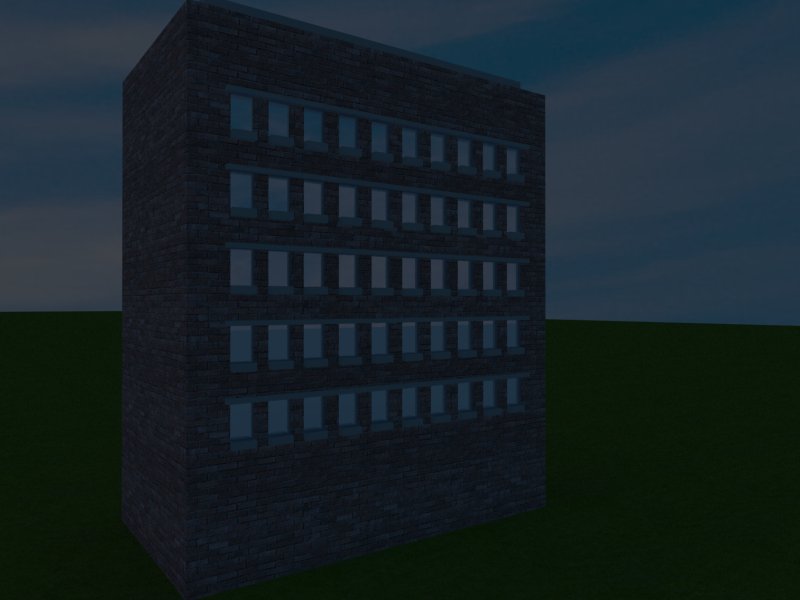
                        Okay, i have changed my mapping (channel) into Environment. Now i can see my sky in the bakground, but it's way too dark. And my windows aren't really reflecting it 😞

                        I have to import the bitmap into GI and BG, right?

                        I post here my bitmap picture and my new render 😉

                        Lars


                        RENDER2.jpg


                        The-best-top-desktop-blue-wallpapers-blue-wallpaper-blue-background-hd-20.jpg

                        1 條回覆 最後回覆 回覆 引用 0
                        • V 離線
                          valerostudio
                          最後由 編輯

                          1- Thats not a 360 sky - Google 360 sky image

                          or

                          2- Use any of the free HDRI skies on the web
                          http://www.cgarchitect.com/news/viewframe/free-360-sky-panoramas-from-viz-people

                          • if you use a JPEG, you have to switch the color space of the map to sRGB

                          Play with the intensity values. It might need to be .1, 1.0, or as high as 30 - depends on the file.

                          1 條回覆 最後回覆 回覆 引用 0
                          • L 離線
                            larszzz
                            最後由 編輯

                            Thanks already for your help!
                            I have tried to play with some values but my sky stays very dark. Where can i find the intensity value of my sky?

                            I post here my new sky jpeg, my settings for GI color and BG color, and my render.

                            Gr Lars

                            1 條回覆 最後回覆 回覆 引用 0
                            • L 離線
                              larszzz
                              最後由 編輯

                              My screenshots


                              2.jpg

                              1 條回覆 最後回覆 回覆 引用 0
                              • N 離線
                                numerobis
                                最後由 編輯

                                you should better try with a HDRI instead of JPG...

                                Link Preview Image
                                Free HDRi maps - Viz-People

                                Download - Mirror 1

                                favicon

                                Viz-People (www.viz-people.com)

                                1 條回覆 最後回覆 回覆 引用 0
                                • L 離線
                                  larszzz
                                  最後由 編輯

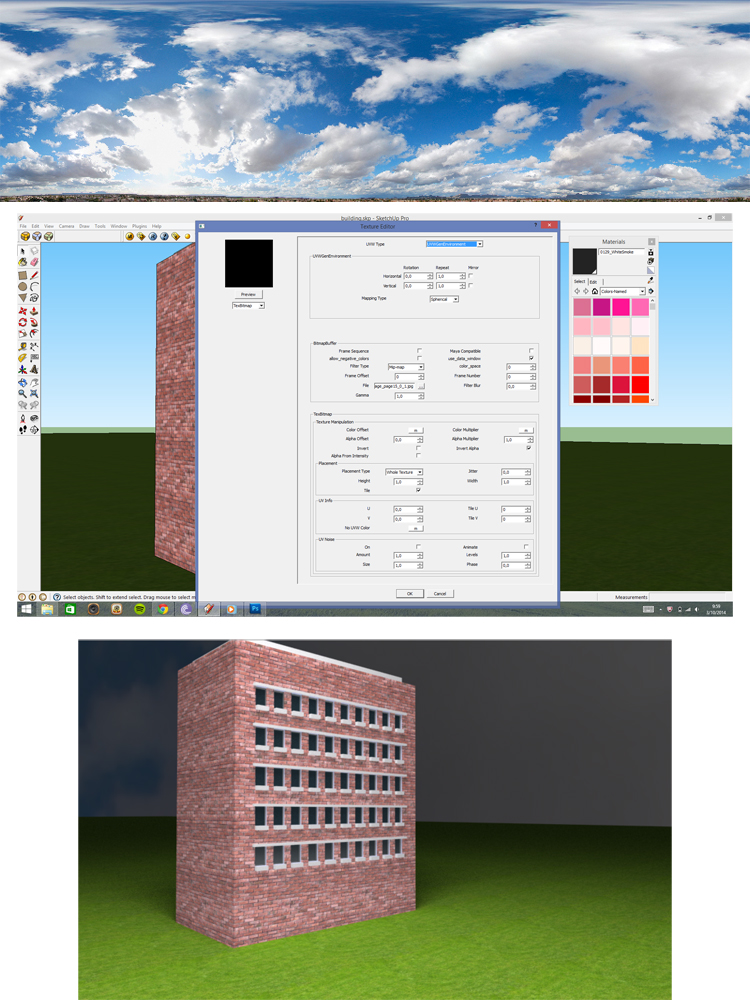
                                  I now used a HDRI, wich looks better, but it stays very dark. Do you guys use a rectangle light in the scene to get it more brighter? Or where can I change my light settings in the options editor? I'm used to change my light settings only in environment, right? But as long i use a bitmap instead of texsky (sunlight), it stays dark. Is there another option of changing the light AND using a bitmap?

                                  Thanks,
                                  Lars

                                  1 條回覆 最後回覆 回覆 引用 0
                                  • andybotA 離線
                                    andybot
                                    最後由 編輯

                                    nah, you need to change your camera settings. The default is very dark for anything other than default sunlight. Change shutter speed to something like 100, and aperture to something like 6.0. Keep playing with the values until you get a brighter image.

                                    http://charlottesvillearchitecturalrendering.com/

                                    1 條回覆 最後回覆 回覆 引用 0
                                    • L 離線
                                      larszzz
                                      最後由 編輯

                                      Aha nice, that was very helpfull:-) Thanks andybot!
                                      This forum is great!

                                      1 條回覆 最後回覆 回覆 引用 0
                                      • TedVitale_CGT 離線
                                        TedVitale_CG
                                        最後由 編輯

                                        @eidam655 said:

                                        Ted,

                                        are you sure that changing the Fresnel to ridiculous value is the real solution here?

                                        i'd be more concerned with the environment settings and their multipliers, and also the lighting used.

                                        larszzz, if you posted a screenshot (of the render and/or environment settings), that would be immensely helpful.

                                        Not knowing anything about a users scene, yes, changing the Fresnel IOR is what I would change initially. 3 is a good number to start with for highly reflective glass material, not ridiculous at all. You work back from there to get less reflection as needed.

                                        Ted Vitale
                                        Owner | Creative Director
                                        http://www.voxl.vision

                                        1 條回覆 最後回覆 回覆 引用 0
                                        • 1
                                        • 2
                                        • 1 / 2
                                        • 第一個貼文
                                          最後的貼文
                                        Buy SketchPlus
                                        Buy SUbD
                                        Buy WrapR
                                        Buy eBook
                                        Buy Modelur
                                        Buy Vertex Tools
                                        Buy SketchCuisine
                                        Buy FormFonts

                                        Advertisement