sketchucation logo sketchucation
    • 登入
    Oops, your profile's looking a bit empty! To help us tailor your experience, please fill in key details like your SketchUp version, skill level, operating system, and more. Update and save your info on your profile page today!
    🔌 Smart Spline | Fluid way to handle splines for furniture design and complex structures. Download

    [Plugin] FloorGenerator ( Updated 6-Apr-2017)

    已排程 已置頂 已鎖定 已移動 Plugins
    331 貼文 109 Posters 368.8k 瀏覽 109 Watching
    正在載入更多貼文
    • 從舊到新
    • 從新到舊
    • 最多點贊
    回覆
    • 在新貼文中回覆
    登入後回覆
    此主題已被刪除。只有擁有主題管理權限的使用者可以查看。
    • JQLJ 離線
      JQL
      最後由 編輯

      @sdmitch said:

      Since you had used a previous version, the problem may be a conflict in the stored defaults. I suggest that you select the "Reset" option at the bottom of the pattern list. This will initialize all defaults. Hopefully this will clear up the problem.

      Thanks that solved it!

      www.casca.pt
      Visit us on facebook!

      1 條回覆 最後回覆 回覆 引用 0
      • Z 離線
        Zacchia
        最後由 編輯

        Many thanks for this plugin!! I tried to install it with the Plugin Store but there I could not find it. Are not all plugins listed there? I mean I could install it but I was just wondering...

        1 條回覆 最後回覆 回覆 引用 0
        • KrisidiousK 離線
          Krisidious
          最後由 編輯

          @zacchia said:

          Many thanks for this plugin!! I tried to install it with the Plugin Store but there I could not find it. Are not all plugins listed there? I mean I could install it but I was just wondering...

          All plugins are not in the store... just a heck of a lot of them. some are in the warehouse and then some others are on people's websites and then some others are just small things buried in forums and various author's computers.

          By: Kristoff Rand
          Home DesignerUnique House Plans

          1 條回覆 最後回覆 回覆 引用 0
          • Z 離線
            Zacchia
            最後由 編輯

            Thanks for answer!

            1 條回覆 最後回覆 回覆 引用 0
            • TIGT 離線
              TIG Moderator
              最後由 編輯

              Because this tool is 'work-in-progress', its author [Sam] has opted not to put it into the PluginStore just yet.
              When he has sorted out any 'beta' issues I'm sure it'll become available there as an RBZ in due course.

              At the moment it's available in the first post as an RB file, which needs downloading and manually placing into the default SketchUp Plugins folder.
              If you have the SketchUcation PluginStore toolset Plugin installed then it has is a submenu option to find and open the Plugins folder.
              If you are using < v2014 on PC you need to ensure that you have FULL security permissions to read/write to the Plugins folder - there is a Tutorial about fixing those, accessed from the menu above...

              TIG

              1 條回覆 最後回覆 回覆 引用 0
              • N 離線
                notareal
                最後由 編輯

                Nice work so far! I am sure that when released as "final" this will be a hit.

                Welcome to try Thea Render, Thea support | kerkythea.net -team member

                1 條回覆 最後回覆 回覆 引用 0
                • sdmitchS 離線
                  sdmitch
                  最後由 編輯

                  Floor Generator has been moved to the Plugin Store.
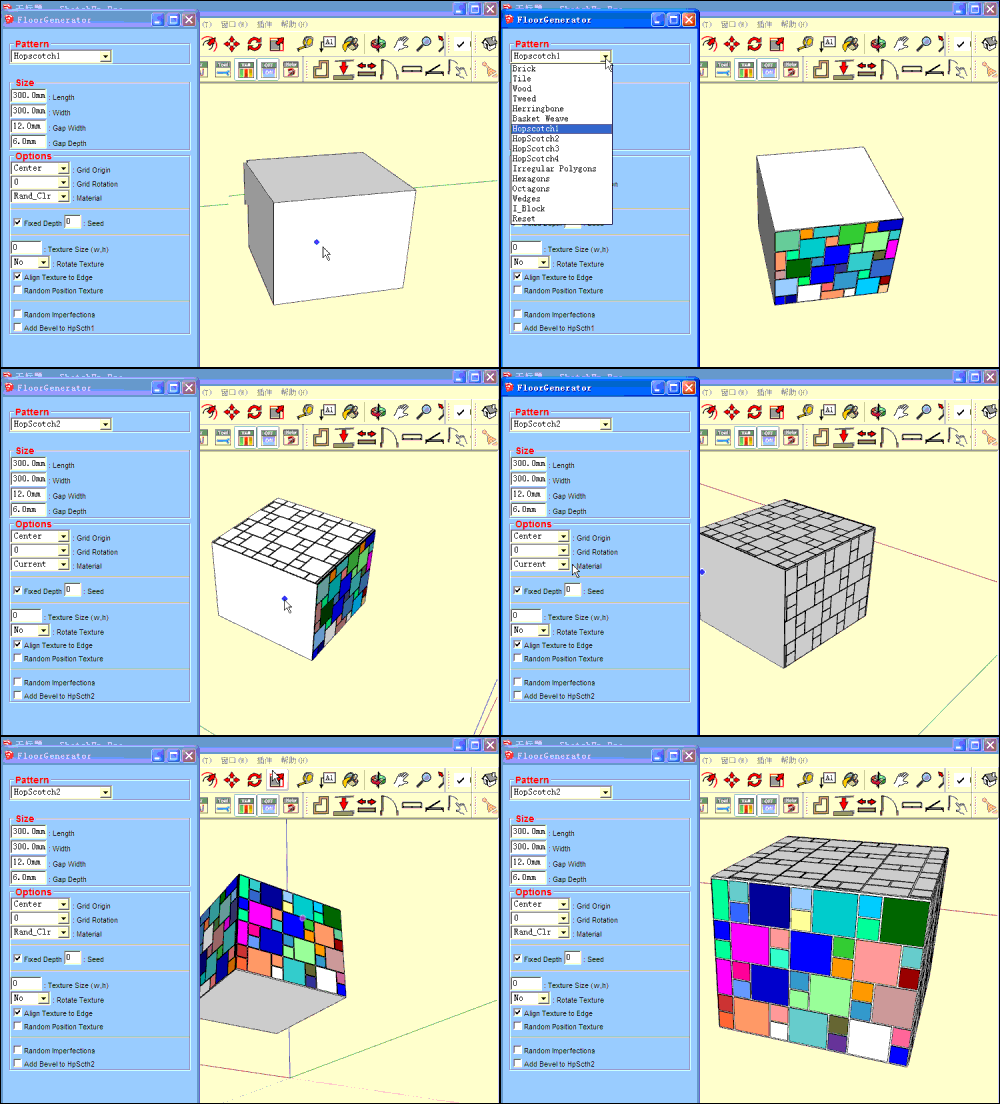
                  Nothing is worthless, it can always be used as a bad example.

                  http://sdmitch.blogspot.com/

                  1 條回覆 最後回覆 回覆 引用 0
                  • guanjinG 離線
                    guanjin
                    最後由 編輯

                    @sdmitch said:

                    Floor Generator has been moved to the Plugin Store.

                    pm.gif

                    The plug-in is perfect, but unfortunately does not support Chinese language 😒

                    I come from China, is to learn

                    1 條回覆 最後回覆 回覆 引用 0
                    • OxerO 離線
                      Oxer
                      最後由 編輯

                      ~~There is a conflict with offset.rb required for Protude.rb, the next Patterns don't work:

                      • Irregular Polygons
                      • HopScotch3
                      • I_Block
                        The rest of patterns work fine.~~

                      Another question, is it possible give support to translate the plugin?

                      EDIT: I found a version of offset.rb that it isn't conflict with Floor Generator.

                      "The result is the end what is important is the process" by Oxer
                      http://www.oxervision.blogspot.com/

                      1 條回覆 最後回覆 回覆 引用 0
                      • sdmitchS 離線
                        sdmitch
                        最後由 編輯

                        @oxer said:

                        ~~There is a conflict with offset.rb required for Protude.rb, the next Patterns don't work:

                        • Irregular Polygons
                        • HopScotch3
                        • I_Block
                          The rest of patterns work fine.~~

                        Another question, is it possible give support to translate the plugin?

                        EDIT: I found a version of offset.rb that it isn't conflict with Floor Generator.

                        I can't see how Floor Generator could ever have a conflict with offset.rb since I use a method of my own creation to do the offsets and every pattern uses the same offset method.

                        I have no ability or plans to do any translations of the plugin.

                        Nothing is worthless, it can always be used as a bad example.

                        http://sdmitch.blogspot.com/

                        1 條回覆 最後回覆 回覆 引用 0
                        • OxerO 離線
                          Oxer
                          最後由 編輯

                          Thanks for the reply.

                          "The result is the end what is important is the process" by Oxer
                          http://www.oxervision.blogspot.com/

                          1 條回覆 最後回覆 回覆 引用 0
                          • tt_suT 離線
                            tt_su
                            最後由 編輯

                            I think offset.rb modifies core classes which breaks plugins.

                            1 條回覆 最後回覆 回覆 引用 0
                            • O 離線
                              Openspaces
                              最後由 編輯

                              Thank you so very much, very useful Plugin. 👍

                              1 條回覆 最後回覆 回覆 引用 0
                              • sdmitchS 離線
                                sdmitch
                                最後由 編輯

                                @tt_su said:

                                I think offset.rb modifies core classes which breaks plugins.

                                Shortly after finding and using offset.rb, it was pointed out that that could be a potential problem so I did away with the class and just used it as a method. The first versions of Floor Generator used this offset method until I tried to add the Herringbone pattern. It failed apparently because the way the faces are arranged it cause multiple edges to be reversed in the face and it couldn't handle that. So I had to create my own version.

                                Nothing is worthless, it can always be used as a bad example.

                                http://sdmitch.blogspot.com/

                                1 條回覆 最後回覆 回覆 引用 0
                                • A 離線
                                  azumayugo
                                  最後由 編輯

                                  hi,

                                  i've used your script for several times, it's nice and run well. But suddenly, the script didn't load. When I check ruby console, it show some error message like this :

                                  @unknownuser said:

                                  Error: #<NoMethodError: undefined method to_l' for nil:NilClass> C:/Users/Design/AppData/Roaming/SketchUp/SketchUp 2014/SketchUp/Plugins/SDM_FloorGenerator_WD.rb:89:in dialog'
                                  C:/Users/Design/AppData/Roaming/SketchUp/SketchUp 2014/SketchUp/Plugins/SDM_FloorGenerator_WD.rb:63:in initialize' C:/Users/Design/AppData/Roaming/SketchUp/SketchUp 2014/SketchUp/Plugins/SDM_FloorGenerator_WD.rb:33:in new'
                                  C:/Users/Design/AppData/Roaming/SketchUp/SketchUp 2014/SketchUp/Plugins/SDM_FloorGenerator_WD.rb:33:in block in <top (required)>' -e:1:in call'

                                  What should I do to make the script run again?

                                  Thank's before

                                  1 條回覆 最後回覆 回覆 引用 0
                                  • sdmitchS 離線
                                    sdmitch
                                    最後由 編輯

                                    @azumayugo said:

                                    hi,

                                    i've used your script for several times, it's nice and run well. But suddenly, the script didn't load. When I check ruby console, it show some error message like this :

                                    @unknownuser said:

                                    Error: #<NoMethodError: undefined method to_l' for nil:NilClass> C:/Users/Design/AppData/Roaming/SketchUp/SketchUp 2014/SketchUp/Plugins/SDM_FloorGenerator_WD.rb:89:in dialog'
                                    C:/Users/Design/AppData/Roaming/SketchUp/SketchUp 2014/SketchUp/Plugins/SDM_FloorGenerator_WD.rb:63:in initialize' C:/Users/Design/AppData/Roaming/SketchUp/SketchUp 2014/SketchUp/Plugins/SDM_FloorGenerator_WD.rb:33:in new'
                                    C:/Users/Design/AppData/Roaming/SketchUp/SketchUp 2014/SketchUp/Plugins/SDM_FloorGenerator_WD.rb:33:in block in <top (required)>' -e:1:in call'

                                    What should I do to make the script run again?

                                    Thank's before

                                    It is probably a problem related to the saved defaults. If the plugin runs at all, choose the reset option at the bottom of the pattern list to reset the defaults.

                                    If that isn't possible, paste the following into the Ruby Console and press Enter.

                                    ["Brick","Tile","Wood","Tweed","Hbone","BsktWv","HpScth1","HpScth2",'HpScth3',"HpScth4","IrPoly","Hexgon","Octgon","Wedge","I_Block"].each{|o| Sketchup.write_default("FloorGenerator",o,nil)};
                                    

                                    Nothing is worthless, it can always be used as a bad example.

                                    http://sdmitch.blogspot.com/

                                    1 條回覆 最後回覆 回覆 引用 0
                                    • A 離線
                                      azumayugo
                                      最後由 編輯

                                      @sdmitch said:

                                      @azumayugo said:

                                      hi,

                                      i've used your script for several times, it's nice and run well. But suddenly, the script didn't load. When I check ruby console, it show some error message like this :

                                      @unknownuser said:

                                      Error: #<NoMethodError: undefined method to_l' for nil:NilClass> C:/Users/Design/AppData/Roaming/SketchUp/SketchUp 2014/SketchUp/Plugins/SDM_FloorGenerator_WD.rb:89:in dialog'
                                      C:/Users/Design/AppData/Roaming/SketchUp/SketchUp 2014/SketchUp/Plugins/SDM_FloorGenerator_WD.rb:63:in initialize' C:/Users/Design/AppData/Roaming/SketchUp/SketchUp 2014/SketchUp/Plugins/SDM_FloorGenerator_WD.rb:33:in new'
                                      C:/Users/Design/AppData/Roaming/SketchUp/SketchUp 2014/SketchUp/Plugins/SDM_FloorGenerator_WD.rb:33:in block in <top (required)>' -e:1:in call'

                                      What should I do to make the script run again?

                                      Thank's before

                                      It is probably a problem related to the saved defaults. If the plugin runs at all, choose the reset option at the bottom of the pattern list to reset the defaults.

                                      If that isn't possible, paste the following into the Ruby Console and press Enter.

                                      ["Brick","Tile","Wood","Tweed","Hbone","BsktWv","HpScth1","HpScth2",'HpScth3',"HpScth4","IrPoly","Hexgon","Octgon","Wedge","I_Block"].each{|o| Sketchup.write_default("FloorGenerator",o,nil)};
                                      

                                      Thank's sdmitch. It work again 👍

                                      1 條回覆 最後回覆 回覆 引用 0
                                      • U 離線
                                        unsuns
                                        最後由 編輯

                                        Hello Everyone !

                                        First of all, thank you for the great job you did to bring us that tool.

                                        However, I have an issue : I wanted to be able to run it through a toolbar button (which I successfully did, but when I close the FG window the button is still activated and if I try to run it again the FG window doesnt show up anymore (even if I use other tools after that).

                                        Could you please help me to fix it ? 😕


                                        My issue

                                        1 條回覆 最後回覆 回覆 引用 0
                                        • sdmitchS 離線
                                          sdmitch
                                          最後由 編輯

                                          @unsuns said:

                                          Hello Everyone !

                                          First of all, thank you for the great job you did to bring us that tool.

                                          However, I have an issue : I wanted to be able to run it through a toolbar button (which I successfully did, but when I close the FG window the button is still activated and if I try to run it again the FG window doesnt show up anymore (even if I use other tools after that).

                                          Could you please help me to fix it ? 😕
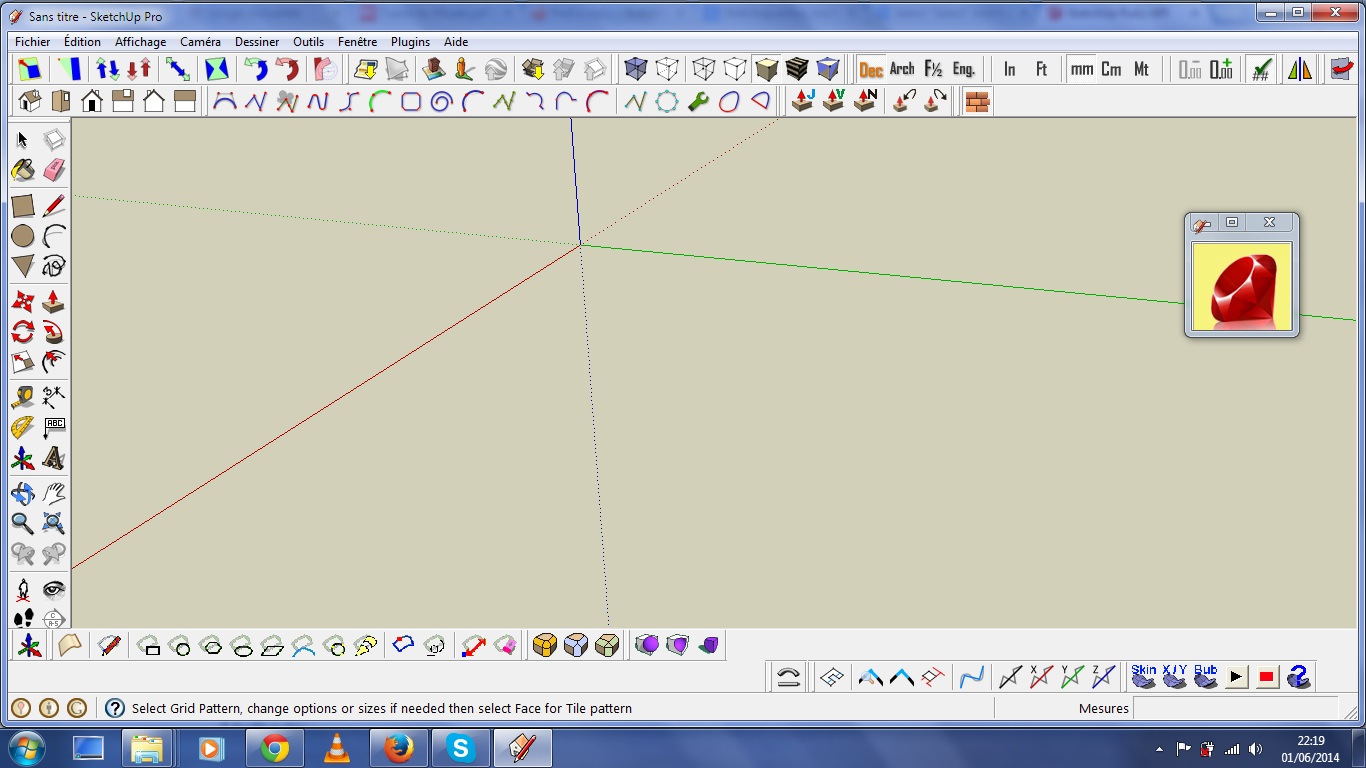
                                          Just don't "X" out of the WebDialog window, instead Right click in space or select any other tool. This will close the WebDialog window an unselect the Toolbar Icon.

                                          Nothing is worthless, it can always be used as a bad example.

                                          http://sdmitch.blogspot.com/

                                          1 條回覆 最後回覆 回覆 引用 0
                                          • jolranJ 離線
                                            jolran
                                            最後由 編輯

                                            @unknownuser said:

                                            Just don't "X" out of the WebDialog window, instead Right click in space or select any other tool. This will close the WebDialog window an unselect the Toolbar Icon.

                                            Sam. I think you could try trigger some actions during the closing of the dialog with "X", using @yourdialog.set_on_close { #set closing action here }. If you are not already using it, that is.
                                            As usual concerning webdialogs, I don't know how reliable that method is..

                                            1 條回覆 最後回覆 回覆 引用 0
                                            • 1
                                            • 2
                                            • 13
                                            • 14
                                            • 15
                                            • 16
                                            • 17
                                            • 15 / 17
                                            • 第一個貼文
                                              最後的貼文
                                            Buy SketchPlus
                                            Buy SUbD
                                            Buy WrapR
                                            Buy eBook
                                            Buy Modelur
                                            Buy Vertex Tools
                                            Buy SketchCuisine
                                            Buy FormFonts

                                            Advertisement





