sketchucation logo sketchucation
    • 登入
    Oops, your profile's looking a bit empty! To help us tailor your experience, please fill in key details like your SketchUp version, skill level, operating system, and more. Update and save your info on your profile page today!
    🔌 Smart Spline | Fluid way to handle splines for furniture design and complex structures. Download

    Model for Rendering Samples - Green Dragon

    已排程 已置頂 已鎖定 已移動 Gallery
    61 貼文 24 Posters 14.1k 瀏覽 24 Watching
    正在載入更多貼文
    • 從舊到新
    • 從新到舊
    • 最多點贊
    回覆
    • 在新貼文中回覆
    登入後回覆
    此主題已被刪除。只有擁有主題管理權限的使用者可以查看。
    • Al HartA 離線
      Al Hart
      最後由 編輯

      @massimo said:

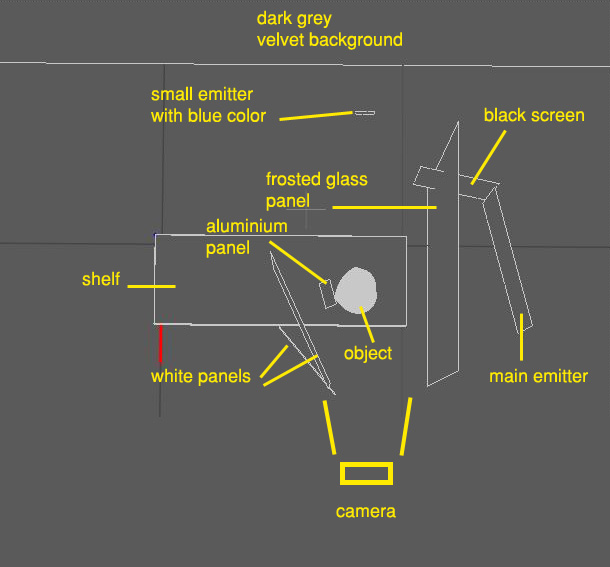
      Sorry, not sure to understand this. You mean where is placed the camera?

      Yes - I meant: "Where is the camera with regard to the schematic"

      Al Hart

      http:wiki.renderplus.comimageseefRender_plus_colored30x30%29.PNG
      IRender nXt from Render Plus

      1 條回覆 最後回覆 回覆 引用 0
      • massimoM 離線
        massimo Moderator
        最後由 編輯

        @al hart said:

        @massimo said:

        Sorry, not sure to understand this. You mean where is placed the camera?

        Yes - I meant: "Where is the camera with regard to the schematic"

        Ok, here you go.
        setup.jpg

        1 條回覆 最後回覆 回覆 引用 0
        • ginchiusG 離線
          ginchius
          最後由 編輯

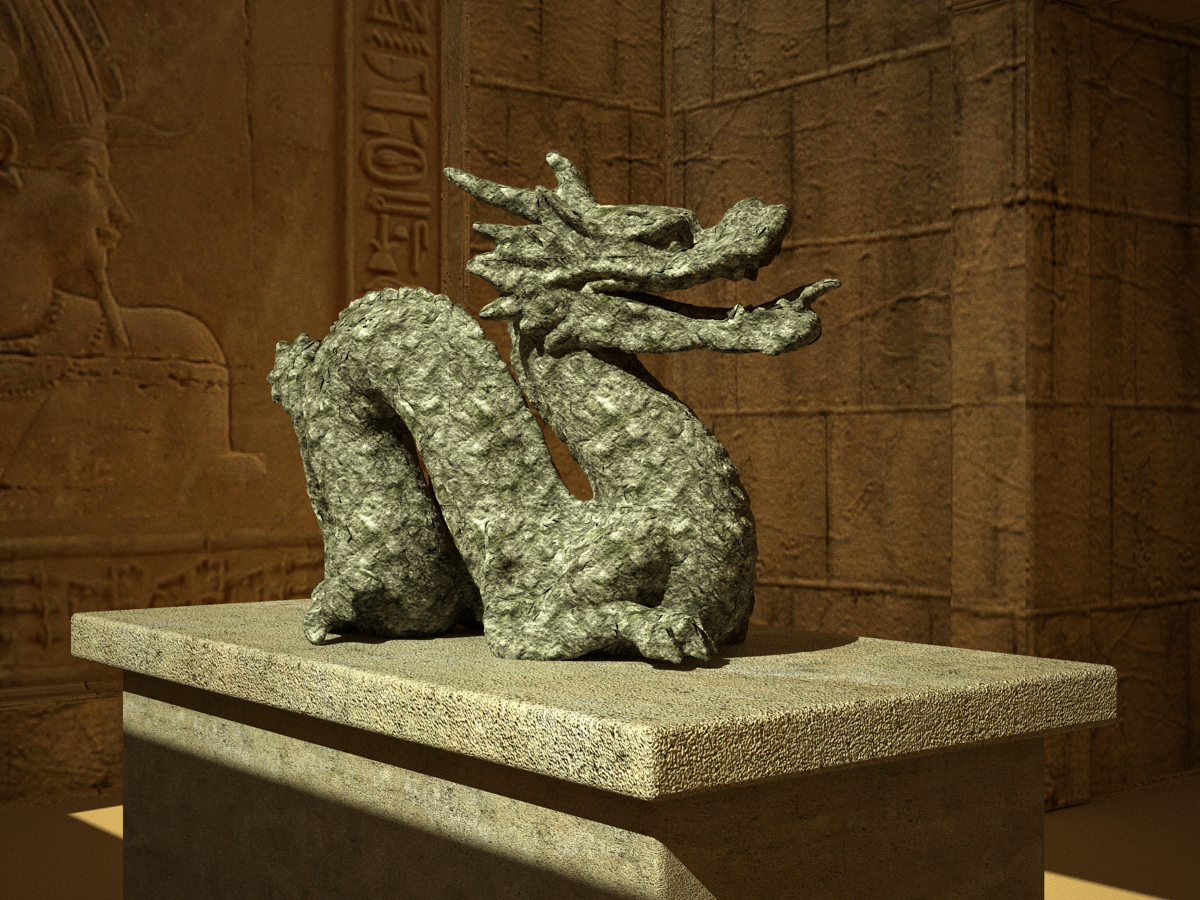
          Stone dragon


          Dragon stone.png

          You can find my models at http://sketchucation.com/shop/models

          1 條回覆 最後回覆 回覆 引用 0
          • D 離線
            d12dozr
            最後由 編輯

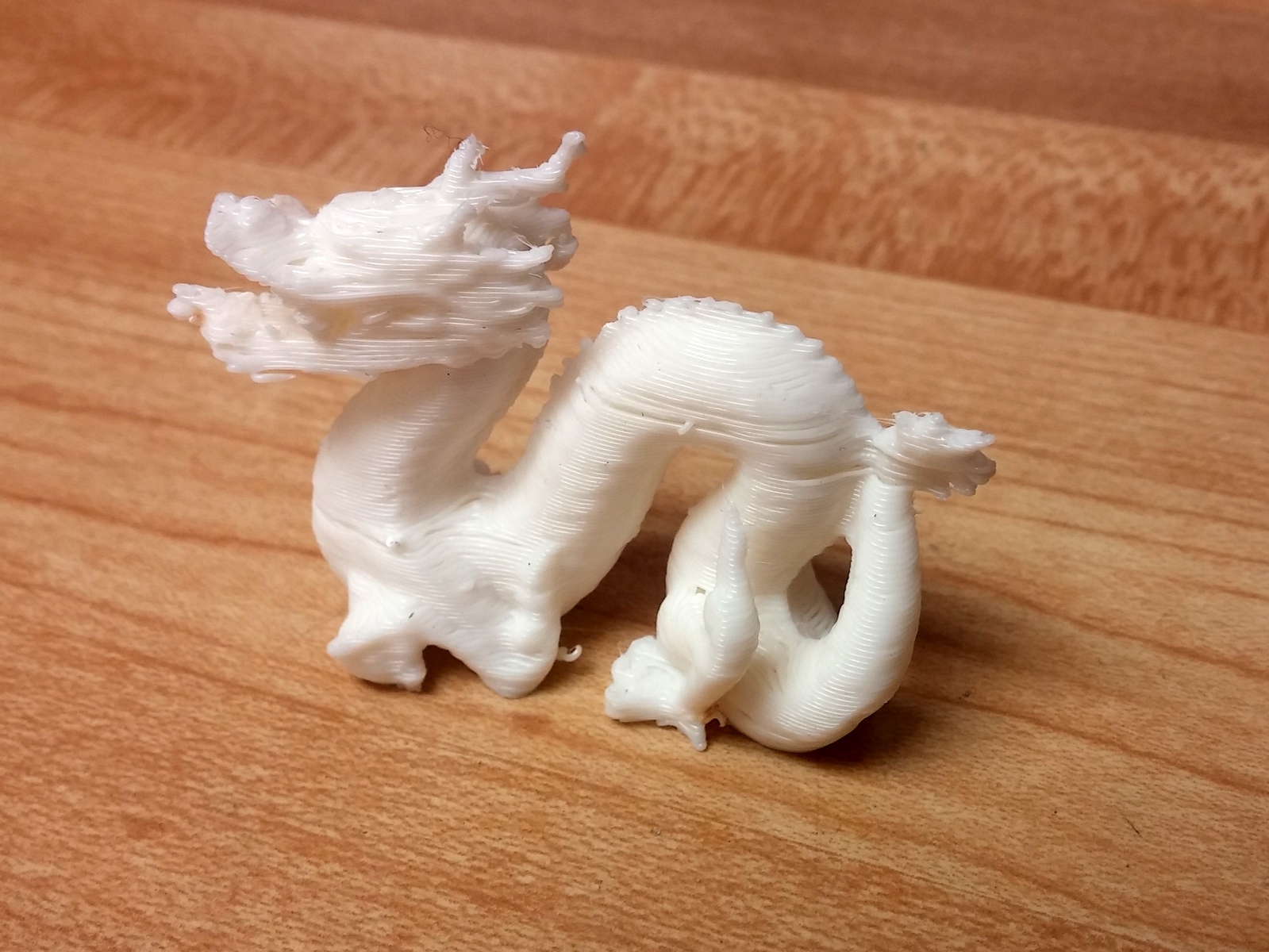
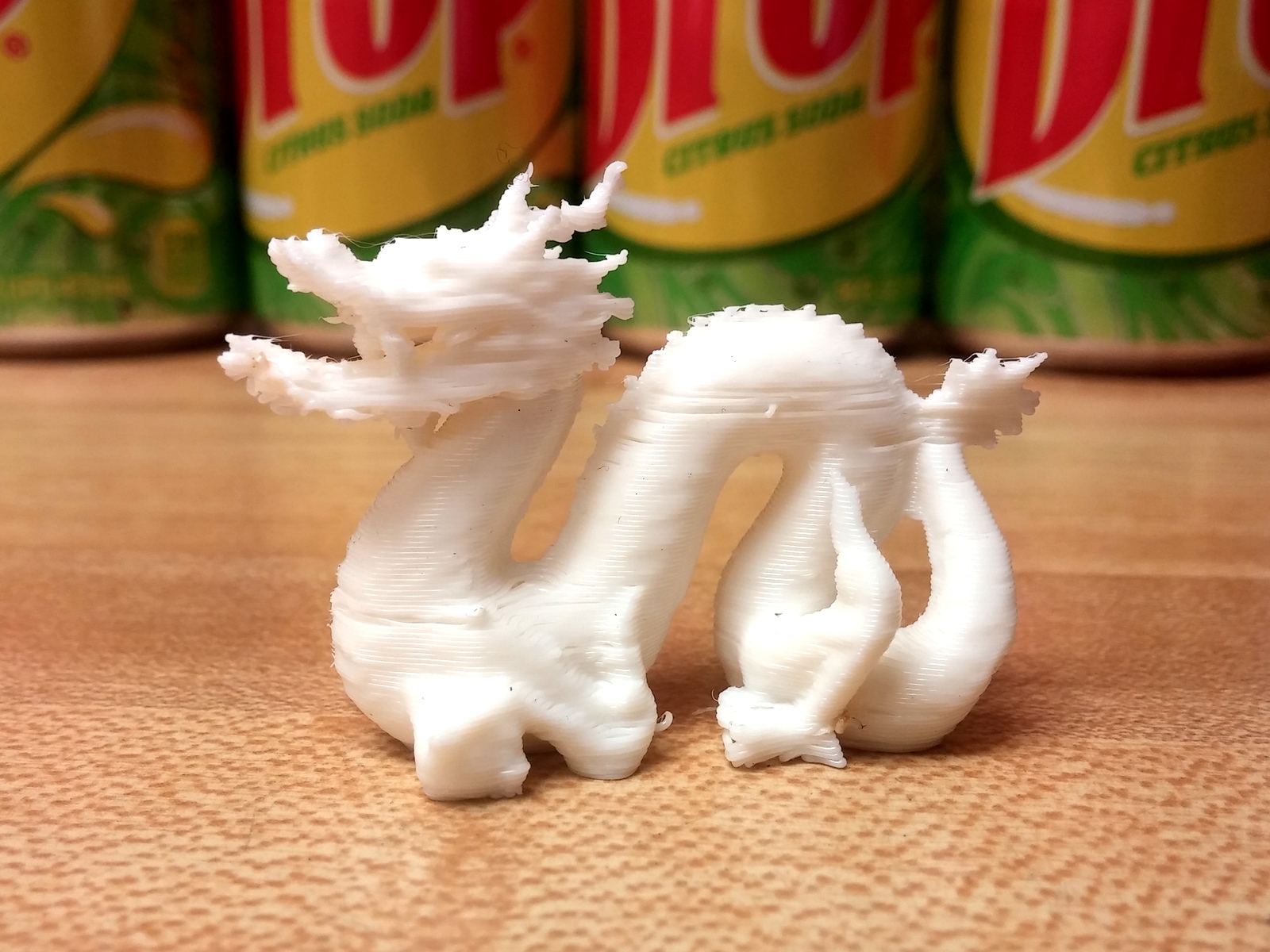
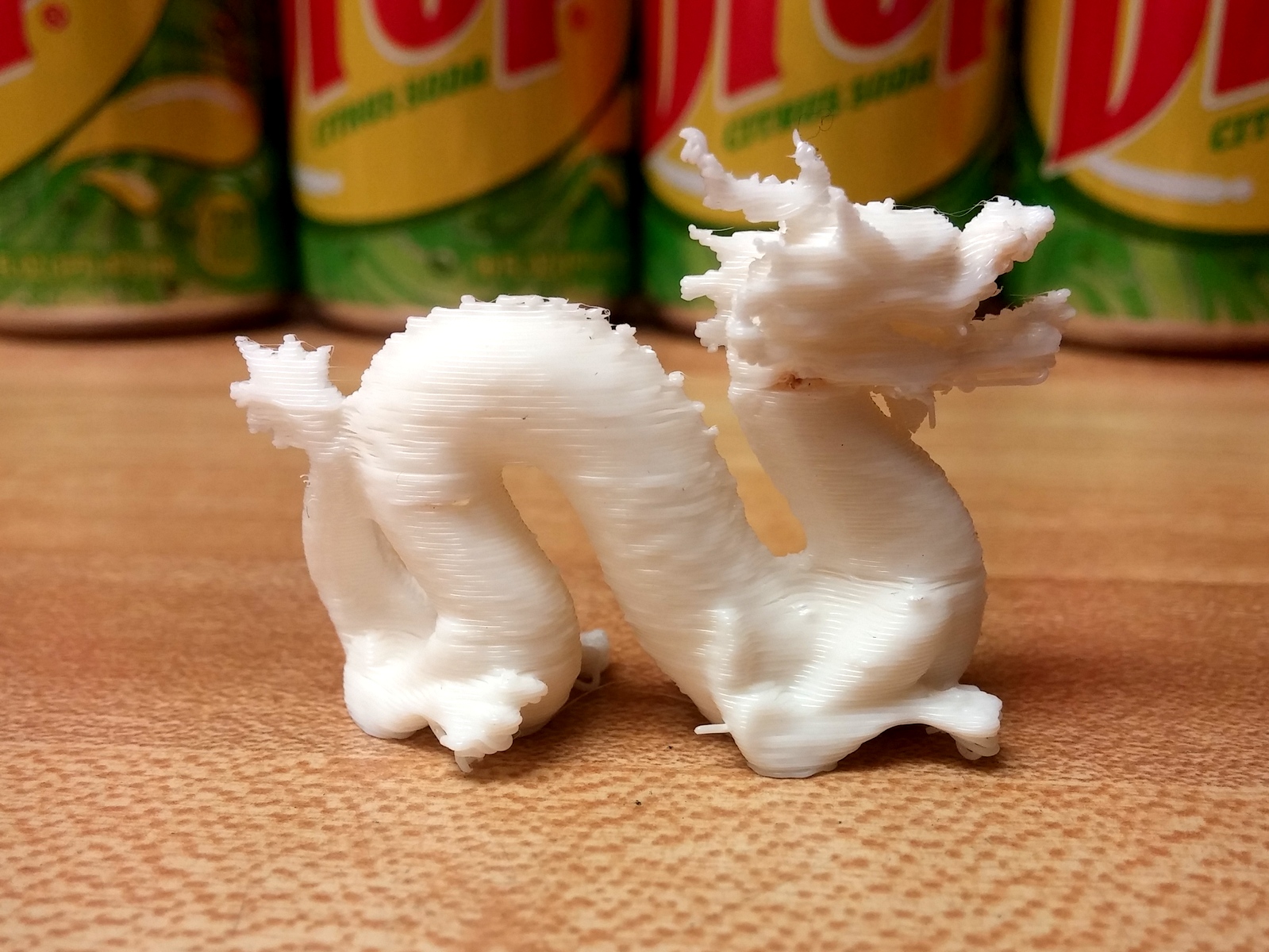
            How does my simulation look? 😄

            dragon01.jpg
            dragon02.jpg
            dragon03.jpg

            Ok, these are real photos, if you couldn't tell. 😉 I scaled the model down to 2" long and printed it on my little Solidoodle 3D printer. My printer needs some calibration, as you can tell from the stringy bits and uneven layers, but at least the photos can be used as reference for real world lighting conditions.

            3D Printing with SketchUp Book
            http://goo.gl/f7ooYh

            1 條回覆 最後回覆 回覆 引用 0
            • FrederikF 離線
              Frederik
              最後由 編輯

              @d12dozr said:

              How does my simulation look? 😄

              The wooden texture used for the table looks low res... 😛

              Cheers
              Kim Frederik

              1 條回覆 最後回覆 回覆 引用 0
              • D 離線
                d12dozr
                最後由 編輯

                Too funny, Kim! 😄 It IS one of those fake wood countertops.

                3D Printing with SketchUp Book
                http://goo.gl/f7ooYh

                1 條回覆 最後回覆 回覆 引用 0
                • andybotA 離線
                  andybot
                  最後由 編輯

                  @d12dozr said:

                  How does my simulation look? 😄

                  Real nice SSS 😄

                  http://charlottesvillearchitecturalrendering.com/

                  1 條回覆 最後回覆 回覆 引用 0
                  • ElibjrE 離線
                    Elibjr
                    最後由 編輯

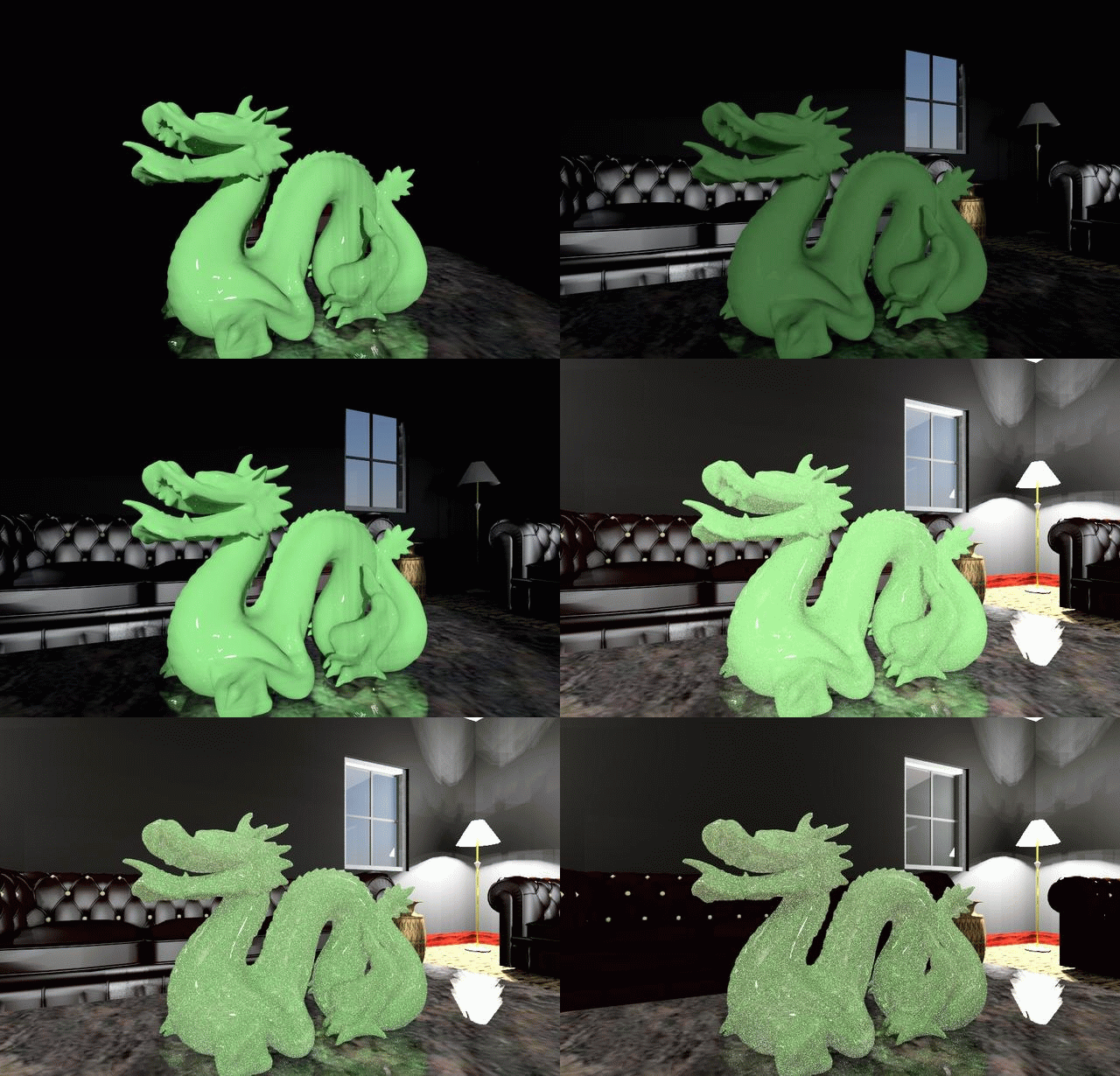
                    I used IRender nXt...
                    I was first going to do a simple light around the table, but then I decided to MODEL a room as opposed to using an HDRI image. Then I decided to complicate matters by making the material 48% transparent, w/ 1.5 refraction, 73%+/- Translucency, and then checked Thick and Gather (this gives it the speckles when light goes through it). Attenuation at about 35%, 10% Dispersion and about 70% Saturation. I made the reflection intensity over 70% and Sharpness about 50%. Because of this, it took a while to render! The chairs lamps and vase are from the 3D Warehouse. The room is a rectangle with 5 windows into it. There is a lamp in each corner. I with the nXt image editor I did one render and created 6 images with the lighting channels. There is a Sun channel, a Sky channel, and a Lighting channel. I can add color variations too. I had too way much fun here. Thanks all for posting this thread Al. 😆
                    Elibjr - EB


                    IRender nXt raw run though a free Gif animator. One render, 6 images.

                    1 條回覆 最後回覆 回覆 引用 0
                    • ElibjrE 離線
                      Elibjr
                      最後由 編輯

                      @d12dozr said:

                      How does my simulation look? 😄

                      [attachment=2:1q2508sj]<!-- ia2 -->dragon01.jpg<!-- ia2 -->[/attachment:1q2508sj]
                      [attachment=1:1q2508sj]<!-- ia1 -->dragon02.jpg<!-- ia1 -->[/attachment:1q2508sj]
                      [attachment=0:1q2508sj]<!-- ia0 -->dragon03.jpg<!-- ia0 -->[/attachment:1q2508sj]

                      Ok, these are real photos, if you couldn't tell. 😉 I scaled the model down to 2" long and printed it on my little Solidoodle 3D printer. My printer needs some calibration, as you can tell from the stringy bits and uneven layers, but at least the photos can be used as reference for real world lighting conditions.

                      This is awesome! How long did it take this thing to finish? What is it made out of? Cool! I want one! 😆

                      1 條回覆 最後回覆 回覆 引用 0
                      • D 離線
                        d12dozr
                        最後由 編輯

                        Hi Eli, it took 55 minutes to print at this scale (2" long). It's made of ABS plastic, the same stuff Lego blocks are made of.

                        If you want to get one made, I have attached the file I used to print. It is converted to an STL file and fixed up so that it's solid for 3D printing. You can send it to a print service like Shapeways, or even better find someone near you with a 3D printer. Here's a good place to look: http://hackerspaces.org/wiki/List_of_Hacker_Spaces

                        As a bonus, I found a photo of a the same dragon made on a $200,000 printer 😄
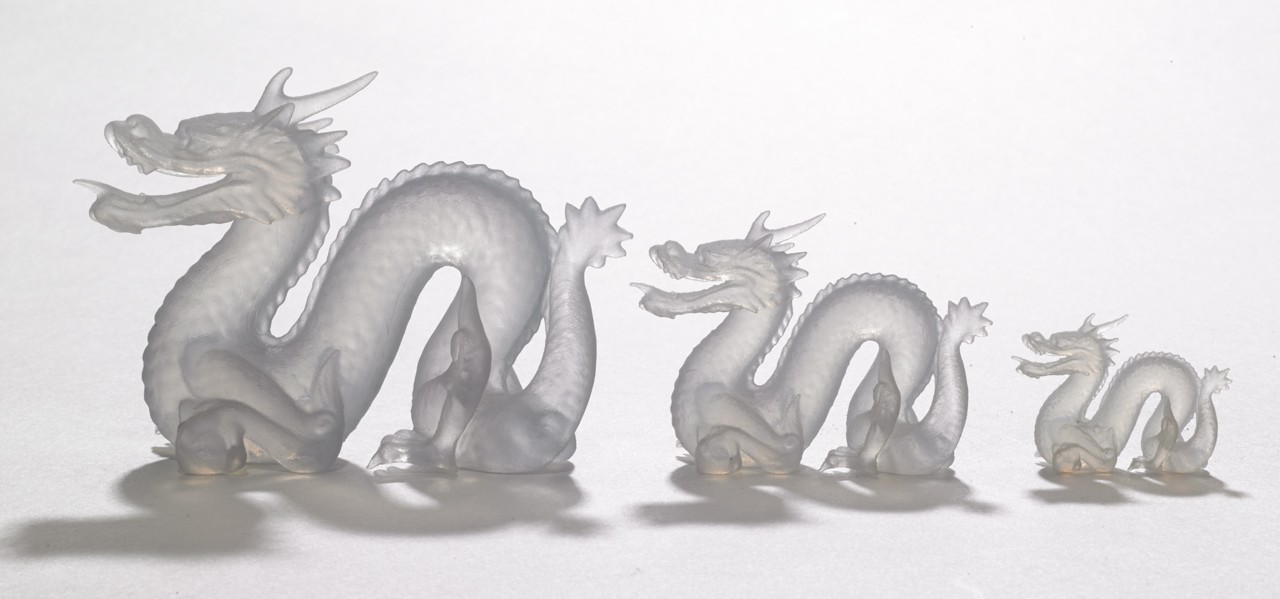
                        http://blog.sculpteo.com/wp-content/uploads/2014/03/translucent-detail_hires.jpg

                        Talk about fine detail and SSS!


                        Dragon 2inch (repaired).zip

                        3D Printing with SketchUp Book
                        http://goo.gl/f7ooYh

                        1 條回覆 最後回覆 回覆 引用 0
                        • marked001M 離線
                          marked001
                          最後由 編輯

                          messed around with KeyShot this weekend...here's a quick render. 10 second setup time.
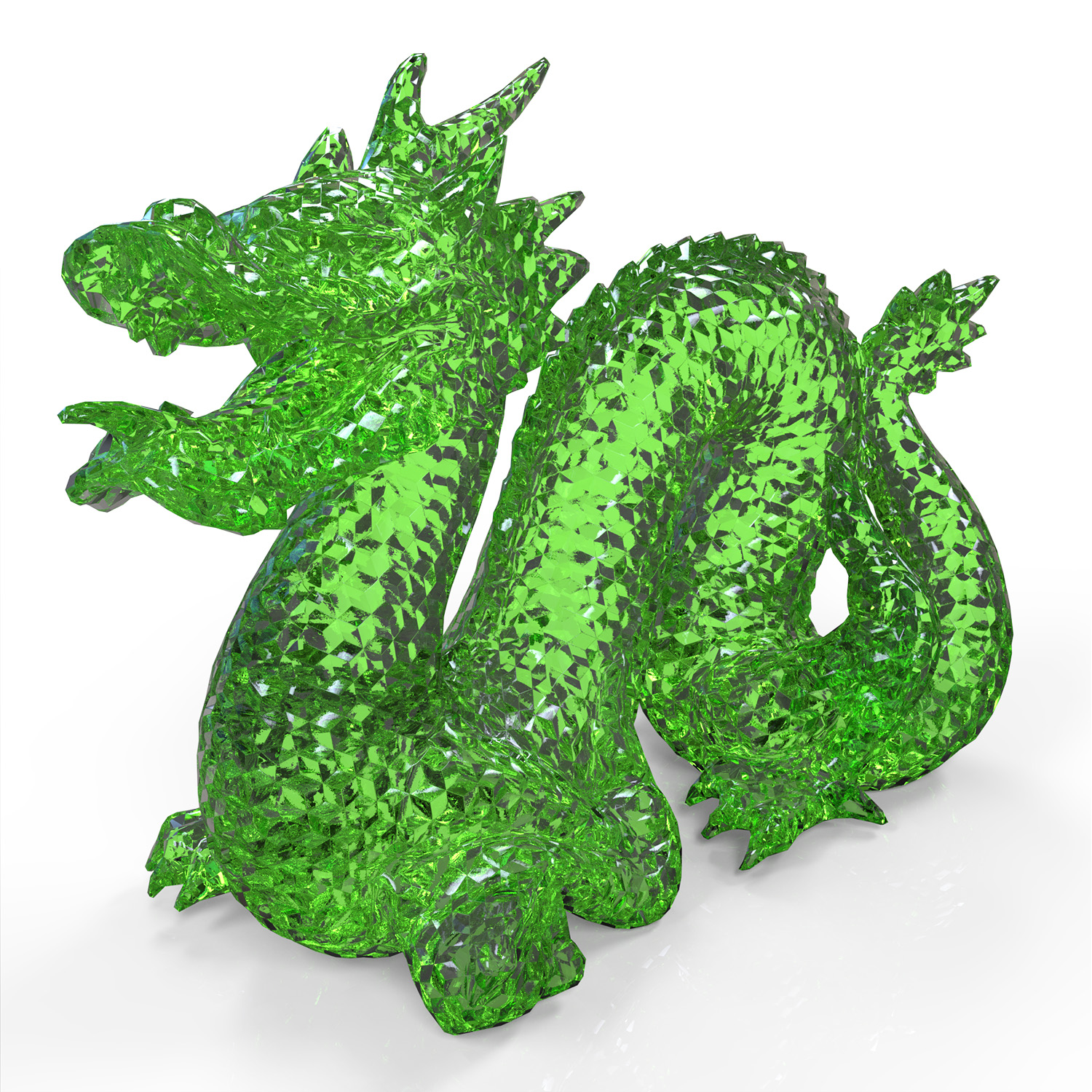

                          Dragon.jpg

                          http://www.revision21vis.com

                          instagram: revi21on

                          1 條回覆 最後回覆 回覆 引用 0
                          • jeff hammondJ 離線
                            jeff hammond
                            最後由 編輯

                            had to test a material importer so i used the dragon..

                            then fredo's thruPaint > Natural did a pretty good job at laying out the tiles in the way they'd go down if you were to really attempt tiling this thing.. anybody got a diamond saw?
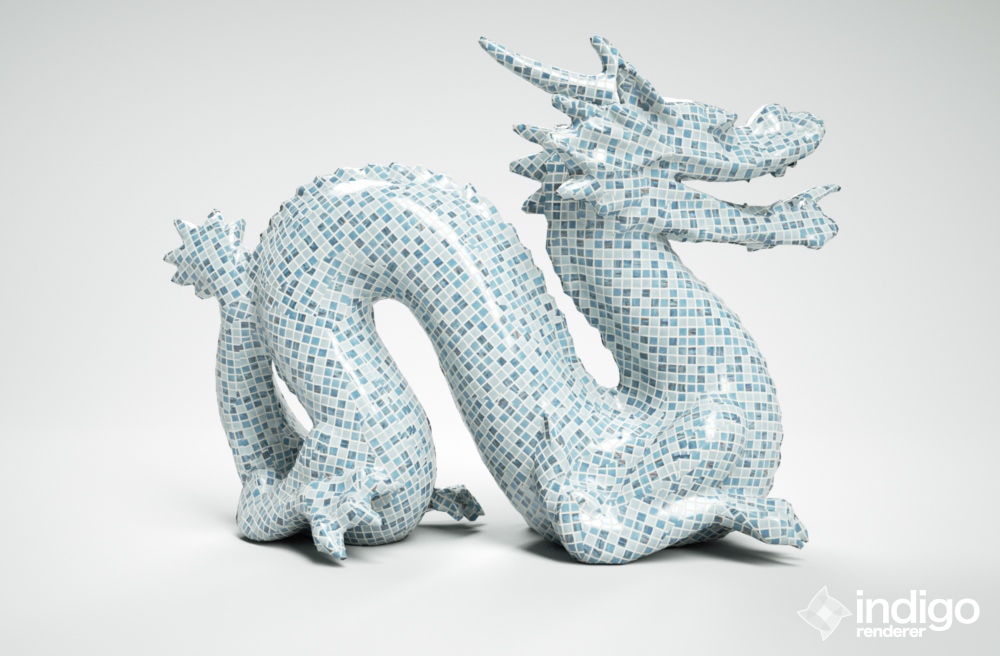
                            click pic -> bigger

                            dotdotdot

                            1 條回覆 最後回覆 回覆 引用 0
                            • Al HartA 離線
                              Al Hart
                              最後由 編輯

                              @brighter3d said:

                              Brighter3D 1.14.2 PRO

                              Thanks - I liked the solid one better, and put a copy on SketchUpRendering.com

                              Al Hart

                              http:wiki.renderplus.comimageseefRender_plus_colored30x30%29.PNG
                              IRender nXt from Render Plus

                              1 條回覆 最後回覆 回覆 引用 0
                              • B 離線
                                Brighter3D
                                最後由 編輯

                                Material:
                                Dragon Greendif:0.00,ref:0.20,tra:0.79,ior:1.30,dens:21,beer:1,fre:1
                                Brighter3D 1.15.0 PRO
                                144 seconds
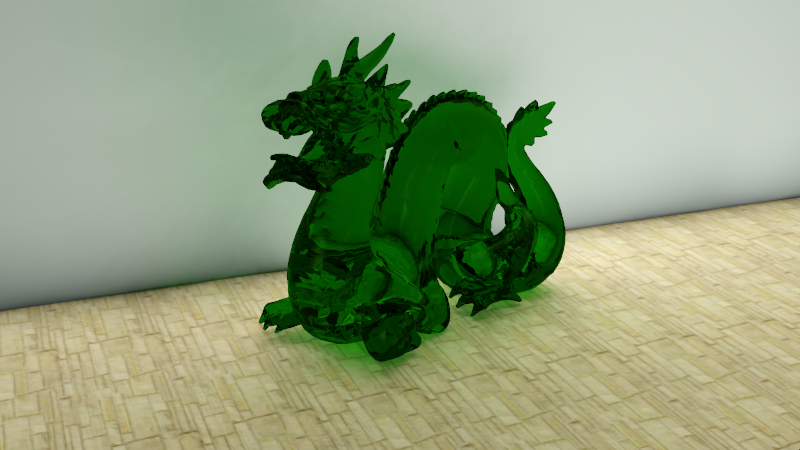
                                drag144.png

                                Brighter3D 1.14.2 PRO
                                Material:
                                Dragon Greendif:0.72,ref:0.28,fre:1
                                72 seconds
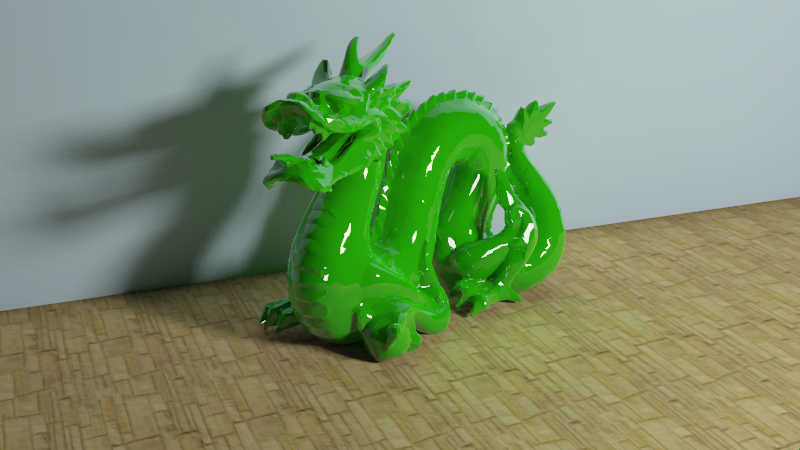
                                diffuse + little reflection

                                Settings (caustics=0 for second image):
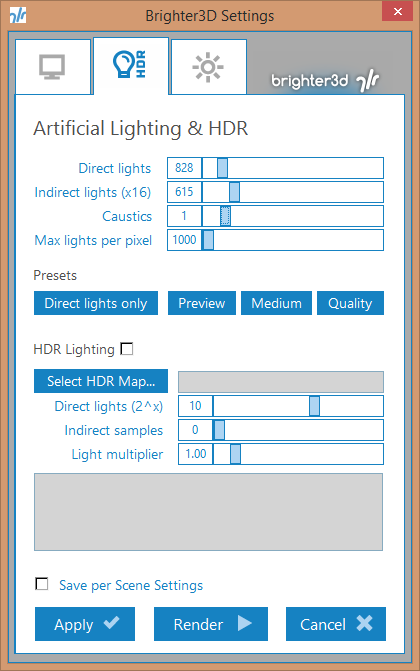
                                Settings

                                1 條回覆 最後回覆 回覆 引用 0
                                • 1
                                • 2
                                • 3
                                • 4
                                • 3 / 4
                                • 第一個貼文
                                  最後的貼文
                                Buy SketchPlus
                                Buy SUbD
                                Buy WrapR
                                Buy eBook
                                Buy Modelur
                                Buy Vertex Tools
                                Buy SketchCuisine
                                Buy FormFonts

                                Advertisement