sketchucation logo sketchucation
    • 登入
    Oops, your profile's looking a bit empty! To help us tailor your experience, please fill in key details like your SketchUp version, skill level, operating system, and more. Update and save your info on your profile page today!
    🔌 Smart Spline | Fluid way to handle splines for furniture design and complex structures. Download

    [Extension][$] iSelect

    已排程 已置頂 已鎖定 已移動 Plugins
    54 貼文 20 Posters 18.2k 瀏覽 20 Watching
    正在載入更多貼文
    • 從舊到新
    • 從新到舊
    • 最多點贊
    回覆
    • 在新貼文中回覆
    登入後回覆
    此主題已被刪除。只有擁有主題管理權限的使用者可以查看。
    • plesiosaurP 離線
      plesiosaur
      最後由 編輯

      It seems to be deselecting everything. Are there any selection settings that I need to addressed before using?

      1 條回覆 最後回覆 回覆 引用 0
      • cottyC 離線
        cotty
        最後由 編輯

        Nice idea! Thank you.

        my SketchUp gallery

        1 條回覆 最後回覆 回覆 引用 0
        • tridemT 離線
          tridem
          最後由 編輯

          very clever 👍

          1 條回覆 最後回覆 回覆 引用 0
          • pilouP 離線
            pilou
            最後由 編輯

            So That is Select only visible ? ☀

            Frenchy Pilou
            Is beautiful that please without concept!
            My Little site :)

            1 條回覆 最後回覆 回覆 引用 0
            • S 離線
              samothrace41
              最後由 編輯

              Thank you very much ! Very useful !

              1 條回覆 最後回覆 回覆 引用 0
              • N 離線
                numerobis
                最後由 編輯

                Very nice! 👍 Thank You! 😎

                1 條回覆 最後回覆 回覆 引用 0
                • C 離線
                  chris87
                  最後由 編輯

                  Very useful plugin !
                  Thank you....

                  1 條回覆 最後回覆 回覆 引用 0
                  • G 離線
                    glro
                    最後由 編輯

                    nice idea

                    it works perfectly for faces in the selection

                    but it doesn't work for components in the selection

                    for example:
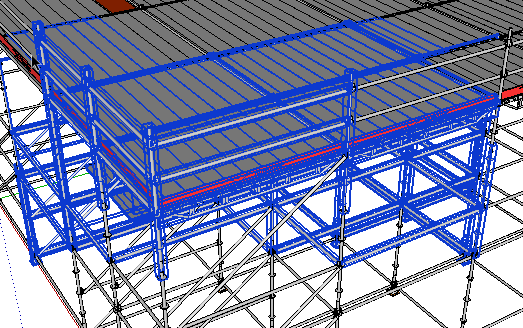
                    before

                    When i clic on the eye button:

                    after

                    you can see that some components that were visible,have been excluded from the selection, and some others, which were not entirely visible, have been kept

                    Would it be possible to fix that?

                    1 條回覆 最後回覆 回覆 引用 0
                    • JClementsJ 離線
                      JClements
                      最後由 編輯

                      Nice job. For those that don't wish to use the toolbar, could there also be another version in which the context menu would display an option to execute the script?

                      John | Illustrator | Beaverton, Oregon

                      1 條回覆 最後回覆 回覆 引用 0
                      • renderizaR 離線
                        renderiza
                        最後由 編輯

                        Finished fixing the component & group situation and will start on adding the context menu next. Another plus to adding context menu is that it will show up on keyboard shortcut list. 😉

                        Thanks for feedback! 👍

                        [url=https://www.sketchupcode.com/:z3kqsidd]My Extensions ...[/url:z3kqsidd]

                        1 條回覆 最後回覆 回覆 引用 0
                        • renderizaR 離線
                          renderiza
                          最後由 編輯

                          [pre:12acadvw]Authors:: Renderiza
                          Plugin Name:: iSelect
                          Version:: 1.0.1
                          Date:: 11/6/2013
                          Cost:: Free[/pre:12acadvw]
                          iSelect v1.0.1 is now available for download.

                          http://jroot.sketchucation.com/pluginrepo/image/RND_iSelect_v1.0.0.png

                          %(#909090)[What is new:

                          • Group & Component selection is fixed
                          • Context Menu Added (right click > iSelect)
                          • Add keyboard shortcut

                          How to set keyboard shortcut:
                          Window > Preference > Shortcuts > Function = Edit/Item/iSelect > Add Shortcut

                          Thanks for Feedback! 👍]

                          [url=https://www.sketchupcode.com/:z3kqsidd]My Extensions ...[/url:z3kqsidd]

                          1 條回覆 最後回覆 回覆 引用 0
                          • JClementsJ 離線
                            JClements
                            最後由 編輯

                            Thank you.

                            John | Illustrator | Beaverton, Oregon

                            1 條回覆 最後回覆 回覆 引用 0
                            • erikBE 離線
                              erikB
                              最後由 編輯

                              Seems like a really, really!! useful tool.
                              But auto-install with sketchUp plugin manager (I even tried it twice) doesn't install it ?
                              Am I missing something, or is something missing 😉 ?
                              erib

                              1 條回覆 最後回覆 回覆 引用 0
                              • renderizaR 離線
                                renderiza
                                最後由 編輯

                                @erikb said:

                                But auto-install with sketchUp plugin manager (I even tried it twice) doesn't install it ?
                                Am I missing something, or is something missing 😉 ?

                                Have you verified that your plugin folder's permission have full rights?

                                Just in case try auto-installing it from Extension Warehouse to see if that works.

                                [url=https://www.sketchupcode.com/:z3kqsidd]My Extensions ...[/url:z3kqsidd]

                                1 條回覆 最後回覆 回覆 引用 0
                                • Dave RD 離線
                                  Dave R
                                  最後由 編輯

                                  Thanks for this plugin. I think it'll be very useful.

                                  Erik, I just auto-installed it with the Plugin Store and it worked just fine for me.

                                  Etaoin Shrdlu

                                  %

                                  (THERE'S NO PLACE LIKE)

                                  G28 X0.0 Y0.0 Z0.0

                                  M30

                                  %

                                  1 條回覆 最後回覆 回覆 引用 0
                                  • erikBE 離線
                                    erikB
                                    最後由 編輯

                                    Windows keeps being a mystery to me. 😒
                                    Not so long ago Tig mentioned the fact that being logged in as administrator not necessary meant you had full rights on every directory. So in order to overcome this he suggested all the usual directory's (sketchup, plugins,..) should all have this full admininstrator rights attributed to them. I don't recall anymore according to which plugin this was mentioned. BUT I then made sure all rights where given, and in the end the plugin worked. Seems that, for what ever reason (microsoft?) this now isn't anymore the case (altough all the other plugins work), for the plugin folder!
                                    So again I changed the rights and "hoera !!" it works.
                                    And may I say, fantastic plugin !!! So often when moving things (even after checking in x-ray mode) you missed a face of a vertex in the background and therefor messed up your model whit out noticing it. And when you found out later there is so much correction to be done (or some times it is virtual impossible timewise).
                                    So 👍 🎉 👍 for this great plugin. (not to mention some other great plugins you made) Thanks,
                                    erikB

                                    1 條回覆 最後回覆 回覆 引用 0
                                    • deaneauD 離線
                                      deaneau
                                      最後由 編輯

                                      Really usefull.

                                      what do you think about a plugin that can do following:

                                      i have an object with inner and outer faces. i would have a plugin that select only outsidefaces.

                                      look here

                                      http://sketchucation.com/forums/viewtopic.php?f=323&t=38493

                                      scroll down to

                                      http://sketchucation.com/forums/viewtopic.php?f=323&t=38493#p340407

                                      thankyou for this plugin

                                      dean

                                      MADE, BORN AND LIVING IN BERLIN
                                      Big Thank You to all Programmers
                                      Some German words are so long that they have a perspective. M.Twain

                                      1 條回覆 最後回覆 回覆 引用 0
                                      • G 離線
                                        glro
                                        最後由 編輯

                                        @renderiza said:

                                        [pre]Authors:: Renderiza
                                        ...
                                        [*]Group & Component selection is fixed
                                        ...
                                        [/color]

                                        yes

                                        it works better, thank you...

                                        there seems to be still some problems

                                        selection from top
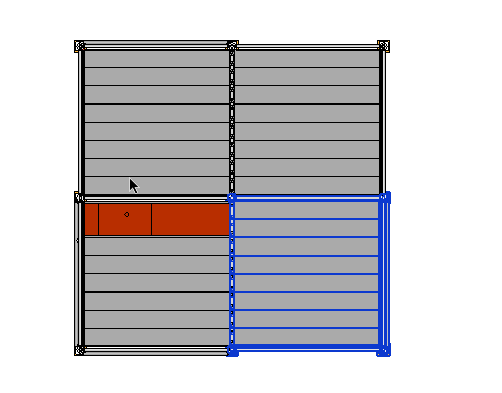
                                        selection from tp

                                        this is what is selected from another point of view
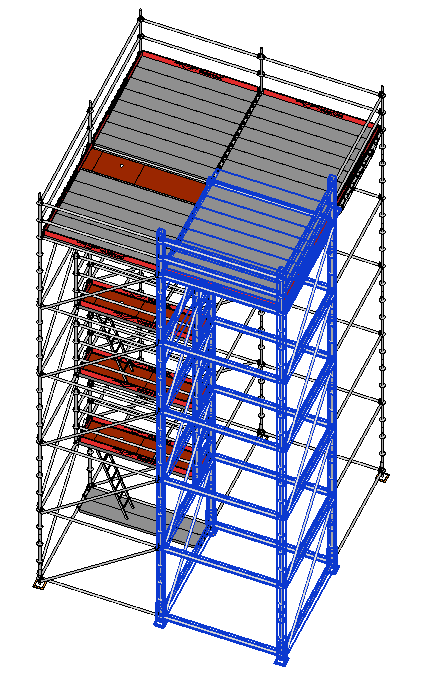
                                        selection before iselect

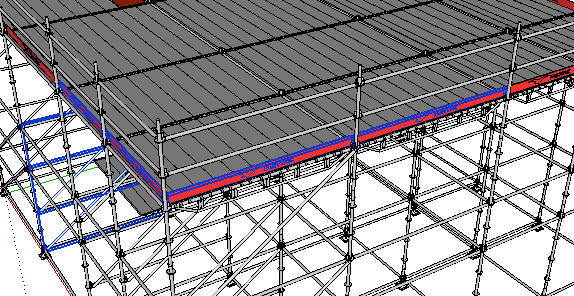
                                        after clicking on "iselect" button, some columns remain selected

                                        as i understand the rule (a component which is not totally visible is excluded from the selection), this shouldn't happen, no?
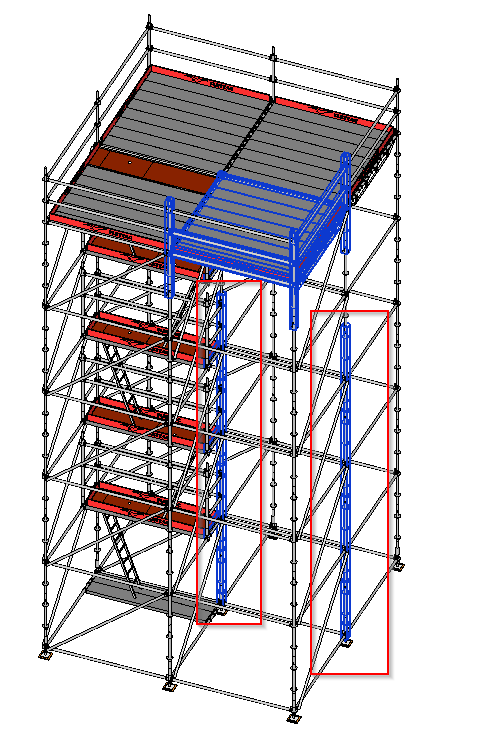

                                        selection after iselect

                                        1 條回覆 最後回覆 回覆 引用 0
                                        • pilouP 離線
                                          pilou
                                          最後由 編輯

                                          Seems there is a glitch! 😉

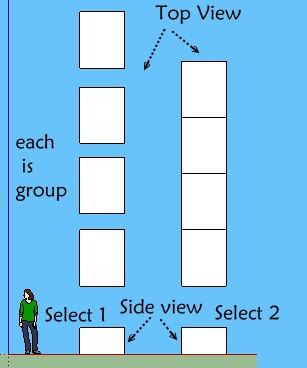
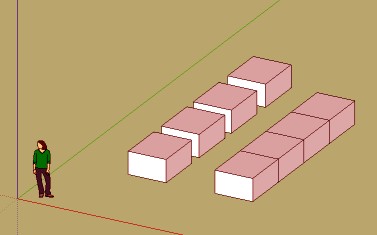
                                          Each 3d block is a group! I select in side view!

                                          Seems don't works when I all select 1 or all select 2 from left to right or right to lerft! 😲

                                          All stay selected after click the black eye!(in perspective or parallal projection) 😮

                                          iselect.jpg

                                          plop.jpg


                                          v6.skp

                                          Frenchy Pilou
                                          Is beautiful that please without concept!
                                          My Little site :)

                                          1 條回覆 最後回覆 回覆 引用 0
                                          • G 離線
                                            glro
                                            最後由 編輯

                                            @renderiza said:

                                            [pre:1w1z3q12]Authors:: Renderiza
                                            Plugin Name:: iSelect
                                            Version:: 1.0.1
                                            Date:: 11/6/2013
                                            Cost:: Free[/pre:1w1z3q12]
                                            iSelect v1.0.1 is now available for download.

                                            http://jroot.sketchucation.com/pluginrepo/image/RND_iSelect_v1.0.0.png

                                            %(#909090)[What is new:

                                            • Group & Component selection is fixed
                                            • Context Menu Added (right click > iSelect)
                                            • Add keyboard shortcut

                                            How to set keyboard shortcut:
                                            Window > Preference > Shortcuts > Function = Edit/Item/iSelect > Add Shortcut

                                            Thanks for Feedback! 👍]

                                            i use Iselect 1.0.1 to select components, but sometimes i forget to clic on the plugin button after selecting to filter them

                                            i wouldn't forget if the filtering was automatic after selection

                                            so would it be possible modify the order of operations, and embed your plugin in a "filtered selection" tool:

                                            you click on the button corresponding to "filtered selection"
                                            you select
                                            and only then "iselect" is launched to filter the selection

                                            i tried to add some lines of code to yours to do that, but after calling the native select tool, everything stops ...

                                            1 條回覆 最後回覆 回覆 引用 0
                                            • 1
                                            • 2
                                            • 3
                                            • 3 / 3
                                            • 第一個貼文
                                              最後的貼文
                                            Buy SketchPlus
                                            Buy SUbD
                                            Buy WrapR
                                            Buy eBook
                                            Buy Modelur
                                            Buy Vertex Tools
                                            Buy SketchCuisine
                                            Buy FormFonts

                                            Advertisement