sketchucation logo sketchucation
    • Login
    Oops, your profile's looking a bit empty! To help us tailor your experience, please fill in key details like your SketchUp version, skill level, operating system, and more. Update and save your info on your profile page today!
    Mac User? | Join the Rayscaper Beta for Mac Learn More

    [Plugin] Snapshot – (1.0.1) — updated 09.10.2012

    Scheduled Pinned Locked Moved Plugins
    74 Posts 12 Posters 61.8k Views 12 Watching
    Loading More Posts
    • Oldest to Newest
    • Newest to Oldest
    • Most Votes
    Reply
    • Reply as topic
    Log in to reply
    This topic has been deleted. Only users with topic management privileges can see it.
    • G
      glro
      last edited by

      @aerilius said:

      I updated the plugin. I think it will now fit all your needs because you can now make your own buttons 😉
      @glro, can you test if the shortcuts work as expected?

      i tested, but there might be a problem

      no box is opened on my scree when i check "ae snapshot" in the menu

      it might come from the html file

      in the pop up windows you show in the first message of this thread, i read "create a shortcut"

      but when i click on the html file in "ae_snapshot" folder, i don't see the same things
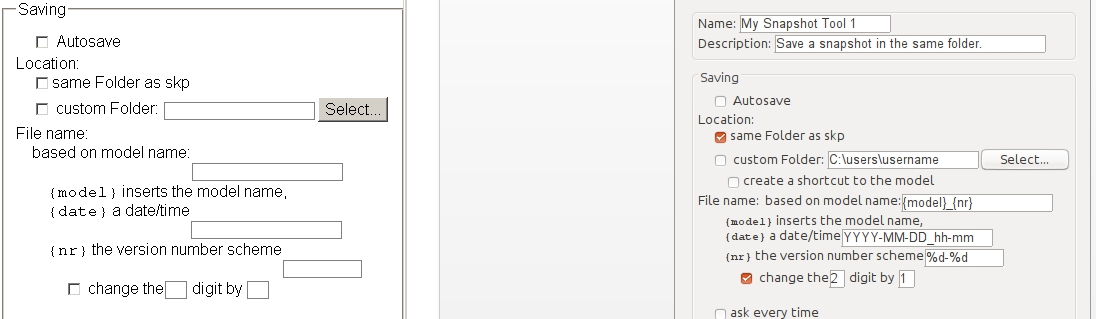

      html settings differences

      1 Reply Last reply
      Reply Quote 0
      • A
        Aerilius
        last edited by

        I first thought it might have to do with upgrading the settings (because the previous version is much different). But I just tested it from 0.1.1 to 0.3.0 and it works for me.

        You mean the settings dialog does not appear when you click the gear icon on the toolbar (there is no ae snapshot menu). Can you open the Ruby Console, click the gear button and give me the error messages if there are any.
        Then copy&paste " AE::Snapshot.options={}" into the console and press the gear button again. Does it then work?

        1 Reply Last reply
        Reply Quote 0
        • G
          glro
          last edited by

          @aerilius said:

          I first thought it might have to do with upgrading the settings (because the previous version is much different). But I just tested it from 0.1.1 to 0.3.0 and it works for me.

          You mean the settings dialog does not appear when you click the gear icon on the toolbar (there is no ae snapshot menu). Can you open the Ruby Console, click the gear button and give me the error messages if there are any.
          Then copy&paste " AE::Snapshot.options={}" into the console and press the gear button again. Does it then work?

          yes, the setting dialog does not appear;
          the gear icon does'nt appear either...
          just a small reactangle where i cannot click ...

          how do you explain the differences between the setting dialog window i get when i double click directly on the file "settings_dialog.htm" and the one you pasted in you message?

          my guess is that it is linked to the problem


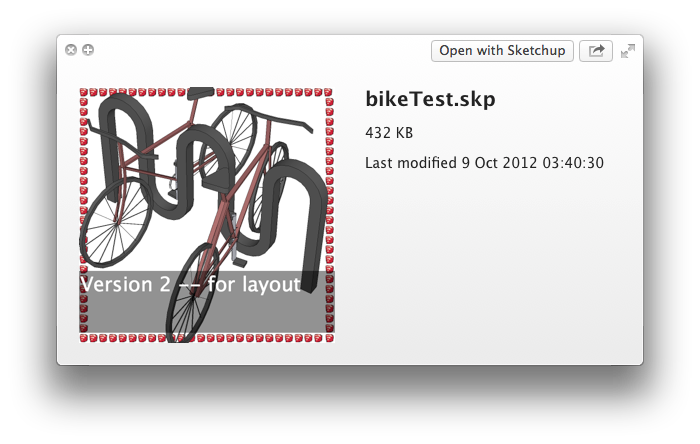
          snapshot icon

          1 Reply Last reply
          Reply Quote 0
          • srxS
            srx
            last edited by

            Very useful! Thank you very much.

            www.saurus.rs

            1 Reply Last reply
            Reply Quote 0
            • A
              Aerilius
              last edited by

              @glro: Does " Sketchup.write_default("Plugins_ae", "Snapshot", "{}")" on the Ruby Console and restarting help?
              (There are no relevant differences in the htm file.)
              (By the way, you don't need quote the message, I know it's on the same page one above 😉 )

              1 Reply Last reply
              Reply Quote 0
              • G
                glro
                last edited by

                OK

                yes it helps

                when i close and open sketchup again, the icon and snapshot settings windows appear on the screen

                but i cannot save the parameters (clicking on "OK" doesnt change anything)

                i notice the lines you added to create a file shortcut; since this is the only option i am interested in, i'll try to add them to the previous version, that worked perfectly on my computer

                thank you

                1 Reply Last reply
                Reply Quote 0
                • A
                  Aerilius
                  last edited by

                  @glro said:

                  yes it helps

                  That is good!

                  @glro said:

                  clicking on "OK" doesnt change anything

                  Toolbar changes can only take effect after restarting SketchUp. (Maybe that's not so obviously written.)

                  1 Reply Last reply
                  Reply Quote 0
                  • G
                    glro
                    last edited by

                    when i launch sketchup again, i get "wrong number of arguments (0 for 1)"

                    The plugin does take a shot when i click on the button

                    but i cannot get the snapshot settings windows on the screen anymore

                    it may be because of my computer, if i am the only one to have this problem...

                    1 Reply Last reply
                    Reply Quote 0
                    • A
                      Aerilius
                      last edited by

                      I am very sure it's not your computer. I couldn't find anything on my own.

                      @unknownuser said:

                      "wrong number of arguments (0 for 1)"

                      This error was on the Ruby Console? Can you tell me what was before or after that? There should be a line number and a line number is very much helpful!

                      1 Reply Last reply
                      Reply Quote 0
                      • G
                        glro
                        last edited by

                        no, nothing in the ruby console

                        it is an error message when sketchup loads all the plugins

                        no numbers
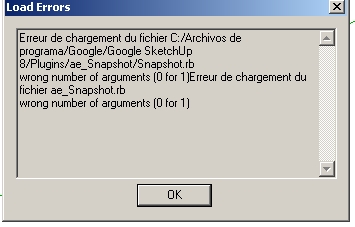

                        erreur chargement

                        1 Reply Last reply
                        Reply Quote 0
                        • A
                          Aerilius
                          last edited by

                          Ok, SketchUp does not tell us much about load errors. In such a case we need to reload the plugin manually in the Ruby Console to see more details. Can you do:
                          load "ae_Snapshot/Snapshot.rb"

                          1 Reply Last reply
                          Reply Quote 0
                          • G
                            glro
                            last edited by

                            Here is what i get when i type 'load "ae_Snapshot/Snapshot.rb" 'in the ruby console

                            load "ae_Snapshot/Snapshot.rb"
                            Error: #<ArgumentError: C:/Archivos de programa/Google/Google SketchUp 8/Plugins/ae_Snapshot/Snapshot.rb:309:in `initialize': wrong number of arguments (0 for 1)>

                            1 Reply Last reply
                            Reply Quote 0
                            • A
                              Aerilius
                              last edited by

                              Thanks!!!
                              I found and fixed the issues!

                              1 Reply Last reply
                              Reply Quote 0
                              • G
                                glro
                                last edited by

                                sorry to write that i still have an error message
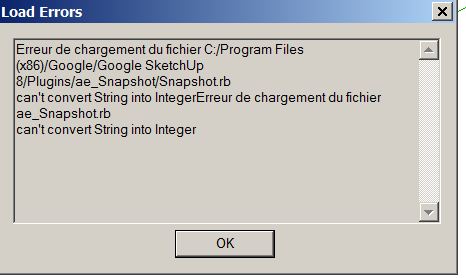

                                string to integer error

                                1 Reply Last reply
                                Reply Quote 0
                                • A
                                  Aerilius
                                  last edited by

                                  I'm not sure if I found it (line 187?). Can you post the error with line number that the Ruby Console gives?
                                  load "ae_Snapshot/Snapshot.rb"

                                  1 Reply Last reply
                                  Reply Quote 0
                                  • G
                                    glro
                                    last edited by

                                    Here is the error message:

                                    "Error: #<TypeError: C:/Program Files (x86)/Google/Google SketchUp 8/Plugins/ae_Snapshot/Snapshot.rb:319:in []': can't convert String into Integer> C:/Program Files (x86)/Google/Google SketchUp 8/Plugins/ae_Snapshot/Snapshot.rb:319 C:/Program Files (x86)/Google/Google SketchUp 8/Plugins/ae_Snapshot/Snapshot.rb:319 C:/Program Files (x86)/Google/Google SketchUp 8/Plugins/ae_Snapshot/Snapshot.rb:318:in each'
                                    C:/Program Files (x86)/Google/Google SketchUp 8/Plugins/ae_Snapshot/Snapshot.rb:318
                                    (eval):155:in `load'
                                    (eval):155"

                                    line 319

                                    1 Reply Last reply
                                    Reply Quote 0
                                    • A
                                      Aerilius
                                      last edited by

                                      (I won't be back until tomorrow.)
                                      I just made a quick change, can you test it?


                                      Put it in .../Plugins/ae_Snapshot/Snapshot.rb

                                      1 Reply Last reply
                                      Reply Quote 0
                                      • G
                                        glro
                                        last edited by

                                        i replaced the previous file in the rbz, by this new one, and yes, now it works perfectly

                                        a nice tool to keep tracks, and retrieve a lost model

                                        thank you

                                        1 Reply Last reply
                                        Reply Quote 0
                                        • D
                                          driven
                                          last edited by

                                          been playing around with style
                                          no need to open, but do the icons download to other computers
                                          don't stay stuck when on the file posting, but I want to test if they download
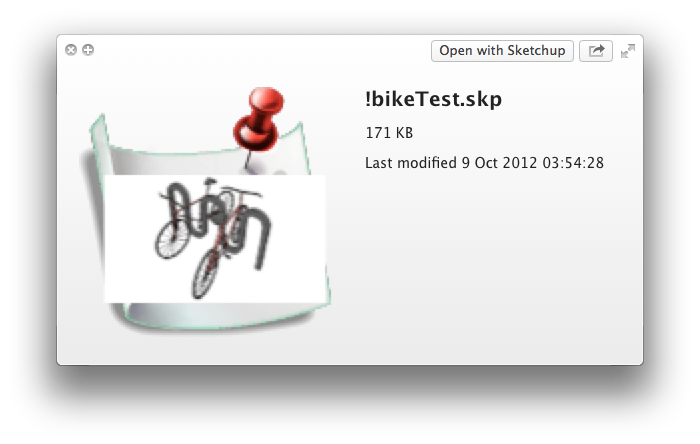
                                          This is the Standard horrible mac one
                                          it's icon doesn't upload either??

                                          john

                                          learn from the mistakes of others, you may not live long enough to make them all yourself...

                                          1 Reply Last reply
                                          Reply Quote 0
                                          • simon le bonS
                                            simon le bon
                                            last edited by

                                            This last release is impressively highly configurable - And then need to be tamed a bit

                                            The fact is that I'm not easy with the {nr} parameter and the "change digit by" line bellow. 😳

                                            I'm not able to make the incrementation work.

                                            Whatever I test, I obtain something like this: xyz_00**_1-0-0**.png ❓

                                            Need some further explanation 💭 😒

                                            simon

                                            1 Reply Last reply
                                            Reply Quote 0

                                            Hello! It looks like you're interested in this conversation, but you don't have an account yet.

                                            Getting fed up of having to scroll through the same posts each visit? When you register for an account, you'll always come back to exactly where you were before, and choose to be notified of new replies (either via email, or push notification). You'll also be able to save bookmarks and upvote posts to show your appreciation to other community members.

                                            With your input, this post could be even better 💗

                                            Register Login
                                            • 1
                                            • 2
                                            • 3
                                            • 4
                                            • 2 / 4
                                            • First post
                                              Last post
                                            Buy SketchPlus
                                            Buy SUbD
                                            Buy WrapR
                                            Buy eBook
                                            Buy Modelur
                                            Buy Vertex Tools
                                            Buy SketchCuisine
                                            Buy FormFonts

                                            Advertisement