Select edges - select or grow loop on edges
-
Hi,
I am looking for a plugin that works like "QuadfaceTools" by thomthom http://forums.sketchucation.com/viewtopic.php?t=39442 and its function "grow loop" or "select loop". I'd like to select entire loop as shown below - "select loop" from "QuadFeceTools" doesn't work in my example. If there is any plugin that solves my problem please help.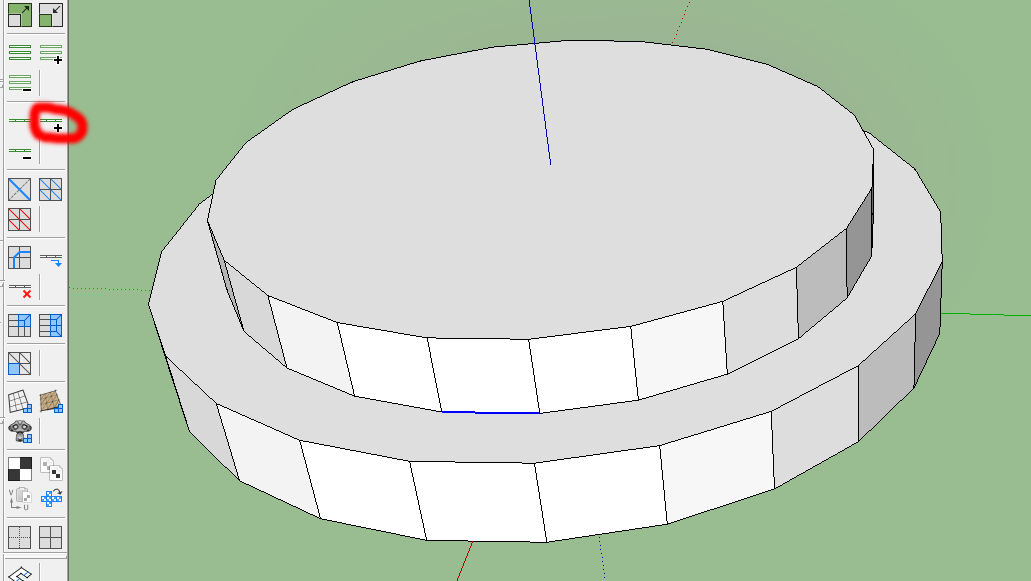
The desired effect is:
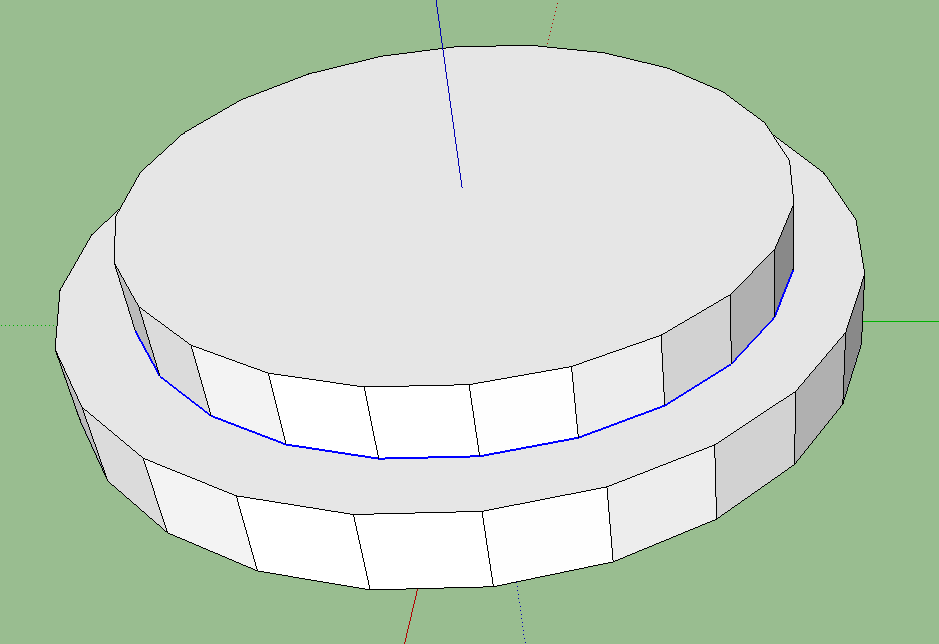
smicha
-
hmm... when I get time I'll look into the function and see if I can improve it for scenarios like this.
-
You could try Recurve.rb, I don't remember where to find it.
-
Tgi3D Amorph has a loop select feature
-
With the (commercial) "path select tool" you can double click one of the lines and the path will be selected...
-
@gilles said:
You could try Recurve.rb, I don't remember where to find it.
Thank you so much. Recurve (http://forums.sketchucation.com/viewtopic.php?t=36822) works fine. But how can I combine all selected edges into one curve? I tried weld tool without success.
-
@unknownuser said:
Instructions:
-
Quickly select edges to be recurved
Select a single edge from the edges to be made into a curve and choose "Recurve -> Select Curve" or "Recurve -> Select Curve (Planar)" from the context menu. If the curve exists in a single plane, "Select Curve (Planar)" is more likely to find the correct sequence of edges. The command works by following a sequence of edges which don't change direction sharply. -
Recurve a sequence of edges
Select all the edges which make up the curve and choose "Recurve -> Recurve Edges" from the context menu. The edges should be instantly replaced with a curve. -
Filter the current selection
From the context menu choose "Select Only -> " followed by your filter choice. The selection will be updated to only include those entities matching the filter. -
Reverse a curve
Select the curves you want to be reversed and choose "Recurve -> Reverse Curve" from the context menu. There will be no visible change, but the curves will be reversed.
-
-
Gilles,
It's not working. I still cannot transform connected edges into a curve. I've used Recurve Edges - it's not working in my example. I attached the file.
-
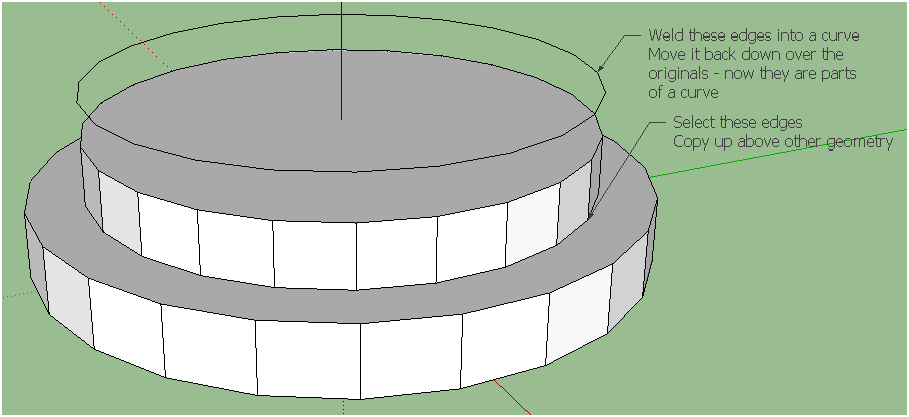 If you first select the vertical faces/edges and smooth them, and then select the 'loops' Weld [or Recurve] will make the selected edges into a curve and then it won't be 'split' into pieces by the now-smoothed edges joining at the nodes...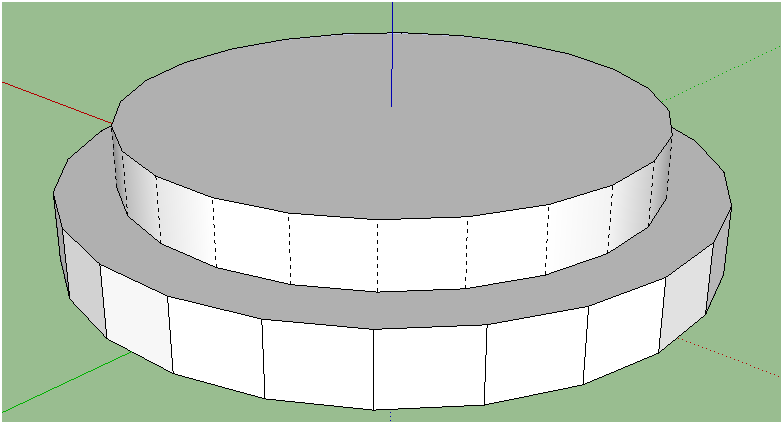
-
-
TIG, gilles
Thank you so much!!!
Your first solution is exactly what I did
 But the second with smoothing edges is simple and works perfect.
 -
I've been looking for it for years too. Its called Quadface tools.





Hello! It looks like you're interested in this conversation, but you don't have an account yet.
Getting fed up of having to scroll through the same posts each visit? When you register for an account, you'll always come back to exactly where you were before, and choose to be notified of new replies (either via email, or push notification). You'll also be able to save bookmarks and upvote posts to show your appreciation to other community members.
With your input, this post could be even better 💗
Register Login


Advertisement