[Plugin] FredoTools::ThruPaint - v1.3a - 20 Oct 16
-
Great. I will take a look at it. Thanks for the quick reply and great plugin.
-
hi fredo,
I am having similar problems to nickchun (immediately above). I have found out about switching to Edge by Material but I cannot grasp how to choose a color and apply to edges. thrupaint seems to be stuck with the face color.
what it is the workflow to chose a color and apply it to an edge? thanks.
-
@edson said:
hi fredo,
I am having similar problems to nickchun (immediately above). I have found out about switching to Edge by Material but I cannot grasp how to choose a color and apply to edges. thrupaint seems to be stuck with the face color.
what it is the workflow to chose a color and apply it to an edge? thanks.
You need to disable the Face button in the palette. Then you will only paint edges.
Fredo
-
@fredo6 said:
@edson said:
hi fredo,
I am having similar problems to nickchun (immediately above). I have found out about switching to Edge by Material but I cannot grasp how to choose a color and apply to edges. thrupaint seems to be stuck with the face color.
what it is the workflow to chose a color and apply it to an edge? thanks.
You need to disable the Face button in the palette. Then you will only paint edges.
Fredo
fredo,
this is not my point. I do have the Face button disabled.
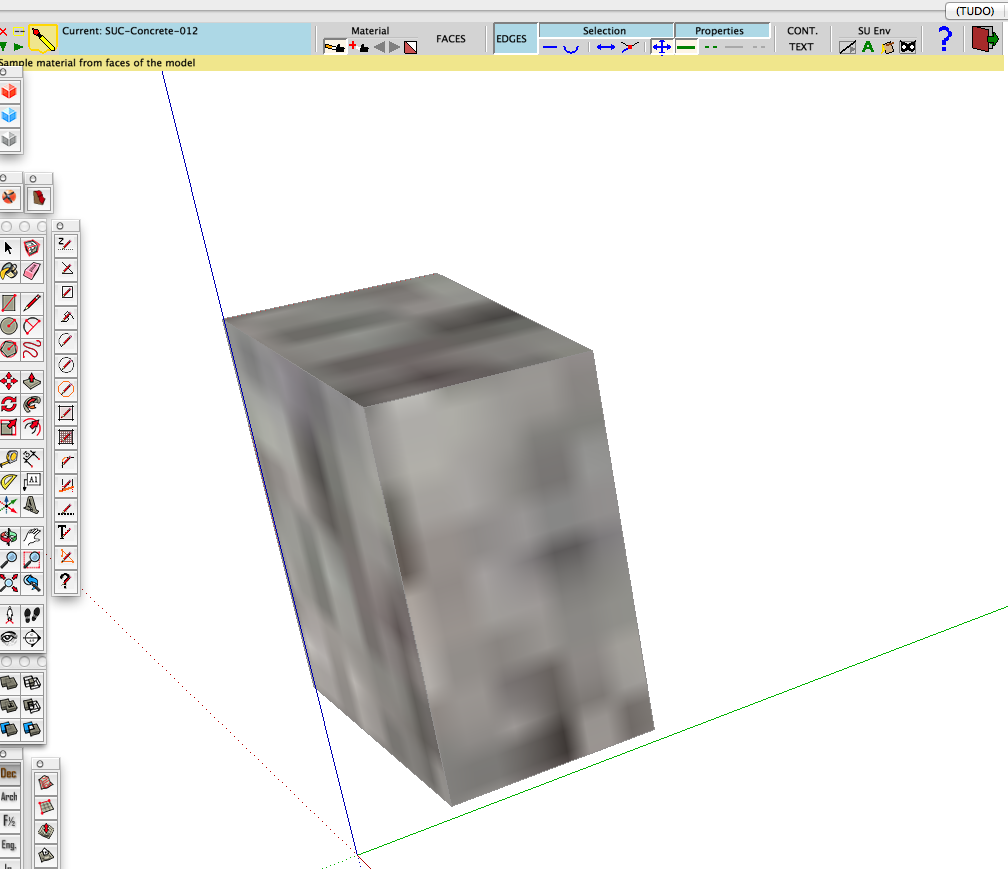
my problem is not being able to paint the edges with the color/texture I wish to. if you look at the screen capture below you will see that ThruPaint is stuck with the material I applied to the faces, and I can only paint the edges with that texture. how can choose and apply another color/texture to the edges? in the video I see you chosing a color and applying it to edges.
-
If we have messed up the UVs on a curved peice of geometry, how can we reset all of the geometry to be identical? When I hit reset it doesn't seem to make all UV's the same.
-
hao to download??
-
@scndchexin said:
hao to download??
From the SCF PluginStore ?
Get Fredo's Lib too... -
Hi Fredo6, I am doing some roads in Sketchup and I came upon your plugin "thruPaint" amongst others to get the job done. Btw, ThruPaint rocks, easy to use amazing results, as intended, in no time.
I also used "curvyloft" to get the ramp shape.
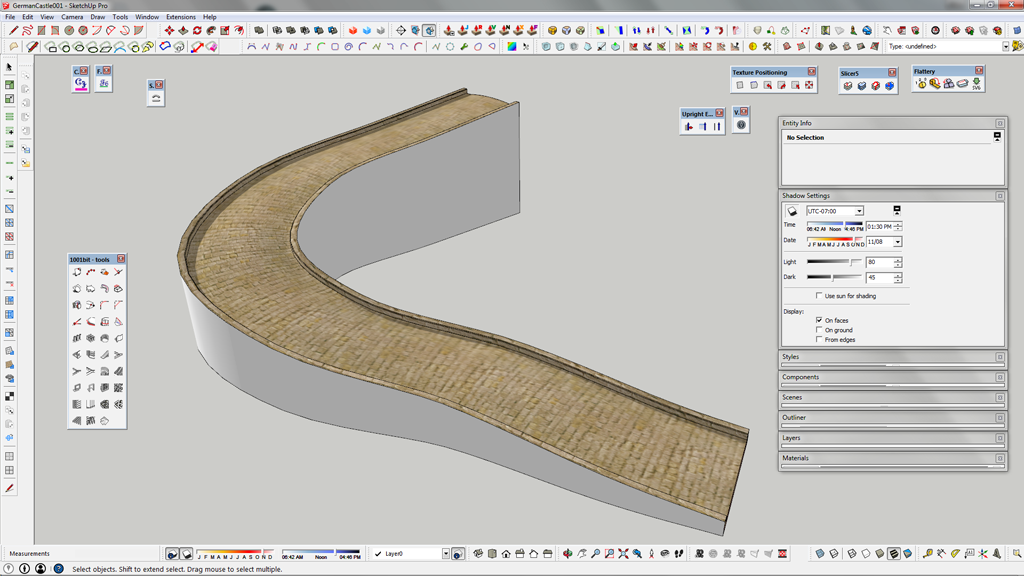
Only thing at the end of the day I ran into a weird issue exporting the finished textured roadway.
The road texture was broken up into many pieces as you can see in my export folder.
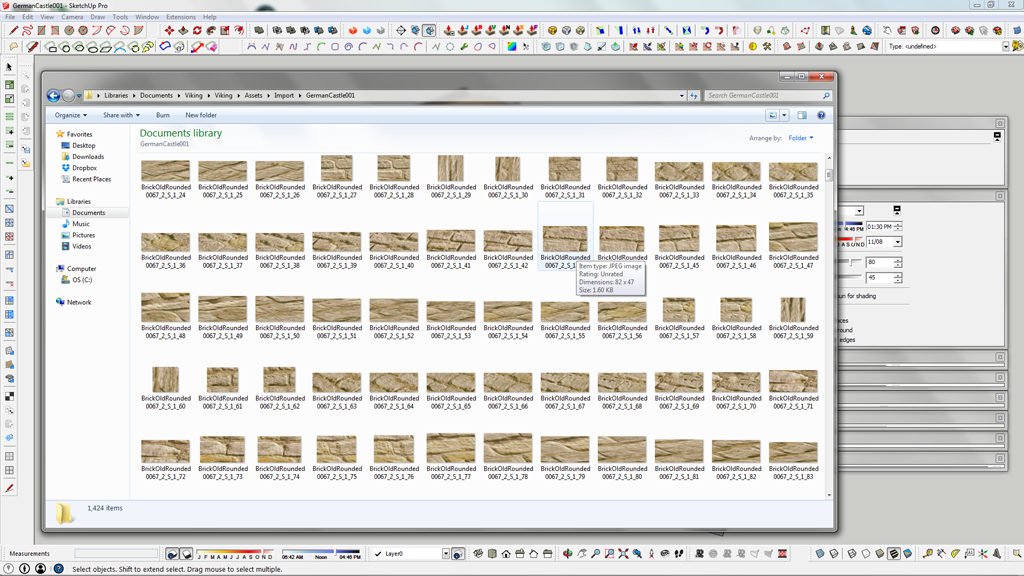
Is this a general sketchup quirk? I was assuming the plug in would only align the UW's accordingly and not chop up the texture image? ?
Am I missing something ? Anybody else ever had this issue?
Kind regards, Olav
-
@desertraven said:
Is this a general sketchup quirk? I was assuming the plug in would only align the UW's accordingly and not chop up the texture image? ?
Am I missing something ? Anybody else ever had this issue?
Kind regards, Olav
This depend on the exporter. SketchUp support UVQ - as oppose to just UV. The Q value is used for perspective mapping. Not all applications or file format support this.
To preserve the visual appearance some exporters will then generate new textures for faces with perspective mapping. -
@thomthom said:
@desertraven said:
Is this a general sketchup quirk? I was assuming the plug in would only align the UW's accordingly and not chop up the texture image? ?
Am I missing something ? Anybody else ever had this issue?
Kind regards, Olav
This depend on the exporter. SketchUp support UVQ - as oppose to just UV. The Q value is used for perspective mapping. Not all applications or file format support this.
To preserve the visual appearance some exporters will then generate new textures for faces with perspective mapping.So basically, there is no solution?
I'd like to have only one texture so that I can import this into Unity and apply other maps, derived from the bitmap used, like normal maps displacement maps etc...

-
Not sure what format you are exporting to, but one can at the expense of some visual deviation convert UVQ to UV. Depending on the mesh the visual difference might not be that noticeable.
-
@thomthom said:
Not sure what format you are exporting to, but one can at the expense of some visual deviation convert UVQ to UV. Depending on the mesh the visual difference might not be that noticeable.
FBX, and yes, it's a quad mesh.
-
Dead end?
-
@desertraven said:
Is this a general sketchup quirk? I was assuming the plug in would only align the UW's accordingly and not chop up the texture image? ?
That's bascally what ThurPaint is doing. To obtain the result with a quadmesh, it does change the U, V and Q values, as you need the perspective distortion to render the quads properly.
As thomthom said, this may cause a problem in the exporter.
I have no solution for that, sorry.
Fredo
-
@desertraven said:
Dead end?
why don´t you try 3DS, OBJ, DAE or other format before giving up? Maybe other formats won´t have the same problem.
alternativelly, you are exporting FROM Sketchup. I know there are some programs that can open Sketchup files and then you can save them as something else. I never used those programs nor I know if the end result would be different, but maybe you should try (IF there is a trial version) SimLab exporter plugin or SimLab Composer... it seems SimLab Composer can work with several formats including Sketchup. So MAYBE you can open your sketchup file in SimLab Composer and export as FBX and the result MIGHT be different...
-
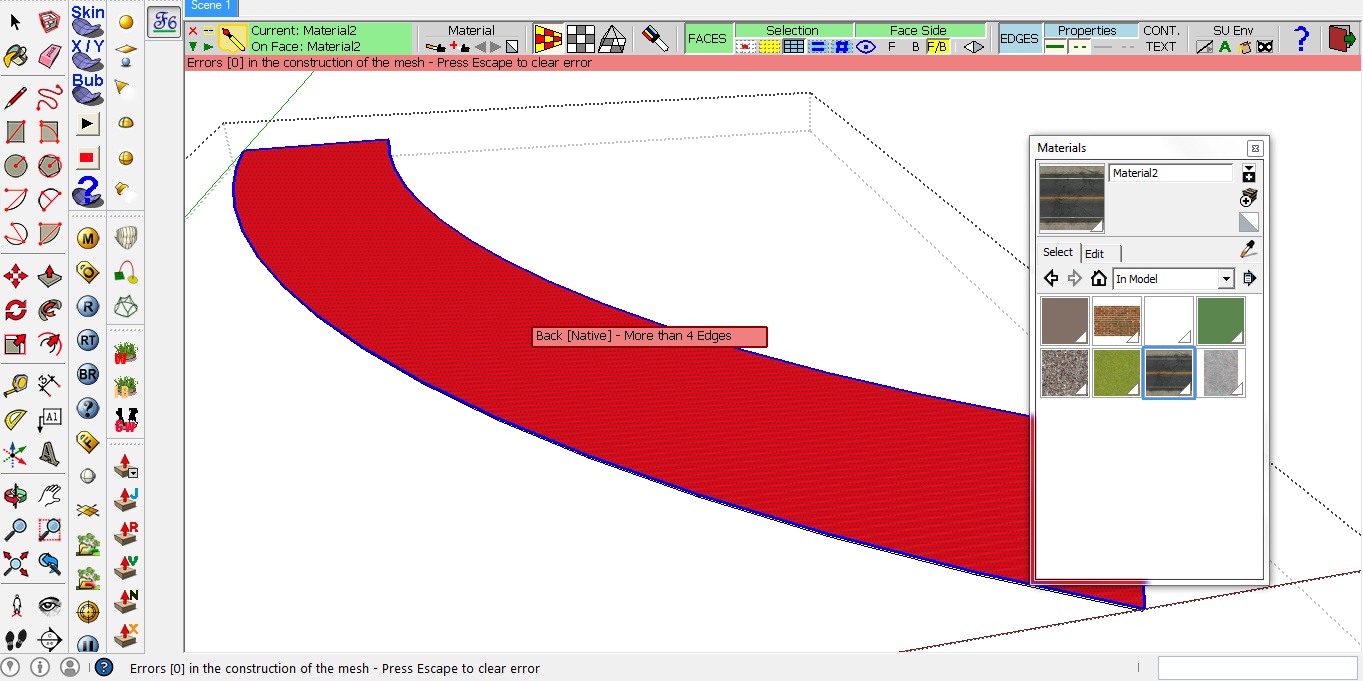
**How do you use thru paint to texture a plain flat circular path?? I Keep getting an error in the quadmesh UV mode ... Ive attached the screen shot for the same..

Thanks in advance...
 **
**
-
@desertraven said:
Dead end?
Take sketchuv of Whaat and do 'triangulate'. 3ds will be exported with one texture.
-
@hsrhdrehre5654654 said:
Hi, im really happy about this tool, but i have a slighty problem.
Is there any way to disable the "auto join" feature???? i mean, when im painting, everything is great, but when two paths join, the texture scale/direction gets messed up and the whole thing looks really bad. SO i need to paint from scratch in those zones and continue painting. Curious thing is, before thrupaint treats the painted zone, everything looks great, but as i said, when you release the mouse button to join two patchs, everything mess up. If i couuld just deactivate that feature... it will be perfect. Other wise, there are always seams and different parts in the painted texture

Do you have an example. I am not sure to understand what is the "auto-join" feature and the junctions of 2 paths.
Fredo
-
@fredo6 said:
@hsrhdrehre5654654 said:
Hi, im really happy about this tool, but i have a slighty problem.
Is there any way to disable the "auto join" feature???? i mean, when im painting, everything is great, but when two paths join, the texture scale/direction gets messed up and the whole thing looks really bad. SO i need to paint from scratch in those zones and continue painting. Curious thing is, before thrupaint treats the painted zone, everything looks great, but as i said, when you release the mouse button to join two patchs, everything mess up. If i couuld just deactivate that feature... it will be perfect. Other wise, there are always seams and different parts in the painted texture
Do you have an example. I am not sure to understand what is the "auto-join" feature and the junctions of 2 paths.
Fredo
The problem i probably dont know how to explain better in english. When you are painting, the way thrupaint works is you make a selection of the zone you want to paint (holding themouse while you paint) and when you release the mouse, thrupaint "tries" to correct the texture scale/position in some faces. This produces terrible results in some faces affected by the painted zone, and the whole thing is useless.
I dunno how to explain it better, i will try to post a screenshot later.
Its not something weird, im pretty sure everyone is having this problem. At least, im having in using it on complex meshes modelled with artisan. My guess is, in a low-polygon model, you dont get to notice it, but when you paint extensive zones happens very often.
-
Hi, im really happy about this tool, but i have a slighty problem.
Is there any way to disable the "auto join" feature???? i mean, when im painting, everything is great, but when two paths join, the texture scale/direction gets messed up and the whole thing looks really bad. SO i need to paint from scratch in those zones and continue painting. Curious thing is, before thrupaint treats the painted zone, everything looks great, but as i said, when you release the mouse button to join two paths, everything mess up. If i couuld just deactivate that "feature"... it will be perfect. Other wise, there are always seams and different parts in the painted texture







Advertisement