sketchucation logo sketchucation
    • 登入
    Oops, your profile's looking a bit empty! To help us tailor your experience, please fill in key details like your SketchUp version, skill level, operating system, and more. Update and save your info on your profile page today!
    🔌 Smart Spline | Fluid way to handle splines for furniture design and complex structures. Download

    [Plugin] SketchUV - now free

    已排程 已置頂 已鎖定 已移動 Plugins
    176 貼文 62 Posters 151.9k 瀏覽 62 Watching
    正在載入更多貼文
    • 從舊到新
    • 從新到舊
    • 最多點贊
    回覆
    • 在新貼文中回覆
    登入後回覆
    此主題已被刪除。只有擁有主題管理權限的使用者可以查看。
    • S 離線
      smicha
      最後由 編輯

      Claus,

      The solution for your problem is simple. Please attach the bent shape in skp file and I will write exactly what to do.

      smicha

      1 條回覆 最後回覆 回覆 引用 0
      • C 離線
        clausgs
        最後由 編輯

        @smicha said:

        Claus,

        The solution for your problem is simple. Please attach the bent shape in skp file and I will write exactly what to do.

        smicha

        Hi

        Thanks for offering a solution...
        The attached skp is just a simple sample,,, my components are many and very different in shape. So what I am looking for is a general solution / workflow to keep the aspect-ratio of the texture....

        Claus S


        sketchuv.skp

        1 條回覆 最後回覆 回覆 引用 0
        • S 離線
          smicha
          最後由 編輯

          Claus,

          1. Rotate the texture by 90deg. - simply select faces with the texture, run sketchuv, type 90

          2. Some calculations: 3300/1250 = 2.64; 10000/3670 = 2.72.
            Again, select faces with the texture, run sketchuv, type /2.64v, then /2.72u (u and v are changed/shifted due to the prior rotation in step 1.)

          PS. Your problem is strictly connected with my question about normalizing size of textures. It would be great to select one texture and normalize its size on different objects. I hope to see the update of the plugin soon.

          Kind regards,

          smicha

          1 條回覆 最後回覆 回覆 引用 0
          • C 離線
            clausgs
            最後由 編輯

            @smicha said:

            Claus,

            1. Rotate the texture by 90deg. - simply select faces with the texture, run sketchuv, type 90

            2. Some calculations: 3300/1250 = 2.64; 10000/3670 = 2.72.
              Again, select faces with the texture, run sketchuv, type /2.64v, then /2.72u (u and v are changed/shifted due to the prior rotation in step 1.)

            PS. Your problem is strictly connected with my question about normalizing size of textures. It would be great to select one texture and normalize its size on different objects. I hope to see the update of the plugin soon.

            Kind regards,

            smicha

            HI Smicha
            It works, but it is a very time consuming process, and to keep track of the U V direction is not easy.
            Thanks for your instructions.

            Dale
            There for sure is space for improvement or should I say functionality of this plugin.
            You see to keep the aspect of a texture is very important when you use wood textures, but even fabric and other textures that are more of an even pattern need to keep the aspect.

            Dale, what can be done on this issue???

            I bought the plugin and it do what it say, but I can really not use it for many of my projects.

            Claus S

            1 條回覆 最後回覆 回覆 引用 0
            • S 離線
              smicha
              最後由 編輯

              I completely agree with Claus. When we apply a texture on any surface using any method its dimensions should match (within small error) dimensions of a texture that is entered in SU.

              1 條回覆 最後回覆 回覆 引用 0
              • W 離線
                Whaat
                最後由 編輯

                I agree that proper scaling should be done by default in SketchUV. Hopefully, in the future I can implement this. You might want to try ThruPaint by Fredo. I think it might do what you want.

                SketchUp Plugins for Professionals

                1 條回覆 最後回覆 回覆 引用 0
                • C 離線
                  clausgs
                  最後由 編輯

                  @whaat said:

                  I agree that proper scaling should be done by default in SketchUV. Hopefully, in the future I can implement this. You might want to try ThruPaint by Fredo. I think it might do what you want.

                  Hi
                  Yes tried the truepaint and it do a very good job in many situations. and most important it keep the aspect. and that is what sketchuv is missing 100%... It is not really workable in the way it handle aspect today.

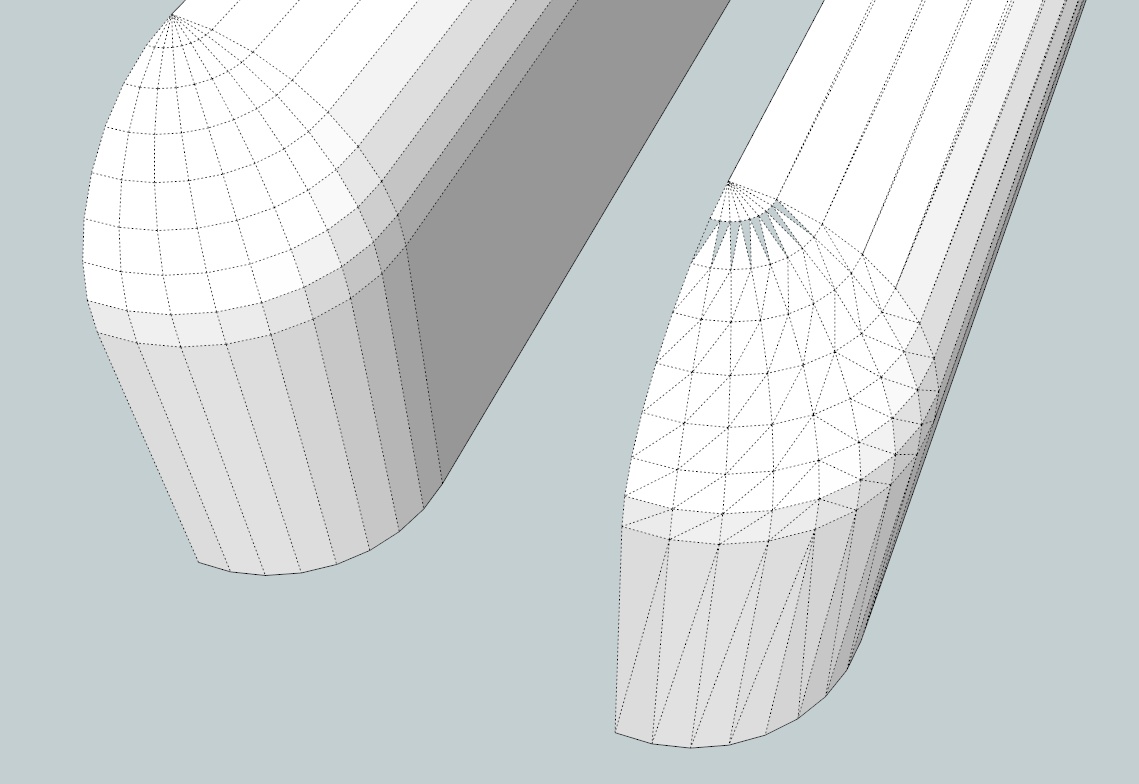
                  Another issue I have found is that the triangulation in my models are not working 100%, some times it create holes in the surface. Pleas have a look at the attached pic.
                  What am i doing wrong? or is it the model? or is it the plugin?

                  Claus


                  triangulate problem.jpg

                  1 條回覆 最後回覆 回覆 引用 0
                  • S 離線
                    smicha
                    最後由 編輯

                    Claus,

                    Measure the sides of the triangles - if they are less than 1mm this is the reason why holes appear.

                    A solution can be: before triangulation scale your model, eg. 10 times, then triangulate, then scale your model down 10 times.

                    1 條回覆 最後回覆 回覆 引用 0
                    • C 離線
                      clausgs
                      最後由 編輯

                      @smicha said:

                      Claus,

                      Measure the sides of the triangles - if they are less than 1mm this is the reason why holes appear.

                      A solution can be: before triangulation scale your model, eg. 10 times, then triangulate, then scale your model down 10 times.

                      HI
                      Thanks for the idea, i tried it and it works, great tip for me.

                      Whaat
                      could this not be incorporated into the plugin also, first investigate all lines for the length, if any is too small, then scale the model as needed and then do the triangulation and then re-scale the model.

                      Claus

                      1 條回覆 最後回覆 回覆 引用 0
                      • iichiversiiI 離線
                        iichiversii
                        最後由 編輯

                        @rich o brien said:

                        There is not a plugin which exports all mapped textures in a model to one texture file.

                        Ultimate Unwrap 3D can do this with imported .skp files but I haven't tried it yet. It's also about $50 so more expensive than this plugin.

                        Is this feature similar to a Texture generator atlas ❓

                        Bring on the Rain...

                        1 條回覆 最後回覆 回覆 引用 0
                        • B 離線
                          blaar75
                          最後由 編輯

                          Thanks. I will most def buy this once I can get the hang of Roadkill. I was wondering, any future plans on having a add on that will pack the shells on a 2D surface so that the UV map can be exported to be painted in Gimp etc ?

                          1 條回覆 最後回覆 回覆 引用 0
                          • W 離線
                            Whaat
                            最後由 編輯

                            @blaar75 said:

                            Thanks. I will most def buy this once I can get the hang of Roadkill. I was wondering, any future plans on having a add on that will pack the shells on a 2D surface so that the UV map can be exported to be painted in Gimp etc ?

                            Sorry, nothing like that planned right now. Thanks for the suggestion.

                            SketchUp Plugins for Professionals

                            1 條回覆 最後回覆 回覆 引用 0
                            • K 離線
                              kaas
                              最後由 編輯

                              I tried using SketchUV to map the trunk of a tree made with the plugin 3dArcStudioTree. I hoped cylindrical mapping would work. Do I have to go the 'roadkill' way or are there any other options to try?

                              Greetings, Max


                              3dArcStudioTree_sketchUV.jpg

                              1 條回覆 最後回覆 回覆 引用 0
                              • cottyC 離線
                                cotty
                                最後由 編輯

                                It should work. Can you share that model so that we can search for the problem?

                                my SketchUp gallery

                                1 條回覆 最後回覆 回覆 引用 0
                                • S 離線
                                  smicha
                                  最後由 編輯

                                  Tube cannot be triangulated before uv-mapping. Otherwise remove triangulation.
                                  I suggest trying thrupaint for such triangulated tubes - it works great.

                                  1 條回覆 最後回覆 回覆 引用 0
                                  • K 離線
                                    kaas
                                    最後由 編輯

                                    @cotty said:

                                    It should work. Can you share that model so that we can search for the problem?

                                    Here you go...


                                    3darcStudioTree_SketchUv.skp

                                    1 條回覆 最後回覆 回覆 引用 0
                                    • S 離線
                                      smicha
                                      最後由 編輯

                                      1. clean your model (bottom especially)
                                      2. use thrupaint

                                      the file is attached


                                      3darcStudioTree_SketchUv2.skp

                                      1 條回覆 最後回覆 回覆 引用 0
                                      • W 離線
                                        Whaat
                                        最後由 編輯

                                        Price drop - now just $5. Get it here:
                                        http://www.smustard.com/script/SketchUV

                                        SketchUp Plugins for Professionals

                                        1 條回覆 最後回覆 回覆 引用 0
                                        • S 離線
                                          smicha
                                          最後由 編輯

                                          @whaat said:

                                          Price drop - now just $5. Get it here:
                                          http://www.smustard.com/script/SketchUV

                                          Do you plan to add the function to normalize different sizes of textures - I asked about it in previous posts?

                                          1 條回覆 最後回覆 回覆 引用 0
                                          • W 離線
                                            Whaat
                                            最後由 編輯

                                            @smicha said:

                                            @whaat said:

                                            Price drop - now just $5. Get it here:
                                            http://www.smustard.com/script/SketchUV

                                            Do you plan to add the function to normalize different sizes of textures - I asked about it in previous posts?

                                            Yes, but I can't give you any accurate estimate of when that would be. It could be anywhere from two months to several years away.


                                            SketchUp Plugins for Professionals

                                            1 條回覆 最後回覆 回覆 引用 0
                                            • 1
                                            • 2
                                            • 3
                                            • 4
                                            • 5
                                            • 8
                                            • 9
                                            • 2 / 9
                                            • 第一個貼文
                                              最後的貼文
                                            Buy SketchPlus
                                            Buy SUbD
                                            Buy WrapR
                                            Buy eBook
                                            Buy Modelur
                                            Buy Vertex Tools
                                            Buy SketchCuisine
                                            Buy FormFonts

                                            Advertisement