sketchucation logo sketchucation
    • 登入
    Oops, your profile's looking a bit empty! To help us tailor your experience, please fill in key details like your SketchUp version, skill level, operating system, and more. Update and save your info on your profile page today!
    🔌 Smart Spline | Fluid way to handle splines for furniture design and complex structures. Download

    [Plugin] Honeycomber

    已排程 已置頂 已鎖定 已移動 Plugins
    91 貼文 21 Posters 54.5k 瀏覽 21 Watching
    正在載入更多貼文
    • 從舊到新
    • 從新到舊
    • 最多點贊
    回覆
    • 在新貼文中回覆
    登入後回覆
    此主題已被刪除。只有擁有主題管理權限的使用者可以查看。
    • D 離線
      dtolios
      最後由 編輯

      Amazing work, great potential for this tool...
      Unfortunately is too slow for some of the complex shapes I had in mind, but I have trust that it will get better overtime (and yeah, my mobile i7 is not the fastest processor anyways...)

      1 條回覆 最後回覆 回覆 引用 0
      • charly2008C 離線
        charly2008
        最後由 編輯

        TIG, you have once again created a surprising and promising tool. Thank you.
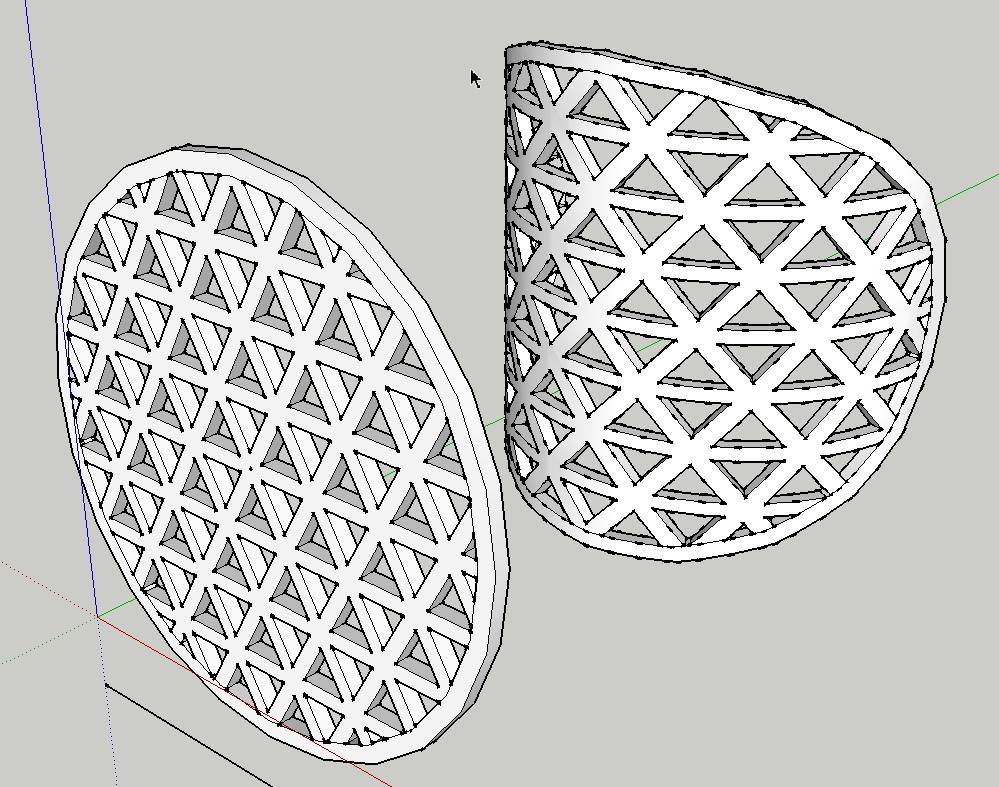

        2012-04-28_145245.jpg

        He who makes no mistakes, makes nothing

        1 條回覆 最後回覆 回覆 引用 0
        • S 離線
          SUFractal
          最後由 編輯

          @charly2008 said:

          TIG, you have once again created a surprising and promising tool. Thank you.

          I'm curious as to how long it took you to create this?

          1 條回覆 最後回覆 回覆 引用 0
          • TIGT 離線
            TIG Moderator
            最後由 編輯

            @sufractal said:

            @charly2008 said:

            TIG, you have once again created a surprising and promising tool. Thank you.

            I'm curious as to how long it took you to create this?
            I reproduced it [badly!]
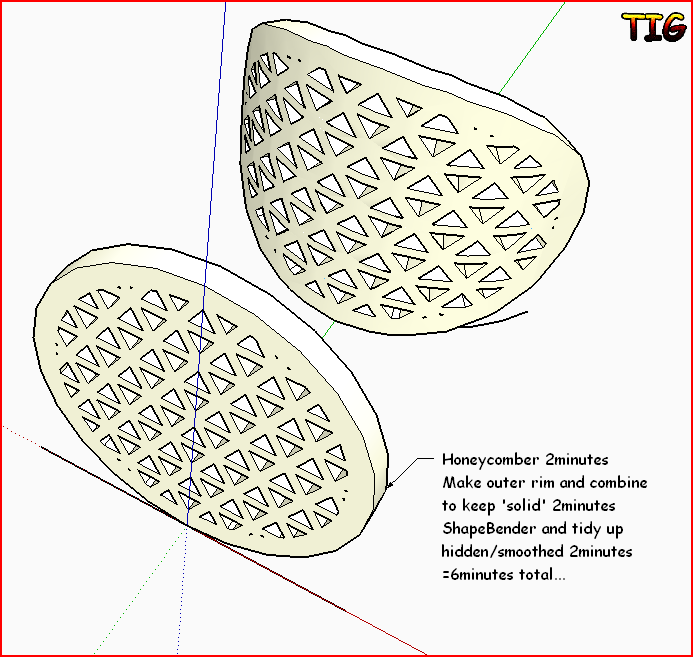

            Capture.PNG

            TIG

            1 條回覆 最後回覆 回覆 引用 0
            • EscapeArtistE 離線
              EscapeArtist
              最後由 編輯

              Just tried the updated version. Very nice, considerably faster!

              1 條回覆 最後回覆 回覆 引用 0
              • T 離線
                thraxx2
                最後由 編輯

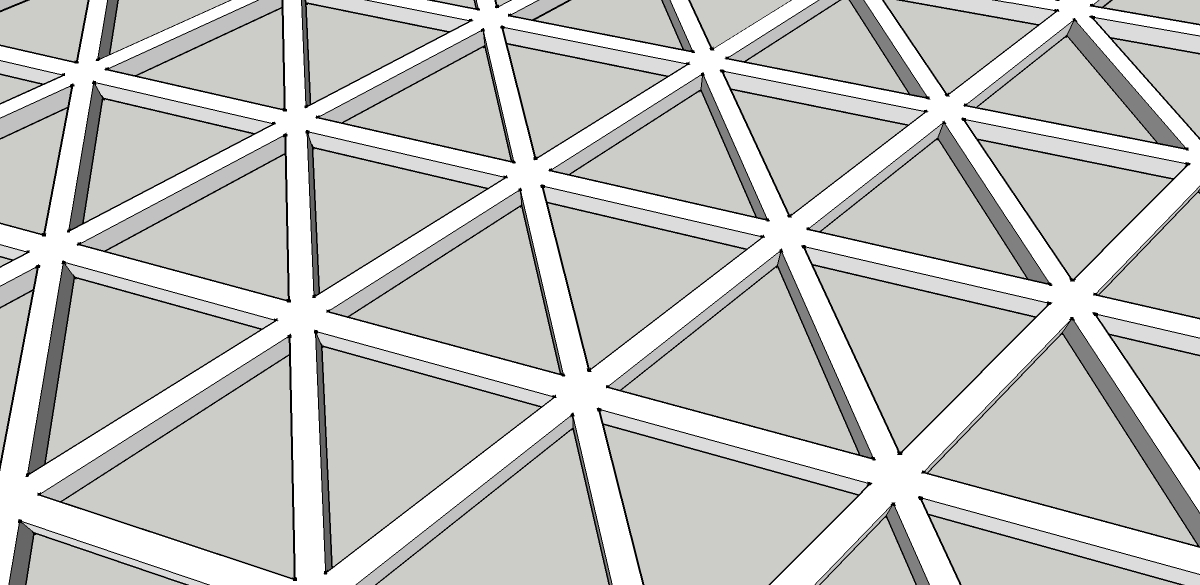
                Hi everyone, i just need a little help here, trying to model up something which I can't. So here it goes:

                1. I used honeyecomber to get the normal triangle tessellation. (first image)
                2. I want to bend it and shape it like this! (second image)

                I have been trying lots of ways i can think of but to no avail. thanks guys!

                Gerald.

                1.jpg


                2.jpg

                1 條回覆 最後回覆 回覆 引用 0
                • JBJDesignsJ 離線
                  JBJDesigns
                  最後由 編輯

                  Hi TIG!

                  What an awesome tool! Unfortunately, I'm stuck with SketchUp8 (free). Is there anyway to make this tool work in the free version. If not, I understand.

                  Thanks for replying!

                  Jo 😄

                  ...you send them to school, you give them books, and they eat the pages...

                  1 條回覆 最後回覆 回覆 引用 0
                  • cottyC 離線
                    cotty
                    最後由 編輯

                    The plugin uses solid functions, which are only available in the PRO version. So I think there will be no (simple and practicable) way for him to change this...

                    my SketchUp gallery

                    1 條回覆 最後回覆 回覆 引用 0
                    • OxerO 離線
                      Oxer
                      最後由 編輯

                      Hi TIG,
                      After much time with the problem on Mac, I can say you the plugin works fine!!
                      Thanks for the update. 👍

                      "The result is the end what is important is the process" by Oxer
                      http://www.oxervision.blogspot.com/

                      1 條回覆 最後回覆 回覆 引用 0
                      • S 離線
                        Skutvik
                        最後由 編輯

                        Hi TIG,

                        is there any way not pro users can get this pluggin?

                        1 條回覆 最後回覆 回覆 引用 0
                        • S 離線
                          slave
                          最後由 編輯

                          Hi,

                          any updates to get this plugin to work with SU2017?

                          Regards
                          Slave

                          1 條回覆 最後回覆 回覆 引用 0
                          • TIGT 離線
                            TIG Moderator
                            最後由 編輯

                            Version 2017 has wrecked many plugins, it handles group referencing / exploding etc differently !
                            Bad news here with the 'shell' option...

                            I'll have a look at recoding parts of it, when I can - it should be fixable, but I am busy...

                            TIG

                            1 條回覆 最後回覆 回覆 引用 0
                            • TIGT 離線
                              TIG Moderator
                              最後由 編輯

                              Here's version 2.0
                              http://sketchucation.com/forums/viewtopic.php?p=395061#p395061
                              Please [re]read the notes which have changed slightly...
                              It should now work with all versions of SketchUp >=v8 - please remember this is a PRO only tool !
                              It is also 'signed' for full compatibility with the newer versions of SketchUp under all of their loading policies...

                              Then get/install the latest RBZ from the PluginStore using the 'download' link button...https://sketchucation.com/pluginstore?pln=TIG_HoneycomberOr use the ExtensionStore³ dialog to auto-install it for you...

                              TIG

                              1 條回覆 最後回覆 回覆 引用 0
                              • H 離線
                                harlour
                                最後由 編輯

                                Hello TIG,

                                Trying to use the plugin in SKP2018/mac. Placing the least possible parameters but the plugin doesn't work. I stays frozen in TIG::Honecomber:Parameters and I get the wheel of death like forever...

                                Any idea?

                                1 條回覆 最後回覆 回覆 引用 0
                                • Dave RD 離線
                                  Dave R
                                  最後由 編輯

                                  I just tested it in SU2019 and it works as expected. Perhaps if you share your model we can give you some help to tell you what the problem is. You could also try it with a very simple shape and see if you get a different result.


                                  Etaoin Shrdlu

                                  %

                                  (THERE'S NO PLACE LIKE)

                                  G28 X0.0 Y0.0 Z0.0

                                  M30

                                  %

                                  1 條回覆 最後回覆 回覆 引用 0
                                  • 1
                                  • 2
                                  • 3
                                  • 4
                                  • 5
                                  • 5 / 5
                                  • 第一個貼文
                                    最後的貼文
                                  Buy SketchPlus
                                  Buy SUbD
                                  Buy WrapR
                                  Buy eBook
                                  Buy Modelur
                                  Buy Vertex Tools
                                  Buy SketchCuisine
                                  Buy FormFonts

                                  Advertisement