sketchucation logo sketchucation
    • 登入
    Oops, your profile's looking a bit empty! To help us tailor your experience, please fill in key details like your SketchUp version, skill level, operating system, and more. Update and save your info on your profile page today!
    🔌 Smart Spline | Fluid way to handle splines for furniture design and complex structures. Download

    [Plugin]Hole on Solid tool v1.6.3 upadate Jan 09, 2012

    已排程 已置頂 已鎖定 已移動 Plugins
    134 貼文 43 Posters 88.3k 瀏覽 43 Watching
    正在載入更多貼文
    • 從舊到新
    • 從新到舊
    • 最多點贊
    回覆
    • 在新貼文中回覆
    登入後回覆
    此主題已被刪除。只有擁有主題管理權限的使用者可以查看。
    • R 離線
      RichardCherry
      最後由 編輯

      Absolutely superb!
      The update is excellent, thank you 😄

      1 條回覆 最後回覆 回覆 引用 0
      • bmikeB 離線
        bmike
        最後由 編輯

        will try it out after the update!

        mike beganyi design + consulting llc

        1 條回覆 最後回覆 回覆 引用 0
        • simon le bonS 離線
          simon le bon
          最後由 編輯

          Dear tak2hata,

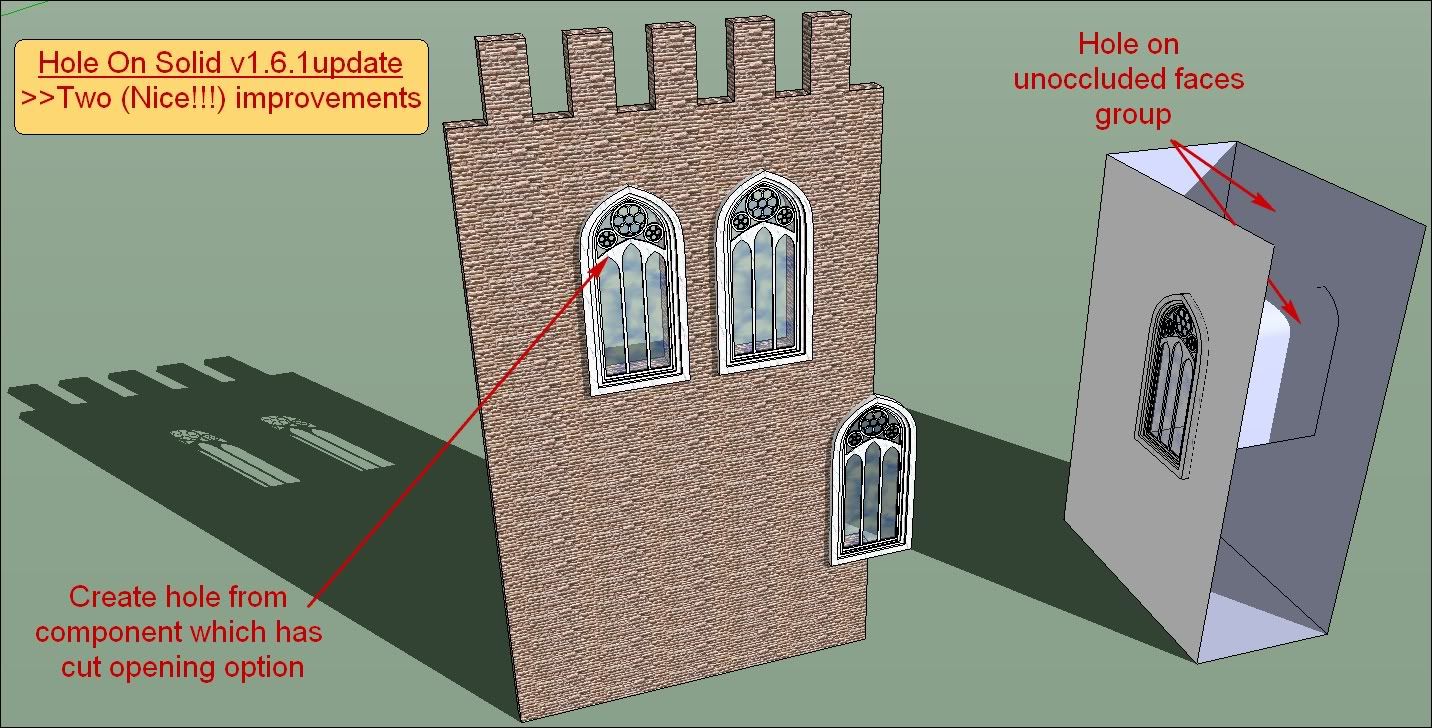
          veryyy nice upgrade indeed!! 👍 👍 😄

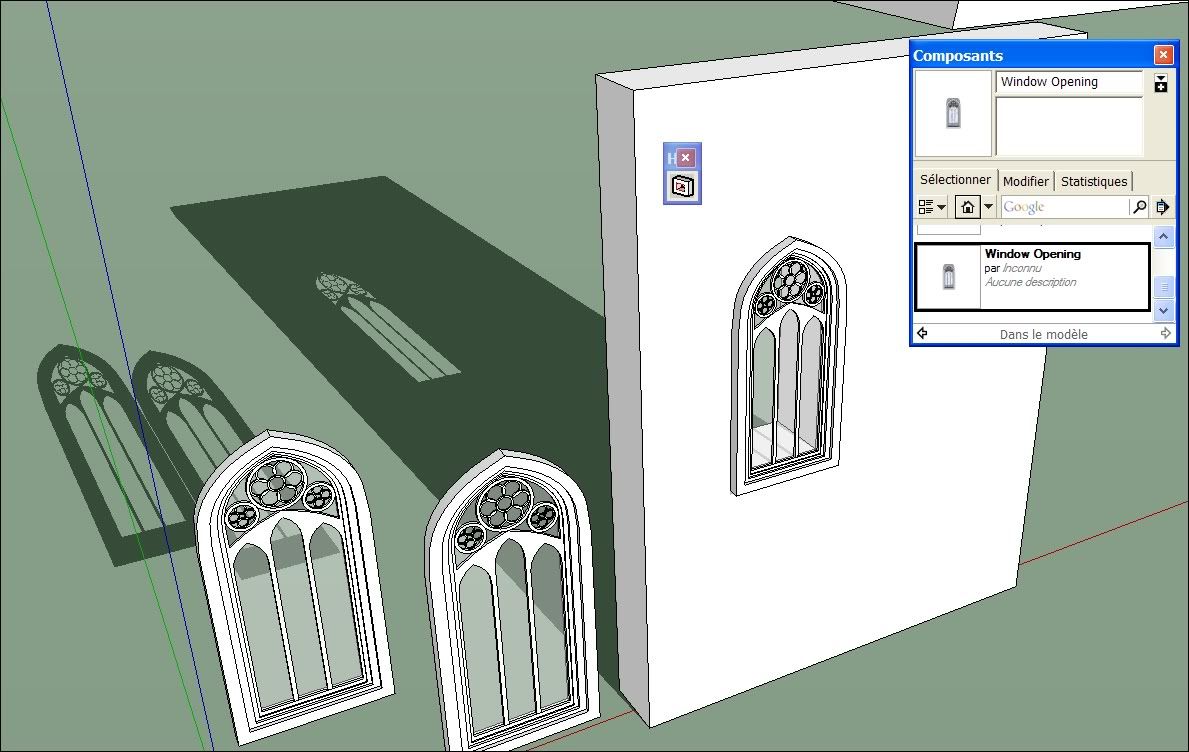
          (model Fancy arched window by loverevolutionary on 3D Warehouse)
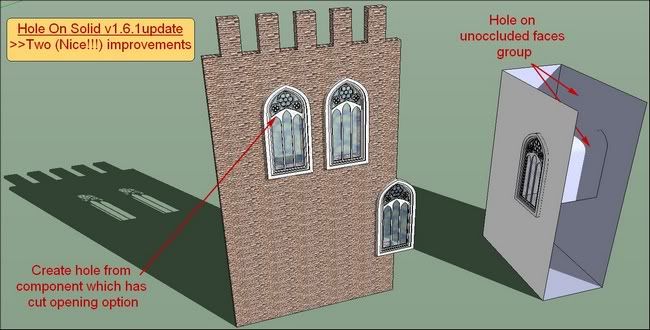
          http://i274.photobucket.com/albums/jj245/Spendauballet/SketchUp/thHoleonSolidtool_tak2hata_002.jpg

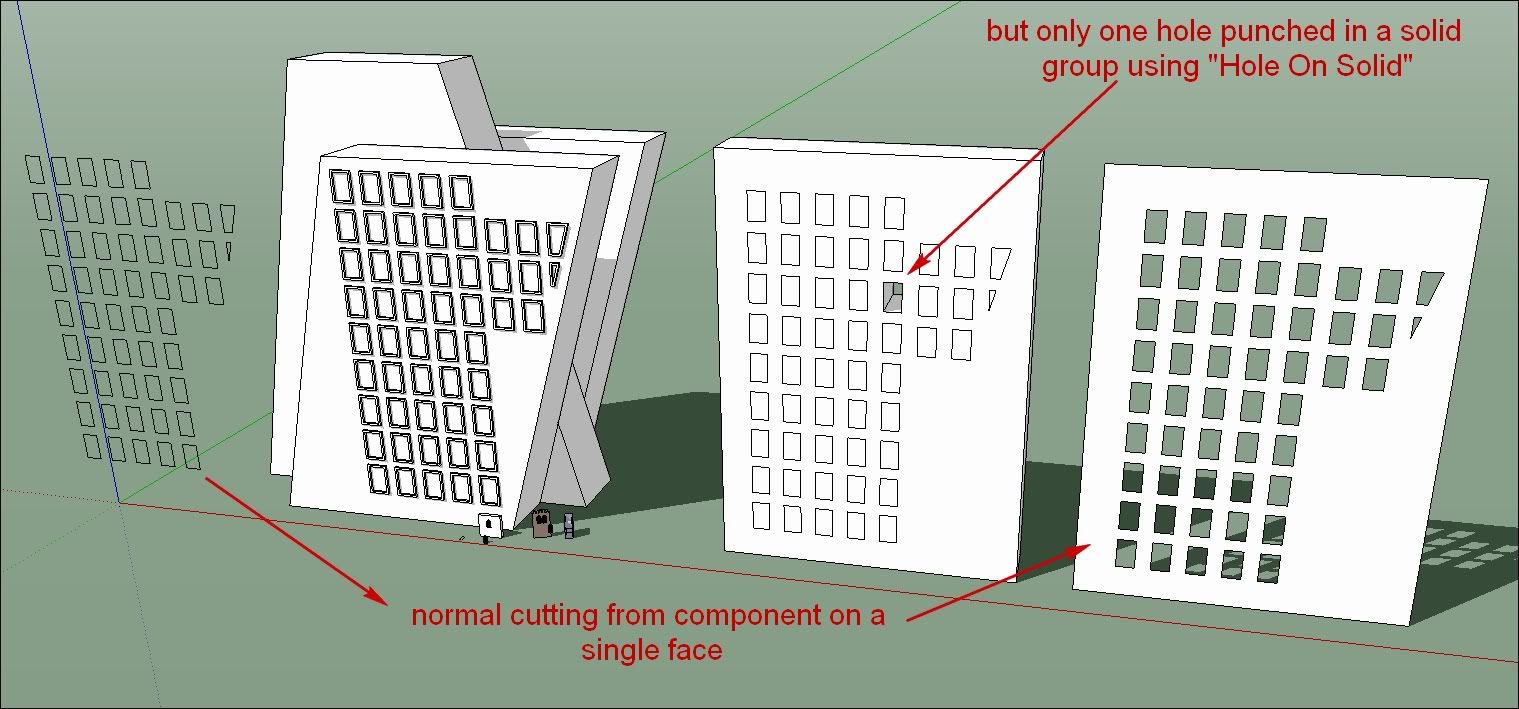
          Would you please tak2hata not give up in such a good path: It remains a major limitation.
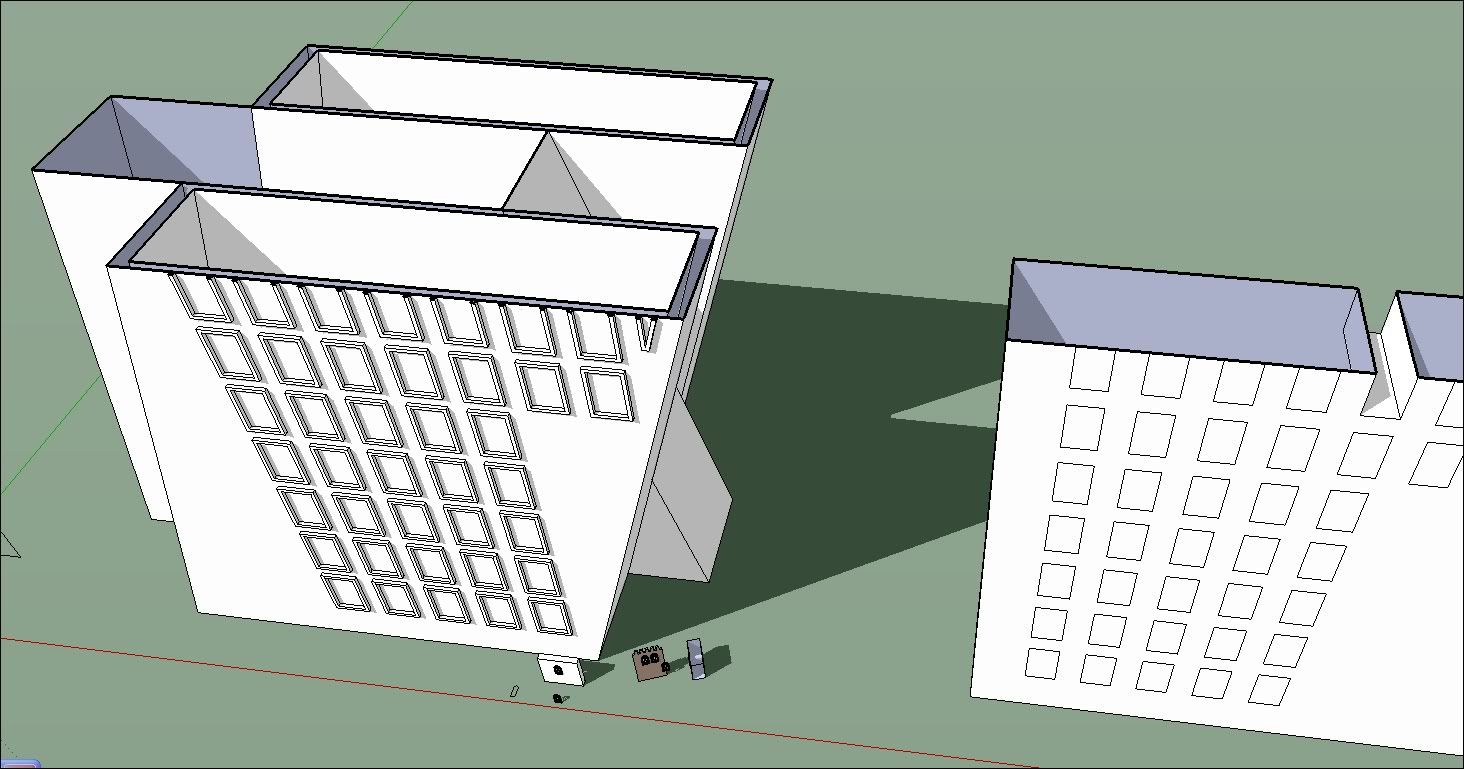
          It would be very interesting to drill holes by lot in case of large number of windows for exemple...
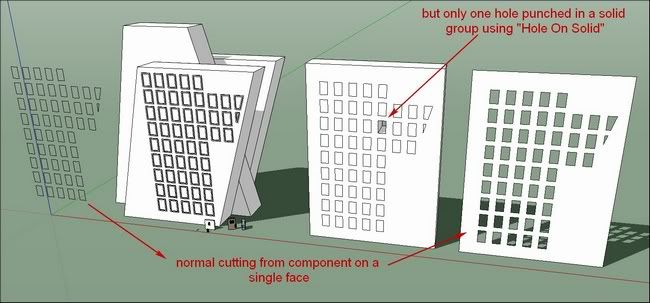
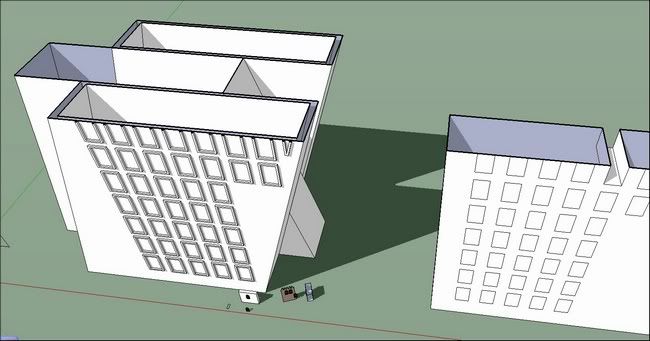
          http://i274.photobucket.com/albums/jj245/Spendauballet/SketchUp/thHoleonSolidtool_tak2hata_003.jpg


          http://i274.photobucket.com/albums/jj245/Spendauballet/SketchUp/thHoleonSolidtool_tak2hata_004.jpg


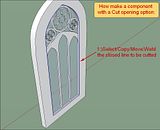
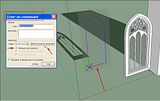
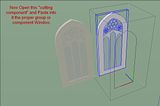
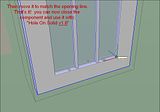
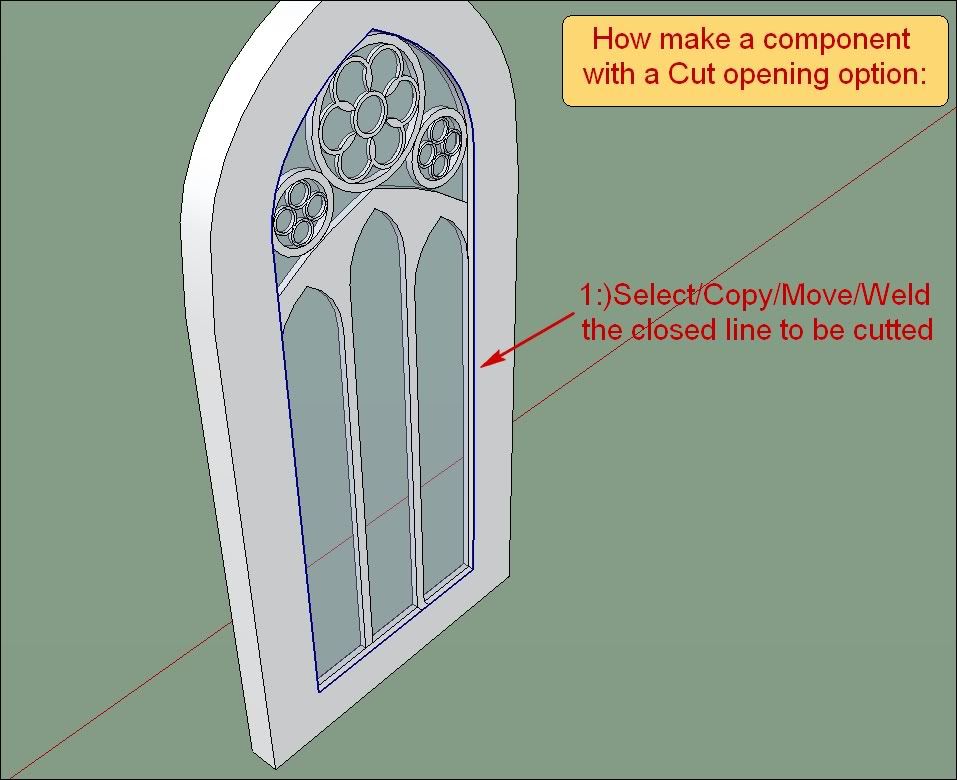
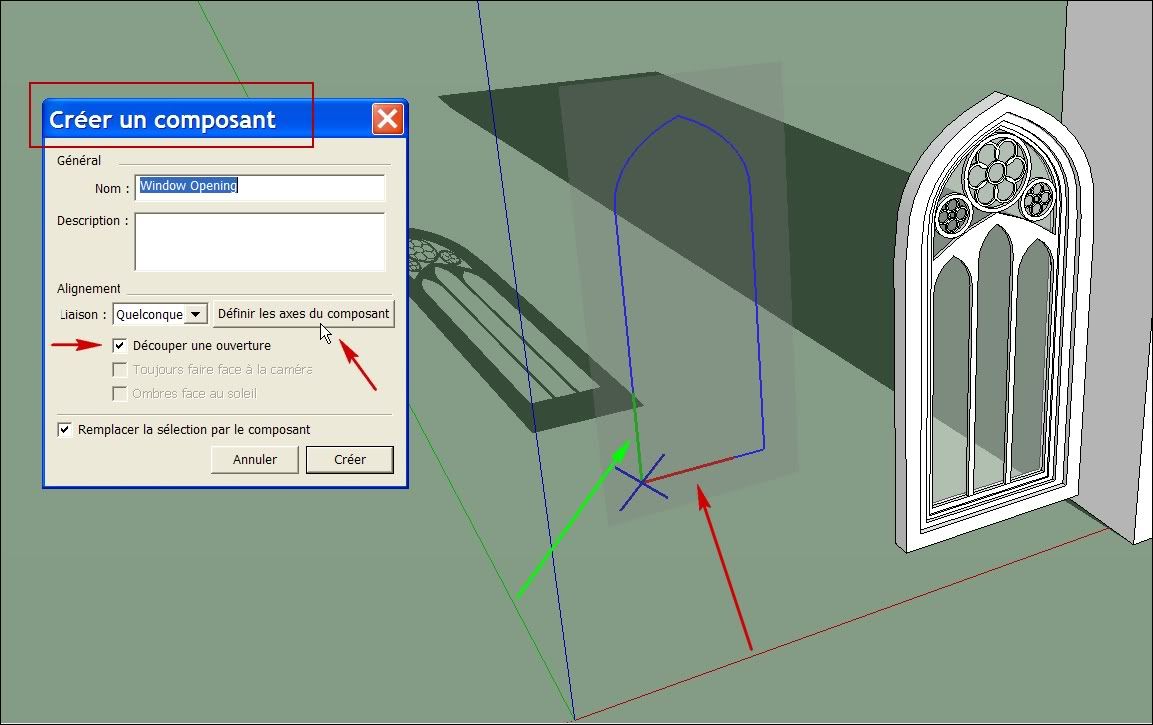
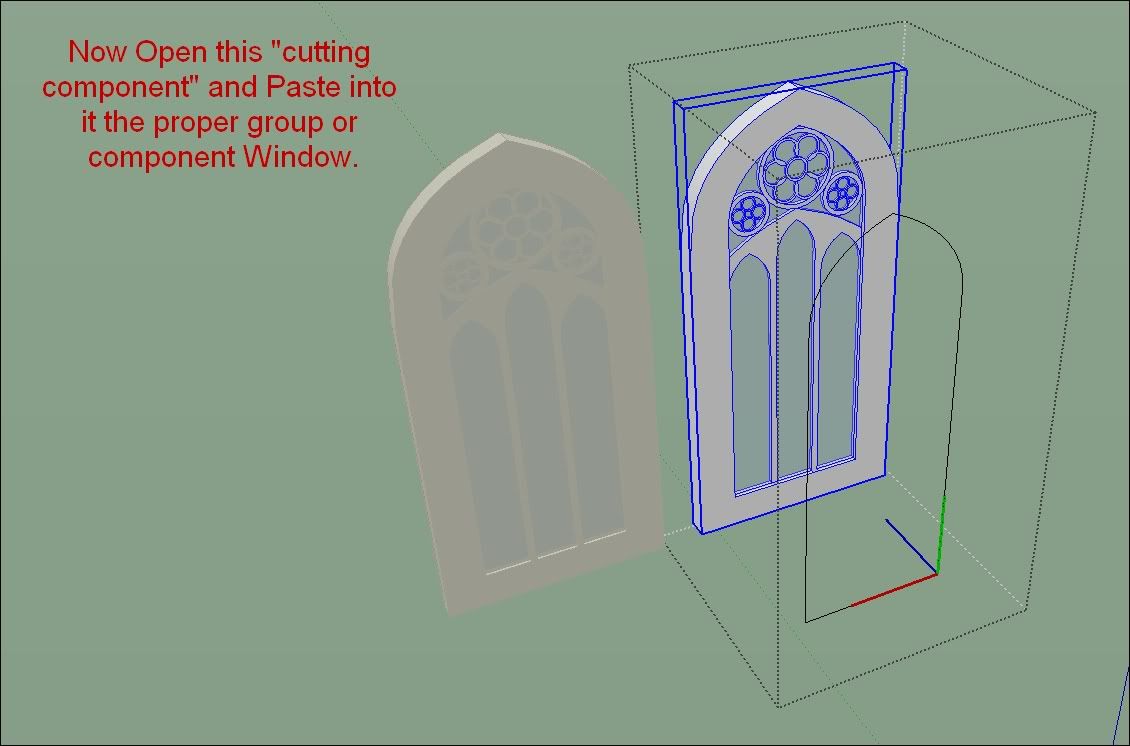
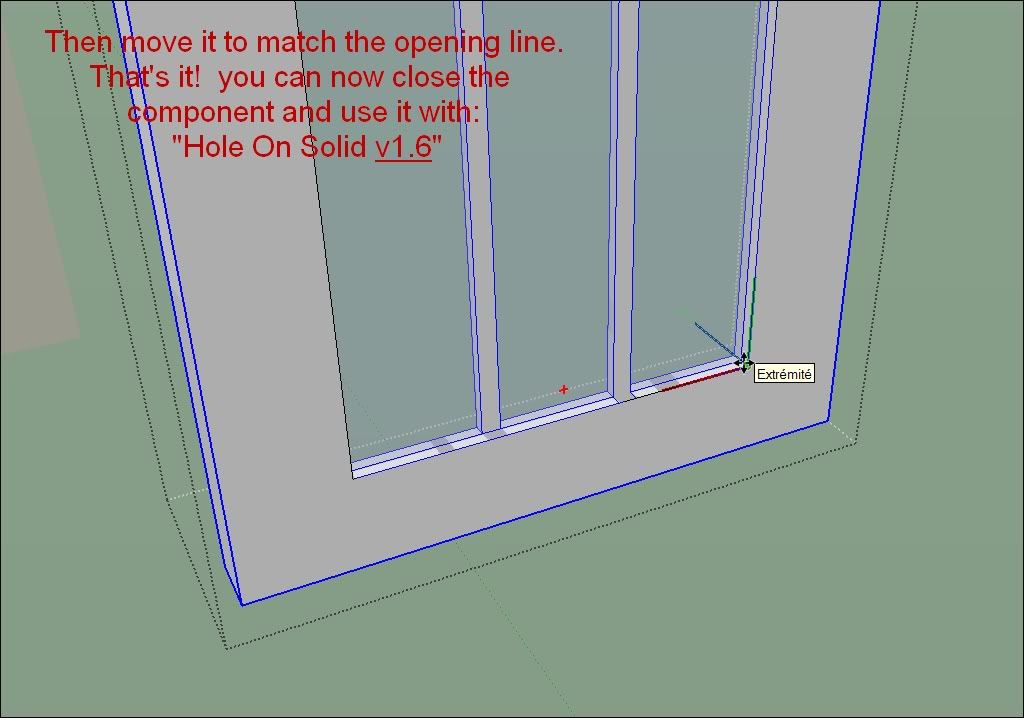
          A little reminder on how make a Component with a cutting option:
          (I have myself to revisit the process each time 😕 )


          http://i274.photobucket.com/albums/jj245/Spendauballet/SketchUp/th_HoleonSolidtool_tak2hata_005.jpg

          http://i274.photobucket.com/albums/jj245/Spendauballet/SketchUp/th_HoleonSolidtool_tak2hata_006.jpg


          http://i274.photobucket.com/albums/jj245/Spendauballet/SketchUp/th_HoleonSolidtool_tak2hata_007.jpg

          http://i274.photobucket.com/albums/jj245/Spendauballet/SketchUp/th_HoleonSolidtool_tak2hata_008.jpg


          http://i274.photobucket.com/albums/jj245/Spendauballet/SketchUp/th_HoleonSolidtool_tak2hata_009.jpg

          Cheers,

          simon

          1 條回覆 最後回覆 回覆 引用 0
          • T 離線
            tak2hata
            最後由 編輯

            Hi,Simon.
            Thanks your opinion.
            I will add function multi hole.
            You give me nice idea and description picture.
            And the funcy window is very nice.
            Thanks.


            by TAK2HATA

            1 條回覆 最後回覆 回覆 引用 0
            • S 離線
              sicd_steve
              最後由 編輯

              It won't work on Snow Leopard 10.6.8 I can't get it to work on a Mac?

              I have done everything ?

              1 條回覆 最後回覆 回覆 引用 0
              • J 離線
                jorge2011
                最後由 編輯

                tak2hata hello. Thank you very much for this excellent plugin.
                Just a suggestion,
                Is possible to add an option (for example by pressing the alt key) for projecting the selected faces over the group or component?

                1 條回覆 最後回覆 回覆 引用 0
                • Dave RD 離線
                  Dave R
                  最後由 編輯

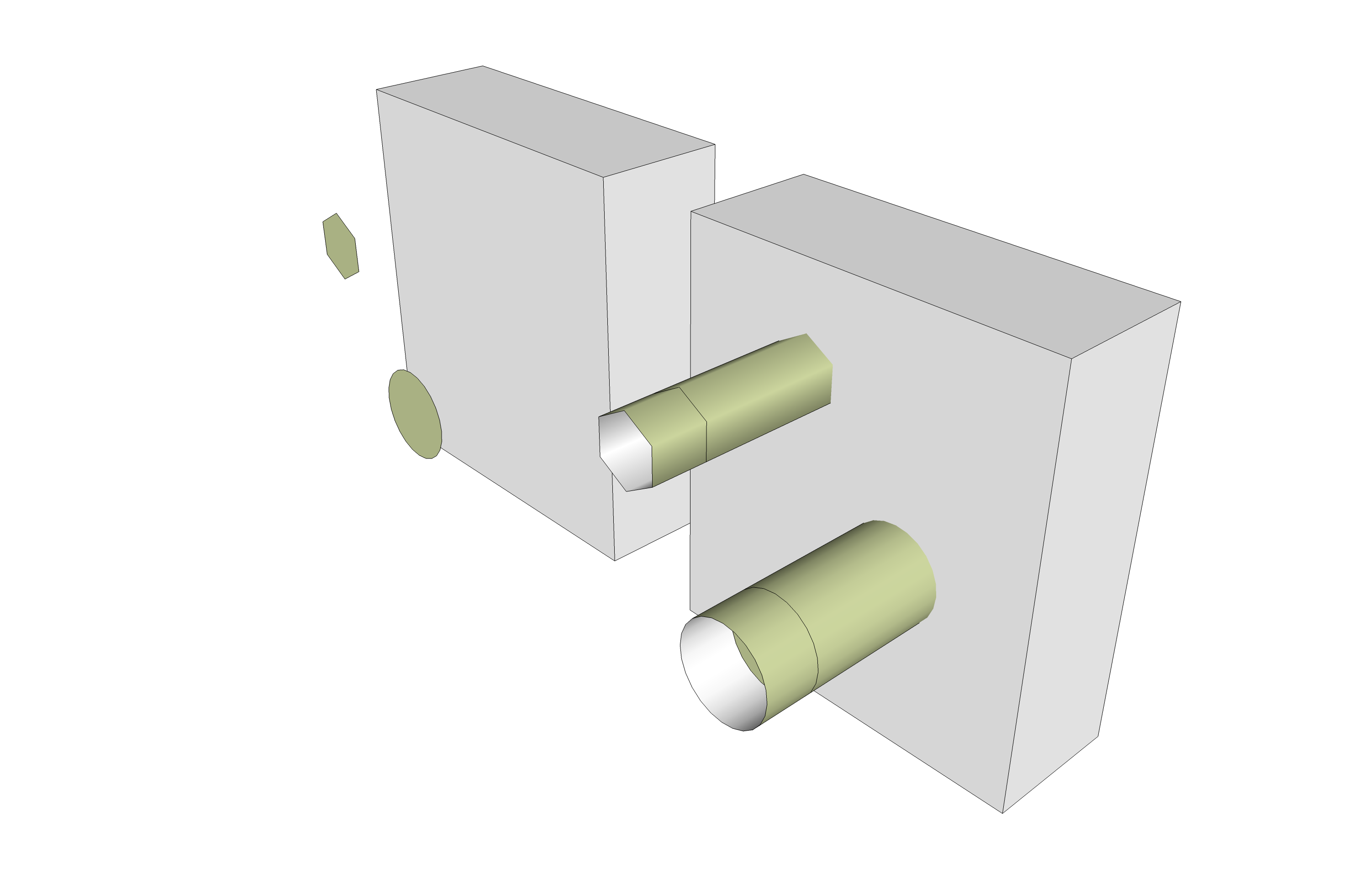
                  It does something on my Mac with 10.6.8. It's not what I expected. Hmmm
                  Holes.png

                  Etaoin Shrdlu

                  %

                  (THERE'S NO PLACE LIKE)

                  G28 X0.0 Y0.0 Z0.0

                  M30

                  %

                  1 條回覆 最後回覆 回覆 引用 0
                  • T 離線
                    tak2hata
                    最後由 編輯

                    Hi,sicd_steve ,Dave.

                    I will test the problem on mac later in few days.

                    Please wait.


                    by TAK2HATA

                    1 條回覆 最後回覆 回覆 引用 0
                    • D 離線
                      driven
                      最後由 編輯

                      Hi it's working, with and without other plugins enabled on 10.5.8.

                      I do get
                      WARNING: make_unique is a deprecated methodof Sketchup:Group nil WARNING: make_unique is a deprecated methodof Sketchup:Group
                      but it functions.

                      so any one on Lion who is up for a simple test can.
                      in 'Ruby Console' enter
                      Sketchup.plugins_disabled = **true**
                      then quit and restart, you will now not have a plugins menu,
                      so open Ruby Console again and type or copy/paste
                      load '/Library/Application Support/Google SketchUp 8/SketchUp/plugins/create_hole_on_solid.rb'
                      modify if your path is different

                      Retest the plugin... then into RC again
                      Sketchup.plugins_disabled = **false**
                      to turn back on all your plugins next startup.

                      john

                      learn from the mistakes of others, you may not live long enough to make them all yourself...

                      1 條回覆 最後回覆 回覆 引用 0
                      • T 離線
                        tak2hata
                        最後由 編輯

                        Hi,
                        I test this plugin on mac os 10.6.8 and sketchup v8 free.
                        It work well.
                        So I need to know what is caused for this problem.
                        Please show the ruby console message as Driven says.
                        I will guess from that message.

                        Thanks.


                        by TAK2HATA

                        1 條回覆 最後回覆 回覆 引用 0
                        • Dave RD 離線
                          Dave R
                          最後由 編輯

                          Here you go.

                          @unknownuser said:

                          nil
                          WARNING: make_unique is a deprecated methodof Sketchup:Group
                          Error: #<TypeError: Cannot convert argument to Sketchup::Entities>
                          /Library/Application Support/Google SketchUp 8/SketchUp/Plugins/create_hole_on_solid.rb:306:in intersect_with' /Library/Application Support/Google SketchUp 8/SketchUp/Plugins/create_hole_on_solid.rb:306:in subtract_form'
                          /Library/Application Support/Google SketchUp 8/SketchUp/Plugins/create_hole_on_solid.rb:139:in subtract_form_MS' /Library/Application Support/Google SketchUp 8/SketchUp/Plugins/create_hole_on_solid.rb:131:in subtract_start'
                          /Library/Application Support/Google SketchUp 8/SketchUp/Plugins/create_hole_on_solid.rb:440:in increment_state' /Library/Application Support/Google SketchUp 8/SketchUp/Plugins/create_hole_on_solid.rb:470:in onLButtonDown'

                          Etaoin Shrdlu

                          %

                          (THERE'S NO PLACE LIKE)

                          G28 X0.0 Y0.0 Z0.0

                          M30

                          %

                          1 條回覆 最後回覆 回覆 引用 0
                          • T 離線
                            tak2hata
                            最後由 編輯

                            Hi,Dave:
                            I update this plugin.
                            This will work.
                            Sorry this problem was happened in windows os ,too. but It was corrected.
                            Please try it.

                            Thanks.


                            by TAK2HATA

                            1 條回覆 最後回覆 回覆 引用 0
                            • Dave RD 離線
                              Dave R
                              最後由 編輯

                              Excellent! It work well now. Thank you.

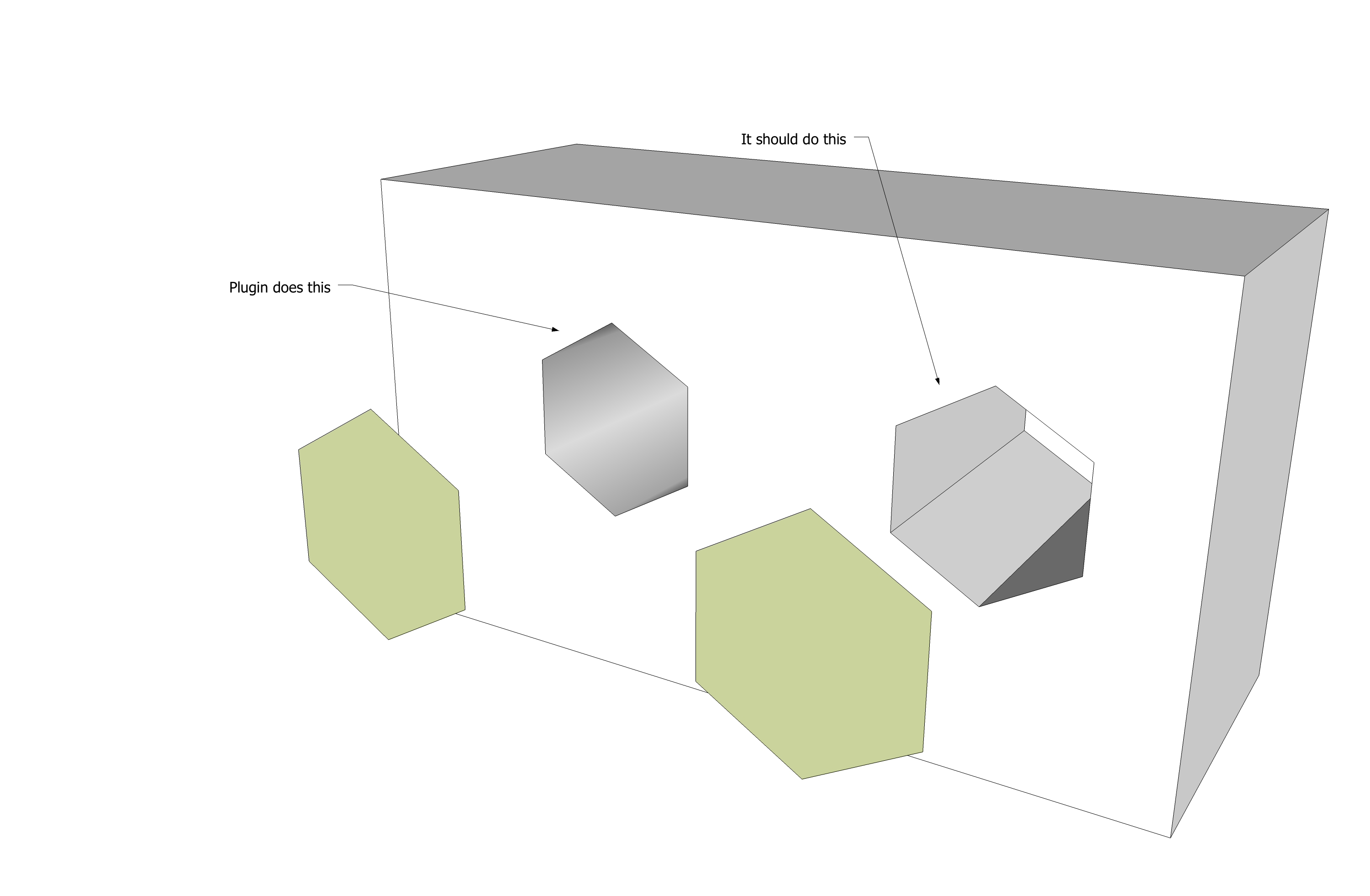
                              May I make a request? I know you changed the script so that when a circle is punch through, the edges on the sides of the hole are soften. That's the way I think it should work but... For polygons, could you make it so that the edges are not softened?

                              Holes.png

                              Etaoin Shrdlu

                              %

                              (THERE'S NO PLACE LIKE)

                              G28 X0.0 Y0.0 Z0.0

                              M30

                              %

                              1 條回覆 最後回覆 回覆 引用 0
                              • S 離線
                                samatall
                                最後由 編輯

                                Hi tak2hata,
                                I tried it in SU 8. I did a simple wall and a circle face in front of it. Then I applied this plugin. It only duplicated the circle (but grouped). I tried using window components on it. It also made a intersection profiled face on the wall. I have no idea how to figure out this. Can anyone help?

                                1 條回覆 最後回覆 回覆 引用 0
                                • Dave RD 離線
                                  Dave R
                                  最後由 編輯

                                  Post the example SKP file so it can be examined.

                                  Etaoin Shrdlu

                                  %

                                  (THERE'S NO PLACE LIKE)

                                  G28 X0.0 Y0.0 Z0.0

                                  M30

                                  %

                                  1 條回覆 最後回覆 回覆 引用 0
                                  • S 離線
                                    samatall
                                    最後由 編輯

                                    Dave, Attached is the model to explain it. Thanksexample001.skp

                                    1 條回覆 最後回覆 回覆 引用 0
                                    • Dave RD 離線
                                      Dave R
                                      最後由 編輯

                                      I opened the wall group and deleted the copy of the circle. Then I closed the group. I selected the tool, the wall and then the circle. Hole punched just fine. Do you have the most recent version of the plugin?


                                      example001.skp

                                      Etaoin Shrdlu

                                      %

                                      (THERE'S NO PLACE LIKE)

                                      G28 X0.0 Y0.0 Z0.0

                                      M30

                                      %

                                      1 條回覆 最後回覆 回覆 引用 0
                                      • E 離線
                                        Enachi
                                        最後由 編輯

                                        For some reason this plugin is not working with my SU v8. I've installed latest version of bst and hos 1.6.1. Even so, when I activate the plugin, then the tool and then I go for the wall, this is simple selected in blue color (not orange as I've seen on tutorial) and doesn't let me to select the circle, that would make the hole.
                                        Any suggestion?
                                        Thank you.

                                        1 條回覆 最後回覆 回覆 引用 0
                                        • T 離線
                                          tak2hata
                                          最後由 編輯

                                          @unknownuser said:

                                          For some reason this plugin is not working with my SU v8. I've installed latest version of bst and hos 1.6.1. Even so, when I activate the plugin, then the tool and then I go for the wall, this is simple selected in blue color (not orange as I've seen on tutorial) and doesn't let me to select the circle, that would make the hole.
                                          Any suggestion?
                                          Thank you.

                                          Hi,enachi.
                                          The face and solid must be in same Group or Component or Model.
                                          It is rule of this plugin.

                                          If this is not solution for your trouble,Please show ruby console from 'menu' -> 'Window' -> 'Ruby console'
                                          And work some with this plugin,the error message will show when error is happened.

                                          or Download the example.skp that Dave R uploaded in this topics.and test it.

                                          Please reply the result.

                                          Thanks.


                                          by TAK2HATA

                                          1 條回覆 最後回覆 回覆 引用 0
                                          • E 離線
                                            Enachi
                                            最後由 編輯

                                            Tnx tak2hata , it is working fine now. My mistake was that I had both of the items, the wall and the circle made as components, not only the wall, in my case.


                                            1 條回覆 最後回覆 回覆 引用 0
                                            • 1
                                            • 2
                                            • 3
                                            • 4
                                            • 5
                                            • 6
                                            • 7
                                            • 5 / 7
                                            • 第一個貼文
                                              最後的貼文
                                            Buy SketchPlus
                                            Buy SUbD
                                            Buy WrapR
                                            Buy eBook
                                            Buy Modelur
                                            Buy Vertex Tools
                                            Buy SketchCuisine
                                            Buy FormFonts

                                            Advertisement