Shortcut key for explode?
-
I'd like to set up a short key, E, for "explode." Cant find explode in the command list. Anyone?
-
Select something that can be 'Exploded' - i.e. a Group or a Component-Instance - check the option appears in the context-menu.
Then leaving it selected... activate Window > Preferences > Shortcuts, and Filter for 'Explode'...
Click it.
Make a Shortcut for it.
If you want to 'Explode' a Curve [or an Image] select one and then set another shortcut key-combo for that too.
Tip: DON'T use a plain 'X' UNLESS you instinctively make Move/Rotate Array-Copies using 10x or 10 or 10 - because pressing X10 will look for eXplode and confuse you !!
I use Shift+X for eXplode, and Shift+Alt+X for eXplode-curve [and for the rarer Explode-Image I use the context-menu]...
The 'E' is pre-assigned to the Erase Tool - so perhaps assigning Shift+E for Explode would be better ??? -
I use Mac OS X and can't assign a Shortcut to Explode.
I select a group and go to Preferences and Assign a Shortcut but it doesn't work.
If I click right button I can see Explode option and it works.
-
On a MAC some key presses and/or combos are preserved for system use.
Try another key ?? -
I tried a lot of keys, but nothing to do.
Could someone use Mac give me an advice, please?
-
What keys are failing ?
On a MAC you can't combine them with some 'modifier' keys... which are system-reserved...You need to give us some clues as otherwise we are guessing.
-
Thank you.
I tried all single key and all shift or control combinations, but they don't work.
Do you have a Mac or a friend with a Mac? -
@scozzarella said:
I tried all single key and all shift or control combinations, but they don't work.
You aren't pressing Enter after typing the key stroke you want to set are you?
-
@dave r said:
@scozzarella said:
I tried all single key and all shift or control combinations, but they don't work.
You aren't pressing Enter after typing the key stroke you want to set are you?
No, I don't press Enter. From the Keyboard I hit a key and then close the window.
-
it's a windowless command. Are you sure you use Sketchup?
-
-
What window do you close? There are no windows accomponing explode command
-
Something is buggy with the shortcuts in preferences because I can sometimes search for "explode" and find it and apply a shortcut and then when I restart SU it can't find "explode." Scrolling to Edit/Item/Explode will show up sporadically.
Make sure you click the "+" sign to the right of the shortcut and then click OK.
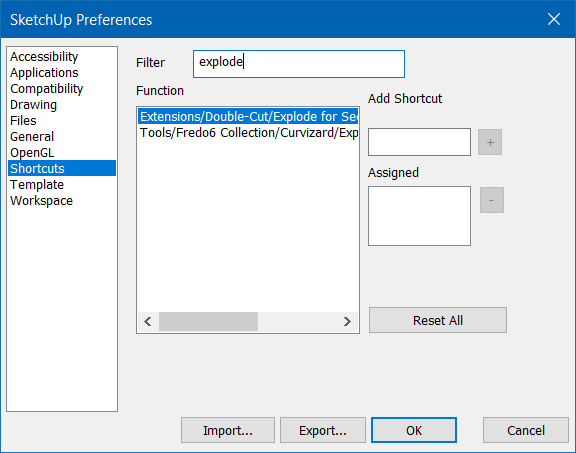
-
As mentioned above You must have something explodable selected for the native explode to appear in the shortcuts.
-
I'll just add this to help people understand that the shortcuts list in preferences is context specific.
You can see when I filter by edit with nothing in the model selected the list is quite short but when I select a simple group the list of possible shortcuts grows considerably.
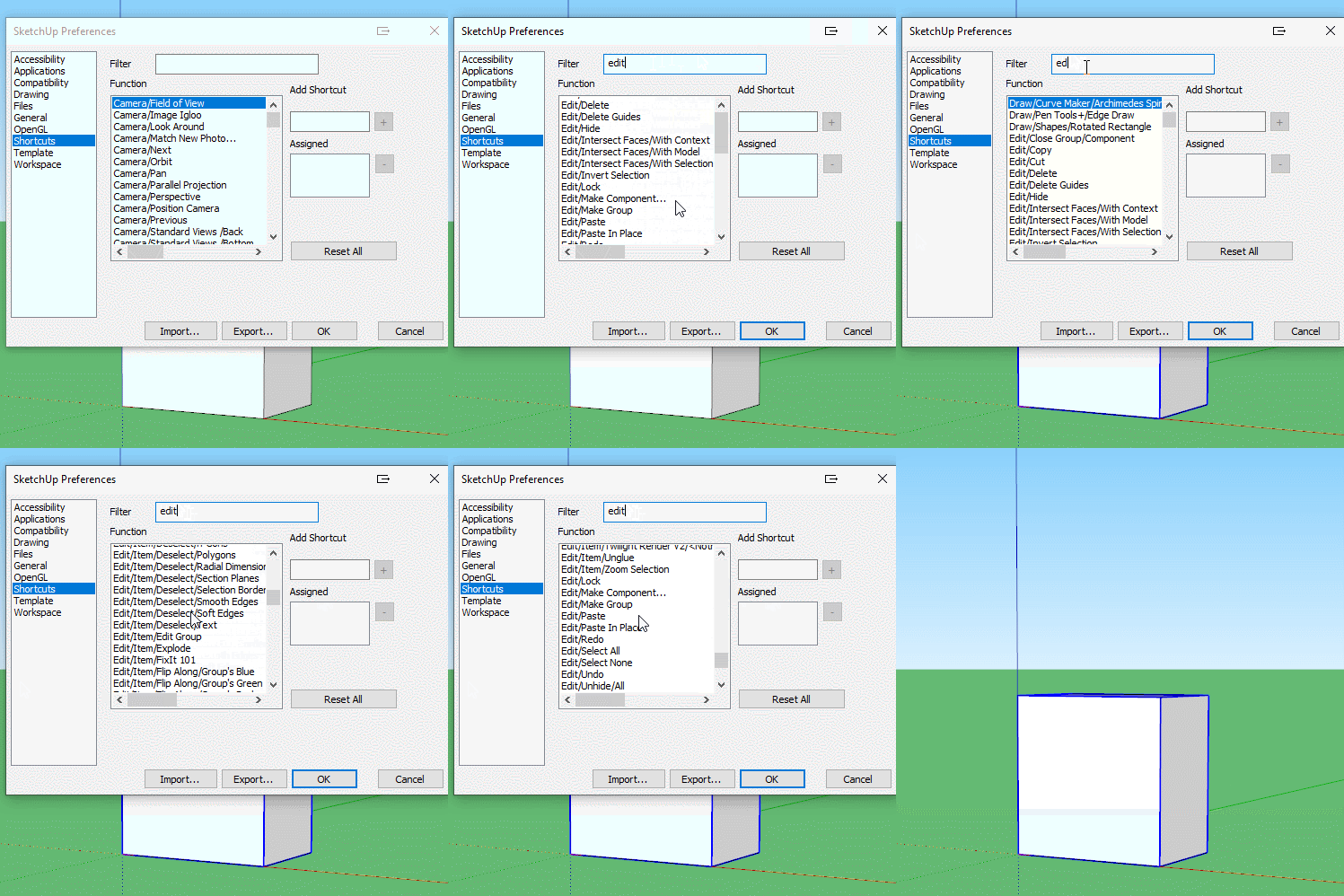
-
@box said:
As mentioned above You must have something explodable selected for the native explode to appear in the shortcuts.
Thank you but I select a group and in the list the explode appears. In Mac version there isn't + button.
When I select the command on the shortcut list and assign a shortcut, then close, the shortcut doesn't work.
-
Sorry, my comments were not really addressed to you Scozzarella, they were more of a general thing because people often get confused by the contextual shortcuts.
Your issue is something else and as I'm not a Mac user I can add nothing more than has already been said. -
What is the shortcut you are trying to assign?
-
-
We're trying to help here. Could you be specific?
Have you actually installed SketchUp or are you running it from the .dmg?




Hello! It looks like you're interested in this conversation, but you don't have an account yet.
Getting fed up of having to scroll through the same posts each visit? When you register for an account, you'll always come back to exactly where you were before, and choose to be notified of new replies (either via email, or push notification). You'll also be able to save bookmarks and upvote posts to show your appreciation to other community members.
With your input, this post could be even better 💗
Register Login


Advertisement