sketchucation logo sketchucation
    • 登入
    Oops, your profile's looking a bit empty! To help us tailor your experience, please fill in key details like your SketchUp version, skill level, operating system, and more. Update and save your info on your profile page today!
    🔌 Smart Spline | Fluid way to handle splines for furniture design and complex structures. Download

    [Plugin] QuadFaceTools

    已排程 已置頂 已鎖定 已移動 Plugins
    673 貼文 116 Posters 544.7k 瀏覽 116 Watching
    正在載入更多貼文
    • 從舊到新
    • 從新到舊
    • 最多點贊
    回覆
    • 在新貼文中回覆
    登入後回覆
    此主題已被刪除。只有擁有主題管理權限的使用者可以查看。
    • OxerO 離線
      Oxer
      最後由 編輯

      Hi, is QuadFaceTools compatible with Sketchup 2018?
      I don't know what plugins are or not compatible with Sketchup 2018, for this reason I will wait to update to SU2018.

      "The result is the end what is important is the process" by Oxer
      http://www.oxervision.blogspot.com/

      1 條回覆 最後回覆 回覆 引用 0
      • HornOxxH 離線
        HornOxx
        最後由 編輯

        @oxer said:

        ...for this reason I will wait to update to SU2018.
        ...nevertheless you could always install any new version in parallel, as long as you didn't make the mistake of deinstalling an existing and running version 😉
        hopefully I'm not wrong - there will be no more SU 2018 Make version (??) - so better keep your SU 2017 Make.

        never trust a skinny cook

        1 條回覆 最後回覆 回覆 引用 0
        • OxerO 離線
          Oxer
          最後由 編輯

          Thanks for the info!!

          "The result is the end what is important is the process" by Oxer
          http://www.oxervision.blogspot.com/

          1 條回覆 最後回覆 回覆 引用 0
          • O 離線
            optimaforever
            最後由 編輯

            Hello Thomas,

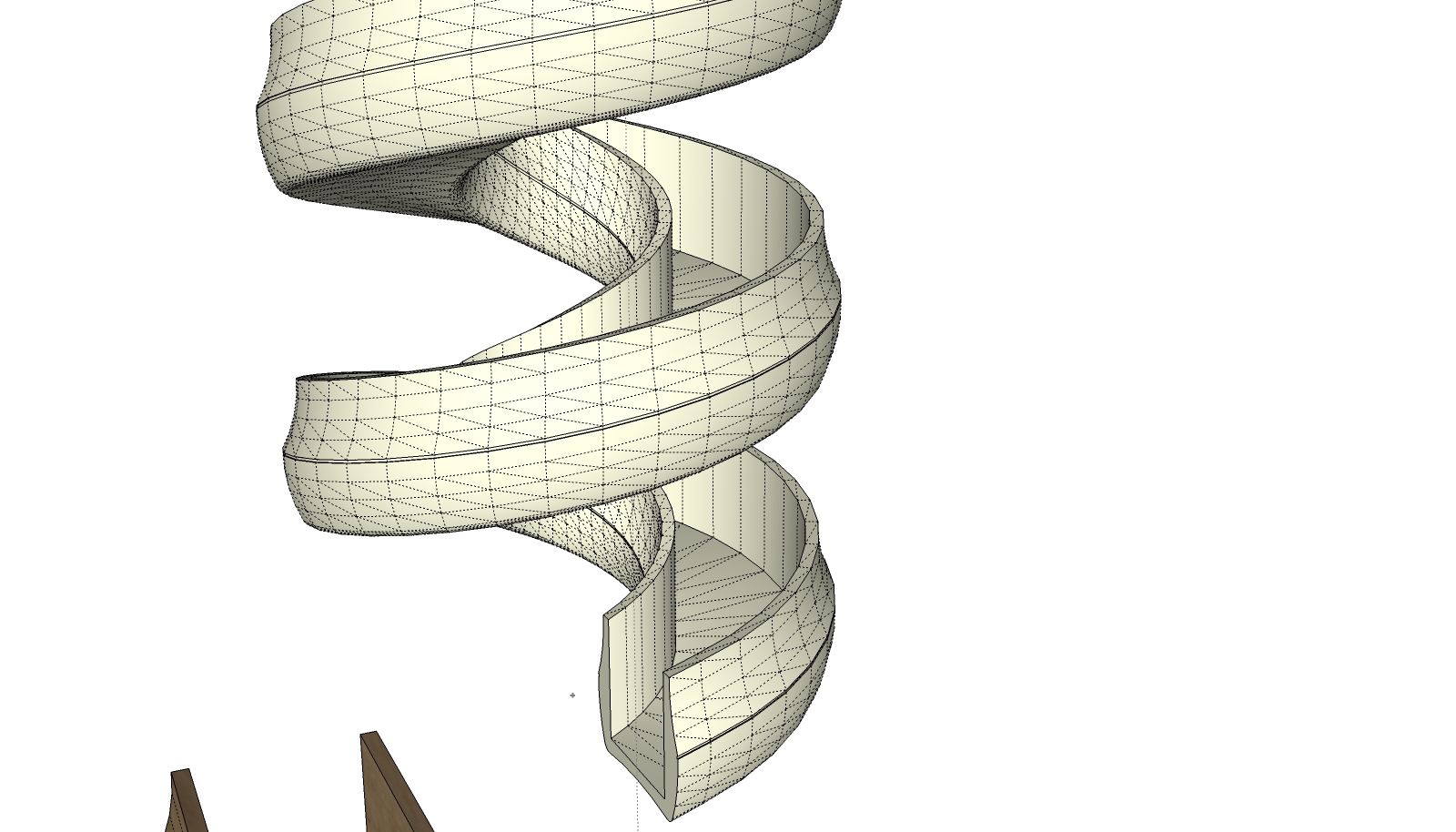
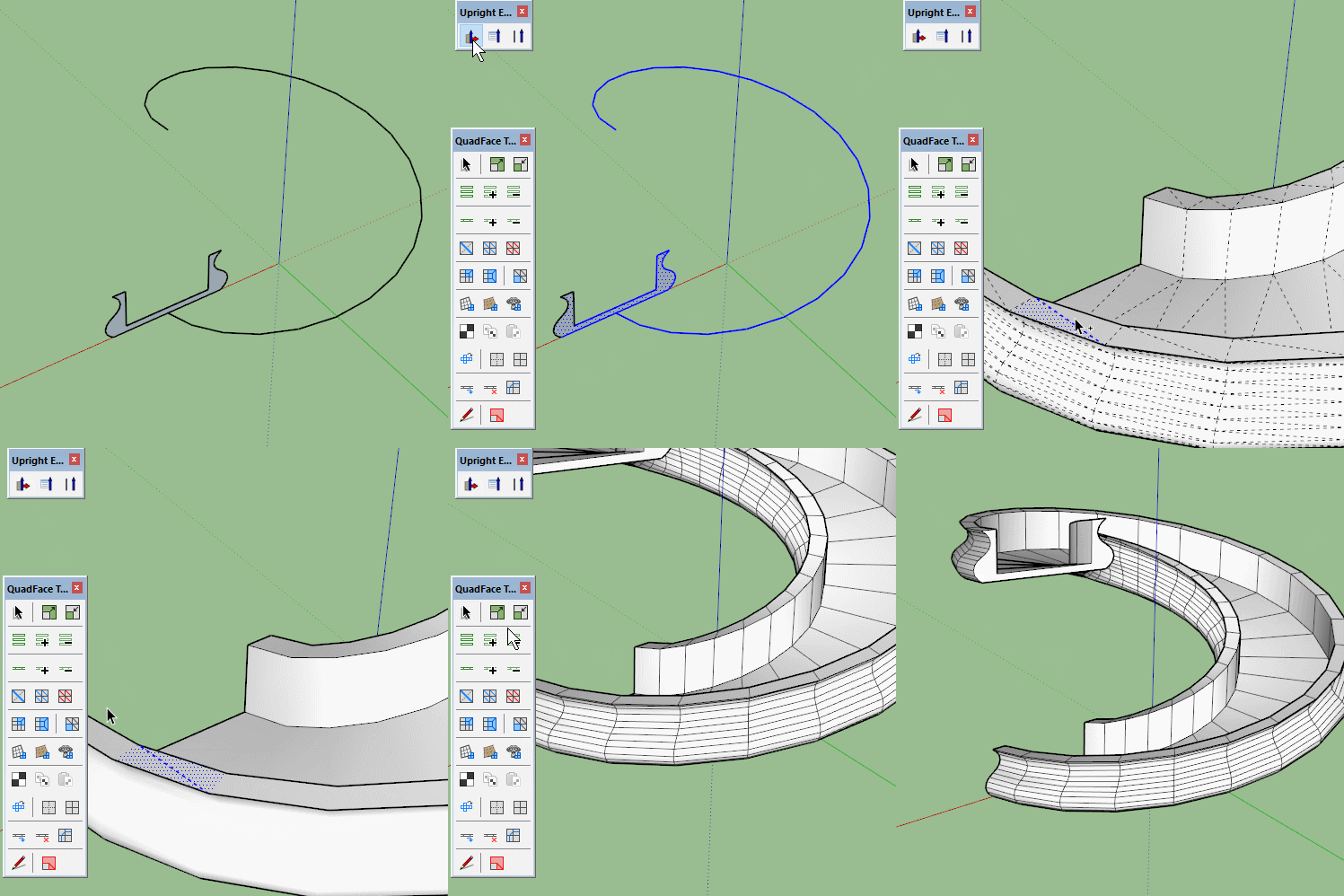
            I can't find a good value for quadding a helix staircase made thanks to Eneroth's Upright extruder.
            Do you know a solution? I tried max angles of 1-10° but this produces awkward triangulated meshes.
            I already asked Julia if she could update her plugin to automatically generate QFT quads but I'm in a hurry (as usual)... 😄

            Thanks in advance,


            upright extruder (eneroth)

            1 條回覆 最後回覆 回覆 引用 0
            • HornOxxH 離線
              HornOxx
              最後由 編輯

              ...even though I can't say anything constructive about your interesting question - this staircase is so amazing! 👍

              never trust a skinny cook

              1 條回覆 最後回覆 回覆 引用 0
              • BoxB 離線
                Box
                最後由 編輯

                Have you tried Convert Triangulated mesh to quads?

                TriToQuad.gif

                1 條回覆 最後回覆 回覆 引用 0
                • HornOxxH 離線
                  HornOxx
                  最後由 編輯

                  👍 😮 that's impressive again Box - how did you get the "triangled mesh to quad's" operation work on the entire model after selecting these few entries only then? I try to reproduce this but unfortunately without success so far

                  never trust a skinny cook

                  1 條回覆 最後回覆 回覆 引用 0
                  • O 離線
                    optimaforever
                    最後由 編輯

                    @box said:

                    That is how it works, you need to only select to faces and an edge then hit the button and wait. It should work through all connected faces. Look in the bottom left corner and watch it do its job. How long depends on your pc and the complexity of the model.

                    ahah I didn’t know that. I was wondering how the script worked but your explanation makes sense, thanks!

                    What max angle value do you use?

                    1 條回覆 最後回覆 回覆 引用 0
                    • BoxB 離線
                      Box
                      最後由 編輯

                      That is how it works, you need to only select two faces and an edge then hit the button and wait. It should work through all connected faces. Look in the bottom left corner and watch it do its job. How long depends on your pc and the complexity of the model.

                      1 條回覆 最後回覆 回覆 引用 0
                      • O 離線
                        optimaforever
                        最後由 編輯

                        Jeez I can't get it to work right...
                        Is there a trick? I always end up with some diamond shapes instead of rectangles... even though my geometry is perfectly rational...
                        I tried the one diagonal edge + 2 adjacent triangles selection technique (once on the border, next in the middle, then on the upperface) but without luck.

                        Is there a video explaining how the make quad function works?

                        1 條回覆 最後回覆 回覆 引用 0
                        • HornOxxH 離線
                          HornOxx
                          最後由 編輯

                          @optimaforever said:

                          Jeez I can't get it to work right...

                          First - thank you Box for demonstrating this Quad Face Tool feature - I've never understood how it works so far 😳 ( just like some other buttons here as well 😳 😳 )
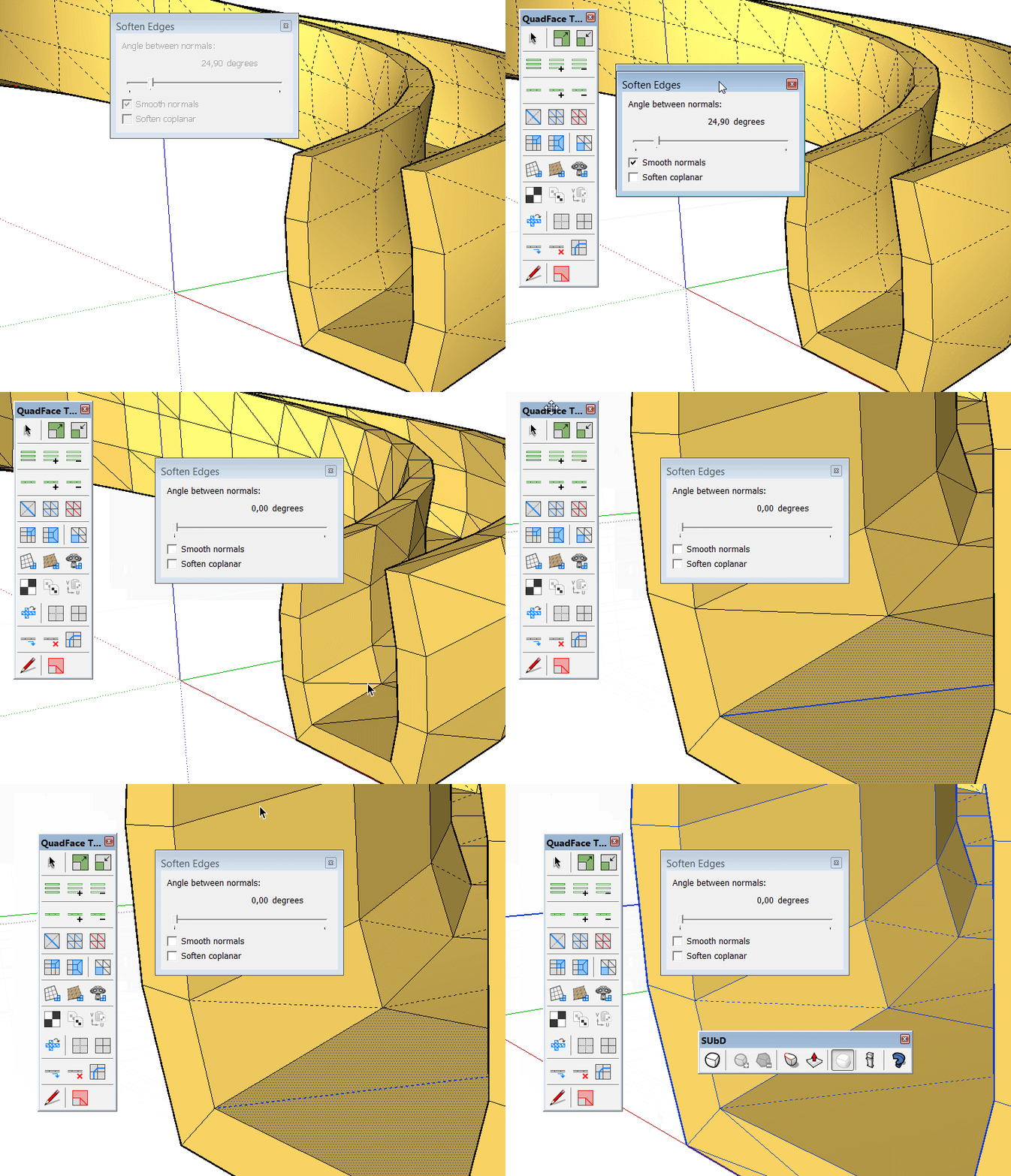
                          @ Optimaforever - Like you, I couldn't get it to work. But now I've found a way to do it too - with one more simple step than in Box´s demonstration. Before I use QFT like Box did, I unsmoothed the entire geometry first. This worked !! 😄 so please give this way a try as well ...
                          ( not a video though but my very first GIF here 😉 )


                          TriToQuad Test Gif

                          never trust a skinny cook

                          1 條回覆 最後回覆 回覆 引用 0
                          • O 離線
                            optimaforever
                            最後由 編輯

                            Ok I've found the problem.
                            I was using "convert wireframes to quads" instead of "convert triangulated mesh to quads"

                            Jeeez... doh!

                            1 條回覆 最後回覆 回覆 引用 0
                            • gudio83G 離線
                              gudio83
                              最後由 編輯

                              Hi everybody,
                              is anyone else who have a problem with importing .obj files?
                              When I convert .obj to skp with simlab composer, this take me a seconds. When I try with SU (Quad FaceTools) take me over 30min. I've tried on my laptop too, but the same result. Is it normal?

                              1 條回覆 最後回覆 回覆 引用 0
                              • pilouP 離線
                                pilou
                                最後由 編輯

                                Have you tried with an another OBJ Importer like the Tig One ?

                                And there is not native Import OBJ file with the SU Pro version ?
                                Can you post your OBJ file ?

                                Frenchy Pilou
                                Is beautiful that please without concept!
                                My Little site :)

                                1 條回覆 最後回覆 回覆 引用 0
                                • gudio83G 離線
                                  gudio83
                                  最後由 編輯

                                  @pilou said:

                                  Have you tried with an another OBJ Importer like the Tig One ?

                                  And there is not native Import OBJ file with the SU Pro version ?
                                  Can you post your OBJ file ?

                                  No, I've never tried Tig One, but will try.
                                  I have the same problem with all obj files. I've downloaded a lot of models, created on max or cinema4d and i've tried to convert them directly in sketchup, but its very slow.

                                  1 條回覆 最後回覆 回覆 引用 0
                                  • HieruH 離線
                                    Hieru
                                    最後由 編輯

                                    @hornoxx said:

                                    Like you, I couldn't get it to work. But now I've found a way to do it too - with one more simple step than in Box´s demonstration. Before I use QFT like Box did, I unsmoothed the entire geometry first. This worked !! 😄 so please give this way a try as well ...
                                    ( not a video though but my very first GIF here 😉 )

                                    Isn't that just softening the triangulation? Box's demo seems to be removing the triangulation altogether and that's certainly something I can't replicate.

                                    www.davidhier.co.uk

                                    1 條回覆 最後回覆 回覆 引用 0
                                    • gudio83G 離線
                                      gudio83
                                      最後由 編輯

                                      @hieru said:

                                      @hornoxx said:

                                      Like you, I couldn't get it to work. But now I've found a way to do it too - with one more simple step than in Box´s demonstration. Before I use QFT like Box did, I unsmoothed the entire geometry first. This worked !! 😄 so please give this way a try as well ...
                                      ( not a video though but my very first GIF here 😉 )

                                      Isn't that just softening the triangulation? Box's demo seems to be removing the triangulation altogether and that's certainly something I can't replicate.

                                      How and where you unsmooth the geometry, when the problem its loading model?
                                      With simlab composer its easy, but out of sketchup

                                      1 條回覆 最後回覆 回覆 引用 0
                                      • HornOxxH 離線
                                        HornOxx
                                        最後由 編輯

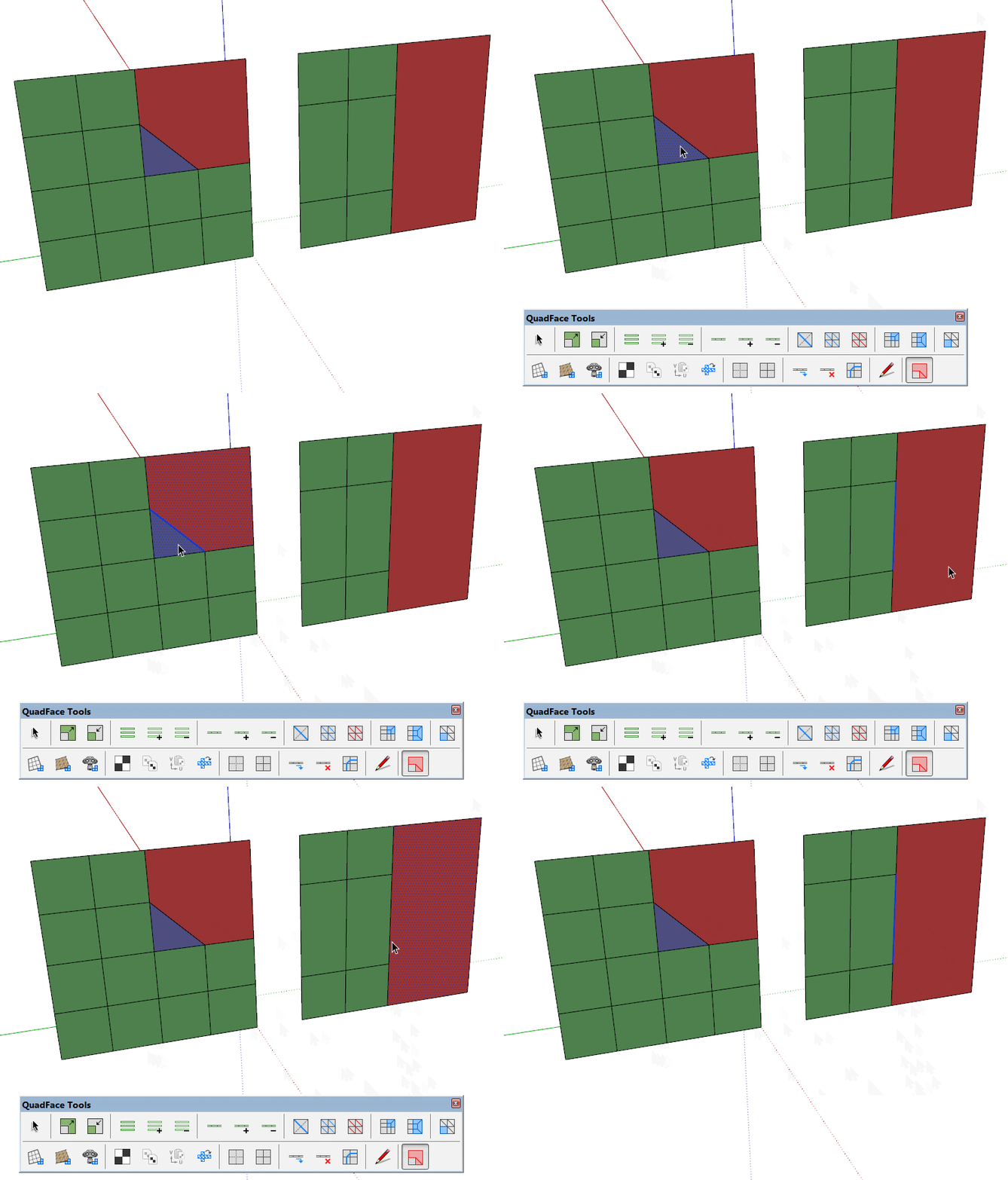
                                        Hi All - I can't get the two functions Build Corners and Build Ends to run.
                                        Hopefully someone can tell me what I'm doing wrong ❓ 😕 Thanks!


                                        cklick to run GIF

                                        never trust a skinny cook

                                        1 條回覆 最後回覆 回覆 引用 0
                                        • pilouP 離線
                                          pilou
                                          最後由 編輯

                                          Works for me! 😄
                                          in any orientations of the "plane"! (your is vertical) mine horizontal 😄

                                          Post your file! (V6) for a more large audience! 😉
                                          I suspect some overlaped lines or hidden lines trimed or not or...
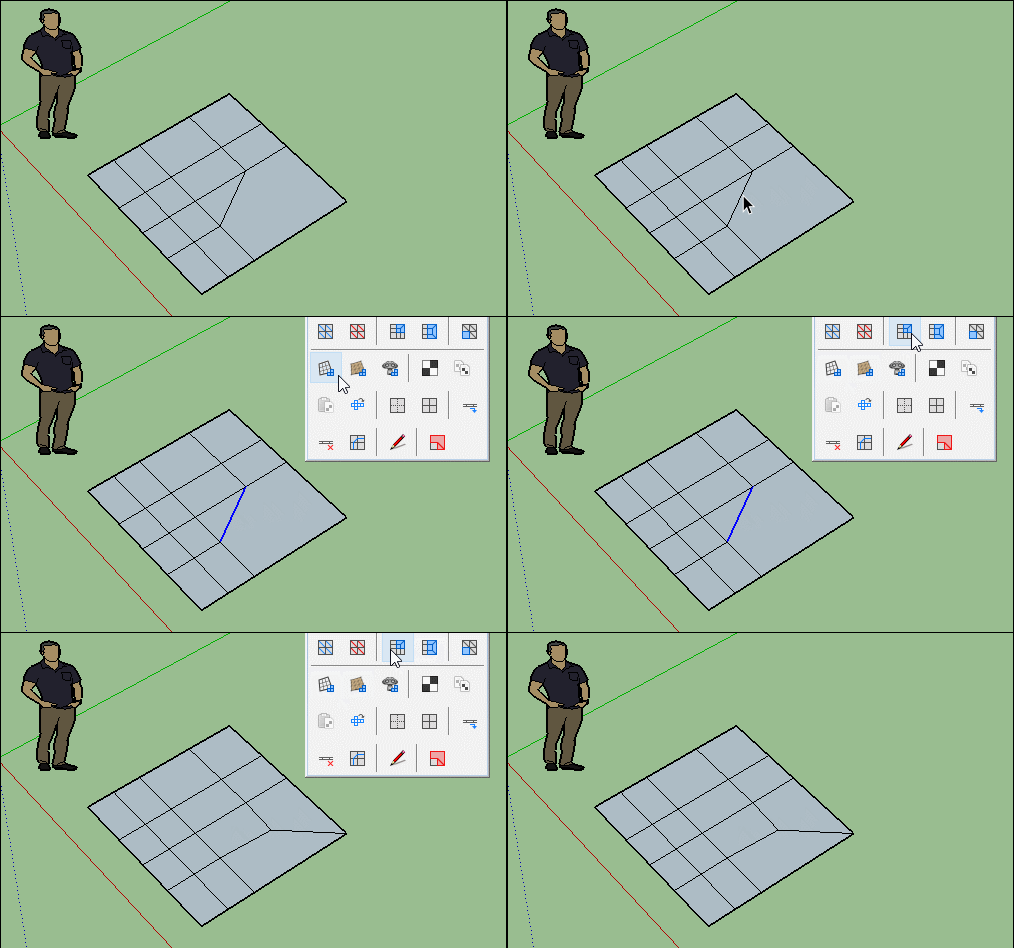
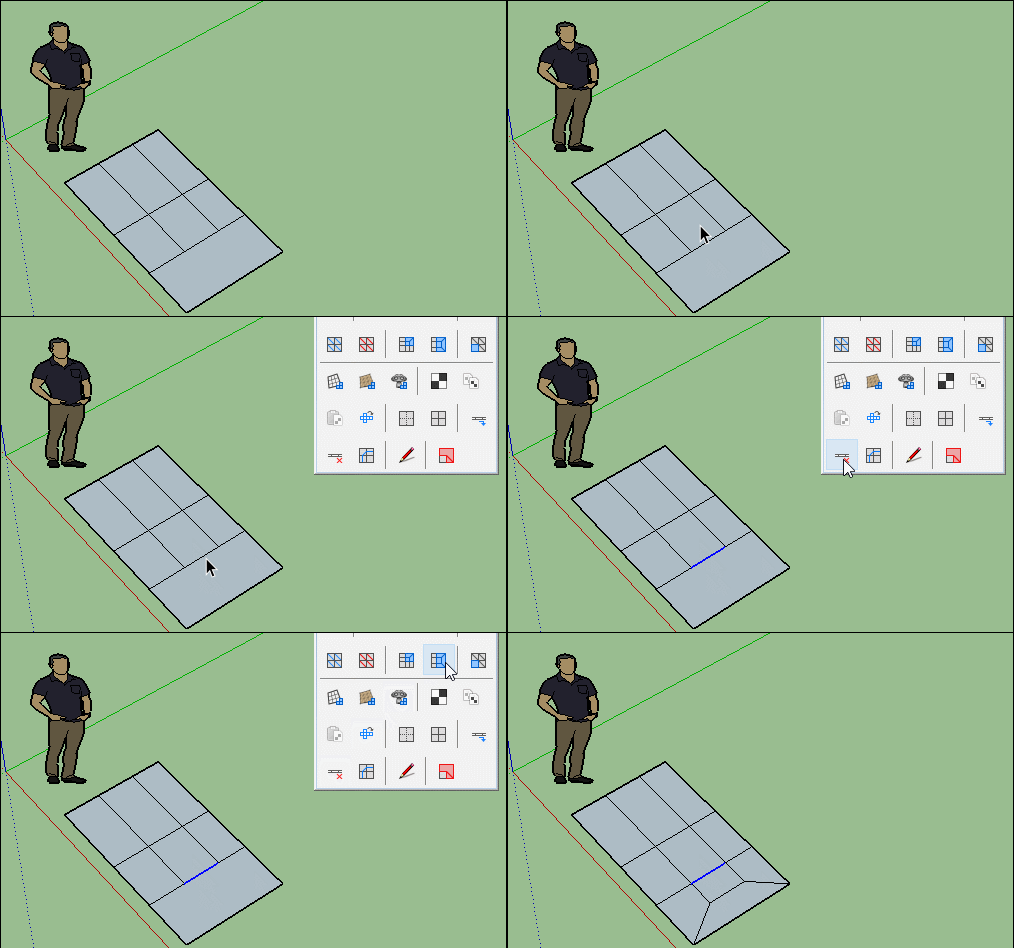
                                          GIF_corner.gif

                                          GIF_corner2.gif

                                          Frenchy Pilou
                                          Is beautiful that please without concept!
                                          My Little site :)

                                          1 條回覆 最後回覆 回覆 引用 0
                                          • HornOxxH 離線
                                            HornOxx
                                            最後由 編輯

                                            thanks Pilou - it´s running like yours on my SkUp 2016 Pro (in the company) but sadly not on my private SkUp 2015, 2016 or 2017 Make which is my Quad-SubD-things computer 😕 ...

                                            never trust a skinny cook

                                            1 條回覆 最後回覆 回覆 引用 0
                                            • 1
                                            • 2
                                            • 7
                                            • 8
                                            • 9
                                            • 10
                                            • 11
                                            • 33
                                            • 34
                                            • 9 / 34
                                            • 第一個貼文
                                              最後的貼文
                                            Buy SketchPlus
                                            Buy SUbD
                                            Buy WrapR
                                            Buy eBook
                                            Buy Modelur
                                            Buy Vertex Tools
                                            Buy SketchCuisine
                                            Buy FormFonts

                                            Advertisement