sketchucation logo sketchucation
    • Login
    Oops, your profile's looking a bit empty! To help us tailor your experience, please fill in key details like your SketchUp version, skill level, operating system, and more. Update and save your info on your profile page today!
    Sketchucation Tools 5.0.7 | Licensing improvements and bug fixes Learn More

    [Plugin] Drop Vertices

    Scheduled Pinned Locked Moved Plugins
    54 Posts 18 Posters 151.6k Views 18 Watching
    Loading More Posts
    • Oldest to Newest
    • Newest to Oldest
    • Most Votes
    Reply
    • Reply as topic
    Log in to reply
    This topic has been deleted. Only users with topic management privileges can see it.
    • Rich O BrienR Offline
      Rich O Brien Moderator
      last edited by

      Don't forget my NURBS plugin that's fairly stable. Just too powerful for mere mortals.

      Download the free D'oh Book for SketchUp πŸ“–

      1 Reply Last reply Reply Quote 0
      • P Offline
        peter_shaw
        last edited by

        great plugin, used it to fix a f-ed up model

        1 Reply Last reply Reply Quote 0
        • C Offline
          cotty
          last edited by

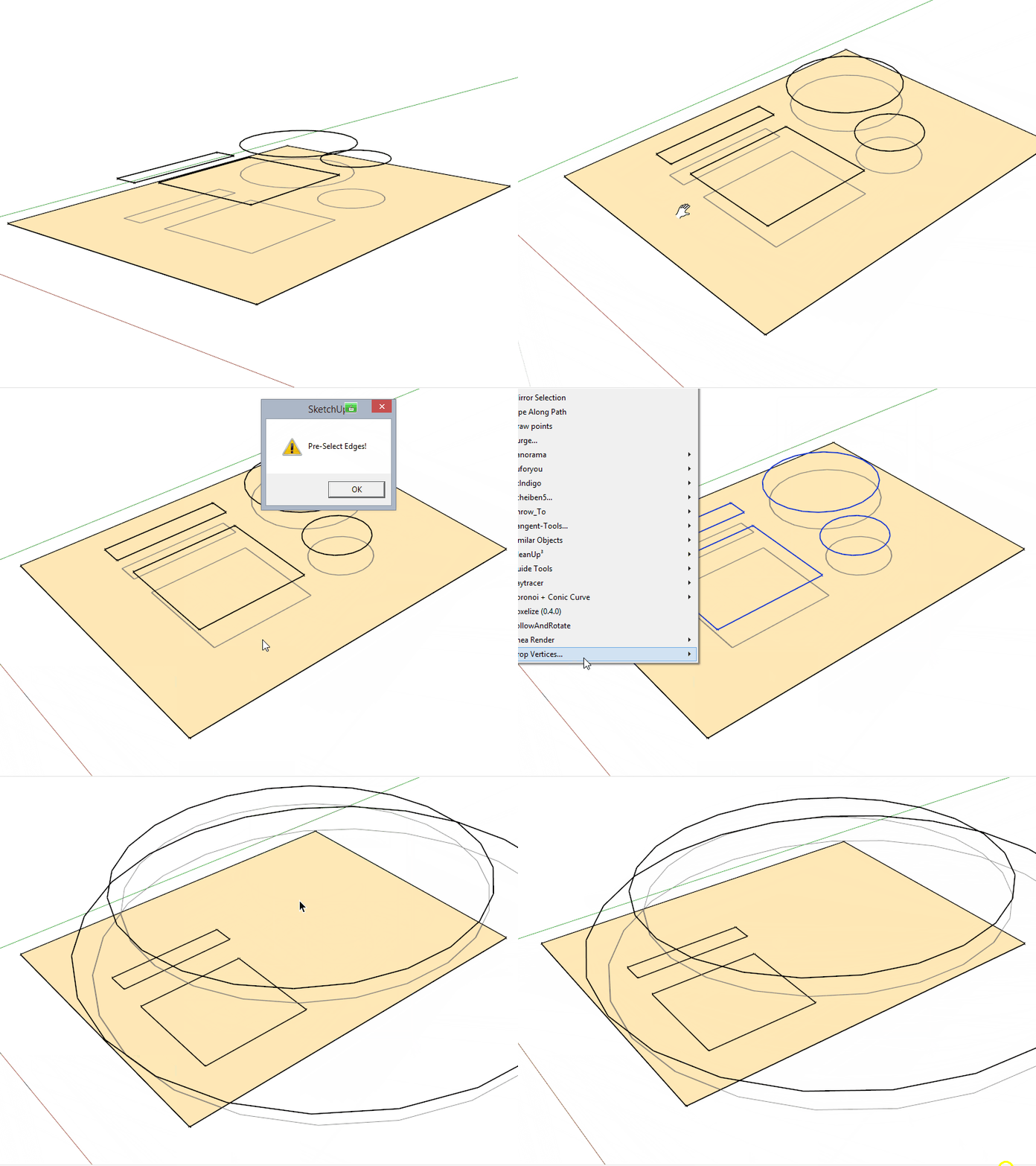
          What did I wrong here?

          klick image

          my SketchUp gallery

          1 Reply Last reply Reply Quote 0
          • TIGT Offline
            TIG Moderator
            last edited by

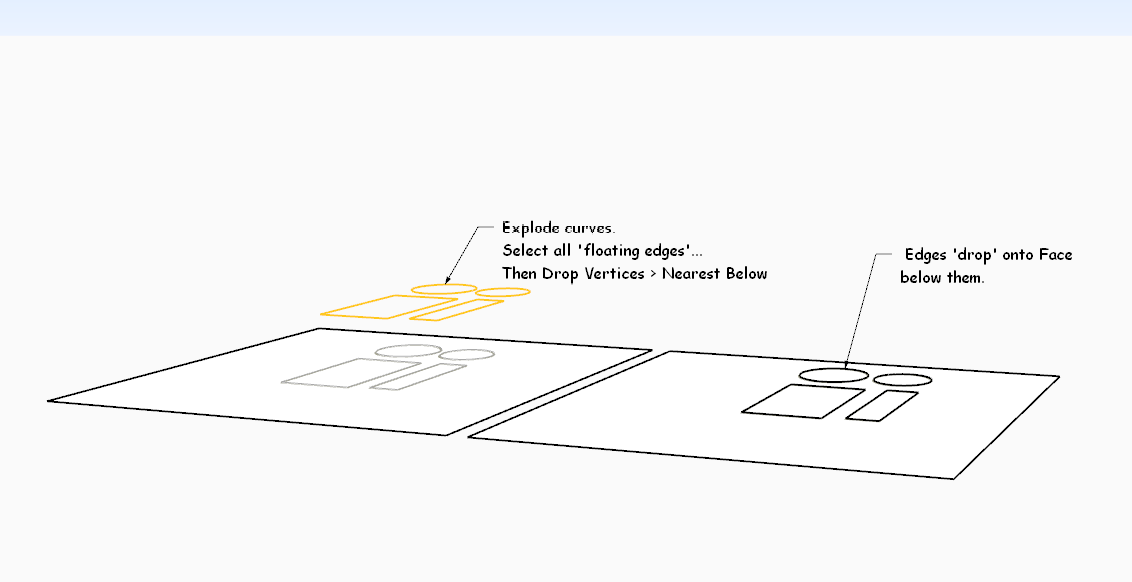
            Scant on what you've tried...
            arcs/curves do not drop unless they are exploded first...
            but see this example...

            DropVertsBelow.PNG

            TIG

            1 Reply Last reply Reply Quote 0
            • TIGT Offline
              TIG Moderator
              last edited by

              Here is v2.0 http://sketchucation.com/pluginstore?pln=dropverts It now overcomes the curve issue.
              All edges in a dropped curve are now treated as separate edges.

              TIG

              1 Reply Last reply Reply Quote 0
              • C Offline
                cotty
                last edited by

                Thank you, nice update!

                my SketchUp gallery

                1 Reply Last reply Reply Quote 0
                • P Offline
                  pilou
                  last edited by

                  Does it possible to imagine a "drop" on X or Y direction ?
                  (sure I can rotate all before but...)

                  Frenchy Pilou
                  Is beautiful that please without concept!
                  My Little site :)

                  1 Reply Last reply Reply Quote 0
                  • M Offline
                    mariocha
                    last edited by

                    Hi TIG,
                    I found that To Middle and To average do not work.
                    Console indicates that line 93 z=z.to_s.to_l if z is faulty; cannot convert to length.
                    I changed it to z=z.to_f if z . (float) They now work.
                    Is this right ?

                    %(#008000)[Mario C.
                    Every rule has exceptions, but some.]

                    1 Reply Last reply Reply Quote 0
                    • M Offline
                      mariocha
                      last edited by

                      @pilou said:

                      Does it possible to imagine a "drop" on X or Y direction ?
                      (sure I can rotate all before but...)

                      In this port are functions for the 3 axis.
                      I tried to stick to the actual extension standards.
                      Re-named it since it does more than just drop.
                      Added LanguageHandler, french. And a contextual menu for the most frequent ones I use.


                      Mc-AlignEnds.rbz

                      %(#008000)[Mario C.
                      Every rule has exceptions, but some.]

                      1 Reply Last reply Reply Quote 0
                      • M Offline
                        maxosmedia
                        last edited by

                        Extension Errors Report

                        SketchUp: 26.2.242
                        OS: Tahoe
                        Ruby: 3.2.2

                        Extension: [unknown]
                        Error: SyntaxError (/Users/maxos/Library/Application Support/SketchUp 2026/SketchUp/Plugins/ropverts.rb:1: syntax error, unexpected ':', expecting end-of-input
                        Name: dropverts.rb

                        1 Reply Last reply Reply Quote 0
                        • TIGT Offline
                          TIG Moderator
                          last edited by TIG

                          @maxosmedia

                          Why have you posted 6 almost identical posts about something - one will do.
                          And your post doesn't contain enough info for the error either.
                          You can copy the whole thing and post that - it'd include the error details, and even the line number ?
                          In you copy/paste it looks like you didn't get the file name right - it's dropverts.rb - you missed off the 'd' - or have you somehow mangled the file's name in reality within the Plugins folder ?
                          ALSO note that this script is 16 years old and no one has posted here for 10 years. So SketchUp versions and their Ruby installations can vary to generate errors for older scripts when loaded in newer SketchUp versions !
                          Having said that, I just loaded it into v2026 [PC] and it works fine - just as expected... So please be more helpful with your reporting, so we can help you...

                          TIG

                          1 Reply Last reply Reply Quote 0
                          • Rich O BrienR Offline
                            Rich O Brien Moderator
                            last edited by

                            @tig

                            Extra removed.

                            Download the free D'oh Book for SketchUp πŸ“–

                            1 Reply Last reply Reply Quote 0

                            Hello! It looks like you're interested in this conversation, but you don't have an account yet.

                            Getting fed up of having to scroll through the same posts each visit? When you register for an account, you'll always come back to exactly where you were before, and choose to be notified of new replies (either via email, or push notification). You'll also be able to save bookmarks and upvote posts to show your appreciation to other community members.

                            With your input, this post could be even better πŸ’—

                            Register Login
                            • 1
                            • 2
                            • 3
                            • 3 / 3
                            • First post
                              Last post
                            Buy SketchPlus
                            Buy SUbD
                            Buy WrapR
                            Buy eBook
                            Buy Modelur
                            Buy Vertex Tools
                            Buy SketchCuisine
                            Buy FormFonts

                            Advertisement