Drawing an arc with seperated segments
-
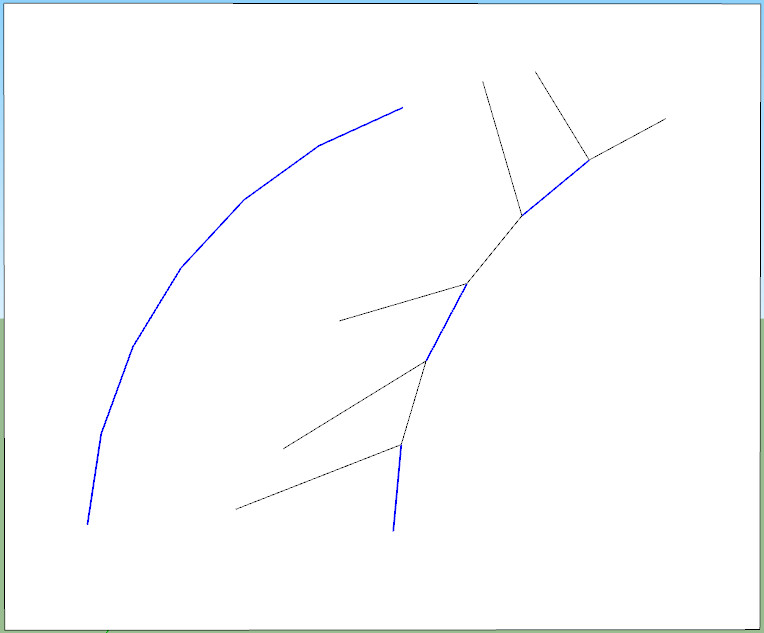
Is there any way to draw an arc so that it's segments are separated? In other words, so that you can select each segment separately. I know you can separate the segments by drawing a line from each junction, but this is such a pain, and sometimes doesn't even work right.
-
After you draw the arc, Right click on it -> Explode Curve
-
Thanks, I should have asked this question a long time ago

-
 Just think of how many more models you could have finished by now!
Do you have any more easy questions?
-
Actually yes, I do have another dumb question - I know you can use Eraser/Ctrl/Shift to unsoften lines, but is there a way to use the eraser to turn hidden lines into unhidden lines? Or to softened lines? Or to bunny rabbits?
-
@hellnbak said:
is there a way to use the eraser to turn hidden lines into unhidden lines? Or to softened lines?
'fraid not

@unknownuser said:
Or to bunny rabbits?
I'm sure there's a ruby around here somewhere for that!

-
@hellnbak said:
Actually yes, I do have another dumb question - I know you can use Eraser/Ctrl/Shift to unsoften lines, but is there a way to use the eraser to turn hidden lines into unhidden lines? Or to softened lines? Or to bunny rabbits?
Shift+Erase = Hide
Ctrl+Erase = Soft/Smooth
Ctrl+Shift+Erase = Unsoft/smooth (but not unhide) -
To turn Hidden lines to Solid lines...
View > Hidden Geometry > ON
Next change to View Mode to 'Wireframe' [this makes selecting edges much easier]
Select the 'dotted' Hidden Edges you want to change to Solid... using the Entity Info > Uncheck the 'Hidden' box...
Reset the Hidden Geometry and the View Mode to your particular preference...This method can also be used to manipulate Smooth/Soft-ness of edges...
-
@tig said:
To turn Hidden lines to Solid lines...
View > Hidden Geometry > ON
Next change to View Mode to 'Wireframe' [this makes selecting edges much easier]
Select the 'dotted' Hidden Edges you want to change to Solid... using the Entity Info > Uncheck the 'Hidden' box...
Reset the Hidden Geometry and the View Mode to your particular preference...This method can also be used to manipulate Smooth/Soft-ness of edges...
Thanks TIG, that works much better than having to draw over each line. I don't use wireframe mode though, with a complicated model it's difficult to figure out just what is what. I hardly ever use wireframe, looks like a spaghetti factory exploded, makes me dizzy.
Just knew there was someone out there with a tip that would help out.
By the way d12dozer, I found that bunny rabbit ruby, works great! (although the bunnies are starting to get out of control)
-
fwiw, you can also select - > right click -> unhide
you can select a bunch of faces along with the hidden lines and it won't matter (ie- window selection etc is ok)..
but the real way to avoid it is not to hide any lines in the first place
(well, for me at least.. i just never have a use for hiding lines as opposed to softening them)




Hello! It looks like you're interested in this conversation, but you don't have an account yet.
Getting fed up of having to scroll through the same posts each visit? When you register for an account, you'll always come back to exactly where you were before, and choose to be notified of new replies (either via email, or push notification). You'll also be able to save bookmarks and upvote posts to show your appreciation to other community members.
With your input, this post could be even better 💗
Register Login


Advertisement